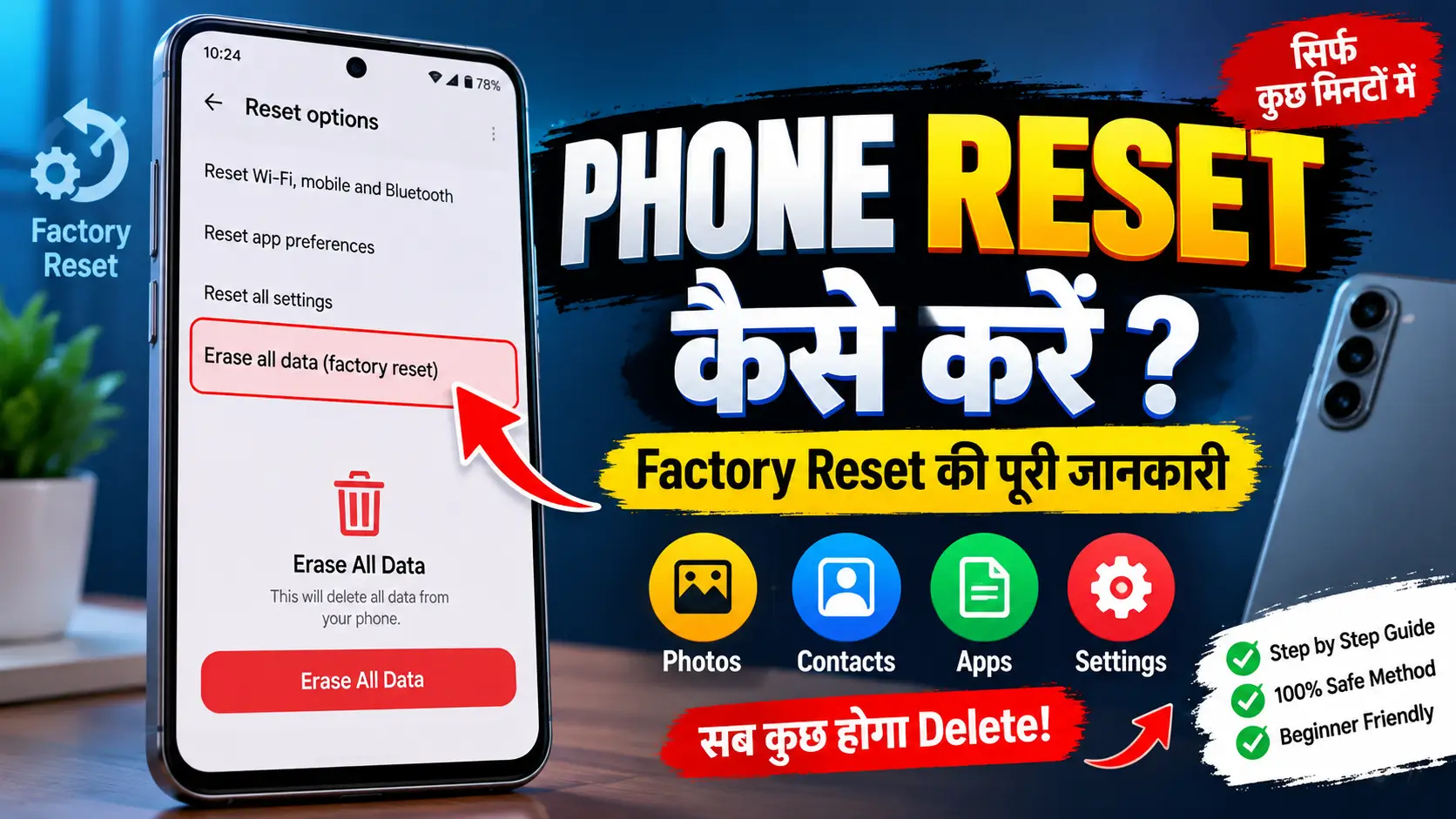
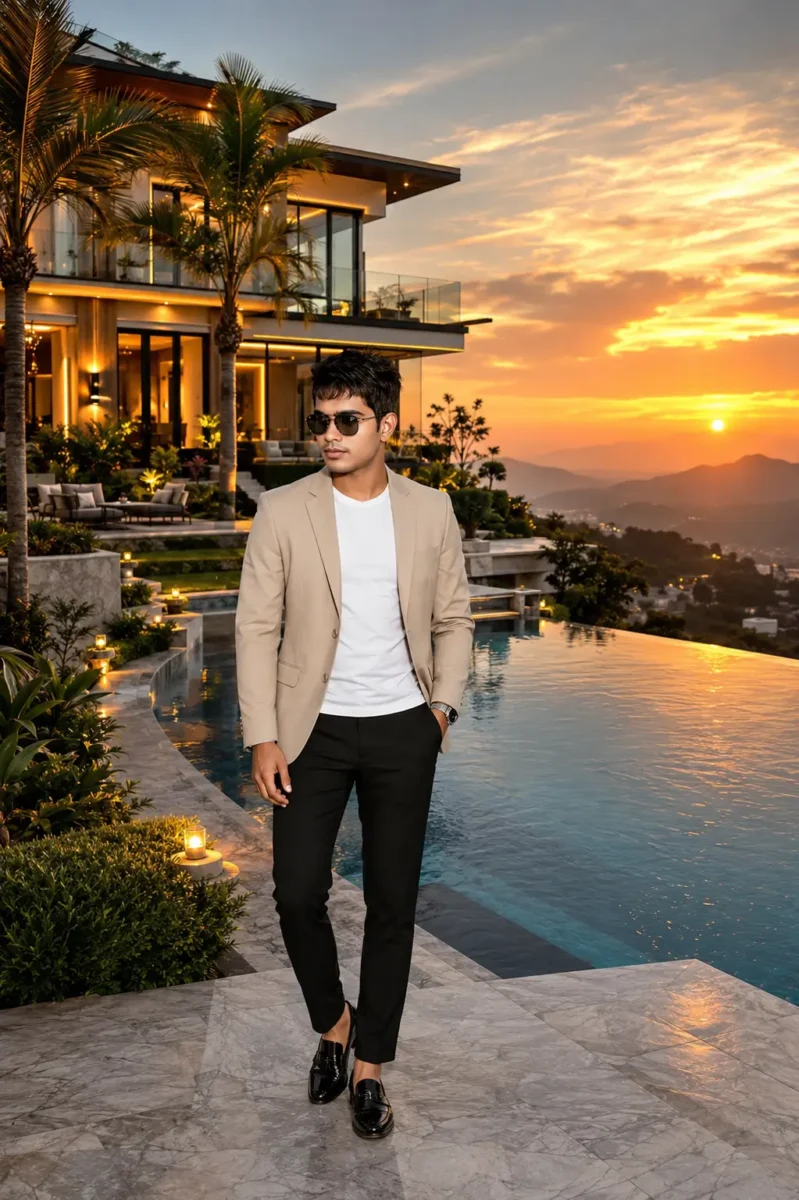
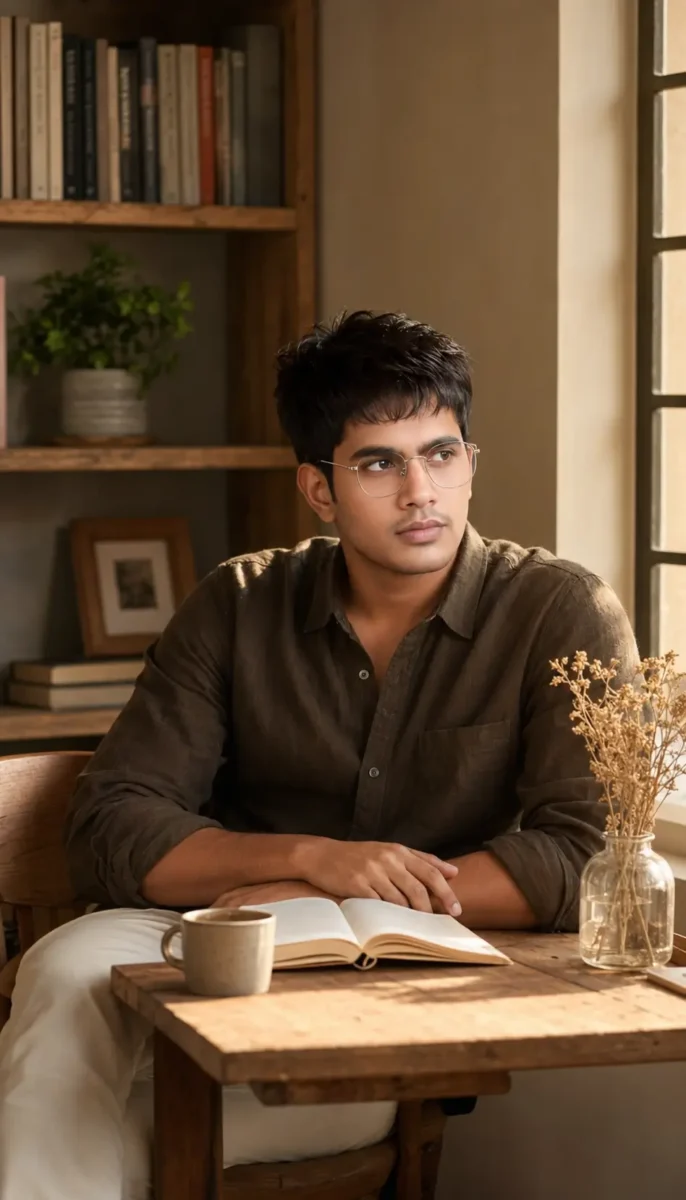
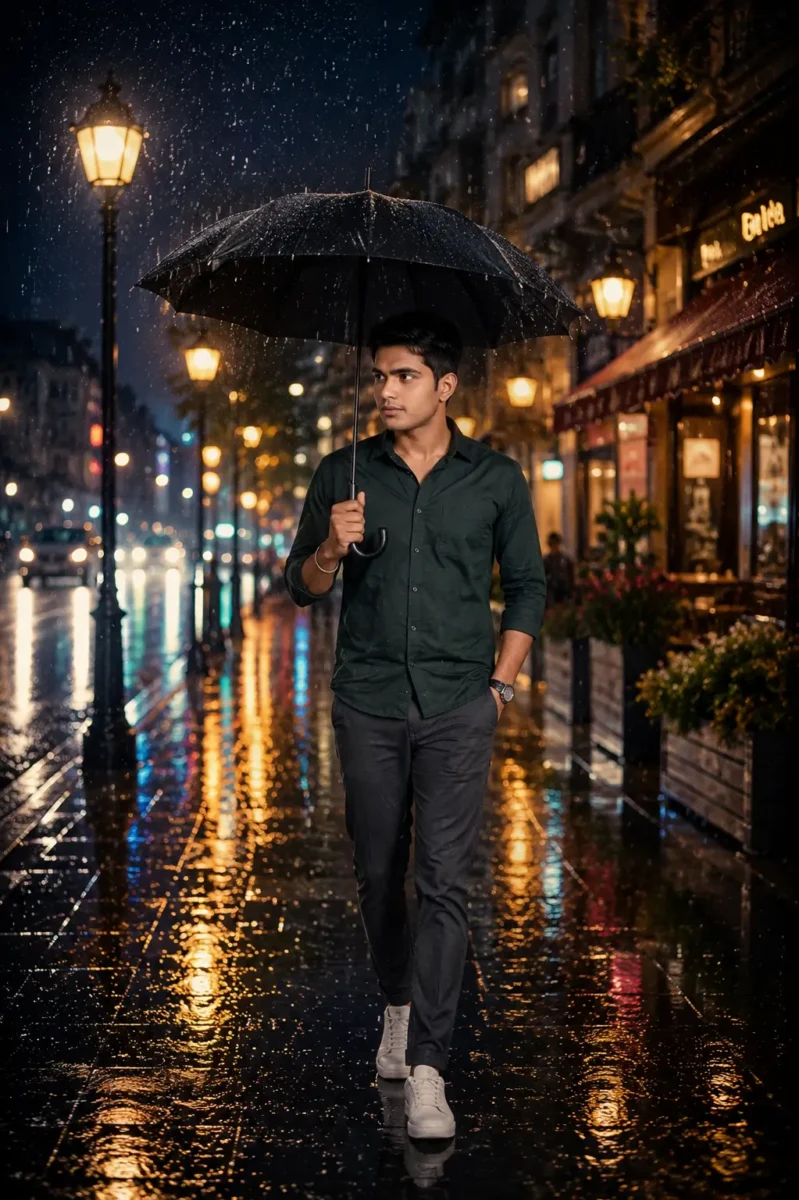
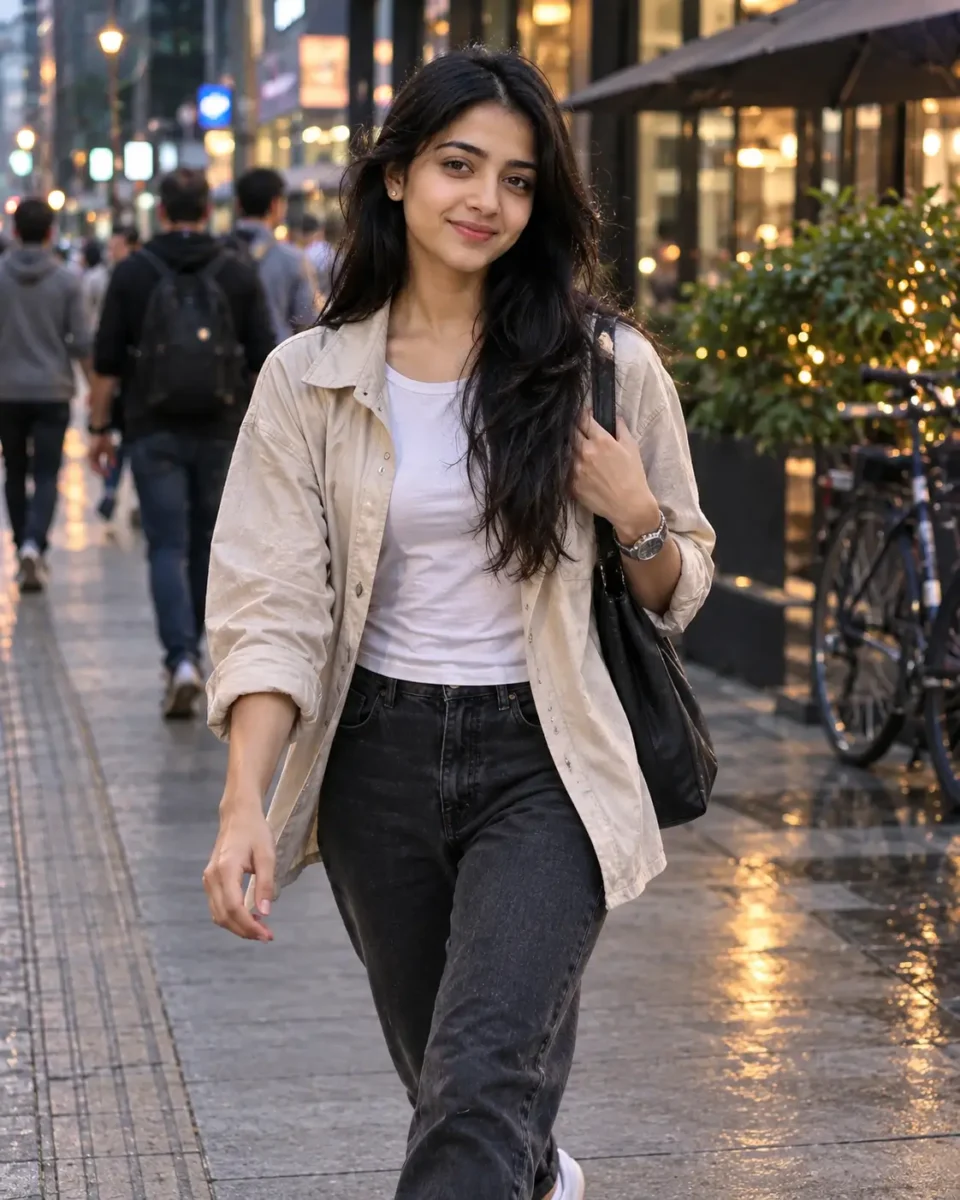
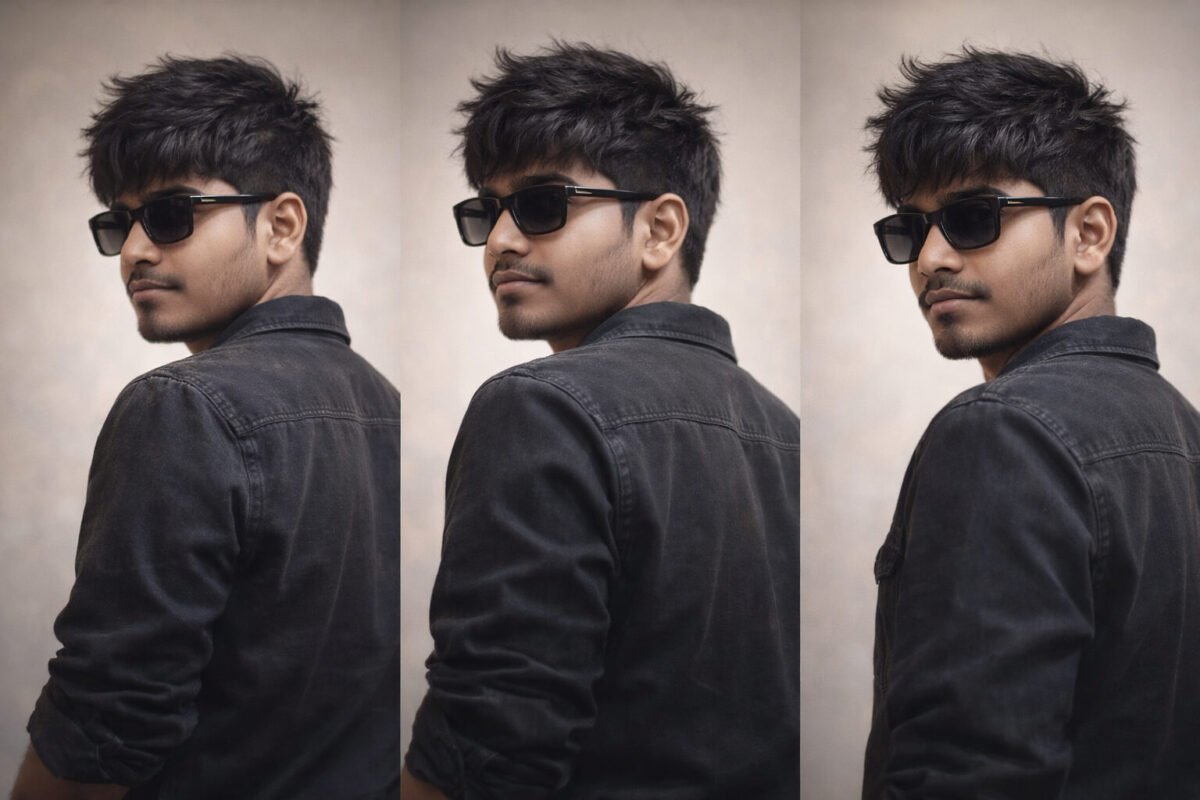
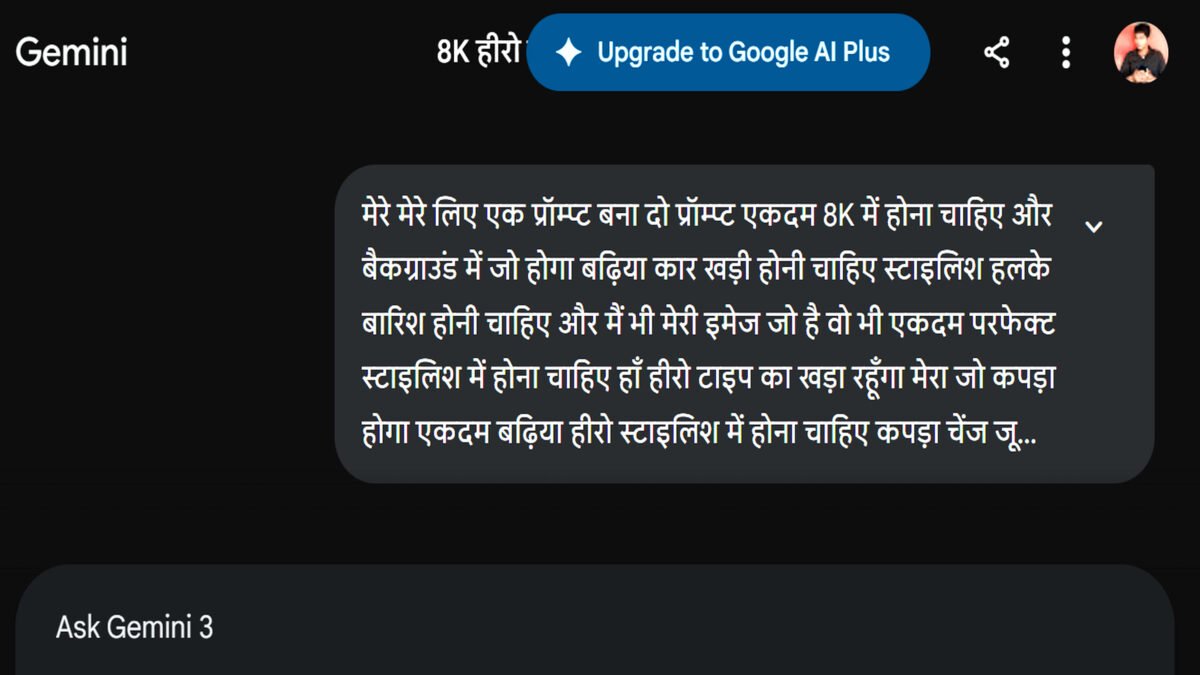
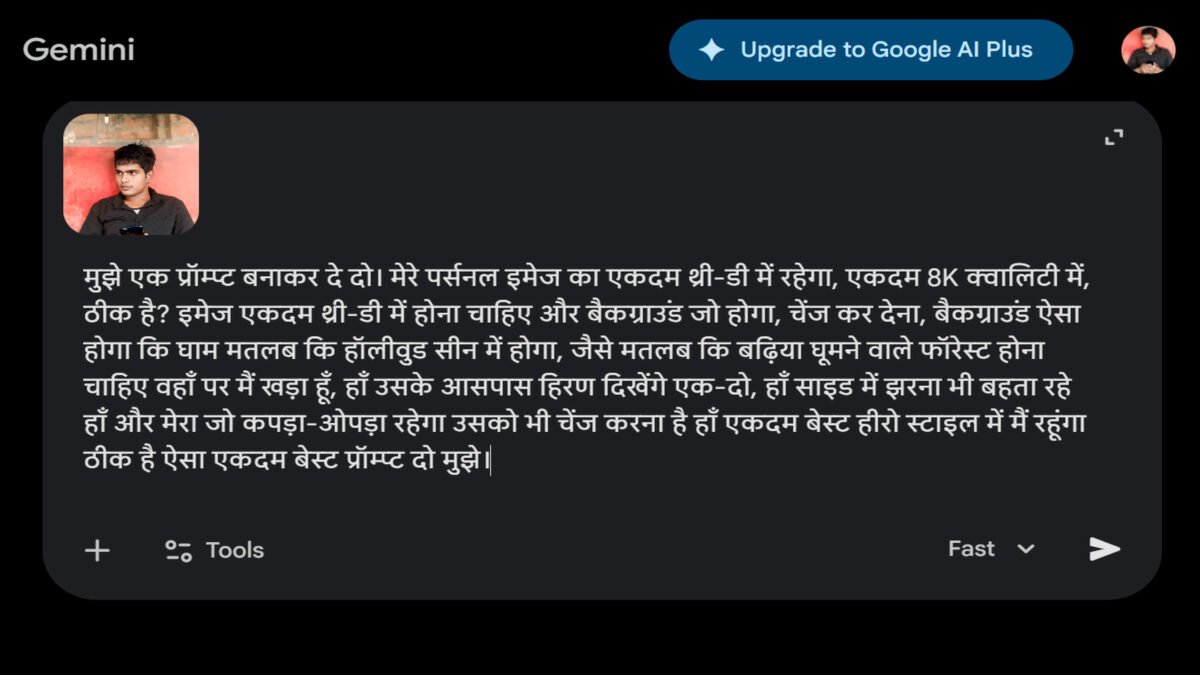
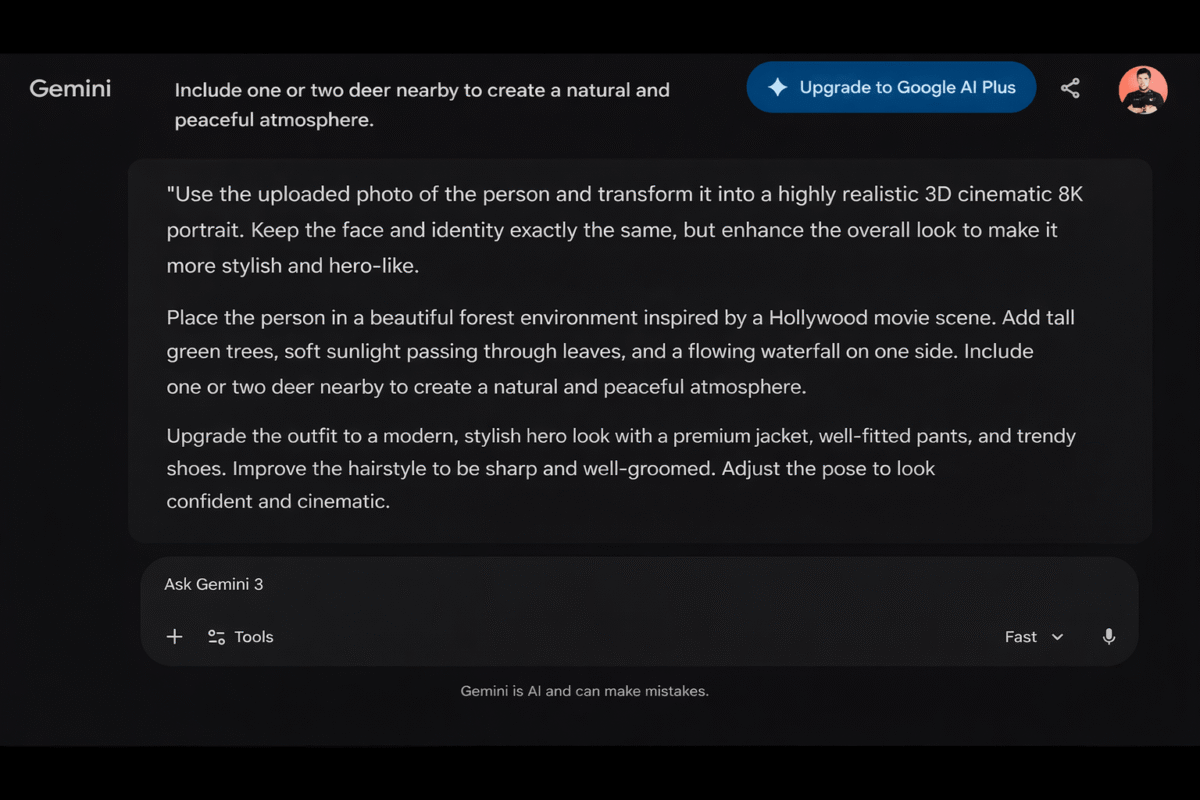
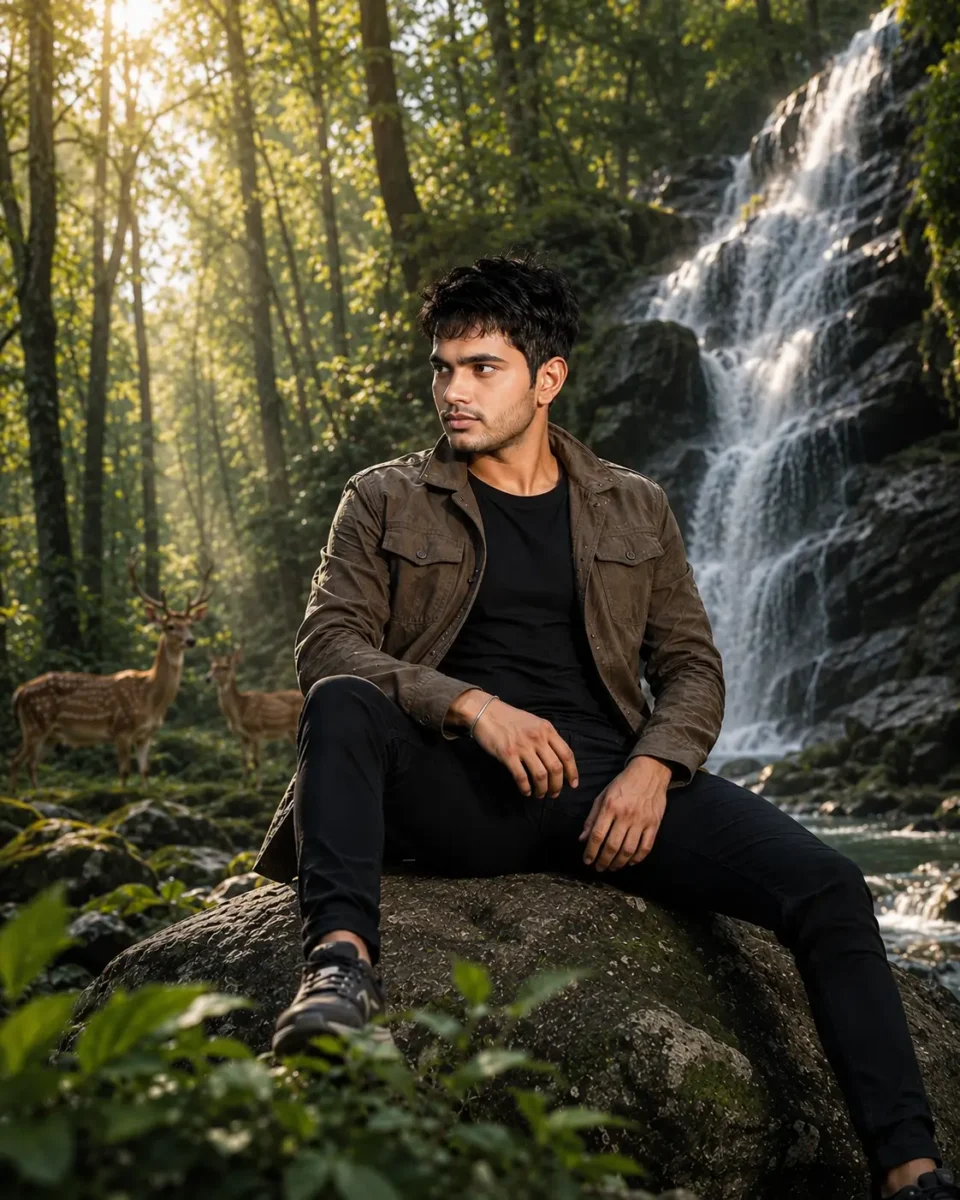
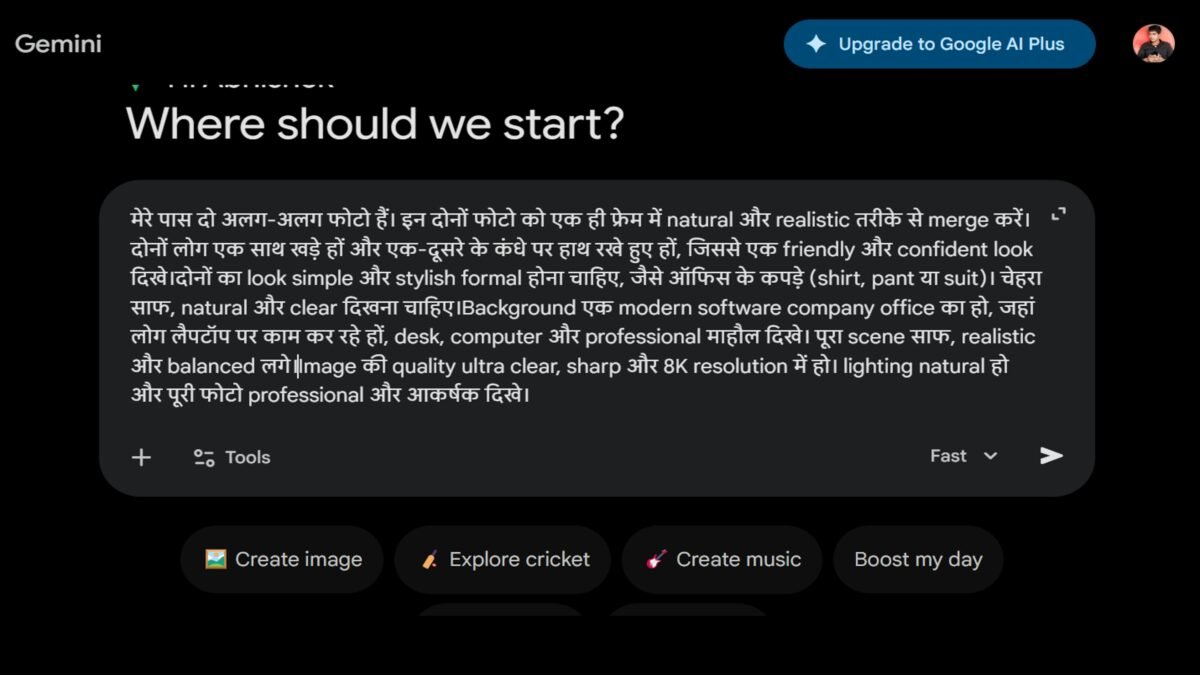
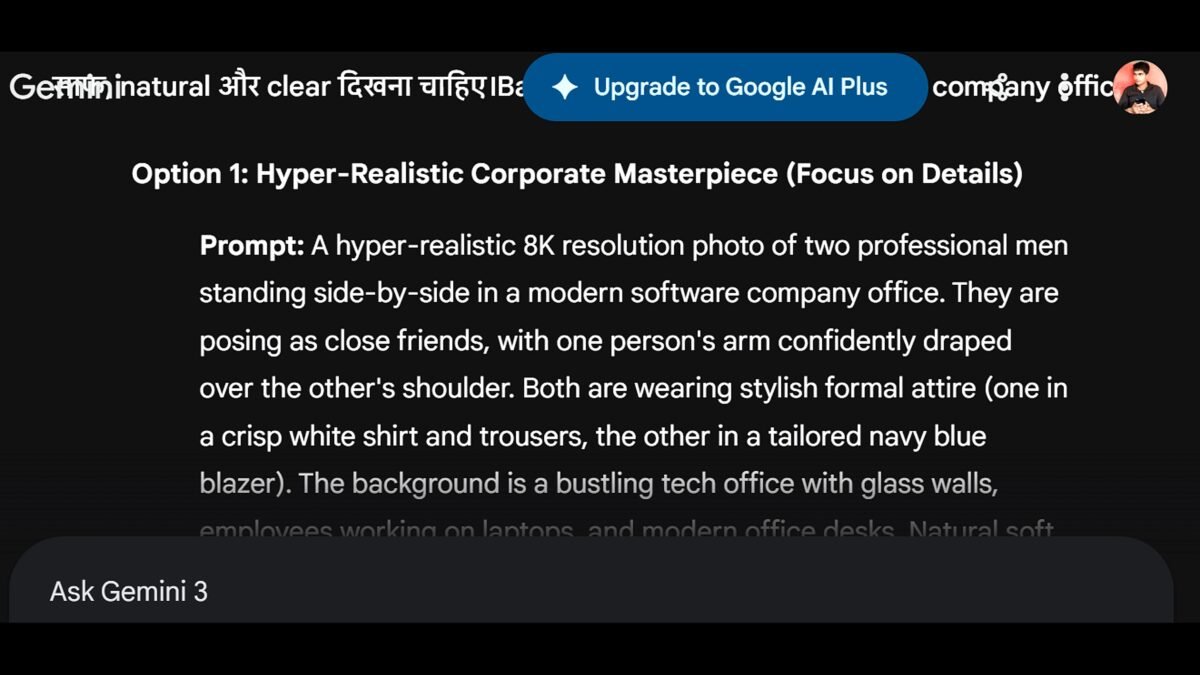
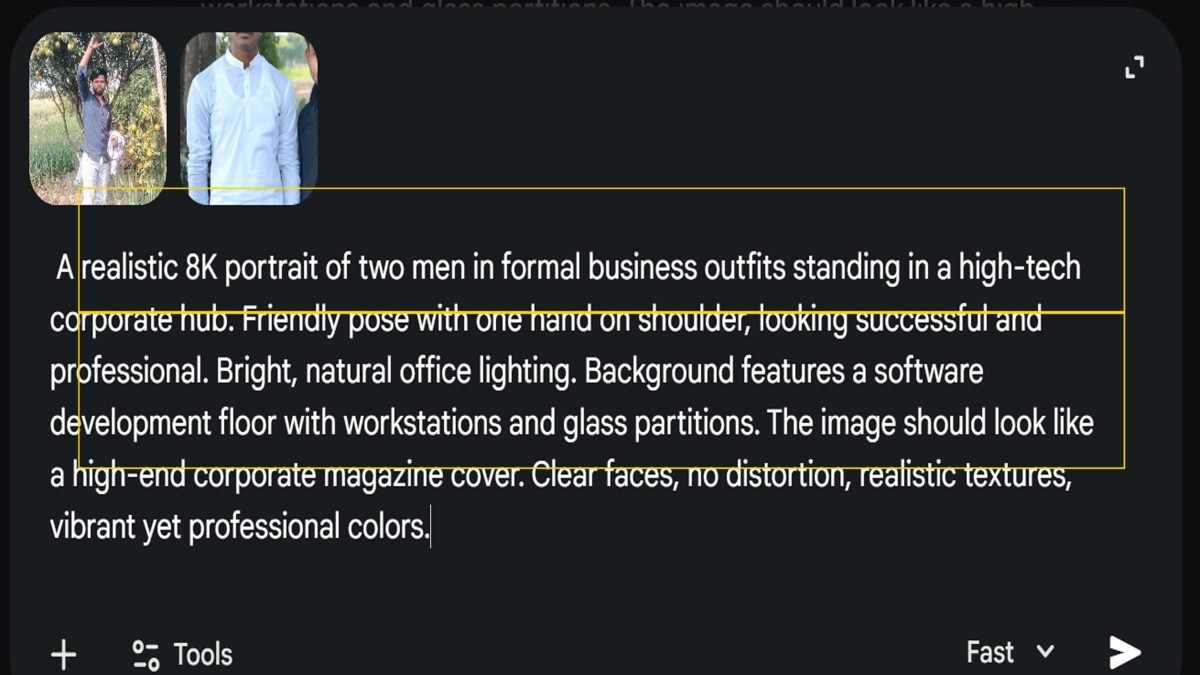
अगर आपका मोबाइल बार-बार हैंग हो रहा है, ऐप्स ठीक से नहीं चल रहे हैं या फोन पहले जैसा तेज़ काम नहीं कर रहा, तो आपने भी कभी न कभी Google पर mobile reset kaise kareज़रूर सर्च किया होगा। सही तरीका पता न होने की वजह से कई लोग अपना ज़रूरी डेटा भी खो देते हैं। इस लेख में मैं आपको मोबाइल रीसेट करने का आसान तरीका, रीसेट से पहले की तैयारी और बाद में पुराना डेटा वापस लाने की पूरी जानकारी दूँगा।
Mobile Reset Kya Hota Hai
Mobile Reset का मतलब फोन की सेटिंग्स या पूरे डेटा को रीसेट करना होता है। जब फोन बार-बार हैंग होने लगे, सही से काम न करे या बेचना हो, तब लोग इसे करते हैं। Android फोन में अलग-अलग तरह के Reset विकल्प मिलते हैं, जैसे Factory Reset, Reset Wi-Fi, Mobile & Bluetooth और Reset All Settings। इन सभी का काम अलग होता है, इसलिए सही विकल्प चुनना ज़रूरी है।
फोन का सारा डेटा हट जाता है (अगर Factory Reset किया है)।
इंस्टॉल किए गए ऐप्स हट जाते हैं।
फोन की सेटिंग्स डिफ़ॉल्ट हो जाती हैं।
Google Account से दोबारा साइन इन करना पड़ सकता है।
फोन नए जैसा महसूस होने लगता है।
Phone Reset Karne Se Pehle Kya Kare
मोबाइल रीसेट करने से पहले कुछ ज़रूरी तैयारियाँ कर लेना बहुत महत्वपूर्ण है। इससे आपका ज़रूरी डेटा सुरक्षित रहेगा और रीसेट के बाद फोन दोबारा सेटअप करने में भी कोई परेशानी नहीं होगी। इसलिए नीचे दी गई बातों का ध्यान ज़रूर रखें।
अपनी Gmail ID और Password नोट करके रखें। रीसेट के बाद फोन में दोबारा साइन इन करने के लिए इसकी ज़रूरत पड़ सकती है।
ज़रूरी डेटा का Backup लें। अपने फोटो, वीडियो, कॉन्टैक्ट, दस्तावेज़ और अन्य महत्वपूर्ण फ़ाइलों को Google Drive, किसी दूसरे फोन या कंप्यूटर में सुरक्षित कॉपी कर लें।
मोबाइल की बैटरी 50% से ज़्यादा चार्ज रखें। रीसेट के दौरान अगर फोन बंद हो जाए, तो प्रक्रिया बीच में रुक सकती है।
SIM और Memory Card की जाँच कर लें। अगर ज़रूरी लगे, तो Memory Card निकाल लें ताकि उस पर मौजूद डेटा सुरक्षित रहे।
महत्वपूर्ण ऐप्स की जानकारी याद रखें। बैंकिंग, UPI या अन्य ज़रूरी ऐप्स के लॉगिन की जानकारी अपने पास रखें, ताकि रीसेट के बाद उन्हें आसानी से दोबारा इस्तेमाल कर सकें।
Google Backup चालू है या नहीं, यह देख लें। अगर Backup पहले से चालू होगा, तो रीसेट के बाद पुराना डेटा वापस लाना आसान हो जाएगा।
इन तैयारियों के बाद आप बिना किसी चिंता के अपने मोबाइल को रीसेट कर सकते हैं।
Factory Reset करने से पहले एक बार ये तरीके जरूर आजमाएं। अगर आपका मोबाइल slow, lag या बार-बार hang हो रहा है, तो इन आसान तरीकों से आप बिना data delete किए फोन की speed बेहतर करने की कोशिश कर सकते हैं। Mobile Slow Kaise Fast Kare – पूरी Guide पढ़ें
ज़रूरी सूचना: यह तरीका किन मोबाइल के लिए है?
इस लेख में दिए गए सभी स्टेप्स और स्क्रीनशॉट Vivo मोबाइल के आधार पर तैयार किए गए हैं। अगर आपके पास Samsung, OPPO, Realme, Redmi, Xiaomi, OnePlus, Motorola या किसी अन्य कंपनी का Android फोन है, तो Settings के नाम या उनका स्थान थोड़ा अलग हो सकता है। हालांकि, मोबाइल रीसेट करने की प्रक्रिया लगभग सभी Android फोन में मिलती-जुलती होती है, इसलिए आपको चिंता करने की ज़रूरत नहीं है।
Quick Tip: अगर आपको अपने फोन में Reset का विकल्प नहीं मिल रहा है, तो Settings खोलें और सबसे ऊपर दिए गए Search Bar में Reset लिखकर खोजें। इससे आपके फोन में उपलब्ध Reset से जुड़े सभी विकल्प, जैसे Factory Reset, Reset Wi-Fi, Mobile & Bluetooth या Reset All Settings, तुरंत दिखाई देने लगेंगे।
Mobile Reset Kaise Kare (Step-by-Step)
अपने मोबाइल को रीसेट करने के लिए नीचे बताए गए सभी स्टेप्स को ध्यान से पूरा करें। अगर आप पहली बार फोन रीसेट कर रहे हैं, तो घबराने की ज़रूरत नहीं है। बस हर स्टेप को उसी क्रम में करें, जैसा नीचे बताया गया है।
Step 1: Settings App Kholen
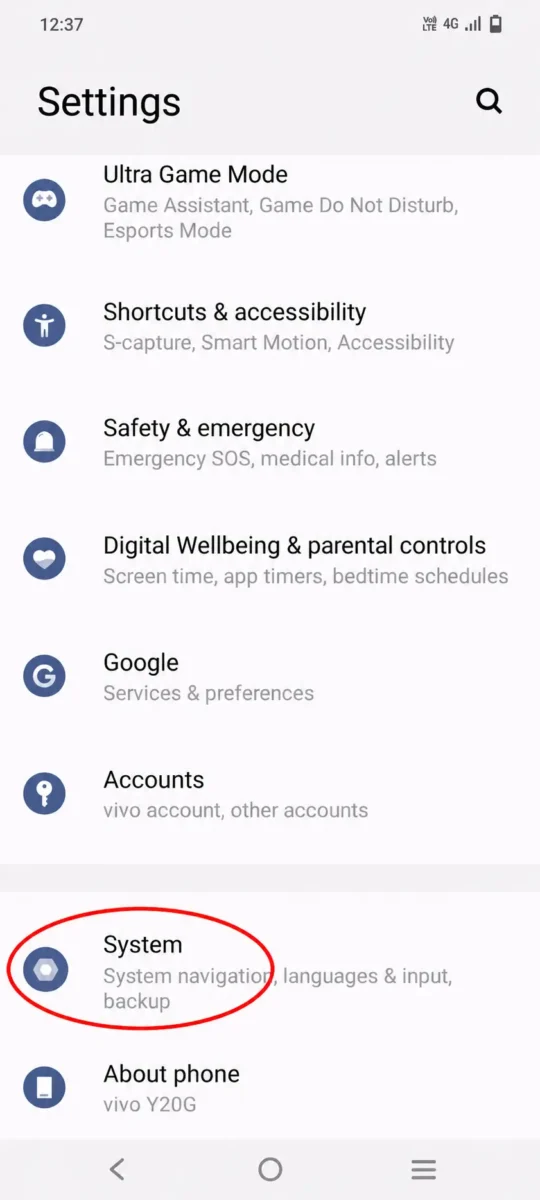
Vivo Mobile Ka System Option
सबसे पहले अपने मोबाइल की Settings खोलें। आगे की पूरी प्रक्रिया यहीं से शुरू होगी। अगर आपको Settings ऐप नहीं मिल रही है, तो ऐप सूची या Search Bar की मदद से उसे आसानी से खोज सकते हैं।
Step 2: System Par Tap Kare
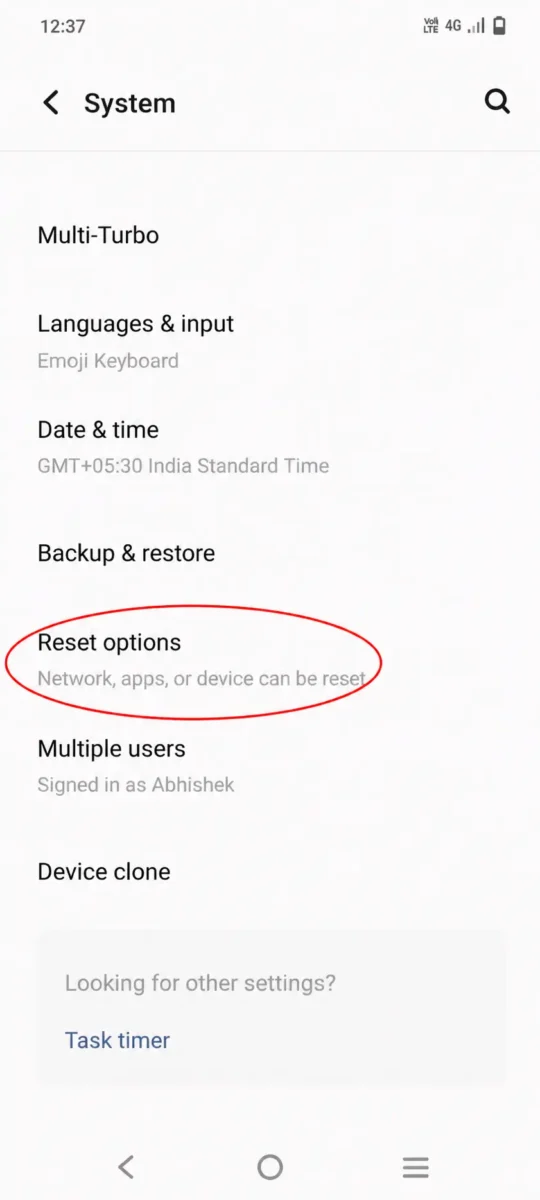
Vivo Mobile Ka Reset Options
Settings खोलने के बाद नीचे स्क्रॉल करें और System विकल्प पर टैप करें। Vivo मोबाइल में Reset से जुड़े सभी विकल्प इसी सेक्शन के अंदर मिलते हैं। अगर आपके पास किसी दूसरी कंपनी का Android फोन है और System के अंदर Reset का विकल्प नहीं मिल रहा है, तो चिंता करने की ज़रूरत नहीं है। ऐसे में Settings के सबसे ऊपर दिए गए Search Bar में Reset लिखकर खोजें। इससे आपके फोन में उपलब्ध Reset से जुड़े सभी विकल्प तुरंत दिखाई देने लगेंगे।
Step 3: Reset Options Par Tap Kare
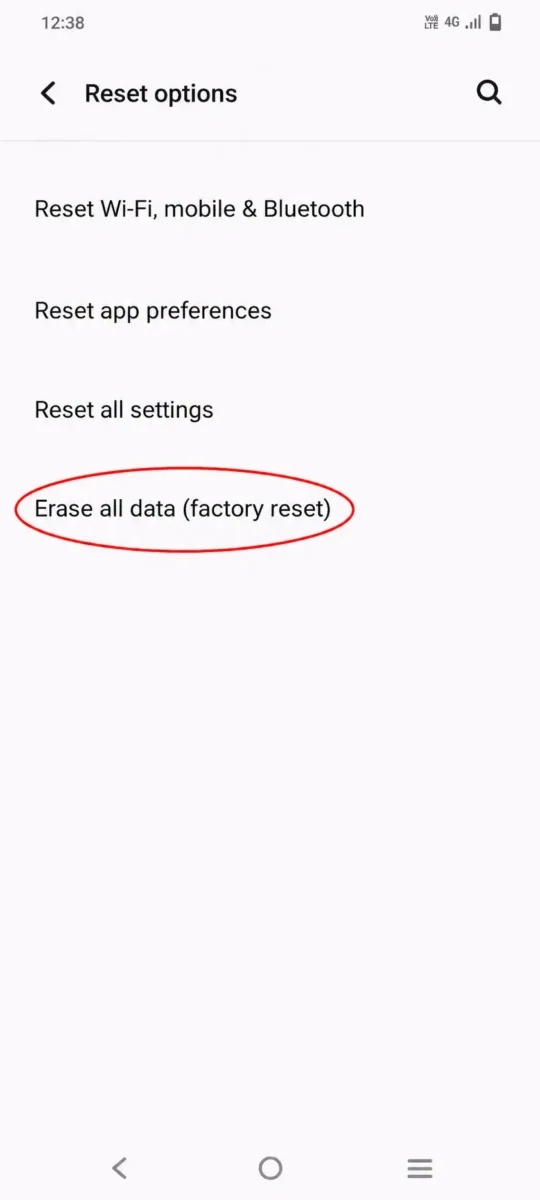
Erase All Data (Factory Reset) Option
System सेक्शन में आने के बाद नीचे स्क्रॉल करें और Reset Options पर टैप करें। इसके बाद आपके सामने Reset Wi-Fi, Mobile & Bluetooth, Reset App Preferences, Reset All Settings और Erase All Data (Factory Reset) जैसे कई विकल्प दिखाई देंगे। अगर आप अपने मोबाइल का पूरा डेटा हटाकर उसे नए जैसा रीसेट करना चाहते हैं, तो Erase All Data (Factory Reset) पर टैप करें। बाकी सभी Reset विकल्पों के बारे में भी मैंने नीचे आसान भाषा में अलग-अलग जानकारी दी है, ताकि आप अपनी ज़रूरत के अनुसार सही विकल्प चुन सकें।
Step 4: Erase All Data (Factory Reset) Par Tap Kare
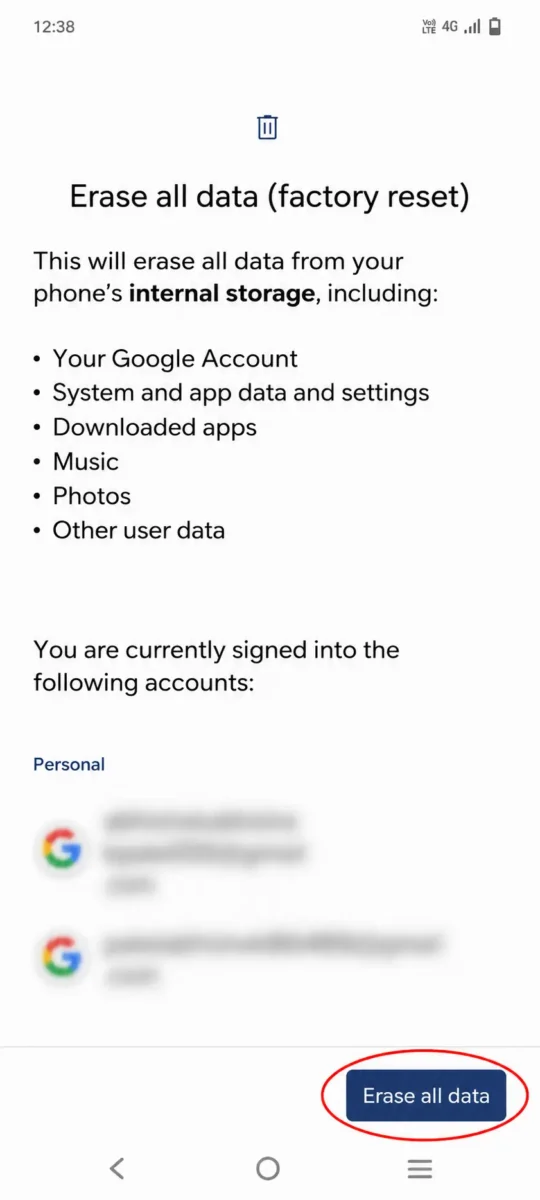
Erase All Data Confirmation Screen
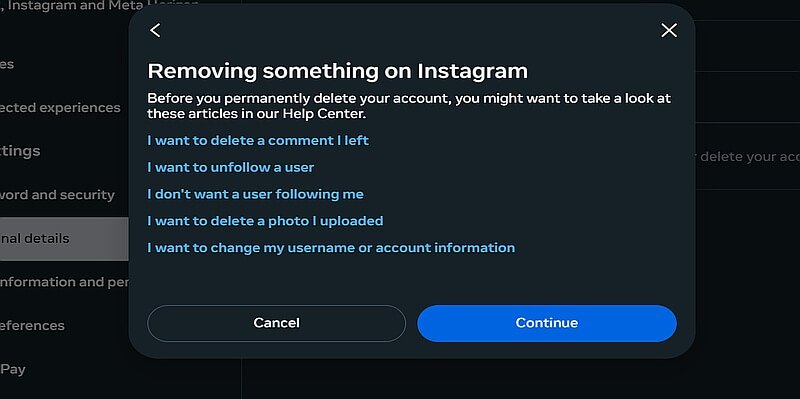
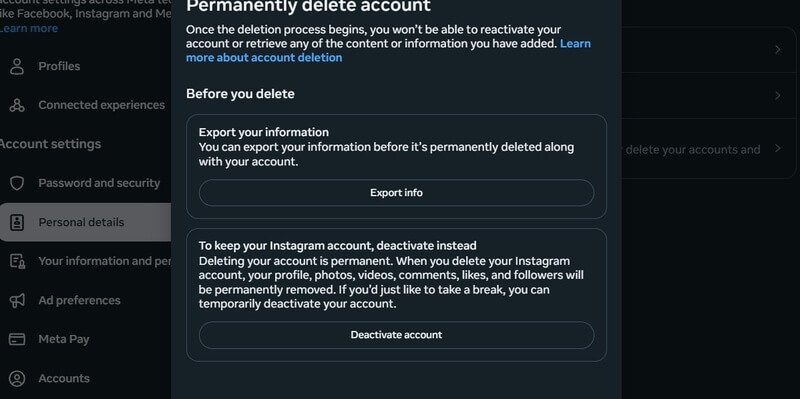
Erase All Data (Factory Reset) पर टैप करने के बाद आपके सामने एक नया पेज खुल जाएगा। इस पेज पर बताया जाता है कि Factory Reset करने के बाद आपके मोबाइल से कौन-कौन सा डेटा हट जाएगा। इसमें आपका Google Account, System और App Data, Settings, Download किए गए Apps, Music, Photos और अन्य User Data पूरी तरह से डिलीट हो जाएगा। अगर आपने ज़रूरी डेटा का बैकअप ले लिया है, तो नीचे दिए गए Erase All Data बटन पर टैप करके अगले स्टेप पर जाएँ।
Step 5: Erase All Data Par Tap Kare
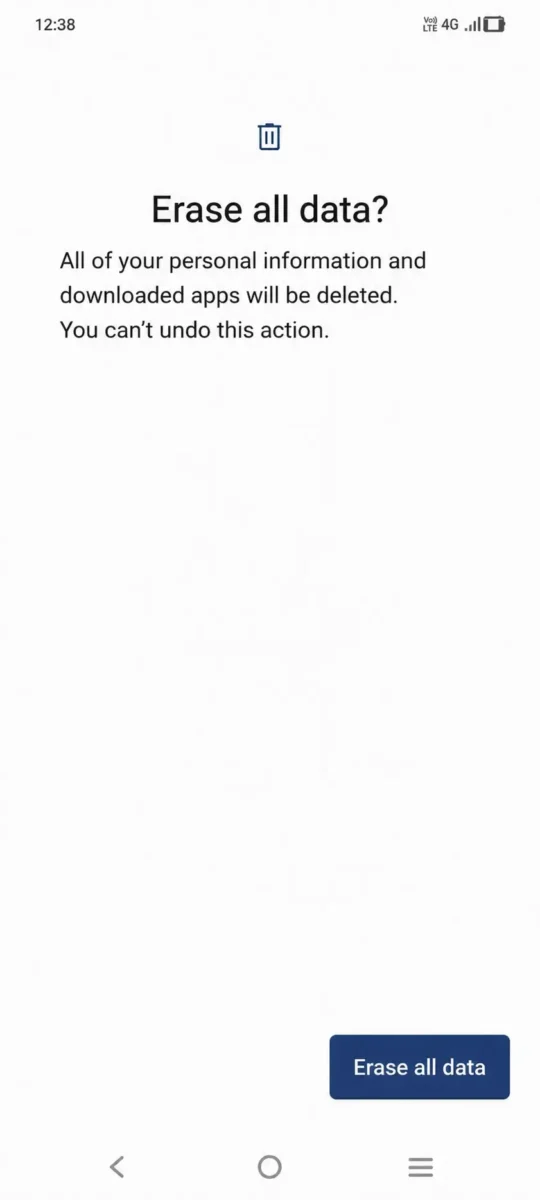
Erase All Data Final Confirmation
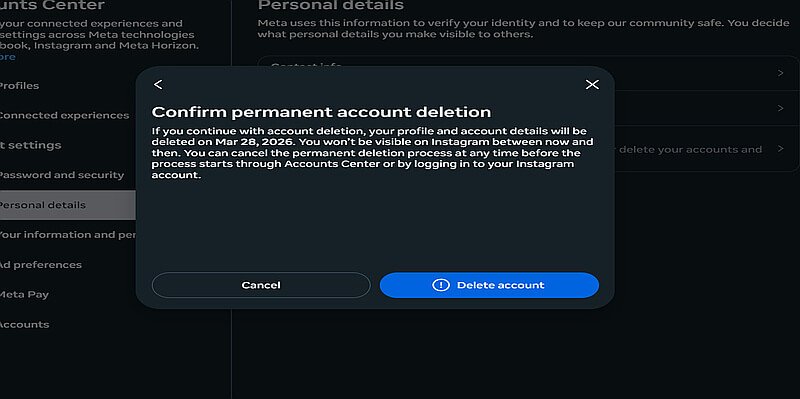
Erase All Data बटन पर टैप करने के बाद आपका मोबाइल सुरक्षा के लिए Screen Lock, PIN, Password या Pattern Lock दर्ज करने के लिए कह सकता है। कुछ मोबाइल में सुरक्षा की पुष्टि के लिए Google Account (Gmail ID) का पासवर्ड भी माँगा जा सकता है। सही जानकारी दर्ज करने के बाद दोबारा Erase All Data पर टैप करें। इसके बाद आपका मोबाइल Factory Reset की प्रक्रिया शुरू कर देगा और कुछ ही मिनटों में फोन का पूरा डेटा हटाकर उसे नए जैसा कर देगा। रीसेट पूरा होने के बाद मोबाइल अपने आप दोबारा चालू होगा और आपको नई डिवाइस की तरह शुरुआती सेटअप पूरा करना होगा।
निष्कर्ष
अगर आपका फोन बहुत Slow हो गया है, बार-बार Hang हो रहा है या आप उसे किसी दूसरे व्यक्ति को देना चाहते हैं, तो Factory Reset एक उपयोगी तरीका हो सकता है। लेकिन Reset करने से पहले अपने जरूरी डेटा का Backup जरूर लें, क्योंकि Erase All Data करने के बाद फोन में मौजूद पुराना डेटा हट जाएगा।
ध्यान रखें: अलग-अलग कंपनियों के मोबाइल में Factory Reset का विकल्प थोड़ा अलग स्थान पर हो सकता है, लेकिन प्रक्रिया लगभग इसी तरह होती है।
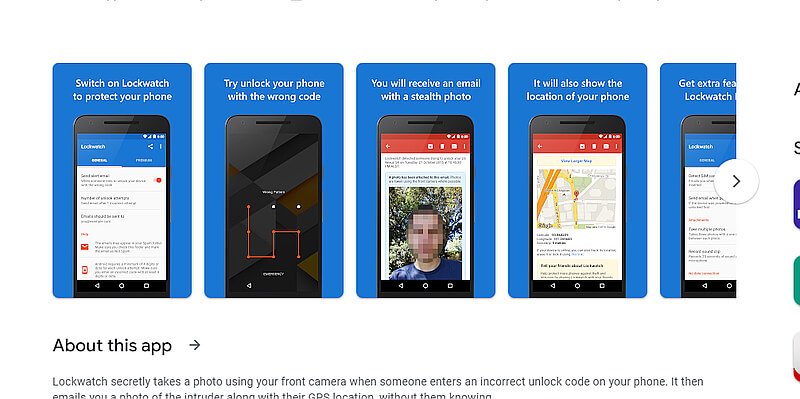
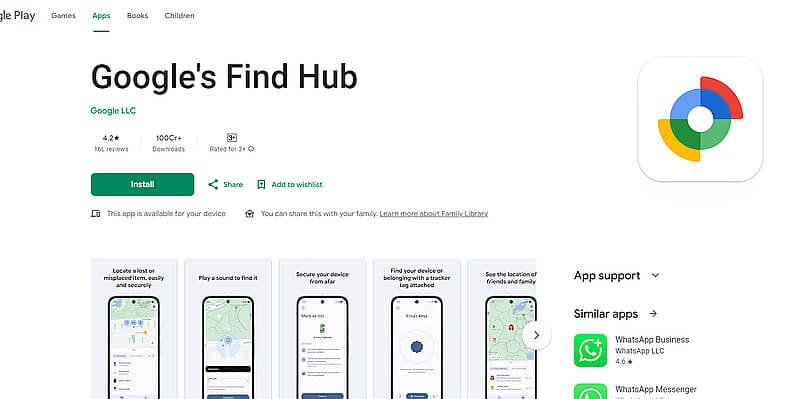
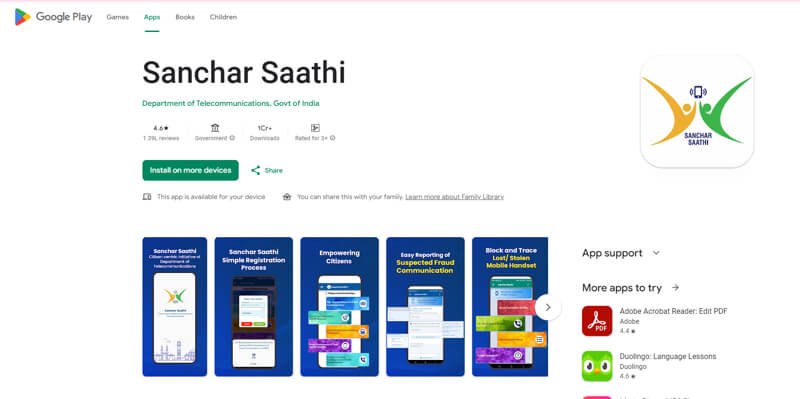
अगर आपका मोबाइल चोरी या खो गया है, तो घबराने के बजाय तुरंत कुछ जरूरी कदम उठाने चाहिए। मोबाइल को सुरक्षित रखने, उसे Track करने और अपने डेटा का गलत इस्तेमाल रोकने के लिए हमने पूरी जानकारी एक अलग लेख में बताई है। Mobile Chori Ho Jaye To Kya Kare? – पूरी जानकारी पढ़ेंMobile Chori Ho Jaye To Kya Kare?
अगर आप सोच रहे हैं कि AI Image Prompt Kaise Likhe, तो इसके लिए आपको किसी दूसरे के prompt को copy करने की जरूरत नहीं है। आप अपनी जरूरत के हिसाब से खुद एक अच्छा और detailed AI image prompt लिख सकते हैं। बस आपको यह पता होना चाहिए कि prompt में कौन-कौन सी जरूरी चीजें और details शामिल करनी हैं। इस गाइड में हम 12 आसान steps की मदद से यही सीखेंगे, ताकि आप ChatGPT, Google Gemini और दूसरे AI tools के लिए खुद perfect image prompt तैयार कर सकें।
अगर आप अलग-अलग कैटेगरी के और भी बेहतरीन AI Image Prompts ढूंढ रहे हैं, तो हमारा 50+ AI Image Prompts Copy & Paste संग्रह भी ज़रूर देखें। इसमें Trending Boy, Girl, Couple, Luxury, Travel, Rain Effect, DSLR और Bike Rider जैसे कई प्रीमियम AI Prompts दिए गए हैं, जिन्हें आप सीधे कॉपी करके इस्तेमाल कर सकते हैं। 50+ AI Image Prompts Copy & Paste (2026)
AI Image Prompt Kaise Likhe? Perfect Prompt Banane Ke 12 Zaroori Steps
AI Image Prompt Kaise Likhe यह समझने के लिए हम 12 जरूरी steps को एक-एक करके जानेंगे। हर step में आपको आसान तरीके से बताया जाएगा कि prompt में क्या लिखना है और उसका क्या काम होता है। इन सभी steps को समझने के बाद आप अपनी जरूरत के हिसाब से खुद एक useful और professional AI image prompt तैयार कर पाएंगे। इससे आपको हर बार किसी दूसरे के बनाए prompt पर निर्भर नहीं रहना पड़ेगा।
Step 1: AI Image Prompt में Subject को Clear रखें
AI image prompt लिखते समय सबसे पहले आपको अपना Subject तय करना होता है। सरल शब्दों में कहें तो Subject वह मुख्य व्यक्ति, वस्तु, जानवर या चीज होती है, जिसे आप अपनी image में सबसे ज्यादा दिखाना चाहते हैं।
जैसे मान लीजिए आप अपनी normal photo को stylish और professional look देना चाहते हैं, तो उस image में आप खुद Subject होंगे। इसके बाद कपड़े, expression, pose, background, camera angle और बाकी details इसी Subject के हिसाब से prompt में जुड़ती जाएंगी। आगे के steps में हम इन्हीं details को एक-एक करके जोड़ेंगे और साथ ही अपना पूरा prompt तैयार करते चलेंगे।
A 25-year-old Indian man
Step 2: Expression (चेहरे का भाव) तय करें
Subject तय होने के बाद Expression पर ध्यान दें, यानी image में उसके चेहरे का भाव कैसा दिखाई देना चाहिए। आप अपनी जरूरत के हिसाब से confident, happy, serious या हल्की smile वाला expression चुन सकते हैं।
जैसे हम अपनी stylish और professional image बना रहे हैं, तो चेहरे पर confident expression with a slight smile रख सकते हैं। इससे AI को यह समझने में आसानी होगी कि हमारी final image में चेहरे का look और expression कैसा होना चाहिए।
A 25-year-old Indian man, confident expression with a slight smile
Step 3: Clothes (क्या पहना है?) तय करें
इसके बाद अपने Subject के Clothes तय करें, यानी वह image में क्या पहने हुए दिखाई देगा। कपड़ों की सही detail देने से AI आपकी पसंद के हिसाब से formal, casual, traditional या stylish look तैयार कर सकता है। हमारी professional image के लिए हम black shirt, beige trousers और black shoes चुन सकते हैं। इसी तरह आप अपने prompt में कपड़ों का type और color अपनी पसंद के अनुसार रख सकते हैं।
A 25-year-old Indian man, confident expression with a slight smile, wearing a black shirt, beige trousers and black shoes
Step 4: Pose (क्या कर रहा है?) तय करें
Clothes तय करने के बाद Pose चुनें, यानी आपका Subject image में क्या कर रहा है या किस तरह खड़ा या बैठा दिखाई देगा। अपनी जरूरत के हिसाब से आप Standing, Walking, Sitting, Running, Holding an Umbrella या कोई दूसरी activity चुन सकते हैं। हमारी professional image में हम Subject को confidently standing with one hand in pocket रखेंगे। इससे AI को साफ पता चलेगा कि image में Subject की body position और pose कैसा रखना है।
A 25-year-old Indian man, confident expression with a slight smile, wearing a black shirt, beige trousers and black shoes, confidently standing with one hand in his pocket
Step 5: Location (कहाँ है?) चुनें
अब बात आती है Location की, यानी आपका Subject image में किस जगह पर दिखाई देगा। सही Location चुनने से image का background और पूरा माहौल बदल सकता है। आप अपनी जरूरत के हिसाब से Beach, Mountain, Rainy Street, Forest, Desert, Temple या Luxury Café जैसी कोई भी location चुन सकते हैं।
हमारी stylish और professional image के लिए हम Luxury Café चुनेंगे, जिससे image को premium look मिल सके। इसी तरह आप अपनी image के हिसाब से ऐसी location चुनें, जो आपके Subject और पूरे look के साथ अच्छी लगे।
A 25-year-old Indian man, confident expression with a slight smile, wearing a black shirt, beige trousers and black shoes, confidently standing with one hand in his pocket, inside a modern luxury café
Step 6: Weather / Environment कैसा होगा?
Location के बाद Weather या Environment आपकी image के पूरे माहौल को और बेहतर बनाता है। इसमें आप तय कर सकते हैं कि scene में Heavy Rain, Snowfall, Fog, Sunset, Night या Thunderstorm जैसा कैसा environment दिखाई दे। हमारी image Luxury Café में बन रही है, इसलिए हम बाहर Rainy Night का scene रखेंगे, जो café की खिड़कियों से दिखाई देगा। इससे हमारी image को थोड़ा cinematic और professional look मिलेगा।
A 25-year-old Indian man, confident expression with a slight smile, wearing a black shirt, beige trousers and black shoes, confidently standing with one hand in his pocket, inside a modern luxury café, rainy night visible through the café windows
Step 7: Background Details में क्या दिखाना है?
Location और Environment तय करने के बाद Background Details जोड़ें, यानी Subject के पीछे कौन-कौन सी चीजें दिखाई देनी चाहिए। इसके लिए आप Palm Trees, Ocean Waves, Flowers, Wooden Cottage, Neon Lights या Water Reflections जैसी details अपनी image के हिसाब से चुन सकते हैं। हमारी image Luxury Café और Rainy Night की है, इसलिए background में warm café lights, large glass windows और wet street पर light reflections रखेंगे। इससे background ज्यादा detailed दिखेगा और हमारी image का पूरा scene भी बेहतर लगेगा।
A 25-year-old Indian man, confident expression with a slight smile, wearing a black shirt, beige trousers and black shoes, confidently standing with one hand in his pocket, inside a modern luxury café, rainy night visible through the café windows, warm café lights, large glass windows and beautiful light reflections on the wet street
Step 8: Lighting कैसी रखनी है?
अच्छी Lighting आपकी image के look को काफी बदल सकती है, इसलिए prompt में यह बताना भी जरूरी है कि scene में किस तरह की रोशनी चाहिए। आप अपनी image के हिसाब से Warm Golden Light, Blue Moonlight, Soft Sunlight, Cinematic Lighting या Neon Lighting चुन सकते हैं। हमारी Luxury Café वाली image में हम Warm Golden Light के साथ Cinematic Lighting रखेंगे। इससे Subject साफ दिखाई देगा और Rainy Night वाले scene को भी stylish और professional look मिलेगा।
A 25-year-old Indian man, confident expression with a slight smile, wearing a black shirt, beige trousers and black shoes, confidently standing with one hand in his pocket, inside a modern luxury café, rainy night visible through the café windows, warm café lights, large glass windows and beautiful light reflections on the wet street, warm golden light with cinematic lighting
Step 9: Camera और Shot कैसे रखें?
अब Camera और Shot की detail से तय किया जा सकता है कि आपकी final image किस तरह दिखाई देगी और Subject कितना frame में आएगा। आप DSLR Photography, 85mm Portrait Lens, Wide Angle, Low Angle, Close-up Shot या Full Body Shot जैसी details अपनी जरूरत के हिसाब से prompt में जोड़ सकते हैं। हमारी professional image में पूरा outfit और pose दिखाना है, इसलिए हम DSLR Photography, 85mm Portrait Lens और Full Body Shot रखेंगे। इससे AI को image की framing और photography style समझने में आसानी होगी।
A 25-year-old Indian man, confident expression with a slight smile, wearing a black shirt, beige trousers and black shoes, confidently standing with one hand in his pocket, inside a modern luxury café, rainy night visible through the café windows, warm café lights, large glass windows and beautiful light reflections on the wet street, warm golden light with cinematic lighting, DSLR photography, 85mm portrait lens, full body shot
Step 10: Image Quality कैसी चाहिए?
Prompt में Quality की detail जोड़कर आप AI को बता सकते हैं कि final image कितनी realistic, sharp और detailed दिखनी चाहिए। इसके लिए Ultra Realistic, RAW, 16K, HDR या Masterpiece जैसे terms इस्तेमाल किए जा सकते हैं। हमारी professional image को natural और high-quality look देने के लिए हम Ultra Realistic, RAW और HDR जोड़ेंगे। हर image में सभी quality terms डालना जरूरी नहीं है, इसलिए अपनी जरूरत के हिसाब से सही terms ही चुनें।
A 25-year-old Indian man, confident expression with a slight smile, wearing a black shirt, beige trousers and black shoes, confidently standing with one hand in his pocket, inside a modern luxury café, rainy night visible through the café windows, warm café lights, large glass windows and beautiful light reflections on the wet street, warm golden light with cinematic lighting, DSLR photography, 85mm portrait lens, full body shot, ultra realistic, RAW, HDR
Step 11: छोटी Details को बेहतर बनाएं
एक अच्छी AI image में छोटी-छोटी Details भी काफी फर्क डालती हैं। Prompt में Natural Skin Texture, Detailed Hair, Realistic Water Droplets, Sharp Focus या Cinematic Color Grading जैसी details जोड़कर Subject और पूरे scene को ज्यादा natural बनाया जा सकता है। हमारी professional image के लिए हम Natural Skin Texture, Detailed Hair, Sharp Focus और Cinematic Color Grading रखेंगे। इससे चेहरे और बालों की details साफ रहेंगी और पूरी image ज्यादा realistic और professional दिखाई देगी।
A 25-year-old Indian man, confident expression with a slight smile, wearing a black shirt, beige trousers and black shoes, confidently standing with one hand in his pocket, inside a modern luxury café, rainy night visible through the café windows, warm café lights, large glass windows and beautiful light reflections on the wet street, warm golden light with cinematic lighting, DSLR photography, 85mm portrait lens, full body shot, ultra realistic, RAW, HDR, natural skin texture, detailed hair, sharp focus, cinematic color grading
Step 12: Negative Details में क्या नहीं चाहिए, यह बताएं
आखिर में Negative Details की मदद से आप AI को बता सकते हैं कि final image में किन चीजों से बचना है। जैसे आप No Blur, No Extra Fingers, No Distortion या No Watermark जैसी instructions दे सकते हैं। इससे गलत या unwanted details आने की संभावना कम हो सकती है, हालांकि हर AI tool negative instructions को एक ही तरह से follow नहीं करता। इसलिए इनका इस्तेमाल तभी करें, जब आपका AI tool ऐसी instructions को support करता हो।
A 25-year-old Indian man, confident expression with a slight smile, wearing a black shirt, beige trousers and black shoes, confidently standing with one hand in his pocket, inside a modern luxury café, rainy night visible through the café windows, warm café lights, large glass windows and beautiful light reflections on the wet street, warm golden light with cinematic lighting, DSLR photography, 85mm portrait lens, full body shot, ultra realistic, RAW, HDR, natural skin texture, detailed hair, sharp focus, cinematic color grading. Avoid blur, extra fingers, distortion and watermarks.
12 Steps से तैयार हमारा Final AI Image Prompt
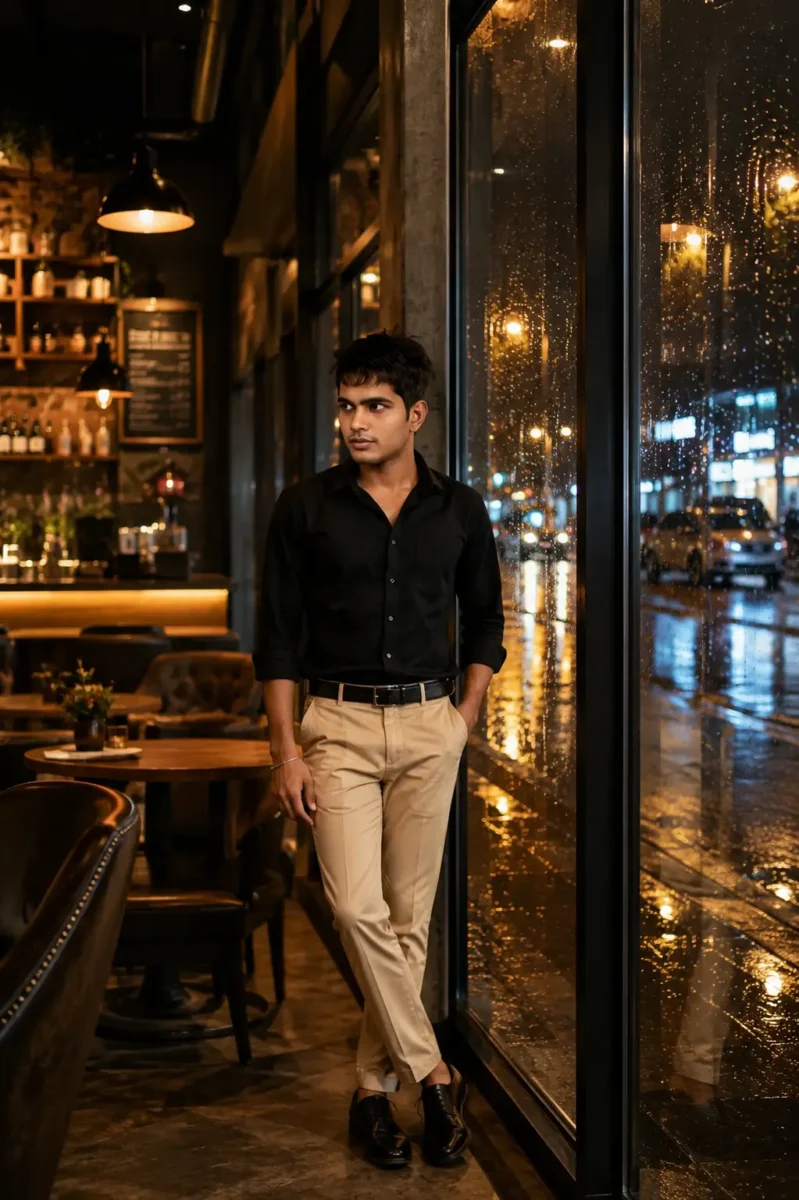
इस तरह केवल इन 12 steps को एक-एक करके follow करते हुए आप अपना पूरा AI image prompt तैयार कर सकते हैं। आपको हर बार किसी दूसरे का prompt copy करने की जरूरत नहीं है, क्योंकि Subject से लेकर Clothes, Pose, Location, Lighting और Camera तक हर detail आप अपनी जरूरत के हिसाब से खुद चुन सकते हैं। अगर आपको image में कपड़े, location, pose या कोई दूसरी चीज बदलनी हो, तो prompt में सिर्फ उस detail को बदलकर अपनी पसंद की image बना सकते हैं। नीचे आप इन सभी steps से तैयार हुआ हमारा final prompt और उससे बनी image देख सकते हैं।
इसके बाद मैं आपको कुछ Extra AI Image Prompts भी दूँगा, जिन्हें आप सीधे इस्तेमाल कर सकते हैं। इन prompts को देखकर आपको यह समझने में भी आसानी होगी कि अलग-अलग तरह की images के लिए details को किस तरह जोड़ा और बदला जा सकता है।
A 25-year-old Indian man, confident expression with a slight smile, wearing a black shirt, beige trousers and black shoes, confidently standing with one hand in his pocket, inside a modern luxury café, rainy night visible through the café windows, warm café lights, large glass windows and beautiful light reflections on the wet street, warm golden light with cinematic lighting, DSLR photography, 85mm portrait lens, full body shot, ultra realistic, RAW, HDR, natural skin texture, detailed hair, sharp focus, cinematic color grading. Avoid blur, extra fingers, distortion and watermarks.
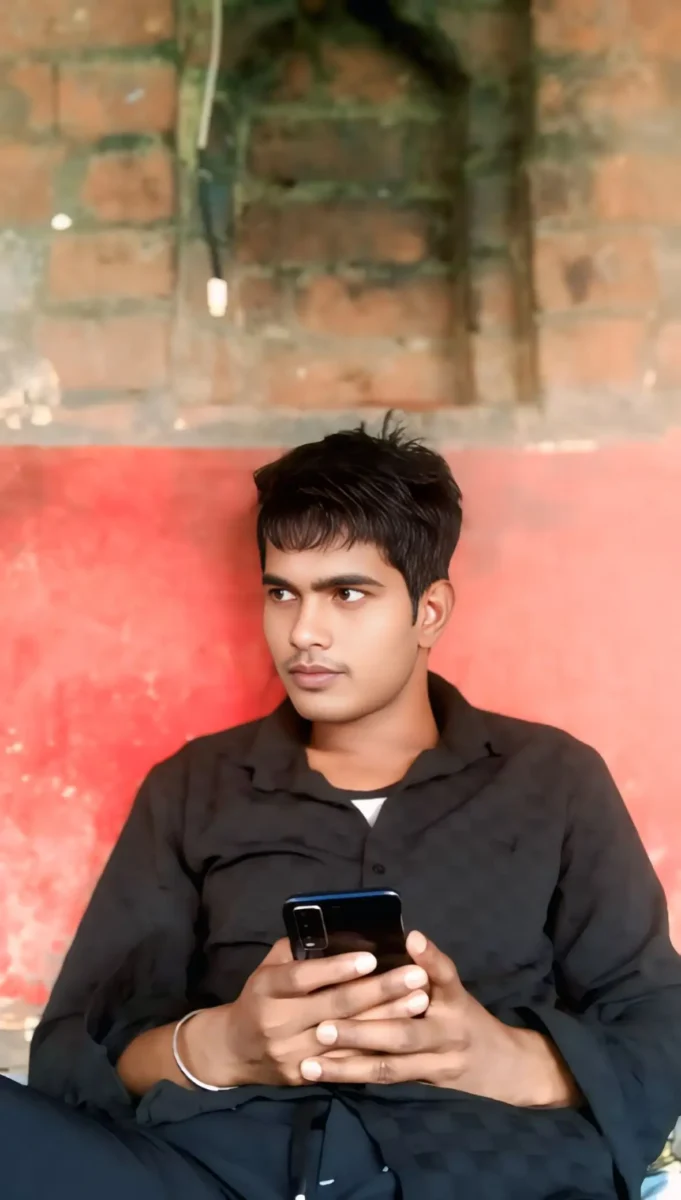
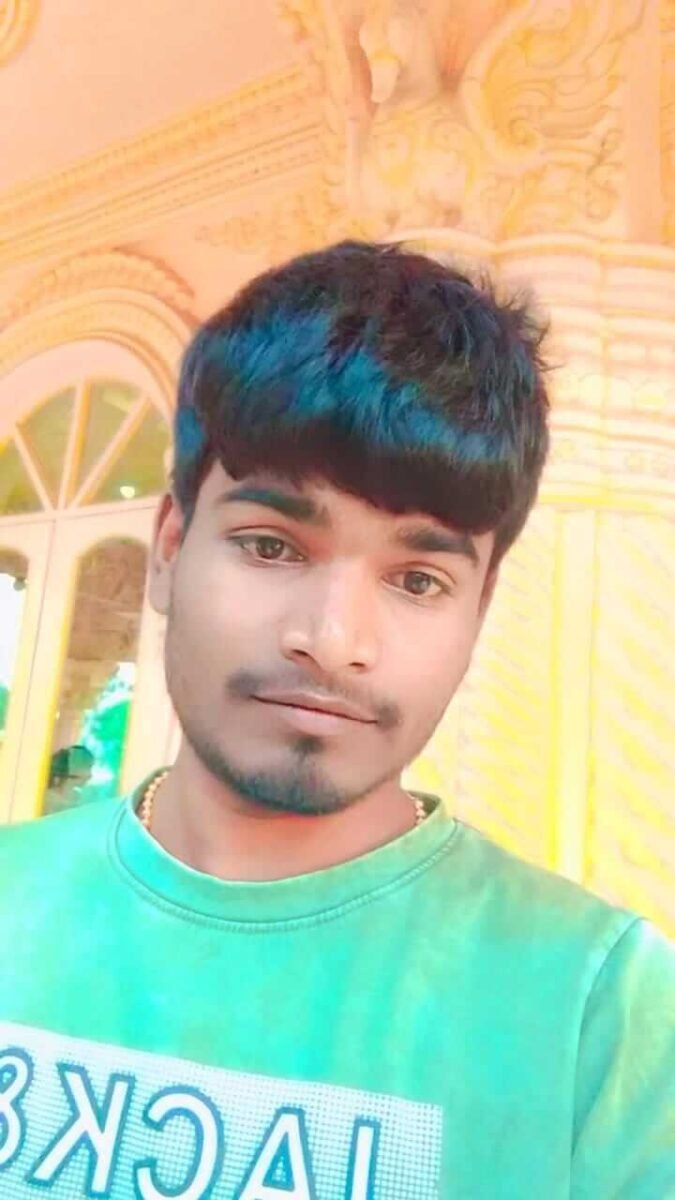
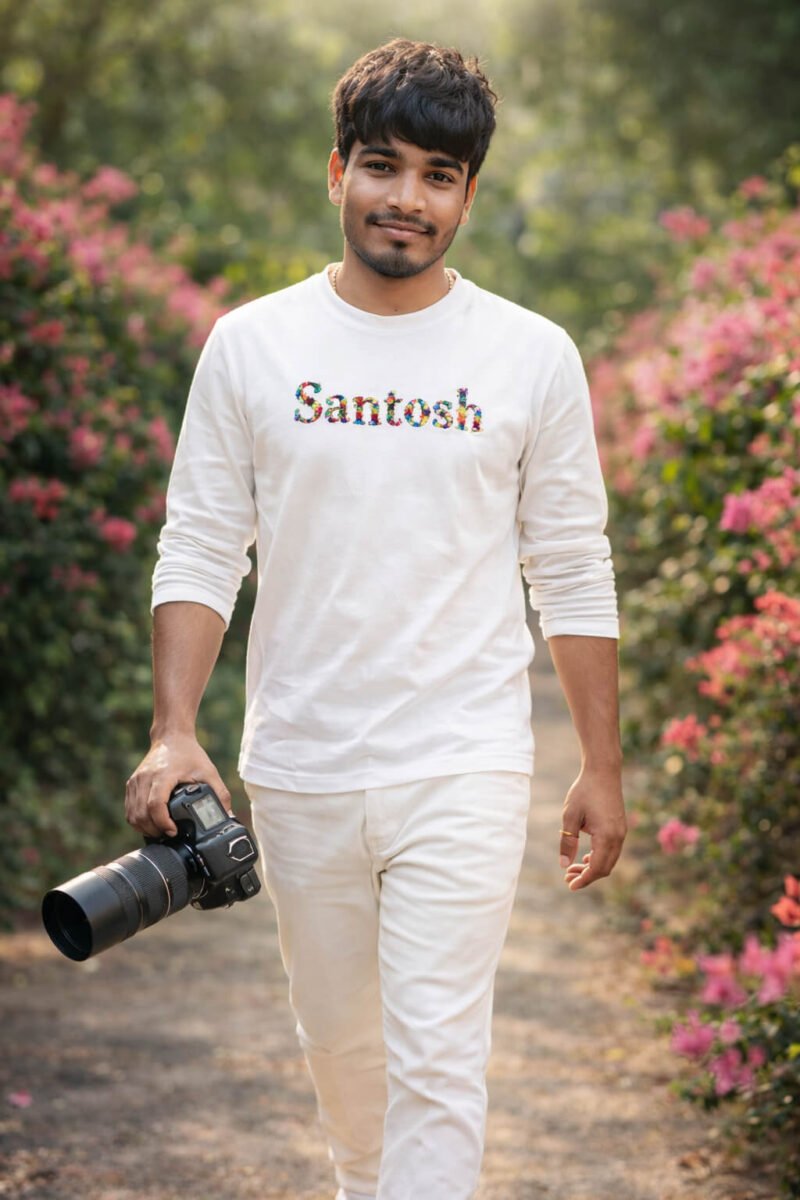
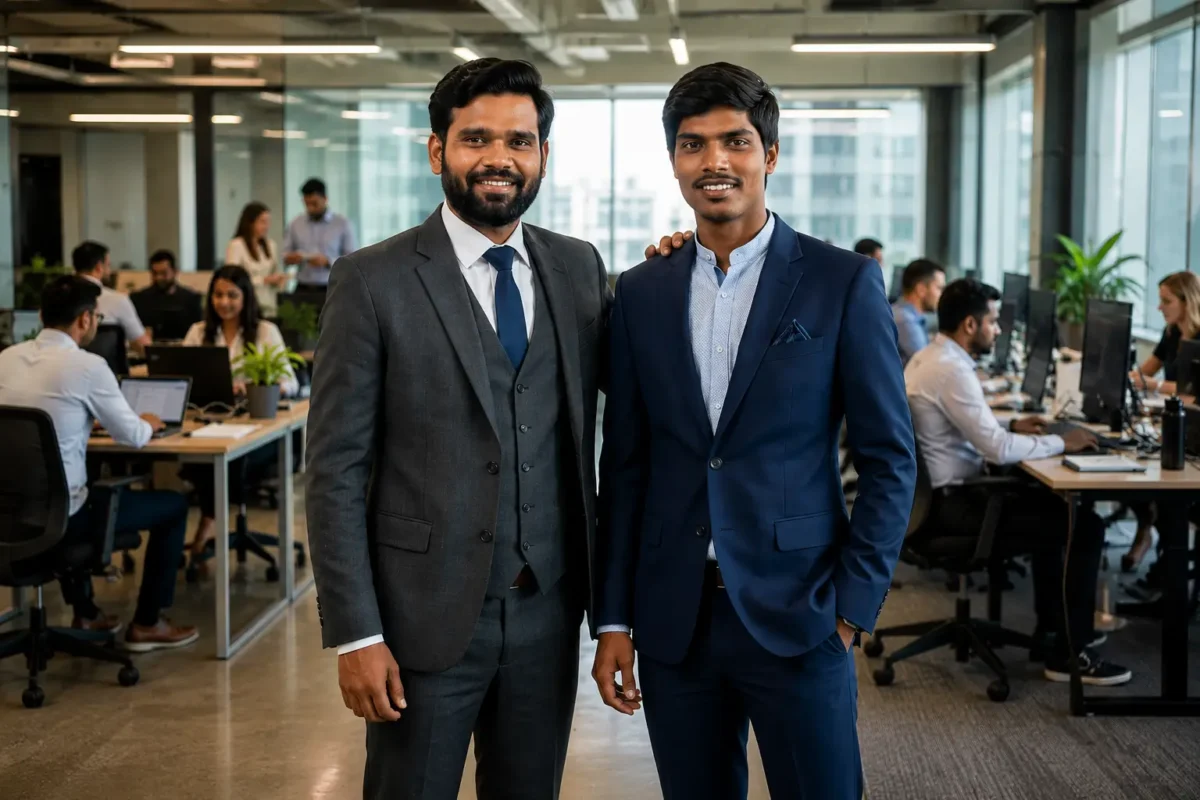
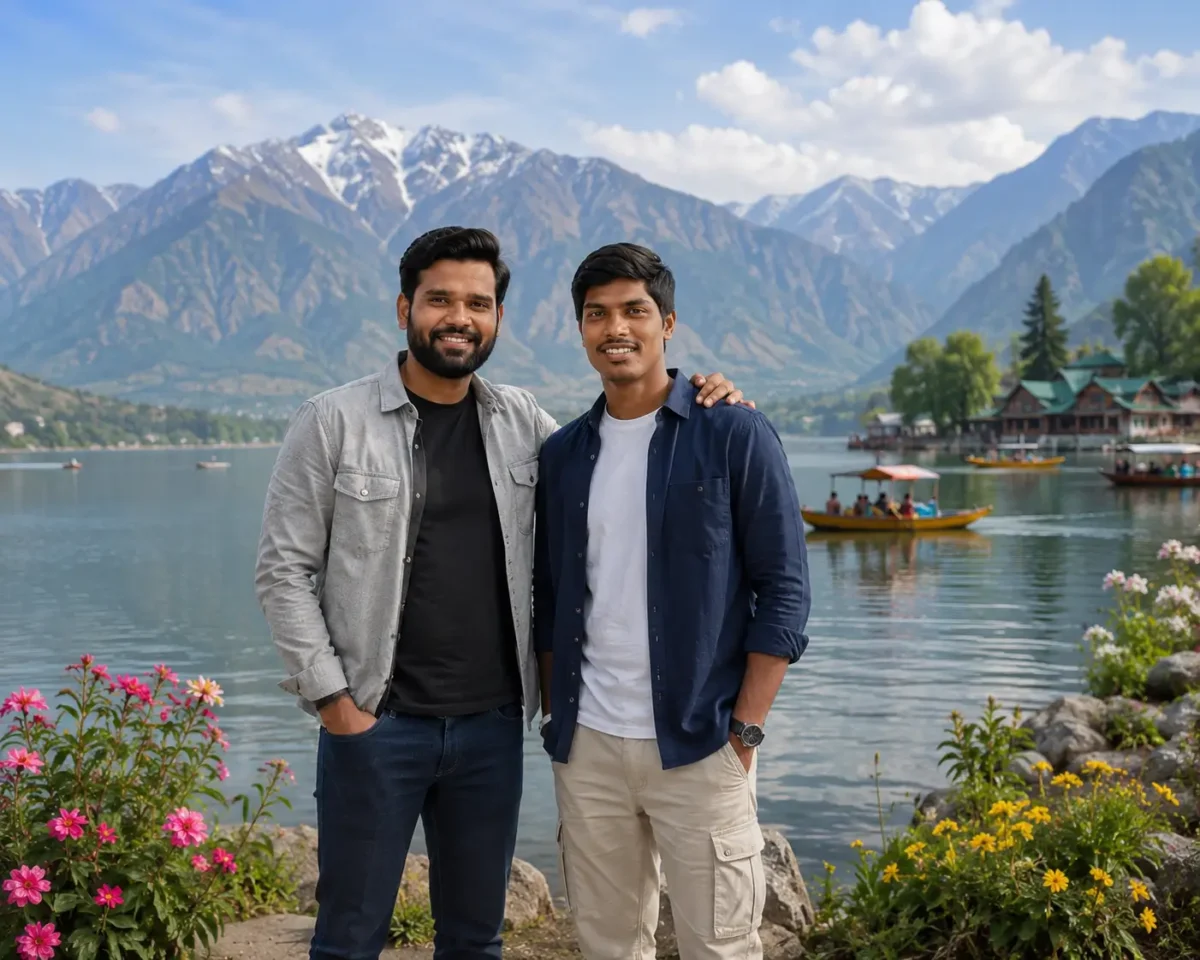
AI Reference Photo12 Steps से बनी AI Image
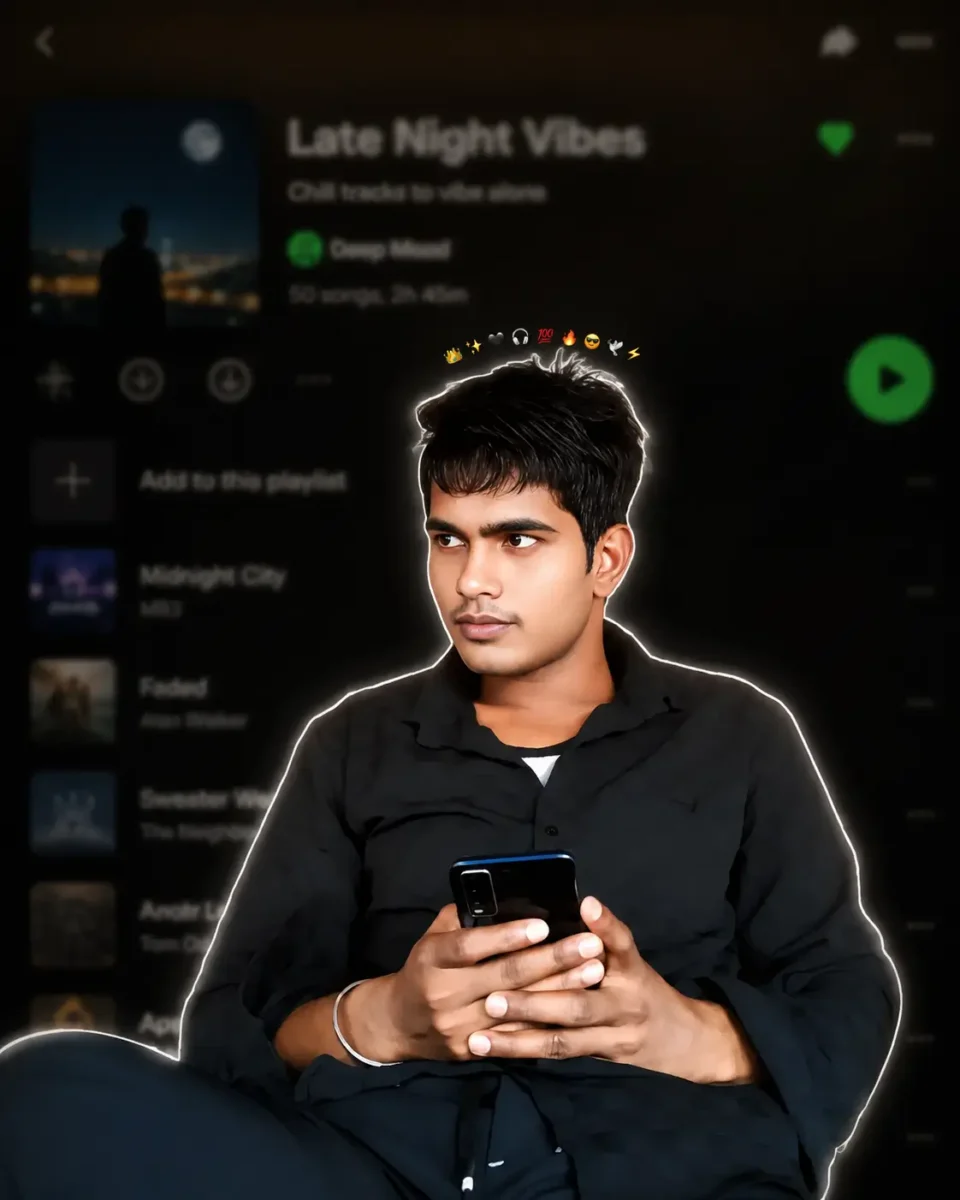
Use the uploaded image as the ONLY identity reference. Keep the subject’s gender, face, facial structure, hairstyle, skin tone, age, clothing, body proportions, original pose, expression, hand position, camera angle, framing and perspective exactly unchanged. Create a premium Instagram Feed Post (1080×1350, 4:5) with a thin white sticker outline and soft white glow. Add one tiny compact emoji crown (10–12 emojis ) centered in a very tight curved arc, floating just above the hair with a clear small gap, about 15–20 px above the highest point of the hair, matching the reference. Keep the emojis small, closely packed, subtle, and never touching or overlapping the hair, forehead, face, or white outline. Never make the crown wide, oversized or scattered. Use the same clothing, hairstyle and pose. Background: heavily blurred dark-mode mobile music streaming app playlist with a premium cinematic look.
AI Reference PhotoAI Professional Portrait
10 Extra AI Image Prompts जिन्हें आप Try कर सकते हैं
अब जब आप समझ चुके हैं कि एक अच्छा AI image prompt कैसे तैयार किया जाता है, तो नीचे कुछ extra prompts भी दिए गए हैं। आप इन्हें ChatGPT, Google Gemini या दूसरे AI image tools में try कर सकते हैं। साथ ही इन prompts में Subject, Clothes, Location, Lighting और दूसरी details बदलकर अपनी पसंद की image भी बना सकते हैं।
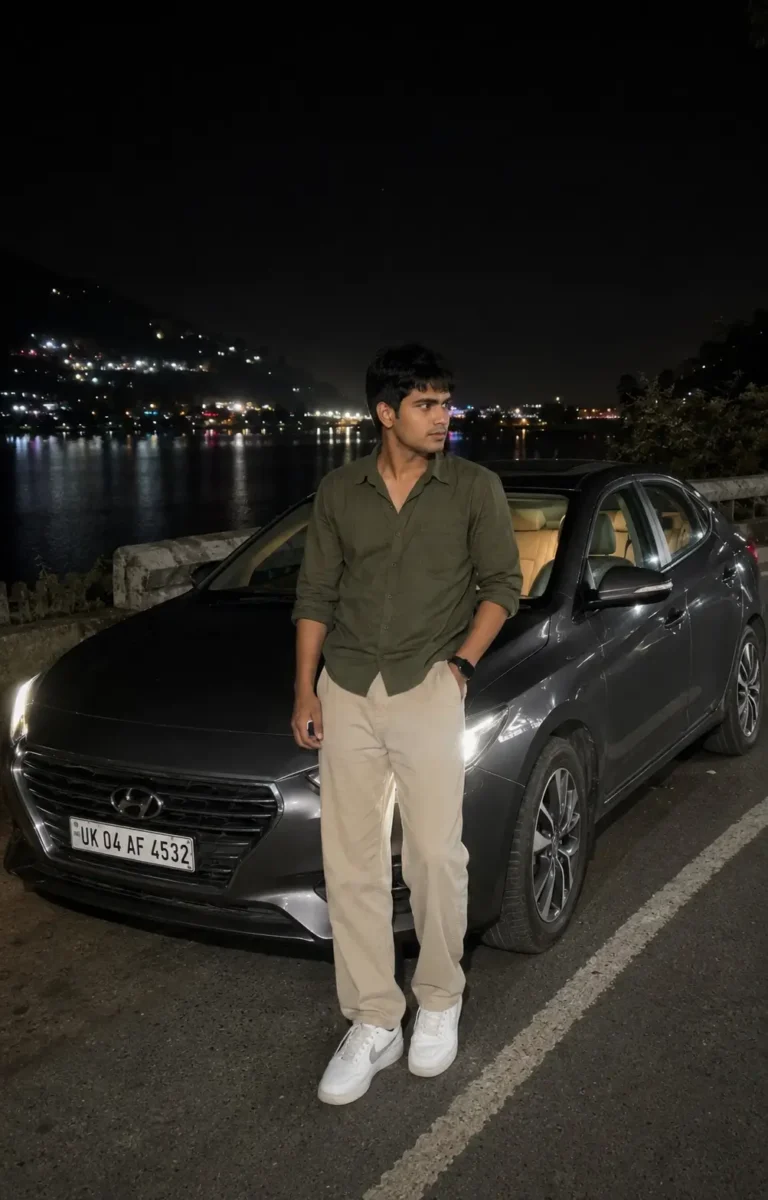
Ultra-realistic casual smartphone photograph captured on an iPhone 15 Pro using the standard 1× rear camera. Vertical 4:5 full-body composition from a natural eye-level handheld perspective.
A young South Asian man with medium-fair skin, naturally textured black hair and a lean physique is standing casually beside a dark grey sedan parked on a quiet lakeside road at night. He is wearing an olive-green full-sleeve shirt with the sleeves rolled just below the elbows, relaxed-fit beige trousers, clean white sneakers and a simple black wristwatch. One hand is inside his trouser pocket while the other rests naturally by his side. He is looking slightly away from the camera with a calm and confident expression.
The dark grey sedan is parked slightly behind him at a three-quarter angle. Its headlights are turned on and naturally illuminate a small part of the road without becoming too bright. A subtle warm light from inside the car is visible through the windows, while the vehicle remains naturally integrated into the scene.
Behind him, a peaceful lake reflects scattered lights from buildings on the opposite side. Dark hills are visible in the distance with a few warm lights along the hillside. The night sky is deep and natural with slight atmospheric haze, while soft reflections from nearby lights appear across the water.
Use realistic night-time smartphone exposure, natural skin texture, balanced shadows, accurate white balance and true-to-life colors. The scene should be illuminated only by the car headlights and available ambient lights. No cinematic lighting, artificial glow, beauty filter, skin smoothing, excessive HDR, fake bokeh, heavy color grading or oversharpening.
Preserve subtle smartphone noise, slight handheld imperfections, realistic depth of field and natural low-light details. The final photograph should look like a genuine, unedited smartphone photo casually captured during a peaceful nighttime road trip.
AI Reference PhotoNight Road Trip AI Image
A high-quality, photorealistic candid portrait of a young South Asian couple standing closely together against a clean warm beige wall in a minimalist indoor setting filled with soft natural daylight. The woman stands on the left, wearing a sleeveless chocolate-brown pleated maxi dress with a flowing gathered skirt, long naturally straight black hair partially pinned back, subtle makeup, delicate earrings, and a thin bracelet. She gently wraps both hands around the man’s arm while leaning toward him with a warm, affectionate smile, looking directly into his eyes. The man stands on the right wearing a crisp white long-sleeve button-up shirt with the sleeves casually rolled, light blue relaxed-fit jeans, a black wristwatch, one hand tucked into his pocket, and neatly styled short black hair with a well-groomed beard. He smiles naturally while gazing lovingly at her, creating an intimate and genuine romantic moment. A large lush green Monstera plant occupies the right foreground, adding depth, texture, and a fresh botanical aesthetic while partially framing the couple. The composition is vertically balanced with generous negative space above the subjects, clean modern interior styling, soft shadows, warm neutral tones, realistic skin texture, authentic fabric folds, shallow depth of field, creamy background separation, subtle cinematic color grading, natural window light, ultra-detailed, DSLR quality, 85mm lens, f/2.0, HDR, 8K resolution, lifestyle editorial photography, elegant, timeless, cozy, and effortlessly romantic.3:4
Create an ultra-realistic editorial portrait collage of a stylish South Asian man in his late 20s, wearing a dark forest-green relaxed-fit shirt, charcoal trousers and black sunglasses. Set the scene in a modern urban rooftop environment under soft cloudy skies, with a clean, premium fashion photography look.
Use a vertical 3:4 composition divided into multiple portrait frames. On the left side, include four smaller black-and-white portraits of the same man, showing different natural poses and expressions such as looking away, adjusting his sunglasses, a side profile and a relaxed close-up.
On the right side, place one large full-color portrait where he stands confidently with a calm expression, looking slightly away from the camera. At the bottom, include a smaller full-body frame showing his complete outfit and relaxed standing pose.
Keep the same facial features, hairstyle and overall appearance consistent across every frame. Use realistic skin texture, detailed hair, sharp facial features, natural shadows, soft diffused daylight and balanced contrast. Give the collage a clean luxury fashion editorial feel with professional DSLR photography, subtle depth of field and natural color tones.
Avoid artificial skin smoothing, distorted facial features, inconsistent faces, extra fingers, excessive HDR, oversaturation, text and watermarks. Final composition should look like a professionally photographed fashion magazine portrait collage, not an obvious AI-generated image.
Create an ultra-realistic full-body fashion portrait of a young South Asian man with naturally styled textured hair and a neatly trimmed beard. He is standing confidently beside an old industrial brick wall with a faded metal doorway, giving the scene a raw urban street-style look.
He is wearing a dark brown oversized casual shirt with the sleeves folded to the elbows, paired with relaxed-fit black cargo pants and clean beige sneakers. Add black sunglasses, a minimal silver chain and a simple wristwatch for a modern street-fashion look.
The man is standing in a relaxed pose with one hand inside his trouser pocket while the other rests naturally against the old brick wall. He is looking slightly away from the camera with a calm and confident expression.
Use soft natural evening light with realistic shadows and slightly muted background tones. Capture the portrait with professional DSLR photography, an 85mm portrait lens, natural depth of field, sharp focus, realistic skin texture and detailed hair. Keep the colors natural and the overall image clean, stylish and realistic.
Avoid artificial skin smoothing, excessive HDR, oversaturation, distorted hands, extra fingers, unnatural body proportions, artificial glow, text and watermarks. The final image should look like a genuine professional street-fashion photoshoot.
Use the uploaded image only as the face and identity reference. Preserve the subject’s natural facial structure, skin tone, hairstyle, age and overall identity. Keep the face realistic without beautification, face smoothing or major facial changes.
Create an ultra-realistic vertical 3:4 fashion portrait, framed from around mid-thigh to head at natural eye level. The subject should occupy roughly 60% of the frame while the background remains strongly blurred.
A young South Asian man is casually leaning beside the front corner of a dark luxury sedan inside a modern underground parking garage. His body is slightly angled with relaxed shoulders. He looks naturally down toward a smartphone held in his right hand, while his left hand holds a bouquet near his waist. His expression is calm and confident, giving the feeling that he is waiting for someone before an evening date.
He is wearing a fitted charcoal-black blazer over a black open-collar shirt, tailored black trousers, a black leather belt and polished black shoes. Add subtle rectangular sunglasses and a stainless-steel wristwatch for a clean premium look.
The bouquet is wrapped in matte dark paper and contains deep red roses, small white flowers, eucalyptus leaves and subtle green foliage. Keep the flowers realistic and naturally arranged rather than perfectly symmetrical.
Only part of the luxury sedan should appear in the frame, including a section of the front grille, one headlight and glossy hood reflections. Do not show the complete vehicle or emphasize any brand logo or license plate.
Use realistic underground parking lighting with cool overhead fluorescent lights. Create natural directional shadows beneath the jaw, around the clothing folds and between the subject and the vehicle. Maintain natural skin tones, deep blacks and a subtle cool blue tone throughout the environment, while the red roses provide a gentle warm contrast.
The background should show a low parking-garage ceiling, fluorescent strip lights and a few structural pillars fading into strong natural bokeh. Keep the subject sharply focused with realistic separation from the background.
Professional full-frame camera photography, shallow depth of field, realistic skin texture, detailed fabric, natural hair detail, accurate reflections, realistic shadows and true-to-life color balance. The final result should look like a genuine premium evening fashion photograph rather than an obvious AI-generated image.
Avoid close-up framing, selfie angles, flat lighting, excessive HDR, artificial glow, beauty filters, plastic skin, altered facial features, distorted hands, extra fingers, unnatural poses, incorrect bouquet placement, excessive car visibility, sharp or cluttered backgrounds, oversaturated colors, text, logos, signatures and watermarks.
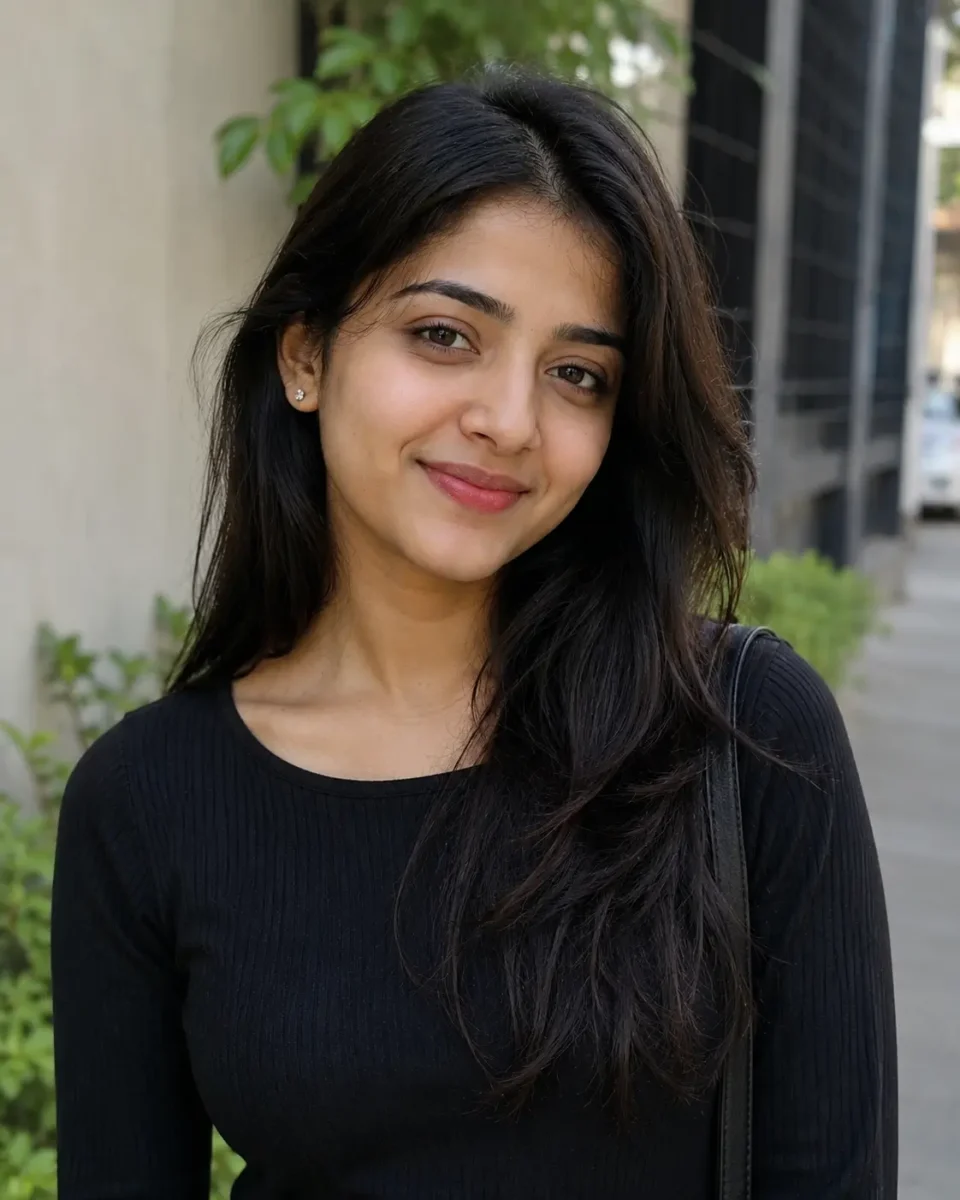
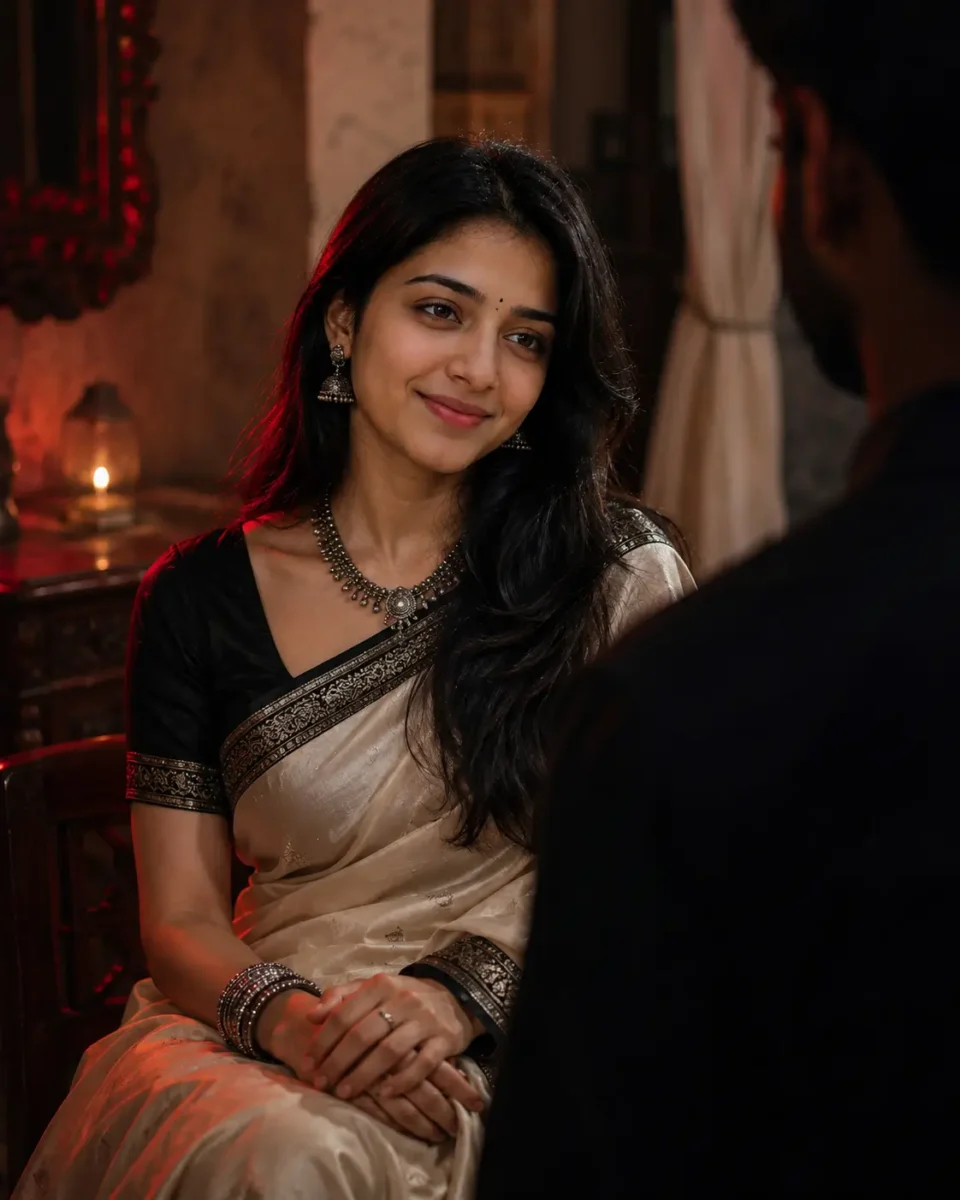
Use the uploaded reference image only to maintain the woman’s facial identity. Preserve her natural face shape, facial proportions, skin tone, eyes, eyebrows, nose, lips, hairstyle and age. Keep the face realistic and consistent without beautification, reshaping or artificial skin smoothing.
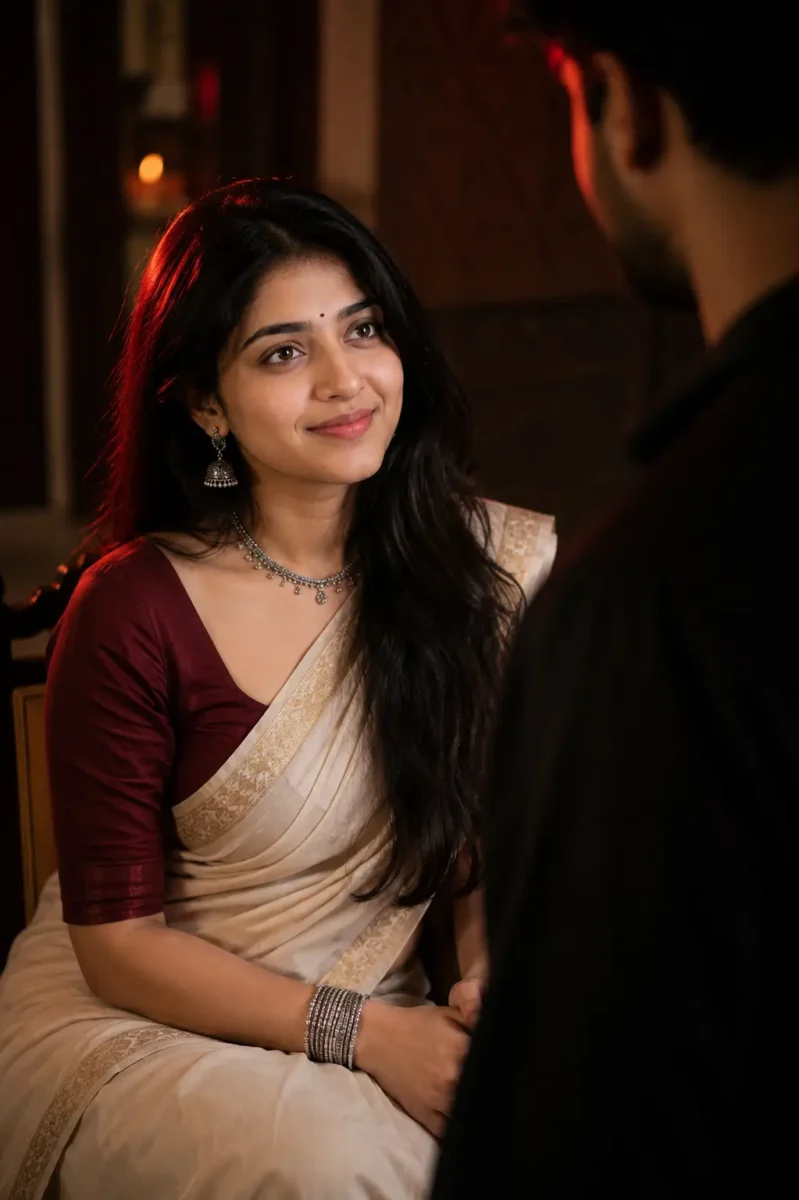
Create an ultra-realistic cinematic portrait of the woman sitting gracefully inside a traditional Indian interior. She is wearing an elegant ivory saree with a subtle golden border, paired with a deep maroon fitted blouse. Her naturally wavy black hair falls softly over one shoulder.
Add traditional oxidized silver jhumka earrings, a delicate necklace, a few silver bangles and a small black bindi. Keep the jewellery elegant and realistic rather than overly heavy.
She sits naturally with her hands resting together on her lap. Her face is slightly turned upward as she looks toward a man standing in front of her with a calm, emotional and thoughtful expression.
Show the man only as a soft, dark and out-of-focus silhouette in the foreground, partially entering the frame from one side. His face should not be clearly visible. Use him only to create depth and a subtle storytelling feel while keeping the woman as the main focus.
Use dramatic low-key lighting with a soft warm key light falling naturally across her face and a deep red rim light from one side. Maintain realistic shadows, natural skin texture and gentle separation between the subject and the dark background.
Keep the background softly blurred with subtle hints of a traditional indoor setting. Use shallow depth of field, realistic skin details, detailed saree fabric, natural hair strands and professional portrait photography.
The final image should feel emotional, elegant and culturally natural, like a professionally photographed scene from an Indian cinematic drama.
Avoid face changes, identity drift, beauty filters, plastic skin, excessive skin smoothing, unnatural jewellery, distorted hands, extra fingers, oversaturated red lighting, artificial glow, cartoonish details, text, logos and watermarks.
Reference PhotoTraditional Cinematic AI Portrait
Use the uploaded reference image only for the woman’s facial identity. Keep her natural face shape, eyes, eyebrows, nose, lips, jawline, skin tone, hairstyle, hairline, age and natural facial texture consistent with the reference image. Do not beautify, reshape, smooth or stylize her face. Facial identity should remain consistent in every photo used in the collage.
Create a premium feminine editorial photo-collage poster in a vertical 3:4 aspect ratio.
Design the poster with a modern fashion-magazine and scrapbook-inspired layout. Place one large portrait of the woman as the main visual in the lower-left and center area. Around the main portrait, arrange four smaller photographs in different sizes and slightly varied angles to create a natural editorial collage.
MAIN PORTRAIT:
Show the woman sitting gracefully on the floor in a relaxed fashion pose. One leg is softly folded while the other is positioned naturally forward. Keep her posture elegant, confident and comfortable rather than overly posed.
Dress her in a stylish modern outfit with a premium feminine look, such as a fitted black top paired with relaxed beige trousers and minimal accessories. Keep the clothing realistic with natural fabric folds and accurate body proportions.
Her expression should be calm and naturally confident, looking slightly toward the camera. Preserve realistic skin texture, detailed hair strands and natural facial features.
SMALL COLLAGE PHOTOS:
Add four smaller candid-style photographs of the same woman around the main portrait.
Photo 1: natural side-profile portrait with a relaxed expression.
Photo 2: close portrait while she gently adjusts her hair.
Photo 3: casual standing fashion pose looking slightly away from the camera.
Photo 4: soft smiling candid portrait with natural body language.
Keep her facial identity, hairstyle and overall appearance consistent across all five photographs.
BACKGROUND & DESIGN:
Use a deep dark background with subtle paper textures, soft gradients and minimal scrapbook-style elements. Add thin photo borders, small tape-style details, subtle handwritten strokes and clean magazine-inspired graphic accents.
Keep the composition premium and spacious. Do not overcrowd the poster with unnecessary decorative elements.
LIGHTING:
Use soft professional editorial lighting with realistic shadows and gentle highlights. Add subtle warm highlights around selected photographs to create depth while maintaining natural skin tones.
TEXT:
At the upper-left area, add elegant glowing typography:
“OWN YOUR

MOMENT”
Keep the text stylish, clean and easy to read. Use a subtle neon-style glow rather than an excessively bright effect.
STYLE & QUALITY:
Ultra-realistic professional fashion photography, editorial magazine quality, realistic skin texture, detailed hair, accurate hands, natural body proportions, sharp subject details and balanced depth.
The finished design should look like a professionally created fashion editorial collage suitable for an Instagram post or premium lifestyle magazine.
Avoid face changes, identity drift, beauty filters, plastic skin, excessive retouching, distorted hands, extra fingers, duplicated body parts, inconsistent faces, unrealistic poses, excessive neon glow, cluttered layout, cartoon effects, text errors, logos, signatures and watermarks.
Use the uploaded reference image only to preserve the woman’s facial identity. Keep her natural face shape, skin tone, eyes, eyebrows, nose, lips, hairstyle and age consistent with the reference. Do not beautify, reshape or artificially smooth her face.
Create an ultra-realistic full-body portrait of a young woman enjoying a peaceful monsoon evening on a rain-soaked hillside road. She is walking slowly under a transparent umbrella with a soft, happy expression, looking slightly toward the falling rain.
She is wearing a pastel lavender embroidered kurti with straight-fit dark blue jeans and clean white sneakers. A simple beige canvas shoulder bag hangs naturally from one shoulder, with a few small white and pink flowers visible from the bag.
She holds the transparent umbrella naturally in her right hand while extending her left palm slightly outward to feel the raindrops. Keep her walking pose relaxed and realistic, with natural body proportions and believable clothing movement.
The wet road is covered with a few scattered pink and white flower petals, while reflections from warm street lamps appear naturally across the rain-soaked surface.
On one side of the road, place a vintage wooden signboard decorated subtly with climbing flowers and tiny warm fairy lights. Keep the board elegant and visually balanced rather than oversized. Add only minimal decorative writing so it does not distract from the main subject.
In the distance, show lush green hills partially covered in monsoon mist, a small waterfall flowing down the hillside and soft clouds surrounding the mountain. Add a few distant birds and subtle blurred vehicle lights further along the road to make the environment feel natural and alive.
Use soft overcast monsoon lighting mixed with warm reflections from the street lamps. Show realistic raindrops, wet fabric details, natural skin texture, water reflections, subtle atmospheric mist and realistic depth of field.
Professional full-frame photography, natural perspective, sharp focus on the woman, detailed hair strands, realistic rain physics and true-to-life colors. Keep the overall mood peaceful, romantic and refreshing rather than overly dramatic.
Avoid artificial glow, excessive HDR, oversaturated colors, beauty filters, plastic skin, distorted hands, extra fingers, unnatural rain, fake reflections, unrealistic flowers, text errors, logos and watermarks.
Aspect ratio: 4:5 vertical.
Use the uploaded reference image only to maintain the woman’s facial identity. Preserve her natural face shape, facial proportions, eyes, eyebrows, nose, lips, skin tone, age and overall appearance. Keep the face realistic without beautification, reshaping or artificial skin smoothing.
Create an ultra-realistic vertical fashion portrait of a young South Asian woman standing gracefully beneath a large pastel-pink umbrella in a beautiful heritage courtyard during soft daylight.
Style her hair in a long, naturally textured side braid with a few soft strands falling around her face. Add a tiny black bindi and a gentle, relaxed expression. She is looking slightly away from the camera with a calm and elegant mood.
She is wearing a rich emerald-green saree with subtle silver detailing and a matching fitted blouse. Add traditional oxidized silver jhumka earrings, a delicate silver bracelet and minimal accessories to keep the overall look elegant and natural.
She holds the umbrella handle gently with both hands near waist level while standing in a relaxed posture. Her shoulders remain natural and her head is turned slightly toward one side, as if she is quietly observing something in the distance.
Use a soft blush-pink umbrella with a subtle decorative border. In the background, show an elegant Indian heritage courtyard with warm cream pillars, arched architecture, muted pastel walls and a few subtle green plants.
Use soft diffused natural daylight with realistic shadows and gentle highlights across the face and saree. Keep the background softly blurred with natural creamy bokeh so the woman remains the clear focus of the photograph.
Capture the scene with professional DSLR-style portrait photography and an 85mm lens, shallow depth of field, sharp facial details, realistic skin texture, detailed hair strands and natural saree fabric texture. Maintain balanced colors and realistic contrast without making the photograph overly cinematic.
The final result should feel like a premium Indian fashion editorial photographed naturally in a heritage location.
Avoid identity drift, face reshaping, beauty filters, plastic skin, excessive HDR, oversaturated colors, artificial glow, distorted hands, extra fingers, unnatural body proportions, unrealistic fabric, text, logos and watermarks.
Aspect ratio: 4:5 vertical.
Use the uploaded reference images only to maintain the facial identities of the man and woman. Preserve their natural face shapes, skin tones, eyes, eyebrows, nose, lips, hairstyle, age and overall appearance. Keep both faces realistic and consistent without beautification, reshaping or artificial skin smoothing.
Create an ultra-realistic romantic portrait of a young South Asian couple standing close together during a gentle monsoon rain. They are partially sheltered beneath a dark jacket held above them, creating a warm and intimate moment in the rain.
The woman is wearing an elegant deep emerald-green saree with a matching blouse featuring subtle traditional detailing. Her hair is slightly damp from the rain, with a few natural strands falling around her face. Keep her expression soft, calm and affectionate.
The man is wearing a slightly rain-soaked charcoal-grey shirt with the sleeves casually rolled up. He stands close beside her with one arm gently around her, while both naturally lean toward each other and share quiet eye contact.
Keep their pose romantic and natural rather than overly dramatic. Show realistic raindrops on their hair and clothing, natural wet-fabric texture and believable body posture.
Set the scene on a softly blurred outdoor street during evening rain. Add subtle warm streetlights in the distance and natural reflections across the wet ground while keeping the couple as the clear focus.
Use soft natural rainy-day lighting with realistic shadows, gentle highlights and shallow depth of field. Maintain natural skin texture, detailed wet hair, realistic fabric, true-to-life colors and subtle background bokeh.
Professional DSLR-style photography, 85mm portrait lens, realistic rain physics, sharp facial details and premium romantic editorial photography.
Avoid identity drift, face reshaping, beauty filters, plastic skin, exaggerated expressions, unnatural body positions, distorted hands, extra fingers, artificial rain, excessive HDR, oversaturated colors, text, logos and watermarks.
Aspect ratio: 4:5 vertical.
★ Conclusion
AI image prompt लिखना मुश्किल नहीं है, बस आपको सही details को सही क्रम में जोड़ना आना चाहिए। इस लेख में बताए गए 12 steps की मदद से आप Subject से लेकर Lighting, Camera और Quality तक हर चीज अपनी जरूरत के हिसाब से चुनकर खुद एक अच्छा prompt तैयार कर सकते हैं। शुरुआत में छोटे prompts बनाकर अभ्यास करें और धीरे-धीरे उनमें details जोड़ते जाएँ। कुछ समय बाद आपको किसी दूसरे का prompt copy करने की जरूरत भी नहीं पड़ेगी।
अगर आप Google Gemini की मदद से AI इमेज बनाना सीखना चाहते हैं, तो हमारी पूरी गाइड ज़रूर पढ़ें। इसमें हमने आसान भाषा में स्टेप-बाय-स्टेप तरीका समझाया है कि Gemini में AI Image कैसे बनाएं। साथ ही आपको 20 तैयार AI Image Prompts भी मिलेंगे, जिन्हें कॉपी करके आप कुछ ही सेकंड में शानदार और प्रोफेशनल AI इमेज बना सकते हैं।Google Gemini से AI Image कैसे बनाएं?
AI Image Prompts से जुड़े अक्सर पूछे जाने वाले सवाल (FAQ)
AI Image Prompt कैसे लिखें?
AI Image Prompt लिखने के लिए सबसे पहले तय करें कि आप किस तरह की image बनाना चाहते हैं। इसके बाद Subject, Expression, Clothes, Pose, Location, Background, Lighting, Camera और Quality जैसी जरूरी details को एक-एक करके prompt में जोड़ें। जितनी साफ और सही जानकारी आप AI को देंगे, उतना ही बेहतर result मिलने की संभावना बढ़ेगी। शुरुआत छोटे prompt से करें और जरूरत के हिसाब से उसमें details जोड़ते जाएँ।
AI से Realistic Image बनाने के लिए Prompt में क्या लिखें?
AI से realistic image बनाने के लिए prompt में natural skin texture, realistic lighting, camera angle, lens, sharp focus और natural colors जैसी details लिखें। इसके साथ Subject के कपड़े, pose, expression और background भी साफ तरीके से बताएं। Ultra Realistic, DSLR Photography, Natural Skin Texture और Realistic Shadows जैसे terms भी जरूरत के हिसाब से जोड़ सकते हैं। जितनी साफ और सही details देंगे, AI के लिए आपकी पसंद की realistic image बनाना उतना आसान होगा।
एआई इमेज का प्रॉम्प्ट कैसे पता करें?
किसी AI image का exact original prompt केवल image देखकर पता करना हमेशा संभव नहीं होता, लेकिन उसके जैसा prompt तैयार किया जा सकता है। इसके लिए image में Subject, Clothes, Pose, Background, Lighting, Camera Angle, Colors और Style जैसी details को ध्यान से देखें और उन्हें prompt में लिखें। आप image को ChatGPT या दूसरे image-support करने वाले AI tool में upload करके उससे उस image के आधार पर detailed prompt बनाने के लिए भी कह सकते हैं।
मुझे AI Prompt कहां मिल सकता है?
AI prompts आपको ChatGPT, Google Gemini और अलग-अलग prompt-sharing websites पर मिल सकते हैं। इसके अलावा Google पर अपनी जरूरत के हिसाब से AI Image Prompts, Realistic AI Photo Prompts या Gemini Image Prompts जैसे keywords search करके भी कई examples देख सकते हैं। हालांकि ready-made prompt को सीधे copy करने के बजाय उसे अपनी जरूरत के हिसाब से बदलना बेहतर है। इससे आप अपनी पसंद की image के लिए ज्यादा सही और useful prompt तैयार कर पाएंगे।
AI Prompt के 5 प्रकार क्या हैं?
AI prompts कई प्रकार के हो सकते हैं, लेकिन सामान्य रूप से इन्हें Text Prompt, Image Prompt, Instruction Prompt, Question Prompt और Creative Prompt जैसे प्रकारों में समझा जा सकता है। Text Prompt में AI से कोई जानकारी या content मांगा जाता है, जबकि Image Prompt का उपयोग AI image बनाने के लिए होता है। Instruction Prompt में AI को कोई काम करने के साफ निर्देश दिए जाते हैं और Question Prompt में सीधे सवाल पूछा जाता है। वहीं Creative Prompt का इस्तेमाल कहानी, डिजाइन, आइडिया या दूसरे creative कामों के लिए किया जाता है।
एक अच्छे AI Prompt के 4 मुख्य तत्व क्या हैं?
एक अच्छे AI Prompt के 4 मुख्य तत्व Context, Instruction, Details और Output माने जा सकते हैं। Context से AI को पता चलता है कि काम किस विषय पर है, जबकि Instruction बताता है कि AI को करना क्या है। Details में आप अपनी जरूरी जानकारी और शर्तें बताते हैं, और Output में तय करते हैं कि आपको जवाब किस रूप में चाहिए। इन चारों चीजों को साफ तरीके से लिखने पर AI आपकी जरूरत को बेहतर तरीके से समझ पाता है।
AI ke kaun kaun se Prakar hote hain?
AI को सामान्य रूप से क्षमता के आधार पर तीन प्रकार—Narrow AI, General AI और Super AI में समझा जाता है। Narrow AI किसी खास काम के लिए बनाया जाता है, जैसे image बनाना, text लिखना या voice पहचानना। General AI का मतलब ऐसा AI है जो इंसान की तरह कई अलग-अलग काम समझ और कर सके, जबकि Super AI एक ऐसी काल्पनिक अवस्था है जिसमें AI की क्षमता इंसानों से भी आगे हो। वर्तमान में हमारे रोजमर्रा के अधिकतर AI tools Narrow AI की श्रेणी में आते हैं।
AI कोर्स कितने साल का होता है?
AI कोर्स की अवधि इस बात पर निर्भर करती है कि आप कौन-सा कोर्स कर रहे हैं। Certificate AI Course कुछ हफ्तों से 6–12 महीने तक हो सकता है, जबकि Diploma Course आमतौर पर 1–2 साल का होता है। वहीं B.Tech या दूसरे undergraduate AI degree programs सामान्यतः 3–4 साल के होते हैं। इसलिए AI सीखने के लिए छोटा course भी किया जा सकता है और पूरी degree भी ली जा सकती है।
सबसे बेस्ट AI कौन है?
किसी एक AI को सबसे best कहना सही नहीं होगा, क्योंकि अलग-अलग AI tools अलग कामों में बेहतर होते हैं। ChatGPT writing, learning और कई तरह के daily tasks के लिए उपयोगी है, जबकि Google Gemini Google services के साथ काम करने और multimodal tasks के लिए अच्छा विकल्प है। वहीं image generation, coding और research जैसे कामों के लिए भी अलग-अलग AI tools उपलब्ध हैं। इसलिए आपके लिए सबसे best AI वही है जो आपके काम और जरूरत को सबसे अच्छे तरीके से पूरा करे।
अगर आप AI Image Prompts की तलाश में हैं, तो यह लेख आपके लिए है। यहाँ आपको 50 ऐसे शानदार और लेटेस्ट AI Image Prompts मिलेंगे, जिनकी मदद से आप स्टाइलिश पोर्ट्रेट, ट्रैवल फोटो, सिनेमैटिक लुक, लग्ज़री स्टाइल, प्रोफेशनल फोटो और कई दूसरे शानदार इमेज आसानी से बना सकते हैं।
सबसे अच्छी बात यह है कि इस लेख में दिए गए सभी Prompts को आपChatGPTऔर Google Geminiदोनों पर इस्तेमाल कर सकते हैं। हर Prompt के साथ Example Image भी दी जाएगी, ताकि आप आसानी से समझ सकें कि उससे किस तरह का रिज़ल्ट मिलेगा।
अगर आप खुद से प्रोफेशनल AI Image Promptsलिखना सीखना चाहते हैं, तो हमारी विस्तृत गाइड ज़रूर पढ़ें। उसमें हमने आसान भाषा में बताया है कि एक अच्छा AI Prompt कैसे लिखा जाता है, किन बातों का ध्यान रखना चाहिए और बेहतर रिज़ल्ट पाने के लिए कौन-सी तकनीकें अपनानी चाहिए। इससे आप अपने हिसाब से भी शानदार और यूनिक AI Prompts आसानी से बना पाएंगे।AI Prompt कैसे लिखें? पूरी गाइड पढ़ें
Trending Girl AI Image Prompts for ChatGPT & Google Gemini (2026)
इस सेक्शन में आपको Trending Girl AI Image Prompts दिए गए हैं, जिनकी मदद से आप स्टाइलिश, रियलिस्टिक और हाई-क्वालिटी AI फोटो आसानी से बना सकते हैं।
यहाँ शामिल सभी Prompts अलग-अलग स्टाइल और लुक को ध्यान में रखकर तैयार किए गए हैं, ताकि आपको हर बार बेहतरीन परिणाम मिलें। इन Prompts को आप ChatGPT और Google Gemini दोनों में इस्तेमाल करके शानदार AI इमेज बना सकते हैं।
अगर आप भी अपनी पसंद की AI Image बनाने के लिए खुद एक अच्छा Prompt लिखना चाहते हैं, तो हमारी AI Image Prompt Kaise Likhe गाइड जरूर पढ़ें। इसमें Subject, Pose, Lighting, Camera और Background जैसी जरूरी details को 12 आसान Steps में समझाया गया है, जिससे आप बिना किसी का Prompt copy किए अपना Prompt खुद तैयार कर सकते हैं।
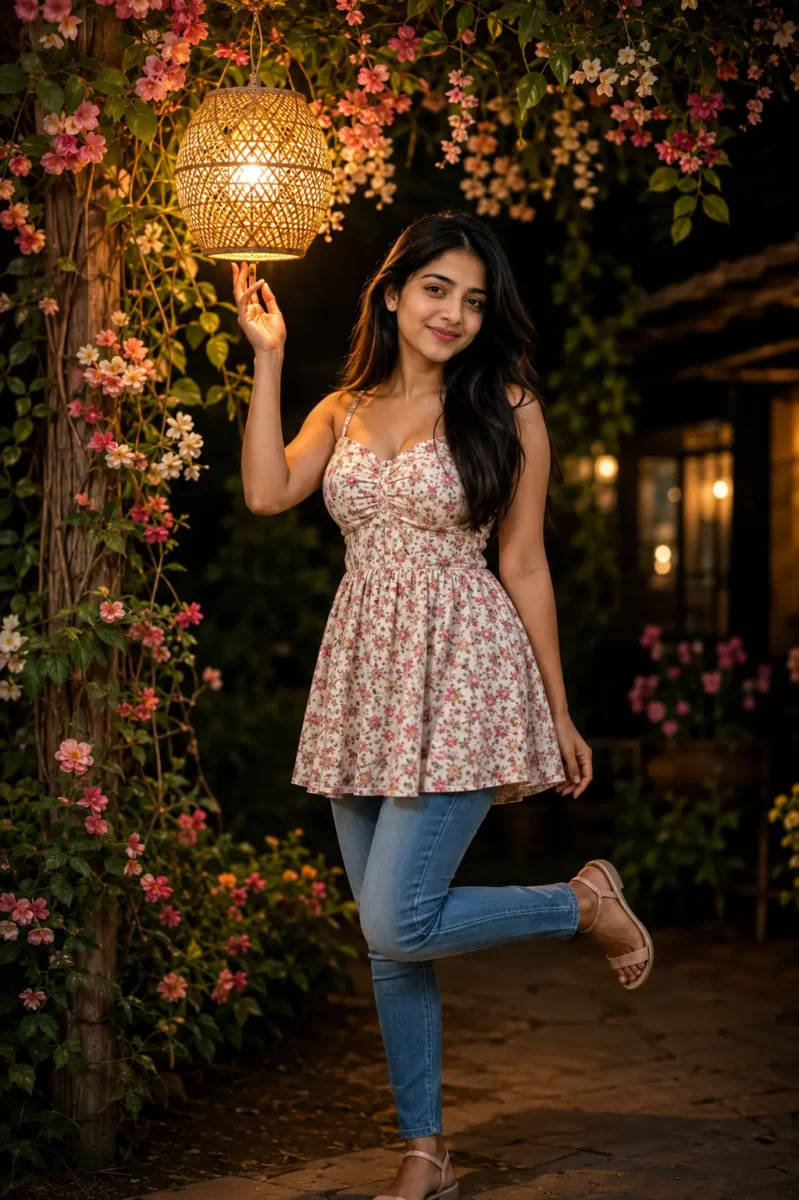
Create an ultra-realistic, cinematic, masterpiece-quality portrait of a beautiful young Indian woman with a natural, warm smile. She is wearing a stylish short floral frock with blue denim jeans, creating a modern and elegant look.
She is standing outdoors at night beneath a beautifully decorated floral canopy filled with lush green vines and blooming flowers. A handcrafted woven rattan hanging lantern with a warm golden glow hangs above her. She is gently touching the glowing lantern with one hand while looking naturally at the camera. She poses gracefully with one leg slightly lifted behind her, giving a relaxed and stylish look.
The surroundings are mostly dark, creating a dramatic nighttime atmosphere, while the subject is illuminated by soft warm golden lantern light. The background features beautiful flowering plants, lush greenery, cozy cottage-style wooden elements, soft bokeh lights, and a peaceful garden ambiance.
Professional DSLR photography, 85mm portrait lens, shallow depth of field, cinematic composition, natural skin texture, highly detailed facial features, realistic hair strands, accurate fabric details, soft shadows, warm cinematic color grading, photorealistic lighting, HDR, ultra-detailed, RAW photography, 16K resolution, masterpiece, hyper-realistic, sharp focus, premium quality.Natural body proportions, perfect hands and fingers, symmetrical face, clean facial details, realistic eyes, no distortion, no extra fingers, no blurry face, no artifacts, highly detailed, award-winning portrait photography.
Reference PhotoNight Lantern AI Portrait
Use the uploaded reference image as the exclusive facial reference. Preserve the exact facial identity with the highest level of realism, including the face shape, hairstyle, skin tone, eyes, eyebrows, nose, lips, jawline, facial proportions, and natural expression. Maintain complete facial consistency without altering the person’s identity.
Design a luxurious cinematic double-exposure fashion artwork inspired by premium international magazine covers.
Main Portrait:

Position a large, ultra-realistic close-up portrait of the same young South Asian woman on the right side of the composition. She is wearing elegant black-rimmed designer glasses and gazing confidently toward the camera with a calm, fearless expression. Her long silky hair flows naturally with soft movement, enhanced by subtle rim lighting that separates her from the background while preserving realistic facial details and skin texture.
Fashion Portrait:

Place a full-body version of the same woman sitting gracefully on a modern matte-black geometric cube. She wears a luxury all-black outfit featuring a tailored leather bomber jacket, fitted black high-neck top, premium slim-fit trousers, a sophisticated black wristwatch, and crisp white sneakers. Her posture is confident yet relaxed, with one foot slightly forward and hands resting naturally, creating a powerful editorial fashion pose.
Double Exposure Scene:

Blend the large portrait with a breathtaking futuristic financial district at blue hour, featuring illuminated skyscrapers, reflective glass towers, elevated highways, glowing traffic trails, modern architecture, and subtle city reflections. The cityscape should seamlessly merge into the portrait, producing a refined double-exposure effect with clean transitions and realistic depth.
Lighting & Atmosphere:

Use dramatic luxury editorial lighting with soft golden highlights, cool blue ambient reflections, cinematic contrast, volumetric light rays, realistic shadows, and premium fashion-magazine color grading. Create a sophisticated black, gold, and deep-blue visual palette that feels elegant and modern.
Photography Settings:

Captured using a professional full-frame DSLR camera with an 85mm portrait lens, shallow depth of field, razor-sharp focus, HDR, RAW quality, studio-grade clarity, realistic skin pores, highly detailed hair strands, premium fabric textures, natural reflections, and lifelike lighting.
Final Look:

Luxury fashion editorial, Vogue-inspired advertising campaign, cinematic double-exposure artwork, premium commercial photography, hyper-realistic rendering, ultra-detailed composition, perfect body proportions, realistic hands and fingers, flawless facial details, no distortions, no extra limbs, no artifacts, award-winning visual design, 16K ultra-HD masterpiece.
Use the uploaded reference image as the only facial reference. Preserve the exact same female identity with maximum realism, including the face shape, hairstyle, skin tone, eyes, eyebrows, nose, lips, jawline, natural smile, and facial proportions. Maintain 100% facial consistency without changing or replacing the identity.
Create an elegant premium double-exposure watercolor portrait with a dreamy artistic composition on a clean white background.
Main Portrait:

Position a large close-up portrait of the same young Indian woman in the background. She has long, naturally flowing dark hair styled into a soft braid decorated with fresh white jasmine flowers. She wears beautifully crafted traditional silver jhumka earrings and has a calm, graceful expression. Preserve realistic facial details, natural skin texture, and lifelike eyes.
Foreground Portrait:

Place the same woman in a full-body pose, wearing a luxurious pastel blue georgette saree featuring delicate floral embroidery with soft flowing fabric. Complete the look with matching bangles, elegant dark sunglasses, subtle traditional jewelry, and natural posture. The saree should move gently as if touched by a light breeze, creating a graceful and premium fashion look.
Artistic Composition:

Surround the portrait with vibrant watercolor brush splashes in soft pastel pink, sky blue, lavender, and warm yellow tones. Add delicate watercolor butterflies, subtle floral petals, artistic paint textures, and elegant ink splash effects blending naturally into the composition without covering the face.
Typography:

At the bottom center, write the name “Sruti” in elegant hand-lettered black calligraphy with a small artistic heart replacing the dot above the letter “i”. The typography should feel premium, clean, and modern.
Lighting & Style:

Soft natural daylight, watercolor illustration style blended with photorealistic facial details, premium editorial artwork, dreamy atmosphere, elegant composition, balanced colors, realistic shadows, and artistic depth.
Quality:

Ultra-detailed, high-resolution, HDR, 16K, masterpiece quality, award-winning digital artwork, photorealistic face, clean composition, perfect proportions, realistic hands and fingers, no distortions, no extra limbs, no artifacts.
❤️✨ True elegance is not about seeking attention—it is about carrying yourself with confidence, grace, and authenticity. Real beauty shines through kindness, self-respect, and the courage to stay true to who you are. This portrait reflects the perfect harmony of timeless tradition and modern sophistication, proving that genuine style is created by character, not by following trends.
Every smile tells a story, every step reflects confidence, and every detail celebrates individuality. Embrace your roots, believe in your journey, and let your inner strength become your greatest fashion statement. When you choose authenticity over imitation, you create an impression that lasts far beyond appearances.
If this portrait inspires you to embrace your uniqueness and walk through life with confidence, leave a ❤️ and share it with someone who motivates you to become your best every day.
Use the uploaded reference image as the only facial reference. Preserve the exact same female identity with maximum realism, including face shape, skin tone, hairstyle, eyes, eyebrows, nose, lips, jawline, smile, facial proportions, and natural expression. Maintain complete facial consistency throughout the image without altering or replacing the identity.Create an ultra-premium fantasy editorial portrait of the same young South Asian woman transformed into an enchanting fairy queen, blending magical elegance with luxury fashion photography.The woman stands gracefully on a magnificent white marble staircase with a calm, confident smile while looking directly into the camera. Her long silky dark hair flows naturally in soft waves, styled in an elegant half-up hairstyle with subtle honey-blonde ombre highlights. Loose face-framing strands gently move in the breeze, adding realism and softness.She wears an extraordinary couture ball gown featuring a fitted sweetheart neckline with delicate crystal spaghetti straps. The bodice is richly decorated with shimmering silver sequins, fine crystal embroidery, and sparkling beadwork. The dramatic layered tulle skirt flows beautifully with a luxurious ombre transition from deep royal magenta to soft blush pink, fading into pure white near the hem. Thousands of tiny glitter particles sparkle naturally throughout the gown.Large translucent fairy wings emerge naturally from her back, crafted with intricate crystal-like vein patterns, soft iridescent reflections, and subtle silver shimmer. The wings glow delicately in the light, creating a magical yet realistic appearance.Elegant diamond stud earrings, a thin gold bracelet, delicate crystal rings, soft natural makeup, glowing skin, light pink lipstick, subtle blush, and refined eye makeup for a timeless princess appearance.She stands elegantly on the staircase with one hand gently touching her flowing hair while the other hand softly gathers a portion of the gown. Her posture is graceful, relaxed, and regal, expressing confidence, elegance, and quiet strength.A breathtaking royal palace staircase crafted from polished white marble with sweeping curved railings, towering classical columns, luxury floral arrangements, crystal chandeliers visible through grand entrance doors, and soft floating flower petals. The environment feels bright, majestic, and dreamlike.

Soft natural daylight blended with magical golden ambient glow. Gentle rim lighting highlights the fairy wings while soft volumetric light rays create depth. Delicate sparkles float throughout the scene, enhancing the fantasy atmosphere without overpowering realism.

Captured using a professional full-frame DSLR camera with an 85mm portrait lens at f/1.8. Medium full-body composition from the shins upward. Razor-sharp facial focus with creamy background bokeh, cinematic framing, balanced exposure, realistic skin texture, detailed fabric folds, crystal reflections, and highly accurate wing textures.

Royal magenta, blush pink, pearl white, champagne gold, soft silver, and warm natural daylight tones, creating a luxurious fantasy aesthetic.

Ultra-realistic, HDR, RAW photography, 16K Ultra HD, masterpiece quality, hyper-detailed, photorealistic rendering, Vogue-style fantasy editorial, luxury fashion campaign, award-winning digital artwork, perfectly proportioned body, flawless hands and fingers, realistic eyes, clean composition, no distortions, no extra limbs, no artifacts.
Use the uploaded reference image as the exclusive facial identity reference and preserve the exact same face with 99–100% identity accuracy, including the original face shape, skin tone, hairstyle, eyebrows, eyes, nose, lips, jawline, beard (if applicable), facial proportions, and natural expression. Do not beautify, replace, or modify the person’s identity in any way.

Create an ultra-realistic DSLR portrait of the same young South Asian woman wearing a luxurious deep-red traditional Pakistani shalwar kameez with elegant black scalloped detailing on the sleeves and dupatta. Her long brown hair is styled in a soft half-up hairstyle while the remaining hair flows naturally with realistic texture. She wears subtle natural makeup with soft blush, balanced red lipstick, and a gentle confident smile while looking slightly to her right. The portrait is captured in a bright premium indoor environment with soft neutral walls and subtle blue accents in the background, naturally blurred with realistic optical depth. Soft diffused window light creates balanced highlights, smooth shadows, lifelike skin reflections, and natural color tones without overexposure. Captured using a professional full-frame DSLR camera with an 85mm f/1.4 portrait lens, shallow depth of field, realistic optical bokeh, RAW photography, HDR, 16K Ultra HD, razor-sharp facial focus, visible skin pores, natural hair strands, premium fabric textures, cinematic color grading, true-to-life colors, award-winning editorial photography, masterpiece quality. Negative prompt: no facial identity changes, no beauty filters, no plastic skin, no AI artifacts, no distorted anatomy, no extra fingers, no extra limbs, no watermark, no logo, no text.
Gemini AI Trending Boy Photo Prompts – Copy & Paste (2026)
यहाँ दिए गए सभी Gemini AI Trending Boy Photo Prompts अलग-अलग स्टाइल और ट्रेंड को ध्यान में रखकर तैयार किए गए हैं। इनकी मदद से आप रियलिस्टिक, स्टाइलिश और हाई-क्वालिटी AI बॉय इमेज बना सकते हैं, जो सोशल मीडिया पोस्ट, प्रोफाइल फोटो और क्रिएटिव कंटेंट के लिए बेहतरीन साबित होंगे।
अगर आप Google Gemini की मदद से AI इमेज बनाना सीखना चाहते हैं, तो हमारी पूरी गाइड ज़रूर पढ़ें। इसमें हमने आसान भाषा में स्टेप-बाय-स्टेप तरीका समझाया है कि Gemini में AI Image कैसे बनाएं। साथ ही आपको 20 तैयार AI Image Prompts भी मिलेंगे, जिन्हें कॉपी करके आप कुछ ही सेकंड में शानदार और प्रोफेशनल AI इमेज बना सकते हैं।Google Gemini से AI Image कैसे बनाएं?
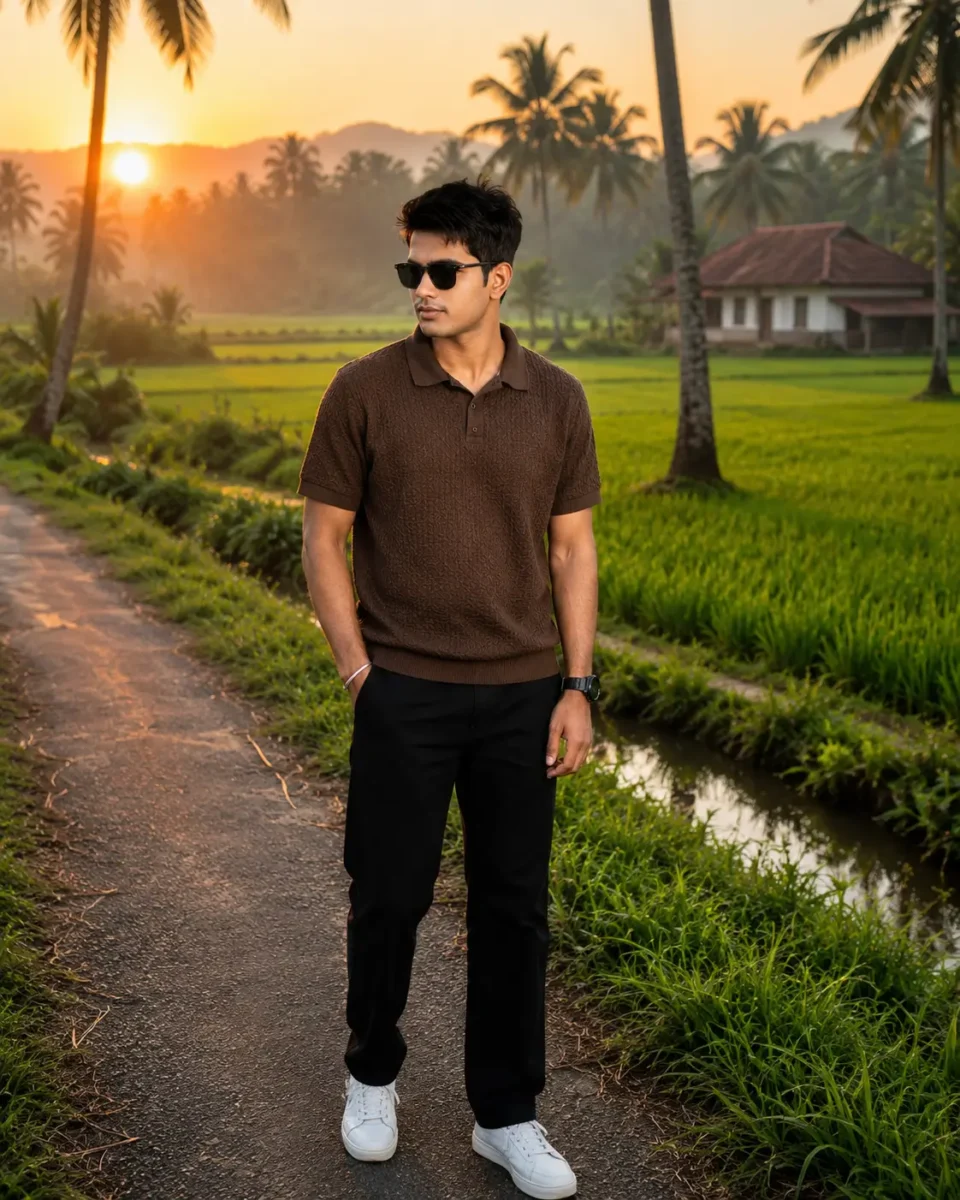
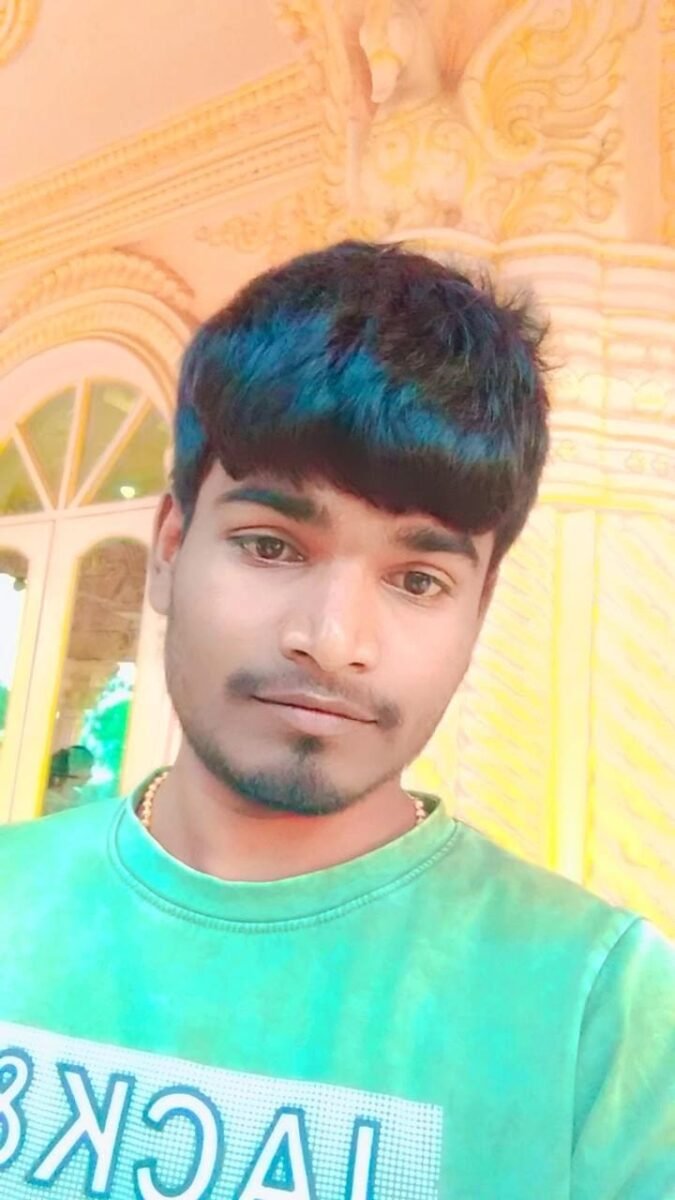
Use the uploaded reference image as the only facial reference. Preserve the exact same male identity with maximum face consistency and photorealism. Maintain the original face shape, hairstyle, skin tone, eyes, eyebrows, nose, lips, jawline, beard, facial proportions, expression, and natural skin texture. Do not alter, beautify excessively, or replace the person’s identity.
Create an ultra-premium cinematic lifestyle portrait of the same young Indian man standing confidently in the peaceful countryside of Kerala during sunrise between 5:30 AM and 6:30 AM.
Subject:

A stylish young Indian man wearing a premium textured coffee-brown polo T-shirt, perfectly tailored black trousers, luxury black leather wristwatch, matte black sunglasses, and clean white sneakers. He stands naturally on a narrow countryside road with one hand inside his trouser pocket while the other hand rests comfortably by his side. His posture is relaxed, confident, and effortless while looking slightly toward the distant sunrise.
Location:

Authentic Kerala countryside featuring lush green paddy fields, tall coconut trees, traditional white village houses with sloping tiled roofs, small irrigation canals, tropical vegetation, mist-covered distant hills, and a peaceful rural atmosphere. Everything should feel naturally photographed instead of AI-generated.
Atmosphere:

A calm Kerala sunrise with soft golden sunlight passing through light morning mist, fresh dew covering the grass, gentle fog floating above the fields, cool fresh morning air, and a peaceful countryside ambiance that feels fresh, realistic, and emotionally uplifting.
Lighting:

Natural sunrise lighting with warm golden tones, soft diffused illumination, balanced exposure, realistic shadows, subtle rim lighting around the subject, smooth highlight roll-off, realistic skin reflections, natural contrast, and excellent dynamic range.
Photography:

Captured using an Apple iPhone 17 Pro with the 24mm main camera. Apple ProRAW image processing, HDR Smart Capture, true-to-life color science, ultra-sharp focus, natural depth of field, realistic smartphone optics, premium mobile photography, editorial-quality composition, and lifelike clarity.
Image Quality:

Ultra-realistic photography, photorealistic rendering, Apple ProRAW quality, HDR, 16K Ultra HD, DSLR-level detail, razor-sharp facial focus, highly detailed skin pores, realistic hair strands, premium fabric textures, crisp watch details, perfectly defined sunglasses, realistic hands and fingers, natural body proportions, flawless perspective, cinematic color grading, rich dynamic range, masterpiece quality, award-winning editorial photography, Instagram-ready.
Color Palette:

Fresh emerald green fields, warm sunrise gold, soft misty whites, tropical greens, earthy brown pathways, subtle sky blues, and authentic natural morning colors.
Negative Quality:

No blurry face, no soft focus, no low resolution, no plastic skin, no AI artifacts, no distorted anatomy, no extra fingers, no extra limbs, no duplicated body parts, no oversaturated colors, no unrealistic lighting, no watermark, no text, no logo.विमेज बनाओ इस फॉर्म के दात.
AI Reference PhotoKerala Sunrise AI Portrait
Use the uploaded reference image as the only facial reference. Preserve the exact same male identity with maximum realism, including face shape, hairstyle, beard, mustache, eyebrows, eyes, nose, lips, jawline, skin tone, facial proportions, and natural expression. Do not alter or replace the person’s facial identity.
Create a premium cinematic fashion editorial portrait with a bold minimalist studio aesthetic inspired by luxury magazine photography.
Subject:

A stylish young Indian man with naturally textured hair and a well-groomed beard stands confidently in a relaxed posture. His body faces slightly toward the camera while his head is turned completely to the left, creating a strong side-profile composition. His expression remains calm, confident, and mysterious.
Outfit:

He wears a premium oversized off-white crewneck sweatshirt crafted from heavyweight cotton fabric with subtle ribbed cuffs and collar. Complete the look with elegant round black sunglasses featuring slim brushed-silver metal temples, giving a timeless luxury appearance.
Studio Composition:

Position the subject directly in front of a tall vertical rectangular LED light panel that emits an intense pure white glow. The bright light remains perfectly centered behind the body, producing a dramatic halo effect while outlining the subject with crisp white rim lighting around the hair, beard, shoulders, sleeves, and body silhouette.
Lighting:

High-contrast cinematic studio lighting with strong back illumination, deep natural shadows, realistic light falloff, smooth highlight transitions, soft atmospheric diffusion, and premium editorial contrast. The front of the subject remains mostly in shadow while subtle reflected light preserves realistic facial depth.
Background:

A completely black seamless studio environment surrounding the glowing vertical light panel. The edges gradually fade into deep black, producing a clean minimalist luxury composition with exceptional visual separation.
Camera:

Captured using a professional full-frame mirrorless camera paired with an 85mm f/1.4 portrait lens. Eye-level medium portrait framing from the waist upward, perfectly centered with balanced vertical symmetry, ultra-sharp facial details, realistic depth of field, and premium editorial composition.
Photography Quality:

Ultra-realistic, photorealistic, RAW photography, HDR, 16K Ultra HD, razor-sharp focus, realistic skin pores, natural beard texture, highly detailed fabric, cinematic color grading, luxury fashion campaign, premium magazine cover, masterpiece quality, award-winning studio photography.
Negative Quality:

No blurry face, no low resolution, no AI artifacts, no distorted anatomy, no extra fingers, no extra limbs, no unrealistic lighting, no oversaturated colors, no watermark, no logo, no text.
Use the uploaded face reference as the exact facial identity. Preserve the face with 95–100% identity accuracy, including face shape, skin tone, hairstyle, beard, eyebrows, eyes, nose, lips, jawline, and natural facial proportions. Maintain complete face consistency throughout the entire video.
Create a premium cinematic lifestyle video of a young Indian man sitting at a rustic wooden table inside a cozy minimalist room during golden hour.
Scene:

The man wears a dark olive-brown linen shirt with rolled-up sleeves, off-white trousers, and thin silver metal-frame eyeglasses. He sits naturally beside a large wooden window, looking peacefully outside with a calm, thoughtful expression.
Environment:

A warm wooden interior featuring a handcrafted wooden table, an open book, a ceramic coffee mug with light steam rising, and a transparent glass vase holding dried flowers. A wooden bookshelf filled with books and a small green plant appears softly blurred in the background.
Action:

The camera slowly dollies in toward the subject. He gently turns one page of the open book, lightly lifts the coffee mug, pauses for a moment while looking outside the window, takes a small sip, places the mug back on the table, and smiles subtly before continuing to gaze at the sunlight.
Lighting:

Warm golden-hour sunlight streams naturally through the window, creating soft highlights on the face, realistic shadows, gentle volumetric light rays, and a cozy cinematic atmosphere.
Camera Movement:

Slow cinematic dolly-in, subtle handheld stabilization, smooth parallax movement, gentle rack focus between the subject, coffee mug, and dried flowers, ending with a close-up of the face looking out the window.
Camera Settings:

Professional full-frame cinema camera, 85mm lens, f/1.8, shallow depth of field, natural bokeh, HDR, RAW cinematic capture, 24fps, realistic motion blur.
Style:

Luxury editorial film, cozy aesthetic, ultra-realistic, photorealistic, premium color grading, warm earthy tones, highly detailed skin texture, realistic fabric movement, lifelike hair, masterpiece quality, 8K HDR.
Negative Prompt:

No face distortion, no identity changes, no extra fingers, no flickering, no AI artifacts, no unrealistic motion, no oversaturated colors, no text, no watermark, no logo.
Use the uploaded reference image as the exclusive facial reference. Preserve the exact same male identity with 95–100% facial consistency, maintaining the original face shape, hairstyle, skin tone, eyebrows, eyes, nose, lips, jawline, facial proportions, beard, and natural expression. Ensure the identity remains completely unchanged while blending naturally with the environment.
Create an epic cinematic portrait of the same young Indian man standing beside an enormous multi-tiered waterfall deep inside a mystical rainforest. Towering moss-covered cliffs rise dramatically in the background as powerful streams of crystal-clear water plunge into a glowing turquoise lagoon surrounded by ancient rocks and lush tropical vegetation.
Environment:

Fill the entire landscape with dense atmospheric fog, swirling mist, floating water droplets, and soft moisture in the air. The waterfall should generate realistic mist clouds that drift naturally across the foreground, creating impressive depth and an immersive cinematic atmosphere.
Lighting:

Use dramatic environmental lighting where cool blue, emerald green, and soft cyan reflections from the water, mist, and surrounding vegetation naturally illuminate the subject’s face and clothing. Blend the skin tone realistically with the environment while preserving authentic facial color and texture. Add subtle volumetric light rays passing through the fog to create a magical yet believable mood.
Subject:

The young man stands confidently on naturally wet volcanic rocks near the edge of the turquoise water with one hand casually inside his pocket while looking slightly toward the distant waterfall. His expression is calm, fearless, and thoughtful, with relaxed body language that feels effortless and natural.
Outfit:

Premium charcoal-black linen shirt with rolled-up sleeves, off-white tailored trousers, minimal accessories, and a clean luxury lifestyle appearance. Clothing should react naturally to the humid environment with subtle fabric texture and realistic folds.
Composition:

Wide cinematic environmental portrait with the massive waterfall occupying the upper background while the subject remains the primary focal point in the foreground. Use balanced framing, natural perspective, layered depth, and strong visual storytelling that emphasizes the scale of the landscape.
Camera:

Captured using a professional full-frame cinema camera with an 85mm prime lens at f/1.8. Ultra-sharp facial details, shallow depth of field, cinematic perspective compression, realistic HDR exposure, natural color science, and premium editorial composition.
Color Palette:

Deep emerald greens, rich turquoise water, cool cyan mist, dark moss-covered rocks, soft silver fog, natural earthy textures, and subtle warm skin tones blended perfectly into the cool environment.
Quality:

Ultra-realistic, photorealistic, 16K Ultra HD, HDR, RAW photography, hyper-detailed skin texture, realistic hair strands, natural fabric details, physically accurate lighting, premium cinematic color grading, award-winning environmental portrait photography, masterpiece quality, luxury editorial style.
Negative Prompt:

No identity changes, no plastic skin, no face distortion, no unrealistic colors, no AI artifacts, no extra fingers, no extra limbs, no anatomy errors, no blurry face, no low resolution, no oversharpening, no watermark, no logo, no text.
Use the uploaded reference image as the exclusive facial reference. Preserve the exact same male identity with absolute facial consistency. Maintain the original face shape, skin tone, hairstyle, hairline, beard, eyebrows, eyes, nose, lips, jawline, ears, facial proportions, age, and natural expression. Do not modify, beautify, stylize, or replace the facial identity under any circumstances. Identity preservation is the highest priority.
Create a luxury cinematic portrait of the same young Indian man standing alone on a quiet roadside during a heavy monsoon shower.
Subject:

The man stands naturally with a calm, thoughtful posture while holding a premium beige umbrella with a polished curved wooden handle in his right hand. His head is slightly tilted upward toward the left, peacefully watching the falling rain with a composed, confident expression. His body language feels relaxed, authentic, and naturally candid.
Outfit:

He wears a premium deep navy-blue full-sleeve linen shirt with the sleeves buttoned neatly, paired with loose-fit light gray tailored trousers and minimalist dark leather sandals. His clothing appears naturally damp from the rain, while the umbrella partially shields his upper body, creating realistic wet and dry fabric contrast.
Environment:

A peaceful rain-soaked roadside lined with blurred black parked cars, wet asphalt reflecting city lights, scattered puddles, rainwater flowing gently along the road edges, and soft background greenery fading into the distance. The surroundings should feel realistic, quiet, and naturally cinematic.
Weather:

Heavy monsoon rainfall with dense raindrops, subtle drifting mist, cool moisture in the air, realistic water splashes, wet reflections, and soft atmospheric haze that enhances depth without obscuring the subject.
Lighting:

Natural overcast daylight blended with soft ambient reflections from the wet road. Cool gray-blue monsoon tones illuminate the environment while subtle highlights define the subject’s face. Maintain realistic skin tone with accurate rain reflections, smooth dynamic range, and balanced cinematic contrast.
Composition:

Medium full-body portrait with the subject positioned slightly off-center using the rule of thirds. The softly blurred parked cars remain in the background, creating strong depth separation while keeping the subject as the clear focal point.
Camera:

Captured using a professional full-frame mirrorless camera with an 85mm f/1.4 portrait lens. Ultra-shallow depth of field, natural perspective compression, razor-sharp facial focus, realistic HDR exposure, premium editorial framing, and lifelike color science.
Image Quality:

Ultra-realistic, photorealistic, RAW photography, HDR, 16K Ultra HD, hyper-detailed skin texture, realistic wet hair strands, lifelike fabric texture, accurate rain physics, cinematic color grading, premium editorial photography, award-winning visual storytelling, masterpiece quality.
Negative Prompt:

No face swap errors, no identity changes, no plastic skin, no blurry face, no AI artifacts, no distorted anatomy, no extra fingers, no extra limbs, no unrealistic rain, no oversaturated colors, no watermark, no logo, no text.
इस सेक्शन में आपको ChatGPT Couple AI Image Prompts दिए गए हैं, जिनकी मदद से आप रियलिस्टिक, रोमांटिक और सिनेमैटिक AI कपल फोटो बना सकते हैं। सभी Prompts अलग-अलग स्टाइल और सीन के लिए तैयार किए गए हैं, जिन्हें कॉपी करके आसानी से इस्तेमाल किया जा सकता है।
सिर्फ़ अच्छा प्रॉम्प्ट होना ही काफी नहीं है, उसे सही AI टूल में सही तरीके से इस्तेमाल करना भी ज़रूरी है। अगर आप ChatGPT की मदद से प्रोफेशनल AI इमेज बनाना चाहते हैं, तो हमारी स्टेप-बाय-स्टेप गाइड पढ़ें। इसमें पूरी प्रक्रिया के साथ 15 तैयार AI Image Prompts भी दिए गए हैं, जिन्हें आप सीधे कॉपी करके इस्तेमाल कर सकते हैं। ChatGPT से AI Image कैसे बनाएं – पूरी गाइड देखें
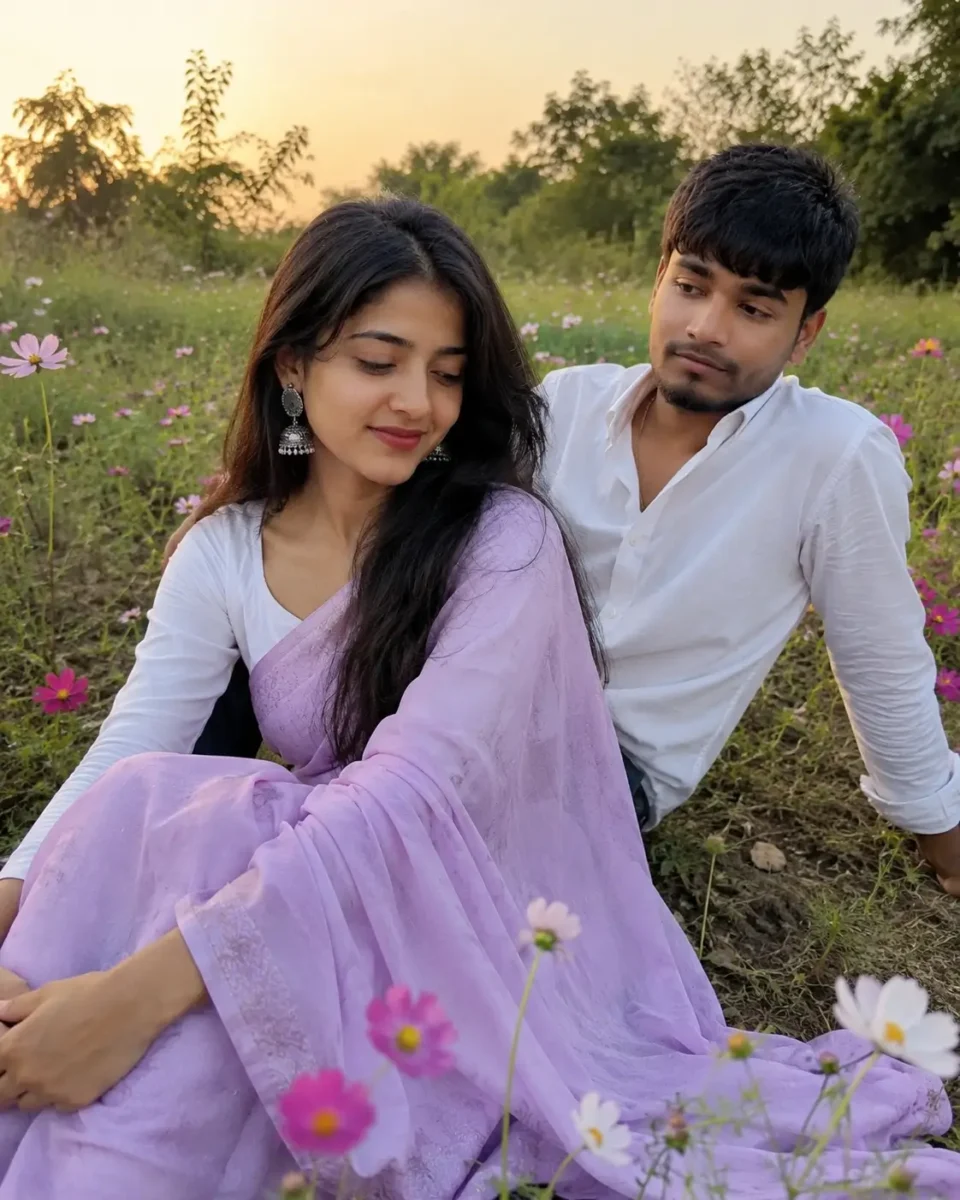
Use the uploaded reference images as the exclusive facial references for both individuals. Preserve each person’s exact facial identity with maximum realism, including face shape, skin tone, hairstyle, eyebrows, eyes, nose, lips, jawline, facial proportions, and natural expressions. Maintain complete identity consistency throughout the image without beautifying, replacing, or altering either face.
Create a heartwarming ultra-realistic candid portrait of a young South Asian couple enjoying a peaceful evening in a natural cosmos flower meadow during the warm golden hour.
Female Subject:

The woman is dressed in a soft pastel lavender chiffon saree draped elegantly over a classic white full-sleeve blouse. She wears handcrafted oxidized silver jhumka earrings, subtle natural makeup with deep maroon lipstick, and her long black hair falls naturally in soft loose waves, gently moving with the breeze.
Male Subject:

The man wears a clean white casual shirt inspired by the reference image, paired with simple dark trousers. His appearance should remain natural, relaxed, and authentic with minimal styling.
Pose:

The woman sits comfortably on the grass with both knees gently folded to one side while softly looking downward with a peaceful smile. The man sits slightly behind her, supporting himself with one arm while naturally looking toward her with a warm expression. The interaction should feel spontaneous, emotional, and completely unposed, without either person looking directly at the camera.
Environment:

A realistic countryside meadow with naturally growing cosmos flowers scattered unevenly among wild grass. Small patches of exposed soil, tiny wild plants, natural textures, and irregular ground should remain visible. Flowers should appear only around the couple rather than covering the entire landscape, creating a believable outdoor setting.
Lighting:

Soft golden-hour sunlight with warm natural highlights, realistic ambient shadows, gentle backlighting through the flowers, subtle lens glow, and balanced HDR. The lighting should create a calm, romantic atmosphere while preserving true-to-life skin tones and realistic environmental reflections.
Composition:

Captured from a slightly low angle as though photographed casually by a friend using a smartphone. The framing should feel genuine and documentary-like, with natural spacing, relaxed posture, and authentic human connection instead of a professionally posed photoshoot.
Camera:

Photographed using a premium Android smartphone with a 1x primary camera lens. Natural mobile HDR processing, true smartphone color science, realistic depth of field, slight handheld movement, subtle motion blur on nearby flowers, and authentic mobile photography characteristics.
Image Quality:

Ultra-realistic, photorealistic, RAW mobile photography, HDR, 16K Ultra HD, highly detailed skin texture, realistic pores, natural facial imperfections, lifelike fabric textures, accurate hair strands, premium mobile photography aesthetics, cinematic color grading, masterpiece quality.
Negative Prompt:

No beauty filters, no plastic skin, no AI-generated facial changes, no fashion editorial style, no DSLR-style artificial bokeh, no studio lighting, no CGI appearance, no unrealistic poses, no extra fingers, no extra limbs, no anatomy errors, no watermark, no logo, no text.इमेज बना दो, इमेज बना दो.
Reference PhotoReference photo for realistic AI image generation.Romantic couple portrait in a natural cosmos flower field.
Use the uploaded reference images as the exclusive facial references for both individuals. Preserve the exact facial identity of each person with 95–100% accuracy, including face shape, skin tone, hairstyle, eyebrows, eyes, nose, lips, jawline, beard, facial proportions, and natural expressions. Do not beautify, stylize, replace, or modify either face. Identity preservation is the highest priority.
Create a premium ultra-realistic romantic portrait of a young South Asian couple captured during the magical golden hour with a timeless cinematic lifestyle aesthetic.
Subject:

The couple stands naturally close together, creating a warm emotional connection. Their fingers are gently intertwined while they softly look into each other’s eyes with relaxed, affectionate expressions. Their body language feels effortless, genuine, and naturally candid rather than professionally posed.
Male Outfit:

The man wears a premium deep burgundy cotton-linen button-up shirt with the sleeves casually rolled to the forearms, paired with perfectly tailored black trousers and a classic black wristwatch. His appearance remains clean, elegant, and naturally stylish.
Female Outfit:

The woman wears a luxurious deep crimson Banarasi silk saree featuring intricate woven golden borders and delicate traditional motifs. A fresh red rose is tucked gracefully behind one ear, complemented by elegant handcrafted gold earrings and minimal traditional jewelry. Her overall styling is refined, timeless, and naturally beautiful.
Pose:

They stand facing each other at a slight angle, their shoulders gently turned inward. Their hands meet naturally at the center while maintaining soft eye contact. The expressions reflect love, comfort, and quiet happiness without exaggerated smiles or dramatic posing.
Location:

A rustic outdoor setting with an aged textured plaster wall, subtle earthy tones, climbing greenery, and natural foliage casting soft organic shadows across the background. Small plants and warm architectural details create an authentic lifestyle atmosphere without distracting from the couple.
Lighting:

Warm golden-hour sunlight enters diagonally from the upper-left, producing beautiful dappled light patterns across the wall, clothing, and faces. Soft rim lighting gently outlines the hair while realistic highlights and smooth shadow transitions preserve natural skin tones and cinematic depth.
Composition:

Vertical 4:5 composition with balanced mid-to-full body framing. Keep both subjects completely visible without cropping the head, hands, or feet. Use natural negative space and subtle asymmetry to create an elegant editorial composition while keeping the couple as the primary focus.
Camera:

Captured using a professional full-frame mirrorless camera with an 85mm f/1.4 portrait lens. Eye-level perspective, ultra-shallow depth of field, realistic background separation, premium editorial framing, and true-to-life color science.
Photography Quality:

Ultra-realistic, photorealistic, RAW photography, HDR, 16K Ultra HD, razor-sharp facial details, natural skin texture, visible pores, realistic hair strands, lifelike silk fabric texture, cinematic color grading, premium luxury editorial photography, masterpiece quality, award-winning visual storytelling.
Negative Prompt:

No facial identity changes, no beauty filters, no plastic skin, no AI artifacts, no unrealistic poses, no distorted anatomy, no extra fingers, no extra limbs, no oversaturated colors, no harsh lighting, no watermark, no logo, no text.
Use the uploaded reference images as the exclusive facial references for both individuals. Preserve both faces with 95–100% identity accuracy, including face shape, skin tone, hairstyle, eyebrows, eyes, nose, lips, jawline, beard, facial proportions, and natural expressions. Do not replace, beautify, stylize, or modify either person’s facial identity. Identity preservation is the highest priority.
Create a luxurious cinematic low-key studio portrait of a young South Asian couple with an elegant, intimate, and emotionally powerful atmosphere.
Subjects:

The couple stands very close together, naturally embracing each other. Their foreheads are almost touching as they gently lean toward one another, creating the feeling of a romantic moment just before a kiss. Their expressions remain calm, genuine, and deeply affectionate, without looking directly at the camera.
Male Styling:

The man wears a premium matte-black tailored button-up shirt with the sleeves neatly rolled to the forearms. He also wears sophisticated round black eyeglasses with slim brushed-metal temples, creating a timeless luxury appearance.
Female Styling:

The woman wears a sleek fitted black outfit with elegant minimalist styling. Her hair flows naturally with soft texture and subtle movement, complemented by understated accessories that maintain a refined editorial aesthetic.
Pose:

The man’s arm gently wraps around the woman’s waist while she lightly rests one hand on his chest. Their bodies remain naturally close with relaxed posture, creating authentic chemistry instead of an artificial fashion pose.
Studio Background:

The scene takes place inside a completely dark professional photography studio. Behind the couple is a massive glowing circular spotlight projected onto a matte-black backdrop. The bright circle remains perfectly centered behind them, producing a dramatic visual contrast.
Lighting:

Strong cinematic spotlight positioned behind the subjects creates a brilliant white circular halo while producing crisp rim lighting around the hair, shoulders, and body contours. The front remains softly illuminated with subtle reflected light, preserving realistic skin texture and natural facial depth. A large, sharp shadow silhouette of the couple extends across the illuminated circle, adding dramatic visual impact.
Composition:

Vertical 4:5 framing with the couple positioned slightly left of center, allowing the illuminated circle and shadow to balance the composition. Mid-to-full body framing keeps both subjects completely visible with elegant negative space.
Camera:

Captured using a professional full-frame mirrorless camera paired with an 85mm f/1.2 portrait lens. Eye-level composition, ultra-shallow depth of field, premium editorial framing, realistic optics, and magazine-quality visual storytelling.
Photography Quality:

Ultra-realistic, photorealistic, RAW photography, HDR, 16K Ultra HD, razor-sharp facial details, realistic skin pores, lifelike hair strands, premium fabric texture, cinematic contrast, luxury fashion campaign aesthetics, award-winning editorial photography, masterpiece quality.
Negative Prompt:

No facial identity changes, no beauty filters, no plastic skin, no AI artifacts, no distorted anatomy, no extra fingers, no extra limbs, no unrealistic lighting, no exaggerated retouching, no watermark, no logo, no text.ये इमेज बना दो, बना दो तुम.
Use the uploaded reference images as the exclusive facial references for both individuals. Preserve both faces with 99–100% facial identity accuracy, including face shape, skin tone, hairstyle, eyebrows, eyes, nose, lips, jawline, beard, facial proportions, and natural facial expressions. Do not beautify, replace, stylize, or modify either person’s identity under any circumstances. Identity preservation is the highest priority.
Create an ultra-realistic cinematic fantasy portrait of a young South Asian couple during a breathtaking golden sunset beside a peaceful riverside village.
Male Subject:

The young man sits comfortably on a handcrafted rustic rope swing suspended from the thick branch of an ancient banyan tree. He wears a naturally soaked off-white cotton kurta with subtle fabric folds created by the evening breeze. His expression is warm and heartfelt as he smiles gently while looking upward toward the woman with admiration and affection.
Female Subject:

The woman stands gracefully beside the swing, gently holding one of the ropes while smiling softly at the man. She wears an elegant flowing traditional outfit in warm sunset tones with minimal jewelry and naturally flowing hair that moves softly in the breeze. Her posture feels relaxed, genuine, and emotionally connected.
Environment:

A peaceful Indian riverside village surrounded by lush green grass, ancient banyan roots, traditional mud houses, distant wooden boats floating on the calm river, scattered wildflowers, soft village pathways, and gently swaying trees. The atmosphere should feel authentic, tranquil, and naturally cinematic rather than artificial.
Lighting:

Warm golden sunset light spreads across the landscape, filtering beautifully through the banyan leaves. Soft sun rays, subtle lens glow, realistic reflections on the river, gentle rim lighting around both subjects, smooth highlight transitions, and balanced natural shadows create a dreamy yet believable atmosphere.
Composition:

Vertical 4:5 framing with the swing positioned slightly off-center beneath the massive banyan tree. The river and glowing sunset remain visible in the background while maintaining balanced negative space and a naturally cinematic composition.
Camera:

Captured using a professional full-frame mirrorless camera with an 85mm f/1.4 portrait lens. Eye-level perspective, shallow depth of field, realistic optical compression, premium editorial framing, and natural color science.
Photography Quality:

Ultra-realistic, photorealistic, RAW photography, HDR, 16K Ultra HD, razor-sharp facial details, realistic skin texture, visible pores, lifelike hair strands, detailed wet fabric texture, cinematic color grading, luxury editorial quality, masterpiece photography, award-winning visual storytelling.
Negative Prompt:

No facial identity changes, no beauty filters, no plastic skin, no AI artifacts, no distorted anatomy, no extra fingers, no extra limbs, no unrealistic lighting, no oversaturated colors, no watermark, no logo, no text.
Use the uploaded reference images as the exclusive facial references for both individuals. Preserve both faces with 99–100% identity accuracy, including the exact face shape, skin tone, hairstyle, beard, eyebrows, eyes, nose, lips, jawline, facial proportions, and natural expressions. Do not beautify, stylize, replace, or alter either person’s facial identity in any way. Facial identity preservation is the highest priority.
Create an ultra-realistic cinematic overhead movie still featuring a young South Asian couple in a dramatic outdoor setting with a premium editorial aesthetic.
Male Subject:

The young man has naturally textured black hair and wears a premium matte-black shirt with rolled sleeves, paired with dark trousers and classic black sunglasses. He is crouching slightly behind the woman with a calm, observant expression. One hand rests naturally just above her waist while his attention is focused on the tattoo, creating a subtle storytelling moment.
Female Subject:

The woman stands confidently with her body slightly twisted at the waist toward the overhead camera, creating an elegant cinematic pose. She wears a fitted black outfit with an open-back design that naturally reveals a realistic waist tattoo reading “Abhi” in elegant handwritten script. She also wears premium black sunglasses, and her hair flows naturally with soft texture and movement.
Pose & Storytelling:

The composition captures a quiet, intimate cinematic moment where the man notices the meaningful tattoo while the woman remains relaxed and confident. Their body language feels authentic, emotional, and naturally connected rather than artificially posed.
Location:

A rustic outdoor environment with textured stone pathways, earthy walls, scattered dry leaves, subtle greenery, and warm natural surroundings. The background should remain realistic and uncluttered, enhancing the cinematic storytelling without distracting from the couple.
Lighting:

Soft cinematic golden-hour lighting with balanced highlights, realistic shadows, subtle rim lighting around both subjects, natural skin reflections, and smooth highlight transitions. Maintain realistic skin tones without excessive brightness or overexposure.
Composition:

Top-down overhead perspective captured from directly above. Vertical 4:5 composition with balanced framing, keeping both subjects fully visible. Use natural negative space and clean visual symmetry while emphasizing the emotional interaction and the tattoo detail.
Camera:

Captured using a professional full-frame mirrorless camera with an 85mm portrait lens. Ultra-sharp focus, realistic optical depth, premium editorial composition, shallow depth of field, and true-to-life color science.
Photography Quality:

Ultra-realistic, photorealistic, RAW photography, HDR, 16K Ultra HD, razor-sharp facial details, natural skin texture with visible pores, realistic hair strands, detailed fabric textures, cinematic color grading, premium fashion editorial quality, award-winning visual storytelling, masterpiece quality.
Negative Prompt:

No facial identity changes, no beauty filters, no plastic skin, no AI artifacts, no distorted anatomy, no extra fingers, no extra limbs, no unrealistic body proportions, no over-bright skin, no excessive sharpening, no watermark, no logo, no text.
Use the uploaded reference image as the exclusive facial identity reference. Preserve the exact same male identity with 99–100% facial consistency, including the original face shape, hairstyle, beard, eyebrows, eyes, nose, lips, jawline, skin tone, facial proportions, and natural expression. Do not beautify, replace, stylize, or modify the facial identity in any way. Identity preservation is the highest priority.
Create an ultra-realistic cinematic close-up romantic portrait featuring the same young Indian man sharing an intimate moment with a beautiful young Japanese woman. The woman wears a sophisticated contemporary dress paired with elegant round optical glasses. Her cheeks carry a soft natural blush, and she smiles gently while maintaining warm eye contact with the man. The man is dressed in a premium deep navy tailored blazer over a crisp white shirt, looking confidently into her eyes with a calm, affectionate expression. Their faces remain close without touching, creating subtle romantic tension and genuine emotional chemistry.
The scene is captured inside a luxurious modern portrait studio with a clean editorial atmosphere. Soft warm peach, beige, and cream tones blend beautifully throughout the background, while delicate bokeh lights and subtle gradients create an elegant, dreamy environment without distractions.
Lighting is soft, diffused, and cinematic, wrapping naturally around both faces to produce realistic skin tones, balanced highlights, gentle shadows, and lifelike reflections in the eyes. The overall mood should feel intimate, elegant, and emotionally expressive without appearing overly dramatic.
Capture the portrait at eye level using a professional full-frame mirrorless camera with an 85mm f/1.2 portrait lens. Maintain a shallow depth of field, premium optical compression, ultra-sharp facial focus, realistic skin pores, natural hair strands, detailed fabric textures, true-to-life color science, RAW photography, HDR, 16K Ultra HD resolution, Vogue-inspired luxury editorial photography, masterpiece quality, award-winning cinematic portrait.
Negative Prompt: No facial identity changes, no beauty filters, no plastic skin, no AI artifacts, no distorted anatomy, no unrealistic facial proportions, no extra fingers, no oversaturated colors, no watermark, no logo, no text.
Luxury Lifestyle AI Image Prompts for ChatGPT & Google Gemini (2026)
इस सेक्शन में आपको Luxury Lifestyle AI Image Prompts दिए गए हैं, जिन्हें आप ChatGPT और Google Gemini दोनों में इस्तेमाल कर सकते हैं। इन प्रॉम्प्ट की मदद से आप लग्जरी कार, महंगे घर, प्रीमियम फैशन, ट्रैवल और हाई-एंड लाइफस्टाइल जैसी शानदार AI इमेज आसानी से बना सकते हैं। सभी प्रॉम्प्ट अलग-अलग स्टाइल और सीन के लिए तैयार किए गए हैं, ताकि आपको हर बार एक नया और प्रीमियम रिजल्ट मिल सके।
Use the uploaded reference image as the exclusive facial identity reference. Preserve the exact same facial identity with 99–100% accuracy, including the original face shape, skin tone, hairstyle, beard, eyebrows, eyes, nose, lips, jawline, facial proportions, and natural expression. Do not replace, beautify, stylize, or modify the person’s face in any way. Identity preservation is the highest priority.
Create an ultra-realistic luxury lifestyle portrait of the same young Indian man standing confidently in front of a breathtaking contemporary hillside villa during the golden sunset. The villa features floor-to-ceiling glass walls, premium modern architecture, elegant outdoor lighting, a beautifully landscaped luxury garden with palm trees and decorative plants, and a crystal-clear infinity swimming pool reflecting the warm evening sky.
The man wears a perfectly tailored premium beige blazer over a fitted white T-shirt, slim black trousers, luxury leather loafers, a high-end stainless steel wristwatch, and stylish black sunglasses. His posture is relaxed and confident, with one hand casually inside his pocket while the other rests naturally by his side as he looks toward the sunset with a calm expression.
The surrounding environment feels peaceful and exclusive, featuring marble pathways, modern outdoor furniture, soft garden lights, tropical greenery, and panoramic mountain views beyond the infinity pool. The atmosphere should represent the lifestyle of a successful entrepreneur living in a luxury dream home.
Warm golden-hour sunlight creates soft cinematic highlights, realistic shadows, natural skin reflections, and beautiful rim lighting around the subject. The villa windows reflect the sunset naturally while the pool water glows with subtle golden reflections.
Captured using a professional full-frame DSLR camera with an 85mm f/1.4 portrait lens, eye-level composition, shallow depth of field, premium editorial framing, realistic optical compression, ultra-sharp facial details, RAW photography, HDR, 16K Ultra HD, true-to-life colors, realistic skin texture, premium fabric details, luxury lifestyle photography, cinematic color grading, award-winning editorial quality, masterpiece.
Negative Prompt: No facial identity changes, no beauty filters, no plastic skin, no AI artifacts, no distorted anatomy, no extra fingers, no extra limbs, no unrealistic lighting, no oversaturated colors, no watermark, no logo, no text.इमेज बनाओ तो.
AI Reference PhotoLuxury lifestyle at golden sunset.
Use the uploaded reference image as the exclusive facial identity reference. Preserve the exact same facial identity with 99–100% accuracy, including the original face shape, skin tone, hairstyle, beard, eyebrows, eyes, nose, lips, jawline, facial proportions, and natural expression. Do not replace, beautify, stylize, or modify the person’s face in any way. Facial identity preservation is the highest priority.
Create an ultra-realistic luxury business lifestyle portrait of the same young Indian man standing confidently beside an exotic matte-black Lamborghini Aventador parked on a premium downtown street at night. The luxury supercar should feature glossy reflections, premium alloy wheels, high-performance brake calipers, sharp LED headlights, and a sophisticated executive appearance.
The man is dressed in a perfectly tailored charcoal-black premium business suit with a crisp white shirt, black silk tie, polished black Oxford shoes, a luxury stainless-steel wristwatch, and elegant black sunglasses. His posture is calm, powerful, and confident, with one hand resting casually inside his trouser pocket while the other lightly touches the car door, giving the appearance of a successful entrepreneur enjoying an elite lifestyle.
Behind him rises a breathtaking skyline filled with illuminated luxury skyscrapers, five-star hotels, premium office towers, modern glass architecture, and vibrant city lights reflecting across the polished streets. The environment feels exclusive, expensive, and cinematic, with subtle street reflections after a light evening drizzle, creating a premium metropolitan atmosphere.
Warm ambient lighting from luxury buildings blends naturally with cool blue city illumination, producing realistic reflections on the car, smooth skin tones, balanced highlights, natural shadows, and subtle cinematic rim lighting around the subject. The entire scene should feel like an authentic high-end luxury advertisement rather than an AI-generated image.
Captured using a professional full-frame DSLR camera with an 85mm f/1.4 portrait lens at eye level. Ultra-sharp facial details, shallow depth of field, realistic optical compression, premium editorial framing, RAW photography, HDR, 16K Ultra HD, true-to-life colors, realistic skin texture, lifelike fabric details, crystal-clear luxury watch, highly detailed supercar reflections, cinematic color grading, Forbes-style business portrait, luxury lifestyle campaign, award-winning editorial photography, masterpiece quality.
Negative Prompt: No facial identity changes, no beauty filters, no plastic skin, no AI artifacts, no distorted anatomy, no extra fingers, no extra limbs, no unrealistic reflections, no oversaturated colors, no watermark, no logo, no text, no blurry face, no low-quality rendering.
Use the uploaded reference image as the exclusive facial identity reference. Preserve the exact same facial identity with 99–100% accuracy, including the original face shape, skin tone, hairstyle, beard, eyebrows, eyes, nose, lips, jawline, facial proportions, and natural expression. Do not replace, beautify, stylize, or modify the person’s face in any way. Facial identity preservation is the highest priority.
Create an ultra-realistic luxury vacation portrait of the same young Indian man enjoying an exclusive private yacht experience in the middle of a breathtaking deep-blue ocean during a spectacular golden sunset. The luxury yacht should feature sleek contemporary architecture, polished teak wood decking, premium white leather seating, elegant chrome finishes, panoramic glass railings, and sophisticated modern design that reflects the lifestyle of a successful entrepreneur.
The man is dressed in a premium white linen shirt with the sleeves casually rolled up, tailored beige linen trousers, luxury leather loafers, a high-end stainless-steel wristwatch, stylish black sunglasses, and subtle luxury accessories. He stands confidently near the front deck of the yacht, holding a crystal glass of fresh tropical juice in one hand while resting the other hand naturally on the polished railing. His expression is calm, confident, and relaxed as he looks toward the glowing horizon, enjoying a peaceful luxury vacation.
The surrounding ocean stretches endlessly with crystal-clear turquoise water, gentle waves reflecting the warm golden sunset, distant luxury yachts, flying seabirds, and a breathtaking sky painted with shades of orange, gold, pink, and soft blue. The atmosphere should feel peaceful, elegant, exclusive, and naturally luxurious without appearing artificial or overly dramatic.
Warm sunset light softly illuminates the subject with realistic golden reflections bouncing from the ocean onto his face and clothing. Natural shadows, balanced highlights, subtle rim lighting, realistic skin tones, premium color harmony, and smooth cinematic contrast should create the feeling of a genuine high-end travel advertisement.
Captured using a professional full-frame DSLR camera with an 85mm f/1.4 portrait lens. Eye-level composition, premium editorial framing, shallow depth of field, realistic optical compression, ultra-sharp facial details, RAW photography, HDR, 16K Ultra HD, true-to-life colors, lifelike skin texture, premium linen fabric details, crystal-clear ocean reflections, luxury travel campaign aesthetics, Forbes-style entrepreneur lifestyle, award-winning editorial photography, masterpiece quality.
Negative Prompt: No facial identity changes, no beauty filters, no plastic skin, no AI artifacts, no distorted anatomy, no extra fingers, no extra limbs, no unrealistic water reflections, no oversaturated colors, no watermark, no logo, no text, no blurry face, no low-quality rendering.
Use the uploaded reference image as the exclusive facial identity reference. Preserve the exact same facial identity with 99–100% accuracy, including the original face shape, skin tone, hairstyle, beard, eyebrows, eyes, nose, lips, jawline, facial proportions, and natural expression. Do not replace, beautify, stylize, or modify the person’s face in any way. Facial identity preservation is the highest priority.
Create an ultra-realistic luxury CEO lifestyle portrait of the same young Indian man confidently standing on the boarding stairs of an ultra-modern private business jet during the golden hour. The aircraft should feature a sleek pearl-white exterior with polished chrome details, premium turbine engines, luxurious windows, and a world-class executive aviation appearance. The scene should instantly communicate wealth, success, and global business leadership.
The man is dressed in a perfectly tailored premium navy-blue designer suit with a crisp white dress shirt, a luxury silk tie, polished black leather Oxford shoes, an elegant stainless-steel wristwatch, sophisticated black sunglasses, and subtle premium accessories. He stands confidently halfway up the private jet stairs, holding the handrail naturally with one hand while the other hand carries a premium leather briefcase. Beside him rests an expensive hard-shell luxury luggage set, reinforcing the image of an international CEO preparing for a private business journey.
The background features a private executive airport terminal with a clean runway, luxury ground vehicles, airport lighting, distant aircraft, and wide open skies. The runway glows under the warm golden sunset while soft reflections appear naturally on the polished surface of the jet. Everything should feel exclusive, authentic, and worthy of a billionaire entrepreneur rather than an artificial AI-generated environment.
Golden-hour sunlight creates rich cinematic highlights across the aircraft, realistic reflections on the polished metal surfaces, natural skin tones, balanced shadows, subtle rim lighting, smooth dynamic range, and a premium luxury atmosphere. The entire composition should resemble the cover image of a global business magazine.
Captured using a professional full-frame DSLR camera paired with an 85mm f/1.4 portrait lens. Eye-level composition, premium editorial framing, shallow depth of field, realistic optical compression, ultra-sharp facial details, RAW photography, HDR, 16K Ultra HD, true-to-life colors, highly detailed suit fabric, crystal-clear luxury luggage, realistic aircraft reflections, Forbes-style CEO portrait, international business campaign aesthetics, award-winning editorial photography, masterpiece quality.
Negative Prompt: No facial identity changes, no beauty filters, no plastic skin, no AI artifacts, no distorted anatomy, no extra fingers, no extra limbs, no unrealistic aircraft proportions, no oversaturated colors, no watermark, no logo, no text, no blurry face, no low-quality rendering.
Use the uploaded reference image as the exclusive facial identity reference. Preserve the exact same facial identity with 99–100% accuracy, including the original face shape, skin tone, hairstyle, beard, eyebrows, eyes, nose, lips, jawline, facial proportions, and natural expression. Do not replace, beautify, stylize, or modify the person’s face in any way. Facial identity preservation is the highest priority.
Create an ultra-realistic billionaire lifestyle portrait of the same young Indian man inside an extraordinary luxury glass penthouse located at the top of a modern skyscraper during the magical golden hour. The penthouse should feature floor-to-ceiling panoramic glass walls overlooking a breathtaking metropolitan skyline filled with illuminated skyscrapers, premium residences, rooftop gardens, and distant sunset reflections stretching across the city.
The man is dressed in a perfectly tailored luxury cream-beige blazer layered over a fitted black turtleneck, slim black tailored trousers, polished Italian leather loafers, an elegant luxury stainless-steel wristwatch, and premium black sunglasses. He stands confidently beside the panoramic glass wall with one hand resting casually in his pocket while the other holds a premium ceramic coffee mug, enjoying the peaceful evening view with a calm and successful expression.
The interior showcases billionaire-level luxury with handcrafted Italian leather sofas, a natural marble coffee table, warm wooden flooring, modern designer lighting, contemporary artwork, indoor tropical plants, premium decorative accessories, and sophisticated architectural details. Soft ambient lighting blends beautifully with the golden sunset entering through the glass walls, creating a refined and exclusive atmosphere.
Outside the glass windows, the skyline glows with warm orange sunlight fading into deep blue evening tones. The city lights begin to illuminate naturally, while realistic reflections appear across the glass walls, polished marble surfaces, and luxury furniture. Every detail should feel authentic, elegant, and comparable to a premium international luxury lifestyle magazine.
Captured using a professional full-frame DSLR camera with an 85mm f/1.4 portrait lens. Eye-level composition, premium editorial framing, realistic optical compression, shallow depth of field, RAW photography, HDR, 16K Ultra HD, razor-sharp facial details, lifelike skin texture, highly detailed fabric, realistic leather textures, natural reflections, cinematic color grading, billionaire lifestyle photography, luxury interior editorial, Forbes-style executive portrait, award-winning photography, masterpiece quality.
Negative Prompt: No facial identity changes, no beauty filters, no plastic skin, no AI artifacts, no distorted anatomy, no extra fingers, no extra limbs, no unrealistic reflections, no oversaturated colors, no watermark, no logo, no text, no blurry face, no low-quality rendering.
Rain Effect AI Image Prompts for Google Gemini (2026)
इन Rain Effect AI Image Prompts की मदद से आप ChatGPT और Google Gemini में शानदार बारिश वाले सिनेमैटिक AI फोटो बना सकते हैं। सभी प्रॉम्प्ट अलग-अलग स्टाइल में तैयार किए गए हैं, ताकि आप अपनी फोटो के साथ आसानी से हाई-क्वालिटी, रियलिस्टिक और सोशल मीडिया के लिए आकर्षक इमेज बना सकें।
Use the uploaded reference image as the exclusive facial identity reference. Preserve the exact same facial identity with 99–100% accuracy, including the original face shape, skin tone, hairstyle, beard, eyebrows, eyes, nose, lips, jawline, facial proportions, and natural expression. Do not replace, beautify, stylize, or modify the person’s face in any way. Facial identity preservation is the highest priority.
Create an ultra-realistic cinematic romantic rain portrait of the same young Indian man standing naturally on a peaceful city street during a gentle nighttime rainfall.
He wears a premium casual outfit consisting of a dark forest-green cotton shirt with the sleeves casually rolled to the forearms, paired with slim charcoal-gray trousers, clean white sneakers, and a luxury stainless-steel wristwatch. He holds a classic black umbrella naturally in one hand while the other hand rests comfortably inside his trouser pocket. His expression is calm, thoughtful, and slightly smiling while peacefully enjoying the rainy evening.
The surrounding street features elegant vintage street lamps, glowing cafés, warm shop windows, wet asphalt roads, fresh puddles, soft drifting mist, and continuous light rainfall. Add visible raindrops naturally falling in both the foreground and background so the rain feels immersive and realistic without becoming too heavy. Tiny water droplets should also be visible on the umbrella, clothing, hair, and nearby surfaces.
The wet road reflects the warm golden street lights together with subtle cool blue ambient city lighting, creating a dreamy romantic movie atmosphere. Realistic reflections shimmer across the pavement while the environment remains peaceful, authentic, and naturally cinematic instead of looking artificially generated.
Soft warm street lighting blends beautifully with cool rainy night tones, producing balanced highlights, realistic skin reflections, smooth natural shadows, subtle rim lighting around the subject, and lifelike rain interaction. Maintain true-to-life skin tone with no overexposure or excessive brightness.
Captured using a professional full-frame DSLR camera with an 85mm f/1.4 portrait lens. Eye-level composition, shallow depth of field, realistic optical compression, premium editorial framing, RAW photography, HDR, 16K Ultra HD, ultra-sharp facial details, realistic skin pores, natural hair strands, highly detailed rain droplets, cinematic color grading, luxury movie-style photography, award-winning editorial quality, masterpiece, photorealistic.
Negative Prompt: No facial identity changes, no beauty filters, no plastic skin, no AI artifacts, no distorted anatomy, no extra fingers, no extra limbs, no unrealistic rain effects, no oversaturated colors, no watermark, no logo, no text, no blurry face, no low-quality rendering.अभी मेज बना दो चलते.
A quiet golden hour moment by the window. ☀️📖Romantic rainy night cinematic portrait.
Use the uploaded reference image as the exclusive facial identity reference. Preserve the exact same facial identity with 99–100% accuracy, including the original face shape, skin tone, hairstyle, eyebrows, eyes, nose, lips, jawline, facial proportions, and natural expression. Do not replace, beautify, stylize, or modify the person’s face in any way. Facial identity preservation is the highest priority.
Create an ultra-realistic cinematic four-panel vertical collage featuring the same young South Asian woman enjoying a peaceful rainy day in a lush green park. Each panel should capture a different natural candid moment while maintaining perfect facial consistency and authentic human expressions.
She has long, naturally wet wavy black hair and wears an elegant deep teal traditional saree with intricate antique gold floral embroidery, paired with matching oxidized gold jhumka earrings. Tiny raindrops rest naturally on her hair, saree, and skin, creating a realistic monsoon atmosphere.
The four panels should tell a visual story:

• Panel 1 – Standing gracefully beneath gentle rain with a soft smile while looking slightly upward.

• Panel 2 – Holding the edge of her saree and walking naturally along a rain-soaked pathway.

• Panel 3 – Looking sideways with a calm expression as raindrops fall around her.

• Panel 4 – Smiling softly while enjoying the rain, surrounded by fresh greenery and mist.
The background features a peaceful park filled with lush trees, wet pathways, light morning mist, soft fog, blurred vintage street lamps, and subtle bokeh lights. Reflections on the rain-soaked ground, floating raindrops, and gentle atmospheric haze create a dreamy cinematic monsoon mood without looking artificial.
Soft diffused overcast lighting blends naturally with warm ambient highlights, producing realistic skin tones, balanced shadows, natural reflections, and lifelike rain interaction. Maintain a realistic smartphone photography feel rather than a fashion photoshoot.
Captured using a premium smartphone camera with natural HDR processing, true-to-life color science, shallow depth of field, ultra-sharp facial details, realistic skin texture, natural hair strands, photorealistic rain droplets, RAW quality, HDR, 16K Ultra HD, cinematic color grading, masterpiece quality.
Negative Prompt: No facial identity changes, no beauty filters, no plastic skin, no AI artifacts, no distorted anatomy, no extra fingers, no extra limbs, no unrealistic rain effects, no oversaturated colors, no watermark, no logo, no text, no blurry face, no low-quality rendering.
Use the uploaded reference image as the exclusive facial identity reference. Preserve the exact same facial identity with 99–100% accuracy, including the original face shape, skin tone, hairstyle, eyebrows, eyes, nose, lips, jawline, facial proportions, and natural expression. Do not replace, beautify, stylize, or modify the person’s face in any way. Facial identity preservation is the highest priority.
Create an ultra-realistic professional three-panel vertical photography collage featuring the same young South Asian woman during a peaceful rainy evening on a modern city street. Maintain perfect facial consistency across all three panels while presenting different cinematic perspectives of the same moment.
The central panel should be the largest image, showing a close-up cinematic portrait. She looks gently downward with a calm, thoughtful expression while wearing elegant thin-rimmed round eyeglasses and an oversized light ash-grey hoodie. Both hands rest naturally around her neck, creating a relaxed and emotionally expressive pose. Tiny raindrops are visible on her hair, glasses, hoodie, and skin.
The top-right panel features a medium close-up side-profile portrait. She stands beneath a classic black umbrella, smiling softly while glancing naturally toward the camera. Her wet hair falls naturally around her shoulders, and the rain creates subtle reflections on the umbrella and glasses.
The bottom-left panel captures a full-body candid shot of her walking naturally along a rain-soaked asphalt street. She holds the same black umbrella while wearing relaxed charcoal-grey cargo pants and clean white sneakers. Her posture appears effortless and natural, as if captured during a real evening walk in the rain.
The background showcases a modern urban street with softly glowing cafés, warm vintage street lamps, blurred city lights, rain-covered roads, realistic puddles, gentle mist, and subtle bokeh. Reflections shimmer naturally across the wet pavement while visible raindrops appear in both the foreground and background, creating an immersive cinematic monsoon atmosphere.
Lighting combines warm amber street lights with cool blue rainy-night tones, producing realistic skin reflections, balanced highlights, soft shadows, natural rim lighting, and lifelike rain interaction. Maintain authentic skin tone without excessive brightness or artificial beauty effects.
Captured using a Sony A7R V paired with an 85mm f/1.4 G Master portrait lens. Eye-level composition, realistic optical compression, shallow depth of field, premium editorial framing, RAW photography, HDR, 16K Ultra HD, razor-sharp facial details, realistic skin texture, visible pores, natural hair strands, highly detailed rain droplets, cinematic color grading, luxury editorial photography, award-winning visual storytelling, masterpiece quality, photorealistic.
Negative Prompt: No facial identity changes, no beauty filters, no plastic skin, no AI artifacts, no distorted anatomy, no extra fingers, no extra limbs, no unrealistic rain effects, no oversaturated colors, no watermark, no logo, no text, no blurry face, no low-quality rendering.
Use the uploaded reference image as the exclusive facial identity reference. Preserve the exact same facial identity with 99–100% accuracy, including the original face shape, skin tone, hairstyle, beard, eyebrows, eyes, nose, lips, jawline, facial proportions, and natural expression. Do not replace, beautify, stylize, or modify the person’s face in any way. Facial identity preservation is the highest priority.
Create an ultra-realistic cinematic DSLR full-body portrait of the same young Indian man standing naturally in a gentle monsoon rain beneath a classic transparent umbrella. He is dressed in a premium off-white textured linen shirt with the sleeves casually rolled to the forearms, paired with slim charcoal-grey trousers, a luxury stainless-steel wristwatch, clean white sneakers, and subtle minimalist accessories that complement a refined modern look.
His naturally textured black hair appears slightly wet from the rain and moves softly with the breeze. Tiny raindrops are visible on his hair, face, shirt, and umbrella, creating an authentic monsoon atmosphere. His expression is calm, thoughtful, and quietly confident with a gentle natural smile while looking slightly toward the left, capturing the feeling of a peaceful rainy evening.
The setting features a rain-soaked vintage street lined with old trees, weathered stone pathways, subtle earthy textures, realistic puddles reflecting the surroundings, scattered fallen leaves, soft drifting mist, and delicate raindrops falling naturally throughout the foreground and background. The environment should feel clean, peaceful, nostalgic, and completely realistic without unnecessary visual clutter.
Warm golden-hour light blends naturally with the cool rainy atmosphere, producing balanced cinematic contrast, realistic skin tones, soft reflections on the wet road, lifelike shadows, subtle rim lighting, and gentle atmospheric depth. Floating rain droplets and small water splashes enhance the realism while maintaining a premium editorial appearance.
Captured using a professional full-frame DSLR camera with an 85mm f/1.4 portrait lens. Eye-level composition, shallow depth of field, realistic optical compression, RAW photography, HDR, 16K Ultra HD, razor-sharp facial details, visible skin pores, realistic fabric textures, natural hair strands, photorealistic rain effects, true-to-life color science, luxury editorial photography, cinematic movie color grading, award-winning visual storytelling, masterpiece quality.
Negative Prompt: No facial identity changes, no beauty filters, no plastic skin, no AI artifacts, no distorted anatomy, no extra fingers, no extra limbs, no unrealistic rain effects, no oversaturated colors, no watermark, no logo, no text, no blurry face, no low-quality rendering.
Use the uploaded reference image as the exclusive facial identity reference. Preserve the exact same facial identity with 99–100% accuracy, including the original face shape, skin tone, hairstyle, beard, eyebrows, eyes, nose, lips, jawline, facial proportions, age, and natural expression. Do not replace, beautify, stylize, or modify the person’s face in any way. Facial identity preservation is the highest priority.
Create an ultra-realistic cinematic monsoon portrait of the same young Indian man standing alone on the side of a quiet rain-soaked road during a heavy evening downpour. He holds a large classic beige umbrella with a polished wooden curved handle in his right hand while looking slightly upward toward the left with a calm, thoughtful, and composed expression, as if quietly enjoying the peaceful rain.
He wears a premium deep navy-blue cotton button-up shirt with full sleeves, relaxed light grey tailored trousers, dark brown leather sandals, and a luxury stainless-steel wristwatch. His clothes appear naturally damp from the rain, while the umbrella protects only the upper part of his body, allowing realistic rainwater to soak the sleeves, trouser legs, shoulders, and footwear.
The roadside features rain-covered asphalt, realistic puddles, subtle water ripples, soft drifting mist, lush roadside greenery, distant black parked cars with naturally blurred headlights, and gentle reflections stretching across the wet road. Fine raindrops should be clearly visible throughout both the foreground and background, with small water splashes and droplets creating a believable monsoon atmosphere.
Soft overcast daylight blends naturally with cool blue-grey rainy tones, producing balanced highlights, realistic skin reflections, smooth shadows, subtle rim lighting, and authentic wet-surface reflections. Maintain natural skin tone without over-brightening while preserving a cinematic rainy mood inspired by premium editorial photography.
Captured using a professional full-frame DSLR camera with an 85mm f/1.4 portrait lens. Eye-level composition, shallow depth of field, realistic optical compression, RAW photography, HDR, 16K Ultra HD, razor-sharp facial details, visible skin pores, realistic wet fabric textures, natural hair strands, highly detailed raindrops, true-to-life color science, cinematic color grading, award-winning editorial photography, masterpiece quality, photorealistic.
Negative Prompt: No facial identity changes, no beauty filters, no plastic skin, no AI artifacts, no distorted anatomy, no extra fingers, no extra limbs, no unrealistic rain effects, no oversaturated colors, no watermark, no logo, no text, no blurry face, no low-quality rendering.
Use the uploaded reference image as the exclusive facial identity reference. Preserve the exact same facial identity with 99–100% accuracy, including the original face shape, skin tone, hairstyle, beard, eyebrows, eyes, nose, lips, jawline, facial proportions, age, and natural expression. Do not replace, beautify, stylize, or modify the person’s face in any way. Facial identity preservation is the highest priority.
Create an ultra-realistic cinematic adventure portrait of the same young Indian man standing on a rugged mountain trail during a refreshing monsoon shower deep inside a lush green forest. He wears a premium olive-green waterproof field jacket over a light beige T-shirt, dark charcoal hiking trousers, waterproof trekking boots, and a luxury stainless-steel wristwatch. His hair and clothes are naturally damp from the rain, while his calm, confident expression reflects the peaceful beauty of nature.
Surround him with towering mist-covered mountains, a powerful multi-level waterfall cascading over moss-covered cliffs, dense tropical forest, ancient trees, vibrant ferns, wet rocks, flowing streams, and rich emerald-green vegetation. Thick white fog drifts naturally through the valley, creating breathtaking depth while soft rain falls continuously across the entire landscape. Small raindrops remain visible in both the foreground and background, with realistic splashes forming on rocks, leaves, and shallow puddles.
The atmosphere should feel fresh, peaceful, and adventurous, capturing the magic of exploring untouched mountain wilderness after rainfall. Rays of soft morning light gently filter through the forest canopy and mist, blending with the cool monsoon environment to produce balanced highlights, realistic shadows, subtle rim lighting, natural reflections, and true-to-life skin tones.
Capture the scene using a professional full-frame DSLR camera with a 70–200mm telephoto lens at 135mm, creating cinematic compression, realistic depth, and a premium outdoor editorial look. Eye-level composition, RAW photography, HDR, 16K Ultra HD, razor-sharp facial details, visible skin pores, natural wet hair strands, highly detailed rain droplets, realistic fabric textures, crystal-clear waterfall motion, cinematic color grading, National Geographic-style adventure photography, award-winning visual storytelling, masterpiece quality, photorealistic.
Negative Prompt: No facial identity changes, no beauty filters, no plastic skin, no AI artifacts, no distorted anatomy, no extra fingers, no extra limbs, no unrealistic waterfall effects, no oversaturated colors, no watermark, no logo, no text, no blurry face, no low-quality rendering.
Use the uploaded reference image as the exclusive facial identity reference. Preserve the exact same facial identity with 99–100% accuracy, including the original face shape, skin tone, hairstyle, beard, eyebrows, eyes, nose, lips, jawline, facial proportions, age, and natural expression. Do not replace, beautify, stylize, or modify the person’s face in any way. Facial identity preservation is the highest priority.
Create an ultra-realistic cinematic luxury rain lifestyle portrait of the same young Indian man beside a premium matte-black Mercedes-Benz S-Class parked on a rain-soaked downtown street at night. The driver’s door remains open naturally as if he has just stepped out, creating an elegant billionaire lifestyle moment. He stands confidently beside the open door with one hand resting lightly on it while the other remains inside his trouser pocket, looking calmly toward the illuminated city skyline with a composed, successful expression.
He wears a premium charcoal-grey fitted shirt with the sleeves casually rolled to the forearms, tailored black trousers, polished black leather Chelsea boots, a luxury stainless-steel wristwatch, and sophisticated black sunglasses. His outfit appears naturally damp from the rain without looking soaked, maintaining an elegant executive appearance.
The surrounding environment features a vibrant luxury business district filled with illuminated skyscrapers, premium hotels, glowing street lamps, upscale storefronts, soft neon reflections, rain-covered roads, realistic puddles, drifting mist, and gentle rainfall. Warm golden city lights blend beautifully with cool blue rainy-night tones, creating breathtaking reflections across the wet asphalt and the glossy surface of the luxury car.
Fine raindrops fall continuously throughout the foreground and background while realistic water droplets remain visible on the vehicle, windows, road surface, clothing, and hair. Subtle water splashes around his shoes and shimmering reflections on the pavement enhance the authentic rainy-night atmosphere without overpowering the composition.
Captured using a professional full-frame DSLR camera with an 85mm f/1.4 portrait lens. Eye-level composition, shallow depth of field, premium editorial framing, realistic optical compression, RAW photography, HDR, 16K Ultra HD, razor-sharp facial details, visible skin pores, realistic wet fabric textures, crystal-clear vehicle reflections, cinematic color grading, luxury automotive photography, Forbes-style executive lifestyle, award-winning editorial quality, masterpiece, photorealistic.
Negative Prompt: No facial identity changes, no beauty filters, no plastic skin, no AI artifacts, no distorted anatomy, no extra fingers, no extra limbs, no unrealistic car proportions, no excessive rain, no oversaturated colors, no watermark, no logo, no text, no blurry face, no low-quality rendering.
DSLR Style AI Image Prompts for ChatGPT & Google Gemini (2026)
इस सेक्शन में आपको DSLR Style AI Image Prompts दिए गए हैं, जिन्हें आप ChatGPT और Google Gemini में इस्तेमाल करके प्रोफेशनल कैमरे जैसी शानदार AI फोटो बना सकते हैं। इन प्रॉम्प्ट की मदद से आपको नैचुरल बैकग्राउंड ब्लर, शार्प डिटेल, सिनेमैटिक लाइटिंग और हाई-क्वालिटी DSLR फोटोग्राफी जैसा लुक मिलेगा। सभी प्रॉम्प्ट अलग-अलग स्टाइल और सीन के लिए तैयार किए गए हैं, ताकि हर इमेज प्रीमियम और रियलिस्टिक दिखाई दे।
Use the uploaded reference image as the exclusive facial identity reference. Preserve the exact same facial identity with 99–100% accuracy, including the original face shape, skin tone, hairstyle, beard, eyebrows, eyes, nose, lips, jawline, facial proportions, age, and natural expression. Do not replace, beautify, stylize, or modify the person’s face in any way. Facial identity preservation is the highest priority.
Create an ultra-realistic DSLR street photography portrait of the same young Indian man walking naturally through a lively metropolitan street during the early evening. Capture a genuine candid moment as if photographed unexpectedly by a professional street photographer rather than a posed photoshoot.
He wears a premium light beige overshirt layered over a fitted white crew-neck T-shirt, slim dark charcoal jeans, clean white sneakers, a luxury stainless-steel wristwatch, and stylish black sunglasses. His hands move naturally while walking, and his relaxed posture, confident expression, and effortless body language create the feeling of an authentic urban lifestyle.
The background features a vibrant city environment with modern buildings, cafés, boutique stores, illuminated signboards, pedestrians walking naturally, parked bicycles, subtle traffic, warm street lamps, and soft evening lights. The streets should feel alive and realistic while remaining uncluttered. Natural reflections from glass storefronts and city lighting add depth without distracting from the subject.
Soft golden evening light blends with cool urban ambient tones to produce realistic skin tones, balanced highlights, natural shadows, and subtle reflections on surrounding surfaces. The atmosphere should feel authentic, premium, and documentary-like, capturing the essence of professional street photography rather than an AI-generated image.
Captured using a professional full-frame DSLR camera paired with a 35mm f/1.8 prime lens. Eye-level composition, realistic optical depth, shallow depth of field, natural background separation, RAW photography, HDR, 16K Ultra HD, razor-sharp facial details, visible skin pores, realistic fabric textures, natural hair strands, premium color science, editorial street photography, award-winning visual storytelling, masterpiece quality, photorealistic.
Negative Prompt: No facial identity changes, no beauty filters, no plastic skin, no AI artifacts, no distorted anatomy, no extra fingers, no extra limbs, no unrealistic lighting, no oversaturated colors, no watermark, no logo, no text, no blurry face, no low-quality rendering.इमेज बनाओ तो.
Reference PhotoRealistic DSLR street photography portrait in an urban evening setting.
Use the uploaded reference image as the exclusive facial identity reference. Preserve the exact same facial identity with 99–100% accuracy, including the original face shape, skin tone, hairstyle, beard, eyebrows, eyes, nose, lips, jawline, facial proportions, age, and natural expression. Do not replace, beautify, stylize, or modify the person’s face in any way. Facial identity preservation is the highest priority.
Create an ultra-realistic DSLR golden hour outdoor portrait of the same young Indian man standing naturally in a peaceful open landscape during the final moments of sunset. Capture the feeling of a genuine professional portrait session where the subject appears relaxed, confident, and naturally connected with the environment instead of posing for the camera.
He wears a premium light cream linen shirt with the sleeves casually rolled to the forearms, slim-fit beige chinos, clean white sneakers, a luxury stainless-steel wristwatch, and elegant black sunglasses. His posture is effortless, with one hand casually inside his pocket while the other hangs naturally by his side. He looks slightly toward the glowing sunset with a calm and confident expression.
The background features a beautiful golden-hour landscape with tall wild grass, scattered trees, rolling hills, soft mountain silhouettes, and a warm glowing sunset sky filled with golden, orange, and light pink colors. Gentle sunlight passes naturally through the trees, creating authentic lens flare, soft rim lighting, and rich cinematic depth. The surroundings should feel peaceful, luxurious, and completely natural.
Warm golden sunlight produces realistic skin tones, soft facial highlights, balanced shadows, beautiful backlighting around the hair and shoulders, and a creamy cinematic bokeh in the background. The atmosphere should resemble a premium outdoor fashion campaign captured during the perfect golden-hour light.
Captured using a professional full-frame DSLR camera paired with an 85mm f/1.4 portrait lens. Eye-level composition, shallow depth of field, ultra-realistic optical compression, natural background separation, RAW photography, HDR, 16K Ultra HD, razor-sharp facial details, realistic skin pores, lifelike hair strands, premium fabric textures, true-to-life colors, cinematic color grading, luxury portrait photography, award-winning editorial quality, masterpiece, photorealistic.
Negative Prompt: No facial identity changes, no beauty filters, no plastic skin, no AI artifacts, no distorted anatomy, no extra fingers, no extra limbs, no unrealistic lighting, no oversaturated colors, no watermark, no logo, no text, no blurry face, no low-quality rendering.
Use the uploaded reference image as the exclusive facial identity reference. Preserve the exact same facial identity with 99–100% accuracy, including the original face shape, skin tone, hairstyle, beard, eyebrows, eyes, nose, lips, jawline, facial proportions, age, and natural expression. Do not replace, beautify, stylize, or modify the person’s face in any way. Facial identity preservation is the highest priority.
Create an ultra-realistic DSLR nature portrait of the same young Indian man standing naturally beside a crystal-clear mountain river flowing through a lush green forest. Capture the scene as a genuine outdoor portrait photographed by a professional nature photographer, where the subject blends naturally with the landscape instead of appearing staged.
He wears a premium olive-green linen shirt with the sleeves casually rolled to the forearms, slim-fit beige chinos, sturdy brown hiking boots, and a luxury stainless-steel wristwatch. His posture is relaxed and confident, with one hand resting casually in his pocket while the other hangs naturally by his side. He looks peacefully toward the flowing river with a calm expression, appreciating the surrounding wilderness.
The environment features towering pine trees, dense green forest, crystal-clear flowing water, smooth natural rocks, wild grass, colorful alpine flowers, wooden logs, distant snow-capped mountains, and soft morning mist drifting through the valley. Gentle sunlight filters naturally through the tree canopy, creating beautiful rays of light, realistic shadows, and an immersive outdoor atmosphere. The entire landscape should feel untouched, fresh, peaceful, and highly realistic.
Soft natural sunlight creates balanced highlights, realistic skin tones, subtle rim lighting around the subject, lifelike reflections on the river, rich green vegetation, and creamy background separation. The atmosphere should resemble a premium travel and outdoor photography campaign captured in real nature without looking artificially generated.
Captured using a professional full-frame DSLR camera paired with an 85mm f/1.4 portrait lens. Eye-level composition, shallow depth of field, realistic optical compression, premium outdoor framing, RAW photography, HDR, 16K Ultra HD, razor-sharp facial details, visible skin pores, natural hair strands, highly detailed foliage, crystal-clear river reflections, true-to-life colors, cinematic color grading, National Geographic-inspired outdoor photography, award-winning editorial quality, masterpiece, photorealistic.
Negative Prompt: No facial identity changes, no beauty filters, no plastic skin, no AI artifacts, no distorted anatomy, no extra fingers, no extra limbs, no unrealistic lighting, no oversaturated colors, no watermark, no logo, no text, no blurry face, no low-quality rendering.
Use the uploaded reference image as the exclusive facial identity reference. Preserve the exact same facial identity with 99–100% accuracy, including the original face shape, skin tone, hairstyle, beard, eyebrows, eyes, nose, lips, jawline, facial proportions, age, and natural expression. Do not replace, beautify, stylize, or modify the person’s face in any way. Facial identity preservation is the highest priority.
Create an ultra-realistic DSLR café lifestyle portrait of the same young Indian man enjoying a peaceful afternoon inside a stylish modern coffee shop. Capture the moment as if photographed naturally by a professional lifestyle photographer, creating an authentic candid atmosphere rather than a posed portrait.
He wears a premium light beige linen overshirt layered over a fitted white crew-neck T-shirt, slim dark blue jeans, clean white sneakers, and a luxury stainless-steel wristwatch. He sits comfortably beside a large window, holding a ceramic coffee cup with one hand while the other rests naturally on a wooden table next to an open notebook and a smartphone. His expression is relaxed, confident, and thoughtful as he quietly looks outside through the window, enjoying the peaceful café atmosphere.
The café features elegant wooden furniture, soft leather chairs, warm ambient pendant lights, minimalist interior décor, bookshelves, indoor plants, fresh pastries on display, large floor-to-ceiling windows, and subtle background customers creating a natural everyday environment. Soft daylight enters through the window, producing beautiful natural reflections and a cozy premium atmosphere.
Warm window light blends naturally with the café’s soft ambient lighting, creating realistic skin tones, balanced highlights, gentle shadows, subtle rim lighting around the subject, and smooth cinematic depth. The background remains softly blurred with creamy DSLR bokeh while preserving the realistic indoor atmosphere. The overall scene should feel warm, inviting, sophisticated, and completely natural, resembling a premium lifestyle magazine photoshoot rather than an AI-generated image.
Captured using a professional full-frame DSLR camera paired with an 85mm f/1.4 portrait lens. Eye-level composition, shallow depth of field, realistic optical compression, premium editorial framing, RAW photography, HDR, 16K Ultra HD, razor-sharp facial details, visible skin pores, natural hair strands, highly detailed fabric textures, realistic ceramic coffee cup, true-to-life colors, cinematic color grading, luxury lifestyle photography, award-winning editorial quality, masterpiece, photorealistic.
Negative Prompt: No facial identity changes, no beauty filters, no plastic skin, no AI artifacts, no distorted anatomy, no extra fingers, no extra limbs, no unrealistic lighting, no oversaturated colors, no watermark, no logo, no text, no blurry face, no low-quality rendering.
Use the uploaded reference image as the exclusive facial identity reference. Preserve the exact same facial identity with 99–100% accuracy, including the original face shape, skin tone, hairstyle, beard, eyebrows, eyes, nose, lips, jawline, facial proportions, age, and natural expression. Do not replace, beautify, stylize, or modify the person’s face in any way. Facial identity preservation is the highest priority.
Create an ultra-realistic DSLR studio portrait of the same young Indian man inside a premium professional photography studio, captured as if for the cover of a world-class fashion and lifestyle magazine. The portrait should feel elegant, luxurious, and timeless while maintaining a completely natural appearance.
He wears a perfectly tailored charcoal-black blazer layered over a fitted black crew-neck T-shirt, slim black trousers, polished black leather Chelsea boots, a luxury stainless-steel wristwatch, and subtle matte-black sunglasses resting naturally in one hand instead of being worn. His posture is relaxed yet confident, with one hand casually inside his trouser pocket while the other lightly holds the sunglasses. His facial expression is calm, confident, and sophisticated, looking directly toward the camera.
The background is a seamless matte-black professional studio backdrop with absolutely no visible textures or distractions. Large professional softboxes positioned at 45-degree angles create soft, balanced facial illumination with realistic catchlights in the eyes, smooth skin transitions, subtle rim lighting around the shoulders and hair, and natural depth. The lighting should resemble a luxury magazine cover rather than dramatic cinematic lighting.
The composition is clean, minimal, and highly refined, emphasizing facial details, premium clothing textures, and confident body language. The overall atmosphere should communicate elegance, professionalism, and modern luxury without looking artificial or over-processed.
Captured using a professional full-frame DSLR camera paired with an 85mm f/1.4 portrait lens. Eye-level composition, medium portrait framing from the waist upward, shallow depth of field, premium editorial framing, RAW photography, HDR, 16K Ultra HD, razor-sharp facial details, realistic skin pores, natural hair strands, premium fabric textures, true-to-life colors, magazine cover quality, luxury portrait photography, award-winning editorial photography, masterpiece, photorealistic.
Negative Prompt: No facial identity changes, no beauty filters, no plastic skin, no AI artifacts, no distorted anatomy, no extra fingers, no extra limbs, no unrealistic lighting, no excessive contrast, no oversaturated colors, no watermark, no logo, no text, no blurry face, no low-quality rendering.
Best AI Travel Photo Prompts
यात्रा से जुड़ी शानदार और सिनेमैटिक AI तस्वीरें बनाना अब पहले से कहीं आसान है। इस सेक्शन में आपको ऐसे बेहतरीन Travel AI Photo Prompts मिलेंगे, जिनकी मदद से आप पहाड़, समुद्र, जंगल, झरने और दुनिया की खूबसूरत जगहों पर अपनी प्रोफेशनल क्वालिटी AI इमेज बना सकते हैं। बस प्रॉम्प्ट कॉपी करें, अपनी फोटो जोड़ें और शानदार रिज़ल्ट पाएं।
Use the uploaded reference image as the exclusive facial identity reference. Preserve the exact same facial identity with 99–100% accuracy, including the original face shape, skin tone, hairstyle, beard, eyebrows, eyes, nose, lips, jawline, facial proportions, age, and natural expression. Do not replace, beautify, stylize, or modify the person’s face in any way. Facial identity preservation is the highest priority.
Aspect Ratio: 4:5 (Vertical)
Create an ultra-realistic cinematic travel portrait of the same young Indian man enjoying a breathtaking journey aboard a premium panoramic luxury glass train traveling through spectacular mountain landscapes. Capture the moment as if photographed during a real scenic railway adventure, creating an authentic travel experience rather than a staged photoshoot.
The man wears a realistic casual travel outfit consisting of a light olive-green cotton overshirt worn open over a plain white crew-neck T-shirt, comfortable beige chinos, clean white sneakers, and a simple stainless-steel wristwatch. The clothing should look naturally worn with realistic fabric folds, subtle wrinkles, and true-to-life textures instead of looking like luxury fashion or AI-generated clothing.
He sits comfortably beside the oversized panoramic glass window with one arm resting naturally on the window ledge while peacefully admiring the breathtaking scenery outside. His expression is calm, relaxed, and genuinely enjoying the unforgettable mountain journey.
The luxury panoramic train should be clearly visible both from inside and outside the window, featuring elegant wooden interiors, premium leather seats, huge curved glass windows, warm ambient lighting, polished finishes, and a first-class travel atmosphere. Outside, the long panoramic glass train winds gracefully through dramatic snow-capped mountains, lush green valleys, crystal-clear rivers, dense pine forests, waterfalls, wooden bridges, railway tunnels, and scenic cliffs. The train itself should remain an important visual element, appearing large, elegant, and easily recognizable within the landscape.
Soft morning sunlight filters naturally through the panoramic windows while gentle mist drifts across the valleys. The glass reflects the surrounding mountains realistically, creating balanced highlights, natural shadows, lifelike skin tones, and subtle cinematic depth. The scenery should feel fresh, peaceful, and incredibly realistic, resembling a real luxury mountain railway journey.
Captured using a professional full-frame DSLR camera with a 35mm f/1.8 prime lens. Eye-level composition, realistic perspective, shallow depth of field, premium travel editorial framing, RAW photography, HDR, 16K Ultra HD, razor-sharp facial details, visible skin pores, realistic hair strands, authentic clothing textures, highly detailed luxury train interior, crystal-clear mountain landscapes, true-to-life colors, cinematic color grading, National Geographic travel photography, award-winning editorial quality, masterpiece, photorealistic.
Negative Prompt: No facial identity changes, no beauty filters, no plastic skin, no AI artifacts, no distorted anatomy, no extra fingers, no extra limbs, no unrealistic train proportions, no futuristic train design, no oversaturated colors, no watermark, no logo, no text, no blurry face, no low-quality rendering.
AI Reference PhotoLuxury panoramic train journey through the mountains.
Use the uploaded reference image as the exclusive facial identity reference. Preserve the exact same facial identity with 99–100% accuracy, including the original face shape, skin tone, hairstyle, beard, eyebrows, eyes, nose, lips, jawline, facial proportions, age, and natural expression. Do not replace, beautify, stylize, or modify the person’s face in any way. Facial identity preservation is the highest priority.
Create an ultra-realistic premium travel portrait of the same young Indian man confidently walking through a modern international airport terminal moments before boarding an overseas flight. Capture the scene as a genuine travel photograph rather than a posed fashion shoot, showcasing the excitement of beginning a global journey.
He wears a premium light beige travel blazer over a fitted white crew-neck T-shirt, slim dark navy trousers, clean white sneakers, a luxury stainless-steel wristwatch, and stylish black sunglasses. In one hand he pulls a premium black hard-shell cabin suitcase, while the other hand casually holds a passport and boarding pass. His posture is relaxed, confident, and natural, with a subtle smile as he walks toward the departure gate.
The background features a world-class international airport with floor-to-ceiling glass walls, luxury airline check-in counters, modern departure gates, digital flight information displays, elegant waiting lounges, large panoramic windows, and a commercial passenger aircraft parked outside the terminal. Travelers move naturally throughout the airport, creating an authentic and lively atmosphere without distracting from the subject.
Soft golden morning sunlight streams through the glass walls, blending naturally with the airport’s modern ambient lighting. Realistic reflections appear across the polished marble flooring and glass surfaces, while balanced highlights, natural shadows, and subtle rim lighting create a premium travel aesthetic. The overall atmosphere should feel clean, luxurious, and inspiring, resembling a high-end international travel magazine.
Captured using a professional full-frame DSLR camera paired with a 50mm f/1.4 prime lens. Eye-level composition, realistic perspective, shallow depth of field, premium editorial framing, RAW photography, HDR, 16K Ultra HD, razor-sharp facial details, visible skin pores, natural hair strands, highly detailed clothing textures, realistic luggage details, true-to-life colors, cinematic color grading, luxury travel photography, award-winning editorial quality, masterpiece, photorealistic.
Negative Prompt: No facial identity changes, no beauty filters, no plastic skin, no AI artifacts, no distorted anatomy, no extra fingers, no extra limbs, no unrealistic airport architecture, no oversaturated colors, no watermark, no logo, no text, no blurry face, no low-quality rendering.
Use the uploaded reference image as the exclusive facial identity reference. Preserve the exact same facial identity with 99–100% accuracy, including the original face shape, skin tone, hairstyle, beard, eyebrows, eyes, nose, lips, jawline, facial proportions, age, and natural expression. Do not replace, beautify, stylize, or modify the person’s face in any way. Facial identity preservation is the highest priority.
Aspect Ratio: 4:5 (Vertical)
Create an ultra-realistic cinematic travel portrait of the same young Indian man sitting naturally at the center of a traditional handcrafted wooden boat floating peacefully on the crystal-clear waters of Naini Lake in Nainital, Uttarakhand. The scene should feel like a genuine travel photograph captured during a real vacation rather than a posed photoshoot.
He wears a relaxed olive-green oversized crewneck sweater layered over a light lavender collared shirt, comfortable cream-colored trousers, black-and-white sneakers, a premium stainless-steel wristwatch, and stylish black sunglasses. His thick textured black hair has a naturally messy modern hairstyle. He sits comfortably with one arm resting casually on the side of the boat while his legs are naturally extended, wearing a relaxed, confident smile.
The beautifully polished wooden boat features rich natural wood textures, elegant wooden benches, and a vibrant yellow wooden floor that creates strong leading lines toward the subject. The boat remains fully visible and centered within the composition.
Behind him, the breathtaking scenery of Naini Lake unfolds with calm blue water, lush green mountains, colorful lakeside buildings, small boats drifting peacefully across the lake, and a bright blue cloudless sky. Natural reflections shimmer gently across the water, creating an authentic travel atmosphere.
At the top of the image, elegant premium golden typography reads “Nainital”, with a smaller subtitle below reading “The Lake City of Uttarakhand”, styled like a luxury travel magazine cover without distracting from the subject.
Bright midday sunlight produces realistic shadows, balanced highlights, vibrant natural colors, and true-to-life skin tones. The entire image should resemble a premium tourism advertisement captured in real conditions rather than AI-generated artwork.
Captured using an iPhone 17 Pro Ultra Wide camera with natural HDR processing. Wide-angle composition from the front of the boat looking toward the subject, centered framing, realistic perspective, authentic mobile photography, ultra-sharp facial details, visible skin pores, realistic hair strands, highly detailed wooden textures, crystal-clear lake reflections, HDR, 8K resolution, premium cinematic color grading, award-winning travel photography, photorealistic.
Negative Prompt: No facial identity changes, no beauty filters, no plastic skin, no AI artifacts, no distorted anatomy, no extra fingers, no extra limbs, no unrealistic water reflections, no oversaturated colors, no watermark, no logo except the intentional “Nainital” title, no blurry face, no low-quality rendering.
Use the uploaded reference image as the exclusive facial identity reference. Preserve the exact same facial identity with 99–100% accuracy, including the original face shape, skin tone, hairstyle, beard, eyebrows, eyes, nose, lips, jawline, facial proportions, age, and natural expression. Do not replace, beautify, stylize, or modify the person’s face in any way. Facial identity preservation is the highest priority.
Aspect Ratio: 4:5 (Vertical)
Create an ultra-realistic cinematic road trip travel portrait of the same young Indian man enjoying an unforgettable luxury SUV adventure through a breathtaking mountain highway. Capture the moment as if photographed during a real road trip, creating a genuine feeling of freedom, exploration, and adventure rather than a staged photoshoot.
The man wears a relaxed off-white linen overshirt layered over a plain olive-green crew-neck T-shirt, dark charcoal cargo trousers, clean white sneakers, a premium stainless-steel wristwatch, and classic black sunglasses. His outfit should appear natural with realistic fabric folds and subtle wrinkles, giving the appearance of comfortable travel clothing rather than luxury fashion.
A premium dark-green Land Rover Defender is parked naturally at a scenic mountain viewpoint with the driver’s door left open. The man casually leans against the SUV with one hand resting on the open door while the other hand holds a takeaway coffee cup. His expression is calm, confident, and relaxed as he admires the incredible mountain scenery.
The environment features a winding mountain highway passing through dense pine forests, towering cliffs, rolling green hills, crystal-clear rivers, dramatic valleys, and distant snow-capped peaks. Warm golden sunrise light fills the landscape while soft morning mist floats through the mountains. A scenic viewpoint overlooks the valley, with wooden safety railings, natural rocks, wildflowers, and lush greenery completing the peaceful outdoor atmosphere.
The luxury SUV should appear highly realistic with authentic paint reflections, rugged off-road tires, premium alloy wheels, subtle dust from the mountain road, and natural sunlight reflecting across its body. The road should feel like a real mountain highway stretching into the distance, creating a powerful sense of travel and adventure.
Soft golden-hour sunlight produces realistic skin tones, balanced highlights, natural shadows, beautiful rim lighting, and lifelike reflections on the SUV, road, and surrounding landscape. The overall scene should resemble a premium travel advertisement captured during a real mountain road trip.
Captured using an iPhone 17 Pro Ultra Wide camera with natural HDR processing. Wide-angle composition from the front-left of the SUV, keeping both the subject and vehicle fully visible while showcasing the magnificent mountain landscape. Ultra-sharp facial details, visible skin pores, realistic hair strands, authentic clothing textures, crystal-clear scenery, HDR, 8K resolution, true-to-life colors, cinematic color grading, award-winning travel photography, photorealistic.
Negative Prompt: No facial identity changes, no beauty filters, no plastic skin, no AI artifacts, no distorted anatomy, no extra fingers, no extra limbs, no unrealistic vehicle proportions, no futuristic SUV, no oversaturated colors, no watermark, no logo, no text, no blurry face, no low-quality rendering.
Use the uploaded reference image as the exclusive facial identity reference. Preserve the exact same facial identity with 99–100% accuracy, including the original face shape, skin tone, hairstyle, beard, eyebrows, eyes, nose, lips, jawline, facial proportions, age, and natural expression. Do not replace, beautify, stylize, or modify the person’s face in any way. Facial identity preservation is the highest priority.
Aspect Ratio: 4:5 (Vertical)
Create an ultra-realistic cinematic tropical island vacation portrait of the same young Indian man enjoying a dream holiday on an exotic tropical island. Capture the scene as if photographed during a real luxury vacation, creating a genuine feeling of relaxation, freedom, and adventure rather than a staged photoshoot.
The man wears a relaxed white linen shirt with the sleeves casually rolled to the forearms, light beige linen trousers, comfortable brown leather sandals, a premium stainless-steel wristwatch, stylish black sunglasses, and a lightweight straw Panama hat held naturally in one hand. His outfit should look authentic with realistic fabric folds and natural textures, giving the appearance of effortless vacation style instead of luxury fashion.
He stands confidently beside a sleek white luxury speedboat docked on the shoreline, with one hand resting casually on the boat while looking toward the endless turquoise ocean with a relaxed smile. In the background, an elegant private yacht is anchored peacefully on the crystal-clear sea, enhancing the premium tropical atmosphere.
The surroundings feature powder-soft white sand beaches, swaying coconut palm trees, crystal-clear turquoise water, colorful tropical flowers, wooden walkways, overwater luxury villas, an exclusive beachfront resort, and gentle ocean waves reaching the shore. The sky is bright blue with a few soft white clouds, while distant tropical islands complete the breathtaking scenery.
Warm golden sunset light creates beautiful reflections across the ocean, soft highlights on the sand, realistic skin tones, balanced shadows, and subtle rim lighting around the subject. The water sparkles naturally while palm trees sway gently in the sea breeze, creating a peaceful paradise-like atmosphere. The entire scene should resemble a premium international travel advertisement captured in a real tropical destination.
Captured using an iPhone 17 Pro Ultra Wide camera with natural HDR processing. Wide-angle composition showcasing both the subject and the spectacular island scenery, realistic perspective, premium travel editorial framing, ultra-sharp facial details, visible skin pores, natural hair texture, realistic clothing fabric, crystal-clear ocean reflections, HDR, 8K resolution, true-to-life colors, cinematic color grading, luxury vacation photography, award-winning travel editorial, masterpiece, photorealistic.
Negative Prompt: No facial identity changes, no beauty filters, no plastic skin, no AI artifacts, no distorted anatomy, no extra fingers, no extra limbs, no unrealistic water colors, no futuristic boats, no oversaturated colors, no watermark, no logo, no text, no blurry face, no low-quality rendering.
Use the uploaded reference image as the exclusive facial identity reference. Preserve the exact same facial identity with 99–100% accuracy, including the original face shape, skin tone, hairstyle, beard, eyebrows, eyes, nose, lips, jawline, facial proportions, age, and natural expression. Do not replace, beautify, stylize, or modify the person’s face in any way. Facial identity preservation is the highest priority.
Aspect Ratio: 4:5 (Vertical)
Create an ultra-realistic cinematic mountain explorer portrait of the same young Indian man standing at a breathtaking mountain viewpoint during sunrise after completing a scenic hiking journey. Capture the moment as if photographed during a real outdoor expedition, creating a genuine feeling of adventure, freedom, and connection with nature rather than a posed photoshoot.
He wears a practical outdoor outfit consisting of a forest-green waterproof hiking jacket layered over a light grey performance T-shirt, dark olive trekking pants, waterproof hiking boots, a premium stainless-steel wristwatch, and a medium-sized trekking backpack with visible straps and realistic outdoor gear attached. His clothing should appear naturally used with authentic fabric textures, subtle dust, and realistic folds from the hike.
He stands confidently on a large rocky cliff overlooking a spectacular valley, with one hand resting naturally on the shoulder strap of his backpack while the other hangs comfortably by his side. His expression is calm, inspired, and filled with quiet satisfaction as he looks toward the rising sun.
The surrounding landscape features towering snow-covered mountain peaks, dense pine forests, crystal-clear alpine lakes, winding hiking trails, dramatic cliffs, scattered wildflowers, and a traditional wooden mountain cabin with warm lights glowing from its windows. Soft morning mist drifts through the valley while golden sunrise rays illuminate the mountains, creating an unforgettable wilderness atmosphere.
The foreground includes natural rocks, alpine grass, wooden trail markers, and subtle footprints along the hiking path, making the environment feel authentic and lived-in. The mountain cabin should blend naturally into the landscape rather than dominate the composition.
Warm sunrise light creates realistic skin tones, balanced highlights, soft natural shadows, gentle rim lighting around the subject, and beautiful golden reflections across the snowy peaks. The atmosphere should feel peaceful, adventurous, and inspiring, resembling a premium National Geographic travel expedition captured in real conditions.
Captured using a professional full-frame DSLR camera paired with a 24–70mm f/2.8 professional zoom lens. Eye-level composition, realistic perspective, premium outdoor framing, shallow depth of field with natural landscape depth, RAW photography, HDR, 16K Ultra HD, razor-sharp facial details, visible skin pores, realistic hair strands, authentic outdoor clothing textures, highly detailed mountain scenery, true-to-life colors, cinematic color grading, award-winning adventure travel photography, masterpiece, photorealistic.
Negative Prompt: No facial identity changes, no beauty filters, no plastic skin, no AI artifacts, no distorted anatomy, no extra fingers, no extra limbs, no unrealistic mountain formations, no futuristic cabin, no oversaturated colors, no watermark, no logo, no text, no blurry face, no low-quality rendering.
Adventure Bike Rider AI Image Prompts
अगर आप अपनी पसंदीदा बाइक के साथ दमदार और सिनेमैटिक AI तस्वीरें बनाना चाहते हैं, तो यह सेक्शन आपके लिए है। यहाँ दिए गए प्रॉम्प्ट की मदद से आप पहाड़ों, जंगलों, हाईवे और खूबसूरत ट्रैवल लोकेशन पर प्रोफेशनल क्वालिटी की बाइक राइडिंग AI इमेज आसानी से बना सकते हैं।
Use the uploaded reference image as the exclusive facial identity reference. Preserve the exact same facial identity with 99–100% accuracy, including the original face shape, skin tone, hairstyle, beard, eyebrows, eyes, nose, lips, jawline, facial proportions, age, and natural expression. Do not replace, beautify, stylize, or modify the person’s face in any way. Facial identity preservation is the highest priority.
Aspect Ratio: 4:5 (Vertical)
Create an ultra-realistic cinematic motorcycle travel portrait of the same young Indian man confidently sitting on a premium matte-black adventure touring motorcycle parked along a breathtaking Himalayan mountain road. Capture the scene as if photographed during a real motorcycle expedition, creating an authentic feeling of freedom, adventure, and exploration rather than a posed photoshoot.
He wears a bright red insulated puffer jacket layered over a plain black crew-neck T-shirt, relaxed black cargo jeans, rugged black adventure riding boots, a premium stainless-steel wristwatch, and black riding gloves resting naturally on the motorcycle’s fuel tank. His outfit should look practical and naturally worn with realistic fabric folds, subtle dust, and authentic outdoor textures instead of looking like luxury fashion.
He sits confidently on the motorcycle with one hand resting lightly on the handlebar while the other rests comfortably on his thigh. His posture is relaxed and natural, with a calm, confident smile while looking toward the magnificent mountain landscape.
The environment features towering snow-covered Himalayan peaks, dramatic rocky valleys, winding mountain highways, crystal-clear rivers, pine forests, waterfalls, scattered wildflowers, and soft drifting mountain mist. Several realistic adventure touring motorcycles are parked naturally in the distance, giving the impression of a genuine riding expedition. Wooden roadside barriers, milestone signs, and rugged mountain terrain add realism without distracting from the subject.
Warm natural daylight creates realistic skin tones, balanced highlights, soft shadows, subtle rim lighting around the rider and motorcycle, and lifelike reflections on the motorcycle’s bodywork. The atmosphere should feel peaceful, adventurous, and inspiring, resembling a premium motorcycle travel documentary captured in real conditions.
Captured using a professional full-frame DSLR camera paired with a 50mm f/1.4 prime lens. Eye-level composition, realistic perspective, shallow depth of field, premium outdoor editorial framing, RAW photography, HDR, 16K Ultra HD, razor-sharp facial details, visible skin pores, natural hair strands, authentic riding gear textures, highly detailed motorcycle components, realistic mountain scenery, true-to-life colors, cinematic color grading, premium travel magazine photography, award-winning adventure storytelling, masterpiece, photorealistic.
Negative Prompt: No facial identity changes, no beauty filters, no plastic skin, no AI artifacts, no distorted anatomy, no extra fingers, no extra limbs, no unrealistic motorcycle design, no futuristic bike, no oversaturated colors, no watermark, no logo, no text, no blurry face, no low-quality rendering.
AI Reference PhotoEpic Himalayan motorcycle adventure.
Use the uploaded reference image as the exclusive facial identity reference. Preserve the exact same facial identity with 99–100% accuracy, including the original face shape, skin tone, hairstyle, beard, eyebrows, eyes, nose, lips, jawline, facial proportions, age, and natural expression. Do not replace, beautify, stylize, or modify the person’s face in any way. Facial identity preservation is the highest priority.
Aspect Ratio: 4:5 (Vertical)
Create an ultra-realistic cinematic motorcycle expedition portrait featuring the same young Indian man riding with a group of 8–10 adventure motorcyclists through a breathtaking Himalayan mountain highway. Capture the scene as if it were photographed during a real long-distance motorcycle expedition, creating an authentic sense of friendship, freedom, and adventure rather than a staged photoshoot.
The man rides at the front of the group on a premium matte-black adventure touring motorcycle, naturally leading the expedition. The other riders follow behind in a staggered formation on realistic adventure motorcycles, each wearing practical touring gear, giving the impression of an experienced riding team exploring the Himalayas together.
He wears a bright red insulated puffer jacket layered over a plain black crew-neck T-shirt, relaxed black cargo pants, rugged waterproof riding boots, a premium stainless-steel wristwatch, black riding gloves, and a matte-black adventure helmet with the visor raised so his face remains completely visible. His clothing should feature realistic fabric folds, subtle road dust, and authentic outdoor textures.
The Himalayan highway winds dramatically through towering snow-covered mountains, deep rocky valleys, crystal-clear rivers, pine forests, waterfalls, and scenic cliffs. The smooth asphalt road includes sharp curves, roadside safety barriers, mountain milestone signs, and occasional prayer flags fluttering in the wind. Soft morning mist drifts between the peaks while golden sunrise light bathes the landscape, creating a breathtaking atmosphere.
The motorcycles should appear clean, detailed, and realistic with visible headlights, crash guards, luggage panniers, knobby adventure tires, and subtle reflections. The riding formation should look safe, natural, and cinematic, emphasizing teamwork and the spirit of exploration.
Warm golden morning sunlight creates realistic skin tones, balanced highlights, soft natural shadows, subtle rim lighting around the riders, and lifelike reflections on the motorcycles. Dust particles, cool mountain air, and gentle motion blur on the distant riders add realism while keeping the main subject perfectly sharp. The overall scene should resemble a premium motorcycle travel documentary or adventure magazine cover.
Captured using a professional full-frame DSLR camera paired with a 70–200mm f/2.8 telephoto lens from a moving tracking vehicle. Eye-level cinematic composition, realistic perspective, premium editorial framing, RAW photography, HDR, 16K Ultra HD, razor-sharp facial details, visible skin pores, natural hair strands, authentic riding gear textures, highly detailed motorcycles, realistic mountain scenery, true-to-life colors, cinematic color grading, National Geographic adventure photography, award-winning travel storytelling, masterpiece, photorealistic.
Negative Prompt: No facial identity changes, no beauty filters, no plastic skin, no AI artifacts, no distorted anatomy, no extra fingers, no extra limbs, no unrealistic motorcycles, no futuristic bike design, no duplicate riders, no oversaturated colors, no watermark, no logo, no text, no blurry face, no low-quality rendering.
Use the uploaded reference image as the exclusive facial identity reference. Preserve the exact same facial identity with 99–100% accuracy, including the original face shape, skin tone, hairstyle, beard, eyebrows, eyes, nose, lips, jawline, facial proportions, age, and natural expression. Do not replace, beautify, stylize, or modify the person’s face in any way. Facial identity preservation is the highest priority.
Aspect Ratio: 4:5 (Vertical)
Create an ultra-realistic cinematic sunrise motorcycle travel portrait of the same young Indian man enjoying a peaceful solo adventure ride through the majestic Himalayan mountains. Capture the moment as if photographed during a real early-morning motorcycle journey, creating a genuine feeling of freedom, exploration, and solitude rather than a staged photoshoot.
The man is riding a premium matte-black adventure touring motorcycle along a smooth winding mountain highway with no traffic, completely immersed in the beauty of nature. He wears a practical dark olive-green adventure riding jacket over a plain black crew-neck T-shirt, charcoal riding pants, rugged waterproof adventure boots, a premium stainless-steel wristwatch, black riding gloves, and a matte-black adventure helmet with the visor raised so his face remains completely visible. His clothing should feature realistic fabric textures, natural folds, and subtle dust from the mountain ride.
The motorcycle is stopped briefly at a spectacular scenic viewpoint overlooking endless Himalayan valleys. He sits naturally on the motorcycle with one hand resting lightly on the handlebar while peacefully watching the sunrise. His posture is relaxed and confident, reflecting the joy of solo travel and the spirit of exploration.
The surrounding landscape features towering snow-covered Himalayan peaks, dramatic cliffs, winding mountain roads, pine forests, crystal-clear rivers, distant waterfalls, and thick clouds floating below the viewpoint. Soft golden sunrise rays break through the mountain peaks, illuminating the valleys with warm natural light while light morning mist drifts gently through the landscape. Wooden roadside barriers, mountain milestone signs, and scattered wildflowers enhance the realism of the scene.
The premium adventure motorcycle should appear highly detailed with realistic LED headlights, crash guards, aluminum panniers, knobby off-road tires, subtle reflections, and authentic travel gear securely mounted to the bike. The road stretches into the distance with graceful curves, emphasizing the endless journey ahead.
Warm golden sunrise lighting creates realistic skin tones, balanced highlights, soft natural shadows, subtle rim lighting around the rider and motorcycle, and lifelike reflections on the motorcycle’s bodywork. The atmosphere should feel peaceful, inspiring, and adventurous, resembling a premium motorcycle travel documentary or international adventure magazine cover.
Captured using a professional full-frame DSLR camera paired with a 50mm f/1.4 prime lens. Eye-level cinematic composition, realistic perspective, premium outdoor editorial framing, RAW photography, HDR, 16K Ultra HD, razor-sharp facial details, visible skin pores, natural hair strands, authentic riding gear textures, highly detailed motorcycle components, breathtaking Himalayan scenery, true-to-life colors, cinematic color grading, National Geographic adventure photography, award-winning travel storytelling, masterpiece, photorealistic.
Negative Prompt: No facial identity changes, no beauty filters, no plastic skin, no AI artifacts, no distorted anatomy, no extra fingers, no extra limbs, no unrealistic motorcycle design, no futuristic bike, no oversaturated colors, no watermark, no logo, no text, no blurry face, no low-quality rendering.
Use the uploaded reference image as the exclusive facial identity reference. Preserve the exact same facial identity with 99–100% accuracy, including the original face shape, skin tone, hairstyle, beard, eyebrows, eyes, nose, lips, jawline, facial proportions, age, and natural expression. Do not replace, beautify, stylize, or modify the person’s face in any way. Facial identity preservation is the highest priority.
Aspect Ratio: 4:5 (Vertical)
Create an ultra-realistic cinematic off-road motorcycle adventure portrait of the same young Indian man exploring a remote pine forest on a premium matte-black adventure touring motorcycle. Capture the scene as if photographed during a real wilderness expedition, creating a genuine feeling of exploration, excitement, and survival rather than a staged photoshoot.
The man wears a rugged olive-green waterproof adventure riding jacket over a plain dark charcoal T-shirt, durable black cargo riding pants, waterproof adventure boots, a premium stainless-steel wristwatch, black riding gloves, and a matte-black adventure helmet with the visor raised so his face remains completely visible. His riding gear should show realistic mud splashes, light dust, natural fabric folds, and authentic outdoor wear from the journey.
The motorcycle is carefully crossing a shallow crystal-clear mountain river over a rustic wooden bridge surrounded by towering pine trees. One wheel is partially splashing through the water while the rider maintains complete control with a calm and confident expression. His posture appears natural and balanced, reflecting the experience of an adventurous off-road rider.
The environment features dense pine forests, muddy off-road trails, flowing mountain streams, moss-covered rocks, wooden log bridges, wild ferns, scattered wildflowers, dramatic cliffs, and soft morning mist drifting between the trees. Sunlight filters naturally through the forest canopy, creating beautiful rays of light, realistic shadows, and an immersive wilderness atmosphere. Tiny birds, butterflies, and floating dust particles add subtle realism without distracting from the subject.
The adventure motorcycle should appear highly detailed with realistic mud-covered tires, crash guards, aluminum panniers, LED headlights, protective engine guards, suspension details, and authentic reflections. Water splashes naturally around the tires while the muddy trail continues deep into the forest, emphasizing the spirit of true off-road exploration.
Soft natural forest light blends with warm morning sunlight to create realistic skin tones, balanced highlights, gentle shadows, subtle rim lighting, and lifelike reflections on the motorcycle and surrounding water. The atmosphere should feel raw, peaceful, and adventurous, resembling a premium National Geographic outdoor expedition or professional motorcycle adventure documentary.
Captured using a professional full-frame DSLR camera paired with a 35mm f/2.0 prime lens. Eye-level cinematic composition, realistic perspective, premium outdoor editorial framing, RAW photography, HDR, 16K Ultra HD, razor-sharp facial details, visible skin pores, natural hair strands, authentic riding gear textures, highly detailed motorcycle components, crystal-clear water reflections, true-to-life colors, cinematic color grading, award-winning adventure photography, masterpiece, photorealistic.
Negative Prompt: No facial identity changes, no beauty filters, no plastic skin, no AI artifacts, no distorted anatomy, no extra fingers, no extra limbs, no unrealistic motorcycle design, no futuristic forest, no oversaturated colors, no watermark, no logo, no text, no blurry face, no low-quality rendering.
Use the uploaded reference image as the exclusive facial identity reference. Preserve the exact same facial identity with 99–100% accuracy, including the original face shape, skin tone, hairstyle, beard, eyebrows, eyes, nose, lips, jawline, facial proportions, age, and natural expression. Do not replace, beautify, stylize, or modify the person’s face in any way. Facial identity preservation is the highest priority.
Aspect Ratio: 4:5 (Vertical)
Create an ultra-realistic cinematic motorcycle adventure portrait of the same young Indian man riding a premium matte-black adventure touring motorcycle through a breathtaking Himalayan mountain highway during a heavy monsoon rainstorm. Capture the scene as if photographed during a real motorcycle expedition in challenging weather, creating an authentic feeling of courage, freedom, and adventure rather than a staged photoshoot.
The rider wears a premium dark charcoal waterproof adventure riding jacket with reflective details, black waterproof riding pants, rugged adventure boots, black riding gloves, and a matte-black full-face adventure helmet with the visor partially raised so his face remains clearly visible. Tiny raindrops naturally cover his riding gear, helmet, and motorcycle without hiding his facial identity. His expression remains calm, focused, and confident while enjoying the challenging ride.
The motorcycle moves carefully along a wet winding mountain highway surrounded by towering cliffs, dense pine forests, waterfalls flowing down rocky mountains, deep valleys, and thick rolling fog. Fresh rain continuously falls across the entire scene with visible raindrops in both the foreground and background, creating a realistic sense of depth and motion. The wet asphalt road reflects the motorcycle headlights, mountain warning signs, and soft ambient light, producing a dramatic cinematic atmosphere.
The premium adventure motorcycle should feature realistic LED headlights shining through the rain, detailed crash guards, aluminum panniers, rugged off-road tires, and natural water splashes rising from the wheels. The road surface appears soaked with reflective puddles, while gentle mist drifts across the highway and partially wraps around the surrounding mountains.
Soft overcast daylight blends naturally with the warm glow of the motorcycle headlight, creating realistic skin tones, balanced highlights, smooth shadows, subtle rim lighting, and lifelike reflections on the motorcycle, wet road, and surrounding landscape. Rain droplets should appear crisp and realistic without overwhelming the subject. The overall scene should resemble a premium motorcycle travel documentary captured during an authentic Himalayan rain ride.
Captured using a professional full-frame DSLR camera paired with a 70–200mm f/2.8 telephoto lens from a moving support vehicle. Eye-level cinematic composition, realistic perspective, premium outdoor editorial framing, RAW photography, HDR, 16K Ultra HD, razor-sharp facial details, visible skin pores, natural hair texture, authentic waterproof riding gear, highly detailed motorcycle components, realistic rain physics, cinematic color grading, National Geographic adventure photography, award-winning travel storytelling, masterpiece, photorealistic.
Negative Prompt: No facial identity changes, no beauty filters, no plastic skin, no AI artifacts, no distorted anatomy, no extra fingers, no extra limbs, no unrealistic rain effects, no futuristic motorcycle, no oversaturated colors, no watermark, no logo, no text, no blurry face, no low-quality rendering.
Use the uploaded reference image as the exclusive facial identity reference. Preserve the exact same facial identity with 99–100% accuracy, including the original face shape, skin tone, hairstyle, beard, eyebrows, eyes, nose, lips, jawline, facial proportions, age, and natural expression. Do not replace, beautify, stylize, or modify the person’s face in any way. Facial identity preservation is the highest priority.
Aspect Ratio: 4:5 (Vertical)
Create an ultra-realistic cinematic motorcycle camping portrait of the same young Indian man enjoying a peaceful night after completing a long Himalayan motorcycle expedition. Capture the scene as if photographed during a real camping adventure, creating an authentic feeling of freedom, relaxation, and connection with nature rather than a staged photoshoot.
The man wears a warm dark olive-green fleece jacket layered over a plain black crew-neck T-shirt, comfortable dark cargo pants, rugged brown hiking boots, a premium stainless-steel wristwatch, and a knitted winter beanie. His outfit should look naturally worn with realistic fabric folds, light dust from the road, and authentic outdoor textures.
His premium matte-black adventure touring motorcycle is parked naturally beside a glowing campfire with soft orange reflections visible on the fuel tank and body panels. He sits comfortably on a folding camping chair beside the fire, holding a hot cup of coffee in one hand while looking peacefully toward the snow-covered mountains with a relaxed smile. A motorcycle helmet rests casually beside the chair.
The campsite features a beautifully crafted wooden camping cabin and a premium canvas adventure tent surrounded by towering pine trees. Snow-covered Himalayan peaks rise dramatically in the distance while countless stars fill the crystal-clear night sky. The Milky Way is faintly visible overhead, with soft mountain mist drifting through the valley. Camping lanterns, stacked firewood, backpacks, travel gear, and subtle camping equipment create an authentic expedition atmosphere without making the scene feel cluttered.
The campfire produces warm natural light that blends beautifully with the cool blue moonlight, creating realistic skin tones, balanced highlights, soft shadows, subtle rim lighting, and lifelike reflections on the motorcycle and surrounding objects. The glowing fire, sparkling stars, and peaceful wilderness should create a premium travel documentary atmosphere rather than an artificial AI scene.
Captured using a professional full-frame DSLR camera paired with a 35mm f/1.4 prime lens. Eye-level cinematic composition, realistic perspective, premium outdoor editorial framing, RAW photography, HDR, 16K Ultra HD, razor-sharp facial details, visible skin pores, natural hair strands, authentic camping gear textures, highly detailed motorcycle components, realistic campfire flames, breathtaking mountain scenery, true-to-life colors, cinematic color grading, National Geographic adventure photography, award-winning travel storytelling, masterpiece, photorealistic.
Negative Prompt: No facial identity changes, no beauty filters, no plastic skin, no AI artifacts, no distorted anatomy, no extra fingers, no extra limbs, no unrealistic campfire, no futuristic motorcycle, no oversaturated colors, no watermark, no logo, no text, no blurry face, no low-quality rendering.
★ महत्वपूर्ण नोट
इस लेख में दिए गए सभी AI Image Prompts को सावधानी से तैयार किया गया है, ताकि आपको बेहतर और प्रोफेशनल रिज़ल्ट मिल सकें। आप इन्हें सीधे कॉपी करके इस्तेमाल कर सकते हैं या अपनी ज़रूरत के अनुसार इनमें बदलाव भी कर सकते हैं। उदाहरण के लिए, आप बैकग्राउंड, कपड़े, लोकेशन, मौसम, कैमरा एंगल, लाइटिंग, पोज़, रंग, स्टाइल या अन्य विवरण अपनी पसंद के अनुसार बदल सकते हैं। छोटे-छोटे बदलाव करके आप इन्हीं प्रॉम्प्ट्स से बिल्कुल नई और यूनिक AI इमेज भी बना सकते हैं।
निष्कर्ष
उम्मीद है कि इस लेख में दिए गए AI Image Prompts आपके लिए उपयोगी साबित होंगे। चाहे आप सोशल मीडिया के लिए शानदार तस्वीरें बनाना चाहते हों, प्रोफेशनल पोर्ट्रेट तैयार करना चाहते हों या अपनी कल्पना को AI की मदद से हकीकत में बदलना चाहते हों, ये सभी प्रॉम्प्ट बेहतर रिज़ल्ट पाने में आपकी मदद करेंगे। अगर यह संग्रह आपको पसंद आया हो, तो इसे अपने दोस्तों के साथ साझा करें और हमारी वेबसाइट पर मौजूद अन्य AI Prompt Collections भी ज़रूर देखें, जहाँ आपको अलग-अलग कैटेगरी के नए और उपयोगी प्रॉम्प्ट मिलेंगे।
AI Image Prompts से जुड़े अक्सर पूछे जाने वाले सवाल (FAQ)
Gemini AI Photo Prompt क्या होता है?
Gemini AI Photo Prompt एक टेक्स्ट निर्देश (Prompt) होता है, जिसकी मदद से Google Gemini आपकी पसंद के अनुसार AI इमेज तैयार करता है। जितना स्पष्ट और विस्तृत प्रॉम्प्ट होगा, रिज़ल्ट उतना ही बेहतर मिलेगा।
Gemini AI Photo Prompt Copy-Paste कैसे इस्तेमाल करें?
आप किसी भी तैयार प्रॉम्प्ट को कॉपी करके सीधे Google Gemini में पेस्ट कर सकते हैं। अगर चाहें, तो उसमें बैकग्राउंड, कपड़े, कैमरा एंगल, लाइटिंग या अन्य विवरण बदलकर अपनी पसंद के अनुसार नया रिज़ल्ट भी बना सकते हैं।
2026 के लिए सबसे अच्छे Gemini AI Photo Prompts कौन-से हैं?
2026 में Cinematic Portrait, Luxury Lifestyle, Travel, Rain Effect, DSLR Style, Couple, Boys, Girls और Bike Rider जैसे AI Photo Prompts सबसे ज़्यादा लोकप्रिय हैं और शानदार रिज़ल्ट देते हैं।
Trending Boy Gemini AI Photo Prompt कहाँ मिलेंगे?
इस लेख में आपको कई Trending Boy AI Photo Prompts दिए गए हैं, जिन्हें आप सीधे कॉपी करके इस्तेमाल कर सकते हैं। इन्हें सोशल मीडिया, प्रोफाइल फोटो और क्रिएटिव AI इमेज बनाने के लिए डिज़ाइन किया गया है।
Trending Girl Gemini AI Photo Prompt कैसे चुनें?
अगर आप Girls AI Image बनाना चाहते हैं, तो ऐसे प्रॉम्प्ट चुनें जिनमें ड्रेस, हेयरस्टाइल, लाइटिंग, लोकेशन और कैमरा डिटेल साफ़ लिखी गई हो। इससे इमेज अधिक वास्तविक और आकर्षक बनती है।
Boy और Girl दोनों के लिए Gemini AI Photo Prompt कहाँ मिलेंगे?
इस Prompt Collection में Boys, Girls और Couple तीनों कैटेगरी के लिए अलग-अलग AI Photo Prompts दिए गए हैं। आप अपनी ज़रूरत के अनुसार कोई भी प्रॉम्प्ट चुनकर सीधे इस्तेमाल कर सकते हैं।
Instagram के लिए Gemini AI Photo Prompt कैसे लिखें?
Instagram के लिए ऐसा प्रॉम्प्ट लिखें जिसमें 4:5 या 9:16 Aspect Ratio, Cinematic Lighting, Realistic Skin Texture, DSLR या Smartphone Camera Style और High Detail जैसी जानकारी शामिल हो। इससे सोशल मीडिया के लिए बेहतर क्वालिटी की AI इमेज मिलती है।
Gemini Prompt for Image Editing क्या होता है?
Gemini Prompt for Image Editing का उपयोग पहले से मौजूद फोटो में बदलाव करने के लिए किया जाता है। इसकी मदद से आप बैकग्राउंड, कपड़े, लाइटिंग, मौसम, स्टाइल या अन्य हिस्सों को अपनी पसंद के अनुसार बदल सकते हैं।
क्या इन AI Image Prompts को अपनी ज़रूरत के अनुसार बदल सकते हैं?
हाँ। इस लेख में दिए गए सभी प्रॉम्प्ट पूरी तरह कस्टमाइज़ किए जा सकते हैं। आप लोकेशन, बैकग्राउंड, कैमरा, लाइटिंग, मौसम, कपड़े, पोज़ और अन्य विवरण बदलकर अपनी पसंद की यूनिक AI इमेज बना सकते हैं।
क्या ये Gemini AI Photo Prompts ChatGPT में भी काम करेंगे?
ज़्यादातर विस्तृत AI Image Prompts ChatGPT और Google Gemini दोनों में अच्छे परिणाम देते हैं। हालांकि, हर AI मॉडल का आउटपुट थोड़ा अलग हो सकता है, इसलिए आवश्यकता पड़ने पर छोटे बदलाव करके और भी बेहतर रिज़ल्ट प्राप्त किए जा सकते हैं।
आज के समय में AI ने बहुत सारे काम आसान कर दिए हैं, और अब image बनाना भी उन्हीं में से एक है। पहले जहाँ एक अच्छी image बनाने के लिए designing skills या बड़े software की जरूरत होती थी, वहीं अब आप सिर्फ कुछ शब्द लिखकर शानदार image तैयार कर सकते हैं। अगर आप सोच रहे हैं कि AI Image Kaise Banaye ChatGPT se, तो यह guide आपके लिए ही है।
बहुत से लोग AI tools के बारे में सुन तो लेते हैं, लेकिन उन्हें यह समझ नहीं आता कि शुरुआत कैसे करें। खासकर prompt क्या होता है और उसे सही तरीके से कैसे लिखा जाता है, यही सबसे बड़ा सवाल होता है। सरल शब्दों में कहें तो आप जितना साफ और सही prompt लिखेंगे, उतनी ही बेहतर image आपको मिलेगी।
इस लेख में हम आपको बिल्कुल आसान तरीके से step-by-step समझाएंगे कि ChatGPT की मदद से AI image कैसे बनाई जाती है। इसके साथ ही आपको 15 ready prompts भी मिलेंगे, जिन्हें आप सीधे copy करके इस्तेमाल कर सकते हैं। इससे आपको practice करने में भी आसानी होगी और आप जल्दी सीख पाएंगे।
अगर आप beginner हैं या पहली बार AI image बनाना चाहते हैं, तो चिंता करने की जरूरत नहीं है। इस guide को पढ़ने के बाद आपको पूरा process अच्छे से समझ आ जाएगा। अब चलिए आगे बढ़ते हैं और शुरू करते हैं।
अगर आप भी अपनी पसंद की AI Image बनाने के लिए खुद एक अच्छा Prompt लिखना चाहते हैं, तो हमारी AI Image Prompt Kaise Likhe गाइड जरूर पढ़ें। इसमें Subject, Pose, Lighting, Camera और Background जैसी जरूरी details को 12 आसान Steps में समझाया गया है, जिससे आप बिना किसी का Prompt copy किए अपना Prompt खुद तैयार कर सकते हैं।
ChatGPT Kya Hai aur Ye Kaise Kaam Karta Hai
ChatGPT ka simple aur clean dashboard interface
ChatGPT एक AI टूल है जो इंसानों की तरह बात करने और सवालों के जवाब देने के लिए बनाया गया है। इसे OpenAI ने बनाया है, और इसका काम है आपके दिए गए सवाल या prompt को समझकर सही और natural जवाब देना। आसान भाषा में कहें तो यह एक smart chatbot है जो आपकी मदद text के जरिए करता है।
अब अगर इसके काम करने की बात करें, तो ChatGPT एक “Generative AI” मॉडल है जो बहुत बड़े data पर train किया गया है। इसने लाखों-करोड़ों शब्द पढ़कर यह सीखा है कि भाषा कैसे काम करती है और सही जवाब कैसे देना है। इसलिए जब आप कुछ लिखते हो, तो यह उसे समझकर उसी हिसाब से नया और meaningful जवाब बना देता है।
Prompt Kya Hai aur Kaise Likhe? (Simple Guide)
ChatGPT me AI image ke liye prompt likhne ka example
आजकल बहुत लोगों के मन में एक confusion रहता है कि AI image बनाने में “prompt” आखिर होता क्या है। हर जगह prompt शब्द सुनने को मिलता है, लेकिन सही मतलब बहुत लोगों को समझ नहीं आता।
सरल शब्दों में समझें तो prompt कुछ भी complicated चीज नहीं है। यह बस एक simple instruction होता है जो हम AI को देते हैं, ताकि वह हमारी जरूरत के हिसाब से image बना सके। यानी हम AI को बताते हैं कि हमें कैसी image चाहिए और वह उसी हिसाब से उसे तैयार करता है।
जैसे आप किसी को रास्ता बताते हो या कोई काम करने के लिए step बताते हो, वैसे ही AI को भी सही तरीके से guide करना पड़ता है। आप जितना clear और detail में बताएंगे कि आपको कैसी image चाहिए, उतनी ही बेहतर और perfect AI image बनकर आपको मिलेगी। इसी instruction को हम prompt कहते हैं।
ChatGPT dwara generate kiya gaya detailed AI image prompt
अब सवाल आता है कि खुद से एक अच्छा prompt कैसे लिखा जाए, ताकि AI आपको exactly वही image बनाकर दे जो आप चाहते हैं। बहुत लोग यहीं गलती कर देते हैं और सिर्फ एक-दो शब्द लिख देते हैं, जिससे result उतना अच्छा नहीं आता। अगर आप थोड़ा सा सही तरीका समझ लें, तो बहुत आसानी से professional level की image बना सकते हैं।
सबसे पहले आपको ये clear करना होता है कि आप क्या बनाना चाहते हैं। यानी image का main subject क्या है, जैसे एक लड़का, लड़की, पहाड़, कार या कुछ और। इसके बाद आप उसकी style बताते हैं, जैसे realistic, cartoon, cinematic या 3D। फिर आप उसमें details add करते हैं, जैसे background कैसा हो, lighting कैसी हो, color कौन सा हो, mood कैसा हो।
सरल शब्दों में समझें तो एक अच्छा prompt हमेशा तीन चीजों से बनता है — Subject, Style और Details। आप जितना इन तीनों को clear और detail में लिखेंगे, उतनी ही अच्छी image आपको मिलेगी। जैसे अगर आप सिर्फ “एक लड़का” लिखते हैं तो simple image आएगी, लेकिन अगर आप लिखते हैं “एक stylish लड़का, cinematic lighting, sunset background, realistic, 4K” तो result काफी बेहतर होगा।
शुरुआत में आप छोटे-छोटे prompt से practice कर सकते हैं और धीरे-धीरे उसमें details बढ़ा सकते हैं। साथ ही आप ChatGPT से भी help ले सकते हैं कि वो आपके लिए एक detailed prompt बना दे। इससे आपको idea मिल जाएगा कि एक perfect prompt कैसा दिखता है और कैसे लिखा जाता है।
A stylish young Indian man in his early 20s, ultra-realistic, messy textured hairstyle, confident expression. He is wearing a clean white long-sleeved shirt with the name “Santosh” embroidered on the chest using colorful floral patterns. He wears white pants and white sneakers, completing a modern and stylish look. He is walking forward with a friendly smile, looking directly at the camera while holding a professional camera with a telephoto lens in his left hand.
The environment is a beautiful natural outdoor setting filled with soft blooming flowers, especially vibrant pink bougainvillea in the foreground, with heavily blurred green foliage in the background, creating rich color contrast.
Lighting: bright natural daylight with soft shadows and creamy bokeh effect.
Camera angle: straight-on, full body shot with shallow depth of field.
Style: ultra-realistic, high-fashion outdoor aesthetic, clean tones, 8K DSLR clarity, vibrant colors, sharp details, cinematic composition.
Natural look me li gayi ek simple selfie photoAI prompt se generate hui ultra realistic stylish image
AI Image Kaise Banaye ChatGPT se (Step-by-Step Guide)
अब तक आपने समझ लिया है कि prompt क्या होता है, prompt कैसे लिखा जाता है और ChatGPT क्या है। अब हम आते हैं सबसे जरूरी हिस्से पर, यानी कि AI image कैसे बनाई जाती है ChatGPT की मदद से। अगर आप पहली बार ये कर रहे हैं, तो भी चिंता की कोई बात नहीं है, क्योंकि पूरा process बहुत आसान है।
इस guide में मैं आपको step-by-step समझाऊँगा कि कैसे आप ChatGPT से prompt तैयार करके AI image बना सकते हैं। साथ ही मैं आपको यह भी बताऊँगा कि सही prompt कैसे लिखा जाता है, ताकि आपको best result मिल सके। इसके अलावा आपको कम से कम 15 ready-to-use prompts भी मिलेंगे, जिन्हें आप सीधे copy करके इस्तेमाल कर सकते हैं।
और सबसे अच्छी बात ये है कि हर step के साथ आपको images भी दिखाई जाएँगी, जिससे आपको पूरा process practically समझ में आए। इससे आपको पूरा real proof भी मिलेगा और आप खुद आसानी से अपनी AI image बना पाएंगे। अब चलिए आगे बढ़ते हैं और पूरा process step-by-step समझते हैं।
Apni Photo ko AI Image Kaise Banaye ChatGPT se (Step-by-Step Guide)
अब हम बात करते हैं कि अपनी फोटो को AI image में कैसे बदला जाता है। बहुत लोगों का सवाल होता है कि क्या हम अपनी normal फोटो को भी AI style में बदल सकते हैं, तो इसका जवाब है हाँ। सही prompt और सही tool की मदद से आप अपनी फोटो को एकदम cinematic और professional AI image में बदल सकते हैं। अब नीचे हम आपको पूरा process दिखा रहे हैं, जिससे आप आसानी से समझ पाएंगे।
Cinematic style me ek stylish outdoor portrait photo
अब इस फोटो को AI image में बदलने के लिए हमें ChatGPT को बताना होता है कि हम इसमें क्या बदलाव चाहते हैं। जैसे कि hairstyle कैसा हो, कपड़े कैसे हों, background कैसा हो और overall image किस style में चाहिए। आप जितना साफ और detail में बताएंगे, उतना ही बेहतर result मिलेगा। अब नीचे आप देख सकते हैं कि हमने ChatGPT को क्या बताया है।
ChatGPT ko diya gaya AI image banane ka detailed instructionForeign city me ek stylish moment
Prompt se AI Image Kaise Banaye (Complete Guide)
अब हम देखेंगे कि prompt की मदद से AI image कैसे बनाई जाती है। आपने ऊपर सीखा कि prompt कैसे लिखा जाता है, अब उसे use करके image कैसे बनानी है, वो step-by-step समझते हैं।
ChatGPT ko diya gaya couple AI image banane ka Hindi prompt
जैसे ही हम ChatGPT से AI image बनाने के लिए prompt लिखने को कहते हैं, तो हमें ज्यादा मेहनत करने की जरूरत नहीं होती। बस आपको साफ-साफ बताना होता है कि आप कैसी image बनवाना चाहते हैं, जैसा कि आपने ऊपर screenshot में देखा है।
आपको सिर्फ यह बताना होता है कि आपकी image में क्या-क्या बदलाव चाहिए, जैसे hairstyle कैसा हो, कपड़े कैसे हों, background कहाँ का हो, या image में कोई और element जोड़ना हो जैसे किसी लड़की को add करना। इसके साथ ही आप image की quality और size भी बता सकते हैं, जैसे 16:9 ratio, 4K या 8K resolution।
जब आप इतनी detail में ChatGPT को बताते हैं, तो वह खुद एक perfect prompt तैयार करके दे देता है। इसके बाद आपको उस prompt को copy करना है और image generate करने वाले tool में paste कर देना है। साथ में अपनी photo upload करें, और जैसे ही आप process complete करते हैं, आपकी AI image तैयार हो जाती है बिल्कुल उसी style में जैसी आपने सोची थी।
अब नीचे देखिए, इसी prompt को इस्तेमाल करके जो AI image बनी है, वो असल में कैसी दिखती है।
Ultra-realistic cinematic photo of a young stylish couple in a beautiful garden setting. The male subject must use the exact face, facial features, skin tone, and identity from the provided reference image (no changes to facial structure, keep it 100% identical), but enhance overall styling to look more fashionable, confident, and cinematic.
The male (around 21 years old) is standing casually near a modern metal railing, slightly leaning on it with a relaxed posture. He has a calm, confident expression. His hairstyle is neatly styled with a soft textured look, and outfit includes a lavender hoodie, black slim-fit pants, and clean white sneakers.
A 20-year-old girl stands beside him, gently placing her hand on his shoulder in a natural and affectionate pose. She has a soft smile, long natural hair flowing slightly, and is wearing a matching lavender hoodie, black pants, and stylish sneakers.
The background is a vibrant garden filled with blooming flowers, especially pink bougainvillea surrounding the scene. The environment feels fresh, romantic, and lively.
Lighting is soft natural daylight (golden hour feel), slightly warm tones, with gentle highlights on faces and subtle shadows for depth.
Use shallow depth of field with strong background blur (bokeh effect), making the couple sharply in focus while the flowers softly blend in the background.
Camera angle: slightly low angle (waist-level shot), medium frame (from thighs up), 50mm DSLR lens, f/1.8 aperture for creamy bokeh.
Color grading: cinematic tones, slightly warm, soft contrast, Instagram aesthetic, ultra high-definition (8K), hyper-detailed skin texture, realistic shadows, no artificial or cartoonish look.
–style raw –v 6 –q 2 –ar 4:5
Natural look me li gayi ek simple selfie photoAI prompt se generate hui cinematic couple image (final result)
अब मैं आप सभी को एक बहुत ही जरूरी बात बताने जा रहा हूँ, जिससे आपको बार-बार prompt लिखने या कहीं ढूंढने की जरूरत नहीं पड़ेगी।
देखो, एक बार जब आपके पास एक अच्छा और detailed prompt तैयार हो जाता है, तो आपको उसे बार-बार नया बनाने की जरूरत नहीं होती। आप उसी prompt को अपने हिसाब से थोड़ा-थोड़ा बदलकर अलग-अलग तरह की AI images बना सकते हैं।
जैसे अगर आपको कपड़ों का color बदलना है, तो prompt में जहाँ कपड़ों का color लिखा है, वहाँ आप अपना मनपसंद color डाल सकते हैं। इसी तरह अगर आपको background बदलना है, तो prompt में background वाले हिस्से में जाकर नया background लिख सकते हैं।
सरल शब्दों में, एक ही prompt को थोड़ा edit करके आप कई अलग-अलग images बना सकते हैं। इससे आपका समय भी बचेगा और आपको बार-बार नया prompt सोचने की जरूरत नहीं पड़ेगी।
10+ Ready AI Image Prompts (Copy-Paste + Example Images)
अब मैं आपको 10 से ज्यादा ready-to-use AI image prompts देने जा रहा हूँ, जिन्हें आप सीधे copy करके ChatGPT में use कर सकते हैं। ये सभी prompts ऐसे बनाए गए हैं कि आपको एकदम high-quality और professional AI images मिलें।
इन prompts की मदद से आप बिना ज्यादा सोच-विचार किए आसानी से अपनी मनचाही image बना सकते हैं। बस prompt को copy करें, ChatGPT में paste करें और अपनी जरूरत के हिसाब से हल्का-सा बदलाव करके use करें।
Ultra-photorealistic 8K editorial full-body portrait of a handsome stylish man (same face & perfectly styled hair from uploaded photo), walking gracefully through a beautiful luxurious garden outside a modern bungalow. He holds a red leash attached to his white Samoyed dog, walking calmly beside him. His body posture is relaxed yet confident, face slightly turned toward the camera with a composed, effortless expression.
Outfit: Crisp white long-sleeved button-down shirt (smooth cotton, sleeves casually cuffed), slim-fit faded grey jeans, clean white low-top sneakers, a sleek silver wristwatch, and black Wayfarer sunglasses completing the modern look.
Soft golden sunlight filters through trees, gentle breeze moves leaves and hair, lush greenery and floral background, cinematic motion feel, warm tones, magazine-quality editorial lighting and composition.
Colorful background ke saath stylish portrait photoAI prompt se generate hui stylish man aur dog wali cinematic image
Ultra-photorealistic 8K editorial full-body portrait of a handsome stylish man (same face & perfectly styled hair from uploaded photo), walking gracefully through a beautiful luxurious garden outside a modern bungalow. He holds a red leash attached to his white Samoyed dog, walking calmly beside him. His body posture is relaxed yet confident, face slightly turned toward the camera with a composed, effortless expression.
Outfit: Crisp white long-sleeved button-down shirt (smooth cotton, sleeves casually cuffed), slim-fit faded grey jeans, clean white low-top sneakers, a sleek silver wristwatch, and black Wayfarer sunglasses completing the modern look.
Soft golden sunlight filters through trees, gentle breeze moves leaves and hair, lush greenery and floral background, cinematic motion feel, warm tones, magazine-quality editorial lighting and composition.
Night lighting me li gayi natural portrait photoSame photo se bani AI collage image (different poses ke saath)
A bold collage featuring a young man with a stylish and confident personality. The background is a vibrant solid red gradient, creating a high-contrast, energetic look.
The composition includes two images of the same person:
A large upper portrait showing him smiling confidently, wearing a light pink hoodie, stylish sunglasses, and a wristwatch, with one hand running through his hair.
A smaller full-body shot included below.
No face change. Use the same face as reference.
Ultra-realistic, high detail, sharp focus, cinematic lighting, 4K quality.
Natural look me li gayi ek simple selfie photoSimple, clean, stylish AI look
Use uploaded photo as exact face (identity lock). High-detail aesthetic circular profile DP, blue neon color grade, cinematic lighting, soft glow, smooth retouch, sharp face focus.
Blue blurred background with light streaks/particles.
Large transparent “Sonu” text behind subject, bold “Sonu” text at bottom.
Halo light behind head, high contrast, ultra-realistic, 4K, centered, pro color grade.
Natural look me li gayi ek simple selfie photoManoj stylish blue neon profile picture – clean and professional look
Create an image of a stylish young man sitting sideways on a black sports motorcycle in an indoor parking or tiled corridor.
He is wearing a black varsity jacket with leather sleeves and white striped ribbed cuffs and collar, black pants, and sunglasses, with a confident, calm expression.
The motorcycle is glossy black with modern sporty design details.
Neutral beige tiled wall background.
Soft natural lighting, cinematic portrait style, shallow depth of field, high detail, ultra-realistic, sharp focus, fashion editorial photography, 4K quality.
Generate an ultra-premium rainy road cinematic three photos blended collage during dark overcast evening light after rain. Same exact face in all frames. The person wearing a black loose fitting shirt, grey cargo pants and white sneakers. Top large close shot photo at left looking upward at sky with raindrops on face, middle right side full body walking alone on wet road, hands on pocket, looking down, bottom photo sitting beside bike thoughtfully, knee bend, hand rest on it, looking side. Bright reflective wet road, green trees, foggy dark atmosphere, glowing road reflections, realistic rain particles, cinematic puddles, ultra-detailed clouds, soft dreamy transitions, Nikon 29 DSLR realism, crystal-clear skin texture, premium HDR lighting, ultra-sharp details, viral Instagram mood. Maintain the all face same as the uploaded photo. Aspect ratio 4:5
Natural look me li gayi ek simple selfie photoCinematic rainy road portrait with moody evening vibes.
An ultra-realistic, cinematic shot of a young Indian boy standing in the middle of a golden wheat field.
He is wearing a traditional shirt, with a slight calm smile, looking directly into the camera with a look of contentment.
He is holding ears of harvested wheat.
A field of harvested wheat stalks is visible in the background, with some people harvesting wheat.
Lighting is warm golden hour sunlight, creating a natural cinematic glow.
High-detail skin textures, 8K resolution, Ultra-HD, clear facial features, 3:4 aspect ratio.
No face alteration.
Full body visible.
Ultra-realistic 8K cinematic outdoor portrait of a stylish young man with a dark messy hairstyle, wearing a white long-sleeved shirt with the name “Santosh” embroidered on the chest using colorful floral threads.
He wears white pants and white sneakers, completing a clean modern look.
Captured walking forward with a friendly smile, looking directly at the camera while holding a professional camera with telephoto lens in his left hand.
Scene is framed by vibrant pink bougainvillea flowers in the background, with heavily blurred green foliage in foreground.
Lighting: high-key natural daylight with soft shadows and creamy bokeh.
Camera angle: straight-on, full body shot.
Style: ultra-realistic, high-fashion outdoor aesthetic, clean tones, 8K DSLR clarity, vibrant color contrast, floral embroidery detail.
Ultra-realistic young boy (use my face 100% accurate) walking forward with a cool attitude, mid-step motion.
Wearing a printed shacket, light blue cargo pants, and white & blue chunky sneakers.
Slight breeze effect on clothes for dynamic feel.
Rimless rectangular black sunglasses.
Background of abstract white and light blue textured structures.
Cinematic lighting, depth of field, ultra HD, stylish vibe.
A photorealistic photo taken on an iPhone during an evening stroll through the city. An atmospheric, romantic shot in the style of a Korean drama and old Tumblr aesthetic. The scene takes place outdoors near a road and railroad tracks on a cloudy evening after rain.
In the photo, a young couple stands very close to each other, almost touching noses. The girl looks at the guy with a soft smile and a happy expression. The guy leans slightly toward her, and there’s a warm, romantic chemistry between them.
The girl has long, dark hair, slightly tousled by the wind. She holds a small bouquet of wildflowers—daisies and yellow flowers. She’s wearing a dark, oversized coat in a Korean casual style. The guy is wearing a loose, white shirt with a relaxed silhouette.
A train and cars pass in the background, creating a motion blur effect. The metal structure of the bridge, the evening sky, and the city lights are visible. The atmosphere is calm, slightly nostalgic, and cinematic.
The angle is taken from eye level, as
Ultra-realistic portrait with iPhone flash, vertical 9:16 format, no AI effects, no enhancement, no CGI, no facial alteration, strict identity. Beautiful, healthy, smooth, even skin without blemishes, realistic natural skin texture. COMPOSITIONAL CAPTURE: Extremely tight close-up, only HALF of the man’s face is visible in the frame from the left, cropped naturally by the camera, NO wall, NO objects, NO obstructions in front of him. The crop itself crops his face so that only one eye, half of his nose, half of his lips, and half of his jaw are visible. The woman, positioned very close behind him, only half of her face is visible over his shoulder and head. A powerful, layered composition with emotional tension and an intimate frame. MAN: calm, neutral, slightly serious expression, looking straight ahead with relaxed eyes, wearing a white button-down shirt with a realistic cotton texture and a slightly open collar. WOMAN: intense, soft gaze directly at the camera, slightly narrowed eyes, lips sli
Without changing my facial features, create a stylish 4K modern portrait of a young boy with the same reference face.
Messy fringe hairstyle, looking behind.
Wearing a denim black shirt with black light jeans and black sunglasses.
Background is soft, minimal, and subtly blurred to emphasize a contemporary fashion-forward vibe.
Cinematic lighting, ultra-detailed, realistic textures, polished editorial aesthetic.
Same make up to down 3 pose photo.
Don’t change my face.
Manoj stylish 3 pose AI portrait – modern fashion look in 4K
ChatGPT Se Prompt Likhkar Paise Kaise Kamaye
आज के समय में सिर्फ ChatGPT इस्तेमाल करना ही काफी नहीं है, बल्कि सही prompt लिखना भी एक important skill बन चुका है। बहुत लोग AI tools का use तो करते हैं, लेकिन उन्हें अच्छे result नहीं मिलते क्योंकि उनका prompt clear नहीं होता। ऐसे में अगर तुम सही तरीके से prompt लिखना सीख जाते हो, तो यही skill तुम्हें earning भी करा सकती है। अच्छी बात यह है कि इसे सीखने के लिए कोई special degree की जरूरत नहीं है, कोई भी beginner आसानी से शुरू कर सकता है।
सरल शब्दों में समझें तो prompt लिखना मतलब AI को सही तरीके से समझाना होता है कि आपको क्या चाहिए। जितना clear और detailed prompt होगा, उतना ही अच्छा output मिलेगा। आजकल content creators, YouTubers और bloggers ऐसे लोगों की तलाश में रहते हैं जो उनके लिए AI prompts बना सकें। इसलिए यह skill धीरे-धीरे demand में आ रही है और आगे इसका scope और बढ़ने वाला है।
अब अगर बात करें पैसे कमाने की, तो इसके कई आसान तरीके हैं। आप freelancing platforms जैसे Fiverr या Upwork पर AI prompt writing की service दे सकते हैं और clients के लिए images, thumbnails या designs बना सकते हैं। इसके अलावा YouTube creators के लिए thumbnail या script prompts बनाकर भी earning कर सकते हैं। बहुत लोग Instagram pages के लिए AI images बनाते हैं और बाद में promotion या brand deals से पैसे कमाते हैं। इसी तरह bloggers के लिए unique images बनाना या print-on-demand जैसे काम भी एक अच्छा option हो सकता है।
Without altering the appearance of the individuals from the original image, this scene captures a moment of intimacy and romance between a man and a woman in a warm, private atmosphere against a simple light gray backdrop.

The woman, with her hourglass figure, is slightly angled to the side, tilting her head towards her lover with a gentle smile and almost closed eyes, conveying tenderness and naturalness.

Her hair is very long, cut in layered tiers, styled with a Round Brush Blowout technique to give the roots soft volume. The length of her hair appears smooth, thick, and dimensional from the prominent layers, creating a natural look. The ends are delicately curled inwards. The hair looks thick, healthy, vibrant, and moves gently with each movement, with soft light reflecting off it.

She is wearing a white long-sleeved shirt.

Both of her hands are clasped around the man’s hood, her fingers gripping the fabric in a natural movement.

The man is wearing a black hoodie and a black Armani cap. Most of his face is
कमाई की बात करें तो शुरुआत में income कम हो सकती है, लेकिन जैसे-जैसे आपकी skill बेहतर होती जाएगी, earning भी बढ़ेगी। कई लोग शुरुआत में छोटे gigs से $5 से $20 तक कमाते हैं और बाद में धीरे-धीरे बड़ा काम मिलने लगता है। यहाँ सबसे जरूरी चीज consistency है, यानी आपको लगातार practice करते रहना होगा। एक-दो दिन में result नहीं मिलेगा, लेकिन समय के साथ growth जरूर होगी।
अगर आप beginner हैं तो शुरुआत करना भी काफी आसान है। सबसे पहले ChatGPT और AI image tools को थोड़ा समझ लें और रोज कम से कम 5 से 10 prompts लिखकर practice करें। जो prompts अच्छे result देते हैं, उन्हें save करें और analyze करें कि उनमें क्या खास था। इसके बाद आप Fiverr जैसी वेबसाइट पर अपनी profile बनाकर छोटे-छोटे काम से शुरुआत कर सकते हैं। धीरे-धीरे experience बढ़ेगा और clients भी मिलने लगेंगे।
कुछ छोटी लेकिन जरूरी बातें ध्यान में रखें तो आप जल्दी grow कर सकते हैं। हमेशा clear और detailed prompt लिखने की कोशिश करें और सिर्फ copy-paste पर depend न रहें। trending styles को observe करें और उसी के हिसाब से prompts बनाएं। सबसे जरूरी बात यह है कि practice करते रहें, क्योंकि यही skill आपको आगे ले जाएगी।
इसे एक छोटे example से समझते हैं। अगर आप सिर्फ “boy image” लिखते हैं तो AI को सही idea नहीं मिलेगा और result भी average आएगा। लेकिन अगर आप लिखते हैं “20 year old Indian boy, stylish look, white shirt, cinematic lighting, blurred background, ultra realistic” तो output काफी बेहतर और professional मिलेगा। यही फर्क एक अच्छे और खराब prompt में होता है।
अंत में बस इतना समझ लें कि अगर आप आज से prompt लिखना सीखना शुरू कर देते हैं, तो आगे आपके पास earning के कई मौके होंगे। शुरुआत छोटी करें, लेकिन लगातार सीखते रहें, धीरे-धीरे यही skill आपको अच्छी income तक ले जा सकती है।
आज के समय में AI images सिर्फ देखने के लिए नहीं, बल्कि कई कामों में इस्तेमाल हो रही हैं। अगर आप सही तरीके से इनका उपयोग करना सीख लेते हैं, तो आप अपने काम को और भी आकर्षक बना सकते हैं। खास बात यह है कि beginner भी आसानी से AI images का उपयोग कर सकता है और धीरे-धीरे अपने content को बेहतर बना सकता है।
सबसे पहले, AI images का इस्तेमाल YouTube thumbnails बनाने में किया जा सकता है। एक अच्छा thumbnail ही वीडियो पर क्लिक दिलाता है, और AI से आप जल्दी और unique thumbnails बना सकते हैं। इसके अलावा Instagram पोस्ट और reels के लिए भी AI images काफी काम आती हैं, जिससे आपका content अलग और आकर्षक दिखता है।
अगर आप blogging करते हैं, तो AI images आपके लिए बहुत मददगार हो सकती हैं। आप अपने blog के लिए featured image या अंदर की images खुद बना सकते हैं, जिससे आपका article और भी professional लगता है। इसी तरह affiliate marketing या ads के लिए banners और creatives बनाने में भी AI images का उपयोग किया जाता है।
इसके अलावा कई लोग AI images का इस्तेमाल social media graphics बनाने के लिए करते हैं और clients को service देकर पैसे भी कमाते हैं। सरल शब्दों में कहें तो, जहाँ भी visual content की जरूरत होती है, वहाँ AI images आपका काम आसान बना सकती हैं।
अंत में बस इतना समझ लें कि आज के समय में AI tools का सही इस्तेमाल करना एक जरूरी skill बन चुका है। खासकर अगर आप ChatGPT से prompt लिखना सीख जाते हैं, तो इससे न सिर्फ आप अच्छी AI images बना सकते हैं, बल्कि इससे पैसे कमाने के भी कई मौके खुल जाते हैं। शुरुआत में थोड़ा समय लग सकता है, लेकिन धीरे-धीरे practice से आपकी skill बेहतर होती जाएगी।
अगर आप beginner हैं, तो घबराने की जरूरत नहीं है। छोटे-छोटे steps से शुरुआत करें, रोज practice करें और नए prompts try करते रहें। जैसे-जैसे आप सीखते जाएंगे, वैसे-वैसे आपको बेहतर results मिलने लगेंगे। सही तरीके से सीखकर आप इस skill को अपने काम या earning का एक अच्छा जरिया बना सकते हैं।
नहीं, ChatGPT खुद image generate नहीं करता, लेकिन यह आपको एक perfect prompt लिखकर देता है जिसे आप AI image tools में इस्तेमाल कर सकते हैं। सही prompt होने से image की quality काफी बेहतर हो जाती है।
कौन से AI tools free में image बनाने के लिए इस्तेमाल कर सकते हैं?
आप Bing Image Creator, Leonardo AI और कुछ हद तक DALL·E जैसे tools free में इस्तेमाल कर सकते हैं। ये beginners के लिए काफी अच्छे होते हैं और आसानी से use किए जा सकते हैं।
क्या बिना experience के भी prompt लिखना शुरू कर सकते हैं?
हाँ, बिल्कुल कर सकते हैं। शुरुआत में आपको थोड़ा practice करना होगा, लेकिन जैसे-जैसे आप अलग-अलग prompts try करेंगे, आपको समझ आने लगेगा कि अच्छा prompt कैसे लिखा जाता है।
क्या सच में ChatGPT से prompt लिखकर पैसे कमाए जा सकते हैं?
हाँ, अगर आप सही तरीके से सीख लेते हैं तो freelancing, social media और clients के काम से पैसे कमाए जा सकते हैं। शुरुआत में छोटे काम मिलते हैं, लेकिन experience के साथ earning भी बढ़ती जाती है।
आज के समय में अनचाहे फोन कॉल और फेक नंबरों की समस्या काफी बढ़ गई है, इसलिए लोग Sanchar Saathi features के बारे में जानना चाहते हैं ताकि अपनी मोबाइल सुरक्षा को बेहतर बना सकें। कई बार हमें समझ नहीं आता कि कौन सा कॉल सही है और कौन सा धोखाधड़ी हो सकता है, और यही बात आगे चलकर परेशानी बन जाती है। इसके अलावा, बहुत से लोगों को यह भी नहीं पता होता कि उनके नाम पर कितने SIM चालू हैं या उनका मोबाइल फोन असली है या नहीं।
इस लेख में हम Sanchar Saathi के important features जैसे spam call report करना, mobile check करना और SIM connections का पता लगाना बहुत ही आसान भाषा में step by step समझेंगे, ताकि आप बिना किसी confusion के इनका सही इस्तेमाल कर सकें।
Sanchar Saathi Portal Kya Hai?
Sanchar Saathi Portal भारत सरकार द्वारा शुरू किया गया एक online platform है, जिसका मकसद mobile users को fraud और misuse से बचाना है। आज के समय में spam calls, fake numbers और unauthorized SIM जैसी समस्याएं तेजी से बढ़ रही हैं, ऐसे में यह portal लोगों के लिए काफी मददगार साबित होता है। इसकी मदद से आप अपने mobile से जुड़ी कई जरूरी जानकारियां आसानी से check कर सकते हैं।
सरल शब्दों में समझें तो यह एक ऐसा system है जहाँ आप अपने नाम पर चल रहे SIM connections की जानकारी देख सकते हैं, spam calls की report कर सकते हैं और यह भी जान सकते हैं कि आपका mobile handset असली है या नहीं। इससे आपको अपनी mobile security पर पूरा control मिल जाता है और आप किसी भी गलत इस्तेमाल को समय रहते रोक सकते हैं।
Sanchar Saathi Portal Homepage
यह portal खास तौर पर उन लोगों के लिए useful है जो अपने mobile और SIM से जुड़ी जानकारी को लेकर सतर्क रहना चाहते हैं। इसके features इतने आसान हैं कि कोई भी beginner भी बिना किसी परेशानी के इन्हें use कर सकता है, बस सही जानकारी होना जरूरी है।
Sanchar Saathi Features Overview
Sanchar Saathi portal में कई उपयोगी features दिए गए हैं, जो users को धोखाधड़ी और mobile misuse से बचाने के लिए design किए गए हैं। इन features की मदद से आप आसानी से यह पता लगा सकते हैं कि कौन सा phone number suspicious है, आपके नाम पर कितने SIM active हैं और आपका mobile phone original है या नहीं।
सरल शब्दों में समझें तो यह portal आपकी mobile security को बेहतर बनाने का एक आसान तरीका है, जहाँ आपको अलग-अलग tools एक ही जगह पर मिल जाते हैं। सबसे important बात यह है कि ये features इतने आसान हैं कि कोई भी beginner भी इन्हें बिना किसी परेशानी के use कर सकता है।
इसमें मुख्य रूप से तीन important features शामिल हैं — spam call report करने के लिए Chakshu, अपने नाम पर चल रहे SIM connections की जानकारी देखने के लिए SIM check option, और mobile phone की authenticity check करने का feature।
Sanchar Saathi Main Features Overview
अब आगे हम इन तीनों features को एक-एक करके detail में और step by step समझेंगे, ताकि आप इन्हें आसानी से use कर सकें और किसी भी तरह का confusion न रहे।
Sanchar Saathi Chakshu: Fraud Calls Report Kaise Kare
संचार साथी पोर्टल का चक्षु फीचर आपको किसी भी संदिग्ध या धोखाधड़ी से जुड़े कॉल, मैसेज या गतिविधियों की रिपोर्ट करने की सुविधा देता है। इसकी मदद से आप आसानी से ऐसी चीजों की जानकारी दे सकते हैं, जिससे आप खुद भी सुरक्षित रह सकते हैं और दूसरों को भी सतर्क कर सकते हैं।
इसके लिए आपको सबसे पहले संचार साथी पोर्टल पर जाना होता है। वहाँ जाने के बाद आपको “Citizen-Centric Services” का ऑप्शन दिखाई देगा, जिस पर क्लिक करते ही एक नया पेज खुल जाएगा। इस पेज पर आपको “Report Suspected Fraud Communication (UCC/Spam)” का ऑप्शन मिलेगा, जो आमतौर पर सबसे ऊपर होता है।
जैसे ही आप इस ऑप्शन पर क्लिक करते हैं, आपके सामने आगे के विकल्प दिखाई देने लगते हैं, जहाँ से आप अपनी समस्या के अनुसार सही विकल्प चुन सकते हैं, जैसे कि संदिग्ध कॉल या धोखाधड़ी से जुड़ी रिपोर्ट। आगे मैं आपको इन्हीं सभी स्टेप्स को बहुत ही आसान भाषा में विस्तार से समझाने वाला हूँ, ताकि आप बिना किसी परेशानी के अपनी शिकायत दर्ज कर सकें।
Chakshu Feature: Fraud aur Spam Report Options
Report Suspected Fraud: Fake Calls aur Messages Ki Complaint Kaise Kare
फेक कॉल या मैसेज की शिकायत करने से पहले यह समझना जरूरी है कि किस तरह के communication को fraud माना जाता है और किन मामलों में आपको report करना चाहिए।
Chakshu feature के माध्यम से आप ऐसे calls, SMS या WhatsApp messages की शिकायत कर सकते हैं, जिनका उद्देश्य लोगों को धोखा देकर उनका पैसा या निजी जानकारी हासिल करना होता है। आज के समय में cyber crime और financial fraud के मामले तेजी से बढ़ रहे हैं, जहाँ ठग अलग-अलग तरीकों से लोगों को फंसाने की कोशिश करते हैं।
उदाहरण के तौर पर, कई बार आपको बैंक, payment wallet, SIM, gas या electricity service के नाम पर कॉल या मैसेज आता है, जिसमें KYC update करने या तुरंत जानकारी देने के लिए कहा जाता है। इसके अलावा कुछ लोग खुद को सरकारी अधिकारी या किसी कंपनी का प्रतिनिधि बताकर भी लोगों को गुमराह करते हैं। ऐसे मामलों में OTP, bank details या personal जानकारी मांगना एक आम तरीका होता है, जिससे बाद में धोखाधड़ी की जाती है।
सरल शब्दों में कहें तो अगर कोई व्यक्ति किसी भी माध्यम से आपसे पैसे, OTP या संवेदनशील जानकारी मांगता है, या खुद को किसी संस्था का अधिकारी बताकर दबाव बनाता है, तो यह एक suspected fraud हो सकता है। ऐसे सभी cases में Chakshu के जरिए report करना बहुत जरूरी होता है, ताकि समय रहते कार्रवाई की जा सके और दूसरों को भी सुरक्षित रखा जा सके।
अगर आपके साथ पहले ही किसी तरह का financial fraud हो चुका है और आपका पैसा नुकसान हो गया है, तो तुरंत cyber crime helpline 1930 पर संपर्क करें या cybercrime.gov.in पर शिकायत दर्ज करें, ताकि जल्दी से जरूरी कार्रवाई की जा सके।
Chakshu Fraud Report Form (Step 1 Details)
इस form को भरना बहुत आसान है, बस आपको एक-एक करके सही जानकारी डालनी होती है। सबसे पहले आपको यह चुनना होता है कि आपको fraud call, SMS या WhatsApp में से कहाँ से मिला था। इसके बाद आपको यह बताना होता है कि वह fraud किस तरह का था, जैसे बैंक से जुड़ा, KYC update या कोई व्यक्ति खुद को अधिकारी बता रहा था।
अगर आपके पास उस call या message का screenshot है, तो आप उसे यहाँ upload कर सकते हैं, इससे आपकी शिकायत और मजबूत हो जाती है। फिर आपको उस communication की date और time डालना होता है, ताकि सही जानकारी रिकॉर्ड हो सके। सबसे आखिर में आपको complaint box में simple भाषा में लिखना होता है कि आपके साथ क्या हुआ, जैसे किस नंबर से call आया और आपसे क्या मांगा गया।
सरल शब्दों में कहें तो आपको बस यह बताना है कि क्या हुआ, कब हुआ और किसने किया, बाकी काम system खुद कर लेता है।
Chakshu OTP Verification Step
इस step में आपको अपनी personal details भरनी होती हैं, जहाँ सबसे पहले आपको वह mobile number डालना होता है जिस पर आपको fraud call या message मिला था। यह जानकारी इसलिए जरूरी होती है ताकि आपकी complaint सही communication से जुड़ी रहे और आगे action लिया जा सके।
इसके बाद आपको screen पर एक captcha code दिखाई देता है, जिसे आपको नीचे दिए गए box में सही-सही भरना होता है। यह एक security step होता है, जिससे यह confirm किया जाता है कि form कोई असली user ही भर रहा है।
जब आप mobile number और captcha सही तरीके से भर देते हैं, तो उसके बाद “Verify Mobile via OTP” पर click करना होता है। इसके बाद आपके mobile number पर एक OTP आता है, जिसे verify करने के बाद आपकी complaint process आगे बढ़ जाती है।
सरल शब्दों में कहें तो इस step में आपको सिर्फ अपना mobile number डालना है, captcha भरना है और OTP verify करना है, ताकि आपकी शिकायत सही तरीके से submit हो सके।
Unwanted Calls aur Messages Ki Complaint Kaise Kare (Spam Report )
spam report करने से पहले यह समझना जरूरी है कि UCC (Unsolicited Commercial Communication) क्या होता है और किन calls या messages की शिकायत करनी चाहिए।
Chakshu feature के जरिए आप ऐसे unwanted calls या SMS की शिकायत कर सकते हैं, जिन्हें आपने receive करने की अनुमति नहीं दी होती है। इसे UCC यानी Unsolicited Commercial Communication कहा जाता है, जहाँ कंपनियां या लोग बिना आपकी permission के बार-बार promotional calls या messages भेजते हैं।
सरल शब्दों में समझें तो अगर आपको बार-बार loan, credit card, offer या किसी service से जुड़े calls या SMS आते हैं, जबकि आपने इसके लिए consent नहीं दिया है, तो ऐसे communication को spam माना जाता है। ऐसे cases में आप आसानी से Chakshu के जरिए report कर सकते हैं, ताकि इन spammers पर action लिया जा सके।
ध्यान रखने वाली बात यह है कि अगर आप 30 दिनों के अंदर complaint करते हैं, तो उस पर proper investigation किया जाता है। वहीं अगर 30 दिन के बाद report करते हैं, तो वह future में spammers को identify करने में मदद करता है।
Spam (UCC) Complaint Form – Sanchaar Saathi
इस form के माध्यम से आप unwanted calls और SMS की आसानी से शिकायत कर सकते हैं। सबसे पहले आपको “Medium of Unsolicited Commercial Communication (UCC)” में यह चुनना होता है कि आपको spam call आया था या SMS, ताकि system को सही जानकारी मिल सके। इसके बाद “Select Category” का option आता है, जो काफी important होता है, इसमें आपको यह बताना होता है कि आपको किस तरह का promotional या spam message आया है, जैसे education, health, real estate या किसी और service से जुड़ा।
इसके बाद अगर आपके पास उस call या SMS का कोई proof है, तो आप “Attach Screenshot” में उसका screenshot upload कर सकते हैं, जिससे आपकी complaint और मजबूत हो जाती है। फिर आपको उस communication की सही date और time चुनना होता है, ताकि report accurate रहे। अंत में “Complaint Details” में आपको पूरी जानकारी लिखनी होती है कि आपके साथ क्या हुआ, जिसमें आप लगभग 500 characters तक अपनी बात साफ तरीके से लिख सकते हैं।
सरल शब्दों में कहें तो आपको बस यह बताना है कि क्या आया, कब आया और किस type का था, बाकी काम system खुद समझ लेता है।
UCC Spam Report – OTP Verification Step
इस step में आपको अपना mobile number डालना होता है, जिस पर आपको unwanted call या SMS प्राप्त हुआ था। इसके बाद आपको captcha code भरना होता है और “Verify Mobile via OTP” पर click करना होता है। OTP verify होने के बाद आपकी complaint successfully आगे submit हो जाती है।
Mere Naam Par Kitne SIM Hai Kaise Check Kare (Guide)
SIM Connections Check Login – Sanchaar Saathi
इस feature के माध्यम से आप आसानी से यह जान सकते हैं कि आपके नाम पर कितने mobile numbers registered हैं, यानी अब तक आपके नाम पर कितने SIM cards जारी किए गए हैं। इसके लिए आपको कोई कठिन काम नहीं करना होता, बस अपना 10 digit mobile number डालना होता है, उसके बाद captcha code भरकर उसे validate करना होता है।
इसके बाद आपके mobile number पर एक OTP आता है, जिसे डालकर आपको login करना होता है। जैसे ही आप login करते हैं, आपके सामने आपके नाम पर active सभी mobile connections की पूरी जानकारी आ जाती है, जिससे आप तुरंत समझ सकते हैं कि कोई गलत या अनजान SIM तो आपके नाम पर नहीं चल रहा।
यह feature काफी useful है, क्योंकि यहाँ पर पहले से ही करोड़ों requests receive और resolve की जा चुकी हैं, जिससे साफ पता चलता है कि लोग इसका इस्तेमाल करके अपने SIM details check कर रहे हैं। इसी तरह आप भी आसानी से अपने नाम पर registered SIM cards की जानकारी देख सकते हैं और जरूरत पड़ने पर action ले सकते हैं।
Check Mobile Genuineness Using IMEI Number
संचार साथी पोर्टल पर मोबाइल की जेनुइननेस चेक करने का फॉर्म
इस फीचर की मदद से आप किसी भी मोबाइल की असलियत आसानी से जान सकते हैं। अगर आप कोई नया या सेकंड हैंड फोन खरीद रहे हैं, तो इससे आप चेक कर सकते हैं कि फोन सही है या नहीं, उसका IMEI नंबर असली है या उसमें कोई गड़बड़ी है, और कहीं वह फोन चोरी का तो नहीं है।
इसे इस्तेमाल करना बहुत आसान है। आपको बस कैप्चा कोड भरना है, अपना मोबाइल नंबर डालकर ओटीपी लेना है और उसे वेरीफाई करके सबमिट कर देना है। इसके बाद आपको उस मोबाइल की पूरी जानकारी स्क्रीन पर मिल जाती है।
Gum Ya Chori Hua Phone Kaise Block Kare (CEIR Portal)
अगर आपका फोन कहीं गुम हो जाए या चोरी हो जाए और काफी कोशिश के बाद भी वापस न मिले, तो ऐसी स्थिति में सबसे जरूरी काम होता है उसे तुरंत ब्लॉक करना। इसके लिए आप संचार साथी पोर्टल या ऐप का इस्तेमाल कर सकते हैं, जहाँ आपको “Block Lost/Stolen Mobile Handset” का ऑप्शन मिलता है। इस ऑप्शन पर क्लिक करने के बाद आपके सामने एक फॉर्म खुल जाता है, जिसमें आपको अपने मोबाइल की पूरी जानकारी सही-सही भरनी होती है।
इस ब्लॉग में हमने संचार साथी पोर्टल के बारे में आसान भाषा में समझा और इसके जरूरी फीचर्स को जाना। हमने देखा कि कैसे आप संदिग्ध कॉल या मैसेज की शिकायत कर सकते हैं, अपने नाम पर चल रहे मोबाइल नंबर चेक कर सकते हैं, और अपने मोबाइल की असलियत भी आसानी से पता लगा सकते हैं।
इसके साथ ही हमने यह भी समझा कि अगर आपका फोन गुम हो जाए या चोरी हो जाए, तो उसे कैसे ब्लॉक किया जा सकता है ताकि आपका डेटा सुरक्षित रहे। सरल शब्दों में कहें तो, संचार साथी पोर्टल आपके मोबाइल से जुड़ी कई समस्याओं का एक आसान और सुरक्षित समाधान देता है, जिसे हर यूजर को जरूर इस्तेमाल करना चाहिए।
संचार साथी पोर्टल एक सरकारी प्लेटफॉर्म है जिसे दूरसंचार विभाग द्वारा शुरू किया गया है। इसकी मदद से यूजर्स अपने मोबाइल से जुड़ी कई जरूरी जानकारियाँ आसानी से चेक कर सकते हैं और अपनी सुरक्षा को बेहतर बना सकते हैं।
Apne naam par kitne SIM chal rahe hain kaise check kare?
आप संचार साथी पोर्टल के “Know Mobile Connections in Your Name” फीचर का इस्तेमाल करके यह देख सकते हैं कि आपके नाम पर कितने मोबाइल नंबर रजिस्टर हैं। इसके लिए आपको अपना मोबाइल नंबर डालकर ओटीपी से लॉगिन करना होता है, जिसके बाद पूरी जानकारी सामने आ जाती है।
Fraud call ya SMS ki complaint kaise kare?
अगर आपको कोई संदिग्ध कॉल या मैसेज आता है, तो आप संचार साथी के “Report Suspected Fraud Communication” फीचर के जरिए उसकी शिकायत कर सकते हैं। इसमें आपको संबंधित जानकारी भरनी होती है, जिससे आपकी शिकायत दर्ज हो जाती है।
Mobile ki genuineness kaise check kare?
आप “Know Genuineness of Your Mobile Handset” फीचर की मदद से अपने मोबाइल की असलियत चेक कर सकते हैं। इसमें आपको कैप्चा और मोबाइल नंबर डालकर ओटीपी वेरीफाई करना होता है, जिसके बाद आपके फोन की जानकारी दिखाई देती है।
Gum ya chori hua phone kaise block kare?
अगर आपका फोन गुम हो जाए या चोरी हो जाए, तो आप संचार साथी पोर्टल के CEIR फीचर का इस्तेमाल करके उसे ब्लॉक कर सकते हैं। इसके लिए आपको एक फॉर्म भरना होता है, जिसे सबमिट करने के बाद आपका फोन नेटवर्क पर ब्लॉक कर दिया जाता है।
Kya Sanchar Saathi use karna safe hai?
हाँ, संचार साथी एक सरकारी प्लेटफॉर्म है, इसलिए यह पूरी तरह सुरक्षित है। आप बिना किसी चिंता के इसका इस्तेमाल कर सकते हैं और अपने मोबाइल से जुड़ी जानकारी प्राप्त कर सकते हैं।
IMEI number kya hota hai aur kaise check kare?
IMEI नंबर आपके मोबाइल का एक यूनिक नंबर होता है, जिससे आपके फोन की पहचान की जाती है। आप अपने फोन में *#06# डायल करके IMEI नंबर देख सकते हैं, या संचार साथी पोर्टल के जरिए इसकी जानकारी चेक कर सकते हैं।
Agar unknown SIM mere naam par ho to kya kare?
अगर आपके नाम पर कोई ऐसा मोबाइल नंबर चल रहा है जिसे आप इस्तेमाल नहीं कर रहे हैं, तो आप संचार साथी पोर्टल पर जाकर उसे रिपोर्ट कर सकते हैं। इससे आप उस नंबर को बंद कराने के लिए आगे की प्रक्रिया शुरू कर सकते हैं और अपनी सुरक्षा बढ़ा सकते हैं।
Sanchar Saathi app aur website me kya difference hai?
संचार साथी ऐप और वेबसाइट दोनों का काम लगभग एक जैसा ही है। फर्क सिर्फ इतना है कि ऐप मोबाइल में इस्तेमाल करने के लिए आसान होता है, जबकि वेबसाइट आप किसी भी ब्राउज़र में खोल सकते हैं। आप अपनी सुविधा के अनुसार दोनों में से किसी का भी उपयोग कर सकते हैं।
आज के समय में मोबाइल हमारे रोजमर्रा के कामों का एक बहुत ही जरूरी हिस्सा बन गया है। ऐसे में अगर फोन खो जाए या चोरी हो जाए, तो सबसे पहले दिमाग में यही आता है कि अब क्या करें। अगर फोन वापस मिल जाए तो ठीक है, लेकिन नहीं मिले तो चिंता होने लगती है कि हमारा फोन सुरक्षित रहेगा या नहीं, क्योंकि उसमें हमारा काफी जरूरी डेटा होता है।
लेकिन अब आपको ज्यादा परेशान होने की जरूरत नहीं है। आप घर बैठे ही अपने खोए हुए फोन को आसानी से ब्लॉक कर सकते हैं, ताकि कोई भी उसका इस्तेमाल न कर सके। इसके लिए आपको कहीं जाने की जरूरत नहीं है, आप संचार साथी ऐप या उसकी वेबसाइट पर जाकर कुछ आसान स्टेप्स में यह काम कर सकते हैं।
इस गाइड में हम आपको सरल भाषा में समझाएंगे कि CEIR kya hai, यह कैसे काम करता है और इसकी मदद से फोन को कैसे ब्लॉक किया जाता है। इसके साथ ही हम यह भी जानेंगे कि इसमें कौन-कौन से ऑप्शन मिलते हैं, जैसे फोन को ब्लॉक करना, वापस मिलने पर अनब्लॉक करना और स्टेटस चेक करना। इसके अलावा हम एक जरूरी चीज, यानी IMEI नंबर के बारे में भी समझेंगे और यह भी देखेंगे कि अपने फोन का IMEI नंबर कैसे निकाला जाता है।
पूरी जानकारी आपको स्टेप बाय स्टेप दी जाएगी, ताकि आप बिना किसी परेशानी के सब कुछ आसानी से समझ सकें और जरूरत पड़ने पर खुद भी इसका इस्तेमाल कर सकें।
मोबाइल और उसके बॉक्स पर IMEI नंबर – यही आपके फोन की यूनिक पहचान होती है।
अब हम सबसे पहले समझते हैं कि IMEI नंबर क्या होता है और कंपनी इसे क्यों देती है। IMEI नंबर हर मोबाइल फोन में होता है और यह उस फोन की अपनी एक अलग पहचान बनाता है। यानी हर मोबाइल का IMEI नंबर अलग होता है, जिससे उसे आसानी से पहचाना जा सकता है।
यह 15 अंकों का एक यूनिक नंबर होता है, जो हर फोन में अलग-अलग दिया जाता है। इसी वजह से कोई भी दो मोबाइल एक जैसे नहीं होते और हर फोन की अपनी अलग पहचान बनी रहती है। आसान भाषा में समझें तो यह आपके मोबाइल का पहचान नंबर होता है।
इस IMEI नंबर का इस्तेमाल आगे कई जरूरी कामों में होता है। अगर आपका फोन खो जाए या चोरी हो जाए, तो इसी नंबर की मदद से उसे ब्लॉक किया जा सकता है। इसके अलावा जरूरत पड़ने पर फोन को ट्रैक करने में भी यह नंबर काम आता है।
IMEI Full Form Kya Hai?
IMEI का पूरा नाम International Mobile Equipment Identity होता है। इसका मतलब होता है कि यह एक ऐसा नंबर है जो हर मोबाइल डिवाइस की पहचान के लिए दिया जाता है। यानी इस नाम से ही साफ समझ आता है कि यह नंबर मोबाइल की पहचान बताने के काम आता है।
इसे आसान भाषा में समझें तो “International” का मतलब होता है पूरी दुनिया में, “Mobile Equipment” मतलब आपका फोन, और “Identity” यानी उसकी पहचान। यानी IMEI नंबर एक ऐसा नंबर है जो आपके मोबाइल को दुनिया में एक अलग पहचान देता है।
IMEI Number Kyun Zaruri Hai
मोबाइल फोन की सुरक्षा के लिए IMEI नंबर बहुत जरूरी होता है। अगर आपका फोन खो जाता है या चोरी हो जाता है, तो इसी IMEI नंबर की मदद से उसे ब्लॉक किया जा सकता है। एक बार फोन ब्लॉक हो जाने के बाद उसमें कोई भी SIM डाल दिया जाए, वह काम नहीं करता, जिससे आपका फोन सुरक्षित रहता है।
इसके अलावा IMEI नंबर का इस्तेमाल फोन को ट्रैक करने में भी किया जाता है। जरूरत पड़ने पर नेटवर्क और सिस्टम यह पहचान सकते हैं कि कौन सा फोन इस्तेमाल हो रहा है। इससे गलत या फर्जी डिवाइस को पहचानने में भी मदद मिलती है।
आसान भाषा में कहें तो IMEI नंबर आपके फोन की पहचान के साथ-साथ उसकी सुरक्षा के लिए भी बहुत जरूरी होता है। अगर आप अपने मोबाइल को सुरक्षित रखना चाहते हैं, तो इस नंबर को जानना और संभालकर रखना बेहद जरूरी है।
Company IMEI Number Kyun Deti Hai
मोबाइल कंपनियां हर फोन को IMEI नंबर इसलिए देती हैं ताकि हर डिवाइस की एक अलग और साफ पहचान बनी रहे। जब हर फोन का IMEI अलग होता है, तो नेटवर्क और सिस्टम आसानी से पहचान सकते हैं कि कौन सा फोन इस्तेमाल हो रहा है। इससे किसी भी तरह की गड़बड़ी या कन्फ्यूजन होने की संभावना कम हो जाती है।
इसके अलावा यह नंबर सुरक्षा के नजरिए से भी बहुत जरूरी होता है। अगर कोई फर्जी या गैरकानूनी डिवाइस नेटवर्क पर चलता है, तो IMEI की मदद से उसे पहचाना जा सकता है। इसी वजह से कंपनियां हर फोन में एक यूनिक IMEI नंबर डालती हैं, ताकि सही और गलत डिवाइस में फर्क किया जा सके।
सरल शब्दों में कहें तो कंपनियां IMEI नंबर इसलिए देती हैं ताकि हर मोबाइल की पहचान बनी रहे, नेटवर्क सही तरीके से काम करे और जरूरत पड़ने पर फोन को ट्रैक या ब्लॉक किया जा सके।
IMEI Number Ka Kaam Kya Hai?
IMEI नंबर का काम मोबाइल की पहचान बनाना और जरूरत पड़ने पर उसे कंट्रोल करना होता है। जब भी कोई फोन नेटवर्क से जुड़ता है, तो IMEI नंबर के जरिए यह पता चलता है कि कौन सा डिवाइस इस्तेमाल हो रहा है। इससे नेटवर्क को सही तरीके से काम करने में मदद मिलती है।
इसका सबसे बड़ा काम तब सामने आता है जब फोन खो जाता है या चोरी हो जाता है। ऐसे में इसी IMEI नंबर की मदद से फोन को ब्लॉक किया जा सकता है, ताकि कोई भी उसका गलत इस्तेमाल न कर सके। एक बार ब्लॉक होने के बाद वह फोन किसी भी SIM के साथ काम नहीं करता।
इसके अलावा IMEI नंबर का इस्तेमाल फोन को ट्रैक करने और फर्जी डिवाइस को पहचानने में भी किया जाता है। इससे नेटवर्क पर गलत या illegal मोबाइल चलने से रोका जा सकता है। सरल शब्दों में कहें तो IMEI नंबर आपके फोन की पहचान, सुरक्षा और कंट्रोल—तीनों काम करता है।
How to Find IMEI Number? (IMEI Number Kaise Nikale)
अपने मोबाइल में *#06# डायल करके IMEI नंबर तुरंत देखें।
आज के समय में लोग नया मोबाइल तो खरीद लेते हैं, लेकिन ज़्यादातर लोग IMEI नंबर पर ध्यान नहीं देते। जब तक फोन सही से चलता रहता है, तब तक इसकी जरूरत महसूस नहीं होती, लेकिन जैसे ही फोन खो जाता है या चोरी हो जाता है, तब अचानक IMEI नंबर की अहमियत समझ में आती है। उस समय लोगों को यह भी पता नहीं होता कि अपना IMEI नंबर कैसे निकालें।
इसीलिए यहाँ हम आपको आसान भाषा में बताएंगे कि IMEI नंबर कैसे निकाला जाता है। हम आपको कुल 4 आसान तरीके बताएंगे, जिनकी मदद से आप अपने IMEI नंबर को कभी भी देख सकते हैं। इसमें Android और iPhone दोनों यूज़र्स के लिए तरीके बताए जाएंगे, ताकि किसी को भी समझने में कोई परेशानी न हो।
Android Phone Me IMEI Number Kaise Nikale
आप Android फोन में IMEI नंबर को कई आसान तरीकों से देख सकते हैं। नीचे हम आपको 4 आसान तरीके बता रहे हैं, जिनकी मदद से आप कभी भी अपना IMEI नंबर चेक कर सकते हैं।
1. Dial Code (*#06#) से
• अपने फोन में *#06# डायल करें • स्क्रीन पर तुरंत IMEI नंबर दिखाई देगा
2. Phone Settings से
• Settings खोलें • About Phone में जाएं • IMEI Information देखें
3. Mobile Box से
• अपने फोन के बॉक्स को देखें • उसके साइड या पीछे IMEI नंबर लिखा होता है
4. Phone Body / Battery (कुछ फोन में)
• पुराने फोन में बैटरी निकालकर देखें • नीचे IMEI नंबर लिखा होता है
How to Find IMEI Number in iPhone? (iPhone Me IMEI Kaise Nikale)
• सेटिंग्स → जनरल → अबाउट में जाकर IMEI नंबर देखें
• फोन डायलर में *#06# डायल करके IMEI नंबर चेक करें
• iPhone के बॉक्स पर IMEI स्टिकर देखें
• Apple ID अकाउंट (appleid.apple.com) में लॉग इन करके डिवाइस डिटेल्स में IMEI नंबर देखें
CEIR Kya Hai Aur Phone Block Kaise Kare
CEIR का पूरा नाम Central Equipment Identity Register होता है। यह भारत सरकार द्वारा बनाया गया एक खास सिस्टम है, जिसका इस्तेमाल खोए या चोरी हुए मोबाइल फोन को ब्लॉक करने के लिए किया जाता है। आसान भाषा में समझें तो यह एक ऐसा प्लेटफॉर्म है जो आपके फोन के IMEI नंबर की मदद से उसे कंट्रोल करता है।
जब किसी का मोबाइल फोन खो जाता है या चोरी हो जाता है, तो CEIR के जरिए उस फोन को पूरे देश में ब्लॉक किया जा सकता है। एक बार फोन ब्लॉक हो जाने के बाद उसमें कोई भी SIM डाल दी जाए, वह किसी भी नेटवर्क पर काम नहीं करता। इससे फोन का गलत इस्तेमाल रुक जाता है और आपका डेटा भी सुरक्षित रहता है।
कुल मिलाकर, CEIR एक बहुत ही जरूरी और उपयोगी सिस्टम है, जो मोबाइल चोरी जैसी समस्या से बचाने में मदद करता है। अगर आपका फोन कभी खो जाए, तो इसकी मदद से आप उसे बेकार बना सकते हैं, ताकि कोई भी उसका गलत इस्तेमाल न कर सके।
Sanchar Saathi portal par yahan se lost mobile block kare
CEIR Portal Ka Option Kahan Milta Hai
CEIR portal par ye 4 main options milte hain
CEIR का option आपको सीधे संचार साथी ऐप या होम पेज पर दिखाई नहीं देता। कई लोगों को यही confusion रहता है कि CEIR कहाँ है और इसे कैसे खोलें। इसलिए इसे सही तरीके से समझना जरूरी है।
अगर आप संचार साथी की वेबसाइट इस्तेमाल करते हैं, तो आपको सबसे पहले Citizen Centric Services का option मिलता है। इस पर क्लिक करने के बाद एक नया पेज खुलता है, जहाँ आपको “Block Your Lost/Stolen Mobile Handset” का option दिखाई देता है। इसी option पर क्लिक करने के बाद आप CEIR वाले पेज पर पहुँचते हैं।
यहीं पर आपको चार मुख्य options मिलते हैं, जैसे – Block Lost/Stolen Mobile, Unblock Found Mobile, Check Request Status और Forgot Request ID। यही चारों options मिलकर CEIR सिस्टम को बनाते हैं, यानी CEIR कोई अलग app या button नहीं है, बल्कि यही पूरा सिस्टम है जो इन सेवाओं को manage करता है।
अगर आप मोबाइल (app) में इस्तेमाल करते हैं, तो वहाँ आपको सीधे “Block Lost/Stolen Mobile” का option मिल जाता है, जिससे आप सीधे आगे बढ़ सकते हैं। इस option पर क्लिक करके आप अपना complaint form भर सकते हैं और अपने खोए या चोरी हुए फोन को ब्लॉक कर सकते हैं।
आगे हम आपको इन चारों options के बारे में step-by-step समझाएंगे, जिससे आप आसानी से form भर सकें और बिना किसी परेशानी के अपने फोन को block या unblock कर सकें।
CEIR Se Phone Block Kaise Kare (Lost Ya Stolen Mobile)
अब हम आपको बताएंगे कि अगर आपका फोन खो जाए या चोरी हो जाए और वापस न मिले, तो आप उसे कैसे ब्लॉक कर सकते हैं। इसके लिए आपको CEIR (संचार साथी) की ऑफिशियल वेबसाइट ceir.sancharsaathi.gov.in पर जाना होता है। जैसे ही आप वेबसाइट खोलते हैं, वहाँ आपको CEIR Services का option दिखाई देता है, जिस पर क्लिक करने के बाद आपको “Block Lost/Stolen Mobile Handset” का option मिलता है। इसी option पर क्लिक करने के बाद आपके सामने एक फॉर्म खुल जाता है, जिसे आपको अपनी सही जानकारी के साथ भरना होता है।
लेकिन उससे पहले एक जरूरी बात समझ लें। जब भी आपका फोन चोरी हो जाए या खो जाए, तो आपको सबसे पहले अपने नजदीकी पुलिस थाने में जाकर इसकी रिपोर्ट दर्ज करवानी चाहिए। वहाँ से आपको जो शिकायत की कॉपी या FIR मिलती है, उसे संभालकर रखना जरूरी है, क्योंकि CEIR में फोन ब्लॉक करते समय इसकी जरूरत पड़ती है। इसके बाद ही आप आगे की प्रक्रिया आसानी से पूरी कर सकते हैं।
Device Information Kaise Bhare (CEIR Form)
CEIR form me device information yahan fill kare
Device Information वाले हिस्से में आपको अपने मोबाइल से जुड़ी कुछ जरूरी जानकारी भरनी होती है।
सबसे पहले, अपना वह मोबाइल नंबर डालें जो उस फोन में पहले इस्तेमाल हो रहा था। अगर आपका फोन दो सिम कार्डों को सपोर्ट करता है, तो दोनों सिम के नंबर डाल सकते हैं।
इसके बाद, आपको अपना IMEI नंबर भरना होता है। आमतौर पर, आपको दो IMEI नंबर मिलते हैं – IMEI1 और IMEI2। तो दोनों नंबर सही-सही डाल दें।
अगर “दूसरा IMEI नंबर डालें अगर आपका फोन दो सिम कार्डों को सपोर्ट करता है” का विकल्प दिखे, तो उसमें दूसरा IMEI नंबर भरें।
इसके बाद, आपको अपने फोन की जानकारी देनी होती है, जैसे कि फोन का ब्रांड और मॉडल। यानी आपका फोन किस कंपनी का है और कौन सा मॉडल है।
फिर, आपको अपने फोन का खरीद बिल अपलोड करना होता है, जो आपको फोन लेते समय मिला था।
अंत में, आपको फोन की कीमत भरनी होती है, यानी आपने फोन कितने में खरीदा था।
CEIR Form Me Lost Information Kaise Dale
CEIR form me lost information yahan fill kare
Lost Information वाले हिस्से में आपको उस जगह की पूरी जानकारी देनी होती है जहाँ आपका फोन खोया या चोरी हुआ है। सबसे पहले आपको Lost Place में वह स्थान डालना है जहाँ घटना हुई थी, और उसके बाद Lost Date में वह तारीख भरनी है जिस दिन आपका फोन खोया या चोरी हुआ था। इसके बाद आपको अपना State/UT और District select करना होता है, साथ ही उस इलाके का Police Station भी चुनना होता है जहाँ आपने शिकायत दर्ज करवाई है।
इसके बाद आपको Police Complaint Number भरना होता है, जो आपको शिकायत दर्ज करते समय मिला होता है। फिर “Upload Police Complaint” में आपको अपनी FIR या शिकायत की PDF फाइल अपलोड करनी होती है। अगर आपके पास कोई और संबंधित दस्तावेज़ हैं, तो उन्हें भी “Add more” option के जरिए जोड़ सकते हैं, ताकि आपकी जानकारी पूरी और सही तरीके से जमा हो सके।
Mobile Owner Personal Information Kaise Bhare (CEIR Form)
CEIR form me personal information yahan fill kare
अब हम फॉर्म के आखिरी स्टेप पर आते हैं, जहाँ आपको मोबाइल ओनर की Personal Information भरनी होती है। इसमें आपको अपना नाम, पता (Address) और पहचान (Identity) से जुड़ी जानकारी देनी होती है। Identity में आप आधार कार्ड, पैन कार्ड, ड्राइविंग लाइसेंस या कोई भी वैध ID चुन सकते हैं, और उसके बाद उसी ID का PDF या फोटो अपलोड करना होता है। साथ ही आपको अपना Identity Number भी सही-सही भरना होता है।
इसके बाद आपको अपना Email ID भरना होता है और नीचे दिया गया Captcha कोड डालना होता है। फिर आपको एक मोबाइल नंबर डालना होता है, जिस पर OTP आएगा। ध्यान रखें कि यहाँ आपको वही नंबर नहीं डालना है जो फोन में था, बल्कि कोई दूसरा एक्टिव नंबर डालें, क्योंकि आगे की सारी जानकारी उसी पर मिलेगी। इसके बाद “Get OTP” पर क्लिक करें, OTP आने के बाद उसे भरें और फिर “Proceed” पर क्लिक कर दें।
इस तरह आपका पूरा फॉर्म सफलतापूर्वक भर जाता है और आपका फोन CEIR सिस्टम में ब्लॉक होने की प्रक्रिया में चला जाता है। कुछ समय बाद आपका फोन नेटवर्क पर काम करना बंद कर देता है, जिससे कोई भी व्यक्ति उसका इस्तेमाल नहीं कर पाता।
आगे हम आपको बताएंगे कि अगर आपका फोन वापस मिल जाए, तो उसे CEIR के जरिए कैसे अनब्लॉक किया जा सकता है।
Request ID Bhool Gaye? CEIR Me Dubara Kaise Prapt Kare (Simple Guide)
Sanchar Saathi CEIR portal पर Forgot Request ID recover करने का form
कई बार ऐसा होता है कि आप CEIR में फोन block करने के लिए complaint कर देते हैं और आपको Request ID मिल जाती है, लेकिन बाद में वह ID भूल जाते हैं या कहीं खो जाती है। ऐसी स्थिति में परेशान होने की जरूरत नहीं है, क्योंकि इसे वापस पाने का आसान तरीका होता है। इसके लिए आपको फिर से Sanchar Saathi portal पर ही जाना होता है।
वहां आपको उसी section में “Forgot Request ID” का option मिल जाता है। जैसे ही आप इस पर क्लिक करते हैं, आपके सामने एक छोटा सा form खुल जाता है। इस form में आपको captcha code भरना होता है और image में जो text दिख रहा है, उसे सही-सही डालना होता है।
इसके बाद आपको अपना mobile number डालना होता है, जो आपने पहले complaint करते समय दिया था। फिर “Get OTP” पर क्लिक करके OTP verify कर लें और form submit कर दें। इसके बाद आपको आपकी Request ID दोबारा मिल जाती है, जिसे आप आगे use कर सकते हैं।
CEIR Block Phone Unblock Kaise Kare Aur Police Complaint Status Kaise Check Kare (Sanchar Saathi Guide)
जब आप CEIR में अपने फोन को block करने के लिए complaint दर्ज कर देते हैं, तो कुछ समय के बाद आपका mobile block हो जाता है और फिर कोई भी उसका इस्तेमाल नहीं कर पाता है। इसके बाद कई लोगों के मन में यह सवाल आता है कि अब आगे क्या करें, जैसे पुलिस complaint का status कैसे देखें या अगर फोन मिल जाए तो उसे दुबारा कैसे चालू करें। सरल शब्दों में समझें तो यहां से आपके पास दो रास्ते होते हैं, जिनका इस्तेमाल आपके situation पर depend करता है।
अगर आप सिर्फ यह देखना चाहते हैं कि आपकी पुलिस complaint पर आगे क्या action हुआ है, तो आप उसी portal पर जाकर अपनी जानकारी check कर सकते हैं। वहीं अगर आपका फोन वापस मिल गया है, चाहे पुलिस ढूंढकर दे या आपको खुद मिल जाए, तो उसे unblock करने के लिए आपको फिर से उसी जगह आना होगा जहां से आपने उसे block किया था। वहीं पर आपको एक option मिलता है “Unblock Found Mobile Handset”, जिसके जरिए आप आगे की process शुरू करते हैं।
जैसे ही आप इस option पर क्लिक करते हैं, आपके सामने एक form खुल जाता है जिसमें आपको दो option दिखाई देते हैं। पहला option होता है “Update Police Complaint” और दूसरा होता है “Un-Blocking Request”। इन दोनों का काम अलग-अलग होता है, इसलिए इन्हें सही तरीके से समझना जरूरी है। नीचे हम आपको दोनों option को detail में आसान भाषा में समझा रहे हैं, ताकि आगे आपको कोई भी दिक्कत न हो।
CEIR Me Un-Blocking Request Kaise Kare (Mobile Unblock Karne Ka Simple Tarika)
CEIR portal पर mobile unblock करने के लिए request form का example
Un-Blocking Request भरने के लिए आपको form में कुछ basic details डालनी होती हैं। सबसे पहले Request ID डालें, जो आपको phone block करते समय मिली थी, फिर वही mobile number डालें जो पहले दिया था। इसके बाद “Reason for Unblocking” में सही option चुनें, जैसे “Received by Police” या “Found by Self”।
अब captcha code भरें और अपने phone की image upload कर दें। इसके बाद अपना mobile number डालकर “Get OTP” पर क्लिक करें और OTP verify कर लें। आखिर में form submit कर दें, इसके बाद आपका request process में चला जाएगा और कुछ समय बाद आपका phone unblock हो जाएगा।
Update Police Complaint: Police Complaint Status Aur Latest Update Kaise Check Kare
Sanchar Saathi CEIR portal पर police complaint update और status check करने का form
Police complaint का update देखने के लिए आपको “Update Police Complaint” option में जाकर form भरना होता है। सबसे पहले Request ID डालें, जो आपको phone block करते समय मिली थी, और फिर वही mobile number डालें जो पहले use किया था। इसके बाद Police Complaint Number डालना होता है, जो आपको FIR या complaint करते समय मिला था, और FIR की file भी upload कर दें।
अब captcha code भरें और नीचे वही text डाल दें जो image में दिख रहा है। इसके बाद अपना mobile number डालकर “Get OTP” पर क्लिक करें और OTP verify करें। आखिर में form submit कर दें, इसके बाद आपको अपनी police complaint का status और update आसानी से दिख जाएगा।
CEIR Me Lost/Stolen Mobile Request Status Kaise Check Kare (Phone Block Hua Ya Nahi)
CEIR portal पर lost या stolen mobile request का status check करने का form
जब आपका फोन चोरी हो जाता है या कहीं खो जाता है, तो आप उसे block करने के लिए complaint दर्ज कराते हैं। इसके बाद अगर आपको उसका status देखना है, तो आपको CEIR portal पर जाना होता है। वहां आपको एक option मिलता है “Check Lost/Stolen Mobile Request Status”, जहां से आप अपनी request की पूरी जानकारी देख सकते हैं।
जैसे ही आप इस option पर क्लिक करते हैं, आपके सामने एक छोटा सा form खुल जाता है। इसमें आपको सिर्फ Request ID या Complaint Number डालना होता है। अगर आप check करना चाहते हैं कि आपका phone block हुआ है या नहीं, तो Request ID डालें, और अगर complaint का status देखना है, तो Complaint Number डाल सकते हैं।
इसके बाद आपको captcha code भरना होता है और image में जो text दिख रहा है, उसे सही-सही डालना होता है। फिर submit पर क्लिक कर दें, इसके बाद आपको आपकी request का पूरा status दिख जाएगा और आप आसानी से जान पाएंगे कि आपका phone block हुआ है या नहीं।
CEIR Report – Blocked Aur Recovered Mobile Ka Latest Data
वेबसाइट की रिपोर्ट के मुताबिक अभी तक करीब 48.3 लाख मोबाइल block किए जा चुके हैं और लगभग 30.07 लाख मोबाइल trace भी किए गए हैं। यह आंकड़े दिखाते हैं कि CEIR system लगातार काम कर रहा है और लोगों के खोए या चोरी हुए फोन को ढूंढने में मदद मिल रही है। समय के साथ यह data और बढ़ता जा रहा है, जिससे इसकी usefulness और भी साफ दिखती है।
सरल बात करें तो अगर आपका फोन चोरी हो जाता है, तो घबराने की जरूरत नहीं है। सबसे पहले नजदीकी थाने में complaint दर्ज करें और उसके बाद Sanchar Saathi portal पर जाकर CEIR में phone block कर दें। इससे आपका फोन गलत इस्तेमाल से सुरक्षित रहेगा, और मिलने के chances भी बढ़ जाते हैं।Canva kya hai Features Benefits aur kaise kaam karta hai (Complete Guide 2026)
हाँ, मिल सकता है। अगर आपने समय पर police में complaint दर्ज की है और CEIR में phone block किया है, तो phone trace होने के chances बढ़ जाते हैं। कई मामलों में फोन वापस भी मिल जाता है, इसलिए उम्मीद नहीं छोड़नी चाहिए।
चोरी हुआ फोन कैसे ढूंढें जो switch off है?
अगर फोन switch off है, तो उसे तुरंत track करना मुश्किल होता है। लेकिन जैसे ही फोन चालू होगा और network में आएगा, CEIR की मदद से उसे trace किया जा सकता है। इसलिए phone block करना और complaint करना बहुत जरूरी होता है।
अगर कोई मेरा फोन चुरा ले तो मैं क्या करूं?
सबसे पहले नजदीकी थाने में FIR या complaint दर्ज करें। इसके बाद Sanchar Saathi portal पर जाकर CEIR में अपने फोन को block कर दें। इससे आपका phone सुरक्षित रहेगा और गलत इस्तेमाल नहीं हो पाएगा।
मोबाइल चोरी होने पर क्या करना चाहिए?
मोबाइल चोरी होने पर देर न करें और तुरंत action लें। पहले police complaint करें, फिर CEIR में जाकर phone block करें। साथ ही अपने जरूरी accounts जैसे Google, WhatsApp आदि को भी secure कर लें ताकि आपका data safe रहे।
Mobile chori ki online complaint kaise kare?
मोबाइल चोरी होने पर आप ऑनलाइन complaint आसानी से कर सकते हैं। इसके लिए आपको Sanchar Saathi की official website पर जाना होता है और CEIR section में जाकर अपनी details भरनी होती हैं। वहां IMEI नंबर, मोबाइल नंबर और जरूरी जानकारी डालकर आप complaint submit कर सकते हैं। साथ ही, नजदीकी थाने में FIR दर्ज करना भी जरूरी होता है।
IMEI se kaise pata kare mobile chori ka hai ya nahi?
आप IMEI नंबर की मदद से यह पता कर सकते हैं कि मोबाइल चोरी का है या नहीं। इसके लिए CEIR portal पर जाकर IMEI check करने का option मिलता है, जहां आप नंबर डालकर उसकी स्थिति देख सकते हैं। अगर मोबाइल पहले से block या reported है, तो आपको वहीं पर जानकारी मिल जाएगी।
CEIR portal kya hai aur kaise use kare?
CEIR (Central Equipment Identity Register) एक सरकारी system है, जिसकी मदद से आप अपने खोए या चोरी हुए मोबाइल को block और trace कर सकते हैं। इसका इस्तेमाल करने के लिए आपको Sanchar Saathi portal पर जाना होता है और वहां से complaint दर्ज करनी होती है। https://www.sancharsaathi.gov.in/
Phone chori ho jaye to kya kare location mobile?
अगर आपका फोन चोरी हो गया है, तो पहले उसे track करने की कोशिश करें जैसे “Find My Device” या iCloud की मदद से। इसके बाद तुरंत SIM block करवाएं और CEIR portal पर जाकर फोन block करें। इससे आपका data सुरक्षित रहेगा और phone trace होने के chances बढ़ेंगे।
Phone chori ho jaye to kya kare helpline number?
फोन चोरी होने पर आप तुरंत अपने telecom operator से contact कर सकते हैं और SIM block करवा सकते हैं। साथ ही government helpline number 14422 (Sanchar Saathi) पर भी मदद ले सकते हैं। इसके अलावा police helpline 112 पर call करके भी तुरंत शिकायत दर्ज कर सकते हैं।
अगर आप Google Gemini से शानदार AI Images बनाना चाहते हैं, लेकिन समझ नहीं आ रहा कि सही prompt कैसे लिखें, तो यह लेख आपके काम आने वाला है। अच्छी AI Image बनाने में आपके prompt की बहुत बड़ी भूमिका होती है। आप Gemini को जितना साफ और सही तरीके से बताएँगे कि आपको कैसी image चाहिए, उतना ही बेहतर result मिलने की संभावना रहती है।
इस लेख में आपको Top 20 Google Gemini Image Prompts मिलेंगे, जिन्हें आप सीधे copy-paste करके इस्तेमाल कर सकते हैं। आपको हर बार खुद से नया prompt लिखने की जरूरत नहीं है। बस अपनी पसंद का prompt चुनें, उसे Google Gemini में paste करें और अपनी जरूरत के अनुसार छोटी-मोटी जानकारी बदलकर AI Image बनाएं।
Google Gemini क्या है और इससे AI Image कैसे बनती है?
Google Gemini गूगल का AI टूल है, जिसकी मदद से आप कई तरह के काम कर सकते हैं। इसमें आप सवाल पूछ सकते हैं, टेक्स्ट लिखवा सकते हैं, किसी विषय की जानकारी ले सकते हैं और AI Images भी बना सकते हैं। सरल शब्दों में कहें तो आप Gemini को लिखकर बताते हैं कि आपको क्या चाहिए और यह आपके निर्देश के अनुसार जवाब या image तैयार करता है।
AI Image बनाने के लिए आपको Gemini को यह बताना होता है कि आप कैसी image चाहते हैं। इसके लिए एक सही Google Gemini Image Prompt काफी काम आता है, जिसमें आप फोटो का style, background, lighting, कपड़े, pose और दूसरी जरूरी details बता सकते हैं। Prompt जितना साफ और सही होगा, Gemini के लिए आपकी पसंद के अनुसार image तैयार करना उतना ही आसान होगा।
Top 20 Google Gemini Image Prompts (Free Copy-Paste Ideas)
अब हम आपको Top 20 Google Gemini Image Prompts देने वाले हैं, जिन्हें आप सीधे copy करके इस्तेमाल कर सकते हैं। इन prompts को इस तरह तैयार किया गया है कि आप अपनी पसंद का prompt चुनकर Google Gemini में paste कर सकें और उससे AI Image बना सकें। इससे आपको हर बार शुरुआत से नया prompt लिखने की जरूरत नहीं पड़ेगी।
आप चाहें तो इन prompts को बिना किसी बदलाव के भी इस्तेमाल कर सकते हैं। अगर आपको image का रंग, background, style, कपड़े, pose या कोई दूसरी detail बदलनी है, तो prompt में अपनी जरूरत के अनुसार बदलाव कर दें। इससे Gemini को आपकी पसंद समझने में आसानी होगी और आपको अपनी पसंद के करीब AI Image बनाने में मदद मिलेगी।
1. Boy to Girl AI Photo Transformation के लिए Google Gemini Prompt (Realistic Result)
अगर आप किसी लड़के की फोटो को लड़की के रूप में बदलकर एक realistic AI Image बनाना चाहते हैं, तो यह Google Gemini Prompt इस्तेमाल कर सकते हैं। इसके लिए सबसे पहले Google Gemini में अपनी साफ फोटो upload करें और फिर नीचे दिया गया prompt copy करके paste करें। Gemini आपकी फोटो और prompt में दी गई details के आधार पर Boy to Girl AI Photo Transformation तैयार करने की कोशिश करेगा।
आप चाहें तो prompt में अपनी पसंद के अनुसार कुछ बदलाव भी कर सकते हैं। जैसे बालों का style, कपड़ों का रंग, background या दूसरी छोटी details बदलकर अलग-अलग AI Images बना सकते हैं। बेहतर result के लिए ऐसी फोटो upload करें जिसमें चेहरा साफ दिखाई दे और रोशनी भी ठीक हो।
Use the uploaded photo as the primary face reference. Preserve the original person’s recognizable facial identity, face shape, eyes, nose, lips, eyebrows, and other key facial features as closely as possible. Do not replace the face with a random female face. Transform the person into a realistic young woman while keeping a clear visual resemblance to the uploaded person.
Remove the beard, moustache, and all visible facial hair naturally. Give the face a feminine appearance with smooth natural skin, subtle facial refinement, soft natural makeup, lightly defined eyes, and natural pink lips. Keep realistic skin texture and facial details instead of making the face look overly smooth, artificial, or plastic.
Give her long, slightly wavy black hair with natural volume and individual hair strands visible. She is wearing an elegant deep maroon saree with a modern matching blouse, small traditional earrings, and a delicate necklace. Keep the overall styling graceful and realistic without excessive jewellery or heavy makeup.
Create a waist-up portrait with her body turned slightly to one side while her face remains naturally visible toward the camera. Give her a relaxed posture and a soft, confident expression. Make the female body proportions natural and realistic, with correct anatomy, natural shoulders, hands, neck, and body structure.
Place her on an elegant outdoor rooftop during golden hour, with a softly blurred city background and warm sunset light. Use natural golden sunlight falling gently across the face and hair, with soft shadows and realistic depth of field. Add subtle background bokeh while keeping the face as the main focus of the image.
The final image should look like a professionally photographed portrait rather than an obvious AI-generated image. Prioritize facial identity preservation, realistic skin texture, natural hair, accurate anatomy, realistic fabric details, balanced lighting, and photographic depth. Photorealistic, cinematic portrait photography, high detail, sharp facial focus, natural colors, realistic lighting, 4K quality. Avoid distorted facial features, extra fingers, unnatural hands, duplicate body parts, plastic skin, excessive makeup, cartoon appearance, and unrealistic body proportions.
Reference photo for realistic AI image generation.Boy to Girl AI Image created with Google Gemini Prompt
Create an ultra-realistic, extreme close-up cinematic portrait of a beautiful young adult woman, framed so that only one side and approximately half of her face is visible. Compose the shot like a professional editorial beauty photograph, with one deep brown expressive eye in razor-sharp focus and the rest of the face gradually falling into a soft, dreamy depth of field.
Use warm golden-hour lighting with rich amber and honey-toned highlights gently falling across her face. Create soft natural shadows around the cheek, nose, and jawline while preserving realistic skin texture, tiny natural skin details, pores, and subtle imperfections. Avoid overly smooth or artificial-looking skin.
Her dark, slightly messy hair should fall naturally across parts of her forehead and face, with a few individual strands catching the golden sunlight. Give her subtle natural makeup, softly defined eyelashes, natural eyebrows, lightly glossy nude-pink lips, and a small elegant silver nose piercing. Add one long, delicate dangling silver earring that catches a small highlight from the warm light.
Her expression should feel calm, thoughtful, and slightly mysterious, with her visible eye naturally drawing attention toward the camera. Keep the pose relaxed and candid rather than looking staged.
Use a softly blurred creamy background with warm circular bokeh and no distracting objects. Create strong separation between the sharply focused eye and the dreamy background. The overall mood should feel intimate, cinematic, elegant, warm, and artistic.
Professional full-frame DSLR portrait photography, 85mm prime lens, f/1.4 aperture, extremely shallow depth of field, realistic optical bokeh, sharp eye focus, natural facial proportions, realistic skin tones, detailed hair strands, subtle film-like contrast, warm cinematic color grading, editorial beauty photography, photorealistic, ultra-detailed, high dynamic range, 8K quality.
Avoid plastic skin, excessive beauty filters, oversaturated colors, distorted facial features, unnatural eyes, artificial hair, excessive makeup, cartoon or illustration style, duplicate facial features, text, logos, and watermarks.
Use the uploaded photo as the primary face reference and preserve the person’s recognizable facial identity as closely as possible across all four panels. Keep the same face shape, eyes, eyebrows, nose, lips, skin tone, and other key facial features consistent in every panel. Do not generate four different-looking faces.
Create an ultra-realistic cinematic 4-panel portrait collage of a beautiful young adult South Asian woman wearing an elegant emerald-green silk saree with a rich traditional gold zari border and a perfectly matching blouse. Give the saree realistic silk texture, natural folds, fine fabric details, and subtle reflections from the light.
Style her in an elegant traditional Indian look with green glass bangles mixed with delicate gold kadas, antique gold jhumkas, a graceful traditional necklace, and a tiny black bindi. Keep the jewellery detailed and realistic without making the styling look excessive.
Give her long, thick black hair styled into an elegant traditional braid decorated naturally with fresh white jasmine gajra. Use subtle kajal around the eyes, soft natural makeup, realistic glowing skin, natural lip color, and finely detailed facial texture. Avoid heavy beauty filters and artificial-looking skin.
Create four clearly separated portrait panels while maintaining exactly the same woman, outfit, jewellery, hairstyle, lighting style, and facial identity throughout the collage.
Panel 1 — Back Pose:

Show her seated gracefully with her back facing the camera. Clearly show her extra-long traditional braid decorated with fresh jasmine flowers and the elegant back design of her matching green blouse. The saree should drape naturally around her body with realistic folds and detailed gold zari work.
Panel 2 — Expressive Eyes Close-Up:

Create an artistic close-up portrait where both hands are gently raised near the face and decorated with layers of green glass bangles and gold kadas. Her expressive brown eyes should remain clearly visible between her hands and become the main focus of the frame. Keep the eyes razor-sharp while the surrounding details gradually soften into a cinematic depth of field.
Panel 3 — Front Portrait:

Create a beautiful front-facing portrait with a gentle, natural smile. Clearly show her traditional braid, jasmine gajra, emerald-green saree, gold jewellery, tiny black bindi, and natural makeup. Keep her expression warm and relaxed, like a professionally photographed Indian editorial portrait.
Panel 4 — Elegant Side Close-Up:

Create a graceful side-profile close-up highlighting the fresh jasmine gajra, detailed antique jhumkas, green bangles, natural hair strands, and facial profile. Let warm window light softly illuminate the edge of her face, jewellery, and hair while maintaining realistic skin texture.
LIGHTING AND ATMOSPHERE:

Use warm golden window light throughout all four panels with a soft cinematic glow, gentle volumetric light rays, subtle dreamy haze, and a few naturally visible dust particles illuminated by the sunlight. Add rich amber highlights, soft realistic shadows, creamy background bokeh, and shallow depth of field without making the scene overly orange or artificial.
PHOTOGRAPHY STYLE:

Luxury Indian editorial photography, professional full-frame camera look, 85mm portrait lens, f/1.4 shallow depth of field, HDR, sharp facial details, realistic skin pores and texture, individual hair strands, detailed silk fabric, realistic gold jewellery reflections, natural colors, cinematic dynamic range, professional composition, photorealistic, ultra-detailed, studio-quality finish, high-resolution 8K appearance.
IMPORTANT CONSISTENCY:

All four panels must clearly show the same woman. Maintain consistent facial identity, skin tone, saree design, blouse, jewellery, hairstyle, braid, and overall styling across every panel. Keep realistic human anatomy, natural hands, correct fingers, natural body proportions, and believable fabric placement.
Avoid different faces between panels, distorted facial features, asymmetrical eyes, extra fingers, missing fingers, duplicate hands, extra limbs, broken jewellery, inconsistent saree colors, changing outfits, unnatural body proportions, plastic skin, excessive skin smoothing, heavy makeup, cartoon or illustration style, oversaturated colors, text, logos, and watermarks.
Final composition: clean 2×2 four-panel vertical portrait collage, cinematic Indian traditional aesthetic, vertical 3:4 aspect ratio.
2. Professional Editorial Portrait के लिए Google Gemini AI Photo Prompt
अगर आप अपनी सामान्य फोटो को Professional Editorial Portrait जैसा शानदार और premium look देना चाहते हैं, तो यह Google Gemini AI Photo Prompt इस्तेमाल कर सकते हैं। इसमें आपकी फोटो को professional photoshoot जैसा look देने के लिए lighting, background, camera angle और overall styling को बेहतर तरीके से तैयार किया जाएगा। कोशिश रहेगी कि आपका चेहरा और पहचान original photo के करीब रहें, जबकि पूरी image एक high-quality editorial photoshoot जैसी दिखाई दे।
इसके लिए सबसे पहले Google Gemini में अपनी साफ और अच्छी quality वाली photo upload करें। इसके बाद नीचे दिया गया prompt copy करके paste करें। आप चाहें तो prompt में outfit, background, lighting या pose जैसी details बदलकर अपने पसंद का editorial portrait भी बना सकते हैं।
Use the uploaded photo as the primary face reference. Preserve the person’s recognizable facial identity, face shape, eyes, eyebrows, nose, lips, skin tone, hairstyle, and other key facial features as closely as possible. The person must remain clearly recognizable in every portrait. Do not replace the face with a different model or generate different-looking faces across the image cards.
Create an ultra-realistic professional fashion editorial portrait composition in a vertical 4:5 aspect ratio, inspired by a premium luxury photography gallery. Show multiple elegant floating photo cards arranged in a clean layered composition with subtle depth, realistic spacing, soft shadows, and smooth visual transitions.
Every photo card must feature the same young adult male from the uploaded reference image, photographed in different professional editorial poses. Keep his facial identity, hairstyle, skin tone, outfit, and overall appearance consistent across all cards while naturally changing only his pose, expression, framing, and camera angle.
STYLE AND OUTFIT:

Dress him in an elegant cream tailored blazer over a premium neutral-toned silk shirt. Add sophisticated statement sunglasses in selected shots while keeping some portraits without sunglasses so the face remains clearly visible. Keep the styling minimal, modern, masculine, polished, and suitable for a luxury fashion campaign.
CENTRAL HERO PORTRAIT:

Make the central image card larger and more visually prominent than the surrounding cards. Show a confident waist-up editorial portrait during golden hour, with warm sunset light gently illuminating one side of his face. Keep the eyes and facial details sharp, with natural skin texture and realistic shadows.
SURROUNDING EDITORIAL SHOTS:

Use the smaller surrounding cards to show different professional poses, such as a clean side profile, a relaxed three-quarter portrait, a close-up fashion shot, and a confident standing pose. Maintain the same person and styling throughout so the composition looks like photographs from one professional fashion photoshoot.
LIGHTING AND BACKGROUND:

Use sophisticated golden-hour lighting with warm highlights, soft cinematic shadows, subtle rim light around the hair and shoulders, and realistic depth. Keep the backgrounds minimal and softly blurred with elegant beige, cream, warm grey, and sunset-inspired tones. Avoid distracting objects.
GALLERY DESIGN:

Create a refined luxury gallery aesthetic rather than a busy smartphone screenshot. Use subtle interface-inspired details such as tiny timestamps, minimal captions, thin borders, and understated gallery elements only where they improve the composition. Keep all interface details secondary to the portraits and avoid large or distracting text.
PHOTOGRAPHY QUALITY:

Professional full-frame fashion photography, 85mm portrait lens look, shallow depth of field, realistic optical bokeh, sharp facial focus, detailed hair strands, natural skin pores and texture, realistic fabric details, balanced highlights and shadows, premium editorial color grading, high dynamic range, photorealistic, ultra-detailed, luxury magazine campaign quality, high-resolution 8K appearance.
IMPORTANT:

Prioritize facial identity preservation and consistency across every image card. Keep realistic anatomy, natural hands and fingers, accurate body proportions, realistic clothing folds, and believable lighting.
Avoid different faces between cards, distorted facial features, duplicate people, extra fingers, malformed hands, inconsistent outfits, plastic skin, excessive skin smoothing, cartoon appearance, oversaturated colors, random text, spelling errors, logos, brand names, and watermarks.
Final result: a clean, sophisticated luxury fashion editorial gallery featuring the same person across multiple professional portraits, with the central hero image as the main visual focus, vertical 4:5 composition.
Original personal photoGoogle Gemini Editorial Portrait
Use the uploaded photo as the primary face reference. Preserve the person’s recognizable facial identity, face shape, eyes, eyebrows, nose, lips, skin tone, hairstyle, and other important facial features as closely as possible. Keep exactly the same person recognizable across all four panels. Do not replace the face with a random model or create different-looking faces.
Create an ultra-realistic professional editorial portrait collage in a clean 2×2 four-panel grid. The overall visual style should be moody, low-light, cinematic, slightly melancholic, and inspired by modern indie and alternative fashion photography.
Give the person naturally messy black hair with loose strands and stylish minimal glasses. Keep the skin tone natural and realistic with visible skin texture, subtle imperfections, and soft low-light highlights. The expression should feel quiet, thoughtful, slightly tired, and introspective rather than exaggerated or dramatic.
PANEL 1 — PILLOW PORTRAIT:

Show the person lying naturally on a pillow with part of the face softly hidden by the pillow or loose hair. Use dim blue night lighting, gentle shadows, shallow depth of field, and a relaxed expression. Keep one eye or the main facial features clearly visible and recognizable.
PANEL 2 — DARK CONTEMPLATIVE PORTRAIT:

Show the same person sitting in a dim bedroom with one hand resting naturally near or partially covering the mouth. Use a thoughtful expression, deep shadows, subtle side lighting, and fine analog-style film grain. Keep the pose natural and editorial rather than staged.
PANEL 3 — DREAMY EXTREME CLOSE-UP:

Create an artistic extreme close-up of the same face resting sideways. Keep the eye and nearby facial details softly emphasized while other areas gradually fall out of focus. Add subtle motion softness, cinematic grain, dreamy haze, and realistic low-light texture without making the entire face blurry.
PANEL 4 — MIRROR FASHION PORTRAIT:

Create a stylish mirror portrait of the same person wearing an oversized black outfit layered with a tasteful graphic T-shirt. One hand should be naturally placed in the hair while the other remains relaxed. Use a dim bedroom setting, subtle mirror reflections, soft shadows, and an understated alternative-fashion editorial look.
LIGHTING AND ATMOSPHERE:

Use dark, desaturated color tones with subtle cool blue and neutral-grey highlights. Keep the lighting intentionally low but preserve enough facial detail for the person to remain recognizable. Add soft cinematic shadows, slight atmospheric haze, creamy low-light bokeh, restrained film grain, and subtle analog-camera texture.
PHOTOGRAPHY STYLE:

Professional low-light editorial photography, full-frame camera look, 50mm and 85mm portrait lens aesthetic, shallow depth of field, realistic skin texture, individual hair strands, natural facial proportions, subtle film grain, cinematic dynamic range, soft highlight roll-off, indie fashion magazine aesthetic, photorealistic, ultra-detailed, high-resolution 8K appearance.
CONSISTENCY:

All four panels must feature exactly the same person with consistent facial identity, hairstyle, glasses, skin tone, and overall styling. Only the pose, framing, expression, and camera angle should naturally change between panels.
Avoid different faces between panels, distorted eyes, malformed hands, extra fingers, duplicate body parts, unrealistic skin smoothing, excessive makeup, artificial hair, excessive blur, crushed facial details, cartoon or illustration style, oversaturated colors, random text, logos, and watermarks.
Final composition: clean 2×2 four-panel editorial collage, dark indie aesthetic, professional cinematic photography, vertical 4:5 aspect ratio.
Use the uploaded photo as the primary face reference. Preserve the person’s recognizable facial identity as closely as possible, including face shape, eyes, eyebrows, nose, lips, skin tone, hairstyle, and other key facial features. The same person must remain clearly recognizable and visually consistent across every photograph in the collage. Do not replace the face with a random model or create different-looking faces.
Create an ultra-realistic premium scrapbook-style fashion editorial collage featuring six different photographs of the same person. Design the composition like an elegant Pinterest-inspired lifestyle mood board with torn-paper Polaroid frames, layered scrapbook textures, soft feminine details, and a sophisticated pastel aesthetic.
COLOR PALETTE:

Use a harmonious combination of pastel pink, blush, cream, warm beige, soft white, and subtle dusty-rose tones. Keep the colors elegant and slightly muted rather than overly bright or saturated.
MAIN HERO PHOTO — LEFT SIDE:

Create one large full-body lifestyle fashion portrait as the main visual focus. Show the person walking naturally with a relaxed, confident expression.
Style the outfit with a charcoal-grey oversized shirt, flowing white palazzo pants, pastel pink sneakers, and an elegant light-pink crossbody handbag. Use a natural walking pose with relaxed body language and realistic fabric movement.
PHOTO 2 — SOFT PINK PORTRAIT:

Show the same person wearing an elegant soft-pink pleated outfit, seated comfortably with one hand resting naturally under the chin. Use a warm, gentle expression and soft natural daylight.
PHOTO 3 — CLEAN CASUAL LOOK:

Dress the same person in a white embroidered top paired with light-blue jeans. Create a clean waist-up editorial portrait with a relaxed pose, natural expression, and softly blurred background.
PHOTO 4 — ETHNIC FASHION LOOK:

Create a graceful outdoor portrait wearing a dark charcoal-grey ethnic kurti with delicate embroidery. Keep the styling elegant and minimal with natural daylight and subtle background bokeh.
PHOTO 5 — BLUSH CO-ORD LOOK:

Show the person wearing a stylish blush-pink co-ord set while sitting naturally on outdoor steps. Capture a candid, cheerful expression with relaxed body language and lifestyle-fashion photography.
PHOTO 6 — CREAM CASUAL PORTRAIT:

Create a relaxed lifestyle portrait in a sophisticated cream-white casual outfit paired with a pastel handbag. Use soft daylight, a natural pose, and clean editorial styling.
SCRAPBOOK DESIGN:

Arrange all six photographs in an elegant layered scrapbook composition. Use realistic torn-paper edges, slightly overlapping Polaroid-style frames, cream notebook paper, subtle vintage diary textures, small pieces of decorative washi tape, and soft watercolor brush strokes.
Add tasteful hand-drawn doodles such as tiny hearts, flowers, books, stars, coffee-cup sketches, fashion accessories, and simple journaling illustrations. Keep these decorative elements subtle so they enhance the photographs rather than making the collage look crowded.
TEXT ELEMENTS:

If accurate text rendering is supported, add a few small handwritten-style phrases such as “Dream Big,” “Shine Bright,” “Beautiful Soul,” and “You Got This.” Keep the lettering minimal and secondary to the photographs. If clean text cannot be rendered accurately, omit it rather than generating misspelled or unreadable words.
BACKGROUND:

Use premium pastel scrapbook paper with cream layered textures, subtle blush-pink watercolor splashes, notebook-paper details, and a refined vintage journal aesthetic. Maintain enough negative space to keep the overall design clean and balanced.
PHOTOGRAPHY STYLE:

Ultra-realistic professional lifestyle and fashion editorial photography, natural daylight, realistic skin texture, individual hair strands, accurate fabric texture, natural body proportions, soft skin tones, shallow depth of field, realistic optical bokeh, premium magazine color grading, sharp facial details, high dynamic range, photorealistic, ultra-detailed, high-resolution 8K appearance.
FACE AND CHARACTER CONSISTENCY:

All six photographs must clearly feature the same person. Maintain consistent facial identity, skin tone, age appearance, hairstyle, and recognizable facial features throughout the entire collage. Clothing and poses may change according to each frame, but the person’s identity must remain consistent.
Avoid different faces across frames, distorted facial features, unnatural eyes, extra fingers, malformed hands, duplicate limbs, unrealistic body proportions, plastic skin, excessive beauty filters, inconsistent identity, excessive decorations, cluttered layout, cartoon appearance, oversaturated colors, random unreadable text, logos, watermarks, and obvious AI artifacts.
FINAL COMPOSITION:

Create a premium vertical 3:4 scrapbook editorial collage with one large hero portrait on the left and five smaller photographs arranged naturally around and toward the right side. Keep the layout balanced, elegant, realistic, feminine, and suitable for a high-end lifestyle magazine or Pinterest-inspired fashion collage.
3. Girl Photo को Stylish बनाने के लिए Google Gemini AI Prompt
अगर आप अपनी फोटो को एक नया और stylish look देना चाहती हैं, तो इसके लिए Google Gemini AI Prompt का इस्तेमाल कर सकती हैं। सबसे पहले अपनी साफ photo Google Gemini में upload करें और फिर नीचे दिया गया prompt copy-paste करें। इसकी मदद से आप outfit, hairstyle, background, pose और lighting जैसी चीजों को बदलकर अपनी सामान्य photo को stylish AI portrait में बदल सकती हैं।
इस prompt को केवल लड़कियाँ ही नहीं, लड़के भी अपनी जरूरत के अनुसार बदलाव करके इस्तेमाल कर सकते हैं। बेहतर result के लिए ऐसी photo चुनें जिसमें चेहरा साफ दिखाई दे और prompt में अपनी पसंद का outfit, background या style जरूर बताएं। नीचे दी गई AI Image केवल उदाहरण के लिए है, ताकि आप समझ सकें कि इस तरह के prompt से किस तरह का stylish look बनाया जा सकता है।
Use the uploaded photo as the primary face reference. Preserve the person’s recognizable facial identity as closely as possible, including the original face shape, eyes, eyebrows, nose, lips, jawline, skin tone, and other distinctive facial features. Keep the person clearly recognizable. Do not replace the face with a different model, unnecessarily reshape the facial structure, or change key identity-defining features.
Transform the uploaded photo into an ultra-realistic 1990s-inspired fashion portrait of a stylish young adult woman. Create a beautiful retro editorial look that feels like an authentic photograph captured on a professional analog film camera rather than a modern AI-generated image.
FACE AND BEAUTY:

Keep her natural facial identity as the main priority. Give her healthy, naturally radiant skin with realistic pores, fine facial texture, subtle imperfections, and soft highlights. Keep her eyes naturally dark and expressive, with minimal eye makeup and softly defined eyelashes. Add subtle glossy rose-pink lips and very light, natural makeup. Avoid excessive skin smoothing, heavy makeup, or artificial beauty filters.
HAIR:

Give her long, naturally flowing hair with a subtle black-to-dark-brown ombré transition. Individual hair strands should remain visible, with gentle natural volume and a few loose strands catching the sunlight. Keep the hairstyle effortless and slightly windswept to match the vintage fashion aesthetic.
POSE AND COMPOSITION:

Create a stylish side-view portrait with her body leaning naturally against a weathered wooden wall. One arm should be raised comfortably behind her head while her face tilts slightly upward toward the open sky. Her expression should feel calm, confident, thoughtful, and naturally candid rather than posed.
OUTFIT:

Dress her in a vintage blue denim cropped jacket layered over a clean white V-neck top. Use realistic denim texture, stitching, natural fabric folds, slightly faded vintage detailing, and believable clothing shadows. Keep the outfit fashionable but authentic to a casual 1990s-inspired editorial look.
LIGHTING:

Use strong directional late-afternoon sunlight coming naturally from one side. Let the sunlight create warm highlights across her cheek, hair, shoulder, and denim jacket while producing deep but detailed cinematic shadows on the opposite side. Preserve facial details inside the shadows and avoid overexposed skin.
BACKGROUND:

Keep the weathered wooden wall visible with realistic grain, aged texture, and warm earthy tones. Let the remaining background fall softly out of focus so the woman remains the clear visual focus. Add subtle natural outdoor depth without distracting objects.
1990s FILM AESTHETIC:

Recreate the character of premium 35mm analog fashion photography with slightly muted colors, gentle warm tones, subtle film grain, soft highlight roll-off, natural contrast, slight vintage color fading, and realistic optical depth. The retro effect should feel photographic and authentic, not like a heavy digital filter.
CAMERA AND QUALITY:

Professional full-frame portrait photography, 85mm portrait lens aesthetic, shallow depth of field, sharp facial focus, realistic optical bokeh, highly detailed eyes, natural skin texture, individual hair strands, detailed denim fabric, cinematic dynamic range, professional editorial composition, photorealistic, ultra-detailed, high-resolution 8K appearance.
IMPORTANT:

Prioritize facial identity preservation throughout the transformation. Keep realistic female anatomy, natural shoulders, arms, hands, fingers, neck, and body proportions. The final result should look like a genuine 1990s fashion editorial photograph featuring the person from the uploaded reference image.
Avoid changing the person’s recognizable identity, random facial reconstruction, plastic skin, excessive makeup, distorted eyes, unnatural lips, malformed hands, extra fingers, duplicate limbs, unrealistic body proportions, artificial hair, excessive HDR, oversaturated colors, cartoon or illustration style, modern futuristic elements, text, logos, and watermarks.
Final composition: vertical 9:16 portrait, authentic 1990s fashion editorial aesthetic, stylish retro mood, realistic analog-film character, professional photography quality.
Reference PhotoStylish Girl AI Portrait
Use the uploaded photo as the primary face reference. Preserve the person’s recognizable facial identity as closely as possible, including the original face shape, eyes, eyebrows, nose, lips, jawline, skin tone, and other distinctive facial features. Keep the same person clearly recognizable and visually consistent across all three frames. Do not replace the face with a random model or create different-looking faces in each panel.
Create an ultra-realistic aesthetic 3-frame portrait collage of a stylish young adult woman photographed during warm golden hour. The final composition should feel like a premium fashion and lifestyle editorial photoshoot, with three different but visually connected portraits of the same woman.
FACE AND BEAUTY:

Keep her natural facial identity as the main priority. Use realistic skin texture with visible pores, subtle natural imperfections, soft golden highlights, and naturally rosy cheeks. Give her minimal soft makeup, gently defined expressive eyes, natural eyelashes, and subtle glossy rose-pink lips. Avoid excessive beauty filters or unnaturally smooth skin.
HAIR AND ACCESSORIES:

Give her long, naturally wavy dark-brown hair with soft volume and individual hair strands visible. Let a few loose strands fall naturally around her face and catch the golden sunlight. Add delicate dangling earrings with subtle realistic reflections. Keep the overall styling elegant, youthful, and minimal.
OUTFIT:

Dress her in an elegant cream or soft beige outfit with subtle fabric texture and natural folds. Keep the styling clean and sophisticated so that the face, hair, and golden-hour lighting remain the main visual focus.
FRAME 1 — WINDOW PORTRAIT:

Create a graceful waist-up portrait beside a large window. She is looking slightly away from the camera with a calm, thoughtful expression. Warm sunlight passes through the window and creates beautiful natural shadow patterns across her face and the beige wall behind her.
FRAME 2 — CINEMATIC CLOSE-UP:

Create a close-up beauty portrait with her face turned gently toward the golden sunlight. Keep her expressive eyes in sharp focus while a few loose hair strands softly cross the side of her face. Use shallow depth of field, warm highlights, natural skin texture, and creamy background bokeh.
FRAME 3 — CANDID SIDE PORTRAIT:

Show the same woman in a relaxed three-quarter or side-profile pose near the window, gently touching or adjusting her hair. Give her a subtle natural smile and relaxed expression. Let warm sunlight create a soft rim light around her hair and shoulders for an elegant cinematic finish.
LIGHTING AND BACKGROUND:

Use realistic golden-hour sunlight streaming naturally through a window. Create soft directional shadows, warm honey and amber highlights, gentle light-and-shadow patterns, and a subtle cinematic glow. Use a minimal beige interior background with creamy bokeh and enough negative space to keep the composition clean.
PHOTOGRAPHY STYLE:

Professional full-frame editorial photography, 85mm portrait lens aesthetic, f/1.4 shallow depth of field, realistic optical bokeh, sharp eye focus, detailed skin texture, individual hair strands, realistic fabric details, natural color grading, soft highlight roll-off, cinematic dynamic range, premium lifestyle magazine aesthetic, photorealistic, ultra-detailed, high-resolution 8K appearance.
CONSISTENCY:

All three frames must feature exactly the same woman. Maintain consistent facial identity, hairstyle, skin tone, outfit, earrings, and overall styling throughout the collage. Only the pose, expression, framing, and camera angle should change naturally between frames.
Avoid different faces between frames, distorted facial features, asymmetrical eyes, extra fingers, malformed hands, duplicate body parts, plastic skin, excessive makeup, artificial hair, unrealistic body proportions, excessive blur, oversaturated colors, cartoon or illustration style, text, logos, and watermarks.
Final composition: elegant vertical 3-frame portrait collage, balanced spacing between photographs, warm golden-hour aesthetic, premium editorial photography, vertical 4:5 aspect ratio.
Use the uploaded photo as the primary face reference. Preserve the person’s recognizable facial identity as closely as possible, including the original face shape, eyes, eyebrows, nose, lips, jawline, skin tone, smile, hairstyle, and other distinctive facial features. Keep exactly the same person recognizable across all three photographs. Do not replace the face with a random model or create different-looking faces.
Create an ultra-realistic premium outdoor 3-photo vertical portrait collage of the same person during beautiful golden hour. The collage should look like three photographs captured during one professional outdoor fashion photoshoot, with consistent facial identity, hairstyle, outfit, accessories, lighting mood, and overall styling.
Instead of using hard borders between the three photographs, blend each frame naturally into the next using soft white mist, subtle atmospheric haze, and smooth fog-like transitions. Keep the transition elegant and realistic without covering important facial or clothing details.
FACE AND APPEARANCE:

Preserve the person’s natural facial identity and expression. Maintain realistic skin texture with visible pores, subtle natural imperfections, accurate skin tone, detailed eyes, natural lips, and individual hair strands. Keep the hairstyle consistent with the uploaded reference photo.
OUTFIT AND ACCESSORIES:

Preserve the overall outfit and accessories from the uploaded reference image as closely as possible. Keep clothing colors, fabric style, sunglasses, jewellery, and other visible accessories consistent throughout all three photographs. Make fabric folds, movement, stitching, and textures look natural and realistic.
TOP PHOTO — GOLDEN HOUR FIELD PORTRAIT:

Show the person standing naturally in a lush green meadow during golden hour. Create a waist-up or three-quarter portrait with the body turned slightly away while the face looks gently toward the side. Give the person a relaxed, natural smile.
Use warm evening sunlight coming from behind and slightly from one side, creating a beautiful golden rim light around the hair and shoulders. Keep the green field and distant trees softly blurred with creamy cinematic bokeh.
MIDDLE PHOTO — RELAXED SITTING PORTRAIT:

Show the same person sitting gracefully on fresh green grass in a comfortable and natural pose. One hand should gently touch or adjust the hair while the person looks toward the camera with a relaxed, confident smile.
Use soft golden sunlight across the face with realistic shadows and shallow depth of field. Add a few softly blurred grass blades in the foreground to create natural photographic depth while keeping the face sharp and clearly recognizable.
BOTTOM PHOTO — FULL-BODY EVENING PORTRAIT:

Create an elegant full-body standing portrait of the same person in the meadow. Show a relaxed posture with the body slightly angled and the face looking naturally toward one side.
Allow the outfit to move gently in a light evening breeze, creating realistic fabric movement. Use the setting sun behind the person to produce warm edge lighting around the hair and clothing while preserving clear facial and body details.
BACKGROUND AND ENVIRONMENT:

Create a realistic peaceful Indian countryside meadow with fresh green grass, scattered natural trees, distant vegetation, and a subtle warm sunset sky. Keep the environment authentic and uncluttered rather than overly decorative.
Use rich natural greens, warm golden sunlight, soft earthy tones, subtle atmospheric depth, and creamy background bokeh. The background should support the portrait without distracting attention from the person.
LIGHTING:

Use realistic golden-hour evening light throughout all three photographs. Combine soft warm sunlight, natural facial highlights, gentle shadows, subtle rim lighting, and balanced exposure. Avoid excessively orange skin tones or artificial glowing effects.
PHOTOGRAPHY STYLE:

Professional full-frame DSLR outdoor portrait photography, 85mm lens aesthetic, f/1.8 shallow depth of field, realistic optical bokeh, sharp facial focus, detailed eyes, natural skin pores and texture, individual hair strands, realistic clothing texture, cinematic dynamic range, premium fashion color grading, natural depth, photorealistic, ultra-detailed, high-resolution 8K appearance.
CONSISTENCY:

All three photographs must clearly feature exactly the same person. Maintain consistent facial identity, hairstyle, skin tone, outfit, accessories, and age appearance throughout the collage. Only the pose, framing, expression, and camera angle should change naturally.
Avoid different faces between photographs, altered identity, distorted facial features, asymmetrical eyes, malformed hands, extra fingers, duplicate limbs, unrealistic body proportions, inconsistent outfits, changing accessories, plastic skin, excessive beauty filters, artificial hair, excessive HDR, oversaturated colors, unnatural fog, cartoon or illustration style, text, logos, and watermarks.
FINAL COMPOSITION:

Create a premium vertical 9:16 three-photo outdoor portrait collage. Use one portrait at the top, one seated portrait in the middle, and one full-body portrait at the bottom. Blend all three photographs using elegant soft-white mist transitions instead of visible hard borders. The final result should feel like a luxury outdoor fashion photoshoot designed for a premium social-media portrait.
Use the uploaded photo as the primary face reference. Preserve the person’s recognizable facial identity as closely as possible, including the original face shape, eyes, eyebrows, nose, lips, jawline, skin tone, smile, and other distinctive facial features. Keep the person clearly recognizable and avoid replacing the face with a different model.
Create an ultra-realistic full-body cinematic fashion portrait of a stylish young adult Indian woman walking naturally through a beautiful heritage lane inspired by the old Blue City of Jodhpur, Rajasthan. The final image should feel like a real high-end travel and fashion photoshoot captured during a quiet golden evening.
FACE AND APPEARANCE:

Keep her natural facial identity as the main priority. Preserve realistic skin texture, visible pores, subtle natural imperfections, expressive eyes, natural lips, and accurate skin tone. Use very light, elegant makeup with softly defined eyes and a natural warm glow. Avoid excessive skin smoothing or artificial beauty filters.
HAIR:

Style her hair in long, naturally flowing dark waves with soft volume. Let a few loose strands move gently in the evening breeze. Individual hair strands should remain visible, especially where the warm sunlight touches the edges of her hair.
OUTFIT:

Dress her in an elegant ivory-white flowing Anarkali-style outfit with subtle traditional embroidery and a lightweight dusty-rose dupatta. Add small oxidized silver jhumkas, a few delicate bangles, and simple traditional footwear. Keep the styling graceful, modern-traditional, and refined rather than heavily bridal.
POSE AND EXPRESSION:

Capture her in a natural mid-walk moment as she moves slowly through the narrow heritage street. Her body should be slightly angled rather than directly facing the camera. Let one hand gently hold the edge of her flowing dupatta while the other remains naturally relaxed.
She should look slightly toward one side with a soft, confident smile, as if casually exploring the old city. Keep her walking posture realistic, elegant, and candid rather than looking like a stiff fashion pose.
HERITAGE STREET:

Create a narrow historic Jodhpur-inspired lane surrounded by richly textured cobalt-blue and indigo houses. Include aged blue plaster walls, carved wooden doors, traditional windows, small stone steps, weathered balconies, old architectural details, and naturally uneven stone paving.
Add vibrant magenta and soft-pink bougainvillea cascading naturally from selected balconies and climbing across portions of the blue walls. A few fallen petals may appear naturally across the stone pathway, but keep the street clean and visually balanced.
LIGHTING:

Use soft late-afternoon golden-hour sunlight entering from the far end of the narrow street. Let the warm golden light contrast beautifully against the cool blue architecture.
Create gentle highlights along her face, hair, outfit, and dupatta, with realistic soft shadows and subtle rim lighting. Add a slight atmospheric glow in the distance without making the image hazy or overexposed.
BACKGROUND AND DEPTH:

Keep the nearest architectural textures detailed while gradually softening the distant street using natural optical depth of field. Use subtle background bokeh while still keeping enough heritage details visible to establish the Jodhpur-inspired setting.
Create strong visual depth using the narrow lane as natural leading lines toward the subject. Keep the woman as the clear focal point while allowing the blue architecture and pink flowers to frame her naturally.
PHOTOGRAPHY STYLE:

Professional full-frame DSLR travel-fashion photography, 85mm portrait lens aesthetic, f/1.8 shallow depth of field, sharp facial focus, realistic optical bokeh, natural skin texture, individual hair strands, detailed embroidery and fabric movement, realistic stone and wall textures, cinematic dynamic range, balanced warm-and-cool color grading, high-end Indian fashion editorial aesthetic, photorealistic, ultra-detailed, high-resolution 8K appearance.
COLOR MOOD:

Create an elegant visual contrast between deep cobalt blue architecture, ivory clothing, dusty-rose fabric, vivid bougainvillea, and warm golden sunlight. Keep all colors rich but realistic. Avoid excessive saturation or artificial HDR effects.
IMPORTANT:

Maintain realistic anatomy, natural hands and fingers, correct walking posture, believable fabric movement, realistic shadows, and accurate body proportions. The final result should look like an authentic professional photograph taken on location rather than an obvious AI-generated image.
Avoid altered facial identity, distorted facial features, extra fingers, malformed hands, duplicate limbs, unrealistic body proportions, plastic skin, excessive makeup, artificial hair, floating fabric, overly saturated blue walls, fake-looking flowers, excessive blur, cartoon appearance, fantasy architecture, modern distracting objects, crowds, vehicles, text, logos, and watermarks.
FINAL COMPOSITION:

Create a vertical 4:5 full-body cinematic portrait with the woman positioned naturally within the heritage lane. Use the blue walls and flowering bougainvillea as natural framing elements, with warm evening sunlight creating depth behind her. The final image should feel like a premium Indian travel-fashion editorial photographed in a timeless Jodhpur-inspired heritage setting.
4. Celebrity के साथ Photo बनाने का Google Gemini AI Prompt (Copy-Paste)
सबसे पहले Google Gemini में अपनी साफ फोटो अपलोड करें और फिर नीचे दिया गया AI Prompt कॉपी करके पेस्ट करें। Prompt में जहाँ [Celebrity Name] लिखा हो, वहाँ उस celebrity, actor या actress का नाम लिखें जिसके साथ आप अपनी AI Photo बनाना चाहते हैं। बेहतर result के लिए ऐसी फोटो चुनें जिसमें आपका चेहरा साफ दिखाई दे।
अगर आप केवल एक celebrity के साथ फोटो बनाना चाहते हैं, तो prompt में एक नाम लिखना काफी है। वहीं, group photo बनाने के लिए आप अपनी पसंद के कई celebrities के नाम जोड़ सकते हैं। इसके बाद Gemini आपके दिए गए prompt और reference photo के आधार पर celebrity-style AI image तैयार करने की कोशिश करेगा।
अगर आप भी अपनी पसंद की AI Image बनाने के लिए खुद एक अच्छा Prompt लिखना चाहते हैं, तो हमारी AI Image Prompt Kaise Likhe गाइड जरूर पढ़ें। इसमें Subject, Pose, Lighting, Camera और Background जैसी जरूरी details को 12 आसान Steps में समझाया गया है, जिससे आप बिना किसी का Prompt copy किए अपना Prompt खुद तैयार कर सकते हैं।
Use the uploaded photo as the primary face reference. Preserve the person’s recognizable facial identity as closely as possible, including the original face shape, eyes, eyebrows, nose, lips, jawline, hairstyle, skin tone, and other distinctive facial features. Keep the person clearly recognizable and do not replace the face with a random person or unnecessarily alter the facial structure.
Create an ultra-realistic cinematic group selfie featuring the person from the uploaded reference photo standing together with [Celebrity Names]. The celebrities should appear naturally recognizable and be styled in looks inspired by their characters from [Movie Name], while the uploaded person’s facial identity should remain consistent with the reference image.
MAIN PERSON:

Place the uploaded person naturally in the foreground as the person taking the group selfie. Dress them in a stylish but simple black-and-white striped casual shirt with well-fitted blue jeans. Keep the hairstyle natural and give them a relaxed, happy expression suitable for an exciting celebrity selfie moment.
CELEBRITY GROUP:

Arrange [Celebrity Names] naturally around and slightly behind the main person so everyone is clearly visible within the frame. Give each celebrity a natural pose and expression rather than making everyone stand stiffly in a straight line.
Keep realistic spacing between people, correct body proportions, natural heights, believable eye direction, and proper interaction between everyone. The scene should feel like a genuine group photograph taken after a special movie event rather than separate portraits digitally combined together.
MOVIE THEATRE SETTING:

Place the entire group outside a premium Indian movie theatre during a movie premiere or special screening of [Movie Name]. Show the theatre entrance naturally in the background with cinematic architecture, subtle premiere lighting, and a large promotional movie-poster display visible on one side.
Keep the background detailed enough to establish the movie-premiere setting without making it busier than the people in the foreground.
SELFIE COMPOSITION:

Create the photograph from the perspective of a modern smartphone or professional wide-angle selfie camera. Position the main person slightly closer to the camera while the celebrities naturally gather behind and beside them.
Use a moderately wide field of view so every person fits comfortably inside the vertical frame without stretched faces, distorted heads, or unnatural body proportions. Keep all important faces clearly visible and avoid placing one person’s face behind another.
LIGHTING:

Use realistic evening premiere lighting with a balanced combination of soft theatre lights, subtle warm highlights, natural facial illumination, and gentle cinematic shadows. Every face should remain properly exposed with believable skin tones.
FACE AND SKIN DETAIL:

Maintain natural human skin texture with visible pores, fine facial details, realistic highlights, subtle imperfections, detailed eyes, individual hair strands, and accurate skin tones. Avoid excessive beauty filters, artificial face smoothing, waxy skin, or an obvious AI-generated appearance.
PHOTOGRAPHY QUALITY:

Ultra-realistic professional event photography, high-quality wide-angle camera aesthetic, sharp facial focus across the group, realistic depth of field, natural optical perspective, detailed clothing textures, individual hair strands, balanced dynamic range, cinematic color grading, realistic shadows, photographic depth, ultra-detailed, high-resolution 8K appearance.
IMPORTANT:

Prioritize the uploaded person’s facial identity throughout the image. Keep every person naturally positioned with realistic anatomy, correct hands and fingers, believable body proportions, consistent lighting, and accurate perspective.
Avoid altered identity of the uploaded person, random faces, duplicate people, repeated celebrities, distorted facial features, stretched wide-angle faces, oversized heads, extra fingers, malformed hands, merged bodies, unnatural poses, inconsistent lighting, plastic skin, excessive HDR, cartoon appearance, blurry faces, random background people, unreadable text, logos, and watermarks.
FINAL COMPOSITION:

Create a vertical 9:16 ultra-realistic celebrity group selfie outside a premium movie theatre. Keep the uploaded person as the main foreground subject, with [Celebrity Names] naturally arranged around them and the [Movie Name] premiere atmosphere visible in the background. The final result should look like a genuine high-quality celebrity selfie captured during a real movie event.
Man standing under an orange tree in farmCelebrity Group AI Photo
Use the uploaded photo as the primary face reference. Preserve the uploaded person’s recognizable facial identity as closely as possible, including the original face shape, eyes, eyebrows, nose, lips, jawline, hairstyle, skin tone, beard or facial hair, and other distinctive facial features. Do not replace the uploaded person’s face with another person or unnecessarily change the facial structure.
Create an ultra-realistic premium celebrity group photograph featuring the uploaded person together with Akshay Kumar, Shah Rukh Khan, Tiger Shroff, Jr. NTR, and Ravi Teja.
The final photograph should look like a genuine candid photograph captured during an exclusive Indian cinema celebration rather than an artificially assembled celebrity collage.
MAIN PERSON:

Place the uploaded person naturally near the center-front of the group so their face remains clearly visible. Dress him in a sophisticated dark navy tailored blazer over a clean black crew-neck T-shirt, paired with premium dark trousers and a minimal wristwatch.
Keep his original hairstyle and facial appearance consistent with the uploaded reference image. Give him a relaxed, confident smile and natural body posture as if he has just met the celebrities at the event.
CELEBRITY ARRANGEMENT:

Arrange Akshay Kumar, Shah Rukh Khan, Tiger Shroff, Jr. NTR, and Ravi Teja naturally around the uploaded person.
Do not arrange everyone in a perfectly straight line. Create realistic spacing and slightly different standing positions so the photograph feels spontaneous and authentic.
Give each celebrity an elegant evening-event outfit with subtle individual styling. Use sophisticated black, charcoal, navy, and deep neutral tones while keeping each person’s appearance visually distinct.
Keep every face unobstructed and clearly visible. Avoid placing one person’s head or face directly behind another.
LOCATION:

Set the photograph on a luxurious rooftop event venue overlooking the Mumbai skyline at blue hour, shortly after sunset.
Include a sophisticated open-air terrace with elegant glass railings, subtle architectural lighting, distant city buildings, warm decorative lights, and softly blurred urban lights in the background.
Do not include a movie theatre or large film poster. This scene should look completely different from a cinema-premiere selfie.
POSE AND MOMENT:

Create a natural group-photo moment where everyone has gathered together after a private entertainment-industry event.
The uploaded person should stand comfortably among the celebrities rather than looking digitally inserted. Some celebrities may look directly toward the camera while others have slightly relaxed expressions to make the photograph feel more candid.
LIGHTING:

Use premium blue-hour event photography with soft professional fill lighting on every face. Mix the cool evening sky with subtle warm ambient lights from the rooftop venue.
Maintain accurate skin tones, realistic facial highlights, gentle shadows, subtle hair rim lighting, and balanced exposure across the entire group.
BACKGROUND:

Use a softly blurred Mumbai skyline with elegant city bokeh, distant high-rise buildings, warm rooftop lights, and subtle evening atmosphere.
Keep the background luxurious but secondary to the people. Avoid crowds, distracting signs, random objects, and excessive decorative elements.
PHOTOGRAPHY STYLE:

Professional full-frame DSLR event photography, 50mm lens aesthetic, realistic group-photo perspective, moderate depth of field so every face remains sharp, natural skin pores and texture, detailed eyes, individual hair strands, realistic clothing fabric, balanced dynamic range, premium editorial color grading, authentic photographic shadows, photorealistic, ultra-detailed, high-resolution 8K appearance.
FACE AND BODY QUALITY:

Maintain realistic human anatomy, correct hands and fingers, natural shoulder positions, believable heights, accurate body proportions, and realistic interaction between everyone.
Keep the uploaded person’s facial identity as the highest priority and ensure the person looks naturally present in the same environment as the celebrities.
Avoid altered identity of the uploaded person, duplicate celebrities, random additional people, merged faces, blocked faces, malformed hands, extra fingers, duplicate limbs, stretched heads, unrealistic height differences, waxy skin, excessive beauty filters, artificial hair, oversaturated colors, cartoon appearance, excessive HDR, text, logos, and watermarks.
FINAL COMPOSITION:

Create a vertical 4:5 premium celebrity group photograph featuring the uploaded person with Akshay Kumar, Shah Rukh Khan, Tiger Shroff, Jr. NTR, and Ravi Teja at an exclusive Mumbai rooftop event during blue hour.
The final result should look like an authentic high-end entertainment-industry photograph captured by a professional event photographer.
Use the uploaded photo as the primary face reference. Preserve the uploaded person’s recognizable facial identity as closely as possible, including the original face shape, eyes, eyebrows, nose, lips, jawline, hairstyle, skin tone, beard or facial hair, and other distinctive facial features. Keep the uploaded person clearly recognizable and do not replace the face with a random person.
Create an ultra-realistic cinematic sports group photograph featuring the uploaded person together with Rohit Sharma, Virat Kohli, Abhishek Sharma, MS Dhoni, Sachin Tendulkar, Suresh Raina, and Yuvraj Singh.
The photograph should feel like a once-in-a-lifetime candid moment captured after a major cricket celebration, with current stars and legendary Indian cricketers naturally gathered together.
MAIN PERSON:

Position the uploaded person naturally near the center of the group rather than placing him far in the background.
Dress him in a premium royal-blue casual sports jacket over a clean white T-shirt, dark jeans, and white sneakers. Keep his original hairstyle, facial features, skin tone, and overall recognizable appearance consistent with the uploaded reference image.
Give him a genuine happy expression as if he has just joined his favorite cricket stars for a memorable photograph.
CRICKET STARS:

Arrange Rohit Sharma, Virat Kohli, Abhishek Sharma, MS Dhoni, Sachin Tendulkar, Suresh Raina, and Yuvraj Singh naturally around the uploaded person.
Keep each person individually recognizable and avoid creating duplicate or blended faces.
Style the cricketers in elegant blue-toned Indian cricket-inspired training jackets and premium casual sportswear rather than identical uniforms. Keep the clothing realistic and suitable for a post-match stadium celebration.
GROUP POSE:

Create a relaxed celebratory group pose rather than a formal team lineup.
Place some players slightly forward and others slightly behind while ensuring every face remains clearly visible. A few players may naturally place an arm around another person’s shoulder while maintaining realistic hand placement and personal spacing.
The uploaded person should look naturally included in the group rather than digitally added afterward.
LOCATION:

Set the photograph inside a large international cricket stadium in India at night, shortly after an important match.
Position the group near the boundary area with the illuminated cricket field visible behind them. Show stadium seating, distant spectators, subtle scoreboard glow, floodlights, and the green playing surface in the background.
Do not use a movie theatre, red carpet, rooftop, or cinema-related background.
ATMOSPHERE:

Create the feeling of a special post-match celebration. Add subtle stadium atmosphere with distant spectators and soft celebratory lights, but keep the foreground clean and realistic.
A few subtle pieces of celebratory confetti may appear in the distant background, but do not cover any faces or make the scene look artificial.
LIGHTING:

Use realistic professional stadium floodlighting combined with soft photographer fill light.
Keep every face properly exposed with accurate skin tones, natural highlights, realistic shadows, detailed eyes, and subtle reflections from the stadium lights.
Use gentle separation between the subjects and background while avoiding harsh artificial glow.
PHOTOGRAPHY STYLE:

Professional sports-event photography, full-frame DSLR camera aesthetic, 35mm to 50mm group-photo lens look, realistic perspective, moderate depth of field, sharp facial focus across the entire group, natural skin texture, detailed facial hair, individual hair strands, realistic sportswear fabric, cinematic dynamic range, natural stadium color grading, photographic depth, photorealistic, ultra-detailed, high-resolution 8K appearance.
REALISM AND CONSISTENCY:

Maintain realistic heights, body proportions, hand positions, facial proportions, and natural interaction among all people.
Keep the uploaded person’s facial identity consistent with the original reference photo. Make lighting direction, shadows, perspective, and image sharpness consistent across every person so nobody appears pasted into the photograph.
Avoid duplicate cricketers, missing people, random players, merged faces, altered identity of the uploaded person, distorted eyes, malformed hands, extra fingers, duplicate arms, incorrect body proportions, floating objects, inconsistent lighting, plastic skin, excessive beauty filters, oversaturated colors, cartoon appearance, fake-looking stadium elements, random text, logos, and watermarks.
FINAL COMPOSITION:

Create a vertical 4:5 ultra-realistic post-match cricket celebration photograph featuring the uploaded person naturally standing with Rohit Sharma, Virat Kohli, Abhishek Sharma, MS Dhoni, Sachin Tendulkar, Suresh Raina, and Yuvraj Singh inside a brightly illuminated Indian cricket stadium at night.
The final image should look like a genuine photograph captured by a professional sports photographer after a memorable cricket event, not an obvious AI-generated composite.
5.Cinematic Dark Hero Poster बनाने का Chatgpt AI Prompt
“Use the uploaded photo as the primary face reference. Preserve the person’s recognizable facial identity as closely as possible, including the original face shape, eyes, eyebrows, nose, lips, jawline, hairstyle, skin tone, beard or facial hair, and other distinctive facial features. Do not replace the face with a random model or unnecessarily alter the facial structure.
Create an ultra-realistic cinematic dark hero poster featuring the person from the uploaded reference photo standing alone at the center of the frame. The final image should feel like a premium supernatural action-thriller movie poster, with a powerful transformation happening around the character.
HERO POSE:

Show the man standing upright in a strong, commanding full-body pose. His head is tilted slightly upward, his eyes gently closed, and his expression is calm but intense, as if he is experiencing a powerful supernatural transformation.
Keep his shoulders relaxed but strong, arms naturally lowered slightly away from the body, and hands realistically positioned. His posture should create a sense of power without looking stiff or unnatural.
OUTFIT:

Dress him in a fitted matte-black shirt, dark charcoal trousers, and minimal black boots. Keep the clothing simple, rugged, and cinematic.
Add realistic fabric folds, subtle dust, slightly weathered textures, and natural shadows. Avoid superhero costumes, armor, logos, or overly futuristic clothing.
SMOKE TRANSFORMATION:

Make parts of his lower torso, shoulders, arms, and legs gradually dissolve into dense swirling black and charcoal smoke.
The transformation should look physically connected to his body rather than like smoke simply placed around him. Create thousands of tiny ash particles breaking away naturally from the edges of his clothing and body before disappearing into the surrounding darkness.
Let thick smoke spiral around his torso and legs with realistic depth, turbulence, and motion.
EMBER AND FIRE DETAILS:

Add small glowing orange-red embers and sparks floating naturally through the air. Inside selected areas of the darkest smoke, create subtle molten-red cracks and faint lava-like energy glowing through the ash.
Keep these glowing details controlled and realistic. Do not turn the entire character into fire.
LIGHTING:

Use one powerful cinematic spotlight from directly above and slightly behind the character. Let it create a dramatic rim light around his hair, shoulders, face, and upper body while the lower scene gradually disappears into darkness.
Add a very subtle warm glow from the embers below to illuminate selected parts of his clothing and smoke.
Use deep shadows, strong contrast, realistic light scattering through the smoke, and volumetric light rays visible in the atmosphere.
BACKGROUND:

Create a deep black and dark-charcoal studio environment with subtle atmospheric haze. Keep the background almost empty so the hero and transformation remain the main focus.
Add faint smoke layers in the distance to create depth without making the background busy.
COLOR MOOD:

Use a cinematic palette dominated by deep black, charcoal grey, muted dark blue, and subtle steel tones, contrasted with controlled orange-red embers and molten highlights.
Keep the colors dark, rich, realistic, and dramatic rather than excessively saturated.
CAMERA AND COMPOSITION:

Create a slightly low-angle full-body portrait to make the character appear powerful and dominant. Position him exactly as the central visual focus with enough negative space above and around him for a professional movie-poster composition.
Professional full-frame cinema-camera aesthetic, 50mm lens look, sharp facial details, realistic skin texture, individual hair strands, detailed fabric texture, high dynamic range, volumetric smoke, physically realistic particles, cinematic depth, dramatic contrast, photorealistic, ultra-detailed, high-resolution 8K appearance.
REALISM:

Maintain realistic skin pores, facial texture, anatomy, hands, fingers, body proportions, clothing physics, smoke interaction, shadows, and perspective.
The final result should look like a professionally photographed actor combined with high-end cinematic VFX, not an obvious AI-generated image.
Avoid altered facial identity, random face reconstruction, distorted facial features, extra fingers, malformed hands, duplicate limbs, unrealistic anatomy, floating body parts, excessive flames, fake-looking smoke, plastic skin, excessive HDR, oversaturated red colors, cartoon appearance, fantasy armor, text, random letters, logos, and watermarks.
FINAL COMPOSITION:

Create a vertical 2:3 cinematic dark hero movie poster featuring the uploaded person standing powerfully at the center while parts of his body gradually dissolve into swirling smoke, ash, glowing embers, and subtle molten energy.
The final image should feel dark, mysterious, powerful, photorealistic, and suitable for a premium supernatural action-thriller movie poster.”
Man standing under an orange treeCinematic Dark Hero AI Poster
Use the uploaded photo as the primary face reference. Preserve the person’s recognizable facial identity as closely as possible, including the original face shape, eyes, eyebrows, nose, lips, jawline, hairstyle, skin tone, beard or facial hair, and other distinctive facial features. Keep the person clearly recognizable and do not replace the face with a random model.
Create an ultra-realistic cinematic dark hero poster featuring the uploaded person standing alone in a mysterious rain-soaked urban environment at night. The final image should feel like a premium neo-noir action-thriller movie poster captured during a tense moment before a major confrontation.
HERO LOOK:

Dress the man in a long black trench coat over a fitted dark-grey T-shirt, black cargo trousers, and rugged black boots. The trench coat should be slightly wet from the rain, with realistic water droplets, fabric texture, folds, and subtle reflections.
Keep the styling rugged, masculine, minimal, and realistic. Do not use superhero armor, futuristic costumes, or excessive accessories.
POSE:

Show the hero in a strong three-quarter standing pose rather than facing the camera directly. Keep one shoulder slightly closer to the camera, with his head turned naturally toward the lens.
One hand should remain relaxed beside his body while the other hand gently adjusts the cuff or edge of his coat. Give him an intense, controlled expression with his eyes open and focused directly toward the camera.
RAIN AND ATMOSPHERE:

Create realistic heavy night rain falling through the scene, with individual droplets visible where they catch the light. Add subtle water running across his hair, face, coat, and shoulders.
The wet ground should create soft reflections beneath him. Add a thin layer of atmospheric mist near the street surface and subtle drifting haze behind the character.
LIGHTING:

Use dramatic cinematic backlighting from a distant cold-white streetlight behind the hero, creating a sharp rim light around his wet hair and coat.
Add a subtle deep-red light coming from one side and a muted steel-blue light from the opposite side. Keep the face properly exposed while maintaining deep cinematic shadows.
Let selected raindrops become visible inside the beams of light for realistic atmospheric depth.
BACKGROUND:

Create a dark abandoned city alley with wet concrete, distant industrial structures, faint streetlights, subtle steam, and deep shadows.
Keep the background heavily subdued and slightly out of focus. Avoid readable signs, crowds, cars, or distracting objects.
COLOR MOOD:

Use deep black, graphite grey, steel blue, and muted crimson tones. Keep saturation controlled and preserve realistic skin tones.
CAMERA AND PHOTOGRAPHY:

Create a slightly low-angle medium-full portrait using a professional cinema-camera aesthetic, 50mm lens look, realistic depth of field, sharp facial focus, detailed wet skin, visible water droplets, individual hair strands, realistic fabric texture, natural reflections, cinematic dynamic range, volumetric atmosphere, photorealistic, ultra-detailed, high-resolution 8K appearance.
REALISM:

Maintain realistic facial texture, hands, fingers, body proportions, wet-clothing physics, rain direction, reflections, shadows, and perspective. The image should look like a real actor photographed on a practical movie set rather than a digitally assembled AI image.
Avoid altered facial identity, malformed hands, extra fingers, duplicate limbs, unrealistic rain, floating water, plastic skin, excessive red lighting, excessive fog, glowing eyes, weapons, superhero costumes, cartoon appearance, random text, logos, and watermarks.
FINAL COMPOSITION:

Create a vertical 2:3 dark cinematic action-thriller poster with the uploaded person standing confidently in a rain-soaked urban alley. Keep the hero as the dominant visual focus, surrounded by dramatic rain, subtle mist, wet reflections, steel-blue shadows, and restrained crimson lighting.
Use the uploaded photo as the primary face reference. Preserve the person’s recognizable facial identity as closely as possible, including the original face shape, eyes, eyebrows, nose, lips, jawline, hairstyle, skin tone, beard or facial hair, and other distinctive facial features. Do not replace the face with another person or unnecessarily reshape identity-defining facial features.
Create an ultra-realistic cinematic dark hero poster featuring the uploaded person seated confidently on a large weathered black chair inside a mysterious abandoned hall. The final image should feel like a premium psychological crime-thriller poster with a powerful, calm, and intimidating atmosphere.
HERO OUTFIT:

Dress him in a sophisticated charcoal-black three-piece suit with a slightly open-collar deep-black shirt underneath. Do not add a tie.
Use premium matte fabric with realistic stitching, subtle folds, natural shadows, and restrained texture. Add a minimal dark metal wristwatch and polished black leather shoes.
Keep the styling elegant and powerful rather than flashy.
SEATED POSE:

Show the hero sitting slightly forward on the chair rather than leaning completely backward.
Keep one forearm resting naturally on one thigh while the other arm rests loosely against the side of the chair. Position his legs naturally with one foot slightly forward.
Tilt his upper body slightly toward the camera and keep his face lowered just a little while his eyes look directly into the lens.
Give him a calm, fearless, serious expression. Avoid exaggerated anger or an artificial villain expression.
CHAIR AND ENVIRONMENT:

Use a large vintage black wooden chair with subtle carved details and a slightly weathered finish. It should feel powerful and cinematic without resembling a fantasy king’s throne.
Place the chair inside a vast abandoned heritage hall with dark textured walls, tall shadowy pillars, worn stone flooring, and barely visible architectural details disappearing into darkness.
LIGHTING:

Use one narrow warm spotlight entering diagonally from a high window on the side. Let the light illuminate part of his face, shoulder, hands, and suit while the opposite side remains inside rich cinematic shadow.
Add faint cool-blue ambient light deep in the background to separate the character from the darkness.
Allow subtle floating dust particles to become visible inside the beam of light. Use gentle atmospheric haze to reveal the light ray without filling the entire scene with smoke.
SHADOW DESIGN:

Create dramatic architectural shadows across the floor and background. Keep approximately one side of the hero brighter while the other side gradually disappears into darkness.
Preserve enough facial detail inside the shadows so the uploaded person remains clearly recognizable.
BACKGROUND:

Keep the abandoned hall minimal, dark, and mysterious. Use black, charcoal, aged stone grey, and subtle brown tones with faint architectural texture.
Do not include fire, lava, swirling smoke transformations, rain, futuristic objects, crowds, or decorative fantasy elements.
CAMERA AND COMPOSITION:

Use a slightly low camera position to create a commanding seated portrait. Frame the hero from approximately knee level upward while keeping enough of the chair and environment visible to establish the scene.
Professional cinema-camera aesthetic, 65mm portrait lens look, shallow-to-moderate depth of field, razor-sharp facial focus, natural skin pores, detailed eyes, individual beard and hair strands, realistic suit fabric, cinematic shadow detail, high dynamic range, subtle filmic contrast, photorealistic, ultra-detailed, high-resolution 8K appearance.
COLOR GRADING:

Use deep blacks, charcoal grey, muted brown, subtle bronze highlights, and restrained cold-blue shadows. Keep skin tones natural and avoid excessive orange or teal grading.
REALISM:

Maintain accurate facial identity, realistic anatomy, natural hands and fingers, believable seated posture, correct clothing folds, realistic chair contact, consistent shadows, and natural perspective.
The final image should look like a real promotional photograph from a high-budget crime-thriller film.
Avoid altered facial identity, distorted eyes, malformed hands, extra fingers, duplicate limbs, unnatural seated posture, fantasy throne styling, crown, weapons, fire effects, lava cracks, excessive smoke, plastic skin, artificial HDR, cartoon appearance, text, logos, and watermarks.
FINAL COMPOSITION:

Create a vertical 2:3 premium dark cinematic hero poster featuring the uploaded person seated confidently on a weathered black chair inside a shadowy abandoned heritage hall. Use dramatic side lighting, deep architectural shadows, subtle floating dust, and strong negative space to create a mysterious and commanding crime-thriller atmosphere.
6. Girl Selfie Style Photo के लिए Google Gemini AI Prompt (Copy-Paste)
इस Google Gemini Image Prompt की मदद से आप अपनी साधारण फोटो को आसानी से एक stylish selfie look में बदल सकते हैं। इसके लिए पहले Google Gemini में अपनी फोटो अपलोड करें और फिर नीचे दिया गया prompt कॉपी करके पेस्ट कर दें।
यह prompt खास तौर पर Girl Selfie Style Photo बनाने के लिए तैयार किया गया है। आप चाहें तो इसमें outfit, background, lighting या selfie style को अपनी पसंद के अनुसार बदलकर अलग-अलग तरह की AI images भी बना सकते हैं।
Use the uploaded photo as the primary face reference. Preserve the person’s recognizable facial identity as closely as possible, including the original face shape, eyes, eyebrows, nose, lips, jawline, skin tone, and other distinctive facial features. Keep the same person clearly recognizable. Do not replace the face with a random model or unnecessarily alter the facial structure.
Create an ultra-realistic, stylish selfie-style portrait of a young adult woman relaxing comfortably indoors. The final image should feel like a naturally captured premium smartphone selfie with beautiful lifestyle photography quality rather than an obvious AI-generated portrait.
FACE AND EXPRESSION:

Keep her original facial identity as the highest priority. Give her a playful but natural expression, gently winking with one eye while making a subtle soft pout. Her expression should feel spontaneous, confident, and cheerful rather than exaggerated.
Keep realistic skin texture with visible pores, subtle natural imperfections, accurate skin tone, softly defined eyelashes, natural eyebrows, and lightly glossy rose-pink lips. Use minimal natural makeup and avoid excessive beauty filters or artificial skin smoothing.
SELFIE POSE:

Create a close-up to chest-up selfie composition as if the photograph was naturally captured with a premium smartphone front camera.
She is comfortably lounging against a soft cushion, with her upper body slightly angled toward the camera. One hand is raised naturally near her cheek, making a small Korean-style finger-heart gesture using the thumb and index finger.
Keep the hand position realistic and make sure all fingers have correct anatomy.
HAIR:

Give her long, straight, naturally flowing dark hair falling across one shoulder and over the front of her shirt. Let a few loose strands fall softly across the side of her face for a relaxed selfie aesthetic.
Show individual hair strands, natural volume, realistic shine, and subtle movement rather than perfectly arranged artificial-looking hair.
OUTFIT AND GLASSES:

Dress her in a stylish fitted black long-sleeve top with realistic fabric texture, natural folds, and a clean minimal design.
Add oversized transparent square-frame glasses with a subtle warm-brown tint. Keep the lenses realistic with very light natural reflections so her eyes remain clearly visible.
BACKGROUND:

Create a cozy modern bedroom or lounge setting with warm beige and cream tones, soft cushions, subtle interior details, and a clean uncluttered background.
Keep the background softly blurred so attention stays on her face. Add subtle warm bokeh from small ambient lights in the distance without making the scene overly decorative.
LIGHTING:

Use soft natural window light coming gently from one side of the face, combined with subtle warm indoor ambient lighting.
Create flattering but realistic facial highlights, soft shadows around the jawline and hair, natural catchlights in the eyes, and gentle depth across the face.
Avoid harsh studio lighting, overexposure, or artificial glowing skin.
CAMERA STYLE:

Premium smartphone front-camera selfie aesthetic, natural arm-length perspective, realistic selfie framing, sharp facial focus, shallow depth of field, detailed eyes, realistic skin pores, individual hair strands, natural color tones, balanced exposure, subtle cinematic warmth, premium lifestyle photography, photorealistic, ultra-detailed, high-resolution appearance.
IMPORTANT:

Prioritize facial identity preservation. Maintain realistic facial proportions, natural shoulders, correct hands and fingers, believable glasses reflections, realistic hair placement, and natural body posture.
Avoid altered facial identity, random face reconstruction, distorted eyes, malformed hands, extra fingers, duplicate fingers, unrealistic finger-heart gesture, plastic skin, excessive makeup, artificial hair, distorted glasses, excessive blur, oversaturated colors, cartoon appearance, text, logos, and watermarks.
FINAL COMPOSITION:

Create a vertical 4:5 ultra-realistic selfie portrait featuring the same person relaxing comfortably, giving a playful wink and subtle pout while making a small finger-heart gesture near her face. Keep the black long-sleeve outfit, oversized transparent brown-tinted glasses, flowing dark hair, cozy indoor background, and soft natural lighting.
The final result should look like a beautiful spontaneous selfie captured on a premium smartphone, with realistic facial identity, natural skin texture, clean styling, and a modern lifestyle aesthetic.
Reference PhotoGoogle Gemini Prompt से बनी Stylish Girl Selfie
Use the uploaded photo as the primary face reference. Preserve the person’s recognizable facial identity as closely as possible, including the original face shape, eyes, eyebrows, nose, lips, jawline, skin tone, and other distinctive facial features. Keep the same person clearly recognizable. Do not replace the face with a random model or unnecessarily alter her facial structure.
Create an ultra-realistic outdoor selfie-style portrait of a young adult South Asian woman standing beneath a vibrant hot-pink umbrella. The final photograph should feel like a beautiful spontaneous selfie captured on a premium smartphone during a relaxed outdoor moment, while maintaining an elegant Indian saree look.
FACE AND EXPRESSION:

Keep her facial identity as the highest priority. Preserve realistic skin texture, natural pores, subtle imperfections, expressive brown eyes, natural eyebrows, and accurate skin tone.
Add a tiny elegant black bindi, very light natural makeup, softly defined eyelashes, subtle rosy cheeks, and natural rose-pink lips.
Give her a gentle, cheerful smile while looking naturally into the front camera. Her expression should feel relaxed and spontaneous rather than like a formal fashion pose.
SELFIE POSE:

Create a close-up to chest-up selfie composition using a realistic arm-length smartphone front-camera perspective.
Her upper body should be turned slightly to one side while her face naturally turns toward the camera. One arm should extend naturally toward the camera as if she is holding the smartphone and taking the selfie herself.
With her other hand, let her gently hold the curved handle of the umbrella near shoulder level.
Keep the shoulders, arms, hands, and fingers naturally positioned with realistic anatomy. The selfie should feel genuinely handheld rather than photographed by another person.
HAIR:

Style her long black hair in a thick, elegant side braid falling naturally over one shoulder. Add a few soft face-framing strands around her forehead and cheek.
Show individual hair strands, natural volume, subtle shine, and a few loose strands gently moving in the outdoor breeze.
SAREE AND ACCESSORIES:

Dress her in an elegant deep royal-blue saree with a subtle shimmer and a matching blouse. Keep the saree graceful and wearable rather than overly bridal or heavily decorated.
Show realistic fabric weave, natural folds, subtle reflections, and believable draping.
Add oxidized silver jhumka earrings and a delicate silver bracelet. Keep the jewellery minimal so the selfie remains natural and youthful.
UMBRELLA:

Place a large vibrant hot-pink umbrella above and slightly behind her head. Add a tasteful thin black lace trim around its edge.
Keep enough of the umbrella visible within the selfie frame to create a strong pink-and-blue color contrast without allowing it to dominate or hide her face.
Use realistic fabric tension, umbrella ribs, handle placement, shadows, and natural interaction with her hand.
LOCATION:

Place her in a beautiful heritage-inspired Indian courtyard with cream-colored pillars, pastel walls, subtle arches, and elegant traditional architectural details.
Because this is a selfie, keep the architecture softly visible behind her rather than making it the main subject.
Use natural outdoor depth and creamy background blur to separate her face from the environment.
LIGHTING:

Use soft diffused natural daylight with gentle illumination across her face. Allow the pink umbrella to create a very subtle warm reflected tone without turning her skin unnaturally pink.
Create realistic catchlights in the eyes, soft facial shadows, detailed hair highlights, and balanced exposure.
Avoid harsh sunlight, artificial studio glow, or overexposed skin.
CAMERA STYLE:

Premium smartphone front-camera selfie photography, natural arm-length perspective, close-up portrait framing, sharp facial focus, realistic skin texture, detailed eyes, individual hair strands, realistic saree fabric, subtle optical background blur, natural HDR, balanced colors, premium lifestyle photography, photorealistic, ultra-detailed, high-resolution appearance.
COLOR MOOD:

Create an elegant contrast between the deep royal-blue saree, vibrant hot-pink umbrella, natural skin tones, oxidized silver jewellery, and soft cream architecture.
Keep the colors rich but realistic. Avoid excessive saturation or artificial HDR effects.
IMPORTANT:

Prioritize facial identity preservation and natural selfie realism. Maintain correct hands and fingers, believable arm-length perspective, realistic umbrella placement, natural saree draping, accurate body proportions, and consistent lighting.
Avoid altered facial identity, random face reconstruction, distorted selfie perspective, oversized head, unnaturally long selfie arm, malformed hands, extra fingers, duplicate limbs, plastic skin, excessive makeup, artificial hair, incorrect umbrella structure, oversaturated pink tones, excessive blur, cartoon appearance, text, logos, and watermarks.
FINAL COMPOSITION:

Create a vertical 4:5 ultra-realistic outdoor selfie portrait of the same woman wearing a deep royal-blue saree beneath a vibrant hot-pink umbrella. Show her naturally holding the umbrella with one hand while taking the selfie with the other, looking into the camera with a gentle smile.
The final image should look like a genuinely captured premium smartphone selfie with an elegant Indian traditional look, natural facial identity, realistic skin texture, beautiful daylight, and a softly blurred heritage courtyard in the background.
Use the uploaded photo as the primary face reference. Preserve the person’s recognizable facial identity as closely as possible, including the original face shape, eyes, eyebrows, nose, lips, jawline, skin tone, hairstyle, and other distinctive facial features. Keep exactly the same young adult woman recognizable and visually consistent across all four panels. Do not replace her face with a random model or create different-looking faces between panels.
Create an ultra-realistic 4-panel selfie-style photo collage of the same young South Asian woman enjoying a beautiful lakeside rose garden during golden-hour sunset. The final collage should feel like four spontaneous premium smartphone selfies captured during the same evening outing.
Keep the same facial identity, hairstyle, outfit, accessories, makeup, and overall appearance consistent throughout all four panels. Only change the selfie angle, expression, pose, and surrounding composition.
FACE AND BEAUTY:

Preserve her natural facial identity as the highest priority. Maintain realistic skin texture, visible pores, subtle natural imperfections, expressive eyes, natural eyebrows, and accurate skin tone.
Use very light natural makeup with softly defined eyelashes, subtle rosy cheeks, and natural rose-pink lips. Keep her appearance fresh and realistic without excessive beauty filters or artificial skin smoothing.
HAIR:

Give her long, naturally flowing dark hair styled in soft loose waves. Add an elegant cream-white satin bow tied at the back of her hair.
Keep individual hair strands visible and allow a few loose strands around her face to move naturally in the lakeside breeze.
OUTFIT AND ACCESSORIES:

Dress her in an elegant pastel blush-pink flowy midi dress with subtle fabric texture and graceful natural folds. Add delicate minimal earrings and a small white pearl-beaded handbag.
Keep the styling youthful, elegant, and suitable for a relaxed sunset garden outing rather than a formal fashion shoot.
PANEL 1 — SMILING GARDEN SELFIE:

Create a close-up to chest-up arm-length selfie among blooming roses.
She holds the smartphone naturally with one arm extended toward the camera while the pearl-beaded handbag is visible near her opposite shoulder or arm.
Show her looking slightly away from the lens with a warm spontaneous smile. Surround her softly with pink, white, and blush-colored roses while keeping her face in sharp focus.
PANEL 2 — LAKESIDE WIDE SELFIE:

Create a slightly wider selfie showing more of her outfit and the beautiful lake behind her.
She holds the camera slightly above eye level and looks directly into the lens with a cheerful natural smile. Let the skirt move gently in the evening breeze rather than using a formal twirling pose.
Show the calm lake, distant hills, warm sunset sky, and softly illuminated garden naturally behind her.
PANEL 3 — SEATED ROSE GARDEN SELFIE:

Show her sitting comfortably on a low stone wall beside blooming roses.
Create a relaxed slightly high-angle selfie with her face turned naturally toward the camera. Give her a soft closed-mouth smile while one hand gently adjusts a loose strand of hair.
Keep nearby flowers softly blurred in the foreground to create realistic photographic depth.
PANEL 4 — OVER-THE-SHOULDER BOW SELFIE:

Create a creative over-the-shoulder selfie angle that clearly shows the cream-white satin bow at the back of her hairstyle while still keeping part of her face naturally visible.
She turns her head gently back toward the smartphone camera with a subtle smile. Keep the bow, flowing hair, golden rim light, and softly blurred lake as the main visual details.
Do not create a complete back-facing portrait where her face disappears. Her recognizable facial identity should still be visible.
LOCATION:

Create a peaceful premium lakeside rose garden filled with naturally arranged pink, blush, cream, and white roses. Show a calm lake beyond the garden with distant green hills and a warm sunset horizon.
Keep the environment realistic, elegant, and uncluttered rather than looking like a fantasy garden.
GOLDEN-HOUR LIGHTING:

Use soft late-evening golden sunlight consistently across all four selfies. Create warm highlights along her face and hair, gentle rim lighting, natural facial shadows, subtle sunset reflections on the lake, and beautiful warm background bokeh.
Keep skin tones natural and avoid excessive orange or artificial golden glow.
SELFIE CAMERA STYLE:

Premium smartphone front-camera photography, believable arm-length perspective, natural selfie lens characteristics, sharp facial focus, realistic skin pores, detailed eyes, individual hair strands, realistic dress texture, natural HDR, soft optical background blur, balanced exposure, premium lifestyle photography, photorealistic, ultra-detailed, high-resolution appearance.
COLLAGE DESIGN:

Arrange the four photographs in a clean balanced 2×2 grid. Keep spacing minimal and elegant without decorative text, stickers, or unnecessary graphic elements.
Each panel should feel different while clearly belonging to the same lakeside sunset outing.
CONSISTENCY:

All four panels must feature exactly the same woman with consistent facial identity, hairstyle, hair bow, dress, handbag, accessories, skin tone, and age appearance.
Only change her selfie angle, pose, expression, framing, and surrounding view naturally between panels.
Avoid different faces between panels, altered facial identity, distorted selfie perspective, unnaturally long arms, oversized head, malformed hands, extra fingers, duplicate limbs, inconsistent clothing, disappearing accessories, artificial skin, excessive makeup, unrealistic flowers, fake lake reflections, oversaturated sunset colors, cartoon appearance, text, logos, and watermarks.
FINAL COMPOSITION:

Create a vertical 4:5 ultra-realistic 4-panel selfie collage showing the same young woman enjoying a lakeside rose garden during golden hour.
The four panels should include a smiling rose-garden selfie, a wider lakeside selfie, a relaxed seated selfie, and an over-the-shoulder selfie highlighting her satin hair bow. The final result should look like four beautiful real smartphone selfies captured during one memorable sunset outing.
7. Holi Color Splash Photo Banane ka Google Gemini AI Prompt
Use the uploaded photo as the primary face reference. Preserve the person’s recognizable facial identity as closely as possible, including the original face shape, eyes, eyebrows, nose, lips, jawline, skin tone, hairstyle, facial hair, and other distinctive facial features. Keep the same person clearly recognizable. Do not replace the face with a random model or unnecessarily alter identity-defining facial features.
Create an ultra-realistic cinematic Holi color-splash portrait of a young adult Indian man celebrating Holi outdoors during bright natural daylight. Capture an energetic split-second moment filled with flying gulal particles, colorful powder clouds, and natural movement.
FACE AND EXPRESSION:

Keep his original facial identity as the highest priority. Maintain realistic skin texture, natural pores, facial hair details, and accurate skin tone beneath the Holi colors.
Give him a confident, joyful expression with a subtle natural smile. Add small, realistic traces of pink and blue gulal across his cheeks, forehead, neck, and clothing without covering his recognizable facial features.
HAIR AND SUNGLASSES:

Style his hair in a naturally messy, slightly windswept look with individual hair strands visible.
Add stylish reflective sunglasses with realistic reflections of the bright outdoor surroundings. Keep the glasses properly fitted to his face and avoid hiding too much of his facial structure.
OUTFIT:

Dress him in a light-blue denim shirt with the sleeves casually rolled up to the forearms. Keep the top buttons slightly relaxed for a natural festive look.
Show realistic denim texture, stitching, fabric folds, and scattered splashes of bright pink, cyan-blue, yellow, and subtle purple gulal across the shirt.
ACTION AND POSE:

Capture him in a dynamic three-quarter pose with his upper body turning slightly to one side.
One hand is throwing a handful of vivid cyan-blue gulal forward and slightly upward toward the camera. Freeze the powder at the exact moment it explodes through the air, creating thousands of individually visible particles.
Keep his other arm naturally positioned to balance the movement. The pose should feel spontaneous and energetic rather than staged.
COLOR SPLASH:

Create a spectacular burst of blue gulal coming from his hand, with individual powder particles sharply frozen close to the subject and gradually becoming softer farther away.
Add a thick but natural pink gulal cloud swirling around waist and lower-chest level, mixed with smaller hints of yellow and purple powder in the surrounding air.
Keep the face clearly visible. Do not allow smoke or powder to completely cover his eyes, nose, or facial details.
BACKGROUND:

Place him in a bright outdoor Holi celebration setting with a softly blurred open courtyard or festive street in the distance.
Include subtle hints of colorful decorations and distant celebration activity, but keep background people heavily blurred and secondary so the main subject remains the clear focus.
LIGHTING:

Use bright natural daylight with soft directional sunlight illuminating his face, hair, denim shirt, and airborne powder.
Let sunlight pass naturally through the flying gulal particles, creating subtle translucent color effects and realistic particle highlights.
Maintain balanced exposure, natural shadows, and realistic skin tones without artificial neon colors.
CAMERA AND PHOTOGRAPHY:

Professional high-speed DSLR photography, 50mm prime lens aesthetic, fast shutter speed freezing airborne powder particles, shallow depth of field, sharp facial focus, realistic optical bokeh, natural skin texture, detailed denim fabric, individual hair strands, physically realistic gulal particles, cinematic dynamic range, vibrant but natural color grading, photorealistic, ultra-detailed, high-resolution 8K appearance.
REALISM:

Maintain realistic anatomy, correct hands and fingers, believable throwing motion, physically natural powder movement, accurate perspective, and consistent lighting.
The final photograph should look like a real professional photographer captured the exact split-second moment during a colorful Holi celebration.
Avoid altered facial identity, random face reconstruction, distorted sunglasses, malformed hands, extra fingers, duplicate arms, unrealistic powder physics, gulal covering the entire face, fake smoke, plastic skin, excessive beauty filters, oversaturated neon colors, excessive HDR, cartoon appearance, text, logos, and watermarks.
FINAL COMPOSITION:

Create a vertical 4:5 ultra-realistic cinematic Holi portrait featuring the same man in a light-blue denim shirt and reflective sunglasses, dynamically throwing bright blue gulal toward the camera while a rich pink powder cloud surrounds him.
The final image should feel energetic, colorful, festive, realistic, and professionally photographed, with frozen flying particles and the person’s recognizable face remaining the main visual focus.
Man standing under an orange treeGoogle Gemini Prompt से बनी Holi Color Splash Photo
8. Two Photos Ko Ek Frame Mein Banane Ka Google Gemini AI Prompt (4K Desi Style)
नीचे दिए गए Google Gemini AI Prompt की मदद से आप अपनी दो अलग-अलग फोटो को एक ही फ्रेम में जोड़कर एक नई AI इमेज बना सकते हैं। इसके लिए Gemini में दोनों फोटो अपलोड करें और फिर नीचे दिया गया prompt कॉपी करके पेस्ट कर दें। इस prompt में उदाहरण के लिए देसी गांव का माहौल रखा गया है, जिसमें झोपड़ी, पेड़ और खूबसूरत ग्रामीण बैकग्राउंड देखने को मिलेगा।
अगर आप चाहें तो prompt में अपनी पसंद के अनुसार बदलाव भी कर सकते हैं। जैसे गांव की जगह city background, luxury car, cinematic hero style या कोई दूसरी location लिख सकते हैं। इस तरह एक ही prompt में छोटे-छोटे बदलाव करके आप अपनी दो फोटो को एक फ्रेम में अलग-अलग स्टाइल और लुक में बना सकते हैं।
Use the two uploaded photos as separate face references. Create one ultra-realistic photograph featuring both people together naturally in the same frame.
Preserve the recognizable facial identity of BOTH uploaded people as closely as possible. Keep their original face shape, eyes, eyebrows, nose, lips, jawline, skin tone, hairstyle, facial hair, and other distinctive facial features consistent with their respective reference photos.
Do not mix, swap, merge, or blend their faces. Person 1 must match the first uploaded photo, and Person 2 must match the second uploaded photo.
CONCEPT:

Create a stylish but natural lifestyle portrait of the two people as close friends spending time together in a beautiful modern outdoor location.
The photograph should look like a genuine picture taken during a casual day out rather than two separately generated people placed together.
POSE AND INTERACTION:

Position both friends standing comfortably side by side with a small natural distance between them.
Let one person stand slightly angled toward the other while both look naturally toward the camera with relaxed, friendly smiles.
One friend may casually place an arm around the other person’s shoulder to create a believable friendship moment.
Keep their body language relaxed and natural rather than using formal or stiff poses.
OUTFITS:

Give both people different but coordinated smart-casual outfits.
Person 1 wears a clean solid-color casual shirt or premium polo T-shirt with dark jeans and clean sneakers.
Person 2 wears a stylish lightweight overshirt or casual jacket over a plain T-shirt, paired with well-fitted jeans or chinos and casual sneakers.
Keep the clothing modern, simple, youthful, and realistic. Do not make their outfits identical.
LOCATION:

Place both friends in a beautiful modern city garden during late afternoon.
Show a clean landscaped walking path, fresh green trees, trimmed plants, subtle flower beds, modern outdoor seating, and hints of elegant cafés or contemporary city architecture softly visible in the distance.
The location should feel premium, peaceful, clean, and realistic without looking overly luxurious or artificial.
LIGHTING:

Use soft late-afternoon natural sunlight with gentle golden highlights falling across both faces.
Create realistic facial shadows, subtle rim light around the hair and shoulders, natural skin tones, and balanced exposure.
Keep the lighting direction identical on both people so they genuinely appear to have been photographed together at the same location.
BACKGROUND AND DEPTH:

Keep nearby greenery naturally detailed while gradually blurring the distant garden and city elements.
Use realistic optical depth of field and soft creamy bokeh without making the background excessively blurred.
FACE AND SKIN DETAIL:

Maintain realistic skin pores, natural facial texture, subtle imperfections, detailed eyes, individual hair strands, and accurate skin tones for both people.
Do not apply excessive beauty filters or artificial skin smoothing.
PHOTOGRAPHY STYLE:

Professional lifestyle photography, full-frame DSLR aesthetic, 50mm prime lens look, natural perspective, sharp facial focus on both people, realistic optical bokeh, detailed clothing textures, individual hair strands, balanced dynamic range, natural cinematic color grading, photorealistic, ultra-detailed, high-resolution 4K appearance.
IMPORTANT:

Both uploaded people must remain individually recognizable.
Maintain realistic height differences, body proportions, hands, fingers, shoulders, clothing folds, shadows, perspective, and natural interaction between both friends.
Make sure both people share the same lighting, camera perspective, image sharpness, and environmental reflections so neither person looks digitally pasted into the photograph.
Avoid face swapping, mixed facial features, different identities, duplicate people, distorted faces, malformed hands, extra fingers, merged arms, unnatural body proportions, identical outfits, stiff poses, inconsistent lighting, plastic skin, excessive HDR, oversaturated colors, cartoon appearance, text, logos, and watermarks.
FINAL COMPOSITION:

Create a vertical 4:5 ultra-realistic lifestyle photograph featuring the two people from the uploaded reference photos standing together as close friends in a beautiful modern city garden.
Both should wear different smart-casual outfits, look relaxed and happy, and appear naturally photographed together during a casual day out.
The final image should look like a genuine high-quality photograph of two friends captured by a professional photographer, not an obvious AI-generated composite.
Man standing near a tree in farmMan standing under an orange treeदो अलग फोटो को एक फ्रेम में जोड़कर बनाई गई AI इमेज।
Use the two uploaded photos as two separate face references. Create one ultra-realistic photograph featuring both people naturally together in the same frame.
FACE IDENTITY:

Preserve the recognizable facial identity of BOTH uploaded people as closely as possible. Maintain their respective face shape, eyes, eyebrows, nose, lips, jawline, skin tone, hairstyle, facial hair, and other distinctive features.
Person 1 must match the first uploaded photo and Person 2 must match the second uploaded photo.
Never swap, merge, blend, or mix their facial features. Both people must remain individually recognizable.
CONCEPT:

Create a premium casual friendship portrait of the two people spending a relaxed evening together on a beautiful modern rooftop during sunset.
The image should look like a genuine photograph of two close friends taken during an evening outing, not like two separate portraits digitally combined.
POSE:

Show both friends casually leaning near a modern rooftop railing.
Person 1 stands slightly closer to the railing with one hand naturally resting on it and the other hand relaxed.
Person 2 stands beside him, slightly turned toward his friend, with one hand casually inside a trouser pocket.
Both look toward the camera with relaxed, natural smiles.
Keep their interaction friendly and spontaneous rather than formal.
OUTFITS:

Dress Person 1 in a premium olive-green overshirt over a clean white T-shirt, black jeans, and white casual sneakers.
Dress Person 2 in a stylish beige lightweight jacket over a black T-shirt, dark chinos, and clean casual shoes.
Keep both outfits different, youthful, modern, and realistic.
LOCATION:

Place them on a stylish open rooftop overlooking a modern Indian city.
Show a tasteful rooftop railing, a few minimal plants, distant buildings, softly glowing city lights, and a beautiful evening skyline.
Keep the rooftop clean and premium without making it unrealistically luxurious.
LIGHTING:

Use warm sunset backlighting with the sun low near the horizon.
Create soft golden rim light around their hair and shoulders while using natural fill light to keep both faces clearly visible.
Allow distant city lights to begin glowing softly as evening approaches.
Use warm golden highlights combined with subtle cool-blue evening shadows.
BACKGROUND:

Keep the distant skyline softly blurred with natural atmospheric depth and creamy bokeh.
The sunset sky should show subtle warm gold, peach, and soft-blue tones without excessive saturation.
PHOTOGRAPHY:

Professional full-frame lifestyle photography, 50mm prime lens aesthetic, realistic perspective, sharp facial focus on both friends, moderate shallow depth of field, natural skin pores, individual hair strands, realistic clothing textures, balanced dynamic range, cinematic sunset color grading, photorealistic, ultra-detailed, high-resolution 4K appearance.
REALISM:

Maintain realistic height differences, hands, fingers, body proportions, clothing folds, shadows, and physical interaction with the rooftop environment.
Both people must have exactly the same lighting direction, camera perspective, depth, and image sharpness so neither person appears pasted into the scene.
Avoid face swapping, mixed identities, duplicate people, distorted facial features, malformed hands, extra fingers, merged bodies, stiff poses, identical outfits, plastic skin, fake sunset lighting, excessive HDR, oversaturated colors, text, logos, and watermarks.
FINAL COMPOSITION:

Create a vertical 4:5 ultra-realistic lifestyle portrait of the two uploaded people standing together as close friends on a modern city rooftop during a beautiful golden-hour sunset.
The final result should look like an authentic premium photograph captured during a relaxed evening with friends.
Use the two uploaded photos as separate face references and create one ultra-realistic photograph where both people appear naturally together in the same frame.
IDENTITY PRESERVATION:

Preserve the recognizable identity of BOTH people as closely as possible.
Maintain each person’s original facial structure, eyes, eyebrows, nose, lips, jawline, skin tone, hairstyle, facial hair, and other distinctive facial characteristics.
Person 1 must remain consistent with uploaded photo 1 and Person 2 must remain consistent with uploaded photo 2.
Never combine, exchange, or blend facial characteristics between them.
CONCEPT:

Create a natural candid photograph of two close friends walking together through a stylish café street during a pleasant early evening.
Instead of making them stand still for the camera, capture them naturally in motion as if a photographer photographed them while they were casually talking and walking together.
POSE AND INTERACTION:

Show both friends walking side by side toward the camera at a relaxed pace.
Person 1 looks slightly toward Person 2 with a natural smile, as if reacting to something his friend just said.
Person 2 looks toward the camera with a relaxed cheerful expression.
Keep their arms and hands naturally positioned while walking.
Their friendship should be visible through natural body language rather than exaggerated poses.
OUTFITS:

Dress Person 1 in a premium navy-blue polo shirt, light beige chinos, a simple wristwatch, and clean white sneakers.
Dress Person 2 in a stylish rust-brown casual shirt with sleeves folded to the forearms, charcoal trousers, a minimal watch, and casual sneakers.
Do not use matching clothes.
Keep the outfits clean, fashionable, comfortable, and believable for a casual city outing.
LOCATION:

Place them on an attractive pedestrian café street with tasteful contemporary architecture.
Show warm café windows, outdoor seating, decorative plants, clean stone pavement, subtle storefront details, and a few softly blurred people far in the background.
Keep the location sophisticated but realistic, like a beautiful modern urban hangout area.
LIGHTING:

Use soft early-evening blue-hour lighting combined with warm ambient light coming from cafés and street lamps.
Let the warm lights gently illuminate portions of their faces and clothing while the surrounding environment has subtle cool evening tones.
Both faces must remain naturally exposed and clearly recognizable.
BACKGROUND AND BOKEH:

Use warm circular bokeh from distant café lights and street lamps.
Keep background pedestrians softly blurred and unobtrusive.
Create realistic depth without excessively blurring the environment.
CAMERA STYLE:

Professional candid street photography, full-frame DSLR aesthetic, 50mm lens look, natural eye-level perspective, realistic motion-freeze, sharp focus on both faces, shallow-to-moderate depth of field, detailed skin texture, realistic hair strands, accurate clothing textures, cinematic dynamic range, natural evening color grading, photorealistic, ultra-detailed, high-resolution 4K appearance.
REALISM:

Maintain natural walking anatomy, correct feet placement, realistic hands and fingers, believable clothing movement, accurate height differences, and consistent shadows.
Both people should share identical environmental lighting, camera perspective, depth of field, and photographic grain so they genuinely appear to have been photographed together.
Avoid face swapping, merged identities, different-looking faces, duplicate people, unnatural walking poses, extra fingers, malformed hands, duplicate limbs, floating feet, identical outfits, plastic skin, artificial beauty filters, excessive blur, unrealistic bokeh, excessive HDR, cartoon style, text, logos, and watermarks.
FINAL COMPOSITION:

Create a vertical 4:5 ultra-realistic candid lifestyle photograph featuring the two uploaded people walking together as close friends through an elegant café street during early evening.
The final image should feel spontaneous, youthful, stylish, and completely photographic, like a genuine candid friendship moment captured by a professional photographer.
9.Lord Shiva Blessing Scene Banane ka Google Gemini AI Prompt
इस Google Gemini AI Image Prompt की मदद से आप अपनी फोटो को भगवान शिव के आशीर्वाद वाले एक खूबसूरत और सिनेमैटिक दृश्य में बदल सकते हैं। इसके लिए पहले Google Gemini में अपनी फोटो अपलोड करें और फिर नीचे दिया गया prompt कॉपी करके पेस्ट कर दें।
Prompt इस्तेमाल करने के बाद Gemini आपकी फोटो को ध्यान में रखते हुए Lord Shiva Blessing Scene तैयार करेगा। आप चाहें तो इसमें कपड़े, बैकग्राउंड, मंदिर या लाइटिंग जैसी चीजों को अपनी पसंद के अनुसार बदल भी सकते हैं।
Create a HD, dark, cinematic fantasy scene of a young woman in white saree pouring milk on Shivling looking at it. In the background a shadowy, smoke-like lord shiva holding his golden glowing trident and Make a-half moon a bit small and place it on the side of lord shivas head. Lord Shiva’s one hand raise and giving blessing to the woman’s head. Shiva figure masculine. Make shiva broad and strong with strong. Keep the face same as the uploaded photo.
Stylish portrait of a woman in denim jacket near wooden wallWoman performing Shivling abhishek with Lord Shiva blessing scene
Use the uploaded photo as the primary face reference. Preserve the person’s recognizable facial identity as closely as possible, including the original face shape, eyes, eyebrows, nose, lips, jawline, skin tone, hairstyle, and other distinctive facial features. Keep the same person clearly recognizable and do not replace her face with a different model.
Create an ultra-realistic cinematic devotional scene featuring a young adult Indian woman receiving the divine blessing of Lord Shiva beside a peaceful sacred river ghat at night.
WOMAN AND POSE:

Show the woman sitting gracefully on ancient stone steps beside the river in a peaceful devotional pose.
Her body is slightly turned toward the river while her face remains clearly visible from a natural three-quarter camera angle.
Keep both hands gently joined in a respectful namaste gesture near her chest.
Give her a peaceful, emotional, devotional expression with her eyes softly looking upward toward Lord Shiva.
OUTFIT:

Dress her in an elegant deep maroon saree with a subtle antique-gold border and a matching traditional blouse.
Keep the saree graceful and naturally draped with realistic folds and fabric texture.
Add small traditional gold jhumkas, delicate bangles, a tiny red bindi, and minimal natural makeup.
Keep the styling devotional and elegant rather than bridal.
LORD SHIVA:

Create a majestic spiritual manifestation of Lord Shiva appearing behind her above the river through subtle moonlit mist.
Depict Lord Shiva with a powerful masculine build, calm compassionate expression, traditional matted hair, sacred forehead markings, rudraksha beads, and a small crescent moon positioned naturally in his hair.
Use restrained blue-grey natural tones for Shiva’s divine appearance rather than an artificial bright-blue color.
BLESSING GESTURE:

Lord Shiva should raise one hand naturally in the traditional blessing gesture, directed toward the woman.
Keep the blessing hand anatomically correct and clearly visible.
Place a traditional trident beside Lord Shiva, partially emerging through the mist with subtle metallic highlights.
Do not make Shiva aggressive or superhero-like. His presence should feel peaceful, powerful, protective, and divine.
RIVER GHAT:

Create a beautiful ancient Indian river ghat at night with broad weathered stone steps descending toward calm water.
Place rows of small glowing diyas naturally along selected steps and near the riverbank.
Show a few flower offerings floating gently on the water.
Include distant old temple silhouettes, traditional stone architecture, bells, and subtle warm lights across the opposite riverbank.
Keep the environment peaceful and uncluttered.
MOON AND SKY:

Create a deep midnight-blue sky with a bright full moon positioned naturally above the distant river.
Allow soft moonlight to reflect across the water, producing a beautiful silver pathway of light.
Add very subtle clouds and atmospheric mist without creating a fantasy-looking sky.
LIGHTING:

Use a completely different lighting style from a daytime temple scene.
Combine cool silver-blue moonlight with warm golden illumination from hundreds of small diyas.
Let the moonlight softly define the woman’s hair, shoulders, and saree while nearby lamps provide warm natural highlights across her face.
Create realistic reflections of the lamps and moonlight across the river.
DIVINE ATMOSPHERE:

Add subtle blue-grey spiritual mist around Lord Shiva, delicate floating incense smoke near the steps, tiny glowing diya reflections, and gentle atmospheric depth.
Keep supernatural effects restrained and believable.
Do not surround Shiva with excessive lightning, fire, glowing energy, or unrealistic magical particles.
PHOTOGRAPHY AND CINEMATIC QUALITY:

Professional cinematic night photography, full-frame camera aesthetic, 50mm lens perspective, sharp facial focus, natural skin pores and texture, individual hair strands, detailed saree fabric, realistic stone textures, physically believable water reflections, cinematic dynamic range, controlled highlights, natural shadows, photorealistic, ultra-detailed, high-resolution 8K appearance.
COLOR MOOD:

Use an elegant combination of midnight blue, charcoal stone, silver moonlight, deep maroon fabric, and warm golden diya light.
Keep skin tones natural and all colors rich but realistic.
REALISM:

Maintain realistic anatomy, correct hands and fingers, natural seated posture, believable saree draping, realistic water, accurate reflections, consistent shadows, and correct perspective.
Keep the uploaded person’s facial identity clearly recognizable.
Represent Lord Shiva and all devotional elements respectfully and with visual dignity.
AVOID:

Avoid altered facial identity, random face reconstruction, malformed hands, extra fingers, duplicate limbs, distorted Shiva anatomy, multiple tridents, incorrect blessing gesture, excessive blue skin saturation, excessive divine glow, fake water reflections, floating objects, plastic skin, cartoon or illustration appearance, excessive HDR, random text, logos, and watermarks.
FINAL COMPOSITION:

Create a vertical 4:5 ultra-realistic cinematic devotional portrait showing the woman sitting peacefully on an ancient sacred river ghat at night with her hands joined in prayer.
Behind her, Lord Shiva appears majestically through subtle moonlit mist and raises one hand in blessing.
Surround the scene with glowing diyas, calm river reflections, distant temple silhouettes, and beautiful full-moon light.
The final image should feel deeply peaceful, devotional, cinematic, respectful, and like a premium spiritual movie scene captured through professional photography.
Use the uploaded photo as the primary face reference. Preserve the person’s recognizable facial identity as closely as possible, including the original face shape, eyes, eyebrows, nose, lips, jawline, skin tone, hairstyle, and other distinctive facial features. Do not replace her face with a random person or unnecessarily alter her facial structure.
Create an ultra-realistic, spiritual cinematic scene featuring a young adult Indian woman worshipping Lord Shiva beside an ancient stone temple during the peaceful early-morning hours.
WOMAN AND POSE:

Show the woman kneeling gracefully beside a traditional black stone Shivling decorated with fresh white flowers and green bel leaves.
She is gently pouring water from a small copper kalash over the Shivling while looking toward it with a peaceful, devotional expression.
Keep her posture natural and respectful. Her face should remain clearly visible from a soft three-quarter camera angle.
OUTFIT:

Dress her in an elegant ivory-white saree with a subtle light-blue border and a simple matching blouse. Keep the styling traditional, graceful, and realistic rather than heavily bridal.
Add small silver jhumka earrings, a few delicate bangles, and a tiny bindi. Keep jewellery minimal.
LORD SHIVA:

Behind and slightly above the woman, create a majestic spiritual manifestation of Lord Shiva emerging subtly through soft blue-grey mist and divine light.
Depict Lord Shiva with a strong, broad, masculine appearance, traditional matted hair, a small crescent moon positioned naturally beside the hair, sacred markings, and a calm, compassionate expression.
Keep the representation dignified and inspired by traditional Hindu iconography rather than making Shiva look like a modern superhero.
BLESSING:

Lord Shiva’s right hand should be raised naturally in a blessing gesture toward the woman.
Position the blessing hand above and slightly behind her head without physically merging with her hair or body.
Place a traditional trident beside Lord Shiva, illuminated by a subtle warm golden highlight. Keep the trident elegant and secondary to Shiva himself.
TEMPLE ENVIRONMENT:

Set the scene in an ancient stone Shiva temple courtyard surrounded by weathered stone pillars, traditional lamps, subtle temple carvings, and distant Himalayan mountains barely visible through the morning mist.
Add a few softly glowing diyas near the Shivling and scattered flower petals around the worship area.
LIGHTING:

Use soft blue early-morning light combined with warm golden illumination from temple lamps.
Create gentle rays of sunlight entering through the temple pillars, subtle volumetric mist, realistic shadows, and a restrained divine glow around Lord Shiva.
Keep the woman’s face naturally illuminated and clearly recognizable.
ATMOSPHERE:

Create a peaceful, sacred, and emotionally powerful devotional mood. Use subtle incense smoke, floating dust illuminated by morning rays, gentle mist, and realistic atmospheric depth.
Avoid excessive magical effects or overwhelming glowing light.
PHOTOGRAPHY:

Professional cinematic photography, realistic 50mm lens perspective, sharp facial details, natural skin texture, realistic saree fabric, detailed stone textures, physically believable lighting, atmospheric depth, cinematic dynamic range, photorealistic, ultra-detailed, high-resolution 8K appearance.
IMPORTANT:

Maintain realistic anatomy, correct hands and fingers, believable saree draping, accurate perspective, and consistent lighting.
Keep the uploaded woman’s facial identity clearly recognizable.
Represent Lord Shiva and the worship scene respectfully and avoid exaggerated, comedic, frightening, or distorted features.
Avoid altered facial identity, malformed hands, extra fingers, duplicate limbs, distorted Shivling, incorrect blessing hand, duplicate tridents, excessive smoke, plastic skin, cartoon appearance, excessive HDR, random text, logos, and watermarks.
FINAL COMPOSITION:

Create a vertical 4:5 ultra-realistic cinematic devotional portrait showing the woman performing Shivling abhishek while a majestic manifestation of Lord Shiva appears behind her through subtle divine mist and raises one hand in blessing.
The final image should feel peaceful, powerful, devotional, respectful, and like a professionally created cinematic spiritual photograph.
10. Mahadev Blessing Scene Banane ka Gemini AI Prompt (8K Cinematic)
Create a hyper-realistic 8K cinematic portrait using my uploaded face as reference. Keep the original face exactly the same without changing facial identity.
Scene: A handsome young Indian man wearing a red velvet shirt and black jeans gently embracing a massive black stone bust statue of Lord Shiva (Mahadev).
The man has a vibrant red bindi and tikka on his forehead and looks calm and deeply spiritual while touching the idol. The statue of Lord Shiva is powerful, detailed and majestic with divine presence.
Environment: An outdoor temple courtyard with white marble pillars in the background during a heavy monsoon rain. Rain droplets falling, water flowing on the stone statue creating a dramatic sacred atmosphere.
Lighting: Soft cinematic lighting with rain mist and reflections on wet stone surfaces. Spiritual mood, peaceful and divine feeling.
Ultra realistic, hyper detailed textures, 8K resolution, cinematic color grading, shallow depth of field, professional photography, dramatic monsoon atmosphere.
Man standing under an orange treeDevotional moment with Lord Shiva statue in rain
Use the uploaded photo as the primary face reference. Preserve the person’s recognizable facial identity as closely as possible, including the original face shape, eyes, eyebrows, nose, lips, jawline, skin tone, hairstyle, facial hair, and other distinctive facial features. Keep the same person clearly recognizable and do not replace his face with another model.
Create an ultra-realistic 8K cinematic devotional portrait of a young adult Indian man experiencing a powerful and peaceful blessing from Lord Shiva inside an ancient Himalayan cave temple.
MAIN PERSON:

Show the man standing barefoot on an old natural stone floor with his body slightly turned toward Lord Shiva.
His hands are respectfully joined in a namaste gesture near his chest while his face looks slightly upward with a peaceful, emotional, devotional expression.
Keep his pose natural and masculine rather than dramatic or theatrical.
OUTFIT:

Dress him in a simple off-white traditional kurta with subtle handwoven texture and a deep saffron shawl resting naturally over one shoulder.
Add a small sandalwood tilak on his forehead and a simple rudraksha bracelet around one wrist.
Keep the styling traditional, minimal, and devotional.
LORD SHIVA:

Create a majestic life-sized manifestation of Lord Shiva standing several feet behind and slightly beside the man.
Depict Mahadev with a strong masculine physique, calm compassionate expression, traditional matted hair, subtle crescent moon, sacred forehead markings, rudraksha beads, and dignified traditional iconography.
Lord Shiva’s right hand should be raised in a clear blessing gesture directed toward the man.
Place a traditional trident naturally beside Shiva, partially illuminated by the cave light.
Do not depict Shiva as frightening, aggressive, or superhero-like.
LOCATION:

Set the scene inside an ancient Himalayan stone cave shrine.
Show naturally carved rock walls, a small sacred water stream flowing along one side, old brass diyas, scattered bel leaves, subtle flowers, and traditional devotional elements.
Through the distant cave entrance, reveal faint snow-covered Himalayan peaks and cool early-morning mist.
LIGHTING:

Use cool blue dawn light entering through the cave opening combined with warm golden illumination from numerous small oil lamps.
A narrow beam of natural light should gently illuminate the man’s face while subtle divine backlight separates Lord Shiva from the dark cave.
Use realistic volumetric rays, restrained incense haze, natural shadows, and soft reflections on damp stone.
ATMOSPHERE:

Create a silent, sacred, meditative atmosphere with subtle incense smoke, floating dust visible inside the light beam, and gentle moisture on the ancient cave walls.
Keep all divine effects subtle and believable.
PHOTOGRAPHY QUALITY:

Premium cinematic full-frame photography, 50mm lens aesthetic, sharp facial focus, realistic skin pores, detailed eyes, individual hair and beard strands, realistic kurta and shawl textures, highly detailed stone surfaces, cinematic dynamic range, physically believable lighting, natural depth of field, photorealistic, ultra-detailed, high-resolution 8K appearance.
IMPORTANT:

Keep the uploaded person’s facial identity clearly recognizable. Maintain realistic anatomy, natural hands and fingers, correct body proportions, believable fabric folds, consistent shadows, and accurate perspective.
Represent Lord Shiva respectfully and maintain traditional visual dignity.
Avoid altered facial identity, malformed hands, extra fingers, duplicate limbs, multiple Shiva figures, duplicate tridents, excessive glowing effects, artificial blue neon skin, plastic skin, fantasy armor, cartoon appearance, random text, logos, and watermarks.
FINAL COMPOSITION:

Create a vertical 4:5 cinematic devotional portrait showing the uploaded person standing with folded hands inside an ancient Himalayan cave temple while Lord Shiva appears majestically behind him and raises one hand in blessing.
The final image should feel sacred, peaceful, powerful, photorealistic, and worthy of a premium spiritual cinematic poster.
Use the uploaded photo as the primary facial reference. Preserve the person’s recognizable facial identity as closely as possible, including his original facial structure, eyes, eyebrows, nose, lips, jawline, skin tone, hairstyle, facial hair, and other distinctive facial features.
Do not swap, reconstruct, beautify, or unnecessarily change his recognizable face.
Create an ultra-realistic 8K cinematic spiritual portrait of a young adult Indian man receiving the blessing of Mahadev at a peaceful ancient mountain shrine during sunrise.
MAIN PERSON:

Show the man seated naturally on one knee on a broad weathered stone platform.
His upper body is upright while one hand rests gently over his heart and the other touches the ancient stone floor in a respectful devotional gesture.
His face is turned slightly upward toward Lord Shiva with a calm, grateful expression.
Keep his face clearly visible from a cinematic three-quarter angle.
OUTFIT:

Dress him in a deep navy-blue traditional kurta with subtle woven detailing and loose ivory trousers.
Place a muted rust-orange stole loosely around his shoulders, moving slightly in the mountain breeze.
Add a small white tripundra with a subtle red central tilak on his forehead and a simple rudraksha mala around his neck.
Keep the appearance refined and spiritual rather than heavily decorated.
LORD SHIVA:

Show a grand yet peaceful manifestation of Lord Shiva emerging naturally from the soft sunrise mist on an elevated rocky area behind the man.
Depict Mahadev with broad masculine proportions, composed facial features, traditional jata, crescent moon, rudraksha beads, sacred forehead markings, and a calm protective presence.
Lord Shiva should extend one hand forward in a traditional blessing gesture toward the devotee.
His trident should stand naturally beside him with subtle sunrise highlights along its edges.
Keep the divine appearance realistic, dignified, and inspired by traditional Hindu iconography.
LOCATION:

Create an isolated ancient stone shrine high in the mountains.
Surround the platform with weathered stone steps, small brass temple bells, a few saffron prayer flags moving gently in the breeze, traditional oil lamps, and sparse mountain vegetation.
Show a vast valley and distant mountain ranges disappearing gradually into atmospheric morning mist.
Do not include modern buildings, crowds, roads, or urban elements.
SUNRISE LIGHTING:

Place the rising sun behind distant mountain peaks.
Use beautiful warm golden sunlight spreading naturally across the valley while cool morning shadows remain around the ancient shrine.
Create soft rim lighting around the man’s hair and shoulders and gentle golden highlights across Lord Shiva’s silhouette.
Allow subtle sun rays to pass through the mountain mist while keeping facial exposure natural and detailed.
ATMOSPHERE:

Add gentle mountain fog moving through the valley, subtle incense smoke near the shrine, softly flickering diyas, and natural atmospheric depth.
Use a peaceful combination of cool mountain blues, weathered stone greys, warm sunrise gold, deep navy fabric, and restrained saffron accents.
Avoid excessive supernatural glow or fantasy effects.
CAMERA AND QUALITY:

Professional cinematic photography, slightly low camera angle, 65mm portrait-lens aesthetic, realistic optical depth, sharp facial details, natural skin texture, individual hair and beard strands, detailed traditional fabrics, realistic stone surfaces, physically believable sunlight and shadows, high dynamic range, premium cinematic color grading, photorealistic, ultra-detailed, high-resolution 8K appearance.
REALISM:

Maintain realistic hands, fingers, anatomy, seated posture, fabric movement, environmental shadows, atmospheric perspective, and natural interaction between every element.
The uploaded person’s face must remain recognizable and visually consistent with the reference photograph.
Avoid altered facial identity, distorted Lord Shiva anatomy, malformed hands, extra fingers, duplicate arms, multiple tridents, unrealistic giant proportions, excessive divine glow, fake mountain scenery, oversaturated colors, plastic skin, cartoon or illustration style, text, logos, and watermarks.
FINAL COMPOSITION:

Create a vertical 4:5 ultra-realistic 8K cinematic devotional portrait showing the uploaded person respectfully kneeling at an ancient mountain shrine during sunrise while a majestic manifestation of Lord Shiva appears through the morning mist and blesses him.
The final scene should feel peaceful, emotionally powerful, devotional, respectful, and like a professionally photographed high-budget spiritual film scene.
11. Ocean Scene Shiva Trishul Tattoo Banane ke liye Gemini Prompt
Create a hyperrealistic photograph of a young, athletic man( refrence image given)standing looking side wise waist-deep in dark, turbulent ocean water.He is shirtless and facing away from the camera, revealing his toned front Centered on his spine is a large, intricate, symmetrical Trishula (Lord Shiva’s trident)tattoo. He wears a simple, orange-beaded necklace. In the vast, misty background, a colossal, dark stone statue of
Man standing near a tree in farmMan in ocean with Shiva trishul tattoo and Lord Shiva statue background
12. Elegant Girl Cinematic Portrait Banane ka Gemini Prompt
Sin cambiar mi rostro para nada Cree esta imagen de una joven elegante, use mi cara en esta imagen, está tomada en un ambiente. ajuste de luz débil. Ella mira a la derecha, con una expresión pensativa y ligeramente introspectiva, sus labios ligeramente abiertos. Lleva un vestido negro brillante y ceñido que enfatiza sus curvas con tirantes finos y bordó con muchas flores pequeñas. La escena está iluminada por una luz dramática, cálida, dorada o anaranjada de la izquierda, que resalta fuertemente su rostro, mandíbula y textura su cabello y corsé, mientras que el resto del fondo proyecta una sombra profunda. Un hombro o figura borrosa es visible en primer plano a la izquierda. El ambiente general es artístico, cálido e íntimo. Ella tiene un cabello negro muy largo,y liso muy despeinado. El maquillaje es expresivo: pestañas largas, negras naturales, delineador gráfico, resaltador, contornos fuertes y rubor, sombras de ojos marrones ahumados. Cejas oscuras bien arregladas con Brauenlifting-Effekt. Labios llenos e
Stylish portrait of a woman in denim jacket near wooden wallElegant cinematic portrait with warm dramatic lighting
13. Cinematic Boy Selfie Portrait ke liye Google Gemini Prompt
इस prompt का इस्तेमाल करके आप अपनी फोटो को high-quality DSLR selfie style AI image में बदल सकते हैं। बस अपनी फोटो अपलोड करें और नीचे दिया गया prompt Google Gemini में पेस्ट करें।
Use the uploaded face reference as the exact facial identity.

Preserve the face with 95-100% identity accuracy, including face shape, skin tone, hairstyle, beard, eyebrows, eyes, nose, lips, and jawline. A young man with a calm, thoughtful expression sits at a rustic wooden table in a warm, minimalist room during golden hour.

He wears a dark olive-brown linen shirt with rolled-up sleeves and off-white trousers. Thin silver metal-frame eyeglasses.

He is looking softly out of a sunlit window to his right, not at the camera. An open book, a ceramic coffee mug, and a clear glass vase with dried flowers rest on the wooden table. A wooden bookshelf with books and a small plant is visible in the background. Soft cinematic natural window light, warm earthy tones, shallow depth of field, ultra-realistic skin texture, premium editorial photography, cozy aesthetic, 85mm lens, f/1.8, 8K HDR, highly detailed, photorealistic.
Original photo before AI transformationA quiet golden hour moment by the window. ☀️📖
14.Stay Fruity Pop Style AI Poster Banane ka Google Gemini Prompt
इस Gemini AI Prompt की मदद से आप अपनी फोटो को एक colorful Stay Fruity pop-style poster में बदल सकते हैं। इसमें एक स्टाइलिश लड़की छोटे स्टूल पर बैठी हुई कैमरे की तरफ देखकर स्माइल करती है और हाथ से पीस साइन बनाती है, जिससे फोटो को fun और energetic look मिलता है।
पोस्टर में संतरा, नींबू, स्ट्रॉबेरी, अनानास और ड्रैगन फ्रूट जैसे रंग-बिरंगे फल, juice splash और creative pop effects दिखाई देते हैं। ऊपर बड़े “STAY FRUITY” 3D text के साथ पूरी इमेज को fresh, vibrant और professional poster जैसा look मिलता है।
अगर आप अलग-अलग कैटेगरी के और भी बेहतरीन AI Image Prompts ढूंढ रहे हैं, तो हमारा 50+ AI Image Prompts Copy & Paste संग्रह भी ज़रूर देखें। इसमें Trending Boy, Girl, Couple, Luxury, Travel, Rain Effect, DSLR और Bike Rider जैसे कई प्रीमियम AI Prompts दिए गए हैं, जिन्हें आप सीधे कॉपी करके इस्तेमाल कर सकते हैं। 50+ AI Image Prompts Copy & Paste (2026)
Use the uploaded photo as the primary face reference. Preserve the person’s recognizable facial identity as closely as possible, including the original face shape, eyes, eyebrows, nose, lips, jawline, skin tone, hairstyle, and other distinctive facial features. Keep the same person clearly recognizable. Do not replace the face with a random model or unnecessarily alter identity-defining facial features.
Create an ultra-realistic, vibrant “STAY FRUITY” pop-style advertising poster featuring a stylish young adult woman sitting confidently on a small glossy blue stool. The final image should combine premium fashion photography, playful fruit advertising, dynamic splash effects, and bold modern 3D typography.
SUBJECT AND EXPRESSION:

Show the woman sitting naturally on the stool with a cheerful, confident personality. She looks directly toward the camera with a bright, friendly smile.
Raise one hand beside her face making a natural peace sign, while the other hand rests comfortably on her lap.
Keep the pose youthful, playful, energetic, and suitable for a modern lifestyle advertising campaign.
FACE:

Preserve the uploaded person’s recognizable facial identity as the highest priority.
Maintain realistic skin pores, natural facial texture, detailed eyes, accurate skin tone, natural lips, and subtle imperfections. Use fresh minimal makeup with a healthy natural glow rather than excessive beauty filtering.
HAIR:

Give her long, voluminous, naturally wavy brown hair with soft movement and realistic individual strands.
Allow selected strands to move gently as if affected by the energetic motion surrounding her, while keeping the hairstyle believable and polished.
OUTFIT:

Dress her in a vibrant yellow bomber jacket worn over a clean white crop top.
Pair it with stylish olive-green cargo pants and chunky yellow-and-white sneakers.
Show realistic fabric textures, stitching, folds, zippers, pockets, sneaker materials, and natural clothing shadows.
FRUIT EXPLOSION:

Surround the woman with a spectacular three-dimensional swirling arrangement of fresh fruits.
Include whole and sliced oranges, lemons, limes, strawberries, pineapple pieces, bananas, and halved dragon fruit.
Position fruits at different distances from the camera to create strong depth and motion. Some fruits should appear closer to the lens while others spiral naturally behind and around the subject.
Keep every fruit fresh, detailed, juicy, realistically textured, and physically believable.
JUICE SPLASH EFFECTS:

Create energetic orange, lemon-yellow, and lime-colored juice splashes weaving naturally between the floating fruits.
Add realistic suspended droplets and tiny juice particles frozen in mid-air as if photographed using high-speed flash photography.
The effects should frame the woman rather than cover her face or body.
TYPOGRAPHY:

At the upper portion of the poster, display the exact words:
“STAY FRUITY”
Use large, bold, premium 3D block lettering.
Make “STAY” glossy golden-yellow and “FRUITY” vibrant lime-green.
Give the typography realistic depth, subtle reflections, clean edges, dimensional shadows, and polished advertising-poster quality.
Make sure the words are correctly spelled, clearly readable, centered, and not hidden behind the subject or floating fruits.
BACKGROUND:

Use a sophisticated dark charcoal concrete-textured studio wall as the background.
Add subtle surface texture, soft gradients, restrained shadows, and enough negative space around the typography.
The dark background should create strong contrast with the yellow outfit, green pants, colorful fruits, and bright juice splashes.
LIGHTING:

Use premium commercial studio lighting with a large soft key light illuminating the woman’s face and outfit.
Add subtle rim lighting around her hair and shoulders, crisp highlights across the fruits and juice droplets, and realistic contact shadows beneath the stool and shoes.
Keep skin tones natural while making the colorful elements vibrant and fresh.
CAMERA AND QUALITY:

Professional commercial advertising photography, full-frame camera aesthetic, 50mm lens look, sharp facial focus, realistic skin texture, detailed hair strands, premium clothing textures, high-speed frozen liquid photography, realistic fruit surfaces, cinematic dynamic range, controlled contrast, vibrant but balanced color grading, photorealistic, ultra-detailed, high-resolution 8K appearance.
COMPOSITION:

Keep the woman as the central hero subject, with the stool and full outfit clearly visible.
Build the fruits and liquid splashes into a dynamic circular flow around her while keeping the overall poster visually balanced.
Leave clean space at the top for the “STAY FRUITY” title.
IMPORTANT:

Maintain realistic female anatomy, natural hands and fingers, correct peace-sign gesture, realistic seated posture, believable fruit sizes, physically realistic liquid splashes, accurate shadows, and consistent perspective.
Avoid altered facial identity, distorted face, malformed hands, extra fingers, duplicate limbs, floating body parts, unrealistic fruit shapes, duplicate excessive fruits, fake liquid physics, plastic skin, excessive beauty filters, oversaturated neon colors, cartoon appearance, unreadable typography, misspelled text, random letters, additional logos, and watermarks.
FINAL COMPOSITION:

Create a vertical 4:5 premium “STAY FRUITY” pop-style advertising poster featuring the same woman sitting confidently on a small blue stool, smiling at the camera and making a peace sign, surrounded by dynamically flying colorful fruits and frozen juice splashes.
The final image should feel fresh, playful, fashionable, energetic, colorful, photorealistic, and professionally designed like a high-budget fruit beverage advertising campaign.
Reference PhotoStay Fruity Pop Style AI Poster colorful image.
Use the uploaded photo as the primary face reference. Preserve the person’s recognizable facial identity as closely as possible, including the original face shape, eyes, eyebrows, nose, lips, jawline, skin tone, hairstyle, and other distinctive facial features. Keep the same person clearly recognizable and do not replace the face with another model.
Create an ultra-realistic premium “STAY FRUITY” tropical pop-style advertising poster featuring a stylish young adult woman in a fresh, energetic summer setting.
SUBJECT AND POSE:

Show the woman standing in a relaxed three-quarter pose, slightly leaning against a glossy coral-orange pedestal. She should look directly toward the camera with a cheerful, confident smile.
One hand should rest naturally on the pedestal while the other hand holds a freshly sliced orange near shoulder level. Keep the pose playful, fashionable, and natural.
FACE AND HAIR:

Preserve the uploaded person’s facial identity as the highest priority. Maintain realistic skin texture, natural pores, accurate skin tone, detailed eyes, and natural lips.
Style her hair in a high ponytail with soft loose strands framing the face. Add realistic individual hair strands and gentle movement.
OUTFIT:

Dress her in an oversized mint-green cropped jacket over a simple white fitted top, paired with high-waisted cream cargo trousers and clean coral-and-white sneakers.
Keep all clothing textures, stitching, folds, and shadows realistic.
FRUIT ELEMENTS:

Surround her with dynamically floating tropical fruits including oranges, kiwi slices, mango pieces, watermelon wedges, strawberries, and passion fruit.
Arrange the fruits at different distances from the camera to create realistic three-dimensional depth.
Add small fresh water droplets and controlled orange, watermelon-red, and lime-green juice splashes frozen naturally in mid-air.
BACKGROUND:

Instead of a dark concrete wall, create a bright premium studio background with a smooth peach-to-soft-yellow gradient.
Add subtle abstract curved shapes and translucent acrylic elements behind the subject to create a modern commercial pop-art look.
TYPOGRAPHY:

Display the exact words “STAY FRUITY” prominently at the top.
Use bold premium 3D lettering with glossy coral-orange “STAY” and fresh emerald-green “FRUITY”. Keep the text perfectly readable, correctly spelled, and professionally integrated into the poster.
LIGHTING:

Use bright commercial beauty lighting with soft frontal illumination, gentle side highlights, realistic shadows, and crisp reflections on fruits and juice droplets.
Keep the woman’s skin natural without excessive smoothing or artificial glow.
PHOTOGRAPHY:

Premium commercial advertising photography, full-frame camera aesthetic, 50mm lens look, high-speed frozen splash photography, sharp facial focus, realistic skin texture, detailed clothing, realistic fruit surfaces, balanced vibrant colors, photorealistic, ultra-detailed, high-resolution 8K appearance.
Avoid altered facial identity, malformed hands, extra fingers, duplicate limbs, distorted fruits, excessive floating objects, fake liquid physics, plastic skin, oversaturated colors, cartoon appearance, misspelled typography, random text, logos, and watermarks.
FINAL COMPOSITION:

Create a vertical 4:5 premium tropical “STAY FRUITY” advertising poster featuring the same woman standing beside a coral-orange pedestal, surrounded by fresh floating tropical fruits and dynamic juice droplets.
The final result should feel bright, youthful, fashionable, fresh, photorealistic, and professionally designed for a premium summer fruit campaign.
Use the uploaded photo as the primary face reference. Preserve the person’s recognizable facial identity as closely as possible. Maintain the original face shape, eyes, eyebrows, nose, lips, jawline, skin tone, and other identity-defining facial features. Do not replace her face with a random model.
Create an ultra-realistic “STAY FRUITY” urban pop-style advertising poster featuring a stylish young adult woman in a completely different fashion look and environment.
SUBJECT AND POSE:

Show the woman sitting casually on the edge of a glossy transparent acrylic cube.
Position one leg slightly forward while the other remains naturally bent. Let one hand rest casually on the cube while the other holds a strawberry close to her face.
She should look directly into the camera with a fun, slightly playful smile.
FACE AND HAIR:

Keep her uploaded facial identity clearly recognizable with natural skin pores, realistic facial texture, detailed eyes, accurate skin tone, and minimal fresh makeup.
Style her hair in a loose shoulder-length wavy look with natural volume and a few strands moving gently around her face.
OUTFIT:

Dress her in a stylish electric-purple oversized varsity jacket over a simple black fitted top.
Pair it with light-wash wide-leg denim jeans and clean white-and-lime chunky sneakers.
Add small silver hoop earrings as the only visible accessory.
BACKGROUND:

Create a modern nighttime urban studio environment inspired by colorful city pop advertising.
Use a deep navy-to-purple background with softly glowing pink and lime geometric light panels, subtle reflective flooring, and controlled atmospheric depth.
Do not use the concrete wall, tropical background, or daylight setting from the other prompts.
FRUIT EFFECT:

Create a dramatic spiral of strawberries, cherries, sliced dragon fruit, blueberries, grapes, lime slices, and watermelon pieces flowing naturally around the subject.
Add suspended berry-red and lime-green juice droplets with a few realistic splash arcs.
Keep the fruits and splashes away from her face.
TYPOGRAPHY:

Display the exact words “STAY FRUITY” above and slightly behind the subject.
Use bold 3D pop lettering with glossy hot-pink “STAY” and luminous lime-green “FRUITY”.
Keep the typography sharp, correctly spelled, clearly readable, and naturally integrated into the scene.
LIGHTING:

Use premium commercial lighting combining soft beauty light on the face with controlled pink and purple edge lighting from the environment.
Add realistic reflections on the acrylic cube, fruits, sneakers, and floor.
Keep skin tones natural despite the colorful environment.
CAMERA AND QUALITY:

Professional high-end advertising photography, 50mm lens aesthetic, sharp facial focus, realistic skin texture, individual hair strands, detailed denim and jacket fabric, realistic fruits, high-speed frozen liquid effects, cinematic dynamic range, premium pop color grading, photorealistic, ultra-detailed, high-resolution 8K appearance.
Maintain realistic anatomy, correct hands and fingers, believable seated posture, realistic fruit sizes, accurate shadows, consistent perspective, and physically believable liquid effects.
Avoid altered facial identity, distorted hands, extra fingers, duplicate limbs, unrealistic fruit shapes, excessive neon glow on skin, plastic skin, cartoon styling, excessive HDR, unreadable text, misspelled typography, random letters, logos, and watermarks.
FINAL COMPOSITION:

Create a vertical 4:5 premium urban “STAY FRUITY” pop poster featuring the same woman sitting casually on a transparent acrylic cube, surrounded by colorful fruits and frozen juice splashes against a stylish nighttime city-pop inspired background.
The final result should look bold, youthful, fashionable, energetic, photorealistic, and completely different from a traditional fruit advertisement.
15. Bollywood Celebrities ke Saath Red Carpet Photo Banane ka Gemini AI Prompt
अगर आप अपनी फोटो को Bollywood celebrities के साथ किसी शानदार red carpet event जैसा बनाना चाहते हैं, तो नीचे दिया गया Gemini AI Prompt इस्तेमाल कर सकते हैं। इसके लिए अपनी फोटो अपलोड करें और prompt में जिन celebrities के साथ फोटो बनानी है, उनके नाम लिख दें।
इस prompt की मदद से आप ऐसा AI photo बना सकते हैं, जिसमें आप किसी Bollywood award show, film premiere या luxury red carpet event में celebrities के साथ खड़े होकर फोटो खिंचवाते हुए दिखाई देंगे।
Use the uploaded photo as the main face reference and keep the face exactly the same without altering facial identity.
Create a hyper-realistic 4K cinematic red carpet scene where the person from the uploaded image is standing together with famous Bollywood actresses like Kareena Kapoor, Katrina Kaif, Aishwarya Rai, Shilpa Shetty, Madhuri Dixit and Deepika Padukone.
The scene looks like a glamorous Bollywood award show red carpet event. All actresses are dressed in elegant designer gowns and glamorous outfits, posing naturally for a group photo.
The person from the uploaded image is standing confidently among them like a celebrity guest. Background shows photographers, flashing cameras, red carpet, luxury event lighting and golden decorations.
Professional DSLR photography style, 50mm lens look, soft cinematic lighting, natural skin texture, realistic expressions, ultra detailed faces, depth of field, cinematic color grading.
Ultra realistic, hyper realistic, professional celebrity photography, 8K quality, sharp focus, dramatic lighting.
Man standing near a tree in farmAI generated Bollywood red carpet photo with top actresses in a glamorous award show setting.
16. Google Gemini Se Passport Size Photo Banane ka AI Prompts
इस Google Gemini AI Prompt की मदद से आप अपनी साधारण फोटो को साफ और professional passport size photo में बदल सकते हैं। इसके लिए अपनी फोटो Gemini में अपलोड करें और नीचे दिया गया prompt कॉपी करके पेस्ट कर दें।
Prompt फोटो को साफ background, सही framing, natural lighting और sharp face details के साथ studio-style look देने में मदद करेगा। हालांकि, किसी सरकारी document के लिए इस्तेमाल करने से पहले संबंधित passport या ID photo के आधिकारिक नियम जरूर check करें।
Use the uploaded photo as the primary and only face reference. Preserve the person’s recognizable facial identity as closely as possible. Maintain the original face shape, forehead, eyes, eyebrows, nose, lips, ears, jawline, skin tone, hairstyle, facial hair, and all other identity-defining facial features.
Do not replace, beautify, reconstruct, reshape, or noticeably modify the person’s face. The final portrait must clearly look like the same person shown in the uploaded reference photo.
Create an ultra-realistic professional passport-style studio portrait of the person.
FACE AND EXPRESSION:

Position the person directly facing the camera with the head completely upright and centered.
Keep both eyes naturally open and clearly visible. Use a neutral, relaxed facial expression with the mouth naturally closed.
Do not add an artificial smile, dramatic expression, head tilt, beauty filter, or fashion-model pose.
Preserve realistic skin pores, fine facial texture, natural imperfections, accurate skin tone, detailed eyes, natural lips, and realistic facial hair where present.
HAIR:

Keep the hairstyle as close as possible to the uploaded reference image.
Hair should look neat and natural without covering important facial features or eyes. Preserve individual hair strands and realistic texture.
OUTFIT:

Dress the person in clean, simple, professional formal clothing.
Use a crisp white or light neutral formal shirt with a minimal dark blazer if appropriate. Keep the outfit plain and free from distracting patterns, graphics, branding, or large accessories.
FRAMING:

Create a symmetrical head-and-shoulders portrait with the person positioned exactly in the center of the frame.
Keep the entire head and hair clearly visible with comfortable space above the head.
Show the face straight toward the lens with both shoulders naturally visible and approximately level.
Do not use dramatic cropping, tilted composition, side angles, or selfie perspective.
BACKGROUND:

Use a perfectly clean, plain, evenly illuminated white or very light neutral background.
The background should contain no texture, gradient, objects, patterns, scenery, harsh shadows, text, or decorations.
LIGHTING:

Use professional passport-photo studio lighting with soft, even illumination across the entire face.
Keep both sides of the face properly exposed with natural skin tones, clear eye details, controlled highlights, and extremely soft shadows.
Avoid cinematic lighting, colored lights, dramatic shadows, strong rim lighting, or excessive contrast.
CAMERA STYLE:

Professional studio portrait photography, natural 50mm to 85mm portrait-lens perspective, eye-level camera position, realistic facial proportions, sharp focus across the entire face, accurate skin texture, detailed hair strands, balanced white balance, natural color reproduction, clean exposure, photorealistic, high-resolution 4K appearance.
REALISM:

Maintain realistic facial proportions, neck, shoulders, ears, hairline, clothing, and natural skin texture.
The final result should resemble a genuine photograph captured in a professional passport-photo studio rather than an AI-generated beauty portrait.
IMPORTANT:

Prioritize facial identity preservation above styling.
Do not change apparent age, skin tone, face width, jawline, nose shape, eye shape, eyebrow shape, lip shape, hairstyle, facial hair, or other recognizable identity features unless absolutely necessary for basic photo cleanup.
Avoid face reconstruction, facial beautification, skin whitening, excessive retouching, plastic skin, makeup enhancement, artificial eyes, exaggerated sharpness, asymmetrical features, distorted ears, altered hairstyle, fashion poses, sunglasses, hats, dramatic jewelry, cinematic background, bokeh, text, logos, and watermarks.
FINAL RESULT:

Create a clean, front-facing, centered, ultra-realistic passport-style portrait of the same person from the uploaded reference photo, with a neutral expression, professional formal clothing, plain light background, even studio lighting, natural skin texture, and sharp facial details.
The finished image should look simple, realistic, professional, and suitable as a high-quality passport or ID-style photo reference.
Reference PhotoGemini AI से बनाएं professional passport size photo.
Use the uploaded photo as the primary and only face reference. Preserve the person’s recognizable facial identity as closely as possible. Keep the original face shape, eyes, eyebrows, nose, lips, ears, jawline, skin tone, hairstyle, and all other identity-defining facial features.
Do not replace, beautify, reconstruct, reshape, or noticeably modify the face. The final photo must clearly show the same person from the uploaded reference image.
Create an ultra-realistic professional passport-size photograph suitable for a school student, college student, admission form, student ID card, examination form, or other educational documents.
FACE AND EXPRESSION:

Position the student directly facing the camera with the head straight, upright, and perfectly centered.
Keep both eyes naturally open and clearly visible. Use a simple neutral and relaxed expression with the mouth naturally closed.
Do not add a dramatic smile, head tilt, fashion pose, beauty filter, or artificial facial expression.
Preserve natural skin texture, realistic pores, accurate skin tone, original facial proportions, and natural facial details.
HAIR:

Keep the hairstyle close to the uploaded reference photo, but make it look neat and properly arranged for a school or college photograph.
Hair should not unnecessarily cover the eyes or important facial features.
STUDENT OUTFIT:

Dress the person in a simple, neat student-style outfit.
Use a clean white collared shirt with a simple navy-blue or dark neutral sweater, vest, or blazer if suitable.
Keep the clothing modest, clean, realistic, and appropriate for a school or college ID photograph.
Do not add fashion accessories, large jewellery, graphics, logos, ties with branding, or decorative clothing.
FRAMING:

Create a traditional head-and-shoulders passport-size composition.
Position the student exactly in the center with the face looking straight into the camera.
Keep the complete head and hair visible with comfortable space above the head. Both shoulders should appear naturally level.
BACKGROUND:

Use a completely plain white or very light neutral background with even illumination.
Do not include classroom objects, school buildings, books, furniture, scenery, patterns, gradients, text, or decorations.
LIGHTING:

Use clean professional photo-studio lighting with soft and even illumination across the entire face.
Keep natural skin tones, clearly visible eyes, balanced exposure, and extremely soft shadows.
Avoid cinematic lighting, dramatic shadows, colored lights, strong contrast, or artificial glow.
CAMERA QUALITY:

Professional passport and ID photography, eye-level camera angle, natural 50mm to 85mm portrait-lens perspective, sharp facial focus, realistic skin texture, detailed hair, accurate colors, clean white balance, professional studio exposure, photorealistic, high-resolution 4K appearance.
IMPORTANT:

Facial identity preservation is the highest priority.
Do not change the person’s apparent age, face shape, skin tone, eyes, eyebrows, nose, lips, jawline, or other recognizable facial features.
Avoid face reconstruction, excessive retouching, skin whitening, plastic skin, heavy makeup, sunglasses, hats, fashion poses, distorted facial features, artificial eyes, dramatic jewellery, background objects, bokeh, text, logos, and watermarks.
FINAL RESULT:

Create a clean, simple, front-facing and centered passport-size student photograph of the same person from the uploaded reference image.
The final photo should have a plain light background, neat student-style clothing, natural facial details, neutral expression, even studio lighting, and professional ID-photo framing.
The result should look like a genuine photograph taken at a professional photo studio for school admission, college admission, student ID card, examination form, or educational documents.
17. Professional LinkedIn Profile Photo Banane ka Gemini Prompt
यह prompt आपकी साधारण फोटो को professional LinkedIn profile photo में बदल देता है। AI फोटो को ऐसे बनाएगा जैसे किसी corporate studio में DSLR कैमरे से खींची गई हो।
Use the uploaded photo as the face reference and keep the original face exactly the same.
Create a professional LinkedIn profile portrait of the person from the uploaded image.
The person is wearing a formal suit and tie with a confident expression. Clean modern office background with soft blur.
Professional studio lighting, DSLR photography style, 50mm lens, natural skin texture, shallow depth of field.
Ultra realistic, hyper realistic, sharp focus, 4K professional corporate portrait.
18. Police Officer Look Photo Banane ka AI Prompt
अगर आप अपनी फोटो को Indian Police Officer Look में देखना चाहते हैं, तो नीचे दिया गया Google Gemini AI Prompt इस्तेमाल कर सकते हैं। बस अपनी फोटो अपलोड करें और prompt को कॉपी करके पेस्ट कर दें।
इस prompt की मदद से आपकी फोटो में police uniform, professional pose और realistic background के साथ एक दमदार police officer style look तैयार किया जा सकता है।
Use the uploaded photo as the primary and only face reference. Preserve the person’s recognizable facial identity as closely as possible.
Maintain the original face shape, forehead, eyes, eyebrows, nose, lips, ears, jawline, skin tone, hairstyle, hairline, facial hair, age appearance, and all other identity-defining facial features.
The person in the final image must remain clearly recognizable as the same person from the uploaded reference photo.
Do not replace the face with another model. Do not beautify, reconstruct, reshape, slim, widen, age, de-age, or unnecessarily modify the face.
Create an ultra-realistic cinematic portrait of the person styled as an Indian police officer for a fictional editorial photoshoot.
FACE AND EXPRESSION:

Keep facial identity preservation as the highest priority.
Show the person looking directly toward the camera with a calm, confident, disciplined expression.
Keep both eyes naturally open and clearly visible. Preserve realistic skin pores, fine facial texture, subtle imperfections, accurate skin tone, natural lips, detailed eyes, and realistic facial hair where present.
Do not add excessive skin smoothing, fairness effects, heavy makeup, artificial sharpening, or beauty filters.
POLICE-INSPIRED UNIFORM:

Dress the person in a clean, well-fitted khaki Indian police-inspired uniform with realistic fabric texture, stitching, shoulder details, belt, pockets, buttons, and polished brown shoes.
Keep the uniform visually believable and professional, but avoid copying a real officer’s personal name, service number, ID card, exact badge number, or other identifying credentials.
Use generic fictional insignia and neutral uniform details suitable for an AI editorial portrait.
POSE:

Show the officer standing upright in a strong but natural three-quarter pose.
Keep the shoulders straight and relaxed. One hand may rest naturally near the belt while the other remains comfortably beside the body.
The pose should communicate confidence and discipline without looking aggressive or exaggerated.
LOCATION:

Place the person in a realistic police-station-inspired administrative environment.
Show a clean corridor or office entrance with muted walls, subtle wooden doors, desks, and softly blurred institutional details in the background.
Do not include readable personal records, case files, real police IDs, sensitive information, or distracting text.
LIGHTING:

Use professional cinematic portrait lighting with soft directional light illuminating the face.
Add subtle natural rim light around the shoulders and hair for separation from the background.
Keep both eyes and important facial features clearly visible even in the shadows.
Maintain realistic skin tones and avoid excessive orange, blue, or dramatic action-movie lighting.
CAMERA AND PHOTOGRAPHY:

Professional full-frame DSLR portrait photography, 85mm lens aesthetic, eye-level perspective, sharp facial focus, realistic optical depth of field, natural skin texture, individual hair strands, detailed khaki fabric, balanced dynamic range, subtle cinematic color grading, photorealistic, ultra-detailed, high-resolution 4K appearance.
REALISM:

Maintain realistic anatomy, natural hands and fingers, correct body proportions, believable uniform folds, accurate shadows, realistic perspective, and consistent lighting.
The final image should look like a professionally photographed fictional police-officer editorial portrait rather than an obvious AI-generated image.
IMPORTANT:

Prioritize the uploaded person’s facial identity over every styling instruction.
Avoid altered facial identity, different face shape, changed eyes, changed nose, modified jawline, artificial skin, skin whitening, excessive retouching, malformed hands, extra fingers, duplicate limbs, unrealistic uniform details, weapons, aggressive action poses, fake readable credentials, real badge numbers, random text, logos, and watermarks.
FINAL COMPOSITION:

Create a vertical 4:5 ultra-realistic cinematic portrait featuring the same person from the uploaded reference photo styled as a confident Indian police officer in a professional police-station-inspired environment.
Keep the face clearly recognizable, naturally detailed, and sharply focused. The final result should feel powerful, disciplined, realistic, and professionally photographed.
AI Reference Photo Indian Police Officer Look
Use the uploaded photo as the primary and only face reference. Preserve the person’s recognizable facial identity as closely as possible, including the original face shape, eyes, eyebrows, nose, lips, jawline, skin tone, hairstyle, facial hair, age appearance, and all other identity-defining facial features. Do not replace, beautify, reshape, or reconstruct the face.
Create an ultra-realistic cinematic editorial photograph of the same person styled as a confident Indian police officer during an outdoor public-duty scene.
OUTFIT:

Dress him in a clean, well-fitted khaki Indian police-inspired uniform with realistic stitching, shoulder details, pockets, brown leather belt, polished brown shoes, and generic fictional insignia. Add a proper khaki police-style peaked cap and stylish dark aviator sunglasses.
Do not use any real officer’s name, badge number, service number, ID card, or personally identifying police credentials.
POSE AND ACTION:

Show the officer standing confidently beside a white police patrol SUV parked on the side of a busy Indian city road.
He is not posing for the camera. Instead, show him actively interacting with a small group of civilians gathered near him.
One hand is raised naturally in a calm explanatory gesture as if he is giving directions, explaining traffic rules, or helping people understand something. His other hand rests naturally near his belt.
The civilians should be listening naturally and respectfully. Keep the crowd moderate, approximately 6–10 people, so the officer remains the main subject.
FACE:

Keep the uploaded person’s facial identity recognizable even with the sunglasses and cap. Maintain the original jawline, nose, lips, facial structure, skin tone, and facial hair.
Give him a calm, authoritative, helpful expression rather than an angry or aggressive look.
POLICE VEHICLE:

Place a realistic white Indian police-inspired patrol SUV beside him with a roof light bar and subtle generic police-style markings. Avoid real registration numbers, official agency logos, or readable identifying information.
LOCATION:

Set the scene on a clean urban Indian roadside during late afternoon. Include trees, road barriers, distant buildings, light traffic, and softly blurred city activity.
LIGHTING:

Use warm late-afternoon natural sunlight mixed with realistic environmental light. Add subtle highlights around the uniform, cap, sunglasses, and vehicle while maintaining natural skin tones and realistic shadows.
CAMERA:

Professional documentary-style photography, full-frame DSLR aesthetic, 35mm lens perspective, slightly low eye-level camera angle, realistic environmental depth, sharp focus on the officer, natural background separation, detailed khaki fabric, realistic vehicle reflections, cinematic dynamic range, photorealistic, ultra-detailed, high-resolution 8K appearance.
IMPORTANT:

Keep hands, fingers, body proportions, crowd interaction, vehicle scale, shadows, and perspective realistic.
Avoid weapons, aggressive behavior, arrests, violence, malformed hands, extra fingers, duplicate people, altered facial identity, fake-looking vehicle geometry, plastic skin, excessive HDR, cartoon appearance, random text, logos, and watermarks.
FINAL COMPOSITION:

Create a vertical 4:5 ultra-realistic cinematic public-duty photograph showing the uploaded person as a confident Indian police officer wearing a khaki cap and dark aviator sunglasses, standing beside a white police patrol SUV while calmly explaining something to a small group of civilians.
The final image should look like a genuine professional documentary photograph captured during public-duty interaction.
Use the uploaded photo as the primary and only face reference. Preserve the person’s recognizable facial identity as closely as possible, including the original face shape, eyes, eyebrows, nose, lips, jawline, skin tone, hairstyle, facial hair, age appearance, and all other distinctive facial features.
Do not replace, reconstruct, beautify, or noticeably modify the person’s face.
Create an ultra-realistic cinematic editorial photograph of the same person styled as an Indian police officer traveling inside a moving police patrol SUV during official field duty.
SCENE:

Show a realistic white police-inspired SUV driving along a wide Indian city road.
The uploaded person is seated naturally in the front passenger seat while another fictional police officer drives the vehicle.
Keep the main person’s face clearly visible through the open or lowered passenger-side window.
OUTFIT:

Dress him in a neat, realistic khaki police-inspired uniform with generic fictional shoulder insignia, pockets, belt details, and natural fabric folds.
Do not use a real officer’s name, badge number, service number, official ID, or personally identifying credentials.
POSE:

The officer sits upright but comfortably in the front passenger seat, with one forearm resting naturally near the open window.
His body faces mostly forward while his face turns slightly toward the outside road.
Give him a focused, calm, professional expression as if he is observing the surroundings while traveling on patrol.
VEHICLE:

Use a modern white Indian police-inspired SUV with a roof-mounted light bar and restrained generic markings.
Show enough of the dashboard, passenger window, side mirror, front seat, and exterior vehicle body to make it obvious that he is genuinely sitting inside the moving vehicle.
LOCATION:

Place the SUV on a broad urban road with trees, streetlights, distant buildings, road dividers, and normal traffic visible farther behind.
Create natural motion in the environment. The vehicle and officer should remain sharply focused while distant road elements have subtle realistic motion blur.
LIGHTING:

Set the scene during early evening golden hour. Warm sunlight enters through the side window and naturally illuminates part of the officer’s face and uniform.
Use realistic reflections across the window, side mirror, dashboard, and vehicle body.
CAMERA ANGLE:

Capture the photograph from another vehicle traveling slightly ahead and beside the police SUV, creating a dynamic three-quarter exterior view through the passenger-side window.
Professional automotive documentary photography, full-frame camera aesthetic, 50mm lens perspective, realistic shutter motion, sharp facial details, natural skin texture, detailed uniform fabric, realistic glass reflections, cinematic depth, balanced dynamic range, photorealistic, ultra-detailed, high-resolution 8K appearance.
REALISM:

Maintain correct vehicle proportions, realistic seating position, natural hands and arms, believable road motion, accurate reflections, consistent sunlight, and proper perspective.
The uploaded person’s facial identity must remain clearly recognizable.
Avoid altered face, malformed hands, extra fingers, duplicate officers, duplicate vehicles, impossible seating positions, distorted car interiors, fake wheels, excessive motion blur, weapons, aggressive action, readable license plates, real police credentials, random text, logos, cartoon appearance, and watermarks.
FINAL COMPOSITION:

Create a vertical 4:5 cinematic photograph showing the uploaded person as a police officer sitting in the front passenger seat of a moving white police patrol SUV while another officer drives through a modern Indian city road.
The final result should look like a genuine professional photograph captured during a real-world-style patrol scene, not an obvious AI-generated composite.
19. Royal King Portrait Photo Banane ka Gemini AI Prompt (8K Cinematic)
इस Gemini AI Prompt की मदद से आप अपनी साधारण फोटो को शानदार Royal King Portrait में बदल सकते हैं। इमेज में शाही पोशाक, आकर्षक ताज, भव्य महल और cinematic lighting देखने को मिलेगी, जिससे फोटो किसी ऐतिहासिक फिल्म के Royal King Poster जैसी दिखाई देगी।
Use the uploaded photo as the primary and only face reference. Preserve the person’s recognizable facial identity as closely as possible.
Maintain the original face shape, forehead, eyes, eyebrows, nose, lips, ears, jawline, skin tone, hairstyle, hairline, facial hair, age appearance, and all other identity-defining facial features.
Do not replace the face with another person. Do not beautify, reshape, reconstruct, slim, widen, age, de-age, or unnecessarily modify the face. The final character must remain clearly recognizable as the same person from the uploaded reference photo.
Create an ultra-realistic 8K cinematic Royal King portrait of the person sitting confidently on a magnificent throne inside a grand historical Indian royal palace.
ROYAL CHARACTER:

Transform the person into a powerful and elegant Indian king while keeping the original facial identity unchanged.
Give him a calm, fearless, commanding expression. His eyes should look directly toward the camera with quiet confidence and royal authority.
Keep the expression natural and sophisticated rather than angry or exaggerated.
ROYAL OUTFIT:

Dress him in a luxurious deep-maroon and antique-gold royal sherwani inspired by historical Indian royal fashion.
Add detailed hand embroidery, subtle golden threadwork, premium velvet textures, ornamental borders, realistic fabric folds, and refined traditional craftsmanship.
Place an elegant royal sash naturally across one shoulder.
Add tasteful traditional royal jewellery, including a layered pearl necklace, subtle gemstone details, and a few refined accessories. Keep everything luxurious but believable rather than overloaded.
CROWN:

Place a majestic traditional Indian royal crown on his head.
Use antique gold craftsmanship with restrained ruby and emerald gemstone details, intricate engraved patterns, and realistic metallic reflections.
The crown must fit naturally around the head and hairline without changing the person’s face or hairstyle unnecessarily.
THRONE:

Seat the king on a large handcrafted royal throne made from dark carved wood with antique-gold detailing and deep burgundy velvet upholstery.
The throne should look historically luxurious and powerful without becoming an unrealistic fantasy throne.
POSE:

Show him sitting upright in a commanding but relaxed royal pose.
Keep his back naturally supported by the throne. One hand rests calmly on the throne’s armrest while the other rests naturally near his thigh.
Keep both hands and fingers anatomically correct and clearly separated.
His shoulders should remain relaxed while his posture communicates authority, confidence, and royal dignity.
PALACE:

Place the throne inside a magnificent historical Indian palace hall.
Show towering carved stone pillars, elegant arches, polished marble flooring, antique chandeliers, subtle royal curtains, detailed wall carvings, and distant palace architecture.
Keep the environment grand and cinematic while ensuring the king remains the strongest visual focus.
LIGHTING:

Use dramatic cinematic palace lighting.
A soft warm golden beam enters from tall palace windows and illuminates one side of the king’s face, crown, shoulders, and embroidered outfit.
Use subtle ambient light to preserve facial details in the shadows.
Add restrained volumetric light rays, gentle atmospheric depth, realistic reflections on gold jewellery, and natural shadows around the throne.
Do not make the face excessively dark.
CAMERA AND COMPOSITION:

Use a slightly low camera angle to enhance the king’s powerful presence.
Create a symmetrical premium movie-poster composition with the throne positioned centrally.
Professional full-frame cinema-camera aesthetic, 85mm portrait-lens look, realistic perspective, sharp facial focus, shallow-to-moderate depth of field, detailed eyes, realistic skin pores, individual hair strands, intricate embroidery, realistic metallic textures, cinematic dynamic range, natural optical depth, photorealistic, ultra-detailed, high-resolution 8K appearance.
COLOR GRADING:

Use a rich royal palette of deep maroon, antique gold, burgundy, dark brown, warm amber, and subtle charcoal shadows.
Keep skin tones natural and realistic. Avoid excessive orange, yellow, or artificial HDR effects.
REALISM:

The final image should look like a real actor photographed on the set of a high-budget historical Indian epic film.
Maintain realistic anatomy, body proportions, hands, fingers, clothing physics, crown placement, jewellery, throne contact, shadows, reflections, and perspective.
IMPORTANT:

Facial identity preservation is the highest priority.
Avoid altered face, random face reconstruction, different eyes, changed nose, modified jawline, skin whitening, excessive facial retouching, plastic skin, malformed hands, extra fingers, duplicate limbs, floating jewellery, oversized crown, fantasy armor, unrealistic throne, excessive glowing effects, cartoon appearance, random text, logos, and watermarks.
FINAL COMPOSITION:

Create a vertical 4:5 ultra-realistic 8K cinematic Royal King portrait featuring the same person from the uploaded reference photo seated confidently on a majestic antique throne inside a grand historical Indian palace.
The final result should feel powerful, regal, luxurious, historically inspired, photorealistic, and worthy of a premium historical movie poster while keeping the uploaded person’s recognizable facial identity intact.
20. Superhero Style Movie Poster Create Karne ke liye Gemini ke liye Prompt
इस prompt से आपकी फोटो Hollywood superhero movie poster जैसी बन जाएगी। AI आपको एक futuristic superhero suit में cinematic style में दिखाएगा।
Use the uploaded photo as the face reference and keep the original face unchanged.
Create a cinematic superhero portrait of the person wearing a futuristic superhero suit.
The person is standing powerfully in a dramatic city background with glowing lights and smoke.
Movie poster style lighting, epic atmosphere, ultra detailed suit design.
Hyper realistic, cinematic color grading, ultra sharp focus, 8K resolution.
Google Gemini AI Prompt Kaise Likhen (Step-by-Step Guide)
Google Gemini में सही prompt लिखना बहुत जरूरी होता है, तभी AI आपकी मनचाही image बना पाता है। अगर prompt सही और clear होगा तो AI image ज्यादा realistic और professional बनेगी।
Perfect AI Prompt Kaise Likhen – 7 Secret Tips
अगर आप चाहते हैं कि AI बिल्कुल वैसी ही image बनाए जैसी आप सोच रहे हैं, तो prompt सही तरीके से लिखना बहुत जरूरी होता है। नीचे दिए गए कुछ आसान टिप्स फॉलो करके आप Google Gemini या किसी भी AI tool में बेहतर और ज्यादा realistic image बना सकते हैं।
1. Prompt हमेशा साफ और स्पष्ट लिखें
AI को वही समझ आता है जो आप लिखते हैं। इसलिए prompt में साफ-साफ बताएं कि आपको कैसी image चाहिए, जैसे location, style और pose।
2. Subject को साफ बताएं
सबसे पहले यह लिखें कि image में कौन है या क्या है। जैसे – “a young man”, “a beautiful girl”, “a police officer” आदि।
3. Background जरूर बताएं
अगर आप background नहीं बताएंगे तो AI खुद बना देगा, जो कई बार सही नहीं लगता। इसलिए लिखें जैसे – city background, temple background, village scene आदि।
4. Lighting और mood बताएं
Lighting image को बहुत realistic बनाती है। जैसे – cinematic lighting, golden light, sunset light, studio lighting।
5. Camera style जोड़ें
अगर आप prompt में DSLR, 50mm lens, cinematic shot, depth of field जैसे शब्द जोड़ते हैं तो image ज्यादा professional लगती है।
6. Quality जरूर लिखें
Prompt के अंत में 4K, 8K, ultra realistic, hyper realistic जैसे शब्द लिखें ताकि image की quality बेहतर बने।
7. Face change न हो यह भी लिखें
अगर आप अपनी फोटो इस्तेमाल कर रहे हैं तो यह जरूर लिखें – “keep the face exactly the same, do not change the face.” इससे AI आपका चेहरा नहीं बदलेगा।
Google Gemini Prompts Use Karne Se Pehle In Baaton Ka Dhyan Rakhen
AI image बनाते समय prompt साफ और detailed होना चाहिए। अगर आप subject, background, lighting और style सही लिखेंगे तो AI ज्यादा realistic image बनाएगा। इसलिए हमेशा prompt को clear और simple language में लिखने की कोशिश करें।
Conclusion
इस article में हमने Google Gemini के लिए कई powerful AI image prompts शेयर किए हैं जिनकी मदद से आप अपनी फोटो को अलग-अलग styles में बदल सकते हैं। अगर आप सही prompt लिखते हैं तो AI बेहद realistic और cinematic images बना सकता है।
Google Gemini Image Prompt एक तरह का टेक्स्ट निर्देश होता है जिसे लिखकर आप AI से अपनी पसंद की इमेज बनवा सकते हैं। जितना साफ और सही prompt होगा, उतनी ही अच्छी और realistic image AI बना पाता है।
क्या Google Gemini में अपनी फोटो से AI Image बनाई जा सकती है?
हाँ, आप अपनी फोटो अपलोड करके AI image बना सकते हैं। बस prompt में यह लिखना जरूरी है कि face same रहे और change न हो, इससे AI आपकी पहचान को वही रखता है।
Google Gemini से AI Image कैसे बनाते हैं?
सबसे पहले Google Gemini खोलें और अगर जरूरी हो तो अपनी फोटो अपलोड करें। उसके बाद सही image prompt लिखें या copy करके paste करें। कुछ ही सेकंड में AI उस prompt के आधार पर नई image बना देगा।
अच्छा AI Image Prompt कैसे लिखें?
एक अच्छा prompt लिखने के लिए आपको subject, background, lighting, style और image quality जैसी चीजें साफ-साफ बतानी चाहिए। जैसे cinematic lighting, 4K quality, DSLR style आदि लिखने से image ज्यादा professional बनती है।
क्या Google Gemini AI Images फ्री में बना सकता है?
हाँ, कई मामलों में Google Gemini से AI images बनाना फ्री में संभव है। लेकिन कुछ advanced features या ज्यादा usage के लिए future में अलग plan भी हो सकते हैं।
AI Image Prompt में 4K या 8K लिखने से क्या फर्क पड़ता है?
जब आप prompt में 4K या 8K quality लिखते हैं तो AI image को ज्यादा high-detail और sharp बनाने की कोशिश करता है। इससे image ज्यादा professional और realistic दिखाई देती है।
How to Create Image Prompt in Google Gemini on Android?
अगर आप Android मोबाइल में Google Gemini का इस्तेमाल कर रहे हैं, तो AI image बनाने के लिए आपको सही prompt लिखना होता है। सबसे पहले अपने मोबाइल में Google Gemini खोलें और अगर जरूरत हो तो अपनी फोटो अपलोड करें। इसके बाद जिस तरह की image बनानी है, उसी के हिसाब से prompt लिखें या कॉपी करके पेस्ट करें। जैसे ही आप prompt भेजेंगे, Gemini कुछ ही सेकंड में उसी के आधार पर AI image बना देगा।
Google Gemini se Prompt Kaise Banaye?
Google Gemini में prompt बनाना काफी आसान है। सबसे पहले Gemini खोलें और साफ शब्दों में लिखें कि आपको कैसी इमेज या रिज़ल्ट चाहिए। आप अपने prompt में subject, background, lighting और style जैसी चीजें भी जोड़ सकते हैं। जितना clear और detail में prompt लिखा होगा, उतना ही अच्छा और सही result Gemini देगा। इसलिए कोशिश करें कि prompt सरल और स्पष्ट हो, ताकि AI वही आउटपुट बना सके जो आप चाहते हैं।
आज कल मोबाइल हमारे लिए सिर्फ एक फोन नहीं है, बल्कि यह हमारी रोजमर्रा की जिंदगी का एक महत्वपूर्ण हिस्सा बन गया है। हमारे मोबाइल में photos, contacts, social media accounts और कई जरूरी apps होते हैं। अगर हमारा मोबाइल खो जाए या चोरी हो जाए, तो घबराहट होना स्वाभाविक है।
कई लोगों के साथ ऐसा हुआ है कि उनका फोन अचानक गायब हो गया और उन्हें समझ नहीं आया कि उसे कैसे ढूंढें। लेकिन अच्छी बात यह है कि आज कुछ ऐसे mobile security apps हैं जिनकी मदद से आप अपने फोन को track कर सकते हैं और कई बार चोर की जानकारी भी मिल सकती है।
इस लेख में हम 2026 के 5 सबसे अच्छे mobile chori pakadne wala apps के बारे में जानेंगे, जो आपके फोन को सुरक्षित रखने में मदद कर सकते हैं।
Mobile Chori Pakadne Wala App Kya Hota Hai aur Kaise Kaam Karta Hai
Mobile Chori Pakadne Wala App एक तरह का mobile security app होता है, जिसकी मदद से आप अपने फोन को सुरक्षित रख सकते हैं। अगर आपका मोबाइल खो जाए या चोरी हो जाए, तो इन apps की मदद से फोन की location track की जा सकती है। इनमें से कई apps ऐसे भी होते हैं जो गलत PIN या password डालने पर फोन के सामने वाले camera से photo ले लेते हैं और उसकी जानकारी आपके email पर भेज देते हैं। इससे यह पता लगाने में मदद मिल सकती है कि फोन किसके पास है।
इसके अलावा कुछ apps में फोन को remote lock करने, alarm बजाने और जरूरत पड़ने पर data erase करने जैसे features भी मिलते हैं। इसलिए अगर आप अपने फोन की security को मजबूत बनाना चाहते हैं, तो ऐसे apps काफी मददगार साबित हो सकते हैं।
Mobile Chori Pakadne Wale Best Apps
आज के समय में कई ऐसे mobile security apps मौजूद हैं जो फोन चोरी होने की स्थिति में उसे track करने में मदद कर सकते हैं। कुछ apps गलत password डालने पर फोटो ले लेते हैं, जबकि कुछ phone की location भेजकर उसे ढूंढने में मदद करते हैं। नीचे हम ऐसे ही कुछ mobile chori pakadne wale apps के बारे में जानेंगे, जो आपके फोन की सुरक्षा को बेहतर बना सकते हैं।
1. Phone Suraksha Alarm Phone App – Mobile Chori Se Bachane Wala Alarm App
Phone Suraksha Alarm Phone app की मदद से कोई भी व्यक्ति आपके फोन को छूता है तो तुरंत alarm बज जाता है, जिससे फोन चोरी होने का खतरा कम हो जाता है।
Phone Suraksha Alarm Phone App Kaise Download Kare
Phone Suraksha Alarm Phone (फोन सुरक्षा अलार्म फोन) एक useful mobile security app है, जो आपके फोन को चोरी या बिना अनुमति इस्तेमाल होने से बचाने में मदद करता है। यह app आपको Google Play Store पर आसानी से मिल जाएगा। Play Store में जाकर फोन सुरक्षा अलार्म फोन search करके आप इसे अपने फोन में install कर सकते हैं।
Phone Suraksha Alarm Phone App Kya Hai
Phone Suraksha Alarm Phone एक उपयोगी mobile security app है, जिसकी मदद से आप अपने फोन को चोरी होने या बिना अनुमति इस्तेमाल होने से बचा सकते हैं। अगर आपको डर रहता है कि आपका फोन कहीं खो सकता है या कोई व्यक्ति बिना पूछे आपका मोबाइल इस्तेमाल कर सकता है, तो यह ऐप आपके लिए काफी काम का साबित हो सकता है।
यह ऐप एक तरह का anti-theft security app है। जब कोई व्यक्ति आपकी जेब से फोन निकालने की कोशिश करता है, चार्जर हटाता है या आपके फोन को बिना अनुमति छूता है, तो तुरंत तेज security alarm बजने लगता है। इससे आपको तुरंत पता चल जाता है कि कोई आपके फोन के साथ छेड़छाड़ कर रहा है और आप समय रहते अपने मोबाइल को सुरक्षित रख सकते हैं।
Phone Suraksha Alarm Phone App Ke Features
Phone Suraksha Alarm Phone ऐप में कई उपयोगी सुरक्षा फीचर्स दिए गए हैं, जो आपके मोबाइल को चोरी होने या बिना अनुमति इस्तेमाल होने से बचाने में मदद करते हैं। इस ऐप में anti-theft alarm, motion detector alarm, “mera phone mat chhoo” alert, charger remove alarm, custom alarm sounds, phone touch flash alert और phone security protection जैसे कई फीचर्स मिलते हैं।
इन फीचर्स की मदद से अगर कोई व्यक्ति आपके फोन को उठाने, छूने या चार्जर निकालने की कोशिश करता है, तो तुरंत तेज alarm बजने लगता है। इससे आपको तुरंत पता चल जाता है कि कोई आपके फोन के साथ छेड़छाड़ कर रहा है और आप समय रहते अपने मोबाइल को सुरक्षित रख सकते हैं।
Phone Suraksha Alarm Phone app के अलग-अलग security features जैसे anti theft alarm, motion detector और phone touch alert।
2. CrookCatcher App – Mobile Chori Pakadne Wala Anti Theft App
CrookCatcher anti theft app का Google Play Store screenshot, जो फोन चोरी होने पर चोर की फोटो और location capture करने में मदद करता है।
CrookCatcher एक लोकप्रिय anti-theft phone security app है, जो आपके मोबाइल को चोरी होने या किसी के बिना अनुमति इस्तेमाल होने से बचाने में मदद करता है। अगर कोई व्यक्ति आपके फोन को अनलॉक करने के लिए गलत PIN, password या pattern डालता है, तो यह ऐप तुरंत सामने वाले camera से उसकी फोटो कैप्चर कर लेता है और साथ ही फोन की GPS location भी रिकॉर्ड कर सकता है।
इसके बाद यह जानकारी आपको email alert के जरिए भेज दी जाती है, जिससे आपको तुरंत पता चल जाता है कि आपके फोन को किसने इस्तेमाल करने की कोशिश की थी। यही वजह है कि CrookCatcher को एक भरोसेमंद mobile chori pakadne wala anti-theft app माना जाता है, क्योंकि यह intruder की फोटो और location की मदद से आपके फोन को सुरक्षित रखने में काफी मदद करता है।
CrookCatcher App Download, Rating aur Users
CrookCatcher ऐप को आप आसानी से Google Play Store से डाउनलोड कर सकते हैं। यह एक लोकप्रिय मोबाइल सुरक्षा ऐप है, जिसका इस्तेमाल दुनिया भर में लाखों लोग अपने फोन की सुरक्षा के लिए करते हैं।
Google Play Store पर इस ऐप को 1 करोड़ से ज्यादा बार डाउनलोड किया जा चुका है। वहीं 2014 से अब तक यह ऐप 190 से ज्यादा देशों में 5 करोड़ से भी ज्यादा intruder photos कैप्चर कर चुका है। यही वजह है कि CrookCatcher को मोबाइल सुरक्षा के लिए एक भरोसेमंद और उपयोगी चोर पकड़ने वाला ऐप माना जाता है।
CrookCatcher App Ke Powerful Security Features
CrookCatcher ऐप में कई ऐसे सुरक्षा फीचर्स दिए गए हैं जो आपके मोबाइल को चोरी होने या बिना अनुमति इस्तेमाल होने से बचाने में मदद करते हैं। अगर कोई व्यक्ति आपके फोन को अनलॉक करने के लिए गलत PIN, password या pattern डालता है, तो यह ऐप तुरंत सामने वाले camera से उसकी फोटो कैप्चर कर लेता है और साथ ही फोन की location भी रिकॉर्ड कर सकता है। इसके बाद यह जानकारी आपको email alert के जरिए भेज दी जाती है, जिससे आपको पता चल जाता है कि आपके फोन को किसने इस्तेमाल करने की कोशिश की थी।
इस ऐप में video recording का विकल्प भी मिलता है, जिससे यह पता लगाया जा सकता है कि फोन के साथ क्या किया जा रहा था। इसके अलावा फोटो और वीडियो को Google Drive पर अपलोड करने की सुविधा भी दी गई है, ताकि आप किसी भी डिवाइस से सबूत आसानी से देख सकें।
CrookCatcher में alarm sound, front और back camera capture, और intruder को भ्रमित करने के लिए fake home screen जैसे फीचर्स भी मिलते हैं। यही कारण है कि यह ऐप एक मजबूत और भरोसेमंद mobile chori pakadne wala security app माना जाता है।
CrookCatcher app के security features जैसे intruder photo capture, GPS location और alert system।
Google Play Store पर Lockwatch – Thief Catcher app का screenshot, जो गलत PIN डालने पर intruder की फोटो और location भेज सकता है।
Lockwatch – Thief Catcher एक उपयोगी मोबाइल सुरक्षा ऐप है, जो आपके फोन को चोरी होने या किसी के बिना अनुमति इस्तेमाल होने से बचाने में मदद करता है। अगर कोई व्यक्ति आपके फोन को अनलॉक करने के लिए गलत PIN, password या pattern डालता है, तो यह ऐप तुरंत सामने वाले camera से उसकी फोटो कैप्चर कर लेता है। इसके बाद यह फोटो और फोन की location आपको email के जरिए भेज देता है, जिससे आपको पता चल जाता है कि आपके फोन को किसने इस्तेमाल करने की कोशिश की थी।
यह ऐप Android के built-in lock screen के साथ काम करता है और तभी सक्रिय होता है जब कोई गलत अनलॉक कोड डालता है, इसलिए इससे फोन की battery पर ज्यादा असर नहीं पड़ता। इसके अलावा Lockwatch में कई उपयोगी फीचर्स भी मिलते हैं, जैसे intruder की कई फोटो capture करना, audio clip भेजना, और फोन में नई SIM card लगने पर alert देना। यही वजह है कि Lockwatch को मोबाइल सुरक्षा के लिए एक भरोसेमंद चोर पकड़ने वाला ऐप माना जाता है।
Lockwatch App Download, Rating aur Users
Lockwatch – Thief Catcher ऐप को आप आसानी से Google Play Store से डाउनलोड कर सकते हैं। यह एक उपयोगी mobile security app है, जिसका इस्तेमाल लाखों लोग अपने फोन की सुरक्षा के लिए करते हैं। Google Play Store पर इस ऐप को 4.3 स्टार की अच्छी रेटिंग मिली हुई है, जिससे पता चलता है कि यूज़र्स को इसका इस्तेमाल काफी पसंद आया है।
इसके अलावा इस ऐप को 50 लाख से भी ज्यादा लोग डाउनलोड कर चुके हैं, जो इसकी लोकप्रियता और भरोसेमंद सुरक्षा फीचर्स को दर्शाता है। यही वजह है कि Lockwatch को मोबाइल सुरक्षा के लिए एक अच्छा चोर पकड़ने वाला ऐप माना जाता है।
Lockwatch App Ke Smart Security Features
Lockwatch – चोर पकड़ने वाला ऐप में कई स्मार्ट सुरक्षा फीचर्स दिए गए हैं, जो आपके मोबाइल को चोरी होने या किसी के बिना अनुमति इस्तेमाल होने से बचाने में मदद करते हैं। इस ऐप को एक्टिव करने के बाद अगर कोई व्यक्ति आपके फोन को अनलॉक करने के लिए गलत PIN, password या pattern डालता है, तो Lockwatch तुरंत उसकी stealth photo कैप्चर कर लेता है और आपको email के जरिए alert भेज देता है। इससे आपको तुरंत पता चल जाता है कि आपके फोन को किसने अनलॉक करने की कोशिश की थी।
इसके अलावा यह ऐप आपके फोन की GPS location भी दिखा सकता है, जिससे फोन की सही जगह का पता लगाना आसान हो जाता है। Lockwatch में ऐसे कई उपयोगी फीचर्स भी मिलते हैं, जैसे गलत अनलॉक कोशिश होने पर intruder की फोटो भेजना, location जानकारी देना, और जरूरत पड़ने पर Lockwatch Premium के जरिए अतिरिक्त सुरक्षा सुविधाओं का इस्तेमाल करना। यही वजह है कि Lockwatch को मोबाइल सुरक्षा के लिए एक भरोसेमंद चोर पकड़ने वाला security app माना जाता है, जो आपके फोन को सुरक्षित रखने में काफी मदद करता है।
Lockwatch app के security features का screenshot
4. Google Find My Device (Find Hub) – Mobile Chori Hone Par Phone Track Karne Wala App
Google Find My Device app का Google Play Store screenshot
Google Find My Device, जिसे अब Google का Find Hub भी कहा जाता है, एक उपयोगी phone tracking और security app है जो खोए या चोरी हुए मोबाइल को ढूंढने में मदद करता है। यह ऐप कई Android फोन में पहले से ही मौजूद होता है, क्योंकि इसे Google द्वारा बनाया गया एक आधिकारिक सुरक्षा टूल माना जाता है।
इस ऐप की मदद से आप अपने फोन, टैबलेट या अन्य डिवाइस की location मैप पर देख सकते हैं। अगर फोन आसपास कहीं खो गया हो, तो आप उसमें sound बजाकर उसे आसानी से ढूंढ सकते हैं। इसके अलावा जरूरत पड़ने पर फोन को remote lock, data erase, या लॉक स्क्रीन पर custom message भी दिखाया जा सकता है। यही वजह है कि Google Find My Device को Android उपयोगकर्ताओं के लिए एक भरोसेमंद mobile tracking app माना जाता है।
Google Find My Device App Download, Rating aur Users
Google Find My Device (Find Hub) ऐप कई Android मोबाइल में पहले से ही मौजूद होता है, क्योंकि यह Google का official security tool है। अगर आपके फोन में यह ऐप पहले से नहीं है, तो आप इसे आसानी से Google Play Store से डाउनलोड भी कर सकते हैं।
Google Play Store पर इस ऐप को 4.2 स्टार की अच्छी रेटिंग मिली हुई है, जिससे पता चलता है कि यूज़र्स को इसका इस्तेमाल काफी पसंद आता है। इसके अलावा इस ऐप को 100 करोड़ से भी ज्यादा बार डाउनलोड किया जा चुका है, जो इसकी लोकप्रियता और भरोसेमंद security features को दर्शाता है।
Google Find My Device (Find Hub) App Ke Useful Features
Google Find My Device (Find Hub) में कई ऐसे उपयोगी फीचर्स दिए गए हैं जो खोए या चोरी हुए मोबाइल को ढूंढने और सुरक्षित रखने में मदद करते हैं। इस ऐप की मदद से आप अपने फोन, टैबलेट, हेडफोन या अन्य डिवाइस की location मैप पर देख सकते हैं। अगर फोन पास में कहीं खो गया हो, तो आप sound बजाकर उसे आसानी से ढूंढ सकते हैं। इसके अलावा जरूरत पड़ने पर फोन को remote lock, data erase या mark as lost भी किया जा सकता है।
इस ऐप में live location sharing, दोस्तों और परिवार की location देखना, device tracker tag से डिवाइस ढूंढना, और map के जरिए रास्ता (directions) देखना जैसे फीचर्स भी मिलते हैं। यही वजह है कि Google Find My Device Android यूज़र्स के लिए एक भरोसेमंद mobile tracking और security app माना जाता है।
Google Find My Device app ke important tracking features
5. Sanchar Saathi App: Chori Hua Mobile Block Aur Track Karne Ka Sarkari Tarika
Sanchar Saathi government app ka Google Play Store screenshot
Sanchar Saathiभारत सरकार के दूरसंचार विभाग (Department of Telecommunications) द्वारा बनाया गया एक आधिकारिक प्लेटफॉर्म है, जिसका उद्देश्य मोबाइल उपयोगकर्ताओं को डिजिटल सुरक्षा प्रदान करना है। इस ऐप की मदद से खोए या चोरी हुए मोबाइल फोन को ब्लॉक करने, संदिग्ध मोबाइल कनेक्शन की रिपोर्ट करने और अपने नाम पर चल रहे मोबाइल नंबरों की जानकारी प्राप्त करने में सहायता मिलती है।
यह प्लेटफॉर्म मुख्य रूप से मोबाइल उपयोगकर्ताओं को धोखाधड़ी और चोरी जैसे मामलों से बचाने के लिए बनाया गया है। इसी वजह से Sanchar Saathi को भारत सरकार का एक भरोसेमंद मोबाइल सुरक्षा और ट्रैकिंग प्लेटफॉर्म माना जाता है।
Sanchar Saathi App Download, Rating aur Users
Sanchar Saathi ऐप को आप आसानी से Google Play Store से डाउनलोड कर सकते हैं। यह भारत सरकार के दूरसंचार विभाग (Department of Telecommunications) द्वारा बनाया गया एक आधिकारिक मोबाइल सुरक्षा ऐप है, जिसे लोग अपने मोबाइल की सुरक्षा और चोरी हुए फोन को ब्लॉक करने के लिए इस्तेमाल करते हैं।
Google Play Store पर इस ऐप को 4.6 स्टार की अच्छी रेटिंग मिली हुई है, जिससे पता चलता है कि यूज़र्स को इसका इस्तेमाल काफी पसंद आ रहा है। इसके अलावा इस ऐप को 1 करोड़ से ज्यादा लोग डाउनलोड करके उपयोग कर चुके हैं, जो इसकी लोकप्रियता और भरोसेमंद सेवाओं को दर्शाता है।
Sanchar Saathi App Ke Important Features
Sanchar Saathi ऐप में कई ऐसे उपयोगी फीचर्स दिए गए हैं जो मोबाइल उपयोगकर्ताओं को सुरक्षा और जानकारी देने के लिए बनाए गए हैं। इस प्लेटफॉर्म की मदद से आप चोरी या खोए हुए मोबाइल फोन को ब्लॉक और ट्रैक कर सकते हैं। इसके अलावा अगर किसी नंबर से संदिग्ध या धोखाधड़ी वाली कॉल या मैसेज आते हैं, तो उसकी रिपोर्ट भी आसानी से की जा सकती है।
इस ऐप में सिंपल रजिस्ट्रेशन प्रक्रिया, अपने नाम पर चल रहे मोबाइल कनेक्शनों की जानकारी देखना, अनधिकृत या आपके द्वारा न लिए गए मोबाइल कनेक्शन की रिपोर्ट करना, और मोबाइल हैंडसेट असली है या नहीं यह जांचना जैसे फीचर्स भी मिलते हैं। साथ ही इसमें Sanchar Saathi से जुड़ी जानकारी और सेवाओं तक आसानी से पहुंचने का विकल्प भी दिया गया है, जिससे यूज़र्स अपने मोबाइल कनेक्शन और सुरक्षा से जुड़ी जानकारी आसानी से प्राप्त कर सकते हैं।Top 8 Blogging Platform in 2026 – Free & Paid Blog Websites
Sanchar Saathi app ke important security features
निष्कर्ष
अगर आप अपने मोबाइल को चोरी या गलत इस्तेमाल से बचाना चाहते हैं, तो ऊपर बताए गए ये 5 मोबाइल सुरक्षा ऐप्स काफी मददगार हो सकते हैं। इन ऐप्स की मदद से आप अपने फोन को ट्रैक कर सकते हैं, चोरी होने पर ब्लॉक कर सकते हैं और संदिग्ध गतिविधियों की जानकारी भी प्राप्त कर सकते हैं।
इनमें से ज्यादातर ऐप्स भरोसेमंद हैं और उपयोगकर्ताओं की डेटा सुरक्षा का भी ध्यान रखते हैं, जिससे आपकी निजी जानकारी सुरक्षित रहती है। इसलिए अगर आप अपने मोबाइल की सुरक्षा को मजबूत बनाना चाहते हैं, तो इन ऐप्स का इस्तेमाल करना एक अच्छा विकल्प हो सकता है।
Chori hua phone dhundhne ke liye sabse accha app kaun sa hai?
चोरी हुआ फोन ढूंढने के लिए कई अच्छे मोबाइल सुरक्षा ऐप उपलब्ध हैं। इनमें CrookCatcher, Lockwatch – Thief Catcher, Phone Security Alarm Phone, Google Find My Device (Find Hub) और Sanchar Saathi जैसे ऐप शामिल हैं। इन ऐप्स की मदद से आप अपने मोबाइल की लोकेशन ट्रैक कर सकते हैं, चोरी होने पर फोन को ब्लॉक कर सकते हैं और कुछ ऐप्स में गलत पासवर्ड डालने पर घुसपैठिये की फोटो भी मिल सकती है। इसलिए ये सभी ऐप मोबाइल सुरक्षा के लिए काफी उपयोगी माने जाते हैं।
Chori hua mobile kaise pata kare ki woh kahan hai?
अगर आपका मोबाइल चोरी हो गया है, तो आप उसे Google Find My Device या किसी मोबाइल tracking app की मदद से ढूंढ सकते हैं। इसके लिए आपको अपने फोन में पहले से वही Google account लॉगिन करना होगा जो चोरी हुए मोबाइल में था। इसके बाद आप मैप पर अपने फोन की live location देख सकते हैं, उस पर sound बजा सकते हैं, या जरूरत पड़ने पर फोन को remote lock और data erase भी कर सकते हैं। इससे आपको यह पता लगाने में मदद मिल सकती है कि आपका मोबाइल अभी कहाँ है।
Aisa kaun sa app hai jo phone ko chhune par alarm bajata hai?
ऐसे कई मोबाइल सुरक्षा ऐप मौजूद हैं जो फोन को छूने पर तुरंत alarm बजा देते हैं। इनमें सबसे लोकप्रिय Phone Security Alarm Phone (Don’t Touch My Phone) जैसे ऐप हैं। इस तरह के ऐप में अगर कोई व्यक्ति आपके फोन को बिना अनुमति छूता है, जेब से निकालता है या चार्जर हटाता है, तो तुरंत तेज alarm sound बजने लगता है। इससे आपको तुरंत पता चल जाता है कि कोई आपके फोन को इस्तेमाल करने की कोशिश कर रहा है और आपका मोबाइल सुरक्षित रहता है।
Mobile chori hone par sabse pehle kya karna chahiye?
अगर आपका मोबाइल चोरी हो जाता है, तो सबसे पहले Google Find My Device की मदद से फोन की location check करें। इसके बाद जरूरत पड़ने पर फोन को remote lock करें या data erase कर दें। साथ ही अपने मोबाइल नंबर को सुरक्षित रखने के लिए SIM block करवा सकते हैं और Sanchar Saathi पर जाकर चोरी हुए मोबाइल की रिपोर्ट भी कर सकते हैं।
Kya chori hua mobile track kiya ja sakta hai?
हाँ, अगर आपके फोन में पहले से Google account और location service चालू है, तो चोरी हुआ मोबाइल Google Find My Device या अन्य tracking apps की मदद से ट्रैक किया जा सकता है। इससे आप फोन की location मैप पर देख सकते हैं और जरूरत पड़ने पर उसे लॉक या erase भी कर सकते हैं।
Mobile chori pakadne wala app kaise kaam karta hai?
Mobile chori pakadne wale apps फोन की सुरक्षा के लिए अलग-अलग तरीके से काम करते हैं। कुछ apps जैसे CrookCatcher और Lockwatch गलत PIN या password डालने पर intruder की फोटो और location capture कर लेते हैं। वहीं कुछ apps फोन की live location track, alarm alert या remote lock जैसे फीचर्स की मदद से मोबाइल को सुरक्षित रखने में मदद करते हैं।
Kya Google Find My Device free hai?
हाँ, Google Find My Device एक मुफ्त ऐप है जिसे Google द्वारा बनाया गया है। यह कई Android फोन में पहले से ही मौजूद होता है और इसकी मदद से आप अपने खोए या चोरी हुए फोन की location देख सकते हैं, फोन में sound बजा सकते हैं, या उसे remotely lock और erase भी कर सकते हैं।
Sanchar Saathi app ka kya use hai?
Sanchar Saathi भारत सरकार द्वारा बनाया गया एक आधिकारिक प्लेटफॉर्म है, जिसकी मदद से आप चोरी हुए मोबाइल को block, track और संदिग्ध मोबाइल कनेक्शन की रिपोर्ट कर सकते हैं। इसके अलावा इस ऐप से आप यह भी पता लगा सकते हैं कि आपके नाम पर कितने मोबाइल नंबर चल रहे हैं।
Apple ने हाल ही में MacBook Neo नाम से एक नया laptop पेश किया है, जो खास तौर पर students और beginners को ध्यान में रखकर लाया गया है। रिपोर्ट्स के अनुसार इसका pre-order 11 मार्च के आसपास शुरू हो सकता है और इसकी price भी MacBook Air से थोड़ी कम रहने की उम्मीद है।
इस ब्लॉग में हम आसान भाषा में समझेंगे कि MacBook Neo क्या है, इसकी price कितनी है, launch date क्या है, इसके features, camera और battery कैसे हैं, और students के लिए यह कितना useful हो सकता है। साथ ही MacBook Air M4 से इसका comparison भी देखेंगे।
MacBook Neo Kya Hai Apple ka Naya Laptop Students ke Liye
MacBook Neo laptop Silver, Blush, Citrus aur Indigo jaise 4 color options me available hai.MacBook Neo laptop students ke liye study aur online classes ke liye useful hai.
MacBook Neo Apple कंपनी का नया laptop है, जिसे विशेष रूप से students और आम users को ध्यान में रखकर बनाया गया है। यह MacBook कम budget में अच्छा performance देने के लिए पेश किया गया है, जिसकी शुरुआती price लगभग ₹69,990 रखी गई है और इसे EMI option पर भी खरीदा जा सकता है, जिसमें लगभग ₹11,150 per month से शुरुआत होती है। अगर इसकी तुलना MacBook Air से करें तो MacBook Air की price आमतौर पर लगभग ₹1,00,000 या उससे ज्यादा होती है, जबकि MacBook Neo को इससे कम price में पेश किया गया है, जिससे यह students के लिए ज्यादा affordable बन जाता है।
यह laptop चार अलग-अलग colors –Silver, Blush, Citrus और Indigo में उपलब्ध है। MacBook Neo में बेहतर camera, strong battery backup और smooth performance मिलता है, जिससे पढ़ाई, online classes और normal काम आसानी से किए जा सकते हैं। इसके साथ AppleCare protection भी मिलता है, जिसमें accidental damage protection, certified Apple repair, battery और accessories coverage जैसी सुविधाएँ शामिल हैं।
MacBook Neo Launch Date in India – Kab Launch Hua
MacBook Neo को लेकर users के बीच काफी उत्साह देखा जा रहा है। जानकारी के अनुसार Apple ने इसे 11 मार्च 2026 के आसपास लॉन्च किया है, जिसके बाद यह धीरे-धीरे अलग-अलग देशों में उपलब्ध कराया जा रहा है। भारत में भी यह MacBook Apple की official website और authorized stores के माध्यम से खरीदा जा सकता है। लॉन्च के बाद से ही यह laptop खास तौर पर students और everyday users के बीच काफी चर्चा में है।
Apple official website par MacBook Neo ka pre-order page jahan price aur launch information dikh rahi hai.
MacBook Neo Price in India
MacBook Neo की price in India लगभग ₹69,990 से शुरू होती है, जिससे यह Apple का एक किफायती MacBook माना जा रहा है। इस laptop को EMI option के साथ भी खरीदा जा सकता है, जिसमें करीब ₹11,150 प्रति माह से शुरुआत होती है। इसके अलावा कई जगह bank offers, instant cashback और no-cost EMI जैसे विकल्प भी मिल सकते हैं, जिससे इसकी कीमत और भी किफायती हो जाती है। इसी वजह से MacBook Neo खास तौर पर students और beginners के लिए एक अच्छा option माना जा रहा है।
MacBook Neo Students ke Liye Education Discount aur Saving
MacBook Neo खास तौर पर students और education users को ध्यान में रखकर भी पेश किया गया है। Apple के Education Store के माध्यम से students को इस laptop पर खास discount और saving का फायदा मिल सकता है। सामान्य तौर पर MacBook Neo की कीमत लगभग ₹69,990 के आसपास रहती है, और अगर कोई user इसे EMI पर खरीदता है तो करीब ₹11,150 per month से इसकी शुरुआत होती है।
वहीं students के लिए Apple का Education Discount उपलब्ध है, जिसके तहत यह MacBook लगभग ₹59,990 में मिल सकता है। इतना ही नहीं, student अगर इसे EMI पर खरीदता है तो इसकी monthly payment करीब ₹2,933 per month से शुरू हो सकती है। इस तरह normal price और education offer के बीच अच्छी saving देखने को मिलती है।
Apple Education Store से खरीदने के लिए user को पहले Education Store में जाकर eligible product चुनना होता है। इसके बाद product को cart में add करके checkout करना होता है, जहाँ discount automatically दिखाई देने लगता है। Apple student और staff status verify करने के लिए UNiDAYS जैसी third-party verification service का उपयोग करता है। verification पूरा होने के बाद student आसानी से education discount के साथ MacBook Neo खरीद सकता है।
Apple Education Store par MacBook Neo ke saath education discount aur EMI price details.
MacBook Neo Ke Main Features
MacBook Neo में कई ऐसे features दिए गए हैं जो इसे खास तौर पर students और everyday users के लिए एक अच्छा laptop बनाते हैं। इसमें बेहतर performance, long battery life और clear camera जैसे कई useful features मिलते हैं। आइए इसके मुख्य features के बारे में जानते हैं।
1. MacBook Neo Battery Life Kaisi Hai – 16 Hours Tak Backup
MacBook Neo में powerful battery दी गई है, जो लंबे समय तक इस्तेमाल के लिए बनाई गई है। Apple के अनुसार यह MacBook एक बार charge करने पर लगभग 16 घंटे तक battery backup दे सकता है। इसकी efficient power management की वजह से users आसानी से online classes, office work, browsing और video streaming जैसे काम बिना बार-बार charge किए कर सकते हैं। यही वजह है कि MacBook Neo की battery life students और everyday users के लिए काफी reliable मानी जाती है।
MacBook Neo ki battery ek baar charge karne par lagbhag 16 hours tak chal sakti hai.
2. MacBook Neo Colours – Kaun-Kaun Se Color Available Hain
MacBook Neo को Apple ने काफी colourful design के साथ पेश किया है। यह MacBook चार अलग-अलग colour options में उपलब्ध है, जिनमें Silver, Blush, Citrus और Indigo शामिल हैं। इन colours के साथ colour-coordinated keyboard भी दिया गया है, जिससे laptop का look और भी modern और stylish दिखाई देता है। यही वजह है कि MacBook Neo का यह colourful design खास तौर पर students और young users को काफी आकर्षित कर सकता है।
MacBook Neo laptop 4 colour options – Silver, Blush, Citrus aur Indigo me available hai.
3. MacBook Neo Durable Design Kaisa Hai
MacBook Neo को Apple ने एक मजबूत और durable design के साथ तैयार किया है। यह laptop recycled aluminium enclosure के साथ बनाया गया है, जिससे इसका design मजबूत होने के साथ-साथ environment के लिए भी बेहतर माना जाता है। Apple के अनुसार इस MacBook में लगभग 60% recycled material का उपयोग किया गया है, जो किसी भी Apple product में सबसे ज्यादा माना जाता है। यही कारण है कि MacBook Neo का durable design इसे students और everyday users के लिए एक reliable और long-lasting laptop बनाता है।
MacBook Neo durable design recycled aluminium body ke saath aata hai jo strong aur eco-friendly build deta hai.
MacBook Neo में शानदार Liquid Retina display दिया गया है, जो देखने में काफी clear और bright experience देता है। इसमें लगभग 13-inch (33.02 cm) display मिलता है, जो 500 nits brightness के साथ आता है। इसकी high resolution screen photos, videos और websites को काफी sharp और vibrant colours में दिखाती है। यही वजह है कि MacBook Neo का display students, content watching और everyday work के लिए काफी अच्छा माना जाता है।
MacBook Neo ka 13-inch Liquid Retina display clear resolution aur 500 nits brightness ke saath aata hai.
MacBook Neo में Apple का Magic Keyboard दिया गया है, जो typing के दौरान काफी comfortable और precise experience देता है। इसका keyboard लंबे समय तक काम करने के लिए आरामदायक माना जाता है, जिससे students और everyday users आसानी से typing कर सकते हैं। इसके साथ MacBook Neo में large Multi-Touch trackpad भी मिलता है, जिसकी मदद से users tap, pinch, swipe और click जैसे gestures आसानी से इस्तेमाल कर सकते हैं। इससे navigation काफी smooth और fast हो जाता है।
MacBook Neo ka Magic Keyboard precise typing experience deta hai aur large Multi-Touch trackpad smooth gestures support karta hai.
6. MacBook Neo Touch ID – Fingerprint Security Feature
MacBook Neo में Touch ID का feature दिया गया है, जिसकी मदद से users अपने laptop को fingerprint से जल्दी और सुरक्षित तरीके से unlock कर सकते हैं। इसके अलावा Touch ID का उपयोग websites और apps में sign-in करने तथा App Store से apps download करने के लिए भी किया जा सकता है। यह feature MacBook Neo को ज्यादा secure और convenient बनाता है, जिससे users बिना password डाले ही आसानी से login कर सकते हैं।
MacBook Neo me Touch ID fingerprint sensor diya gaya hai jisse laptop ko secure aur fast unlock kiya ja sakta hai.
7. MacBook Neo Camera Kaisa Hai – 1080p FaceTime HD Camera
MacBook Neo में 1080p FaceTime HD camera दिया गया है, जो video calls के दौरान clear और sharp image quality देता है। इसकी मदद से users online classes, meetings और video calls में साफ और crisp appearance के साथ जुड़ सकते हैं। यही वजह है कि MacBook Neo का camera खास तौर पर students, online meetings और everyday communication के लिए काफी उपयोगी माना जाता है।
MacBook Neo ka 1080p FaceTime HD camera video calls aur online meetings ke liye clear image quality deta hai.
MacBook Neo में बेहतर sound experience के लिए two side-firing speakers दिए गए हैं, जो clear और immersive audio देते हैं। इन speakers की मदद से music, movies और videos सुनते समय आवाज काफी balanced और powerful सुनाई देती है। इसके अलावा MacBook Neo में dual microphones भी दिए गए हैं, जो background noise को कम करके आपकी आवाज को साफ और clear बनाते हैं। इससे video calls, online classes और meetings के दौरान आपकी voice crystal clear सुनाई देती है।
MacBook Neo me side-firing speakers immersive sound dete hain aur dual microphones video calls me clear voice capture karte hain.
8. MacBook Neo Connectivity – USB-C Ports aur Headphone Jack
MacBook Neo में बेहतर connectivity के लिए two USB-C ports और headphone jack दिया गया है। इन USB-C ports की मदद से users आसानी से accessories connect कर सकते हैं, data transfer कर सकते हैं और MacBook Neo को charge भी कर सकते हैं। इसके अलावा headphone jack की वजह से wired headphones या speakers भी आसानी से इस्तेमाल किए जा सकते हैं। यही वजह है कि MacBook Neo की connectivity everyday work, study और accessories connect करने के लिए काफी convenient मानी जाती है।
MacBook Neo me two USB-C ports aur headphone jack diya gaya hai jisse accessories connect karna aur laptop charge karna easy ho jata hai.
9. MacBook Neo Apple Intelligence Features Kya Hain
MacBook Neo में Apple का नया Apple Intelligence system दिया गया है, जो users को लिखने, सोचने और काम जल्दी पूरा करने में मदद करता है। इसमें Writing Tools मिलते हैं जिनकी मदद से आप अपने text को proofread कर सकते हैं, rewrite कर सकते हैं और summary भी बना सकते हैं। इसके अलावा Genmoji feature से आप description टाइप करके या अलग-अलग emoji को मिलाकर अपना custom emoji बना सकते हैं। वहीं Clean Up tool की मदद से photos में unwanted background objects को आसानी से remove किया जा सकता है। इन smart AI features की वजह से MacBook Neo पर writing, creativity और photo editing जैसे काम पहले से ज्यादा आसान और तेज हो जाते हैं।
MacBook Neo me Apple Intelligence ke smart AI features milte hain jaise Writing Tools, Genmoji aur Clean Up.
10. MacBook Neo Apple Intelligence Privacy Features
MacBook Neo में Apple ने privacy को ध्यान में रखते हुए Apple Intelligence system को डिजाइन किया है। यह system on-device processing का उपयोग करता है, जिससे आपकी personal information सीधे आपके device पर ही process होती है और unnecessary data कहीं और store नहीं होता। इसके अलावा Apple का Private Cloud Compute complex requests को securely handle करने में मदद करता है, जबकि user की privacy पूरी तरह सुरक्षित रहती है। इसी वजह से MacBook Neo में Apple Intelligence न सिर्फ powerful है, बल्कि privacy-focused technology के रूप में भी देखा जाता है।
MacBook Neo में Apple Intelligence privacy-focused technology के साथ काम करता है, जिससे user data सुरक्षित रहता है।
MacBook Neo vs MacBook Air: Which One is Better?
अगर आप नया MacBook खरीदने की सोच रहे हैं तो आपके सामने दो विकल्प आ सकते हैं – MacBook Neo और MacBook Air। दोनों ही Apple के powerful और portable laptops हैं, लेकिन इनकी price, performance और features में थोड़ा फर्क है। नीचे दिए गए comparison से आपको समझने में आसानी होगी कि आपके लिए कौन-सा MacBook बेहतर रहेगा।
MacBook Neo और MacBook Air का comparison Apple की official website पर।
MacBook Personal Setup Kya Hai? Naya MacBook Kaise Set Up Kare (Apple Expert Help)
जब आप सीधे Apple से MacBook खरीदते हैं, तो Apple आपको Apple Personal Setup की एक विशेष सेवा प्रदान करता है। इस सेवा की मदद से आप अपने नए MacBook को आसानी से सेट कर सकते हैं और उसके मुख्य फीचर्स को समझ सकते हैं।
Apple Personal Setup के तहत, Apple आपको एक निशुल्क ऑनलाइन सेशन प्रदान करता है, जहां आप Apple के विशेषज्ञों से सीधे संपर्क में आ सकते हैं। इस सेशन में, आप अपने MacBook से संबंधित प्रश्न पूछ सकते हैं, सेटिंग्स समझ सकते हैं और डिवाइस का सही उपयोग करना सीख सकते हैं। सबसे अच्छी बात यह है कि यह सेवा आपको कार्यालय के घंटों के दौरान कभी भी उपलब्ध हो सकती है, जिससे नया MacBook उपयोग करना और भी आसान हो जाता है।
Naya MacBook Setup Kaise Kare aur Data Transfer Kaise Kare
अगर आप नया MacBook खरीद रहे हैं या किसी दूसरे डिवाइस से Apple पर आ रहे हैं, तो शुरुआत में सेटअप करना थोड़ा मुश्किल लग सकता है। इसी कारण Apple Personal Setup की सुविधा देता है, जिससे नया MacBook शुरू करना काफी आसान हो जाता है। इसकी मदद से आप अपने डिवाइस की जरूरी सेटिंग्स ठीक से कर सकते हैं और बिना ज्यादा परेशानी के काम शुरू कर सकते हैं।
इसके साथ ही आप अपने पुराने डिवाइस से photos, messages और जरूरी files को नए MacBook में आसानी से ला सकते हैं। इससे आपका जरूरी डेटा सुरक्षित रहता है और नए डिवाइस पर काम शुरू करने में ज्यादा समय भी नहीं लगता। Apple की इस मदद से पूरा सेटअप और डेटा ट्रांसफर का काम काफी आसान और तेज हो जाता है।
Discover New MacBook Features and What Your MacBook Can Do
नया MacBook खरीदने के बाद, बहुत से लोग इसके सभी features को अच्छी तरह से नहीं समझ पाते। ऐसे में Apple Personal Setup की मदद से आप अपने MacBook की settings को अपनी जरूरतों के अनुसार बदल सकते हैं और अलग-अलग apps और tools को बेहतर तरीके से समझ सकते हैं। इससे आपको अपने device का सही तरीके से उपयोग करने में बहुत आसानी होती है।
अगर आप Apple की services के नए user हैं, तो इस दौरान आपको कुछ free trial offers के बारे में भी बताया जाता है। इनमें original TV shows, games, workouts और दूसरी services शामिल हो सकती हैं। इससे आप Apple के अलग-अलग features को आजमा सकते हैं और अपने MacBook का पूरा फायदा उठा सकते हैं।
MacBook Expert Help Kaise Milegi? Apple Personal Setup Support Guide
नया MacBook खरीदने के बाद अक्सर कुछ features और settings समझने में दिक्कत होती है। ऐसे में Apple Personal Setup service बहुत मददगार साबित होती है, जहां आप Apple experts से सीधे बात कर सकते हैं।
वे आपको MacBook के अलग-अलग features के बारे में आसान भाषा में समझाते हैं कि वे कैसे काम करते हैं और उनका सही तरीके से उपयोग कैसे करें। इस दौरान, आप अपने MacBook से जुड़ा कोई भी question पूछ सकते हैं, चाहे वह किसी खास feature के उपयोग के बारे में हो या purchase से जुड़ी जानकारी हो।
Apple के experts अपने products के बारे में अच्छी तरह जानते हैं, इसलिए वे आपको साफ और भरोसेमंद guidance देते हैं। इससे आपका नया MacBook समझना और इस्तेमाल करना काफी आसान हो जाता है।Top 8 Blogging Platform in 2026 – Free & Paid Blog Websites
MacBook Personal Setup की मदद से नया MacBook आसानी से सेट करें, डेटा ट्रांसफर करें और Apple विशेषज्ञों से सहायता प्राप्त करें।Join Our WhatsApp Channel
Aksar Puche Jane Wale Sawal (FAQ)
Kya MacBook Neo Ek Laptop Hai?
हाँ, MacBook Neo एक लैपटॉप ही है। यह Apple का एक हल्का और पोर्टेबल कंप्यूटर माना जाता है, जिसे रोज़मर्रा के काम, पढ़ाई, ऑफिस वर्क और इंटरनेट इस्तेमाल के लिए बनाया गया है। इसका डिज़ाइन पतला होता है और इसे आसानी से कहीं भी साथ लेकर जाया जा सकता है। MacBook Neo में Apple का macOS operating system चलता है, जिससे यूज़र को तेज़ और स्मूथ अनुभव मिलता है। इसमें आप ब्राउज़िंग, डॉक्यूमेंट बनाना, वीडियो देखना और कई दूसरे काम आसानी से कर सकते हैं। सरल शब्दों में कहें तो MacBook Neo एक ऐसा लैपटॉप है जो काम और पढ़ाई दोनों के लिए उपयोगी माना जाता है।
MacBook Neo Kya Hai?
MacBook Neo Apple का एक लैपटॉप माना जाता है, जिसे रोज़मर्रा के काम जैसे पढ़ाई, ऑफिस वर्क और इंटरनेट इस्तेमाल के लिए बनाया गया है। इसमें Apple का macOS operating system मिलता है, जिससे यूज़र को तेज़ और स्मूथ अनुभव मिलता है। इसका डिज़ाइन हल्का और पोर्टेबल होता है, इसलिए इसे कहीं भी आसानी से इस्तेमाल किया जा सकता है।
Kya MacBook Neo India Mein Available Hai?
हाँ, MacBook Neo भारत में लॉन्च किया जा रहा है। Apple इसे 11 मार्च 2026 को भारतीय बाजार में पेश करने वाला है। लॉन्च के बाद यह Apple की आधिकारिक वेबसाइट और अधिकृत स्टोर्स पर उपलब्ध हो सकता है। इसकी शुरुआती कीमत भारत में लगभग ₹69,990 रखी गई है। लॉन्च के बाद यूज़र इसे ऑनलाइन या Apple के अधिकृत रिटेल स्टोर्स से खरीद सकते हैं।
MacBook Neo Kitna Powerful Hai?
MacBook Neo एक अच्छा और संतुलित performance वाला laptop माना जा रहा है। इसमें Apple का A18 Pro chip दिया गया है, जो वही processor है जो iPhone 16 Pro में इस्तेमाल किया गया था। यह chip रोज़मर्रा के काम जैसे browsing, study, office work और media use के लिए काफी तेज़ और smooth performance देता है। इसमें 6-core CPU, 5-core GPU और 16-core Neural Engine मिलता है, जिससे multitasking और basic creative काम भी आसानी से हो जाते हैं। साथ ही इसमें 8GB RAM और 256GB या 512GB SSD storage का विकल्प मिलता है, इसलिए सामान्य users के लिए इसकी performance काफी अच्छी मानी जाती है। सरल शब्दों में कहें तो MacBook Neo पढ़ाई, ऑफिस वर्क, इंटरनेट, coding और हल्के creative कामों के लिए काफी powerful है, लेकिन बहुत heavy video editing या high-end gaming के लिए यह MacBook Pro जितना ताकतवर नहीं माना जाता।
Kya Main MacBook Par GTA 5 Khel Sakta Hoon?
सीधा जवाब है: MacBook पर GTA 5 सीधे (direct) नहीं खेला जा सकता, क्योंकि यह गेम macOS के लिए officially available नहीं है। हालांकि कुछ लोग इसे Windows install करके या third-party tools (जैसे Parallels या CrossOver) की मदद से चलाते हैं। लेकिन ऐसे तरीके में कभी-कभी lag या performance problem भी आ सकती है, क्योंकि गेम मूल रूप से Windows के लिए बनाया गया है। सरल शब्दों में कहें तो MacBook पर GTA 5 सीधे install करके खेलना संभव नहीं है, लेकिन कुछ अतिरिक्त तरीकों से इसे चलाया जा सकता है।
MacBook Neo Price Kitni Hai?
भारत में MacBook Neo की शुरुआती कीमत लगभग ₹69,900 रखी गई है। यह Apple का अब तक का सबसे किफायती MacBook माना जा रहा है, जिसे खासकर students और रोज़मर्रा के काम करने वाले यूज़र्स को ध्यान में रखकर लॉन्च किया गया है। यह MacBook 11 मार्च 2026 से भारत में उपलब्ध होने वाला है, जिसके बाद इसे Apple की वेबसाइट और अधिकृत स्टोर्स से खरीदा जा सकेगा।
MacBook Neo Mein Kaunsa Processor Hai?
MacBook Neo में Apple का A18 Pro processor दिया गया है। यह वही powerful chip है जो iPhone के Pro मॉडल्स में भी इस्तेमाल की जाती है। यह processor तेज़ performance और बेहतर power efficiency के लिए जाना जाता है। इसकी मदद से MacBook Neo में browsing, study, office work और multitasking जैसे काम आसानी से किए जा सकते हैं। रोज़मर्रा के इस्तेमाल के लिए यह processor काफी smooth और तेज़ अनुभव देता है।
MacBook Neo Storage Kitna Hai?
MacBook Neo में storage के तौर पर 256GB और 512GB SSD के विकल्प मिलते हैं। SSD होने की वजह से laptop काफी तेज़ काम करता है और files भी जल्दी open होती हैं। इस storage में आप अपने documents, photos, videos और apps आसानी से रख सकते हैं। रोज़मर्रा के इस्तेमाल और सामान्य कामों के लिए यह storage ज्यादातर users के लिए पर्याप्त माना जाता है।
MacBook Neo Price in Pakistan Kitni Hai?
MacBook Neo की कीमत पाकिस्तान में लगभग PKR 2,30,000 से 2,40,000 के आसपास हो सकती है। असली कीमत थोड़ी अलग हो सकती है, क्योंकि इसमें tax और import cost भी जुड़ जाती है। लॉन्च के बाद यह वहां के online stores और Apple resellers पर उपलब्ध हो सकता है।
MacBook Neo Price in USA Kitni Hai?
MacBook Neo की शुरुआती कीमत अमेरिका में लगभग $799 रखी गई है। यह कीमत इसके base model की है, जिसमें basic storage और standard configuration मिलता है। अलग-अलग storage या variant के हिसाब से कीमत थोड़ी बढ़ भी सकती है।
अगर आप भी Driving License बनवाने, RC चेक करने या challan देखने के लिए RTO के चक्कर काटते-काटते परेशान हो चुके हैं, तो अब आपके लिए अच्छी खबर है। सरकार का Parivahan Portalइन सभी कामों को ऑनलाइन आसान बना देता है। अब ज़्यादातर services आप घर बैठे कुछ ही मिनटों में कर सकते हैं। इस ब्लॉग में हम आपको पूरी detail में बताएंगे कि Parivahan Portal kya hai, इसमें कौन-कौन सी services मिलती हैं और इसे सही तरीके से कैसे इस्तेमाल करें।
Parivahan Portal ka official home page jahan se Driving License, RC aur challan se judi online services access ki ja sakti hain
अगर आप घर बैठे लर्निंग लाइसेंस बनाना चाहते हैं, तो हमारी Learning License Kaise Banaye वाली आसान step-by-step guide आपके लिए काफी मददगार साबित होगी।
parivahan portal kya hai (परिवहन पोर्टल क्या है)
अगर आप सरल शब्दों में समझें, तो Parivahan Portal (parivahan.gov.in) भारत सरकार के सड़क परिवहन और राजमार्ग मंत्रालय द्वारा शुरू किया गया एक आधिकारिक ऑनलाइन प्लेटफॉर्म है। यह एक ऐसी सरकारी वेबसाइट है जहाँ वाहन और ड्राइविंग लाइसेंस से जुड़े कई काम घर बैठे किए जा सकते हैं। पहले इन कामों के लिए लोगों को RTO के बार-बार चक्कर लगाने पड़ते थे, लेकिन अब अगर आप चाहें तो ज़्यादातर काम ऑनलाइन ही आसानी से पूरे कर सकते हैं। इस पोर्टल का मुख्य मकसद नागरिकों को तेज, पारदर्शी और आसान सुविधा देना है, ताकि समय और मेहनत दोनों बच सकें।
इस वेबसाइट की मदद से आप ड्राइविंग लाइसेंस के लिए ऑनलाइन अप्लाई कर सकते हैं, अपने लाइसेंस का स्टेटस चेक कर सकते हैं और चालान की जानकारी भी देख सकते हैं। इसके अलावा अगर लाइसेंस में पता बदलना हो, डुप्लिकेट लाइसेंस बनवाना हो या गाड़ी की RC से जुड़ा कोई काम करना हो, तो वह भी यहीं से किया जा सकता है। यही कारण है कि आज के समय में Parivahan Portal आम लोगों, स्टूडेंट्स और छोटे व्यवसाय करने वालों के लिए काफी उपयोगी साबित हो रहा है।
Parivahan Portal ka Uddeshya (Vision aur Mission)
Parivahan Portal को शुरू करने का मुख्य उद्देश्य देशभर के RTO कार्यालयों को डिजिटल और व्यवस्थित बनाना है। सड़क परिवहन और राजमार्ग मंत्रालय (MoRTH) ने National Informatics Centre (NIC) की मदद से VAHAN और SARATHI जैसे सॉफ्टवेयर विकसित किए, ताकि वाहन पंजीकरण और ड्राइविंग लाइसेंस से जुड़ी प्रक्रियाओं को पूरे भारत में एक समान बनाया जा सके। इससे अलग-अलग राज्यों में चल रही अलग प्रक्रियाओं की समस्या काफी हद तक कम हुई है।
सरकार का लक्ष्य है कि नागरिकों को तेज, पारदर्शी और भरोसेमंद सेवाएँ मिलें और RTO में होने वाली लंबी कागजी प्रक्रिया कम हो। इसी दिशा में Parivahan Portal को इस तरह बनाया गया है कि लोग घर बैठे ही ज्यादातर RTO से जुड़े काम ऑनलाइन कर सकें। इससे न सिर्फ लोगों का समय बचता है, बल्कि बिचौलियों की समस्या भी कम होती है और सिस्टम ज्यादा पारदर्शी बनता है।
Parivahan Portal ke official About Us page se li gayi jankari
Parivahan Portal ke Main Features
अब तक आपने समझ लिया कि Parivahan Portal क्या है और इसका उद्देश्य क्या है। अब सवाल आता है कि इस पोर्टल पर आखिर कौन-कौन सी सुविधाएँ मिलती हैं। सरल शब्दों में कहें तो यहाँ कई ऑनलाइन और सूचना से जुड़ी सेवाएँ एक ही जगह उपलब्ध कराई गई हैं, जिनका इस्तेमाल आम नागरिक घर बैठे कर सकते हैं।
Online Services
अब हम Parivahan Portal पर उपलब्ध Online Services के बारे में step by step विस्तार से समझेंगे। इस सेक्शन में ड्राइविंग लाइसेंस से जुड़ी सेवाएँ, All India Tourist Permit, CNG Maker, Fancy Number Booking, ANC Maker, Vehicle Fitness Testing जैसी कई महत्वपूर्ण सुविधाएँ शामिल हैं। सरल शब्दों में कहें तो गाड़ी और लाइसेंस से जुड़े ज्यादातर ऑनलाइन काम इसी हिस्से से पूरे किए जा सकते हैं। नीचे हम इन सभी मुख्य सेवाओं के बारे में एक-एक करके आसान भाषा में जानकारी देने वाले हैं।
Driving License Related Services
इस सेक्शन में हम ड्राइविंग लाइसेंस से जुड़ी सभी महत्वपूर्ण ऑनलाइन सेवाओं को समझेंगे। इसके अंतर्गत लर्निंग लाइसेंस आवेदन, स्थायी (परमानेंट) ड्राइविंग लाइसेंस, डीएल स्टेटस चेक, डुप्लिकेट ड्राइविंग लाइसेंस तथा लाइसेंस में पता परिवर्तन जैसी सुविधाएँ शामिल हैं। नीचे इन सभी सेवाओं के बारे में एक-एक करके आसान भाषा में जानकारी दी गई है, ताकि आप अपनी जरूरत के अनुसार सही सेवा चुन सकें।
लर्निंग लाइसेंस ड्राइविंग लाइसेंस प्राप्त करने का पहला और अनिवार्य चरण होता है। Parivahan Portal के माध्यम से अब यह सुविधा ऑनलाइन उपलब्ध है, जिससे कोई भी व्यक्ति घर बैठे लर्निंग लाइसेंस के लिए आवेदन कर सकता है। यह एक अस्थायी लाइसेंस होता है, जो नए वाहन चालक को अभ्यास करने की अनुमति देता है।
अगर आप पहली बार ड्राइविंग लाइसेंस बनवाने जा रहे हैं, तो लर्निंग लाइसेंस बनवाना जरूरी होता है। इसके बाद ही आवेदक स्थायी ड्राइविंग लाइसेंस के लिए आगे की प्रक्रिया पूरी कर सकता है।
स्थायी ड्राइविंग लाइसेंस वह आधिकारिक लाइसेंस होता है, जो लर्निंग लाइसेंस प्राप्त करने के बाद जारी किया जाता है। यह लाइसेंस धारक को सार्वजनिक सड़कों पर वाहन चलाने की वैध अनुमति देता है। Parivahan Portal के माध्यम से अब स्थायी ड्राइविंग लाइसेंस के लिए आवेदन की सुविधा भी ऑनलाइन उपलब्ध है।
जो आवेदक सफलतापूर्वक लर्निंग लाइसेंस की अवधि पूरी कर लेते हैं, वे आगे स्थायी ड्राइविंग लाइसेंस के लिए पात्र हो जाते हैं। यह लाइसेंस बन जाने के बाद व्यक्ति कानूनी रूप से वाहन चला सकता है और विभिन्न परिवहन संबंधी कार्यों में इसका उपयोग कर सकता है।
Driving License Status Check (डीएल स्टेटस कैसे चेक करें)
Driving License Status Check की सुविधा उन लोगों के लिए बहुत उपयोगी होती है, जिन्होंने ड्राइविंग लाइसेंस के लिए आवेदन किया है और उसकी स्थिति जानना चाहते हैं। Parivahan Portal पर यह सुविधा ऑनलाइन उपलब्ध है, जिससे आवेदक घर बैठे अपने लाइसेंस की वर्तमान स्थिति आसानी से देख सकता है। इससे यह पता चल जाता है कि लाइसेंस प्रक्रिया में है, जारी हो चुका है या किसी चरण में लंबित है।
यह सुविधा समय की बचत करती है और RTO के अनावश्यक चक्कर लगाने की जरूरत नहीं पड़ती। इसलिए जिन लोगों ने हाल ही में ड्राइविंग लाइसेंस के लिए आवेदन किया है, उनके लिए यह फीचर काफी मददगार साबित होता है।
Parivahan Portal ke Online Driving License services ka official dashboard view
All India Tourist Permit
All India Tourist Permit एक विशेष प्रकार का परमिट होता है, जो व्यावसायिक (कमर्शियल) यात्री वाहनों के लिए जारी किया जाता है। इस परमिट के माध्यम से वाहन मालिक अपने वाहन को एक राज्य से दूसरे राज्य में कानूनी रूप से चला सकता है। Parivahan Portal पर यह सुविधा ऑनलाइन उपलब्ध है, जिससे आवेदन प्रक्रिया पहले की तुलना में काफी आसान हो गई है।
यह परमिट खास तौर पर उन वाहन मालिकों के लिए उपयोगी होता है, जो अपने वाहन का उपयोग पर्यटन या यात्री परिवहन के लिए कई राज्यों में करना चाहते हैं। आवश्यक पात्रता पूरी करने के बाद आवेदक इस सेवा का लाभ उठा सकता है।
Parivahan Portal par All India Tourist Permit (AITP) service ka official dashboard view
Fancy Number Booking (फैंसी नंबर बुकिंग)
Fancy Number Booking उन वाहन मालिकों के लिए खास सुविधा है, जो अपनी गाड़ी के लिए मनपसंद या वीआईपी नंबर लेना चाहते हैं। Parivahan Portal के माध्यम से अब यह प्रक्रिया ऑनलाइन हो गई है, जिससे लोग घर बैठे अपनी पसंद का वाहन नंबर चुन सकते हैं। इससे नंबर पाने की पूरी प्रक्रिया पहले की तुलना में ज्यादा पारदर्शी और आसान हो गई है।
अगर आप अपनी गाड़ी को एक खास पहचान देना चाहते हैं, तो फैंसी नंबर बुकिंग आपके लिए एक बेहतरीन विकल्प हो सकता है। इस सुविधा की मदद से आप अपनी पसंद के नंबर के लिए ऑनलाइन आवेदन कर सकते हैं और उपलब्धता के अनुसार उसे प्राप्त कर सकते हैं।
Parivahan Portal par Fancy Number Booking service ka official dashboard view
Informational Services
Informational Services सेक्शन में उपयोगकर्ताओं के लिए कई महत्वपूर्ण जानकारियाँ उपलब्ध कराई जाती हैं। यहाँ से आप वाहन और ड्राइविंग लाइसेंस से जुड़ी जरूरी जानकारी आसानी से देख सकते हैं। इस भाग में कई विकल्प दिए गए हैं, लेकिन नीचे हम कुछ प्रमुख और उपयोगी सेवाओं के बारे में संक्षेप में जानकारी दे रहे हैं, जैसे — Know Your Vehicle Details, Know Your License Details, FAQ और Downloadable Forms।
Know Your Vehicle Details (वाहन विवरण कैसे देखें)
Know Your Vehicle Details सुविधा की मदद से आप अपने वाहन से जुड़ी पूरी जानकारी ऑनलाइन आसानी से देख सकते हैं। इसके लिए Parivahan Portal पर जाकर अपने मोबाइल नंबर के माध्यम से रजिस्ट्रेशन करना होता है। रजिस्टर होने के बाद आप अपने वाहन का पंजीकरण विवरण, मालिक से संबंधित बेसिक जानकारी और अन्य महत्वपूर्ण रिकॉर्ड आराम से चेक कर सकते हैं।
यह सेवा उन लोगों के लिए खास तौर पर उपयोगी है, जो अपने वाहन की जानकारी ऑनलाइन सत्यापित करना चाहते हैं या सेकंड-हैंड वाहन खरीदने से पहले उसकी पूरी डिटेल देखना चाहते हैं। इससे वाहन की जानकारी देखना पहले की तुलना में काफी आसान और पारदर्शी हो गया है।
Parivahan Portal par Know Your Vehicle Details service ka login screen
Know Your License Details (लाइसेंस विवरण कैसे देखें)
Know Your License Details सेवा की मदद से उपयोगकर्ता अपने ड्राइविंग लाइसेंस से जुड़ी पूरी जानकारी ऑनलाइन आसानी से देख सकते हैं। यदि आपने ड्राइविंग लाइसेंस के लिए आवेदन किया है या यह जांचना चाहते हैं कि आपका लाइसेंस सक्रिय और वैध है या नहीं, तो यह सुविधा आपके लिए काफी उपयोगी है। इससे लाइसेंस की स्थिति और संबंधित विवरण कुछ ही क्षणों में पता चल जाता है।
इस सेवा का उपयोग करने के लिए आपको Parivahan Portal पर जाकर अपना ड्राइविंग लाइसेंस नंबर, जन्म तिथि और कैप्चा कोड दर्ज करना होता है। इसके बाद आपके लाइसेंस की पूरी जानकारी स्क्रीन पर दिखाई देने लगती है। इस तरह बिना RTO जाए आप घर बैठे अपने लाइसेंस का पूरा विवरण आसानी से चेक कर सकते हैं।
Downloadable Forms (फॉर्म डाउनलोड कैसे करें)
Downloadable Forms सेवा के माध्यम से उपयोगकर्ता ड्राइविंग लाइसेंस और वाहन पंजीकरण से जुड़े आवश्यक फॉर्म ऑनलाइन डाउनलोड कर सकते हैं। Parivahan Portal पर यह सुविधा इसलिए दी गई है ताकि लोगों को फॉर्म के लिए RTO कार्यालय के चक्कर न लगाने पड़ें। जरूरत के अनुसार सही फॉर्म चुनकर उसे आसानी से डाउनलोड किया जा सकता है।
यह सेवा उन लोगों के लिए विशेष रूप से उपयोगी है, जिन्हें आवेदन प्रक्रिया से पहले संबंधित फॉर्म की आवश्यकता होती है। इससे समय की बचत होती है और पूरी प्रक्रिया पहले की तुलना में अधिक सुविधाजनक हो जाती है।
Parivahan Portal par Driving License aur Vehicle ke downloadable forms ki list
निष्कर्ष
Parivahan Portal आज के समय में वाहन और ड्राइविंग लाइसेंस से जुड़े कार्यों को आसान बनाने वाला एक महत्वपूर्ण ऑनलाइन प्लेटफॉर्म बन चुका है। इसकी मदद से नागरिक घर बैठे कई परिवहन सेवाओं का लाभ उठा सकते हैं और RTO के अनावश्यक चक्कर से बच सकते हैं। यदि आप भी वाहन या लाइसेंस से जुड़ा कोई काम करना चाहते हैं, तो यह पोर्टल आपके लिए काफी उपयोगी साबित हो सकता है।
Aksar Puche Jane Wale Sawal (FAQ)
Parivahan Portal क्या है?
Parivahan Portal भारत सरकार का आधिकारिक ऑनलाइन प्लेटफॉर्म है, जहाँ वाहन और ड्राइविंग लाइसेंस से जुड़ी कई सेवाएँ डिजिटल रूप में उपलब्ध कराई जाती हैं। इसकी मदद से नागरिक घर बैठे लाइसेंस, RC और चालान से संबंधित काम कर सकते हैं।
क्या Parivahan Portal से ड्राइविंग लाइसेंस की जानकारी देख सकते हैं?
हाँ, Know Your License Details सेवा के माध्यम से आप अपने ड्राइविंग लाइसेंस की स्थिति, वैधता और अन्य विवरण ऑनलाइन आसानी से देख सकते हैं।
क्या वाहन की जानकारी भी ऑनलाइन चेक की जा सकती है?
जी हाँ, Know Your Vehicle Details विकल्प का उपयोग करके आप किसी भी वाहन की मूल जानकारी ऑनलाइन प्राप्त कर सकते हैं। इसके लिए वाहन नंबर दर्ज करना होता है।
Parivahan Portal से फॉर्म कैसे डाउनलोड करें?
Downloadable Forms सेक्शन में जाकर आप ड्राइविंग लाइसेंस और वाहन से जुड़े आवश्यक फॉर्म PDF में डाउनलोड कर सकते हैं। इससे RTO जाने की जरूरत नहीं पड़ती।
ड्राइविंग लाइसेंस कैसे बनवाएं?
ड्राइविंग लाइसेंस बनवाने के लिए सबसे पहले Parivahan Portal पर जाकर लर्निंग लाइसेंस के लिए आवेदन करना होता है। लर्निंग लाइसेंस मिलने के बाद निर्धारित समय पूरा होने पर आप स्थायी (परमानेंट) ड्राइविंग लाइसेंस के लिए अप्लाई कर सकते हैं। आवेदन की प्रक्रिया ऑनलाइन फॉर्म भरने, दस्तावेज अपलोड करने और आवश्यक टेस्ट पूरा करने के बाद पूरी होती है।
Parivahan Portal में लॉगिन कैसे करें?
Parivahan Portal में लॉगिन करने के लिए सबसे पहले आधिकारिक वेबसाइट खोलें और संबंधित सेवा वाले सेक्शन पर जाएँ। वहाँ आपको Citizen Login या Login का विकल्प दिखाई देगा, जिस पर क्लिक करना होता है। इसके बाद अपना मोबाइल नंबर या यूज़र आईडी, आवश्यक विवरण और कैप्चा कोड भरकर आप आसानी से लॉगिन कर सकते हैं। लॉगिन सफल होने के बाद आप ड्राइविंग लाइसेंस, वाहन विवरण और अन्य उपलब्ध सेवाओं का उपयोग घर बैठे कर सकते हैं।
परिवहन विभाग की वेबसाइट क्या है?
परिवहन विभाग की आधिकारिक वेबसाइट Parivahan Portal है, जिसे भारत सरकार के सड़क परिवहन और राजमार्ग मंत्रालय द्वारा संचालित किया जाता है। इस पोर्टल के माध्यम से नागरिक ड्राइविंग लाइसेंस, वाहन पंजीकरण (RC), चालान और अन्य परिवहन सेवाओं से जुड़ी जानकारी और ऑनलाइन सुविधाओं का लाभ ले सकते हैं।
Parivahan.gov.in क्या है?
Parivahan.gov.in भारत सरकार के सड़क परिवहन और राजमार्ग मंत्रालय की आधिकारिक वेबसाइट है। इस पोर्टल के माध्यम से नागरिक ड्राइविंग लाइसेंस, वाहन पंजीकरण (RC), चालान और अन्य परिवहन सेवाओं से जुड़ी जानकारी ऑनलाइन प्राप्त कर सकते हैं। यह सरकार का आधिकारिक प्लेटफॉर्म है, जहाँ से कई RTO सेवाएँ घर बैठे ली जा सकती हैं।
RC ऑनलाइन कैसे डाउनलोड करें?
वाहन की RC (Registration Certificate) ऑनलाइन डाउनलोड करने के लिए Parivahan Portal पर जाना होता है। वहाँ वाहन से जुड़ी सेवाओं में जाकर आवश्यक विवरण भरकर RC की डिजिटल कॉपी देखी और डाउनलोड की जा सकती है। इसके अलावा DigiLocker या mParivahan ऐप के माध्यम से भी RC ऑनलाइन प्राप्त की जा सकती है।
आज के समय में लगभग हर कोई Instagramइस्तेमाल करता है। कई लोग एक ही फोन में एक से ज्यादा अकाउंट बना लेते हैं, लेकिन बाद में किसी कारण से उन्हें हटाने की जरूरत पड़ जाती है। ऐसे में लोगों के मन में सवाल आता है कि Instagram account delete kaise kare।
कई बार समस्या तब आती है जब सही तरीका समझ में नहीं आता या कई अकाउंट होने की वजह से पासवर्ड याद नहीं रहता। ऐसी स्थिति में लोग परेशान हो जाते हैं कि आखिर अकाउंट को हमेशा के लिए कैसे हटाया जाए।
अगर आप भी यही जानना चाहते हैं, तो यह गाइड आपके लिए है। इसमें हम आपको आसान भाषा में Instagram account permanently delete kaise kare का पूरा step-by-step तरीका बताएंगे। साथ ही यह भी समझाएंगे कि अगर पासवर्ड भूल गए हों तो अकाउंट कैसे हटाया जा सकता है।
Instagram अकाउंट डिलीट करने से पहले किन बातों का ध्यान रखें
Instagram अकाउंट डिलीट करने से पहले बस कुछ जरूरी चीजें आपके पास होना चाहिए ताकि बीच में कोई परेशानी न आए। सबसे जरूरी है कि जिस अकाउंट को हटाना है, वह आपके फोन या लैपटॉप में सही तरीके से login होना चाहिए। इसके बिना permanent delete का विकल्प काम नहीं करेगा।
ध्यान रखें कि आपका पासवर्ड पता होना सबसे महत्वपूर्ण है, क्योंकि delete करने के लिए दोबारा password मांगा जाता है। इसके अलावा username, मोबाइल नंबर या email काम आ सकते हैं, लेकिन ये optional होते हैं और ज्यादातर पासवर्ड ही main भूमिका निभाता है।
Instagram password reset kaise kare
अगर आप भी instagram account delete kaise kare यही सोच रहे हैं और आपके साथ एक समस्या यह भी है कि आप पासवर्ड भूल गए हैं, तो घबराने की जरूरत नहीं है। बस नीचे दिए गए आसान स्टेप फॉलो करके आप कुछ ही मिनटों में नया पासवर्ड सेट कर सकते हैं। यह प्रक्रिया बहुत सरल है, बस ध्यान से एक-एक स्टेप पूरा करें।
• सबसे पहले अपने फोन में Instagram ऐप खोल लें। • अब नीचे दाईं तरफ दिख रही अपनी Profile फोटो पर टैप करें, जिससे आपका प्रोफाइल डैशबोर्ड खुल जाएगा। • इसके बाद ऊपर दाईं ओर दिख रही तीन लाइन (☰) पर क्लिक करें और खुले मेनू में Accounts Center चुनें। • अब Password and Security पर टैप करें, फिर Change Password विकल्प खोलें। • अगर आपके एक से ज्यादा अकाउंट हैं, तो जिस अकाउंट का पासवर्ड बदलना है उसे चुनें। • नीचे दिख रहे Forgot your password? पर क्लिक करें और अपने email या मोबाइल पर आए लिंक की मदद से नया पासवर्ड सेट कर लें।
नया पासवर्ड सेव करते ही आपका अकाउंट अपडेट हो जाएगा। इसके बाद आप उसी नए पासवर्ड से आसानी से अपने Instagram अकाउंट में login कर सकते हैं। अब बिना किसी परेशानी के आप अपने अकाउंट को permanently delete करने के अगले स्टेप पर आगे बढ़ सकते हैं।
Instagram में Forgot Password विकल्प से नया पासवर्ड सेट करते हुए
Instagram Account Permanently Delete Kaise Kare – Step-by-Step Pura Tarika
जैसे ही आप अपना पासवर्ड reset या change कर लेते हैं, उसके बाद अगला स्टेप Instagram अकाउंट को permanently delete करना होता है। अब आप बिना किसी परेशानी के आगे की प्रक्रिया शुरू कर सकते हैं। इसके लिए नीचे दिए गए आसान स्टेप ध्यान से फॉलो करें, ताकि आपका अकाउंट सही तरीके से हमेशा के लिए हट जाए।
Step 1: Google Chrome में Instagram Account खोलें
सबसे पहले आपको यह समझ लेना बहुत जरूरी है कि Instagram अकाउंट को आप सीधे ऐप से permanently delete नहीं कर सकते। इसके लिए आपको Google Chrome या किसी भी ब्राउज़र में जाकर अपना Instagram अकाउंट खोलना और login करना होगा। जब आप ब्राउज़र में login कर लेते हैं, तभी आपको अकाउंट डिलीट करने का सही विकल्प दिखाई देता है। इसलिए सबसे पहला काम यही है कि Chrome खोलकर अपने Instagram अकाउंट में login कर लें।
Google Chrome में Instagram प्रोफाइल खोलने के बाद का स्क्रीन
Step 2: Account Center में जाएँ
जैसे ही आप Google Chrome में अपना Instagram अकाउंट खोलकर प्रोफाइल पेज पर आ जाते हैं, ऊपर दाईं तरफ आपको तीन लाइन (≡) का आइकन दिखाई देगा। उसी पर क्लिक करें। अगर आप लैपटॉप पर यह प्रक्रिया कर रहे हैं, तो इसके बाद आपको Settings का विकल्प दिखेगा, उस पर क्लिक करें। वहीं अगर आप मोबाइल पर कर रहे हैं, तो आप सीधे अगले पेज पर पहुँचेंगे जहाँ Account Center का ऑप्शन दिखाई देगा। अब आगे बढ़ने के लिए Account Center पर क्लिक करें।
Instagram Settings में highlighted Account Center विकल्प
Step 3: Personal Details पर क्लिक करें
जैसे ही आप Account Center पर क्लिक करते हैं, आपके सामने एक नया पेज खुल जाएगा। यहाँ नीचे की तरफ आपको Personal Details का विकल्प दिखाई देगा। आगे बढ़ने के लिए आपको इसी Personal Details वाले ऑप्शन पर क्लिक करना है, क्योंकि यहीं से अकाउंट डिलीट करने की प्रक्रिया आगे बढ़ती है।
Account Center में दिखाई देता Personal details विकल्प
Step 4: Account Ownership and Control पर क्लिक करें
जैसे ही आप Personal Details पर क्लिक करते हैं, आपके सामने एक नया पेज खुल जाता है। यहाँ आपको ऊपर अपनी contact information और जन्मतिथि जैसी जानकारी दिखाई देगी, और उसके नीचे Account Ownership and Control का विकल्प मिलेगा। अब आगे बढ़ने के लिए आपको इसी Account Ownership and Control पर क्लिक करना है, क्योंकि यहीं से आप डिलीट वाले विकल्प तक पहुँचते हैं और कुछ ही स्टेप में अपना अकाउंट हटाने की प्रक्रिया पूरी कर सकते हैं।
Personal details सेक्शन में Account ownership and control विकल्प
Step 5: Deactivation or Deletion पर क्लिक करें
जैसे ही आप Account Ownership and Control पर क्लिक करते हैं, आपके सामने एक नया पेज खुल जाता है। यहाँ आपको दो मुख्य विकल्प दिखाई देंगे — ऊपर Memorialization और उसके नीचे Deactivation or Deletion। अब आगे बढ़ने के लिए आपको नीचे वाले Deactivation or Deletion विकल्प पर ही क्लिक करना है, क्योंकि यहीं से अकाउंट डिलीट करने की प्रक्रिया शुरू होती है।
Account ownership and control में Deactivation or deletion विकल्प
Step 6: Delete Account विकल्प चुनें
जैसे ही आप Deactivation or Deletion विकल्प पर क्लिक करते हैं, आपके सामने एक नया पेज खुल जाएगा। यहाँ आपको अपना Instagram प्रोफाइल और यूज़रनेम दिखाई देगा—उसी पर क्लिक करें। इसके बाद अगले पेज पर आपको दो विकल्प मिलेंगे: Deactivate Account और Delete Account। अब अपना अकाउंट हमेशा के लिए हटाने के लिए Delete Account पर क्लिक करें और फिर नीचे दिए गए Confirm बटन पर टैप करके प्रक्रिया पूरी करें।
Delete account चुनने के बाद Continue बटन पर क्लिक करने का स्टेप
Step 7: Password दोबारा डालकर Confirm करें
जैसे ही आप Delete Account चुनकर Confirm बटन पर क्लिक करते हैं, आपके सामने एक नया पॉप-अप खुल जाता है। यहाँ आपकी सुरक्षा के लिए Instagram आपसे दोबारा पासवर्ड दर्ज करने को कहता है, ताकि यह सुनिश्चित हो सके कि अकाउंट आप ही डिलीट कर रहे हैं, कोई दूसरा नहीं। अब आपको अपना सही पासवर्ड डालकर Continue/Confirm पर क्लिक करना है।
Security verification के लिए पासवर्ड दोबारा डालने का स्टेप
Step 8: अकाउंट डिलीट करने का कारण चुनें (Why are you deleting your account)
जैसे ही आप अपना पासवर्ड डालकर Continue पर क्लिक करते हैं, तुरंत एक नया पॉप-अप खुल जाता है। यहाँ Instagram आपसे कुछ सवाल पूछता है, यानी वह जानना चाहता है कि आप अपना अकाउंट क्यों डिलीट करना चाहते हैं। अब आपको दिए गए Reason में से किसी एक विकल्प पर टिक करना है और फिर Continue पर क्लिक कर देना है।
अगर आपको सही वजह समझ में नहीं आ रही है, तो चिंता करने की जरूरत नहीं है — आप कोई भी Reason चुन सकते हैं। इसके बाद जैसे ही आप Continue करते हैं, आप अकाउंट डिलीट करने के आखिरी स्टेप पर पहुँच जाते हैं।
Instagram Account Delete Reason Choose Screen
Step 9: Instagram Reason Suggestions को Ignore करके Continue कैसे करें
जैसे ही आप अपना reason चुनकर Continue पर क्लिक करते हैं, आपके सामने एक नया पॉप-अप खुल जाता है। यहाँ ऊपर Removing something on Instagram लिखा दिखाई देता है और उसके नीचे Instagram आपको कुछ और विकल्प दिखाता है। यह Instagram की तरफ से आखिरी कोशिश होती है ताकि आप अकाउंट डिलीट करने का फैसला बदल सकें।
सरल शब्दों में, यहाँ दिख रहे सभी विकल्पों को आपको इग्नोर करना है और सीधे नीचे दिए गए Continue बटन पर क्लिक कर देना है। जैसे ही आप Continue पर क्लिक करते हैं, आप अपने Instagram अकाउंट डिलीट करने के अंतिम स्टेप के बहुत करीब पहुँच जाते हैं।
Reason options को skip करके Continue पर क्लिक करें और अगले स्टेप पर बढ़ें।
Step 10: Instagram अकाउंट को Permanently Delete करने का Final Step
जैसे ही आप Confirm बटन पर क्लिक करते हैं, आपके सामने Permanently Delete Account वाला पेज खुल जाता है। यहाँ Instagram आपको कुछ अतिरिक्त विकल्प दिखाता है, जैसे कि आप चाहें तो अपने अकाउंट की जानकारी (Export information) पहले डाउनलोड कर सकते हैं या अकाउंट को डिएक्टिवेट करने का विकल्प भी चुन सकते हैं। यदि आप अकाउंट हमेशा के लिए हटाना चाहते हैं, तो इन विकल्पों को छोड़कर सीधे Continue बटन पर क्लिक करें। Continue पर क्लिक करते ही आप आखिरी स्टेप पर पहुँच जाते हैं, जहाँ से आपका Instagram अकाउंट स्थायी रूप से डिलीट होने की प्रक्रिया पूरी हो जाती है।
Delete account प्रक्रिया के अंतिम चरण में Continue पर क्लिक करें
Step 10: Confirm Permanent Account Deletion – अंतिम स्टेप
जैसे ही आप Continue पर क्लिक करते हैं, आप आखिरी स्टेप पर पहुँच जाते हैं जहाँ आपको Delete Account का बटन दिखाई देता है। अब जैसे ही आप इस बटन पर क्लिक करते हैं, आपके अकाउंट के डिलीट होने का शेड्यूल सेट हो जाता है। ध्यान रखें कि Instagram अकाउंट तुरंत डिलीट नहीं करता, बल्कि उसे पूरी तरह हटाने में लगभग 30 दिन का समय लगता है।
इन 30 दिनों के अंदर अगर आप अपना अकाउंट वापस पाना चाहते हैं, तो बस दोबारा लॉगिन करके उसे रिकवर कर सकते हैं। लेकिन यदि आप इस दौरान लॉगिन नहीं करते, तो 30 दिन पूरे होते ही आपका अकाउंट हमेशा के लिए डिलीट हो जाएगा और उससे जुड़ा पूरा डेटा भी हट जाएगा। इसके बाद आप चाहें तो बिना किसी परेशानी के नया Instagram अकाउंट बना सकते हैं।
यह Instagram अकाउंट को हमेशा के लिए डिलीिट करने का अंतिम कन्फर्मेशन स्टेप है।
Instagram Account Delete hone ke baad kya hota hai
जैसे ही आप Delete account बटन पर क्लिक करते हैं, आपका अकाउंट तुरंत पूरी तरह नहीं हटता। Instagram आपकी deletion request को पहले शेड्यूल करता है। इस दौरान आपका प्रोफाइल दूसरों को दिखाई नहीं देता, लेकिन अकाउंट सिस्टम में मौजूद रहता है।सरल शब्दों में समझें तो Instagram आपको एक grace period देता है, ताकि अगर आप गलती से अकाउंट डिलीट कर रहे हों तो उसे वापस ला सकें।
Instagram Account Puri Tarah Delete Hone Me Kitna Time Lagta Hai
Instagram आमतौर पर अकाउंट को स्थायी रूप से हटाने में लगभग 30 दिन का समय लेता है। इस अवधि के दौरान आप चाहें तो फिर से लॉगिन करके अपनी deletion request कैंसल कर सकते हैं।ध्यान रखें कि 30 दिन पूरे होने के बाद आपका अकाउंट, फोटो, वीडियो, फॉलोअर्स और पूरा डेटा हमेशा के लिए हट जाता है। उसके बाद उसे वापस लाना संभव नहीं होता।
Instagram Account Wapas Kaise Laye
अगर आपने गलती से अकाउंट डिलीट कर दिया है, तो घबराने की जरूरत नहीं है। 30 दिन के अंदर-अंदर आप अपने Instagram में फिर से लॉगिन करके deletion process रोक सकते हैं।बस ध्यान यही रखना है कि लॉगिन 30 दिन के अंदर ही करना होगा। इसके बाद अकाउंट स्थायी रूप से हट जाता है और रिकवर नहीं होता
Kisi Dusre Ki Instagram ID Band Kaise Kare
अगर आप किसी दूसरे की Instagram ID बंद करना चाहते हैं, तो ध्यान रखें कि आप किसी का अकाउंट सीधे डिलीट नहीं कर सकते। लेकिन अगर वह अकाउंट फेक है, आपकी फोटो इस्तेमाल कर रहा है या Instagram की नीतियों का उल्लंघन कर रहा है, तो आप उसे Report करके हटवा सकते हैं।
इसके लिए उस प्रोफाइल को खोलें, ऊपर दिए गए तीन डॉट (⋮) पर क्लिक करें और Report → Something about this account → Pretending to be someone else या संबंधित कारण चुनें। सही जानकारी देने के बाद Instagram उस अकाउंट की जांच करता है और नियमों के अनुसार कार्रवाई कर सकता है।
अब आपने पूरी तरह सीख लिया है कि Instagram account delete kaise kare और पासवर्ड भूल जाने पर क्या करना है। ऊपर बताए गए आसान स्टेप को फॉलो करके कोई भी beginner कुछ ही मिनट में अपना अकाउंट डिलीट कर सकता है।अगर आप सोच-समझकर अकाउंट हटाना चाहते हैं, तो पहले अपना जरूरी डेटा जरूर डाउनलोड कर लें। उम्मीद है यह गाइड आपके लिए उपयोगी रही होगी।
Aksar Puche Jane Wale Sawal (FAQ)
Instagram account Delete Kaise Kare
• सबसे पहले Chrome में Instagram लॉगिन करें • प्रोफाइल → तीन लाइन (≡) पर क्लिक करें • Accounts Center में जाएँ • Personal details खोलें • Account ownership and control पर क्लिक करें • Deactivation or deletion चुनें • अपना प्रोफाइल सेलेक्ट करके Delete account चुनें • कारण (Reason) चुनकर Continue करें • पासवर्ड डालकर Delete account कन्फर्म करें ध्यान दें: Instagram अकाउंट तुरंत डिलीट नहीं होता, बल्कि लगभग 30 दिनों के भीतर स्थायी रूप से हटाया जाता है।
Kya Delete Kiya Hua Instagram Account Wapas Aa Sakta Hai
हाँ — लेकिन केवल 30 दिन के अंदर बस अपने अकाउंट में लॉगिन करें deletion request cancel हो जाएगी 30 दिन बाद रिकवरी संभव नहीं
Instagram अकाउंट डिलीट और डिएक्टिवेट में क्या फर्क है?
• Deactivate → अकाउंट अस्थायी छिपता है • Delete → अकाउंट हमेशा के लिए हटता है • Delete में पूरा डेटा मिट जाता है • Deactivate में बाद में वापस ला सकते हैं
Instagram ID Delete Kaise Kare
Instagram आईडी डिलीट करने के लिए पहले Chrome में लॉगिन करें, फिर Accounts Center → Personal details → Account ownership and control → Deactivation or deletion में जाएँ। यहाँ अपना प्रोफाइल चुनकर Delete account पर क्लिक करें और पासवर्ड डालकर कन्फर्म करें।
बिना पासवर्ड के इंस्टाग्राम आईडी डिलीट कैसे करें?
बिना पासवर्ड के Instagram अकाउंट सीधे डिलीट नहीं होता। पहले Forgot Password विकल्प से पासवर्ड रीसेट करना पड़ता है। नया पासवर्ड सेट करने के बाद ही आप Deactivation or deletion में जाकर अकाउंट डिलीट कर सकते हैं।
How to delete Instagram ID?
Instagram ID डिलीट करने के लिए पहले Chrome में लॉगिन करें, फिर Accounts Center → Personal details → Account ownership and control → Deactivation or deletion में जाएँ। वहाँ अपना प्रोफाइल चुनकर Delete account पर क्लिक करें और पासवर्ड डालकर कन्फर्म करें।
Instagram Fake ID Delete कैसे करें?
अगर किसी ने आपके नाम या फोटो से फेक Instagram आईडी बना ली है, तो आप उसे सीधे डिलीट नहीं कर सकते। ऐसे मामलों में Instagram की Report सुविधा का उपयोग करना होता है। फेक अकाउंट हटाने के लिए उस प्रोफाइल को खोलें, तीन डॉट (⋮) पर क्लिक करें और Report → Pretending to be someone else विकल्प चुनें। सही जानकारी देने के बाद Instagram उस अकाउंट की जांच करता है और नियमों के अनुसार उसे हटा सकता है।
भारत सरकार द्वारा आम जनता के लिए एक बहुत अच्छी योजना शुरू की गई है, जिसका उद्देश्य लोगों को सस्ती और भरोसेमंद दवाएं उपलब्ध कराना है। खासकर उन लोगों के लिए यह पहल बेहद फायदेमंद है जो महंगे अस्पताल या बड़े मेडिकल स्टोर तक आसानी से नहीं पहुंच पाते। जन औषधि योजना के जरिए सरकार चाहती है कि हर आम आदमी को कम कीमत में अच्छी गुणवत्ता वाली दवा मिल सके। ऐसे में अगर आप अपने आसपास का Jan Aushadhi Center Near Me ढूंढना चाहते हैं, तो सही जानकारी होना बहुत जरूरी है।
अच्छी बात यह है कि अब आप घर बैठेofficial websiteकी मदद से नजदीकी जन औषधि केंद्र खोज सकते हैं और पूरी medicine list भी आसानी से देख सकते हैं। इस लेख में हम सरल भाषा में समझेंगे कि Jan Aushadhi Center Near Me कैसे खोजें, वेबसाइट का सही उपयोग कैसे करें और सस्ती सरकारी दवाएं पाने का पूरा तरीका क्या है।
ऊपर दिखाया गया Jan Aushadhi official website का होम पेज है, जहां से आप Locate Kendra, Locate Pharmacy और Medicine List जैसे जरूरी विकल्प देख सकते हैं।
Jan Aushadhi Website Kya Hai
Jan Aushadhi की official website भारत सरकार द्वारा बनाई गई एक ऑनलाइन सुविधा है, जहाँ से आम लोग सस्ती और गुणवत्ता वाली दवाओं की जानकारी प्राप्त कर सकते हैं। इस वेबसाइट की मदद से आप आसानी से Jan Aushadhi Center खोज सकते हैं, दवाइयों की पूरी medicine list देख सकते हैं और नया जन औषधि केंद्र खोलने के लिए ऑनलाइन आवेदन भी कर सकते हैं। कुल मिलाकर यह वेबसाइट जन औषधि योजना से जुड़ी सभी जरूरी सेवाएँ एक ही जगह पर उपलब्ध कराती है।
जन औषधि क्या है Jan Aushadhi Yojana Overview
जन औषधि भारत सरकार द्वारा शुरू की गई एक महत्वपूर्ण स्वास्थ्य पहल है, जिसका उद्देश्य आम लोगों को सस्ती कीमत पर गुणवत्ता वाली जेनेरिक दवाएं उपलब्ध कराना है। इस योजना के तहत देशभर में 18,000 से अधिक जन औषधि केंद्र खोले जा चुके हैं, जहाँ ब्रांडेड दवाओं के मुकाबले काफी कम कीमत में दवाएं मिलती हैं। यह योजना खासकर गरीब और मध्यम वर्ग के लोगों के लिए बेहद फायदेमंद साबित हो रही है।
Locate Kendra se Jan Aushadhi Center Near Me Kaise Khojen
जब से भारत सरकार ने जन औषधि सेवा शुरू की है, तब से लोगों के मन में यह सवाल रहता है कि अपने आसपास का Jan Aushadhi Center Near Me कैसे खोजें। ध्यान रखें कि जिसे हम सेंटर कहते हैं, उसे वेबसाइट पर Locate Kendra कहा जाता है, इसलिए कन्फ्यूज न हों। नीचे मैं आपको आसान स्टेप्स में पूरा तरीका बता रहा हूँ।
Step 1: Official Website खोलें
सबसे पहले मैं आप सभी को बता दूँ कि जन औषधि की official website के साथ-साथ इसका mobile app भी उपलब्ध है, जिसे आप Android और iOS दोनों फोन में इस्तेमाल कर सकते हैं। हालांकि इस लेख में हम वेबसाइट से Jan Aushadhi Center Near Me खोजने का तरीका समझेंगे (ऐप में भी यही प्रक्रिया रहती है)। अब सबसे पहले आपको Jan Aushadhi की official website खोलनी है। जैसे ही आप official website ओपन करेंगे, आपके सामने इसका होम पेज दिखाई दे जाएगा।
Step 2: Locate Kendra पर क्लिक करें
जैसे ही आप Jan Aushadhi की official website के होम पेज पर पहुँचते हैं, साइड में कई विकल्प दिखाई देंगे। इनमें से आपको Locate Kendra का ऑप्शन ढूंढकर उस पर क्लिक करना है। अगर कन्फ्यूजन हो तो ऊपर दिए गए स्क्रीनशॉट में टिक मार्क देखकर आसानी से पहचान सकते हैं।
Locate Kendra पर क्लिक करते ही एक नया पेज खुल जाता है, जहाँ से आपके Jan Aushadhi Center Near Me खोजने की प्रक्रिया आगे बढ़ती है।
Step 3: State और District चुनें
जैसे ही आप Locate Kendra पर क्लिक करके नए पेज पर पहुँचते हैं, वहाँ सबसे पहले State चुनने का विकल्प दिखाई देता है। State सेलेक्ट करने के बाद District चुनने का ऑप्शन आता है। आप जिस राज्य और जिले से हैं, उसे सही-सही चुन लें, ताकि आपके आसपास के Jan Aushadhi Center की जानकारी सही मिल सके।
Step 4: Pin Code या Kendra Code दर्ज करें
State और District चुनने के बाद उसी के बगल में Pin Code भरने का विकल्प दिखाई देता है। यहाँ अपने क्षेत्र का सही Pin Code दर्ज करें। अगर आपके पास Kendra Code उपलब्ध है, तो उसे भी भर सकते हैं, इससे आपके नजदीकी Jan Aushadhi Center की जानकारी और जल्दी मिल जाती है।
Step 5: Search पर क्लिक करें
सारी जानकारी भरने के बाद साइड में दिख रहे Search बटन पर क्लिक करें। जैसे ही आप Search पर क्लिक करेंगे, आपके नजदीक के सभी Jan Aushadhi Center Near Me स्क्रीन पर दिखाई देने लगेंगे। यहाँ से आप अपने पास के केंद्र का पता देखकर आसानी से विजिट कर सकते हैं और जरूरत की दवाएं ले सकते हैं।
आपकी सुविधा के लिए नीचे पूरा स्क्रीनशॉट भी दिया गया है, जिससे आपको किसी प्रकार का कन्फ्यूजन नहीं होगा। साथ ही Jan Aushadhi की पूरी जानकारी के लिए PDF का लिंक भी उपलब्ध है, जिसे डाउनलोड करके आप अपने क्षेत्र के केंद्र की डिटेल देख सकते हैं।
ऊपर दिखाया गया Jan Aushadhi का Search Result पेज है, जहाँ Search पर क्लिक करने के बाद आपके नजदीकी Jan Aushadhi Center Near Me की पूरी सूची दिखाई देती है।
Jan Aushadhi Center और Medicine List की पूरी डिटेल देखने के लिए नीचे दी गई PDF डाउनलोड करें।
जन औषधि केंद्र तो लोग आसानी से खोज लेते हैं, लेकिन उसके बाद अक्सर यह कन्फ्यूजन रहता है कि किसी दवा का सही नाम और उसकी कीमत (MRP) कैसे पता करें। इसी समस्या को ध्यान में रखते हुए सरकार ने आधिकारिक वेबसाइट पर दवाओं की पूरी जानकारी देखने की सुविधा भी दी है। इसके लिए सबसे पहले Jan Aushadhi की official website पर जाएँ। वहाँ मेनू में आपको Product Portfolio का विकल्प दिखाई देगा — उसी पर क्लिक करें। इसके बाद आपके सामने Product & MRP List और Product List के ऑप्शन दिखेंगे। इनमें से किसी एक पर क्लिक करते ही नया पेज खुल जाएगा, जहाँ ऊपर सर्च बार दिखाई देता है।
अब सर्च बॉक्स में किसी भी दवा (medicine) का नाम दर्ज करें और Search पर क्लिक करें। तुरंत उस दवा की पूरी डिटेल, जैसे Generic Name, Unit Size और MRP (price) स्क्रीन पर दिखाई देने लगेगी। इस तरह आप आसानी से किसी भी दवा का सही प्राइज चेक कर सकते हैं, जिससे कोई भी केंद्र आपसे ज्यादा पैसे नहीं ले पाएगा। आपकी सुविधा के लिए नीचे स्क्रीनशॉट भी दिया गया है और साथ ही पूरी लिस्ट की PDF डाउनलोड करने का विकल्प भी उपलब्ध है, ताकि आपको किसी प्रकार की परेशानी न हो।
ऊपर दिखाया गया Jan Aushadhi का Product & MRP List पेज है, जहाँ आप किसी भी दवा का नाम सर्च करके उसकी कीमत (MRP) आसानी से देख सकते हैं।
Jan Aushadhi Medicine List की पूरी डिटेल देखने के लिए नीचे दी गई PDF डाउनलोड करें।
भारत सरकार द्वारा जन औषधि केंद्र खोलने की सुविधा उपलब्ध कराई गई है, लेकिन इसके लिए कुछ जरूरी शर्तें होती हैं जिन्हें जानना बहुत महत्वपूर्ण है। सबसे पहले, आपके पास कम से कम 120 वर्ग फुट की उपयुक्त जगह होनी चाहिए। इसके अलावा आवेदक के पास आवश्यक पंजीकरण प्रमाणपत्र होना जरूरी है। आवेदन शुल्क लगभग ₹5000 होता है, जो नॉन-रिफंडेबल (वापस नहीं किया जाता) है।
साथ ही, दो जन औषधि केंद्रों के बीच की दूरी लगभग 1 किलोमीटर होना आवश्यक होती है। आगे आपको Registration और Login कैसे करना है, उसका पूरा स्टेप हमने नीचे विस्तार से समझाया है। किसी भी प्रकार का कन्फ्यूजन दूर करने के लिए नीचे पूरी जानकारी वाली PDF भी दी गई है, जिसे डाउनलोड करके आप सभी विवरण आसानी से देख सकते हैं।
Step 1: Official Website खोलें
जन औषधि केंद्र के लिए आवेदन करने हेतु सबसे पहले Jan Aushadhi की official website पर जाएँ। वेबसाइट ओपन करने के बाद होम पेज के राइट साइड में ऊपर की ओर आपको Apply for Kendra का बटन दिखाई देगा — उसी पर क्लिक करें।
Step 2: Apply for Kendra पर क्लिक करें
जैसे ही आप Apply for Kendra पर क्लिक करते हैं, आपके सामने नया पेज खुल जाता है जहाँ Login का विकल्प दिखाई देता है। अगर आप पहले से रजिस्टर्ड हैं तो सीधे लॉगिन कर लें, और यदि आपने अभी तक रजिस्ट्रेशन नहीं किया है तो पहले अपना अकाउंट बनाएं। नीचे हमने Registration और Login — दोनों की प्रक्रिया स्टेप-बाय-स्टेप विस्तार से समझाई है, जिससे आप आसानी से पूरा प्रोसेस समझ सकते हैं।
Step 3: Registration करें (New User)
सबसे पहले यह समझ लें कि अगर आप नए यूजर हैं, तो आपको Login नहीं बल्कि Registration पर ही क्लिक करना होगा। जैसे ही आप Registration पर क्लिक करेंगे, नया पेज खुल जाएगा जहाँ आपको अपना नाम, मोबाइल नंबर, ईमेल आईडी, User ID, पासवर्ड और कैप्चा कोड भरना होता है।
सभी जानकारी सही-सही भरने के बाद दिए गए टिक बॉक्स को सेलेक्ट करें और Create Account पर क्लिक करें। इसके बाद आपका अकाउंट सफलतापूर्वक बन जाएगा और आप official वेबसाइट पर रजिस्टर्ड हो जाएँगे।
ऊपर दिखाया गया Jan Aushadhi Registration पेज है, जहाँ नए यूजर अपना अकाउंट बनाकर केंद्र के लिए ऑनलाइन आवेदन शुरू कर सकते हैं।
Step 4: Login करें (Registered User)
अगर आपने पहले से Registration कर लिया है, तो आप आसानी से Login कर सकते हैं। इसके लिए Login बटन पर क्लिक करें, जिससे Login पेज खुल जाएगा। यहाँ आप अपनी Email ID, Mobile Number या User ID — इन तीनों में से किसी एक के माध्यम से लॉगिन कर सकते हैं।
जरूरी जानकारी भरने के बाद आपके मोबाइल पर OTP आएगा। OTP दर्ज करके Login पर क्लिक करें — आप सफलतापूर्वक अपने डैशबोर्ड में प्रवेश कर जाएंगे और आगे की प्रक्रिया बिना किसी परेशानी के पूरी कर सकते हैं।
ऊपर दिखाया गया Jan Aushadhi का Login पेज है, जहाँ रजिस्टर्ड यूजर Email ID, Mobile Number या User ID से OTP के माध्यम से लॉगिन कर सकते हैं।
Jan Aushadhi Kendra खोलने से जुड़ी पूरी जानकारी (खर्च, प्रक्रिया और आवश्यक शर्तें) नीचे दी गई PDF में उपलब्ध है। आपकी सुविधा के लिए हिंदी और अंग्रेज़ी — दोनों भाषा की PDF दी गई है। आप किसी भी एक पर क्लिक करके पूरी डिटेल आसानी से देख सकते हैं।
अब आप आसानी से Jan Aushadhi Center Near Me खोज सकते हैं, दवाओं की कीमत चेक कर सकते हैं और चाहें तो खुद का जन औषधि केंद्र खोलने के लिए ऑनलाइन आवेदन भी कर सकते हैं। यह सरकारी पहल आम लोगों के लिए सस्ती और गुणवत्तापूर्ण दवाएं उपलब्ध कराने की दिशा में एक बड़ा कदम है। अगर जानकारी उपयोगी लगी हो, तो इसे दूसरों के साथ भी जरूर शेयर करें ताकि ज्यादा लोगों तक इसका लाभ पहुँच सके।
Jan Aushadhi Center Near Me खोजने के लिए आधिकारिक वेबसाइट पर जाएँ और Locate Kendra विकल्प पर क्लिक करें। इसके बाद अपना State, District या Pin Code दर्ज करके Search करें। तुरंत आपके नजदीकी जन औषधि केंद्र की पूरी सूची स्क्रीन पर दिखाई दे जाएगी।
जन औषधि केंद्र खोलने में कितना खर्च आता है?
जन औषधि केंद्र खोलने के लिए आवेदन शुल्क लगभग ₹5000 (नॉन-रिफंडेबल) होता है। इसके अलावा दुकान की जगह (कम से कम 120 वर्ग फुट), फर्नीचर और अन्य बेसिक सेटअप का खर्च अलग से हो सकता है।
Jan Aushadhi Medicine List और Price कैसे देखें?
Jan Aushadhi की official website पर जाकर Product Portfolio में उपलब्ध Product & MRP List विकल्प पर क्लिक करें। वहाँ सर्च बॉक्स में दवा का नाम डालकर आप उसकी पूरी जानकारी और MRP (कीमत) आसानी से देख सकते हैं।
क्या कोई भी व्यक्ति जन औषधि केंद्र खोल सकता है?
जन औषधि केंद्र खोलने के लिए आवेदक के पास फार्मासिस्ट से संबंधित आवश्यक योग्यता और पंजीकरण होना जरूरी है। साथ ही सरकार द्वारा तय की गई अन्य शर्तें भी पूरी करनी होती हैं।
जन औषधि की दवाएं सस्ती क्यों होती हैं?
जन औषधि केंद्रों पर जेनेरिक दवाएं उपलब्ध कराई जाती हैं, जिनकी गुणवत्ता ब्रांडेड दवाओं जैसी होती है लेकिन कीमत काफी कम होती है। सरकार की इस योजना का उद्देश्य आम लोगों को किफायती दर पर दवाएं उपलब्ध कराना है।
जन औषधि दवा क्या है?
जन औषधि दवाएं भारत सरकार की प्रधानमंत्री जन औषधि योजना के तहत उपलब्ध कराई जाने वाली जेनेरिक दवाएं होती हैं। ये दवाएं गुणवत्ता में ब्रांडेड दवाओं जैसी ही होती हैं, लेकिन इनकी कीमत काफी कम होती है ताकि आम लोगों को सस्ती चिकित्सा सुविधा मिल सके।
क्या जन औषधि दवा असली है?
हाँ, जन औषधि की दवाएं पूरी तरह असली और गुणवत्ता परीक्षण से प्रमाणित होती हैं। इन्हें सरकार द्वारा निर्धारित मानकों के अनुसार तैयार किया जाता है और ये दवाएं ब्रांडेड दवाओं की तरह ही प्रभावी मानी जाती हैं।
जन औषधि केंद्र खोलने के लिए क्या योग्यता चाहिए?
जन औषधि केंद्र खोलने के लिए आवेदक के पास फार्मासिस्ट से संबंधित आवश्यक योग्यता (D.Pharm या B.Pharm) और पंजीकरण प्रमाणपत्र होना चाहिए। साथ ही कम से कम 120 वर्ग फुट की जगह और सरकार द्वारा तय अन्य शर्तें पूरी करनी होती हैं।
जन औषधि शिलाजीत कैप्सूल का प्राइस कितना है?
जन औषधि शिलाजीत कैप्सूल की कीमत लगभग ₹160 (पैक साइज के अनुसार) के आसपास होती है। हालांकि समय-समय पर कीमत में बदलाव हो सकता है, इसलिए सबसे सटीक और अपडेटेड प्राइस देखने के लिए Jan Aushadhi की official website पर Product & MRP List जरूर चेक करें।
जन औषधि का मतलब क्या है?
जन औषधि का मतलब है सरकार द्वारा उपलब्ध कराई जाने वाली सस्ती और गुणवत्ता वाली जेनेरिक दवाओं की सुविधा। यह भारत सरकार की एक योजना है, जिसका उद्देश्य आम लोगों को कम कीमत पर प्रभावी दवाएं उपलब्ध कराना है।
जन औषधि केंद्र के लिए ऑनलाइन आवेदन कैसे करें?
Jan Aushadhi केंद्र के लिए ऑनलाइन आवेदन करने हेतु आधिकारिक वेबसाइट पर जाएँ और Apply for Kendra विकल्प पर क्लिक करें। इसके बाद Registration करके लॉगिन करें और आवेदन फॉर्म भरकर सबमिट करें। इस तरह आप आसानी से जन औषधि केंद्र के लिए ऑनलाइन अप्लाई कर सकते हैं।
आज के समय में बहुत सारे नए creators YouTube पर वीडियो बनाना तो चाहते हैं और बनाकर अपलोड भी कर देते हैं, लेकिन copyright के नियमों को सही तरीके से समझ नहीं पाते। कई लोग जल्दबाजी में किसी और का वीडियो, music या clip उठाकर इस्तेमाल कर लेते हैं और बाद में उनके वीडियो पर copyright claim या strike आ जाती है। ऐसी स्थिति में न सिर्फ कमाई रुक जाती है, बल्कि कभी-कभी चैनल पर भी खतरा आ सकता है।
इसी कन्फ्यूजन को दूर करने के लिए इस ब्लॉग में मैं आपको step by step आसान भाषा में YouTube Copyright Rulesके बारे में पूरी डिटेल जानकारी दूँगा। साथ ही आप जानेंगे कि copyright से कैसे बचना है और अपने चैनल को सुरक्षित रखने के लिए किन बातों का ध्यान रखना जरूरी है।
YouTube पर copyright का मतलब है किसी भी original वीडियो, म्यूज़िक, फोटो या अन्य रचनात्मक कंटेंट पर उसके असली निर्माता (creator) का कानूनी अधिकार होना। जब कोई व्यक्ति अपना खुद का कंटेंट बनाता है, तो उस पर copyright अपने आप लागू हो जाता है और वही मालिक तय करता है कि उसका कंटेंट कौन इस्तेमाल कर सकता है और कौन नहीं।
अगर आप किसी दूसरे के वीडियो, गाने या फोटो का उपयोग बिना अनुमति करते हैं, तो आपके वीडियो पर copyright claim या copyright strike आ सकती है। claim आने पर आपकी वीडियो की कमाई मूल मालिक को जा सकती है या वीडियो ब्लॉक हो सकता है, जबकि strike एक गंभीर कार्रवाई होती है और 90 दिनों में तीन strike आने पर चैनल बंद भी हो सकता है। इसलिए YouTube पर हमेशा original और अनुमति वाला कंटेंट ही इस्तेमाल करना सुरक्षित माना जाता है।
YouTube Copyright Kaise Kaam Karta Hai
YouTube का copyright सिस्टम मुख्य रूप से Content ID और manual takedown process के जरिए काम करता है। इसका मकसद copyright मालिकों को यह सुविधा देना है कि वे अपने वीडियो, म्यूजिक या अन्य कंटेंट के अनधिकृत इस्तेमाल को पहचान सकें, ट्रैक कर सकें या उस पर कमाई ले सकें। आसान शब्दों में, YouTube अपने प्लेटफॉर्म पर अपलोड होने वाले वीडियो को अपने सिस्टम से मिलान करके जांचता है कि कहीं उसमें किसी और का copyrighted कंटेंट तो नहीं है।
नीचे YouTube copyright सिस्टम के मुख्य हिस्से आसान भाषा में समझें:
• Content ID (ऑटोमैटिक जांच)
YouTube का Content ID सिस्टम अपलोड किए गए वीडियो की तुलना copyright मालिकों द्वारा दिए गए reference files के डेटाबेस से करता है। अगर सिस्टम को मैच मिलता है, तो copyright मालिक यह तय कर सकता है कि वीडियो को ब्लॉक करना है, सिर्फ ट्रैक करना है या उसकी कमाई अपने पास लेनी है। यही वजह है कि कई बार बिना strike के भी वीडियो पर claim आ जाता है।
• YouTube Copyright Claim Kya Hota Hai
जब Content ID किसी वीडियो में copyrighted कंटेंट पहचान लेता है, तो आमतौर पर copyright claim आता है। इससे आपके चैनल पर सीधा penalty नहीं पड़ती, लेकिन वीडियो की कमाई मूल मालिक को जा सकती है या कुछ देशों में वीडियो ब्लॉक हो सकता है। इसलिए claim को हल्के में नहीं लेना चाहिए।
• Copyright Strike Kab Aati Hai
Copyright strike तब आती है जब copyright मालिक खुद manual takedown notice भेजकर वीडियो हटाने की मांग करता है। यह claim से ज्यादा गंभीर होती है और अगर 90 दिनों के अंदर तीन strike आ जाएं, तो आपका चैनल terminate भी हो सकता है।
•YouTube Copyright Match Tool Kya Hai
यह एक ऐसा टूल है जो creators को उनके वीडियो से मिलते-जुलते अपलोड्स खोजने में मदद करता है। इसकी मदद से creator तय कर सकता है कि वह वीडियो हटाने का अनुरोध भेजे या सिर्फ उसे मॉनिटर करे।
• Dispute (विवाद) करने का विकल्प
अगर आपको लगता है कि आपके वीडियो पर आया claim गलत है, तो आप YouTube Studio से dispute कर सकते हैं। इसके बाद copyright मालिक आपके विवाद की समीक्षा करता है और सही पाए जाने पर claim हट भी सकता है।
Copyright Claim Aur Copyright Strike Me Kya Farq Hai
YouTube पर कई creators claim और strike को एक ही चीज समझ लेते हैं, जबकि दोनों अलग होते हैं। आसान भाषा में कहें तो claim हल्का मामला होता है, जबकि strike गंभीर कार्रवाई मानी जाती है। नीचे टेबल से फर्क साफ समझें।
बिंदु
Copyright Claim
Copyright Strike
क्या होता है
Content ID का ऑटोमैटिक दावा
मालिक का manual takedown
गंभीरता
कम
ज्यादा
चैनल पर असर
आमतौर पर नहीं
पेनल्टी लगती है
कमाई
मालिक को जा सकती है
वीडियो हट सकता है
चैनल खतरा
नहीं
3 strike पर बंद
सरल समझ: Claim आने पर आमतौर पर घबराने की जरूरत नहीं होती, लेकिन strike आने पर तुरंत कार्रवाई करना जरूरी होता है। इसलिए हमेशा original या अनुमति वाला कंटेंट ही इस्तेमाल करें।
YouTube Copyright Se Kaise Bache
YouTube पर काम करते समय copyright से बचना हर creator के लिए बहुत जरूरी है। अक्सर नए लोग जल्दी में किसी और का music, video या clip उठा लेते हैं और बाद में उनके वीडियो पर claim या strike आ जाती है। अगर आप शुरू से ही थोड़ी सावधानी रखें, तो इन समस्याओं से काफी हद तक बचा जा सकता है।
• हमेशा original content बनाने की कोशिश करें
सबसे आसान और सुरक्षित तरीका यही है कि आप अपना खुद का वीडियो, voice और graphics इस्तेमाल करें। जब कंटेंट पूरी तरह आपका होता है, तो copyright का खतरा लगभग खत्म हो जाता है। इसलिए जहां तक हो सके, खुद का बनाया हुआ कंटेंट ही अपलोड करें।
• किसी का कंटेंट लेने से पहले अनुमति जरूर लें
अगर किसी वजह से आपको किसी और का वीडियो, फोटो या म्यूजिक इस्तेमाल करना पड़ रहा है, तो पहले उसके मालिक से permission लेना जरूरी है। बिना अनुमति के इस्तेमाल करने पर Content ID claim या strike आ सकती है, जो आगे चलकर चैनल के लिए परेशानी बन सकती है।
• Fair Use को समझकर ही इस्तेमाल करें
कुछ खास मामलों में जैसे review, reaction, teaching या news reporting में limited इस्तेमाल fair use के अंदर आ सकता है। लेकिन हर वीडियो अपने आप fair use में नहीं आता, इसलिए इसे shortcut समझकर blindly use न करें। थोड़ा सोच-समझकर और जरूरत के हिसाब से ही इसका उपयोग करें।
• Creative Commons लाइसेंस वाला कंटेंट चुनें
इंटरनेट पर बहुत सा कंटेंट Creative Commons लाइसेंस के साथ मिलता है, जिसे सही नियमों के साथ इस्तेमाल किया जा सकता है। बस ध्यान इतना रखना है कि जहां credit देना जरूरी हो, वहां सही तरीके से attribution जरूर दें।
• म्यूजिक के लिए YouTube Audio Library सबसे safe है
अगर आपको background music चाहिए, तो YouTube Audio Library या Creator Music का इस्तेमाल करना बेहतर रहता है। यहां का म्यूजिक creators के उपयोग को ध्यान में रखकर दिया जाता है, इसलिए copyright risk काफी कम हो जाता है।
• एक बात हमेशा याद रखें
ऊपर बताए गए तरीके अपनाने से जोखिम कम जरूर होता है, लेकिन YouTube पर 100% guarantee कोई नहीं दे सकता। इसलिए वीडियो अपलोड करने से पहले एक बार खुद चेक कर लेना हमेशा समझदारी भरा कदम होता है।
YouTube के official help page में Fair Use, Public Domain और Derivative Work से जुड़े जरूरी copyright concepts
YouTube Copyright Ke Common Myths
YouTube पर copyright को लेकर सबसे ज्यादा समस्या जानकारी की कमी से होती है। कई creators कुछ बातों को सच मान लेते हैं, जबकि असल में वे सिर्फ गलतफहमियाँ होती हैं। नीचे ऐसे ही common myths को आसान भाषा में समझाया गया है, ताकि आप वही गलती न दोहराएँ जो ज्यादातर नए लोग करते हैं।
• Myth: Credit दे देने से कंटेंट इस्तेमाल करना safe हो जाता है
कई लोगों को लगता है कि अगर उन्होंने original मालिक को credit दे दिया, तो वे उसका कंटेंट इस्तेमाल कर सकते हैं। सच यह है कि सिर्फ credit देने से आपको कानूनी अधिकार नहीं मिल जाता। जब तक आपके पास अनुमति या सही लाइसेंस नहीं है, तब तक claim या strike आ सकती है।
• Myth: “Non-profit” या “Educational purpose” लिख देने से कुछ नहीं होगा
बहुत से creators वीडियो के डिस्क्रिप्शन में लिख देते हैं कि यह वीडियो educational या non-profit है। लेकिन सिर्फ ऐसा लिख देने से copyright नियम लागू होना बंद नहीं हो जाते। कुछ मामलों में fair use लागू हो सकता है, लेकिन हर वीडियो अपने आप fair use में नहीं आता।
• Myth: “No copyright intended” लिखना काफी है
“All rights go to the owner” या “I do not own this content” जैसे डिस्क्लेमर लिख देने से आप safe नहीं हो जाते। YouTube और copyright कानून इस तरह के लिखे हुए disclaimer को अधिकार का प्रमाण नहीं मानते।
• Myth: दूसरे creators कर रहे हैं, तो हम भी कर सकते हैं
कई बार YouTube पर आपको वैसा ही कंटेंट दिख जाता है जैसा आप बनाना चाहते हैं। लेकिन इसका मतलब यह नहीं कि उनके पास अनुमति नहीं है या आपको भी मिल जाएगी। हो सकता है उन्होंने लाइसेंस लिया हो या मालिक ने उन्हें अनुमति दी हो।
• Myth: खरीदा हुआ गाना या क्लिप इस्तेमाल करना ठीक है
अगर आपने कोई गाना iTunes से खरीदा है या DVD से क्लिप ली है, तब भी आपको उसे YouTube पर अपलोड करने का अधिकार अपने आप नहीं मिल जाता। खरीदना और पब्लिश करने का अधिकार होना — दोनों अलग बातें हैं।
• Myth: TV, रेडियो या थिएटर से रिकॉर्ड किया हुआ कंटेंट safe है
सिर्फ रिकॉर्ड कर लेने से कंटेंट आपका नहीं हो जाता। अगर उसमें किसी और का copyrighted म्यूजिक या वीडियो है, तो अपलोड करने से पहले अनुमति जरूरी होती है।
• Myth: सिर्फ कुछ सेकंड इस्तेमाल करने से कुछ नहीं होता
यह बहुत बड़ी गलतफहमी है। बिना अनुमति copyrighted कंटेंट का थोड़ा सा हिस्सा इस्तेमाल करने पर भी claim या strike आ सकती है। समय कम होने से copyright अपने आप खत्म नहीं हो जाता।
• Myth: कंटेंट बदल देने से हमेशा safe हो जाते हैं
कई लोग सोचते हैं कि थोड़ा edit, zoom या remix कर देने से वे सुरक्षित हो जाएंगे। लेकिन ज्यादातर मामलों में original मालिक की अनुमति फिर भी जरूरी होती है। कुछ खास स्थितियों में ही fair use लागू हो सकता है, और उसका फैसला अंत में कानून ही करता है।
YouTube के official help page में बताए गए common copyright myths का स्क्रीनशॉट
YouTube Fair Use Kya Hota Hai
YouTube पर fair use एक ऐसा नियम है जिसके तहत कुछ खास परिस्थितियों में किसी और के copyrighted कंटेंट का सीमित उपयोग बिना अनुमति के किया जा सकता है। आम तौर पर यह टिप्पणी (commentary), आलोचना (criticism), शिक्षा (teaching), रिसर्च या न्यूज़ रिपोर्टिंग जैसे मामलों में लागू हो सकता है। लेकिन ध्यान रखने वाली बात यह है कि हर केस अलग होता है और आख़िरी फैसला कोर्ट ही करता है, इसलिए सिर्फ fair use लिख देने से वीडियो अपने-आप सुरक्षित नहीं हो जाती।
सरल शब्दों में समझें तो fair use कोई गारंटी नहीं है, बल्कि एक कानूनी बचाव (defense) है जो परिस्थिति देखकर तय होता है। अगर आप किसी और का कंटेंट इस्तेमाल कर रहे हैं, तो बेहतर है कि सोच-समझकर और सही तरीके से उपयोग करें, क्योंकि गलत इस्तेमाल पर claim या strike फिर भी आ सकती है।
Fair Use Ke 4 Main Factors
जब fair use का फैसला किया जाता है, तो आम तौर पर चार बातों को देखा जाता है। इन्हें समझना हर creator के लिए बहुत जरूरी है।
1. उपयोग का उद्देश्य और तरीका
अगर आपका वीडियो शिक्षा, समीक्षा या जानकारी देने के लिए है और उसमें आपने original कंटेंट में नया मतलब या वैल्यू जोड़ी है, तो fair use की संभावना बढ़ जाती है। लेकिन सिर्फ कॉपी करके डाल देना आम तौर पर fair use नहीं माना जाता।
2. मूल कंटेंट की प्रकृति
तथ्य आधारित (factual) कंटेंट का सीमित उपयोग fair use में आने की संभावना ज्यादा होती है, जबकि पूरी तरह रचनात्मक या मनोरंजन वाले कंटेंट का उपयोग ज्यादा संवेदनशील माना जाता है।
3. इस्तेमाल किए गए हिस्से की मात्रा
छोटा हिस्सा इस्तेमाल करना आम तौर पर सुरक्षित माना जाता है, लेकिन अगर वही हिस्सा कंटेंट का सबसे महत्वपूर्ण भाग है, तो फिर भी समस्या आ सकती है। इसलिए सिर्फ “थोड़ा सा लिया है” हमेशा सुरक्षित नहीं होता।
4. मूल मालिक के बाजार पर प्रभाव
अगर आपके इस्तेमाल से original मालिक की कमाई या दर्शक प्रभावित होते हैं, तो fair use मानने की संभावना कम हो जाती है। खासकर जब आपका वीडियो original कंटेंट का विकल्प बन जाए।
YouTube Help में बताए गए Fair Use के नियम और चार मुख्य फैक्टर का स्क्रीनशॉट
Conclusion
आज के समय में YouTube पर सफल होने के लिए सिर्फ वीडियो बनाना ही काफी नहीं है, बल्कि copyright नियमों को सही तरीके से समझना भी उतना ही जरूरी है। अगर आप बिना अनुमति किसी का कंटेंट इस्तेमाल करते हैं, तो copyright claim या strike आने का खतरा बना रहता है, जिससे आपकी कमाई और चैनल दोनों प्रभावित हो सकते हैं।
सरल तरीका यही है कि हमेशा अपना original कंटेंट बनाएं या फिर किसी भी सामग्री का उपयोग करने से पहले सही अनुमति और लाइसेंस जरूर लें। अगर आप ऊपर बताए गए नियमों को ध्यान में रखकर काम करेंगे, तो आपका चैनल सुरक्षित भी रहेगा और monetization का रास्ता भी साफ होगा।
अगर आपके वीडियो पर copyright claim आया है, तो सबसे पहले YouTube Studio में जाकर वीडियो की डिटेल्स देखें। वहाँ से आप या तो copyrighted हिस्सा हटाकर वीडियो को trim कर सकते हैं, म्यूजिक बदल सकते हैं या सही होने पर dispute भी कर सकते हैं। ध्यान रखें, बिना अधिकार के इस्तेमाल किया गया कंटेंट पूरी तरह हटाना ही सबसे सुरक्षित तरीका होता है।
मैं अपने YouTube वीडियो से कॉपीराइट कैसे हटाऊं?
वीडियो से कॉपीराइट हटाने के लिए YouTube Studio में जाकर “Copyright” सेक्शन खोलें और देखें कि समस्या किस हिस्से में है। इसके बाद आप उस भाग को mute, replace या trim कर सकते हैं। अगर आपको लगता है कि claim गलत है, तो आप dispute भी भेज सकते हैं।
यूट्यूब पर कॉपीराइट से कैसे बचें?
कॉपीराइट से बचने का सबसे आसान तरीका है कि हमेशा अपना original कंटेंट बनाएं। किसी का वीडियो, म्यूजिक, फोटो या क्लिप इस्तेमाल करने से पहले अनुमति या लाइसेंस जरूर लें। साथ ही, YouTube Audio Library जैसे safe स्रोतों का उपयोग करना भी एक अच्छा विकल्प है।
कॉपीराइट से बचने के लिए क्या करना चाहिए?
आपको यह सुनिश्चित करना चाहिए कि आपके वीडियो में इस्तेमाल किया गया हर म्यूजिक, वीडियो क्लिप या इमेज आपकी खुद की हो या फिर उपयोग की अनुमति हो। Creative Commons लाइसेंस और royalty-free म्यूजिक का सही उपयोग भी मददगार होता है। बिना सोचे-समझे इंटरनेट से कंटेंट उठाकर इस्तेमाल करने से बचें।
कॉपीराइट से बचने के लिए YouTube डिस्क्रिप्शन में क्या डालें?
सिर्फ डिस्क्रिप्शन में “no copyright intended” या “credit to owner” लिख देने से आप सुरक्षित नहीं हो जाते। copyright से बचाव के लिए असली चीज है — सही अनुमति या लाइसेंस। हाँ, अगर आपने Creative Commons कंटेंट इस्तेमाल किया है, तो proper attribution देना जरूरी होता है।
यूट्यूब कॉपीराइट कब देता है?
जब आप बिना अनुमति किसी और का copyrighted म्यूजिक, वीडियो, फिल्म क्लिप या इमेज अपने वीडियो में इस्तेमाल करते हैं, तब YouTube का Content ID सिस्टम उसे पहचान सकता है। इसके बाद आपके वीडियो पर copyright claim या strike आ सकती है।
1000 views पर YouTube कितने पैसे देता है?
YouTube की कमाई फिक्स नहीं होती और यह niche, audience location, CPM और ad engagement पर निर्भर करती है। आम तौर पर भारत में 1000 views पर कमाई कुछ रुपये से लेकर कुछ डॉलर तक हो सकती है। इसलिए views से ज्यादा important है — audience quality और niche।
अगर YouTube पर कॉपीराइट आ जाए तो क्या होता है?
अगर copyright claim आता है, तो आमतौर पर वीडियो की कमाई original मालिक को चली जाती है, लेकिन चैनल पर तुरंत खतरा नहीं होता। वहीं copyright strike ज्यादा गंभीर होती है — तीन स्ट्राइक आने पर चैनल बंद भी हो सकता है।
YouTube copyright disclaimer क्या होता है?
copyright disclaimer वह टेक्स्ट होता है जो कुछ creators वीडियो या डिस्क्रिप्शन में लिखते हैं, लेकिन इससे copyright सुरक्षा नहीं मिलती। असली सुरक्षा तभी मिलती है जब आपके पास कंटेंट इस्तेमाल करने का कानूनी अधिकार हो।
क्या कोई free YouTube copyright checker ऑनलाइन है?
पूरी तरह भरोसेमंद public copyright checker उपलब्ध नहीं है, क्योंकि YouTube का Content ID सिस्टम internal है। फिर भी आप upload से पहले म्यूजिक लाइसेंस, royalty-free साइट्स और YouTube Studio की copyright warnings देखकर जोखिम कम कर सकते हैं।
YouTube copyright strike क्या होती है?
copyright strike तब आती है जब copyright मालिक आपके वीडियो को हटाने के लिए औपचारिक शिकायत भेजता है। यह claim से ज्यादा गंभीर होती है और 90 दिनों में तीन strike आने पर चैनल terminate हो सकता है।
YouTube copyright report क्या होती है?
YouTube copyright report या copyright notice वह सूचना होती है जिसमें आपको बताया जाता है कि आपके वीडियो में copyrighted सामग्री पाई गई है। इसे देखकर आप वीडियो edit, mute या dispute कर सकते हैं।
आज के समय में जब भी कोई नया creator अपना YouTube चैनल शुरू करता है, तो उसके मन में सबसे पहला सवाल यही आता है कि आखिरYouTube Channel Monetize kab hoga। बहुत से लोग वीडियो डालना तो शुरू कर देते हैं, लेकिन सही नियम और शर्तों की जानकारी न होने की वजह से उनका चैनल लंबे समय तक monetize नहीं हो पाता। अगर आपको भी यही doubt रहता है, तो यह गाइड आपके लिए ही है।
इस ब्लॉग में मैं आपको आसान भाषा में step by step समझाऊँगा कि monetization पाने के लिए कौन-कौन से नियम पूरे करने होते हैं, किस तरह का कंटेंट डालना चाहिए और Long वीडियो व Shorts के लिए कितने subscribers और watch time जरूरी होते हैं। अगर आप इस पोस्ट को शुरू से अंत तक ध्यान से पढ़ लेते हैं, तो monetization का पूरा सिस्टम आपको साफ समझ आ जाएगा।
YouTube Channel Monetize kab hoga इसकी टेंशन लेने से पहले यह समझ लेना जरूरी है कि YouTube अपनी monetization policies में आए दिन छोटे-बड़े अपडेट करता रहता है। इन बदलावों का सीधा असर creators के चैनल और उनकी earning पर पड़ता है, इसलिए सही और लेटेस्ट जानकारी रखना बहुत जरूरी हो जाता है। नीचे हाल के वर्षों में आए कुछ महत्वपूर्ण monetization अपडेट्स को आसान भाषा में समझाया गया है। इसके बाद हम जानेंगे कि YouTube चैनल monetize होने के लिए Shorts और Long वीडियो में क्या-क्या शर्तें पूरी करनी होती हैं।
1. March 3, 2022 Update: Russia में Monetization Features अस्थायी रूप से बंद
मार्च 2022 में यूक्रेन में चल रहे युद्ध के कारण YouTube ने एक बड़ा फैसला लेते हुए रूस में रहने वाले users के लिए ads और कई monetization features को अस्थायी रूप से रोक दिया था। इसका सीधा असर यह पड़ा कि Russia के viewers को Channel Memberships, Super Chat, Super Stickers और Merch जैसी कमाई वाली सुविधाएँ कुछ समय के लिए उपलब्ध नहीं रहीं। आसान शब्दों में समझें तो उस दौरान creators को रूस से होने वाली कमाई पर अस्थायी रोक लग गई थी, हालांकि यह एक क्षेत्र-विशेष (region-specific) फैसला था, सभी देशों पर लागू नहीं था।
2. March 10, 2025 Update: Ad Review Process और सख्त हुआ
मार्च 2025 में YouTube ने अपने ad suitability review सिस्टम को और बेहतर बनाने के लिए कुछ सुधार किए। इस अपडेट के बाद अब जिन वीडियो की जांच होती है, उन्हें अतिरिक्त review से गुजरना पड़ सकता है, और कुछ मामलों में यह जांच किसी इंसान (human reviewer) द्वारा भी की जा सकती है। इसी वजह से कभी-कभी वीडियो के monetization का फैसला आने में लगभग 24 घंटे तक का समय लग सकता है।
हालांकि यह बदलाव creators के खिलाफ नहीं है, बल्कि इसका मकसद monetization निर्णय को ज्यादा सटीक बनाना और सही कंटेंट को सही तरीके से ads दिलाना है। आसान शब्दों में, अगर आपके वीडियो पर ads थोड़ी देर से चालू हों, तो घबराने की जरूरत नहीं है — यह नई review प्रक्रिया का हिस्सा हो सकता है।
3. July 15, 2025 Update: “Repetitious Content” अब “Inauthentic Content” कहलाएगा
जुलाई 2025 में YouTube ने अपनी monetization policy में एक महत्वपूर्ण स्पष्टीकरण दिया और “Repetitious Content” का नाम बदलकर “Inauthentic Content” कर दिया। इस बदलाव का मकसद creators को साफ तौर पर समझाना है कि बार-बार एक जैसा या mass-produced कंटेंट monetization के लिए योग्य नहीं माना जाएगा। यानी अब YouTube और स्पष्ट तरीके से original और authentic कंटेंट को प्राथमिकता दे रहा है।
हालांकि ध्यान देने वाली बात यह है कि reused content policy में कोई बदलाव नहीं किया गया है। इसका मतलब है कि commentary, reaction, clips या compilations जैसे वीडियो अब भी monetize हो सकते हैं, लेकिन उनमें आपका स्पष्ट value addition और मेहनत दिखनी जरूरी है। आसान शब्दों में कहें तो YouTube अब पहले से ज्यादा फोकस इस बात पर कर रहा है कि आपका कंटेंट सच में original और दर्शकों के लिए उपयोगी हो।
YouTube Help के अनुसार monetization policy के लेटेस्ट अपडेट का आधिकारिक स्क्रीनशॉट
Note:YouTube के अनुसार “video” शब्द में Shorts, long videos और live streaming — तीनों शामिल होते हैं। इसलिए monetization policies इन सभी प्रकार के कंटेंट पर समान रूप से लागू होती हैं।
Monetization के लिए YouTube की जरूरी Policies
YouTube से कमाई शुरू करने के लिए सिर्फ eligibility पूरी करना ही काफी नहीं होता, बल्कि आपका चैनल YouTube की सभी जरूरी policies को भी सही तरीके से follow करना चाहिए। इसमें monetization policy के साथ-साथ Community Guidelines, Terms of Service, Copyright नियम और advertiser-friendly content guidelines शामिल होती हैं। अगर आपका कंटेंट इन नियमों के अनुसार नहीं है, तो चैनल monetize होने में दिक्कत आ सकती है।
ध्यान देने वाली बात यह है कि ये सभी नियम उन creators पर लागू होते हैं जो YouTube Partner Program में हैं या उसमें शामिल होना चाहते हैं। साथ ही अगर आप Shorts से कमाई करना चाहते हैं, तो Shorts monetization policies भी लागू होती हैं। आसान शब्दों में कहें तो YouTube समय-समय पर आपके चैनल और वीडियो की जांच करता है, ताकि यह सुनिश्चित हो सके कि आपका कंटेंट platform के नियमों के अनुसार है और ads के लिए उपयुक्त है।
YouTube Help के अनुसार चैनल monetization policies का आधिकारिक सेक्शन
YouTube Review के समय क्या-क्या चेक होता है
जब आप YouTube से कमाई करना शुरू करते हैं या monetization के लिए apply करते हैं, तो YouTube की review टीम आपके चैनल और कंटेंट को ध्यान से जांचती है। सबसे पहले यह देखा जाता है कि आपका कंटेंट original और authentic है या नहीं। अगर आपने किसी और का कंटेंट इस्तेमाल किया है, तो उसमें आपका साफ बदलाव और value addition दिखना चाहिए, नहीं तो monetization में दिक्कत आ सकती है।
Review के दौरान YouTube हर वीडियो नहीं देखता, बल्कि आपके चैनल के कुछ महत्वपूर्ण हिस्सों पर ज्यादा ध्यान देता है। आम तौर पर reviewers आपके चैनल का main theme, सबसे ज्यादा देखे जाने वाले वीडियो, नए अपलोड, watch time का बड़ा हिस्सा, वीडियो का title-thumbnail-description और About section को चेक करते हैं। आसान शब्दों में कहें तो आपका पूरा चैनल साफ, consistent और original दिखना चाहिए, तभी monetization मिलने के chances मजबूत होते हैं।
YouTube Help के अनुसार चैनल review के समय चेक किए जाने वाले मुख्य factors
Long Videos के लिए YouTube Monetization Requirements
Long videos से YouTube चैनल monetize कराने के लिए सिर्फ वीडियो अपलोड करना ही काफी नहीं होता, बल्कि कुछ जरूरी शर्तों को पूरा करना पड़ता है। YouTube सबसे पहले आपके चैनल की eligibility और कंटेंट की गुणवत्ता दोनों को देखता है। अगर आपका कंटेंट original है और आपने नीचे दी गई शर्तें पूरी कर ली हैं, तो आपका चैनल monetization के लिए आवेदन कर सकता है।
Long videos पर monetization पाने के लिए जरूरी शर्तें:
• चैनल पर कम से कम 1,000 subscribers होने चाहिए • पिछले 12 महीनों में 4,000 घंटे का public watch time पूरा होना चाहिए • चैनल पर कोई active Community Guidelines strike नहीं होनी चाहिए • Two-step verification चालू होना चाहिए • AdSense account लिंक करने के लिए तैयार होना चाहिए
इन सभी शर्तों को पूरा करने के बाद आप YouTube Studio के Earn (Monetization) सेक्शन में जाकर आसानी से monetization के लिए apply कर सकते हैं।
Shorts Videos के लिए YouTube Monetization Requirements
Shorts वीडियो से चैनल monetize कराने के लिए भी YouTube ने कुछ तय शर्तें रखी हैं। अगर आप सिर्फ Shorts बनाते हैं, तब भी आपको eligibility पूरी करनी पड़ती है। अच्छी बात यह है कि Shorts के लिए watch time की जगह views का लक्ष्य रखा गया है, जिससे नए creators के लिए monetization का एक अलग रास्ता खुल जाता है।
Shorts videos पर monetization पाने के लिए जरूरी शर्तें:
• चैनल पर कम से कम 1,000 subscribers होने चाहिए • पिछले 90 दिनों में 10 million (1 करोड़) valid Shorts views पूरे होने चाहिए • चैनल पर कोई active Community Guidelines strike नहीं होनी चाहिए • Two-step verification चालू होना चाहिए • AdSense account लिंक करने के लिए तैयार होना चाहिए
इन शर्तों को पूरा करने के बाद आप YouTube Studio के Earn (Monetization) सेक्शन में जाकर Shorts monetization के लिए apply कर सकते हैं।
★ Conclusion
अंत में यही कहा जा सकता है कि YouTube Channel Monetize कब होगा, यह सिर्फ subscribers और watch time पर ही निर्भर नहीं करता, बल्कि आपके कंटेंट की quality और policy compliance पर भी उतना ही निर्भर करता है। अगर आपका कंटेंट original है, आपने YouTube की सभी जरूरी guidelines को सही तरीके से follow किया है और Long या Shorts के लिए तय eligibility पूरी कर ली है, तो आपका चैनल आसानी से monetization के लिए eligible हो सकता है।
इसलिए जल्दबाजी करने के बजाय सही दिशा में लगातार काम करते रहें, useful और original वीडियो बनाते रहें और अपने चैनल को policy-safe रखें। जैसे ही आपकी eligibility पूरी होगी, आप YouTube Studio के Earn सेक्शन से monetization के लिए apply कर सकते हैं और अपनी कमाई की शुरुआत कर सकते हैं।
YouTube monetization के लिए आपको अलग से किसी website पर जाने की जरूरत नहीं होती। आप सीधे YouTube Studio के Earn (Monetization) सेक्शन में जाकर अपने चैनल की eligibility चेक कर सकते हैं और वहीं से monetization के लिए apply कर सकते हैं। यही official तरीका है जिससे YouTube Partner Program जॉइन किया जाता है।
YouTube monetization apply कहाँ से करें?
YouTube monetization के लिए आवेदन करने के लिए आपको अपने चैनल का YouTube Studio खोलना होता है। इसके बाद Earn या Monetization सेक्शन में जाकर eligibility पूरी होने पर आप आसानी से apply कर सकते हैं। ध्यान रखें कि apply करने से पहले सभी जरूरी शर्तें पूरी होनी चाहिए।
Monetization YouTube Studio में कहाँ मिलता है?
YouTube monetization का विकल्प YouTube Studio के अंदर ही मिलता है। इसके लिए आपको अपने चैनल का YouTube Studio खोलना होता है और बाईं तरफ दिख रहे Earn (Monetization) सेक्शन पर क्लिक करना होता है। यहीं पर आप अपनी eligibility चेक कर सकते हैं और शर्तें पूरी होने पर monetization के लिए apply कर सकते हैं।
YouTube Studio से monetization कैसे चालू करें?
YouTube Studio से monetization चालू करने के लिए पहले आपको 1,000 subscribers और जरूरी watch time या Shorts views पूरे करने होते हैं। इसके बाद YouTube Studio के Earn सेक्शन में जाकर आप monetization के लिए apply कर सकते हैं और AdSense account लिंक करके कमाई शुरू कर सकते हैं।
YouTube monetization में time limit क्या होती है?
YouTube monetization के लिए time limit का मतलब eligibility पूरा करने की समय सीमा से होता है। Long videos के लिए आपको पिछले 12 महीनों के अंदर 4,000 घंटे का public watch time पूरा करना होता है, जबकि Shorts के लिए पिछले 90 दिनों में 10 million valid views पूरे करने होते हैं। अगर आप इस समय सीमा के अंदर target पूरा कर लेते हैं, तो आप monetization के लिए apply कर सकते हैं।
Monetization apply करने के बाद कितना समय लगता है?
YouTube monetization के लिए apply करने के बाद review में आमतौर पर कुछ दिन से लेकर कुछ हफ्ते तक लग सकते हैं। कुछ मामलों में वीडियो को अतिरिक्त human review से भी गुजरना पड़ सकता है, जिससे फैसला आने में थोड़ा समय बढ़ सकता है। इसलिए apply करने के बाद थोड़ा इंतजार रखना जरूरी होता है।
क्या YouTube monetization 500 subscribers पर मिल जाता है?
नहीं, YouTube का पूरा monetization (ads revenue) अभी भी 1,000 subscribers पूरे होने पर ही मिलता है। हालांकि YouTube ने कुछ features के लिए eligibility कम करके लगभग 500 subscribers कर दी है, लेकिन इससे full ad monetization शुरू नहीं होता। Ads से कमाई के लिए आपको 1,000 subscribers और जरूरी watch time या Shorts views पूरे करने ही पड़ते हैं।
500 subscribers पर YouTube कौन-कौन से features देता है?
करीब 500 subscribers पूरे होने पर कुछ creators को limited fan funding features जैसे Channel Memberships, Super Chat या Super Thanks का access मिल सकता है (जहाँ उपलब्ध हो)। लेकिन ध्यान रखें कि ads से कमाई शुरू करने के लिए अभी भी 1,000 subscribers की शर्त जरूरी है।
YouTube monetize policy for AI content क्या है?
YouTube AI content को monetize करने की अनुमति देता है, लेकिन इसके लिए कंटेंट original, useful और authentic होना जरूरी है। सिर्फ AI से auto-generated या mass-produced वीडियो, जिनमें creator का कोई स्पष्ट value addition नहीं होता, वे monetization के लिए योग्य नहीं माने जा सकते। YouTube खास तौर पर inauthentic और repetitive कंटेंट पर सख्ती से नजर रखता है।
क्या AI voice और AI video monetize हो सकते हैं?
हाँ, AI voice या AI video monetize हो सकते हैं, लेकिन उनमें आपकी खुद की मेहनत और value addition साफ दिखना चाहिए। उदाहरण के लिए, अगर आप AI voice के साथ खुद की script, proper editing, meaningful visuals और useful information देते हैं, तो ऐसे वीडियो आमतौर पर monetize हो सकते हैं। लेकिन सिर्फ automated या बिना बदलाव वाला AI कंटेंट monetization में दिक्कत पैदा कर सकता है।
YouTube channel monetization policy in India क्या है?
भारत में YouTube monetization policy लगभग वही है जो दुनिया भर में लागू होती है। चैनल monetize करने के लिए आपको YouTube Partner Program की शर्तें पूरी करनी होती हैं, जैसे कम से कम 1,000 subscribers और Long videos के लिए 4,000 घंटे watch time या Shorts के लिए 10 million views। इसके साथ ही आपका कंटेंट original होना चाहिए और Community Guidelines, Copyright तथा advertiser-friendly rules का पालन करना जरूरी है।
YouTube monetization rules 2026 में क्या बदला है?
2026 तक YouTube monetization के मुख्य नियम लगभग पहले जैसे ही हैं, लेकिन platform ने original और inauthentic content पर जांच पहले से सख्त कर दी है। अब YouTube खास तौर पर mass-produced, repetitive और बिना value वाले कंटेंट को ध्यान से review करता है। इसलिए creators के लिए जरूरी है कि वे अपना कंटेंट original, useful और policy-compliant रखें, तभी monetization मिलने के chances मजबूत होते हैं।
अगर आप Gemini se photo banane ka prompt kaise likhe यह जानना चाहते हैं, तो यह गाइड आपके लिए है। Google Gemini की मदद से आप अपनी personal photo को नया look दे सकते हैं, नई AI photo बना सकते हैं, दो photos को एक साथ जोड़ सकते हैं और logo या thumbnail भी तैयार कर सकते हैं। लेकिन अच्छी photo बनाने के लिए सिर्फ Gemini खोलना ही काफी नहीं है, आपको यह भी पता होना चाहिए कि उसमें सही prompt क्या और कैसे लिखना है।
कई बार हम Gemini को बस इतना लिख देते हैं कि “मेरी एक अच्छी photo बना दो”, लेकिन इससे जरूरी नहीं कि हमें वैसा ही result मिले जैसा हमने सोचा था। एक अच्छे prompt में photo का look, कपड़े, background, pose, lighting और दूसरी जरूरी जानकारी साफ तरीके से बतानी होती है। Prompt जितना स्पष्ट होगा, Gemini के लिए आपकी जरूरत समझना उतना ही आसान होगा।
इस गाइड में हम आसान भाषा में समझेंगे कि Gemini se photo banane ka prompt कैसे लिखा जाता है और एक अच्छे AI photo prompt में क्या-क्या शामिल करना चाहिए। साथ ही आपको personal photo, दो photos को एक साथ जोड़ने, logo और thumbnail बनाने के practical examples और कुछ ready-to-use prompts भी मिलेंगे। इससे आप केवल दिए गए prompts को copy-paste करना ही नहीं, बल्कि अपनी जरूरत के हिसाब से खुद भी बेहतर prompt लिखना सीख पाएंगे।
इन prompts को आजमाने के लिए आप Google Gemini का इस्तेमाल कर सकते हैं। आगे हम सबसे पहले समझेंगे कि Gemini में photo बनाने के लिए prompt कैसे काम करता है, फिर step by step अलग-अलग तरह की photos और designs बनाना सीखेंगे।
अगर आप अलग-अलग कैटेगरी के और भी बेहतरीन AI Image Prompts ढूंढ रहे हैं, तो हमारा 50+ AI Image Prompts Copy & Paste संग्रह भी ज़रूर देखें। इसमें Trending Boy, Girl, Couple, Luxury, Travel, Rain Effect, DSLR और Bike Rider जैसे कई प्रीमियम AI Prompts दिए गए हैं, जिन्हें आप सीधे कॉपी करके इस्तेमाल कर सकते हैं। 50+ AI Image Prompts Copy & Paste (2026)
Gemini Se Photo Banane Ka Prompt Kya Hai
Gemini me diya gaya prompt aur usse bani hui stylish AI image ka example (8K quality)
आगे बढ़ने से पहले यह समझना जरूरी है कि प्रॉम्प्ट क्या होता है। जब आपको प्रॉम्प्ट का मतलब समझ आ जाता है, तो अपनी जरूरत के हिसाब से सही प्रॉम्प्ट लिखना भी काफी आसान हो जाता है।
सरल शब्दों में, प्रॉम्प्ट एक निर्देश होता है जिसमें हम Gemini को बताते हैं कि हमें कैसी तस्वीर बनानी है। अगर आप सिर्फ “एक फोटो बना दो” लिखते हैं, तो Gemini को आपकी पूरी जरूरत समझ नहीं आएगी और तस्वीर आपकी सोच के अनुसार नहीं भी बन सकती है।
इसलिए प्रॉम्प्ट में जरूरी जानकारी साफ-साफ लिखनी चाहिए। जैसे तस्वीर का background कैसा हो, कपड़े और pose कैसे हों, lighting कैसी हो, image का style क्या हो और आप अपनी फोटो में क्या बदलाव चाहते हैं। जितनी जरूरी जानकारी आप साफ तरीके से देंगे, Gemini के लिए आपकी जरूरत समझना उतना ही आसान होगा।
यानी आप Gemini को अपनी मनचाही तस्वीर बनाने के लिए जो साफ और विस्तार से निर्देश लिखकर देते हैं, उसे ही प्रॉम्प्ट (Prompt) कहा जाता है।
Use the uploaded photo as the visual reference for the woman, keeping her natural facial appearance, skin tone, hairstyle and expression consistent with the reference.Create an ultra-realistic cinematic 4:5 portrait of the woman sitting gracefully inside an elegant heritage-style Indian interior. She is wearing a luxurious deep ivory silk saree with a subtle black and antique-silver border, paired with a sophisticated black blouse. Add tasteful oxidized silver jhumkas, a delicate statement necklace, silver bangles and a tiny black bindi. Her long black hair falls naturally over one shoulder with soft, realistic strands.She sits with her hands gently folded, looking slightly upward toward a man standing close in front of her. Show the man only as a softly blurred dark silhouette in the foreground, creating natural depth and an emotional cinematic moment.Create a rich background with textured walls, elegant wooden details, soft curtains and subtle warm practical lights. Use dramatic low-key lighting with a soft deep-red rim light from one side and warm diffused light falling naturally across her face. Keep realistic skin texture, natural shadows, detailed saree fabric, expressive eyes and true-to-life colors.Professional DSLR photography, 50mm lens look, shallow natural depth of field, realistic facial details, cinematic composition, 4:5 portrait ratio, high-resolution photorealism, no plastic skin, no distorted hands, no artificial CGI look, no text or watermark.
Reference PhotoGemini AI से बनी Cinematic Photo
Create an ultra-realistic cinematic portrait of a confident Indian man in his late 20s relaxing inside an elegant modern café. He has naturally styled thick dark hair, a neatly trimmed beard, and wears premium round-frame sunglasses with a sophisticated dark casual outfit.
Photograph the scene from outside the café through a large glass window, giving the image a natural candid street-photography feel. Soft reflections of nearby buildings, trees and daylight should appear naturally across the glass without covering the man’s face.
Warm directional afternoon sunlight falls across one side of his face, revealing realistic skin texture and creating rich highlights with soft deep shadows. Keep the other side naturally darker for a dramatic but believable cinematic look.
Add a softly blurred foreground near the bottom and edges of the frame to create depth, while the café interior remains subtly visible behind him with warm ambient lights, wooden textures and gentle background bokeh.
Professional DSLR photography, 50mm lens look, shallow natural depth of field, realistic skin pores, detailed hair and beard, authentic glass reflections, natural colors, cinematic composition, high-resolution photorealism, no plastic skin, no artificial CGI look, no text or watermark.
Google Gemini Se Photo Banane Ka Prompt Kaise Likhe?
अब तक आप समझ गए होंगे कि प्रॉम्प्ट क्या होता है और अच्छी AI Photo बनाने में इसकी क्या भूमिका है। अब सवाल आता है कि Google Gemini se photo banane ka prompt kaise likhe, ताकि Gemini आपकी बात सही तरीके से समझ सके और आपकी जरूरत के अनुसार तस्वीर बना सके।
इसके लिए हम आगे पूरा तरीका step-by-step समझेंगे। आप जानेंगे कि personal photo बनाने या edit करने, logo तैयार करने और thumbnail बनाने के लिए प्रॉम्प्ट में क्या-क्या लिखना चाहिए। अलग-अलग काम के हिसाब से प्रॉम्प्ट में दी जाने वाली जानकारी भी बदलती है, इसलिए इसे उदाहरण के साथ समझना ज्यादा आसान रहेगा।
साथ ही आपको कुछ ready-made Gemini AI prompts भी मिलेंगे, जिन्हें आप सीधे copy करके आजमा सकते हैं। इन उदाहरणों से आपको यह समझने में भी मदद मिलेगी कि अपनी जरूरत के हिसाब से किसी प्रॉम्प्ट में क्या बदलाव करना है। इसके बाद आप केवल ready-made prompts पर निर्भर रहने के बजाय खुद भी अच्छे प्रॉम्प्ट लिख पाएंगे।
Gemini Se Personal Photo Banane Ka Best Prompt Kaise Likhe
Step 1: Personal Photo Ke Liye Gemini Ko Kya Likhe
Gemini AI में 8K 3D स्टाइलिश फोटो बनाने के लिए लिखा गया प्रॉम्प्ट
सबसे पहले हम समझते हैं कि अपनी personal photo के लिए Gemini से सही prompt कैसे बनवाएं। इसके लिए आपको Gemini को साफ-साफ बताना होगा कि आप अपनी फोटो में किस तरह का बदलाव चाहते हैं और final photo कैसी दिखनी चाहिए। जितनी साफ जानकारी देंगे, Gemini के लिए आपकी जरूरत के हिसाब से prompt तैयार करना उतना ही आसान होगा।
आप background, कपड़े, hairstyle, pose, lighting और photo का overall look बता सकते हैं। इसके अलावा आप यह भी लिख सकते हैं कि photo cinematic, stylish, professional या बिल्कुल natural दिखनी चाहिए। अगर आपके मन में कोई खास location या scene है, तो उसकी जानकारी भी दे सकते हैं।
इन details के आधार पर Gemini आपके लिए एक ready-to-use photo prompt तैयार कर सकता है। इसके बाद उस prompt को जरूरत के हिसाब से थोड़ा बदलकर अपनी photo के साथ इस्तेमाल किया जा सकता है। आगे हम इसे step-by-step करके समझते हैं।
Step 2: Gemini aapke liye prompt generate karega
Gemini AI me 3D 8K photo ke liye ready prompt
जैसे ही आप अपनी जरूरत की पूरी जानकारी लिखकर Send करते हैं, Gemini उसके आधार पर आपके लिए एक ready-to-use prompt तैयार कर देता है। अगर Gemini एक से ज्यादा prompts देता है, तो आप अपनी पसंद के अनुसार उनमें से किसी एक को चुन सकते हैं। इसके बाद prompt को copy करें और जरूरत हो तो उसमें थोड़ा बदलाव करके अपनी photo बनाने के लिए इस्तेमाल करें।
नीचे हमने ऐसा ही एक ready-made prompt दिया है, जिसकी मदद से आप अपनी real photo को ज्यादा stylish, cinematic और professional look देने की कोशिश कर सकते हैं। आप इसमें background, कपड़े, pose, lighting और दूसरी details अपनी पसंद के अनुसार बदल सकते हैं। इससे एक ही prompt को अलग-अलग तरह की photos के लिए भी इस्तेमाल किया जा सकता है।
Generate an ultra-realistic professional DSLR photograph using the uploaded person as the main subject. Preserve his recognizable facial appearance, facial structure, skin tone, age, eyes, nose, lips and jawline. Add very subtle, naturally grown facial stubble with fine irregular hairs around the upper lip, chin and jawline, softly blended with realistic skin pores. Keep the hairstyle close to the reference, naturally neat with detailed individual hair strands.
Place him in a lush realistic forest with tall green trees, dense foliage, moss-covered rocks and a beautiful flowing waterfall on one side. Add one or two deer naturally in the distant background. Soft late-afternoon sunlight filters through the trees, creating natural sun rays, gentle facial highlights, realistic shadows and atmospheric depth.
Dress him in a premium dark olive-brown jacket over a fitted black T-shirt, tailored black pants and modern dark sneakers. Pose him confidently but casually on a moss-covered rock near the waterfall, body slightly angled, shoulders relaxed, hands naturally positioned and a calm cinematic expression.
Capture with a professional full-frame DSLR, 50mm lens, f/2.8, eye-level perspective, natural depth of field and tack-sharp focus on the face and eyes. Show realistic skin pores, beard hairs, hair strands, fabric texture, accurate hands and natural body proportions. Use balanced HDR, realistic colors, natural contrast and premium high-resolution photographic clarity. The final image must look like a genuine professional outdoor photograph, not AI artwork or a 3D render. No blurry face, fake beard, plastic skin, distorted anatomy, malformed hands, extra fingers, oversmoothing, CGI look, text, logo, watermark or obvious AI artifacts.
Original photo before AI transformationGemini AI से बनी Forest Photo
2 .Gemini Se Do Photos Ko Ek Frame Me Jodne Ka Prompt Kaise Likhen?
Google Gemini की मदद से दो photos को एक ही frame में जोड़ना काफी आसान है, लेकिन इसके लिए prompt में सही जानकारी देना जरूरी है। अगर prompt साफ नहीं होगा, तो दोनों लोगों का चेहरा बदल सकता है, उनकी position गलत हो सकती है या final image देखने में natural नहीं लगेगी।
इसलिए Gemini को यह साफ बताना चाहिए कि दोनों photos को किस तरह जोड़ना है, कौन किस तरफ रहेगा, background कैसा चाहिए और final photo का look कैसा होना चाहिए। सही details देने पर दोनों photos को एक ही scene में ज्यादा natural और realistic तरीके से दिखाया जा सकता है।
अब हम step-by-step समझते हैं कि Gemini se do photos ko ek frame me jodne ka prompt kaise likhen और उसे अपनी photos के साथ कैसे इस्तेमाल करें।
Step 1:Sabse Pehle Google Gemini Open Kare
सबसे पहले अपने मोबाइल या कंप्यूटर में Google Gemini खोलें। इसके लिए आप ब्राउज़र में Gemini सर्च कर सकते हैं या मोबाइल में Gemini ऐप का इस्तेमाल कर सकते हैं। Gemini खुलने के बाद नीचे आपको prompt लिखने का box दिखाई देगा, जहाँ से हम दो photos को एक frame में जोड़ने की प्रक्रिया शुरू करेंगे।
Step 2: Photo Merge ke Liye Gemini ko Kya Likhen (Sahi Prompt Words)
Gemini me 2 photos merge karne ka real prompt example
अब Gemini के prompt box में साफ शब्दों में बताएं कि आप दोनों photos को किस तरह एक frame में जोड़ना चाहते हैं। उदाहरण के लिए आप लिख सकते हैं, “मेरे पास दो अलग-अलग photos हैं। दोनों को एक ही frame में natural तरीके से जोड़ने के लिए एक detailed prompt बनाओ। दोनों लोगों का चेहरा natural रहे, lighting और background एक जैसा लगे और final photo realistic तथा professional दिखे।”
आप final image में जैसा result चाहते हैं, उसकी जरूरी details भी यहीं बता सकते हैं। जैसे दोनों लोगों की position, कपड़े, pose, background, lighting और photo का style कैसा होना चाहिए। जितनी साफ जानकारी देंगे, Gemini के लिए आपकी जरूरत के अनुसार सही prompt तैयार करना उतना ही आसान होगा।
Step 3: Google Gemini se Prompt Generate Kare
Gemini AI me photo merge prompt ka real example
अब आपने अपनी जरूरत के अनुसार जो जानकारी लिखी है, उसे Send कर दें। Gemini आपकी दी गई details के आधार पर एक ready-to-use prompt तैयार कर देगा। अगर आपको लगे कि prompt में कोई जरूरी चीज छूट गई है, तो आप उसी समय Gemini को बताकर उसमें बदलाव भी करवा सकते हैं।
Prompt तैयार होने के बाद उसे Copy कर लें। अगले step में इसी prompt के साथ अपनी दोनों photos upload करनी हैं, ताकि Gemini उन्हें एक ही frame में जोड़कर नई image तैयार कर सके।
Step 4: 2 Photos Upload Kare aur Prompt Run Kare (Gemini)
Gemini AI prompt highlight thumbnail example
जैसे ही Gemini आपके लिए prompt तैयार कर दे, उन दोनों photos को select करके upload करें जिन्हें आप एक ही frame में जोड़ना चाहते हैं। Photos upload होने के बाद तैयार किए गए prompt को साथ में रखें और Send बटन पर क्लिक कर दें। इसके बाद Gemini आपकी photos और prompt में दी गई जानकारी के आधार पर नई image तैयार करना शुरू करेगा।
Image बनने के बाद उसे ध्यान से देखें कि दोनों लोगों के चेहरे, position, background और lighting natural लग रहे हैं या नहीं। अगर कोई चीज सही न लगे, तो prompt में उसी बदलाव को साफ-साफ लिखकर दोबारा image बना सकते हैं। इस तरह थोड़े बदलाव के साथ आपको अपनी पसंद के ज्यादा करीब result मिल सकता है।
Step 5: AI Aapki Final Image Automatically Generate kar dega
Gemini AI से दो Photos एक Frame में
जैसे ही आप अपनी दोनों photos और तैयार prompt को Send करते हैं, Gemini उन्हें process करके एक नई merged image तैयार कर देता है। अगर prompt में दोनों लोगों की position, background, lighting और style जैसी details साफ दी गई हैं, तो final image ज्यादा natural और realistic दिख सकती है। Image बनने के बाद चेहरे और बाकी details को ध्यान से जरूर देखें।
अगर पहली बार में result आपकी पसंद के अनुसार न आए, तो नया prompt लिखने की जरूरत नहीं है। उसी prompt में जरूरी बदलाव कर सकते हैं, जैसे background बदलना, pose ठीक करना, कपड़े बदलना या lighting को बेहतर करना। इसके बाद updated prompt को दोबारा Send करके नई image बना सकते हैं।
इस तरह एक ही prompt को अपनी जरूरत के अनुसार edit करके अलग-अलग styles में photos तैयार की जा सकती हैं। एक बार यह तरीका समझ आने के बाद Gemini में दो photos को एक frame में जोड़ना काफी आसान हो जाता है।
2 Photos ko Ek Frame me Merge Karne ka Best Gemini Prompt
Generate an ultra-realistic professional DSLR photograph combining the two uploaded people naturally into one frame, preserving both faces, skin tones, hairstyles, ages, and recognizable facial features with high consistency. Show them as two close friends standing comfortably together beside a beautiful mountain lake, facing the camera with relaxed natural smiles; one friend rests an arm casually on the other’s shoulder. Give them different stylish casual outfits: one wearing a light grey overshirt over a black T-shirt with dark jeans and sneakers, the other wearing a deep navy overshirt over a white T-shirt with beige trousers and modern sneakers.
Create a breathtaking but realistic background with a calm blue lake, majestic green and rocky mountains surrounding the water, distant snow-touched peaks, a few small wooden boats naturally floating on the lake, and colorful wildflowers along the lakeside foreground. Use a bright clear daytime atmosphere with soft natural sunlight, realistic reflections on the water, gentle facial highlights, balanced shadows, blue sky and light natural clouds.
Capture with a full-frame DSLR, 35mm lens, f/4, eye-level composition, natural depth of field, tack-sharp faces and enough background detail to showcase the scenery. Keep realistic skin pores, individual hair strands, accurate hands, natural body proportions, detailed clothing textures and true-to-life colors. Premium ultra-clear 16K photographic detail, HDR, natural sharpness, 4:5 aspect ratio. No blurry faces, face distortion, plastic skin, malformed hands, extra fingers, duplicate people, oversaturation, fake scenery, CGI look, text, logo, watermark or obvious AI artifacts.
Gemini AI से बनी Friends Photo
Use the two uploaded photos as separate face references. Create one ultra-realistic photograph featuring both people together naturally in the same frame.
Preserve the recognizable facial identity of BOTH uploaded people as closely as possible. Keep their original face shape, eyes, eyebrows, nose, lips, jawline, skin tone, hairstyle, facial hair, and other distinctive facial features consistent with their respective reference photos.
Do not mix, swap, merge, or blend their faces. Person 1 must match the first uploaded photo, and Person 2 must match the second uploaded photo.
CONCEPT:

Create a stylish but natural lifestyle portrait of the two people as close friends spending time together in a beautiful modern outdoor location.
The photograph should look like a genuine picture taken during a casual day out rather than two separately generated people placed together.
POSE AND INTERACTION:

Position both friends standing comfortably side by side with a small natural distance between them.
Let one person stand slightly angled toward the other while both look naturally toward the camera with relaxed, friendly smiles.
One friend may casually place an arm around the other person’s shoulder to create a believable friendship moment.
Keep their body language relaxed and natural rather than using formal or stiff poses.
OUTFITS:

Give both people different but coordinated smart-casual outfits.
Person 1 wears a clean solid-color casual shirt or premium polo T-shirt with dark jeans and clean sneakers.
Person 2 wears a stylish lightweight overshirt or casual jacket over a plain T-shirt, paired with well-fitted jeans or chinos and casual sneakers.
Keep the clothing modern, simple, youthful, and realistic. Do not make their outfits identical.
LOCATION:

Place both friends in a beautiful modern city garden during late afternoon.
Show a clean landscaped walking path, fresh green trees, trimmed plants, subtle flower beds, modern outdoor seating, and hints of elegant cafés or contemporary city architecture softly visible in the distance.
The location should feel premium, peaceful, clean, and realistic without looking overly luxurious or artificial.
LIGHTING:

Use soft late-afternoon natural sunlight with gentle golden highlights falling across both faces.
Create realistic facial shadows, subtle rim light around the hair and shoulders, natural skin tones, and balanced exposure.
Keep the lighting direction identical on both people so they genuinely appear to have been photographed together at the same location.
BACKGROUND AND DEPTH:

Keep nearby greenery naturally detailed while gradually blurring the distant garden and city elements.
Use realistic optical depth of field and soft creamy bokeh without making the background excessively blurred.
FACE AND SKIN DETAIL:

Maintain realistic skin pores, natural facial texture, subtle imperfections, detailed eyes, individual hair strands, and accurate skin tones for both people.
Do not apply excessive beauty filters or artificial skin smoothing.
PHOTOGRAPHY STYLE:

Professional lifestyle photography, full-frame DSLR aesthetic, 50mm prime lens look, natural perspective, sharp facial focus on both people, realistic optical bokeh, detailed clothing textures, individual hair strands, balanced dynamic range, natural cinematic color grading, photorealistic, ultra-detailed, high-resolution 4K appearance.
IMPORTANT:

Both uploaded people must remain individually recognizable.
Maintain realistic height differences, body proportions, hands, fingers, shoulders, clothing folds, shadows, perspective, and natural interaction between both friends.
Make sure both people share the same lighting, camera perspective, image sharpness, and environmental reflections so neither person looks digitally pasted into the photograph.
Avoid face swapping, mixed …
Do Photo Ko Ek Sath Jodne Ke Liye Gemini Prompt
Generate an ultra-realistic professional DSLR photograph by naturally combining both subjects from the two uploaded reference images into one seamless frame. Preserve each person’s recognizable facial appearance, facial structure, skin tone, age, hairstyle, and important facial features with high consistency. Position them standing confidently side by side with relaxed, natural expressions and realistic body proportions.
Dress both subjects in different premium modern designer outfits with a sophisticated superstar-inspired look, using realistic fabric textures, folds, stitching, and natural fit. Place them inside a luxurious minimalist villa featuring elegant neutral interiors, floor-to-ceiling windows, tasteful indoor plants, premium furniture, soft textured walls, and subtle architectural details. Let warm natural sunlight enter through the windows, creating realistic facial highlights, soft shadows, and perfectly matched lighting between both subjects and the environment.
Capture with a professional full-frame DSLR, 50mm lens, natural depth of field, sharp focus on both faces, realistic skin pores, individual hair strands, accurate hands and fingers, natural colors, and premium high-resolution photographic detail. The final image must look like a genuine luxury lifestyle photograph, not an AI composite. No blurry faces, plastic skin, distorted anatomy, malformed hands, extra fingers, mismatched lighting, fake background, CGI look, text, logo, watermark, or obvious AI artifacts.
Generate an ultra-realistic professional DSLR photograph of two young man traveling together, standing side by side with confident natural smiles and relaxed formal-style poses. Dress them in different elegant modern outfits with realistic fabric textures, and keep natural skin pores, detailed hair strands, accurate hands and realistic body proportions.
Place them on a beautiful rain-soaked oceanfront street at night with light rain and subtle fog. Create a rich background featuring the ocean, colorful flowers along the promenade, tasteful neon lights, distant city lights, and realistic reflections across the wet pavement. Add natural water droplets on their hair and clothing with soft atmospheric lighting and cinematic depth.
Capture with a professional full-frame DSLR, wide-angle 35mm lens, natural depth of field, sharp focus on both faces, realistic colors and premium 16K-level photographic detail. Keep the background softly focused without losing important scenery. No blur, distorted faces, extra or missing fingers, malformed hands, plastic skin, unnatural proportions, CGI look, text, logo, watermark or obvious AI artifacts.
2 Photo in One Frame Prompt Gemini AI
Generate an ultra-realistic professional DSLR photograph by seamlessly bringing both people from the uploaded reference photos into one frame, preserving each person’s recognizable facial appearance, natural skin tone, hairstyle, age, and key facial features with high consistency. Show them walking confidently side by side through the entrance hall of a magnificent luxury mansion, with relaxed hero-like expressions and natural body movement.
Dress them in two distinctly different high-fashion looks: one in a sophisticated black bandhgala suit with subtle embroidered detailing, and the other in an elegant deep-wine formal suit with a premium ivory shirt. Create a grand mansion interior with polished marble floors, a sweeping staircase, tall decorative pillars, crystal chandeliers, luxurious furniture, and tasteful architectural details.
Use warm cinematic chandelier lighting mixed with soft natural light entering from large windows, producing realistic skin illumination, floor reflections, dimensional shadows, and natural depth. Capture from a slightly low cinematic angle with a full-frame DSLR, 35mm lens, sharp facial focus, realistic skin pores, detailed hair and fabric, accurate hands, natural anatomy, and premium 4K photorealistic clarity. The result should feel like a genuine luxury editorial photoshoot, not an AI composite. No blurry faces, altered facial features, plastic skin, malformed hands, extra fingers, distorted bodies, fake reflections, CGI look, text, logo, watermark, or obvious AI artifacts.
Generate an ultra-realistic professional DSLR photograph of two men standing together on a stylish rooftop terrace of a modern technology company, posing like close friends with relaxed smiles and one arm naturally resting around each other’s shoulders. Dress them in different smart-casual outfits: one in a crisp light-blue rolled-sleeve shirt with charcoal chinos, the other in a premium white textured shirt with beige chinos and a minimal wristwatch.
Create a fresh corporate-city atmosphere with glass office architecture, subtle greenery, outdoor seating, and a softly blurred skyline in the background. Use soft golden-hour daylight with realistic facial highlights, natural shadows, and warm reflections on the glass. Capture with a full-frame DSLR, 35mm lens, eye-level framing, natural depth of field, tack-sharp faces, realistic skin pores, detailed hair and fabric, accurate hands, and balanced professional color grading. Premium 8K photorealistic clarity, natural anatomy and true-to-life colors. No blurry faces, plastic skin, distorted hands, extra fingers, unnatural proportions, CGI look, text, logo, watermark, or obvious AI artifacts.
3 Photos ko Ek Frame me Merge Karne ka Gemini Prompt
Generate an ultra-realistic professional DSLR photograph seamlessly combining the three people from the uploaded reference photos into one majestic royal portrait, preserving each person’s recognizable facial appearance, skin tone, age, hairstyle, and key facial features with high consistency. Position them confidently on the broad steps of an opulent royal palace, with the central person standing slightly forward and the other two naturally positioned on either side, creating a powerful but balanced group composition.
Dress each person in a different luxurious Indian royal outfit featuring richly woven silk, velvet, fine gold embroidery, handcrafted buttons, elegant shawls, and tasteful royal accessories in deep emerald, ivory-gold, and royal maroon tones. Create a magnificent palace setting with carved stone arches, tall pillars, grand staircases, glowing chandeliers, antique lamps, polished marble flooring, and subtle golden architectural details.
Use warm cinematic palace lighting with soft directional highlights, realistic facial illumination, natural shadows, gentle floor reflections, and atmospheric depth. Capture with a full-frame DSLR, 50mm lens, slightly low eye-level framing, sharp focus on all three faces, realistic skin pores, detailed hair and embroidery, accurate hands, natural anatomy, and premium 4K photorealistic clarity. The final result should resemble an authentic luxury royal editorial photoshoot rather than an AI composite. No blurry or altered faces, plastic skin, malformed hands, extra fingers or limbs, duplicate people, distorted anatomy, excessive gold, fake reflections, CGI look, text, logo, watermark, or obvious AI artifacts.
Generate an ultra-realistic professional DSLR photograph seamlessly combining the three people from the uploaded reference photos into one frame, preserving each person’s recognizable facial appearance, natural skin tone, hairstyle, age, and key facial features with high consistency. Show them walking confidently together through the open courtyard of a luxurious modern mansion, with relaxed hero-like expressions and natural body movement.
Dress each person in a distinctly different premium high-fashion look: one in an elegant ivory bandhgala with subtle embroidery, the second in a tailored midnight-blue formal suit, and the third in a sophisticated deep-black Indo-Western suit with refined detailing. Keep realistic fabric textures, folds, stitching, and natural fit.
Create a breathtaking luxury mansion setting with tall stone arches, polished marble flooring, landscaped greenery, a reflecting pool, premium outdoor decor, and large glass doors revealing a softly lit interior. Use soft late-afternoon sunlight mixed with warm architectural lighting, producing realistic facial highlights, natural shadows, subtle marble reflections, and cinematic depth.
Capture with a full-frame DSLR, 35mm lens, slightly low cinematic angle, sharp focus on all three faces, natural depth of field, realistic skin pores, individual hair strands, accurate hands and anatomy, and premium Ultra HD 4K photographic clarity. The result must look like a genuine luxury fashion photoshoot, not an AI composite. No blurry or altered faces, plastic skin, malformed hands, extra fingers or limbs, duplicate people, unnatural proportions, mismatched lighting, fake reflections, CGI look, text, logo, watermark, or obvious AI artifacts.
Generate an ultra-realistic professional DSLR photograph seamlessly combining the three people from the uploaded reference photos into one premium lifestyle frame, preserving each person’s recognizable facial appearance, natural skin tone, hairstyle, age, and key facial features with high consistency. Show them standing confidently together on an exclusive rooftop lounge overlooking a modern city skyline, with relaxed expressions and natural body language.
Give each person a distinct luxury look: one in a tailored charcoal designer suit with a black shirt, the second in a sophisticated beige blazer with dark trousers, and the third in a premium black smart-casual outfit. Add tasteful accessories such as elegant watches and subtle sunglasses while keeping the styling realistic and refined.
Create a high-end rooftop setting with glass railings, premium lounge furniture, subtle greenery, and illuminated skyscrapers stretching into the background. Use soft blue-hour evening light mixed with warm rooftop lighting, creating realistic facial highlights, natural shadows, glass reflections, and cinematic city bokeh.
Capture with a full-frame DSLR, 50mm lens, natural depth of field, sharp focus on all three faces, realistic skin pores, detailed hair and clothing, accurate hands, natural anatomy, and premium 4K photographic clarity. The result must look like a genuine luxury lifestyle photoshoot, not an AI composite. No blurry or altered faces, plastic skin, malformed hands, extra fingers or limbs, duplicate people, mismatched lighting, distorted bodies, CGI look, text, logo, watermark, or obvious AI artifacts.
Gemini se Logo Banane ka Prompt Kaise Likhen (Step-by-Step Guide)
Step 1:Logo ke Liye Gemini ko Kya Likhen (Sahi Prompt Words)
Gemini me logo ke liye sahi prompt likhne ka real example
अगर आप अपने YouTube चैनल, वेबसाइट, WhatsApp चैनल या किसी छोटे business के लिए logo बनाना चाहते हैं, तो Google Gemini आपकी काफी मदद कर सकता है। इसके लिए आपको logo designing की बहुत ज्यादा जानकारी होना भी जरूरी नहीं है। बस आपको Gemini को साफ तरीके से समझाना है कि आपका logo कैसा दिखना चाहिए।
Gemini को अपने logo का नाम, पसंदीदा color, background, design style, symbol और जरूरी details बताएं। आप यह भी बता सकते हैं कि logo modern, minimal, premium या professional दिखना चाहिए। जितनी साफ जानकारी देंगे, Gemini के लिए आपकी जरूरत के अनुसार logo prompt तैयार करना उतना ही आसान होगा।
इसके बाद Gemini आपकी दी गई जानकारी के आधार पर एक ready-to-use logo prompt तैयार कर सकता है। आप उस prompt को copy करके इस्तेमाल कर सकते हैं और जरूरत पड़ने पर उसमें अपनी पसंद के अनुसार बदलाव भी कर सकते हैं। नीचे इसका एक आसान example दिया गया है, जिससे आपको पूरा तरीका और साफ समझ आ जाएगा।
Step 2:Gemini aapke liye automatically perfect prompt generate kar dega
Gemini AI se ready logo prompt ka real demo
जैसे ही आप अपनी जरूरत की जानकारी लिखकर Send करते हैं, Gemini उन details के आधार पर आपके लिए एक ready-to-use logo prompt तैयार कर देता है। Prompt मिलने के बाद उसे एक बार ध्यान से पढ़ें और देखें कि logo का नाम, color, style, background और बाकी जरूरी details सही तरीके से शामिल हुई हैं या नहीं।
इसके बाद prompt को Copy करके logo बनाने के लिए इस्तेमाल कर सकते हैं। अगर पहला result आपकी पसंद के अनुसार न आए, तो उसी prompt में color, design, symbol या style जैसी details बदलकर दोबारा कोशिश करें। इससे आपको अपनी जरूरत के अनुसार logo तैयार करने में आसानी होगी।
MyWebsathi ka modern tech-style professional logo
नीचे दिए गए उदाहरण में आप देख सकते हैं कि इसी prompt का इस्तेमाल करके प्रोफेशनल लोगो तैयार किया गया है।
Generate a clean, premium and professional vector logo for a technology website named “MyWebsathi”. Create a unique minimalist icon symbolizing digital connection, technology and partnership, using smoothly connected geometric lines or nodes in a modern light-blue to cyan gradient. Keep the icon simple, memorable and clearly recognizable even at small sizes.
Place the exact text “MyWebsathi” beside the icon in bold, modern premium sans-serif typography with clean spacing and solid deep black color. Use a pure white background with a balanced horizontal layout, precise alignment, generous negative space, crisp vector edges and subtle visual depth. The overall identity should feel trustworthy, modern and suitable for a professional technology website, social media profile and brand identity. High-resolution vector-style output, sharp details, clean geometry, no mockup, no unnecessary symbols, no extra text, no spelling errors, no watermark, no clutter, no 3D effect.
Generate a premium futuristic 3D technology logo for the brand name “MY Web Sathi”, featuring bold, chunky and highly readable modern typography with a refined brushed-metal finish, smooth beveled edges and realistic dimensional depth. Integrate a sleek AI digital-assistant symbol combined with subtle microchip circuitry beside or naturally connected to the lettering, representing technology, smart guidance and digital partnership without making the design cluttered.
Use a clean soft pastel-blue background with generous negative space and a balanced horizontal composition suitable for a website header and professional brand identity. Add restrained cyan-blue neon accents around selected edges and circuitry, keeping the glow subtle and premium rather than overly bright. Use soft studio lighting, realistic metallic reflections, gentle shadows and controlled highlights to create convincing 3D depth.
Keep the exact text “MY Web Sathi” perfectly spelled, sharp and easy to read. Ultra-high-resolution professional 3D branding render, crisp edges, strong contrast, symmetrical visual balance, modern tech aesthetic, no unnecessary objects, no extra text, no excessive neon glow, no distorted letters, no spelling errors, no watermark, and no cheap gaming-logo appearance.
Generate a modern, premium vector logo for a technology website named “MY Web Sathi”. Use thick, clean and futuristic sans-serif typography with strong readability, precise spacing and sharp geometric letterforms. Place a distinctive abstract AI network icon beside the brand name, created from interconnected nodes, fine circuit-like lines and subtle digital connections, giving the identity a smart technology and digital-partner feel.
Use a solid light sky-blue background with a clean, centered horizontal composition and generous spacing, suitable for a website header, social media and professional branding. Keep the design minimalist and memorable with subtle cyan highlights, crisp vector edges, balanced proportions and a polished flat-design finish. High-resolution, ultra-sharp vector quality, exact text “MY Web Sathi”, no spelling errors, no extra text, no clutter, no mockup, no excessive glow, no 3D effects, no watermark.
Generate a high-end professional flat vector logo for the technology brand “MyWebsathi”. Create a distinctive abstract icon inspired by a stylized “W” combined with subtle digital connection nodes, using a vibrant light-blue to cyan gradient. Keep the symbol geometric, simple, memorable, and clearly recognizable at both small and large sizes.
Place the exact brand name “MyWebsathi” underneath the icon in elegant, bold black sans-serif typography with clean spacing and perfect alignment. Use a pure white background, centered composition, balanced proportions, generous negative space, crisp vector edges, and a refined modern tech aesthetic. Premium branding quality, ultra-sharp high-resolution output, flat design, no 3D effect, no mockup, no unnecessary symbols, no extra text, no spelling errors, no watermark, and no visual clutter.
Gemini se Thumbnail Banane ka Prompt Kaise Likhen (Step-by-Step Guide)
Step 1: Gemini me Thumbnail Banane ke Liye Prompt Kaise Likhen
Gemini me thumbnail prompt likhne ka real demo
इस step में हम समझेंगे कि YouTube thumbnail बनाने के लिए prompt कैसे लिखें। तरीका लगभग वही है जो आपने ऊपर के steps में देखा है, लेकिन यहाँ Gemini को thumbnail से जुड़ी जरूरी जानकारी देनी होती है।
मान लीजिए आपको “मोबाइल का स्टोरेज कैसे बढ़ाएं” विषय पर YouTube thumbnail बनाना है। इसके लिए Gemini को बताएं कि thumbnail पर कौन-सा text चाहिए, background और colors कैसे हों, किसी व्यक्ति या mobile की image रखनी है या नहीं, और पूरा design किस तरह का दिखना चाहिए।
इन details के आधार पर Gemini आपके लिए एक ready-to-use YouTube thumbnail prompt तैयार कर सकता है। इसके बाद आप prompt को देखकर जरूरत के अनुसार बदलाव कर सकते हैं और उसे thumbnail बनाने के लिए इस्तेमाल कर सकते हैं। अगले step में हम इसी का example देखेंगे।
Step 2: Gemini aapke liye automatically ek ready-to-use prompt taiyaar kar dega
Google Gemini se thumbnail ke liye ready prompt example
जैसे ही आप YouTube thumbnail से जुड़ी पूरी जानकारी लिखकर Send करते हैं, Gemini आपकी दी गई details के आधार पर एक ready-to-use prompt तैयार कर देता है। Prompt मिलने के बाद उसे एक बार ध्यान से देखें कि उसमें thumbnail का text, background, colors, image और बाकी जरूरी चीजें सही तरीके से शामिल हैं या नहीं।
इसके बाद उस prompt को Copy करके thumbnail बनाने के लिए इस्तेमाल कर सकते हैं। अगर पहली बार में design आपकी पसंद के अनुसार न बने, तो उसी prompt में जरूरी बदलाव करके दोबारा कोशिश करें। इस तरह आप अपने वीडियो के विषय के अनुसार एक साफ और आकर्षक thumbnail तैयार कर सकते हैं।
Google Gemini se perfect prompt likhna seekhen
नीचे दिए गए prompt को कॉपी करके आप बिल्कुल इसी तरह का thumbnail आसानी से बना सकते हैं। अब आप अपने topic के हिसाब से उसमें बदलाव करें और नया prompt तैयार करके अपना thumbnail बना लें। बस इतना सा काम है, process वही रहेगा।
Generate a high-impact, ultra-realistic professional YouTube thumbnail in 16:9, 1280×720 resolution. Show a confident young man seated at a modern desk, wearing a stylish dark jacket, looking directly at the camera with an energetic, slightly smiling expression. He points naturally with his left hand toward a sleek open laptop beside him.
On the laptop screen, display large, bold, highly readable text: “GOOGLE GEMINI SE IMAGE KE LIYE PERFECT PROMPT KAISE LIKHEN”, arranged cleanly for maximum visibility, with a small colorful Gemini-style AI icon beside it. Keep the screen sharp, uncluttered and easy to understand even at thumbnail size.
Create a premium modern tech workspace in the background with strong depth and soft bokeh, blending electric-blue and warm ruby-red accent lighting. Use dramatic studio lighting on the man’s face with realistic skin texture, natural shadows, crisp hair details and subtle rim light for separation. Professional DSLR photography, sharp facial focus, vibrant but balanced colors, strong contrast and clean thumbnail composition with clear visual hierarchy. No blurry face, distorted hands, extra fingers, plastic skin, unreadable or misspelled text, clutter, watermark, or obvious AI artifacts.
Generate a high-impact, professional YouTube tech thumbnail in 16:9 (1200×675). Use a muted light-red background with a subtle futuristic circuit-board pattern, soft digital texture, and enough depth to feel premium without becoming distracting.
On the left side, place a modern smartphone at a slight dynamic angle showing a clear “Storage Full” warning with a red storage/progress bar nearly filled, visually suggesting low storage and slow performance. Add subtle screen reflections and realistic device details.
On the right side, show an expressive young Indian man with a surprised yet confident look, naturally pointing toward the center text area. Keep realistic skin texture, detailed hair, accurate hands and fingers, and clean professional lighting with subtle rim light.
Place large, bold, highly readable Hindi text in the center: “अपने फोन का स्टोरेज कैसे बढ़ाएं”. Use strong visual hierarchy, clean spacing, high contrast, and make the key words stand out clearly even on a small mobile screen. Ultra-sharp 4K-style detail, vibrant but balanced colors, professional tech-channel aesthetic, no clutter, no distorted face or hands, no extra fingers, no misspelled text, no watermark, and no obvious AI artifacts.
जब आप prompt लिखते हैं, तो थोड़ा सा ध्यान रखने से आपका result काफी बेहतर हो जाता है। नीचे कुछ simple और काम की बातें दी हैं, जिन्हें follow करके आप हमेशा अच्छा output पा सकते हैं।
• Prompt साफ और आसान रखें
Prompt हमेशा सीधे और आसान शब्दों में लिखें, ताकि Gemini आपकी बात आसानी से समझ सके। एक ही बात को घुमा-फिराकर या कई अलग तरीकों से लिखने की जरूरत नहीं है।
• जरूरी Details जरूर दें
आप कैसी image चाहते हैं, उसकी जरूरी जानकारी prompt में शामिल करें। जैसे background, कपड़े, pose, colors, lighting, location और image style। इससे Gemini को आपकी जरूरत समझने में आसानी होती है।
• Image का Style बताएं
अगर आपको किसी खास तरह की image चाहिए, तो उसका style भी लिखें। उदाहरण के लिए realistic, cinematic, professional DSLR, cartoon या 3D जैसे शब्द इस्तेमाल किए जा सकते हैं।
• Prompt छोटा लेकिन पूरा रखें
सिर्फ prompt को बड़ा बनाने के लिए बेकार की details जोड़ने की जरूरत नहीं है। कोशिश करें कि prompt में केवल वही बातें रहें जो final image के लिए जरूरी हैं। इससे prompt पढ़ना और copy करना भी आसान रहता है।
• Result देखकर Prompt में बदलाव करें
पहली बार में image आपकी पसंद के अनुसार न बने तो पूरा prompt दोबारा लिखने की जरूरत नहीं है। जिस चीज में समस्या है, जैसे face, background, pose या lighting, उसी से जुड़ी detail बदलकर फिर से image बनाएं।
• Negative Instructions भी जोड़ें
अगर आप image में कुछ गलतियां नहीं चाहते, तो prompt के आखिर में उसकी जानकारी दे सकते हैं। जैसे no blur, no distorted face, no extra fingers, no watermark, no text आदि। इससे आम AI image errors को कम करने में मदद मिल सकती है।
निष्कर्ष
उम्मीद है अब आपको समझ आ गया होगा कि Google Gemini से photo बनाने का prompt कैसे लिखें और अपनी जरूरत के अनुसार उसमें क्या-क्या जानकारी शामिल करें। चाहे आपको personal photo बनानी हो, दो photos को एक frame में जोड़ना हो, logo तैयार करना हो या YouTube thumbnail बनाना हो, सही तरीका लगभग एक जैसा ही रहता है।
बस Gemini को साफ शब्दों में बताएं कि आपको कैसी image चाहिए और उसमें कौन-कौन सी जरूरी चीजें होनी चाहिए। इसके बाद तैयार prompt को अपनी जरूरत के अनुसार थोड़ा edit करके इस्तेमाल कर सकते हैं। शुरुआत में कुछ results आपकी पसंद के अनुसार न भी आएं, तो छोटे बदलाव करते रहें; धीरे-धीरे आपको खुद अच्छे prompts लिखने का तरीका समझ आने लगेगा।ChatGPT Kya Hai (2026) ChatGPT Kaise Kaam Karta Hai – Puri Jankari Hindi Me
Aksar Puche Jane Wale Sawal (FAQ)
Gemini से फोटो कैसे बनाएं?
Google Gemini से फोटो बनाने के लिए Gemini खोलें और prompt box में लिखें कि आपको कैसी फोटो चाहिए। इसमें subject, background, कपड़े, pose, lighting और image style जैसी जरूरी जानकारी दे सकते हैं। इसके बाद prompt को Send करें और Gemini आपकी दी गई जानकारी के आधार पर image तैयार कर देगा।
Google Gemini prompt का उपयोग कैसे करें?
Google Gemini prompt का उपयोग करने के लिए पहले Gemini खोलें और prompt box में अपना तैयार prompt paste करें। अगर आप अपनी personal photo पर काम कर रहे हैं, तो photo भी upload करें और फिर prompt को Send कर दें। इसके बाद Gemini आपकी दी गई जानकारी के आधार पर image तैयार करेगा, जिसे जरूरत के अनुसार prompt में बदलाव करके दोबारा भी बनाया जा सकता है।
AI से फोटो कैसे बनाएं?
AI से फोटो बनाने के लिए किसी AI image generator में अपनी पसंद की फोटो का साफ और पूरा prompt लिखें। Prompt में subject, background, कपड़े, pose, lighting और image style जैसी जरूरी जानकारी दें। इसके बाद prompt को Send करें और AI आपकी दी गई जानकारी के आधार पर फोटो तैयार कर देगा।
नंबर वन फोटो एडिटर ऐप कौन सा है?
फोटो एडिटिंग के लिए Adobe Lightroom और Snapseed सबसे लोकप्रिय ऐप्स में गिने जाते हैं। Lightroom professional color और lighting editing के लिए अच्छा है, जबकि Snapseed आसान और free photo editing के लिए बेहतर विकल्प है।
Gemini AI photo prompt कॉपी-पेस्ट कैसे करें?
Gemini AI photo prompt कॉपी-पेस्ट करने के लिए पहले अपनी पसंद का prompt Copy करें और Google Gemini के prompt box में Paste कर दें। अगर prompt किसी personal photo के लिए है, तो अपनी photo भी upload करें। इसके बाद Send करें और Gemini prompt में दी गई जानकारी के आधार पर image तैयार करेगा।
AI से फोटो एडिटिंग कैसे करें?
AI फोटो एडिटिंग के लिए आपको टूल में यह बताना होता है कि फोटो में क्या बदलाव चाहिए—जैसे बैकग्राउंड, कलर या स्टाइल। सही निर्देश देने पर AI अपने आप फोटो को एडिट करके नया लुक दे देता है।
फोटो बनाने वाला Google टूल कौन सा है?
फोटो बनाने के लिए Google का Gemini AI इस्तेमाल किया जा सकता है। इसमें आप अपनी जरूरत के अनुसार prompt लिखकर नई AI images बना सकते हैं और कई मामलों में uploaded photo के साथ बदलाव भी कर सकते हैं।
Google Gemini क्या है?
Google Gemini एक AI आधारित टूल है जो टेक्स्ट, इमेज और कई तरह के डिजिटल कामों में मदद करता है। इसकी मदद से आप सही prompt देकर फोटो, लोगो और अन्य डिज़ाइन आसानी से तैयार कर सकते हैं।
Gemini से AI फोटो कैसे बनाएं?
Gemini से AI फोटो बनाने के लिए पहले आपको उसे साफ और पूरी जानकारी के साथ prompt देना होता है। जैसे ही आप सही विवरण देते हैं, Gemini आपके लिए एक usable prompt तैयार कर देता है, जिसे इस्तेमाल करके आप आसानी से AI इमेज बना सकते हैं।
Google Gemini और ChatGPT में कौन सा अच्छा है?
Google Gemini और ChatGPT दोनों ही अच्छे AI tools हैं, लेकिन दोनों की अपनी खूबियां हैं। Gemini, Google की सेवाओं के साथ काम करने और AI images जैसे कामों के लिए उपयोगी है, जबकि ChatGPT writing, ideas, coding और किसी विषय को विस्तार से समझने जैसे कामों में काफी उपयोगी है। इसलिए कौन सा बेहतर है, यह इस बात पर निर्भर करता है कि आपको AI का इस्तेमाल किस काम के लिए करना है।