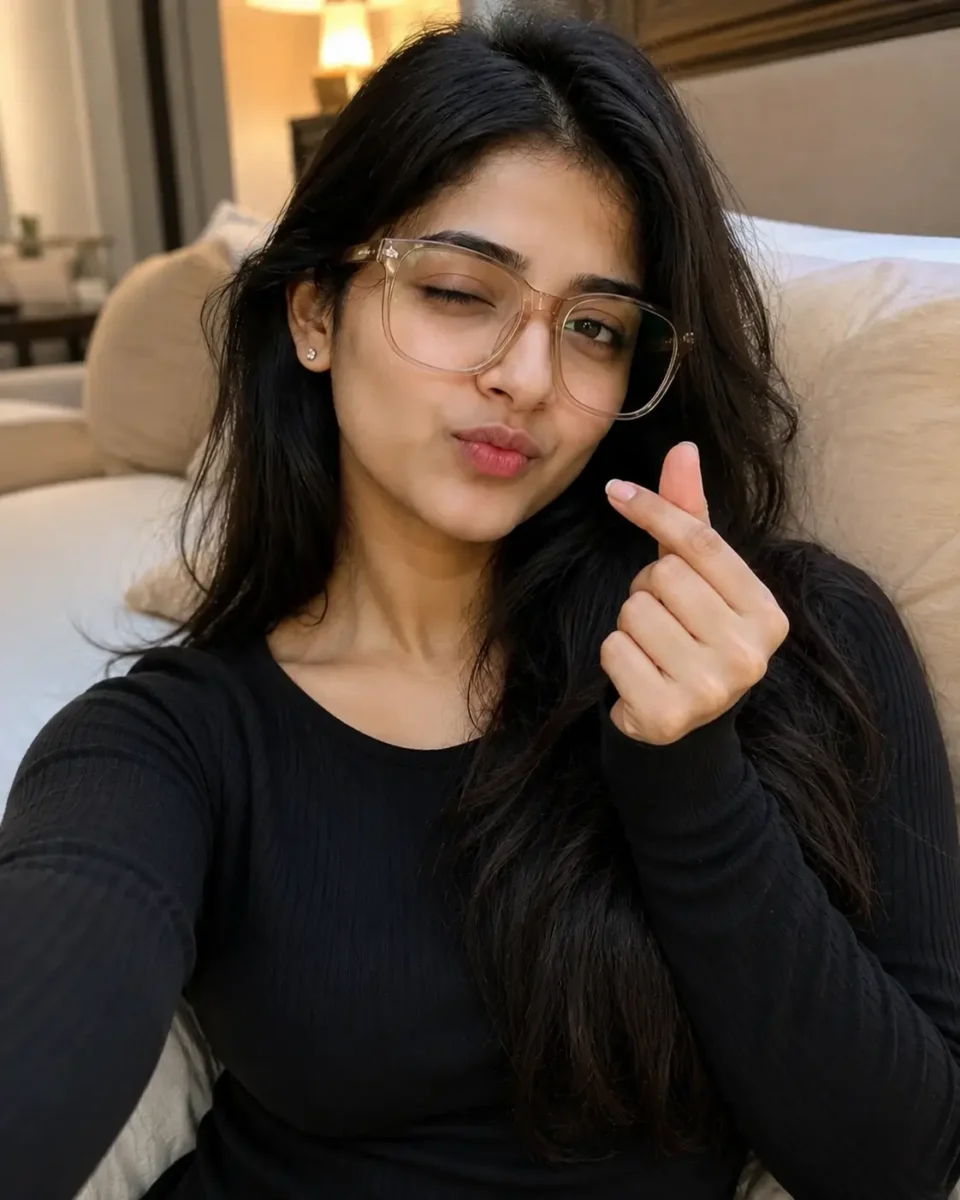
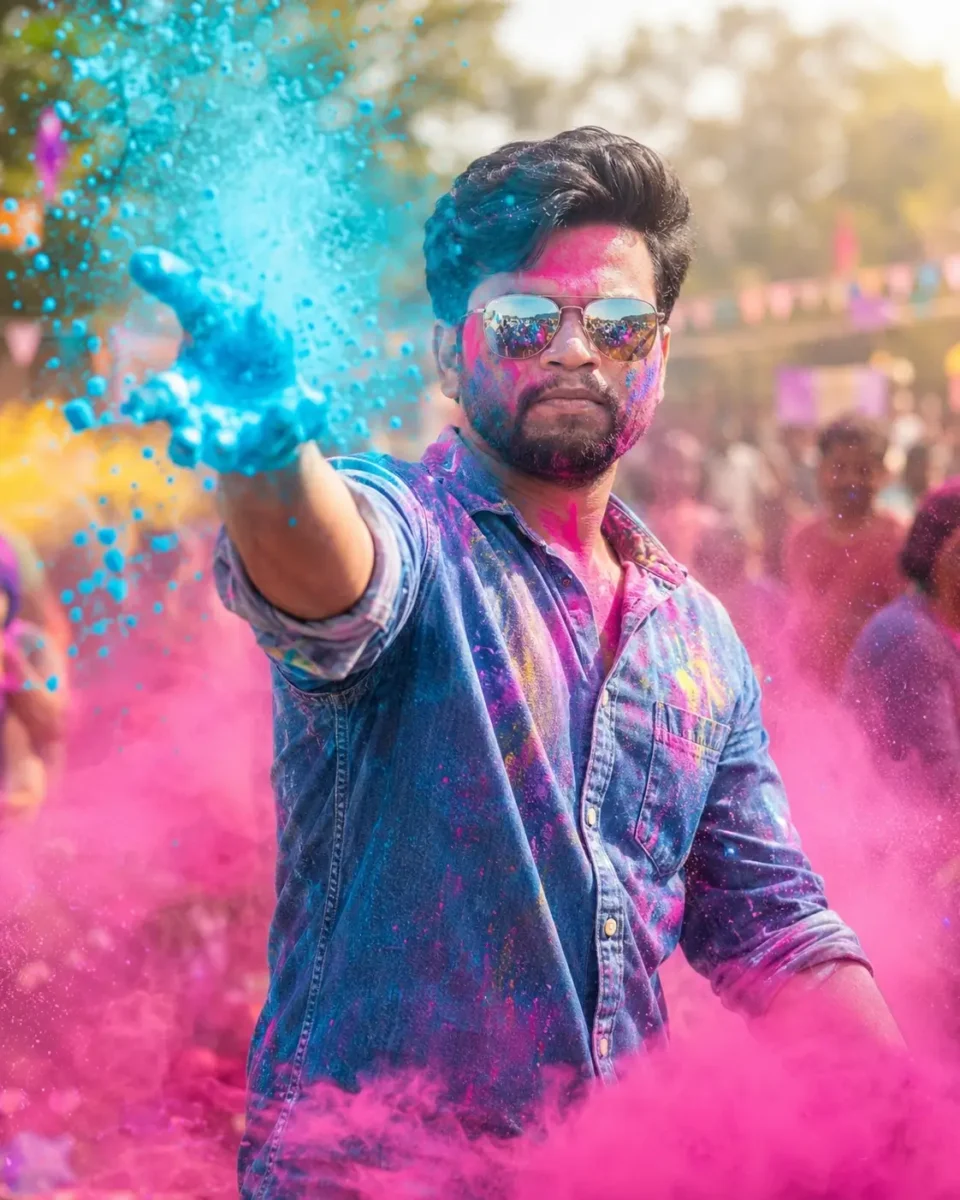
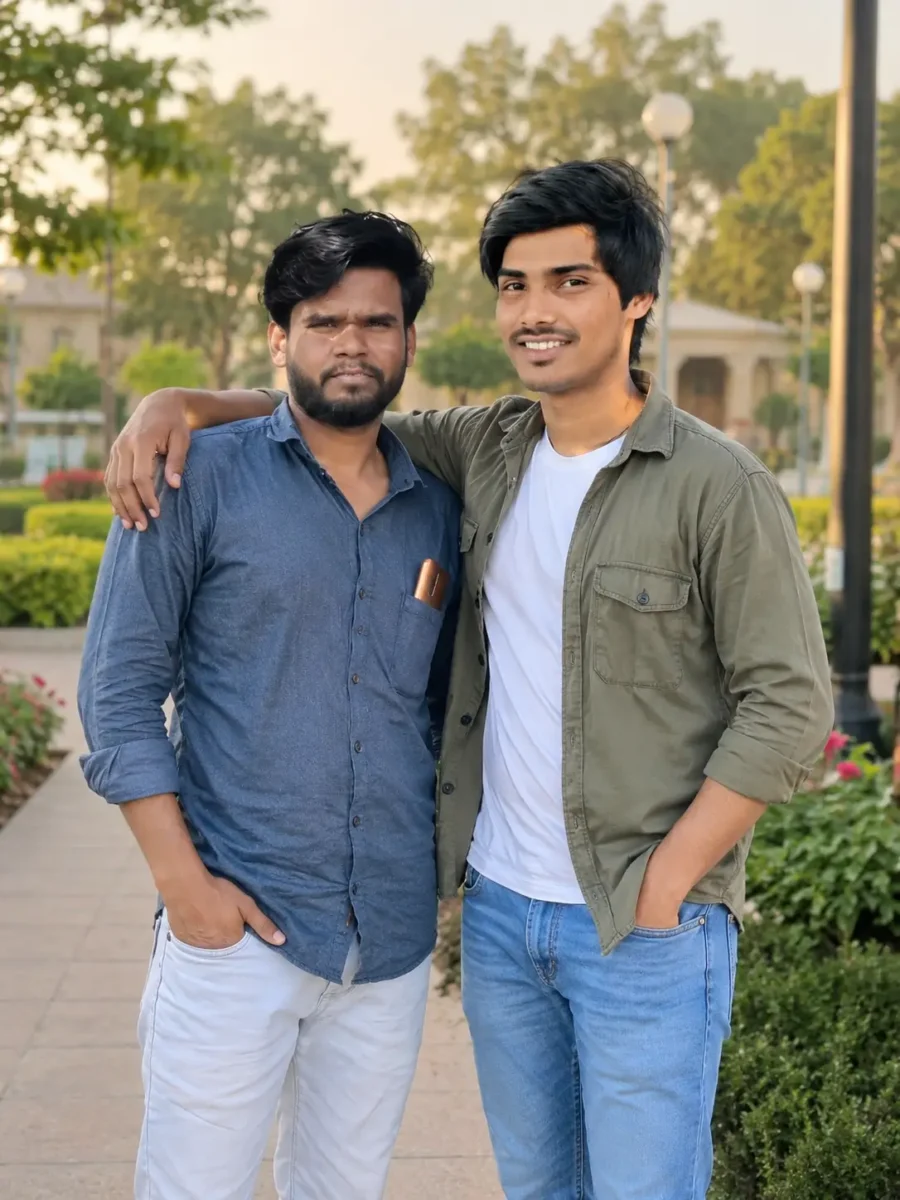
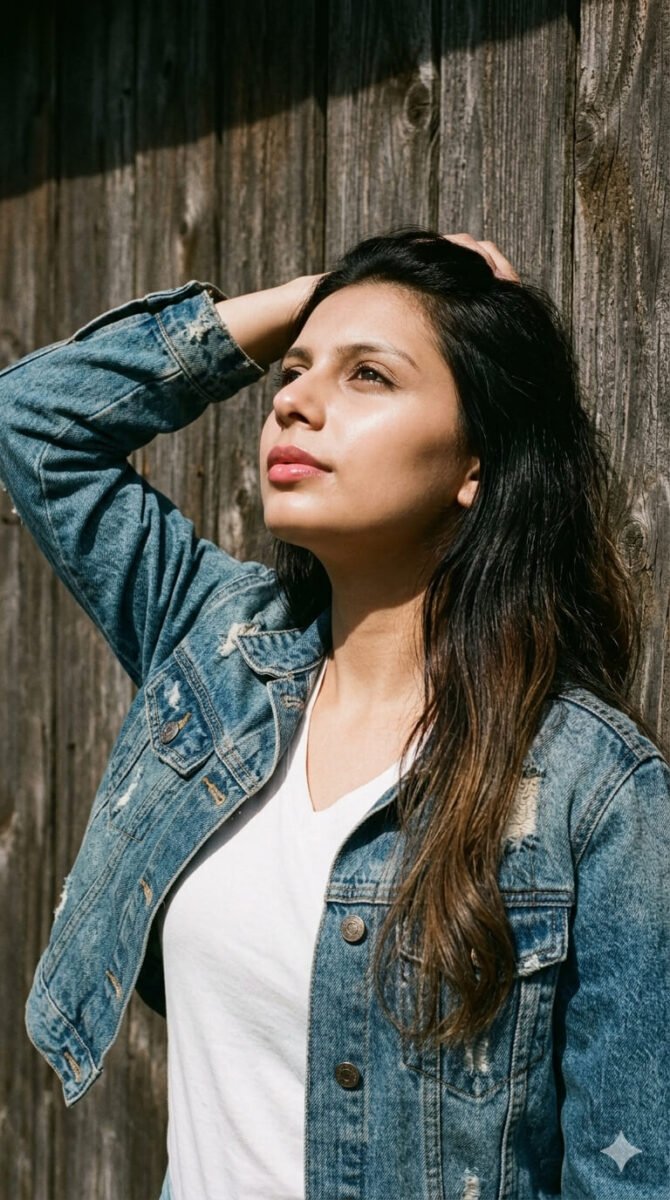
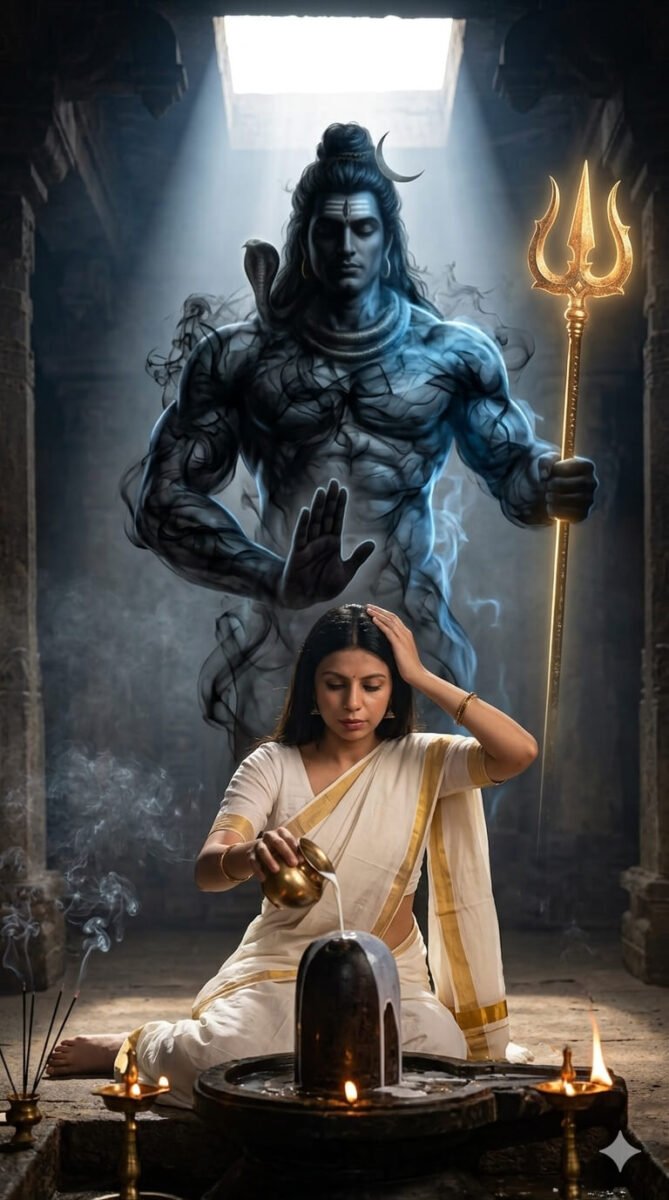
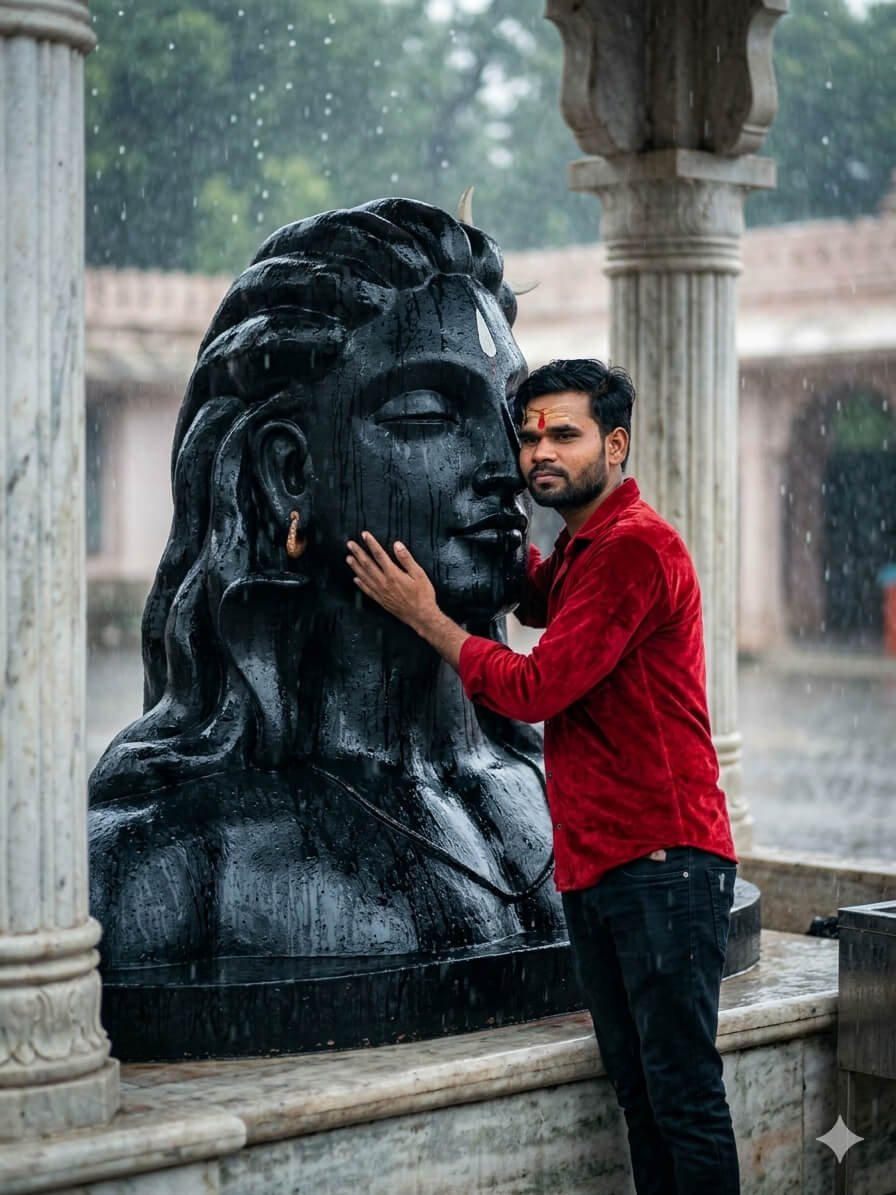
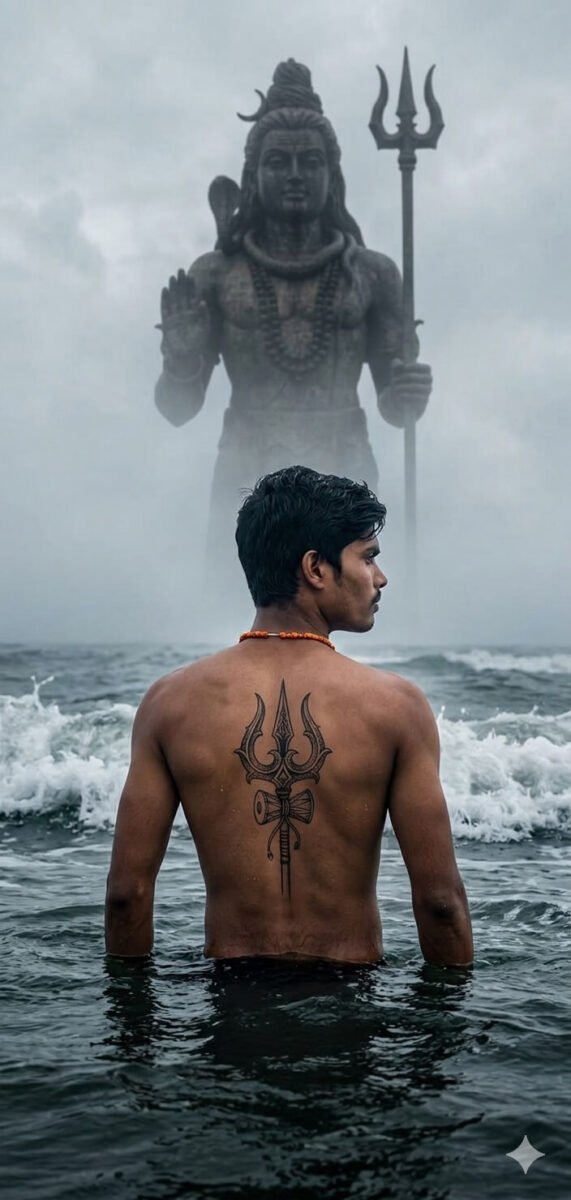
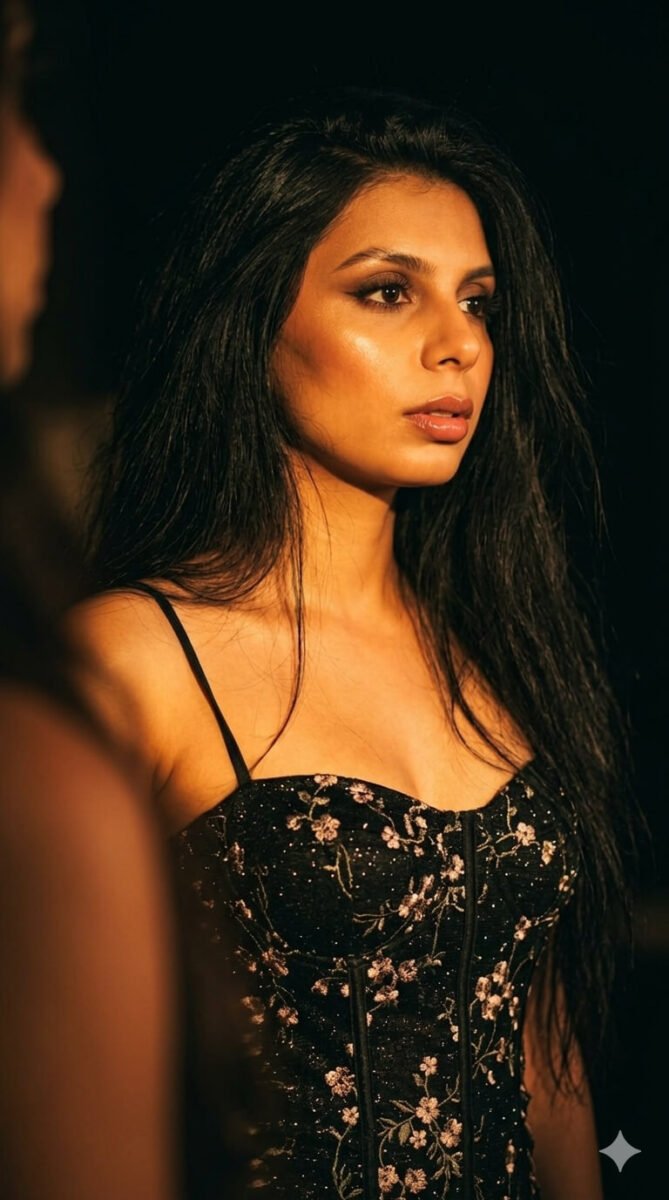
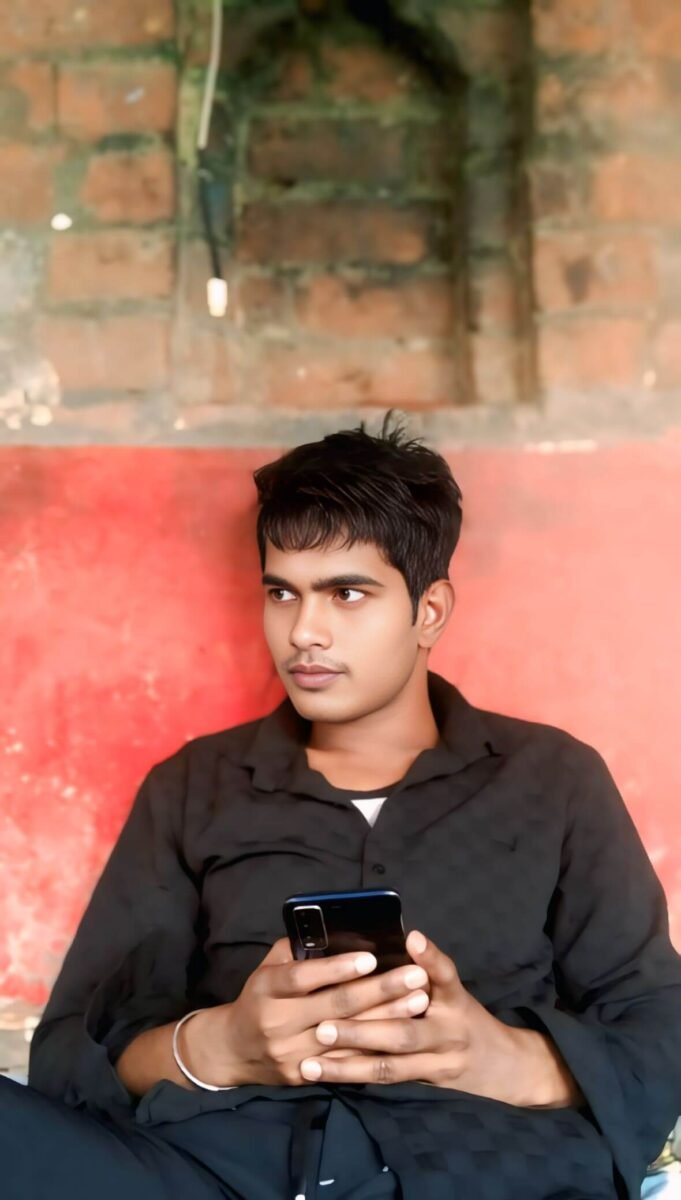
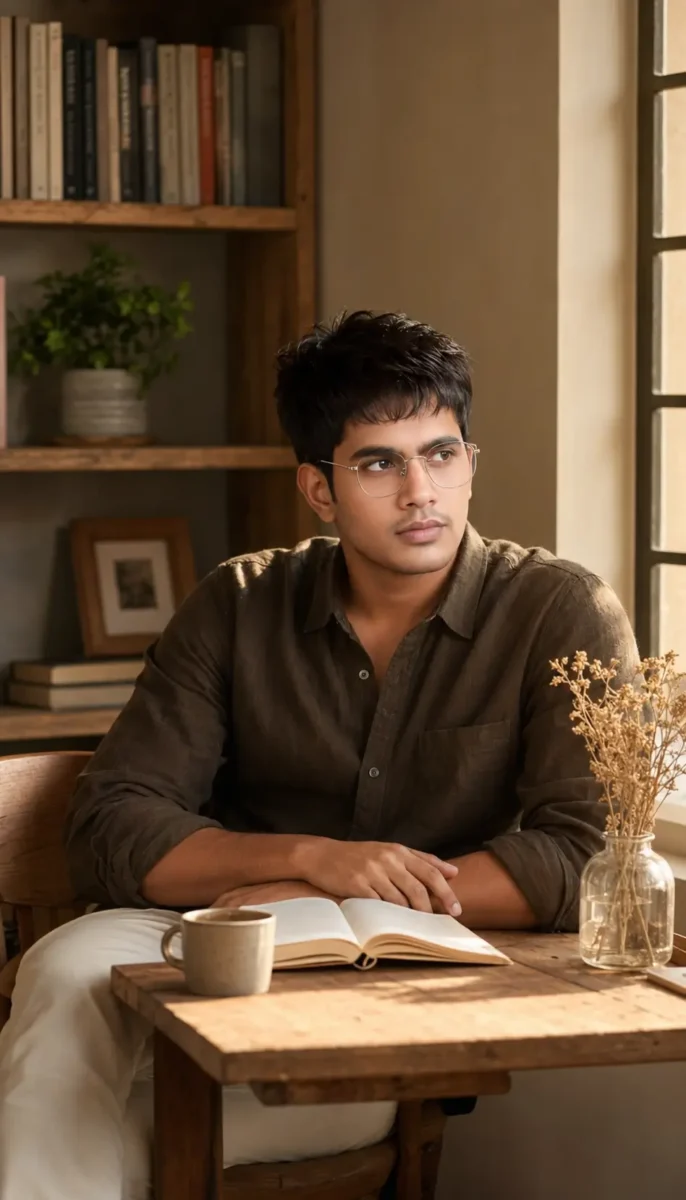
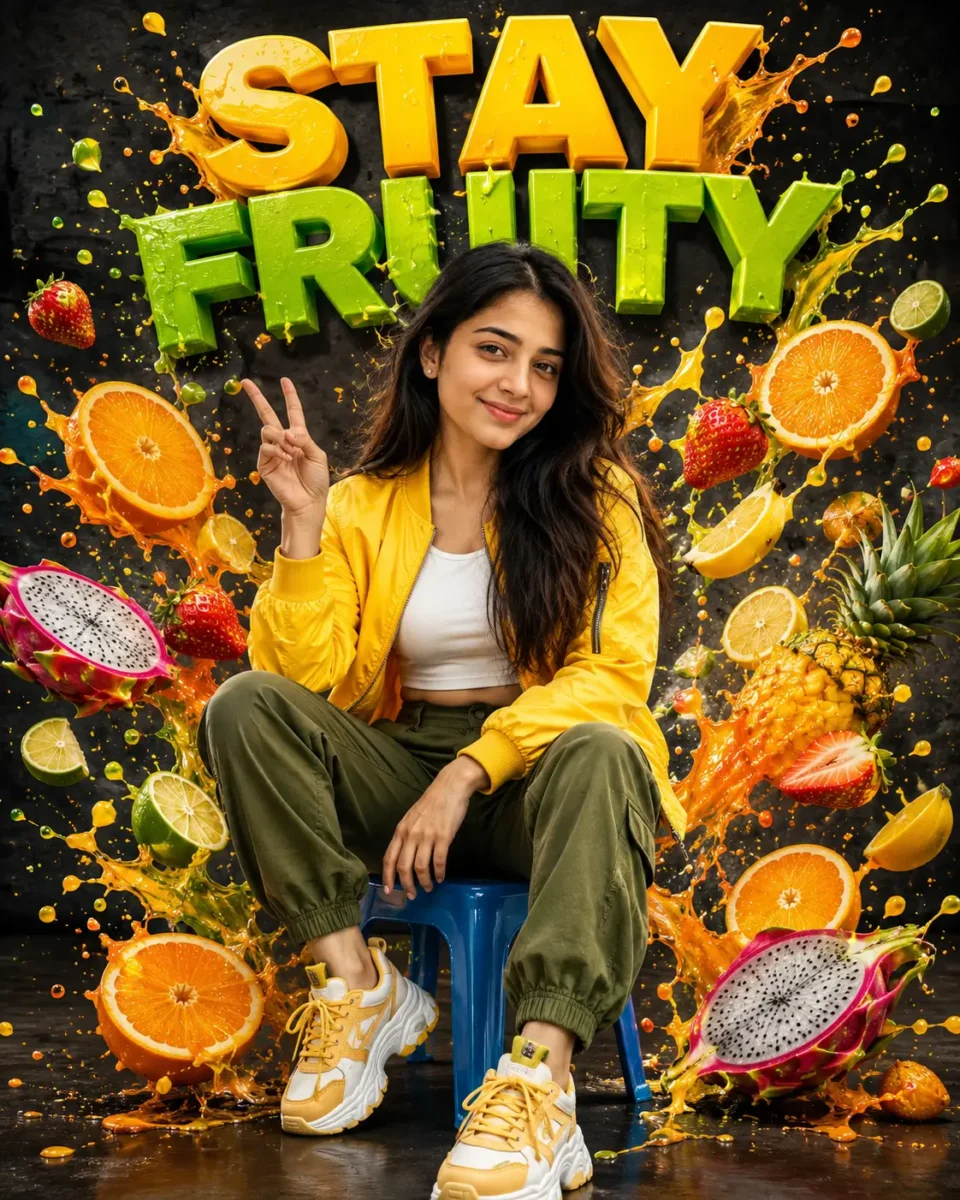
अगर आप सोच रहे हैं कि AI Image Prompt Kaise Likhe, तो इसके लिए आपको किसी दूसरे के prompt को copy करने की जरूरत नहीं है। आप अपनी जरूरत के हिसाब से खुद एक अच्छा और detailed AI image prompt लिख सकते हैं। बस आपको यह पता होना चाहिए कि prompt में कौन-कौन सी जरूरी चीजें और details शामिल करनी हैं। इस गाइड में हम 12 आसान steps की मदद से यही सीखेंगे, ताकि आप ChatGPT, Google Gemini और दूसरे AI tools के लिए खुद perfect image prompt तैयार कर सकें।
अगर आप अलग-अलग कैटेगरी के और भी बेहतरीन AI Image Prompts ढूंढ रहे हैं, तो हमारा 50+ AI Image Prompts Copy & Paste संग्रह भी ज़रूर देखें। इसमें Trending Boy, Girl, Couple, Luxury, Travel, Rain Effect, DSLR और Bike Rider जैसे कई प्रीमियम AI Prompts दिए गए हैं, जिन्हें आप सीधे कॉपी करके इस्तेमाल कर सकते हैं। 50+ AI Image Prompts Copy & Paste (2026)
AI Image Prompt Kaise Likhe? Perfect Prompt Banane Ke 12 Zaroori Steps
AI Image Prompt Kaise Likhe यह समझने के लिए हम 12 जरूरी steps को एक-एक करके जानेंगे। हर step में आपको आसान तरीके से बताया जाएगा कि prompt में क्या लिखना है और उसका क्या काम होता है। इन सभी steps को समझने के बाद आप अपनी जरूरत के हिसाब से खुद एक useful और professional AI image prompt तैयार कर पाएंगे। इससे आपको हर बार किसी दूसरे के बनाए prompt पर निर्भर नहीं रहना पड़ेगा।
Step 1: AI Image Prompt में Subject को Clear रखें
AI image prompt लिखते समय सबसे पहले आपको अपना Subject तय करना होता है। सरल शब्दों में कहें तो Subject वह मुख्य व्यक्ति, वस्तु, जानवर या चीज होती है, जिसे आप अपनी image में सबसे ज्यादा दिखाना चाहते हैं।
जैसे मान लीजिए आप अपनी normal photo को stylish और professional look देना चाहते हैं, तो उस image में आप खुद Subject होंगे। इसके बाद कपड़े, expression, pose, background, camera angle और बाकी details इसी Subject के हिसाब से prompt में जुड़ती जाएंगी। आगे के steps में हम इन्हीं details को एक-एक करके जोड़ेंगे और साथ ही अपना पूरा prompt तैयार करते चलेंगे।
A 25-year-old Indian man
Step 2: Expression (चेहरे का भाव) तय करें
Subject तय होने के बाद Expression पर ध्यान दें, यानी image में उसके चेहरे का भाव कैसा दिखाई देना चाहिए। आप अपनी जरूरत के हिसाब से confident, happy, serious या हल्की smile वाला expression चुन सकते हैं।
जैसे हम अपनी stylish और professional image बना रहे हैं, तो चेहरे पर confident expression with a slight smile रख सकते हैं। इससे AI को यह समझने में आसानी होगी कि हमारी final image में चेहरे का look और expression कैसा होना चाहिए।
A 25-year-old Indian man, confident expression with a slight smile
Step 3: Clothes (क्या पहना है?) तय करें
इसके बाद अपने Subject के Clothes तय करें, यानी वह image में क्या पहने हुए दिखाई देगा। कपड़ों की सही detail देने से AI आपकी पसंद के हिसाब से formal, casual, traditional या stylish look तैयार कर सकता है। हमारी professional image के लिए हम black shirt, beige trousers और black shoes चुन सकते हैं। इसी तरह आप अपने prompt में कपड़ों का type और color अपनी पसंद के अनुसार रख सकते हैं।
A 25-year-old Indian man, confident expression with a slight smile, wearing a black shirt, beige trousers and black shoes
Step 4: Pose (क्या कर रहा है?) तय करें
Clothes तय करने के बाद Pose चुनें, यानी आपका Subject image में क्या कर रहा है या किस तरह खड़ा या बैठा दिखाई देगा। अपनी जरूरत के हिसाब से आप Standing, Walking, Sitting, Running, Holding an Umbrella या कोई दूसरी activity चुन सकते हैं। हमारी professional image में हम Subject को confidently standing with one hand in pocket रखेंगे। इससे AI को साफ पता चलेगा कि image में Subject की body position और pose कैसा रखना है।
A 25-year-old Indian man, confident expression with a slight smile, wearing a black shirt, beige trousers and black shoes, confidently standing with one hand in his pocket
Step 5: Location (कहाँ है?) चुनें
अब बात आती है Location की, यानी आपका Subject image में किस जगह पर दिखाई देगा। सही Location चुनने से image का background और पूरा माहौल बदल सकता है। आप अपनी जरूरत के हिसाब से Beach, Mountain, Rainy Street, Forest, Desert, Temple या Luxury Café जैसी कोई भी location चुन सकते हैं।
हमारी stylish और professional image के लिए हम Luxury Café चुनेंगे, जिससे image को premium look मिल सके। इसी तरह आप अपनी image के हिसाब से ऐसी location चुनें, जो आपके Subject और पूरे look के साथ अच्छी लगे।
A 25-year-old Indian man, confident expression with a slight smile, wearing a black shirt, beige trousers and black shoes, confidently standing with one hand in his pocket, inside a modern luxury café
Step 6: Weather / Environment कैसा होगा?
Location के बाद Weather या Environment आपकी image के पूरे माहौल को और बेहतर बनाता है। इसमें आप तय कर सकते हैं कि scene में Heavy Rain, Snowfall, Fog, Sunset, Night या Thunderstorm जैसा कैसा environment दिखाई दे। हमारी image Luxury Café में बन रही है, इसलिए हम बाहर Rainy Night का scene रखेंगे, जो café की खिड़कियों से दिखाई देगा। इससे हमारी image को थोड़ा cinematic और professional look मिलेगा।
A 25-year-old Indian man, confident expression with a slight smile, wearing a black shirt, beige trousers and black shoes, confidently standing with one hand in his pocket, inside a modern luxury café, rainy night visible through the café windows
Step 7: Background Details में क्या दिखाना है?
Location और Environment तय करने के बाद Background Details जोड़ें, यानी Subject के पीछे कौन-कौन सी चीजें दिखाई देनी चाहिए। इसके लिए आप Palm Trees, Ocean Waves, Flowers, Wooden Cottage, Neon Lights या Water Reflections जैसी details अपनी image के हिसाब से चुन सकते हैं। हमारी image Luxury Café और Rainy Night की है, इसलिए background में warm café lights, large glass windows और wet street पर light reflections रखेंगे। इससे background ज्यादा detailed दिखेगा और हमारी image का पूरा scene भी बेहतर लगेगा।
A 25-year-old Indian man, confident expression with a slight smile, wearing a black shirt, beige trousers and black shoes, confidently standing with one hand in his pocket, inside a modern luxury café, rainy night visible through the café windows, warm café lights, large glass windows and beautiful light reflections on the wet street
Step 8: Lighting कैसी रखनी है?
अच्छी Lighting आपकी image के look को काफी बदल सकती है, इसलिए prompt में यह बताना भी जरूरी है कि scene में किस तरह की रोशनी चाहिए। आप अपनी image के हिसाब से Warm Golden Light, Blue Moonlight, Soft Sunlight, Cinematic Lighting या Neon Lighting चुन सकते हैं। हमारी Luxury Café वाली image में हम Warm Golden Light के साथ Cinematic Lighting रखेंगे। इससे Subject साफ दिखाई देगा और Rainy Night वाले scene को भी stylish और professional look मिलेगा।
A 25-year-old Indian man, confident expression with a slight smile, wearing a black shirt, beige trousers and black shoes, confidently standing with one hand in his pocket, inside a modern luxury café, rainy night visible through the café windows, warm café lights, large glass windows and beautiful light reflections on the wet street, warm golden light with cinematic lighting
Step 9: Camera और Shot कैसे रखें?
अब Camera और Shot की detail से तय किया जा सकता है कि आपकी final image किस तरह दिखाई देगी और Subject कितना frame में आएगा। आप DSLR Photography, 85mm Portrait Lens, Wide Angle, Low Angle, Close-up Shot या Full Body Shot जैसी details अपनी जरूरत के हिसाब से prompt में जोड़ सकते हैं। हमारी professional image में पूरा outfit और pose दिखाना है, इसलिए हम DSLR Photography, 85mm Portrait Lens और Full Body Shot रखेंगे। इससे AI को image की framing और photography style समझने में आसानी होगी।
A 25-year-old Indian man, confident expression with a slight smile, wearing a black shirt, beige trousers and black shoes, confidently standing with one hand in his pocket, inside a modern luxury café, rainy night visible through the café windows, warm café lights, large glass windows and beautiful light reflections on the wet street, warm golden light with cinematic lighting, DSLR photography, 85mm portrait lens, full body shot
Step 10: Image Quality कैसी चाहिए?
Prompt में Quality की detail जोड़कर आप AI को बता सकते हैं कि final image कितनी realistic, sharp और detailed दिखनी चाहिए। इसके लिए Ultra Realistic, RAW, 16K, HDR या Masterpiece जैसे terms इस्तेमाल किए जा सकते हैं। हमारी professional image को natural और high-quality look देने के लिए हम Ultra Realistic, RAW और HDR जोड़ेंगे। हर image में सभी quality terms डालना जरूरी नहीं है, इसलिए अपनी जरूरत के हिसाब से सही terms ही चुनें।
A 25-year-old Indian man, confident expression with a slight smile, wearing a black shirt, beige trousers and black shoes, confidently standing with one hand in his pocket, inside a modern luxury café, rainy night visible through the café windows, warm café lights, large glass windows and beautiful light reflections on the wet street, warm golden light with cinematic lighting, DSLR photography, 85mm portrait lens, full body shot, ultra realistic, RAW, HDR
Step 11: छोटी Details को बेहतर बनाएं
एक अच्छी AI image में छोटी-छोटी Details भी काफी फर्क डालती हैं। Prompt में Natural Skin Texture, Detailed Hair, Realistic Water Droplets, Sharp Focus या Cinematic Color Grading जैसी details जोड़कर Subject और पूरे scene को ज्यादा natural बनाया जा सकता है। हमारी professional image के लिए हम Natural Skin Texture, Detailed Hair, Sharp Focus और Cinematic Color Grading रखेंगे। इससे चेहरे और बालों की details साफ रहेंगी और पूरी image ज्यादा realistic और professional दिखाई देगी।
A 25-year-old Indian man, confident expression with a slight smile, wearing a black shirt, beige trousers and black shoes, confidently standing with one hand in his pocket, inside a modern luxury café, rainy night visible through the café windows, warm café lights, large glass windows and beautiful light reflections on the wet street, warm golden light with cinematic lighting, DSLR photography, 85mm portrait lens, full body shot, ultra realistic, RAW, HDR, natural skin texture, detailed hair, sharp focus, cinematic color grading
Step 12: Negative Details में क्या नहीं चाहिए, यह बताएं
आखिर में Negative Details की मदद से आप AI को बता सकते हैं कि final image में किन चीजों से बचना है। जैसे आप No Blur, No Extra Fingers, No Distortion या No Watermark जैसी instructions दे सकते हैं। इससे गलत या unwanted details आने की संभावना कम हो सकती है, हालांकि हर AI tool negative instructions को एक ही तरह से follow नहीं करता। इसलिए इनका इस्तेमाल तभी करें, जब आपका AI tool ऐसी instructions को support करता हो।
A 25-year-old Indian man, confident expression with a slight smile, wearing a black shirt, beige trousers and black shoes, confidently standing with one hand in his pocket, inside a modern luxury café, rainy night visible through the café windows, warm café lights, large glass windows and beautiful light reflections on the wet street, warm golden light with cinematic lighting, DSLR photography, 85mm portrait lens, full body shot, ultra realistic, RAW, HDR, natural skin texture, detailed hair, sharp focus, cinematic color grading. Avoid blur, extra fingers, distortion and watermarks.
12 Steps से तैयार हमारा Final AI Image Prompt
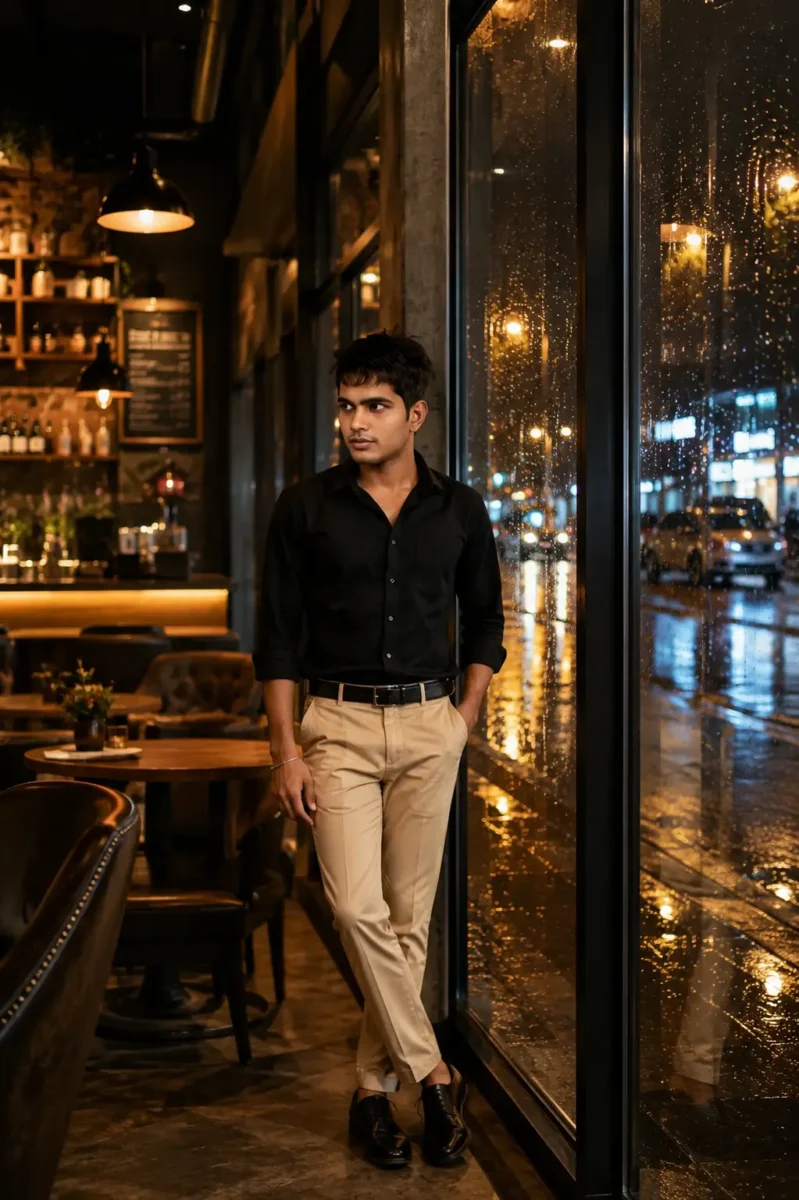
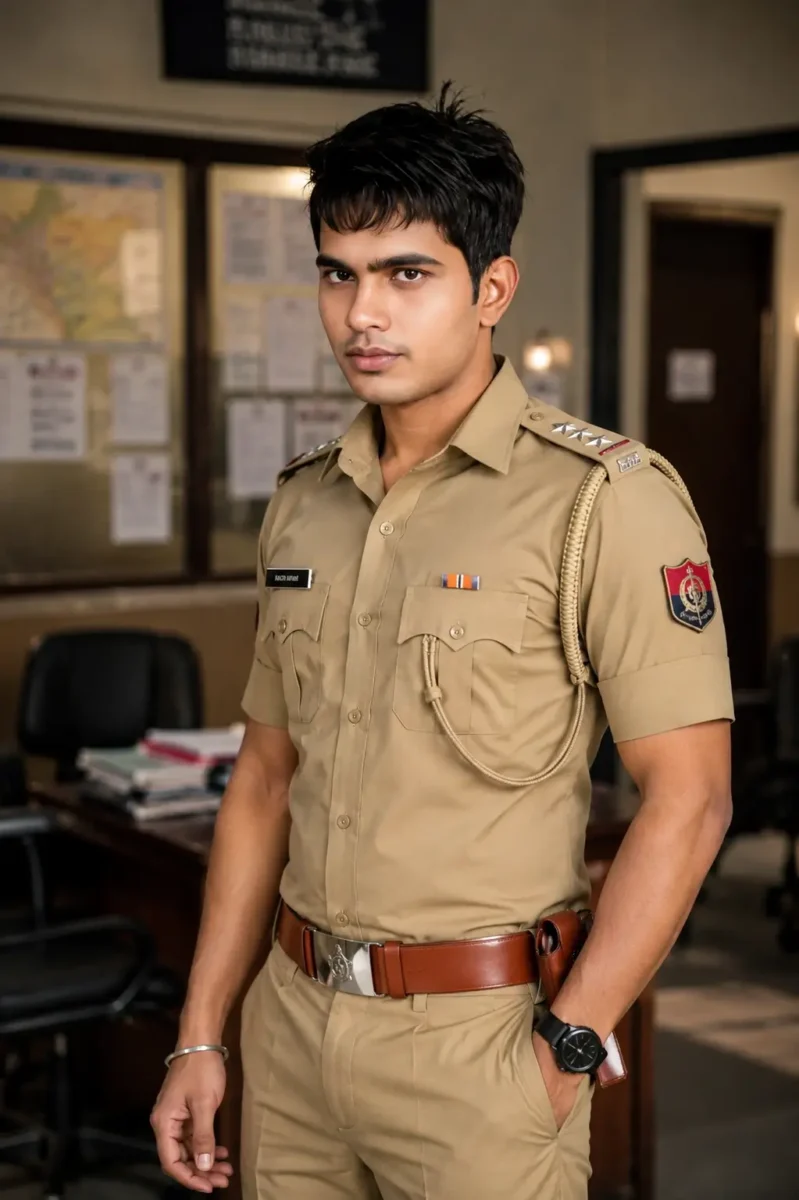
इस तरह केवल इन 12 steps को एक-एक करके follow करते हुए आप अपना पूरा AI image prompt तैयार कर सकते हैं। आपको हर बार किसी दूसरे का prompt copy करने की जरूरत नहीं है, क्योंकि Subject से लेकर Clothes, Pose, Location, Lighting और Camera तक हर detail आप अपनी जरूरत के हिसाब से खुद चुन सकते हैं। अगर आपको image में कपड़े, location, pose या कोई दूसरी चीज बदलनी हो, तो prompt में सिर्फ उस detail को बदलकर अपनी पसंद की image बना सकते हैं। नीचे आप इन सभी steps से तैयार हुआ हमारा final prompt और उससे बनी image देख सकते हैं।
इसके बाद मैं आपको कुछ Extra AI Image Prompts भी दूँगा, जिन्हें आप सीधे इस्तेमाल कर सकते हैं। इन prompts को देखकर आपको यह समझने में भी आसानी होगी कि अलग-अलग तरह की images के लिए details को किस तरह जोड़ा और बदला जा सकता है।
A 25-year-old Indian man, confident expression with a slight smile, wearing a black shirt, beige trousers and black shoes, confidently standing with one hand in his pocket, inside a modern luxury café, rainy night visible through the café windows, warm café lights, large glass windows and beautiful light reflections on the wet street, warm golden light with cinematic lighting, DSLR photography, 85mm portrait lens, full body shot, ultra realistic, RAW, HDR, natural skin texture, detailed hair, sharp focus, cinematic color grading. Avoid blur, extra fingers, distortion and watermarks.
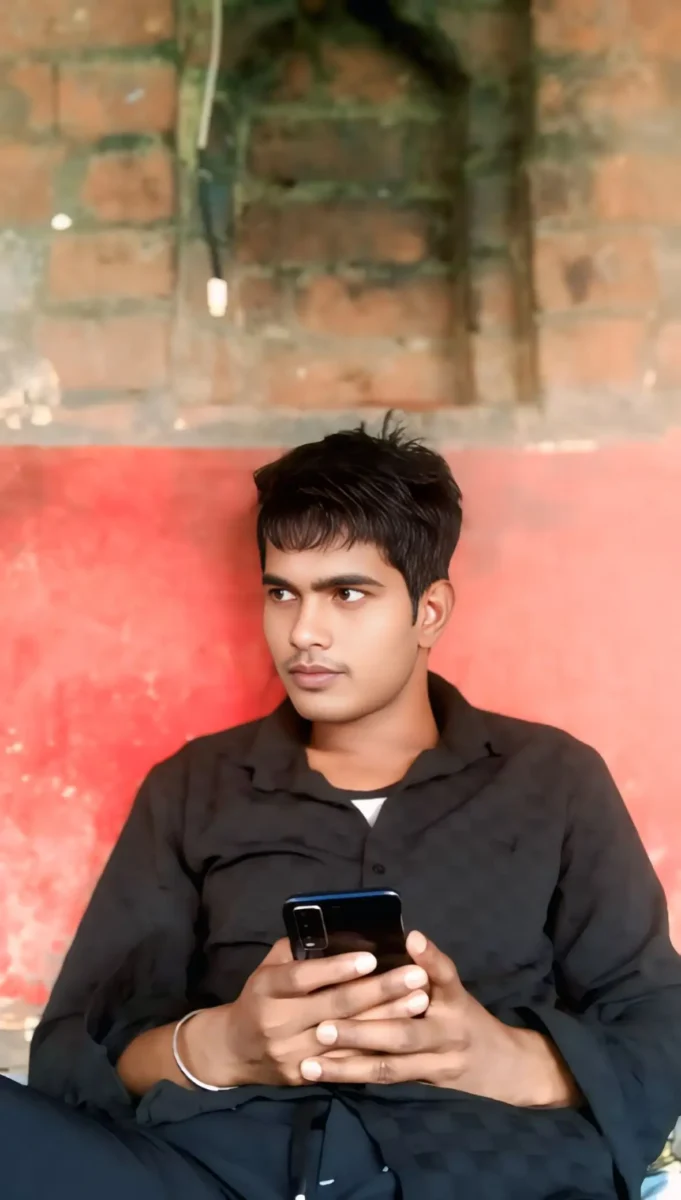
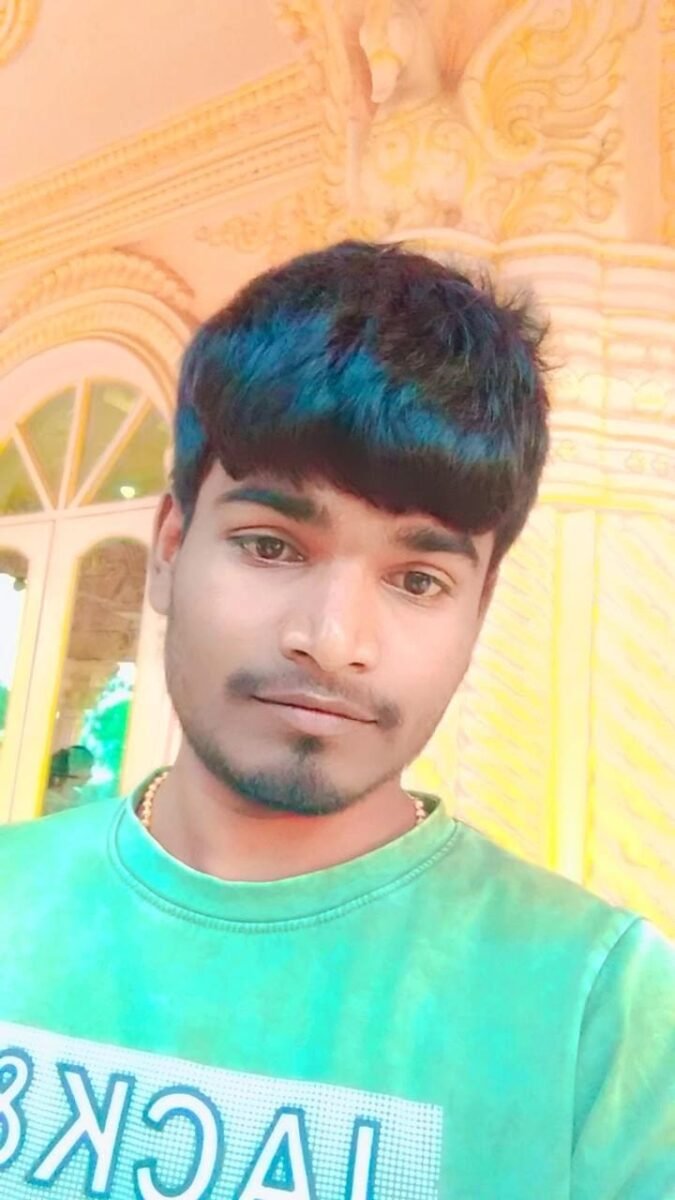
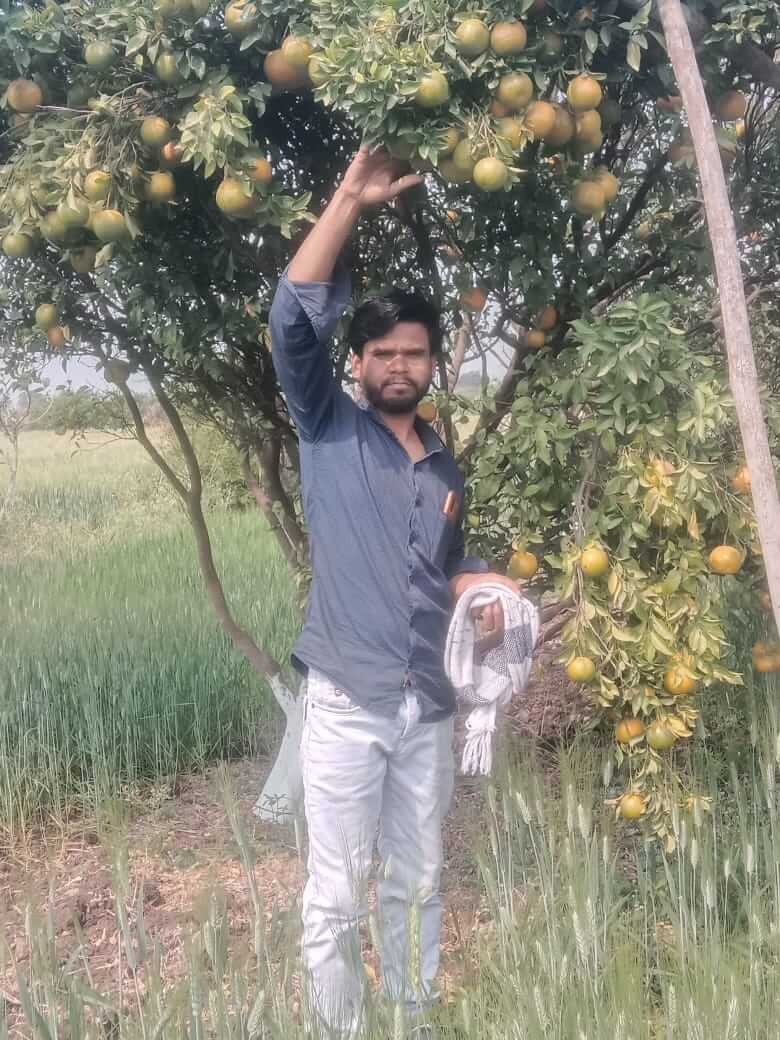
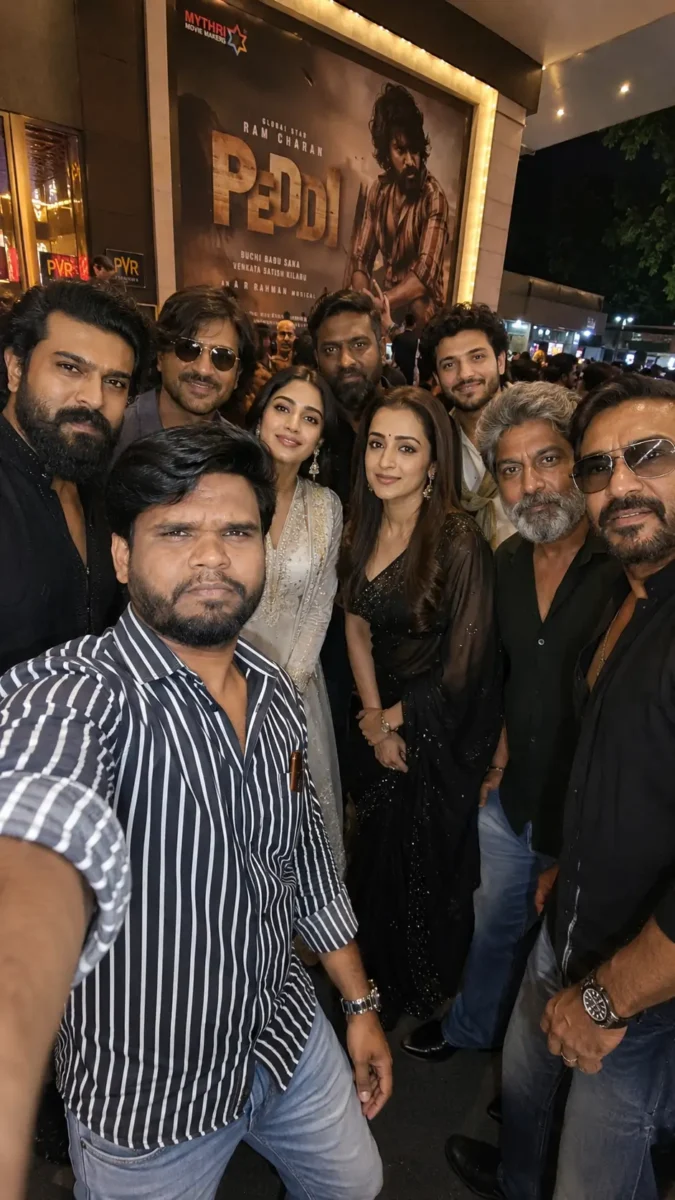
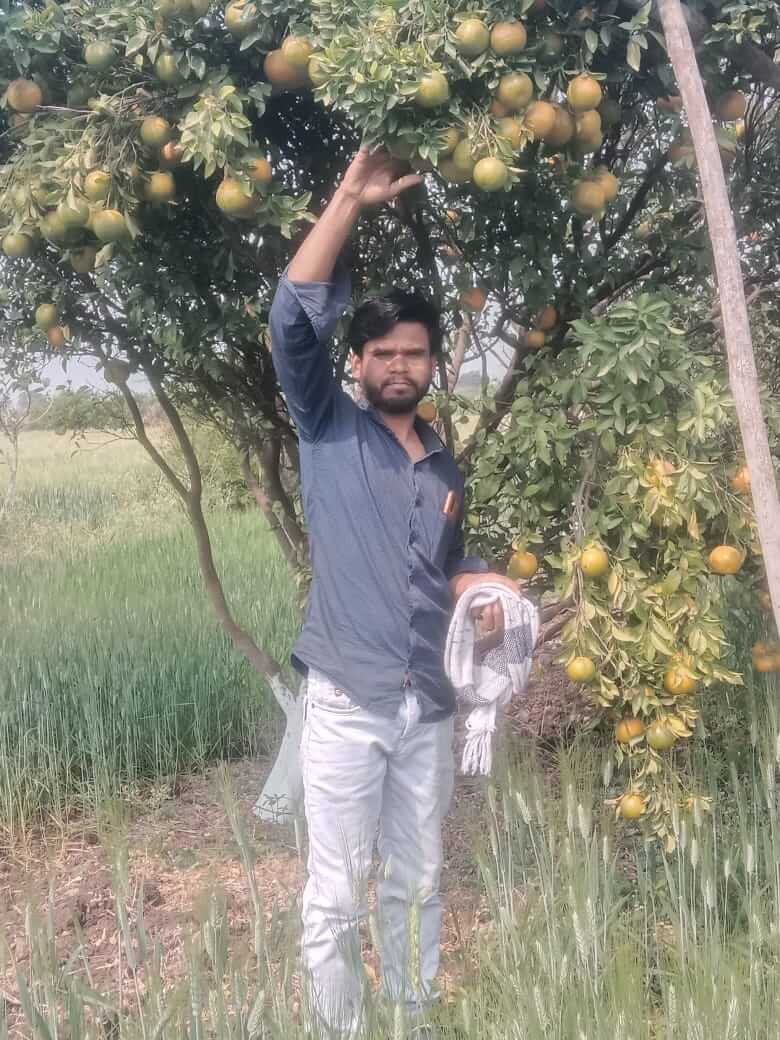
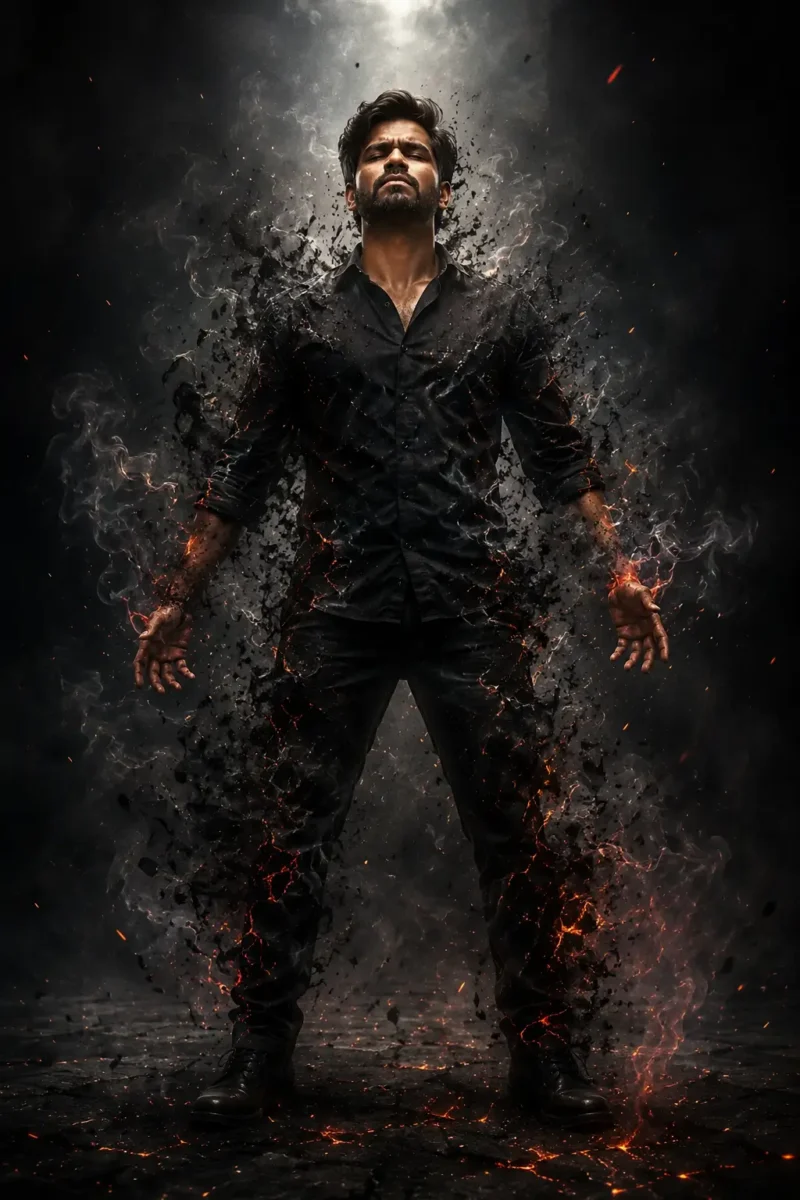
AI Reference Photo12 Steps से बनी AI Image
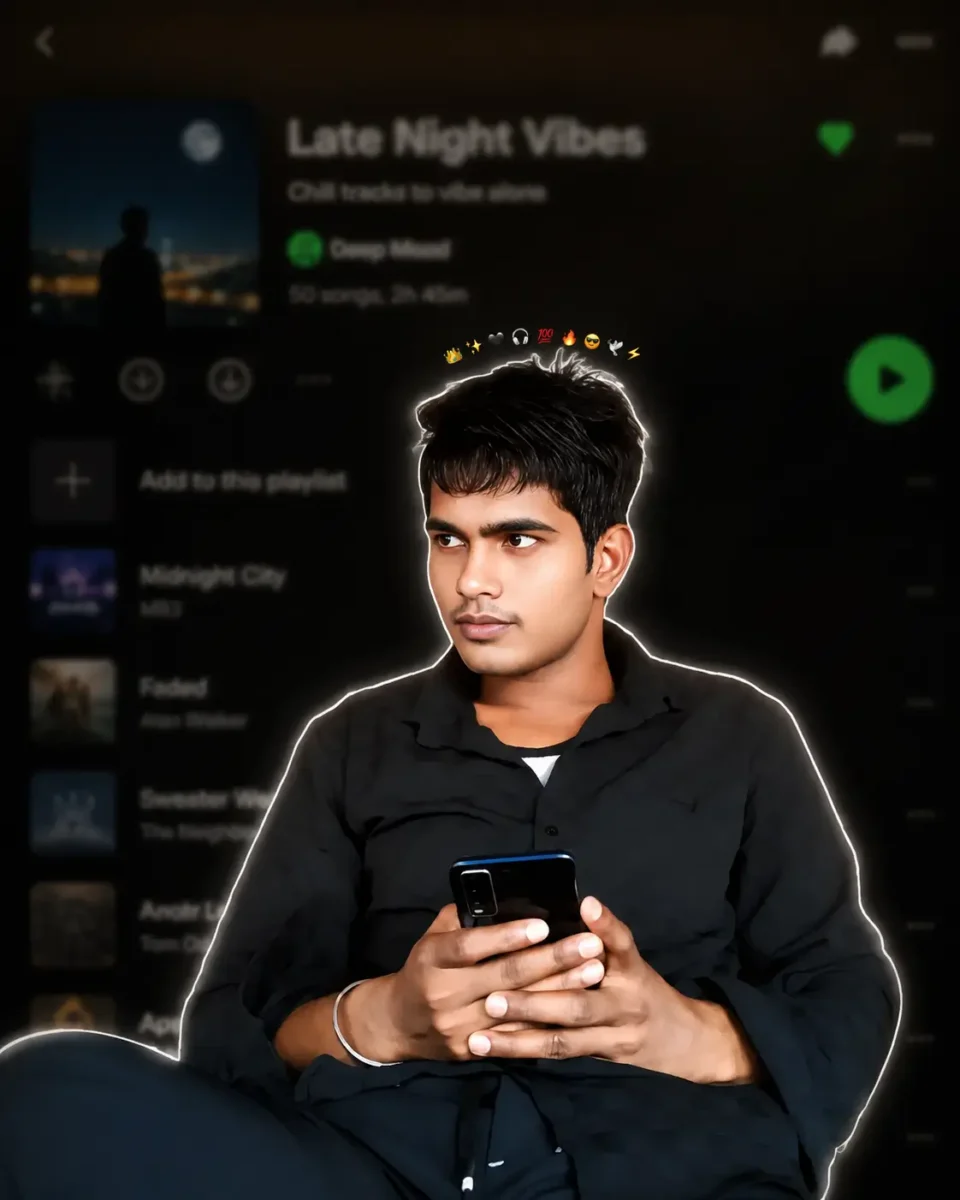
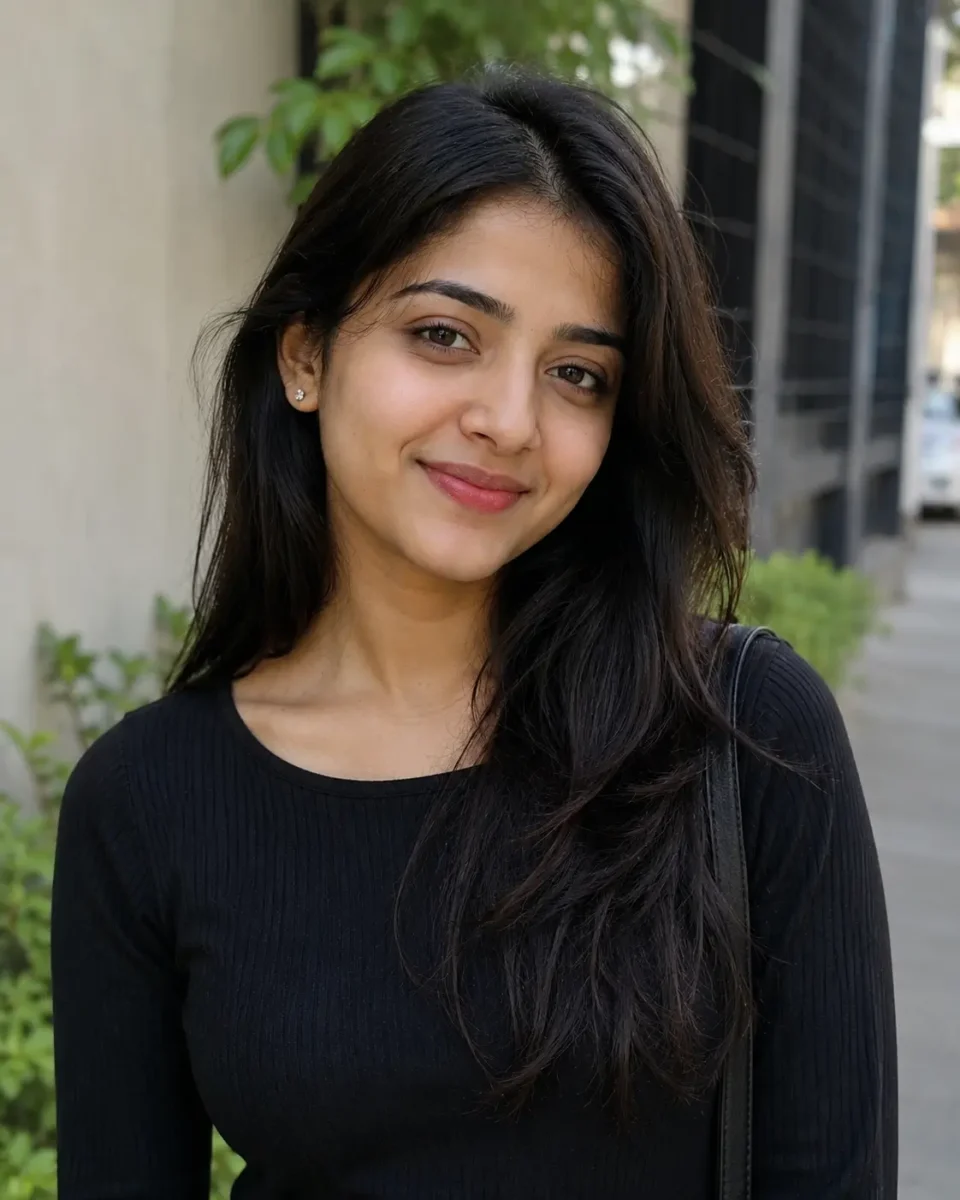
Use the uploaded image as the ONLY identity reference. Keep the subject’s gender, face, facial structure, hairstyle, skin tone, age, clothing, body proportions, original pose, expression, hand position, camera angle, framing and perspective exactly unchanged. Create a premium Instagram Feed Post (1080×1350, 4:5) with a thin white sticker outline and soft white glow. Add one tiny compact emoji crown (10–12 emojis ) centered in a very tight curved arc, floating just above the hair with a clear small gap, about 15–20 px above the highest point of the hair, matching the reference. Keep the emojis small, closely packed, subtle, and never touching or overlapping the hair, forehead, face, or white outline. Never make the crown wide, oversized or scattered. Use the same clothing, hairstyle and pose. Background: heavily blurred dark-mode mobile music streaming app playlist with a premium cinematic look.
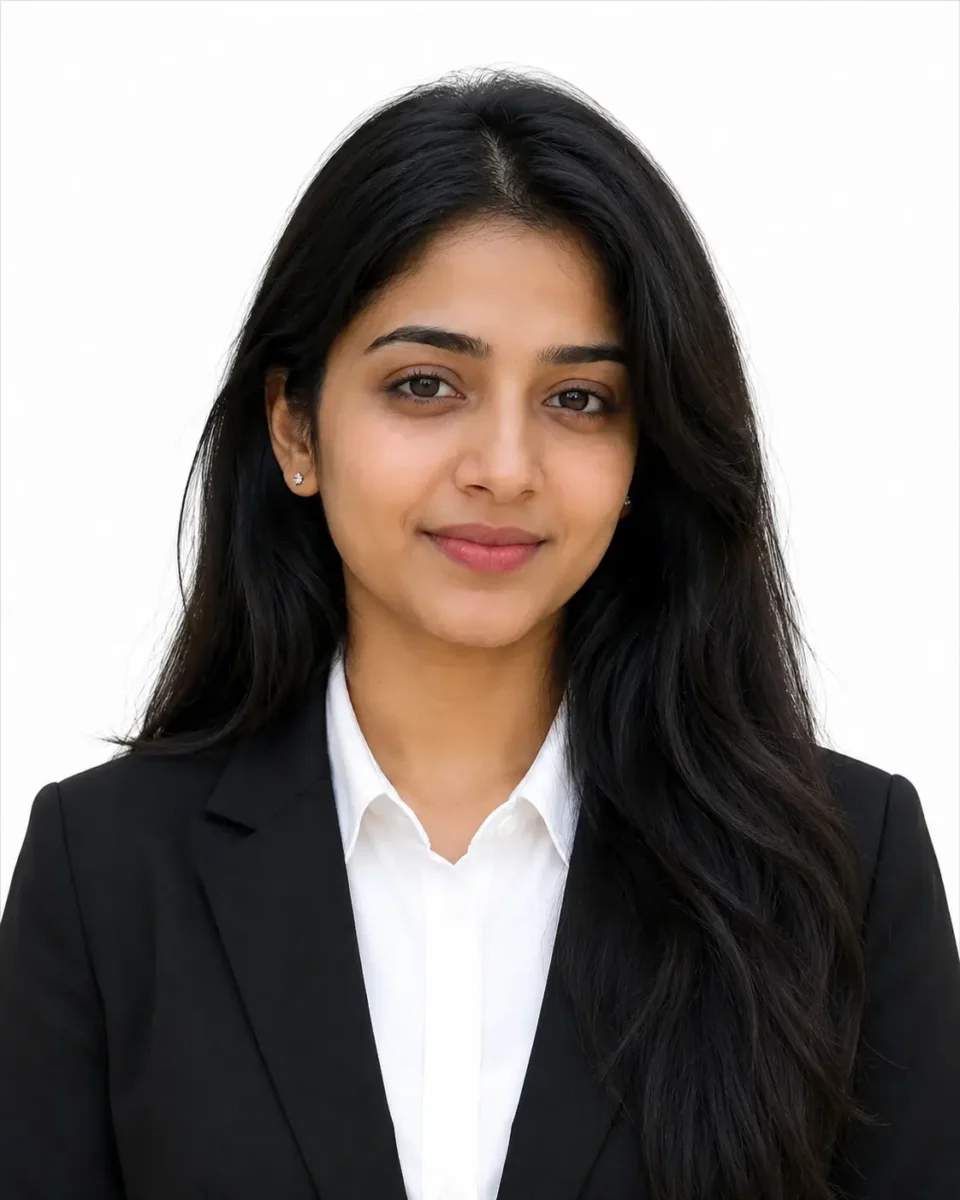
AI Reference PhotoAI Professional Portrait
10 Extra AI Image Prompts जिन्हें आप Try कर सकते हैं
अब जब आप समझ चुके हैं कि एक अच्छा AI image prompt कैसे तैयार किया जाता है, तो नीचे कुछ extra prompts भी दिए गए हैं। आप इन्हें ChatGPT, Google Gemini या दूसरे AI image tools में try कर सकते हैं। साथ ही इन prompts में Subject, Clothes, Location, Lighting और दूसरी details बदलकर अपनी पसंद की image भी बना सकते हैं।
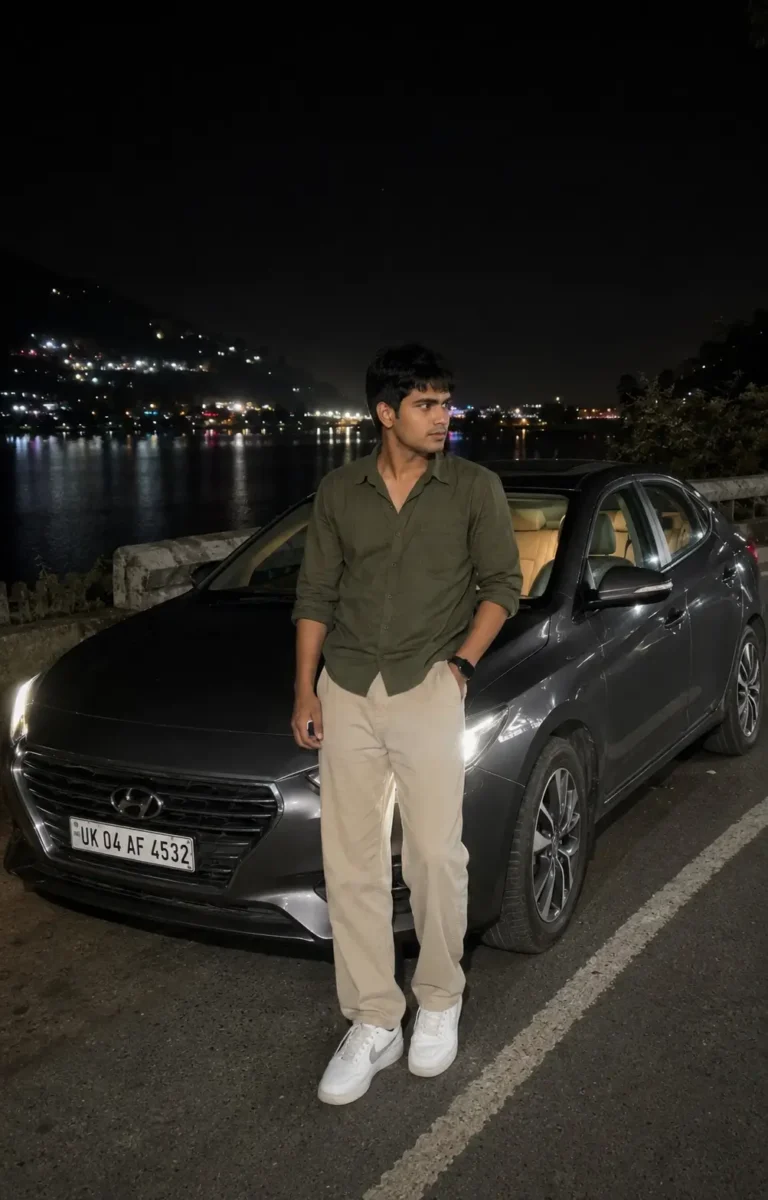
Ultra-realistic casual smartphone photograph captured on an iPhone 15 Pro using the standard 1× rear camera. Vertical 4:5 full-body composition from a natural eye-level handheld perspective.
A young South Asian man with medium-fair skin, naturally textured black hair and a lean physique is standing casually beside a dark grey sedan parked on a quiet lakeside road at night. He is wearing an olive-green full-sleeve shirt with the sleeves rolled just below the elbows, relaxed-fit beige trousers, clean white sneakers and a simple black wristwatch. One hand is inside his trouser pocket while the other rests naturally by his side. He is looking slightly away from the camera with a calm and confident expression.
The dark grey sedan is parked slightly behind him at a three-quarter angle. Its headlights are turned on and naturally illuminate a small part of the road without becoming too bright. A subtle warm light from inside the car is visible through the windows, while the vehicle remains naturally integrated into the scene.
Behind him, a peaceful lake reflects scattered lights from buildings on the opposite side. Dark hills are visible in the distance with a few warm lights along the hillside. The night sky is deep and natural with slight atmospheric haze, while soft reflections from nearby lights appear across the water.
Use realistic night-time smartphone exposure, natural skin texture, balanced shadows, accurate white balance and true-to-life colors. The scene should be illuminated only by the car headlights and available ambient lights. No cinematic lighting, artificial glow, beauty filter, skin smoothing, excessive HDR, fake bokeh, heavy color grading or oversharpening.
Preserve subtle smartphone noise, slight handheld imperfections, realistic depth of field and natural low-light details. The final photograph should look like a genuine, unedited smartphone photo casually captured during a peaceful nighttime road trip.
AI Reference PhotoNight Road Trip AI Image
A high-quality, photorealistic candid portrait of a young South Asian couple standing closely together against a clean warm beige wall in a minimalist indoor setting filled with soft natural daylight. The woman stands on the left, wearing a sleeveless chocolate-brown pleated maxi dress with a flowing gathered skirt, long naturally straight black hair partially pinned back, subtle makeup, delicate earrings, and a thin bracelet. She gently wraps both hands around the man’s arm while leaning toward him with a warm, affectionate smile, looking directly into his eyes. The man stands on the right wearing a crisp white long-sleeve button-up shirt with the sleeves casually rolled, light blue relaxed-fit jeans, a black wristwatch, one hand tucked into his pocket, and neatly styled short black hair with a well-groomed beard. He smiles naturally while gazing lovingly at her, creating an intimate and genuine romantic moment. A large lush green Monstera plant occupies the right foreground, adding depth, texture, and a fresh botanical aesthetic while partially framing the couple. The composition is vertically balanced with generous negative space above the subjects, clean modern interior styling, soft shadows, warm neutral tones, realistic skin texture, authentic fabric folds, shallow depth of field, creamy background separation, subtle cinematic color grading, natural window light, ultra-detailed, DSLR quality, 85mm lens, f/2.0, HDR, 8K resolution, lifestyle editorial photography, elegant, timeless, cozy, and effortlessly romantic.3:4
Create an ultra-realistic editorial portrait collage of a stylish South Asian man in his late 20s, wearing a dark forest-green relaxed-fit shirt, charcoal trousers and black sunglasses. Set the scene in a modern urban rooftop environment under soft cloudy skies, with a clean, premium fashion photography look.
Use a vertical 3:4 composition divided into multiple portrait frames. On the left side, include four smaller black-and-white portraits of the same man, showing different natural poses and expressions such as looking away, adjusting his sunglasses, a side profile and a relaxed close-up.
On the right side, place one large full-color portrait where he stands confidently with a calm expression, looking slightly away from the camera. At the bottom, include a smaller full-body frame showing his complete outfit and relaxed standing pose.
Keep the same facial features, hairstyle and overall appearance consistent across every frame. Use realistic skin texture, detailed hair, sharp facial features, natural shadows, soft diffused daylight and balanced contrast. Give the collage a clean luxury fashion editorial feel with professional DSLR photography, subtle depth of field and natural color tones.
Avoid artificial skin smoothing, distorted facial features, inconsistent faces, extra fingers, excessive HDR, oversaturation, text and watermarks. Final composition should look like a professionally photographed fashion magazine portrait collage, not an obvious AI-generated image.
Create an ultra-realistic full-body fashion portrait of a young South Asian man with naturally styled textured hair and a neatly trimmed beard. He is standing confidently beside an old industrial brick wall with a faded metal doorway, giving the scene a raw urban street-style look.
He is wearing a dark brown oversized casual shirt with the sleeves folded to the elbows, paired with relaxed-fit black cargo pants and clean beige sneakers. Add black sunglasses, a minimal silver chain and a simple wristwatch for a modern street-fashion look.
The man is standing in a relaxed pose with one hand inside his trouser pocket while the other rests naturally against the old brick wall. He is looking slightly away from the camera with a calm and confident expression.
Use soft natural evening light with realistic shadows and slightly muted background tones. Capture the portrait with professional DSLR photography, an 85mm portrait lens, natural depth of field, sharp focus, realistic skin texture and detailed hair. Keep the colors natural and the overall image clean, stylish and realistic.
Avoid artificial skin smoothing, excessive HDR, oversaturation, distorted hands, extra fingers, unnatural body proportions, artificial glow, text and watermarks. The final image should look like a genuine professional street-fashion photoshoot.
Use the uploaded image only as the face and identity reference. Preserve the subject’s natural facial structure, skin tone, hairstyle, age and overall identity. Keep the face realistic without beautification, face smoothing or major facial changes.
Create an ultra-realistic vertical 3:4 fashion portrait, framed from around mid-thigh to head at natural eye level. The subject should occupy roughly 60% of the frame while the background remains strongly blurred.
A young South Asian man is casually leaning beside the front corner of a dark luxury sedan inside a modern underground parking garage. His body is slightly angled with relaxed shoulders. He looks naturally down toward a smartphone held in his right hand, while his left hand holds a bouquet near his waist. His expression is calm and confident, giving the feeling that he is waiting for someone before an evening date.
He is wearing a fitted charcoal-black blazer over a black open-collar shirt, tailored black trousers, a black leather belt and polished black shoes. Add subtle rectangular sunglasses and a stainless-steel wristwatch for a clean premium look.
The bouquet is wrapped in matte dark paper and contains deep red roses, small white flowers, eucalyptus leaves and subtle green foliage. Keep the flowers realistic and naturally arranged rather than perfectly symmetrical.
Only part of the luxury sedan should appear in the frame, including a section of the front grille, one headlight and glossy hood reflections. Do not show the complete vehicle or emphasize any brand logo or license plate.
Use realistic underground parking lighting with cool overhead fluorescent lights. Create natural directional shadows beneath the jaw, around the clothing folds and between the subject and the vehicle. Maintain natural skin tones, deep blacks and a subtle cool blue tone throughout the environment, while the red roses provide a gentle warm contrast.
The background should show a low parking-garage ceiling, fluorescent strip lights and a few structural pillars fading into strong natural bokeh. Keep the subject sharply focused with realistic separation from the background.
Professional full-frame camera photography, shallow depth of field, realistic skin texture, detailed fabric, natural hair detail, accurate reflections, realistic shadows and true-to-life color balance. The final result should look like a genuine premium evening fashion photograph rather than an obvious AI-generated image.
Avoid close-up framing, selfie angles, flat lighting, excessive HDR, artificial glow, beauty filters, plastic skin, altered facial features, distorted hands, extra fingers, unnatural poses, incorrect bouquet placement, excessive car visibility, sharp or cluttered backgrounds, oversaturated colors, text, logos, signatures and watermarks.
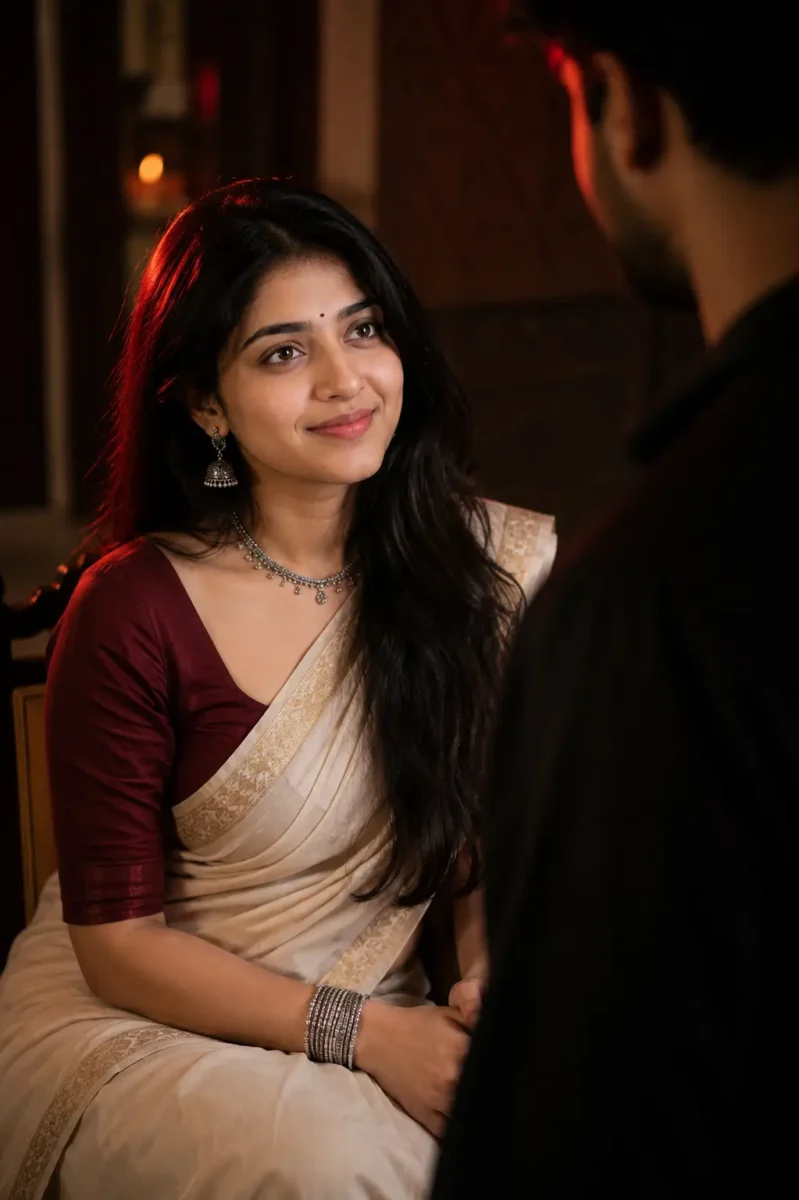
Use the uploaded reference image only to maintain the woman’s facial identity. Preserve her natural face shape, facial proportions, skin tone, eyes, eyebrows, nose, lips, hairstyle and age. Keep the face realistic and consistent without beautification, reshaping or artificial skin smoothing.
Create an ultra-realistic cinematic portrait of the woman sitting gracefully inside a traditional Indian interior. She is wearing an elegant ivory saree with a subtle golden border, paired with a deep maroon fitted blouse. Her naturally wavy black hair falls softly over one shoulder.
Add traditional oxidized silver jhumka earrings, a delicate necklace, a few silver bangles and a small black bindi. Keep the jewellery elegant and realistic rather than overly heavy.
She sits naturally with her hands resting together on her lap. Her face is slightly turned upward as she looks toward a man standing in front of her with a calm, emotional and thoughtful expression.
Show the man only as a soft, dark and out-of-focus silhouette in the foreground, partially entering the frame from one side. His face should not be clearly visible. Use him only to create depth and a subtle storytelling feel while keeping the woman as the main focus.
Use dramatic low-key lighting with a soft warm key light falling naturally across her face and a deep red rim light from one side. Maintain realistic shadows, natural skin texture and gentle separation between the subject and the dark background.
Keep the background softly blurred with subtle hints of a traditional indoor setting. Use shallow depth of field, realistic skin details, detailed saree fabric, natural hair strands and professional portrait photography.
The final image should feel emotional, elegant and culturally natural, like a professionally photographed scene from an Indian cinematic drama.
Avoid face changes, identity drift, beauty filters, plastic skin, excessive skin smoothing, unnatural jewellery, distorted hands, extra fingers, oversaturated red lighting, artificial glow, cartoonish details, text, logos and watermarks.
Reference PhotoTraditional Cinematic AI Portrait
Use the uploaded reference image only for the woman’s facial identity. Keep her natural face shape, eyes, eyebrows, nose, lips, jawline, skin tone, hairstyle, hairline, age and natural facial texture consistent with the reference image. Do not beautify, reshape, smooth or stylize her face. Facial identity should remain consistent in every photo used in the collage.
Create a premium feminine editorial photo-collage poster in a vertical 3:4 aspect ratio.
Design the poster with a modern fashion-magazine and scrapbook-inspired layout. Place one large portrait of the woman as the main visual in the lower-left and center area. Around the main portrait, arrange four smaller photographs in different sizes and slightly varied angles to create a natural editorial collage.
MAIN PORTRAIT:
Show the woman sitting gracefully on the floor in a relaxed fashion pose. One leg is softly folded while the other is positioned naturally forward. Keep her posture elegant, confident and comfortable rather than overly posed.
Dress her in a stylish modern outfit with a premium feminine look, such as a fitted black top paired with relaxed beige trousers and minimal accessories. Keep the clothing realistic with natural fabric folds and accurate body proportions.
Her expression should be calm and naturally confident, looking slightly toward the camera. Preserve realistic skin texture, detailed hair strands and natural facial features.
SMALL COLLAGE PHOTOS:
Add four smaller candid-style photographs of the same woman around the main portrait.
Photo 1: natural side-profile portrait with a relaxed expression.
Photo 2: close portrait while she gently adjusts her hair.
Photo 3: casual standing fashion pose looking slightly away from the camera.
Photo 4: soft smiling candid portrait with natural body language.
Keep her facial identity, hairstyle and overall appearance consistent across all five photographs.
BACKGROUND & DESIGN:
Use a deep dark background with subtle paper textures, soft gradients and minimal scrapbook-style elements. Add thin photo borders, small tape-style details, subtle handwritten strokes and clean magazine-inspired graphic accents.
Keep the composition premium and spacious. Do not overcrowd the poster with unnecessary decorative elements.
LIGHTING:
Use soft professional editorial lighting with realistic shadows and gentle highlights. Add subtle warm highlights around selected photographs to create depth while maintaining natural skin tones.
TEXT:
At the upper-left area, add elegant glowing typography:
“OWN YOUR

MOMENT”
Keep the text stylish, clean and easy to read. Use a subtle neon-style glow rather than an excessively bright effect.
STYLE & QUALITY:
Ultra-realistic professional fashion photography, editorial magazine quality, realistic skin texture, detailed hair, accurate hands, natural body proportions, sharp subject details and balanced depth.
The finished design should look like a professionally created fashion editorial collage suitable for an Instagram post or premium lifestyle magazine.
Avoid face changes, identity drift, beauty filters, plastic skin, excessive retouching, distorted hands, extra fingers, duplicated body parts, inconsistent faces, unrealistic poses, excessive neon glow, cluttered layout, cartoon effects, text errors, logos, signatures and watermarks.
Use the uploaded reference image only to preserve the woman’s facial identity. Keep her natural face shape, skin tone, eyes, eyebrows, nose, lips, hairstyle and age consistent with the reference. Do not beautify, reshape or artificially smooth her face.
Create an ultra-realistic full-body portrait of a young woman enjoying a peaceful monsoon evening on a rain-soaked hillside road. She is walking slowly under a transparent umbrella with a soft, happy expression, looking slightly toward the falling rain.
She is wearing a pastel lavender embroidered kurti with straight-fit dark blue jeans and clean white sneakers. A simple beige canvas shoulder bag hangs naturally from one shoulder, with a few small white and pink flowers visible from the bag.
She holds the transparent umbrella naturally in her right hand while extending her left palm slightly outward to feel the raindrops. Keep her walking pose relaxed and realistic, with natural body proportions and believable clothing movement.
The wet road is covered with a few scattered pink and white flower petals, while reflections from warm street lamps appear naturally across the rain-soaked surface.
On one side of the road, place a vintage wooden signboard decorated subtly with climbing flowers and tiny warm fairy lights. Keep the board elegant and visually balanced rather than oversized. Add only minimal decorative writing so it does not distract from the main subject.
In the distance, show lush green hills partially covered in monsoon mist, a small waterfall flowing down the hillside and soft clouds surrounding the mountain. Add a few distant birds and subtle blurred vehicle lights further along the road to make the environment feel natural and alive.
Use soft overcast monsoon lighting mixed with warm reflections from the street lamps. Show realistic raindrops, wet fabric details, natural skin texture, water reflections, subtle atmospheric mist and realistic depth of field.
Professional full-frame photography, natural perspective, sharp focus on the woman, detailed hair strands, realistic rain physics and true-to-life colors. Keep the overall mood peaceful, romantic and refreshing rather than overly dramatic.
Avoid artificial glow, excessive HDR, oversaturated colors, beauty filters, plastic skin, distorted hands, extra fingers, unnatural rain, fake reflections, unrealistic flowers, text errors, logos and watermarks.
Aspect ratio: 4:5 vertical.
Use the uploaded reference image only to maintain the woman’s facial identity. Preserve her natural face shape, facial proportions, eyes, eyebrows, nose, lips, skin tone, age and overall appearance. Keep the face realistic without beautification, reshaping or artificial skin smoothing.
Create an ultra-realistic vertical fashion portrait of a young South Asian woman standing gracefully beneath a large pastel-pink umbrella in a beautiful heritage courtyard during soft daylight.
Style her hair in a long, naturally textured side braid with a few soft strands falling around her face. Add a tiny black bindi and a gentle, relaxed expression. She is looking slightly away from the camera with a calm and elegant mood.
She is wearing a rich emerald-green saree with subtle silver detailing and a matching fitted blouse. Add traditional oxidized silver jhumka earrings, a delicate silver bracelet and minimal accessories to keep the overall look elegant and natural.
She holds the umbrella handle gently with both hands near waist level while standing in a relaxed posture. Her shoulders remain natural and her head is turned slightly toward one side, as if she is quietly observing something in the distance.
Use a soft blush-pink umbrella with a subtle decorative border. In the background, show an elegant Indian heritage courtyard with warm cream pillars, arched architecture, muted pastel walls and a few subtle green plants.
Use soft diffused natural daylight with realistic shadows and gentle highlights across the face and saree. Keep the background softly blurred with natural creamy bokeh so the woman remains the clear focus of the photograph.
Capture the scene with professional DSLR-style portrait photography and an 85mm lens, shallow depth of field, sharp facial details, realistic skin texture, detailed hair strands and natural saree fabric texture. Maintain balanced colors and realistic contrast without making the photograph overly cinematic.
The final result should feel like a premium Indian fashion editorial photographed naturally in a heritage location.
Avoid identity drift, face reshaping, beauty filters, plastic skin, excessive HDR, oversaturated colors, artificial glow, distorted hands, extra fingers, unnatural body proportions, unrealistic fabric, text, logos and watermarks.
Aspect ratio: 4:5 vertical.
Use the uploaded reference images only to maintain the facial identities of the man and woman. Preserve their natural face shapes, skin tones, eyes, eyebrows, nose, lips, hairstyle, age and overall appearance. Keep both faces realistic and consistent without beautification, reshaping or artificial skin smoothing.
Create an ultra-realistic romantic portrait of a young South Asian couple standing close together during a gentle monsoon rain. They are partially sheltered beneath a dark jacket held above them, creating a warm and intimate moment in the rain.
The woman is wearing an elegant deep emerald-green saree with a matching blouse featuring subtle traditional detailing. Her hair is slightly damp from the rain, with a few natural strands falling around her face. Keep her expression soft, calm and affectionate.
The man is wearing a slightly rain-soaked charcoal-grey shirt with the sleeves casually rolled up. He stands close beside her with one arm gently around her, while both naturally lean toward each other and share quiet eye contact.
Keep their pose romantic and natural rather than overly dramatic. Show realistic raindrops on their hair and clothing, natural wet-fabric texture and believable body posture.
Set the scene on a softly blurred outdoor street during evening rain. Add subtle warm streetlights in the distance and natural reflections across the wet ground while keeping the couple as the clear focus.
Use soft natural rainy-day lighting with realistic shadows, gentle highlights and shallow depth of field. Maintain natural skin texture, detailed wet hair, realistic fabric, true-to-life colors and subtle background bokeh.
Professional DSLR-style photography, 85mm portrait lens, realistic rain physics, sharp facial details and premium romantic editorial photography.
Avoid identity drift, face reshaping, beauty filters, plastic skin, exaggerated expressions, unnatural body positions, distorted hands, extra fingers, artificial rain, excessive HDR, oversaturated colors, text, logos and watermarks.
Aspect ratio: 4:5 vertical.
★ Conclusion
AI image prompt लिखना मुश्किल नहीं है, बस आपको सही details को सही क्रम में जोड़ना आना चाहिए। इस लेख में बताए गए 12 steps की मदद से आप Subject से लेकर Lighting, Camera और Quality तक हर चीज अपनी जरूरत के हिसाब से चुनकर खुद एक अच्छा prompt तैयार कर सकते हैं। शुरुआत में छोटे prompts बनाकर अभ्यास करें और धीरे-धीरे उनमें details जोड़ते जाएँ। कुछ समय बाद आपको किसी दूसरे का prompt copy करने की जरूरत भी नहीं पड़ेगी।
अगर आप Google Gemini की मदद से AI इमेज बनाना सीखना चाहते हैं, तो हमारी पूरी गाइड ज़रूर पढ़ें। इसमें हमने आसान भाषा में स्टेप-बाय-स्टेप तरीका समझाया है कि Gemini में AI Image कैसे बनाएं। साथ ही आपको 20 तैयार AI Image Prompts भी मिलेंगे, जिन्हें कॉपी करके आप कुछ ही सेकंड में शानदार और प्रोफेशनल AI इमेज बना सकते हैं।Google Gemini से AI Image कैसे बनाएं?
AI Image Prompts से जुड़े अक्सर पूछे जाने वाले सवाल (FAQ)
AI Image Prompt कैसे लिखें?
AI Image Prompt लिखने के लिए सबसे पहले तय करें कि आप किस तरह की image बनाना चाहते हैं। इसके बाद Subject, Expression, Clothes, Pose, Location, Background, Lighting, Camera और Quality जैसी जरूरी details को एक-एक करके prompt में जोड़ें। जितनी साफ और सही जानकारी आप AI को देंगे, उतना ही बेहतर result मिलने की संभावना बढ़ेगी। शुरुआत छोटे prompt से करें और जरूरत के हिसाब से उसमें details जोड़ते जाएँ।
AI से Realistic Image बनाने के लिए Prompt में क्या लिखें?
AI से realistic image बनाने के लिए prompt में natural skin texture, realistic lighting, camera angle, lens, sharp focus और natural colors जैसी details लिखें। इसके साथ Subject के कपड़े, pose, expression और background भी साफ तरीके से बताएं। Ultra Realistic, DSLR Photography, Natural Skin Texture और Realistic Shadows जैसे terms भी जरूरत के हिसाब से जोड़ सकते हैं। जितनी साफ और सही details देंगे, AI के लिए आपकी पसंद की realistic image बनाना उतना आसान होगा।
एआई इमेज का प्रॉम्प्ट कैसे पता करें?
किसी AI image का exact original prompt केवल image देखकर पता करना हमेशा संभव नहीं होता, लेकिन उसके जैसा prompt तैयार किया जा सकता है। इसके लिए image में Subject, Clothes, Pose, Background, Lighting, Camera Angle, Colors और Style जैसी details को ध्यान से देखें और उन्हें prompt में लिखें। आप image को ChatGPT या दूसरे image-support करने वाले AI tool में upload करके उससे उस image के आधार पर detailed prompt बनाने के लिए भी कह सकते हैं।
मुझे AI Prompt कहां मिल सकता है?
AI prompts आपको ChatGPT, Google Gemini और अलग-अलग prompt-sharing websites पर मिल सकते हैं। इसके अलावा Google पर अपनी जरूरत के हिसाब से AI Image Prompts, Realistic AI Photo Prompts या Gemini Image Prompts जैसे keywords search करके भी कई examples देख सकते हैं। हालांकि ready-made prompt को सीधे copy करने के बजाय उसे अपनी जरूरत के हिसाब से बदलना बेहतर है। इससे आप अपनी पसंद की image के लिए ज्यादा सही और useful prompt तैयार कर पाएंगे।
AI Prompt के 5 प्रकार क्या हैं?
AI prompts कई प्रकार के हो सकते हैं, लेकिन सामान्य रूप से इन्हें Text Prompt, Image Prompt, Instruction Prompt, Question Prompt और Creative Prompt जैसे प्रकारों में समझा जा सकता है। Text Prompt में AI से कोई जानकारी या content मांगा जाता है, जबकि Image Prompt का उपयोग AI image बनाने के लिए होता है। Instruction Prompt में AI को कोई काम करने के साफ निर्देश दिए जाते हैं और Question Prompt में सीधे सवाल पूछा जाता है। वहीं Creative Prompt का इस्तेमाल कहानी, डिजाइन, आइडिया या दूसरे creative कामों के लिए किया जाता है।
एक अच्छे AI Prompt के 4 मुख्य तत्व क्या हैं?
एक अच्छे AI Prompt के 4 मुख्य तत्व Context, Instruction, Details और Output माने जा सकते हैं। Context से AI को पता चलता है कि काम किस विषय पर है, जबकि Instruction बताता है कि AI को करना क्या है। Details में आप अपनी जरूरी जानकारी और शर्तें बताते हैं, और Output में तय करते हैं कि आपको जवाब किस रूप में चाहिए। इन चारों चीजों को साफ तरीके से लिखने पर AI आपकी जरूरत को बेहतर तरीके से समझ पाता है।
AI ke kaun kaun se Prakar hote hain?
AI को सामान्य रूप से क्षमता के आधार पर तीन प्रकार—Narrow AI, General AI और Super AI में समझा जाता है। Narrow AI किसी खास काम के लिए बनाया जाता है, जैसे image बनाना, text लिखना या voice पहचानना। General AI का मतलब ऐसा AI है जो इंसान की तरह कई अलग-अलग काम समझ और कर सके, जबकि Super AI एक ऐसी काल्पनिक अवस्था है जिसमें AI की क्षमता इंसानों से भी आगे हो। वर्तमान में हमारे रोजमर्रा के अधिकतर AI tools Narrow AI की श्रेणी में आते हैं।
AI कोर्स कितने साल का होता है?
AI कोर्स की अवधि इस बात पर निर्भर करती है कि आप कौन-सा कोर्स कर रहे हैं। Certificate AI Course कुछ हफ्तों से 6–12 महीने तक हो सकता है, जबकि Diploma Course आमतौर पर 1–2 साल का होता है। वहीं B.Tech या दूसरे undergraduate AI degree programs सामान्यतः 3–4 साल के होते हैं। इसलिए AI सीखने के लिए छोटा course भी किया जा सकता है और पूरी degree भी ली जा सकती है।
सबसे बेस्ट AI कौन है?
किसी एक AI को सबसे best कहना सही नहीं होगा, क्योंकि अलग-अलग AI tools अलग कामों में बेहतर होते हैं। ChatGPT writing, learning और कई तरह के daily tasks के लिए उपयोगी है, जबकि Google Gemini Google services के साथ काम करने और multimodal tasks के लिए अच्छा विकल्प है। वहीं image generation, coding और research जैसे कामों के लिए भी अलग-अलग AI tools उपलब्ध हैं। इसलिए आपके लिए सबसे best AI वही है जो आपके काम और जरूरत को सबसे अच्छे तरीके से पूरा करे।
अगर आप Google Gemini से शानदार AI Images बनाना चाहते हैं, लेकिन समझ नहीं आ रहा कि सही prompt कैसे लिखें, तो यह लेख आपके काम आने वाला है। अच्छी AI Image बनाने में आपके prompt की बहुत बड़ी भूमिका होती है। आप Gemini को जितना साफ और सही तरीके से बताएँगे कि आपको कैसी image चाहिए, उतना ही बेहतर result मिलने की संभावना रहती है।
इस लेख में आपको Top 20 Google Gemini Image Prompts मिलेंगे, जिन्हें आप सीधे copy-paste करके इस्तेमाल कर सकते हैं। आपको हर बार खुद से नया prompt लिखने की जरूरत नहीं है। बस अपनी पसंद का prompt चुनें, उसे Google Gemini में paste करें और अपनी जरूरत के अनुसार छोटी-मोटी जानकारी बदलकर AI Image बनाएं।
Google Gemini क्या है और इससे AI Image कैसे बनती है?
Google Gemini गूगल का AI टूल है, जिसकी मदद से आप कई तरह के काम कर सकते हैं। इसमें आप सवाल पूछ सकते हैं, टेक्स्ट लिखवा सकते हैं, किसी विषय की जानकारी ले सकते हैं और AI Images भी बना सकते हैं। सरल शब्दों में कहें तो आप Gemini को लिखकर बताते हैं कि आपको क्या चाहिए और यह आपके निर्देश के अनुसार जवाब या image तैयार करता है।
AI Image बनाने के लिए आपको Gemini को यह बताना होता है कि आप कैसी image चाहते हैं। इसके लिए एक सही Google Gemini Image Prompt काफी काम आता है, जिसमें आप फोटो का style, background, lighting, कपड़े, pose और दूसरी जरूरी details बता सकते हैं। Prompt जितना साफ और सही होगा, Gemini के लिए आपकी पसंद के अनुसार image तैयार करना उतना ही आसान होगा।
Top 20 Google Gemini Image Prompts (Free Copy-Paste Ideas)
अब हम आपको Top 20 Google Gemini Image Prompts देने वाले हैं, जिन्हें आप सीधे copy करके इस्तेमाल कर सकते हैं। इन prompts को इस तरह तैयार किया गया है कि आप अपनी पसंद का prompt चुनकर Google Gemini में paste कर सकें और उससे AI Image बना सकें। इससे आपको हर बार शुरुआत से नया prompt लिखने की जरूरत नहीं पड़ेगी।
आप चाहें तो इन prompts को बिना किसी बदलाव के भी इस्तेमाल कर सकते हैं। अगर आपको image का रंग, background, style, कपड़े, pose या कोई दूसरी detail बदलनी है, तो prompt में अपनी जरूरत के अनुसार बदलाव कर दें। इससे Gemini को आपकी पसंद समझने में आसानी होगी और आपको अपनी पसंद के करीब AI Image बनाने में मदद मिलेगी।
1. Boy to Girl AI Photo Transformation के लिए Google Gemini Prompt (Realistic Result)
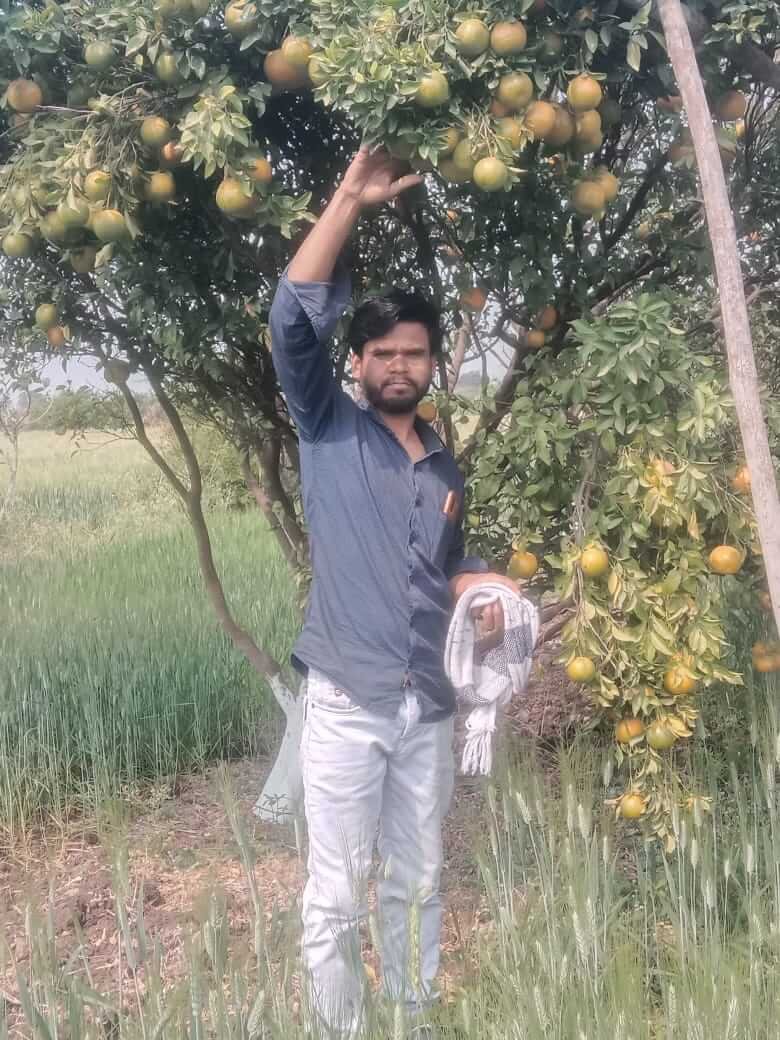
अगर आप किसी लड़के की फोटो को लड़की के रूप में बदलकर एक realistic AI Image बनाना चाहते हैं, तो यह Google Gemini Prompt इस्तेमाल कर सकते हैं। इसके लिए सबसे पहले Google Gemini में अपनी साफ फोटो upload करें और फिर नीचे दिया गया prompt copy करके paste करें। Gemini आपकी फोटो और prompt में दी गई details के आधार पर Boy to Girl AI Photo Transformation तैयार करने की कोशिश करेगा।
आप चाहें तो prompt में अपनी पसंद के अनुसार कुछ बदलाव भी कर सकते हैं। जैसे बालों का style, कपड़ों का रंग, background या दूसरी छोटी details बदलकर अलग-अलग AI Images बना सकते हैं। बेहतर result के लिए ऐसी फोटो upload करें जिसमें चेहरा साफ दिखाई दे और रोशनी भी ठीक हो।
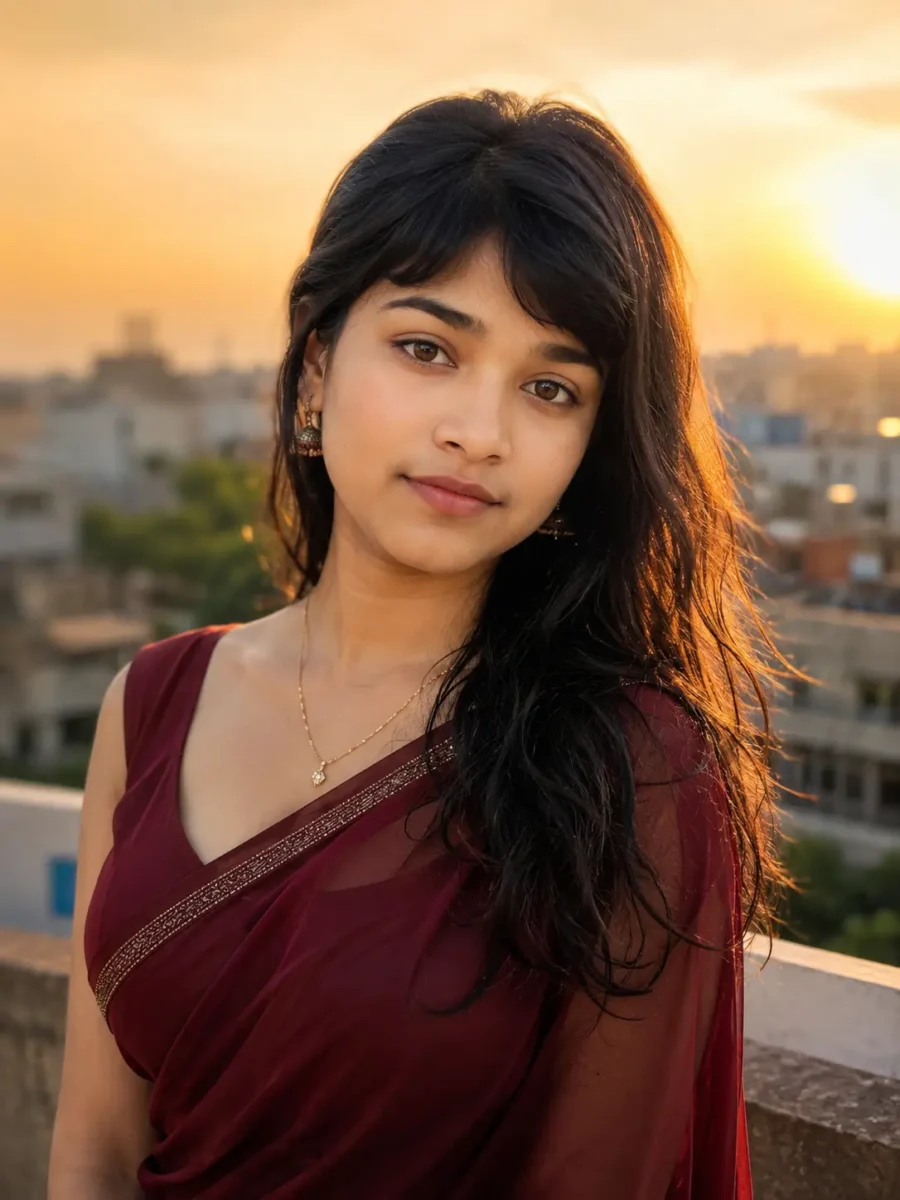
Use the uploaded photo as the primary face reference. Preserve the original person’s recognizable facial identity, face shape, eyes, nose, lips, eyebrows, and other key facial features as closely as possible. Do not replace the face with a random female face. Transform the person into a realistic young woman while keeping a clear visual resemblance to the uploaded person.
Remove the beard, moustache, and all visible facial hair naturally. Give the face a feminine appearance with smooth natural skin, subtle facial refinement, soft natural makeup, lightly defined eyes, and natural pink lips. Keep realistic skin texture and facial details instead of making the face look overly smooth, artificial, or plastic.
Give her long, slightly wavy black hair with natural volume and individual hair strands visible. She is wearing an elegant deep maroon saree with a modern matching blouse, small traditional earrings, and a delicate necklace. Keep the overall styling graceful and realistic without excessive jewellery or heavy makeup.
Create a waist-up portrait with her body turned slightly to one side while her face remains naturally visible toward the camera. Give her a relaxed posture and a soft, confident expression. Make the female body proportions natural and realistic, with correct anatomy, natural shoulders, hands, neck, and body structure.
Place her on an elegant outdoor rooftop during golden hour, with a softly blurred city background and warm sunset light. Use natural golden sunlight falling gently across the face and hair, with soft shadows and realistic depth of field. Add subtle background bokeh while keeping the face as the main focus of the image.
The final image should look like a professionally photographed portrait rather than an obvious AI-generated image. Prioritize facial identity preservation, realistic skin texture, natural hair, accurate anatomy, realistic fabric details, balanced lighting, and photographic depth. Photorealistic, cinematic portrait photography, high detail, sharp facial focus, natural colors, realistic lighting, 4K quality. Avoid distorted facial features, extra fingers, unnatural hands, duplicate body parts, plastic skin, excessive makeup, cartoon appearance, and unrealistic body proportions.
Reference photo for realistic AI image generation.Boy to Girl AI Image created with Google Gemini Prompt
Create an ultra-realistic, extreme close-up cinematic portrait of a beautiful young adult woman, framed so that only one side and approximately half of her face is visible. Compose the shot like a professional editorial beauty photograph, with one deep brown expressive eye in razor-sharp focus and the rest of the face gradually falling into a soft, dreamy depth of field.
Use warm golden-hour lighting with rich amber and honey-toned highlights gently falling across her face. Create soft natural shadows around the cheek, nose, and jawline while preserving realistic skin texture, tiny natural skin details, pores, and subtle imperfections. Avoid overly smooth or artificial-looking skin.
Her dark, slightly messy hair should fall naturally across parts of her forehead and face, with a few individual strands catching the golden sunlight. Give her subtle natural makeup, softly defined eyelashes, natural eyebrows, lightly glossy nude-pink lips, and a small elegant silver nose piercing. Add one long, delicate dangling silver earring that catches a small highlight from the warm light.
Her expression should feel calm, thoughtful, and slightly mysterious, with her visible eye naturally drawing attention toward the camera. Keep the pose relaxed and candid rather than looking staged.
Use a softly blurred creamy background with warm circular bokeh and no distracting objects. Create strong separation between the sharply focused eye and the dreamy background. The overall mood should feel intimate, cinematic, elegant, warm, and artistic.
Professional full-frame DSLR portrait photography, 85mm prime lens, f/1.4 aperture, extremely shallow depth of field, realistic optical bokeh, sharp eye focus, natural facial proportions, realistic skin tones, detailed hair strands, subtle film-like contrast, warm cinematic color grading, editorial beauty photography, photorealistic, ultra-detailed, high dynamic range, 8K quality.
Avoid plastic skin, excessive beauty filters, oversaturated colors, distorted facial features, unnatural eyes, artificial hair, excessive makeup, cartoon or illustration style, duplicate facial features, text, logos, and watermarks.
Use the uploaded photo as the primary face reference and preserve the person’s recognizable facial identity as closely as possible across all four panels. Keep the same face shape, eyes, eyebrows, nose, lips, skin tone, and other key facial features consistent in every panel. Do not generate four different-looking faces.
Create an ultra-realistic cinematic 4-panel portrait collage of a beautiful young adult South Asian woman wearing an elegant emerald-green silk saree with a rich traditional gold zari border and a perfectly matching blouse. Give the saree realistic silk texture, natural folds, fine fabric details, and subtle reflections from the light.
Style her in an elegant traditional Indian look with green glass bangles mixed with delicate gold kadas, antique gold jhumkas, a graceful traditional necklace, and a tiny black bindi. Keep the jewellery detailed and realistic without making the styling look excessive.
Give her long, thick black hair styled into an elegant traditional braid decorated naturally with fresh white jasmine gajra. Use subtle kajal around the eyes, soft natural makeup, realistic glowing skin, natural lip color, and finely detailed facial texture. Avoid heavy beauty filters and artificial-looking skin.
Create four clearly separated portrait panels while maintaining exactly the same woman, outfit, jewellery, hairstyle, lighting style, and facial identity throughout the collage.
Panel 1 — Back Pose:

Show her seated gracefully with her back facing the camera. Clearly show her extra-long traditional braid decorated with fresh jasmine flowers and the elegant back design of her matching green blouse. The saree should drape naturally around her body with realistic folds and detailed gold zari work.
Panel 2 — Expressive Eyes Close-Up:

Create an artistic close-up portrait where both hands are gently raised near the face and decorated with layers of green glass bangles and gold kadas. Her expressive brown eyes should remain clearly visible between her hands and become the main focus of the frame. Keep the eyes razor-sharp while the surrounding details gradually soften into a cinematic depth of field.
Panel 3 — Front Portrait:

Create a beautiful front-facing portrait with a gentle, natural smile. Clearly show her traditional braid, jasmine gajra, emerald-green saree, gold jewellery, tiny black bindi, and natural makeup. Keep her expression warm and relaxed, like a professionally photographed Indian editorial portrait.
Panel 4 — Elegant Side Close-Up:

Create a graceful side-profile close-up highlighting the fresh jasmine gajra, detailed antique jhumkas, green bangles, natural hair strands, and facial profile. Let warm window light softly illuminate the edge of her face, jewellery, and hair while maintaining realistic skin texture.
LIGHTING AND ATMOSPHERE:

Use warm golden window light throughout all four panels with a soft cinematic glow, gentle volumetric light rays, subtle dreamy haze, and a few naturally visible dust particles illuminated by the sunlight. Add rich amber highlights, soft realistic shadows, creamy background bokeh, and shallow depth of field without making the scene overly orange or artificial.
PHOTOGRAPHY STYLE:

Luxury Indian editorial photography, professional full-frame camera look, 85mm portrait lens, f/1.4 shallow depth of field, HDR, sharp facial details, realistic skin pores and texture, individual hair strands, detailed silk fabric, realistic gold jewellery reflections, natural colors, cinematic dynamic range, professional composition, photorealistic, ultra-detailed, studio-quality finish, high-resolution 8K appearance.
IMPORTANT CONSISTENCY:

All four panels must clearly show the same woman. Maintain consistent facial identity, skin tone, saree design, blouse, jewellery, hairstyle, braid, and overall styling across every panel. Keep realistic human anatomy, natural hands, correct fingers, natural body proportions, and believable fabric placement.
Avoid different faces between panels, distorted facial features, asymmetrical eyes, extra fingers, missing fingers, duplicate hands, extra limbs, broken jewellery, inconsistent saree colors, changing outfits, unnatural body proportions, plastic skin, excessive skin smoothing, heavy makeup, cartoon or illustration style, oversaturated colors, text, logos, and watermarks.
Final composition: clean 2×2 four-panel vertical portrait collage, cinematic Indian traditional aesthetic, vertical 3:4 aspect ratio.
2. Professional Editorial Portrait के लिए Google Gemini AI Photo Prompt
अगर आप अपनी सामान्य फोटो को Professional Editorial Portrait जैसा शानदार और premium look देना चाहते हैं, तो यह Google Gemini AI Photo Prompt इस्तेमाल कर सकते हैं। इसमें आपकी फोटो को professional photoshoot जैसा look देने के लिए lighting, background, camera angle और overall styling को बेहतर तरीके से तैयार किया जाएगा। कोशिश रहेगी कि आपका चेहरा और पहचान original photo के करीब रहें, जबकि पूरी image एक high-quality editorial photoshoot जैसी दिखाई दे।
इसके लिए सबसे पहले Google Gemini में अपनी साफ और अच्छी quality वाली photo upload करें। इसके बाद नीचे दिया गया prompt copy करके paste करें। आप चाहें तो prompt में outfit, background, lighting या pose जैसी details बदलकर अपने पसंद का editorial portrait भी बना सकते हैं।
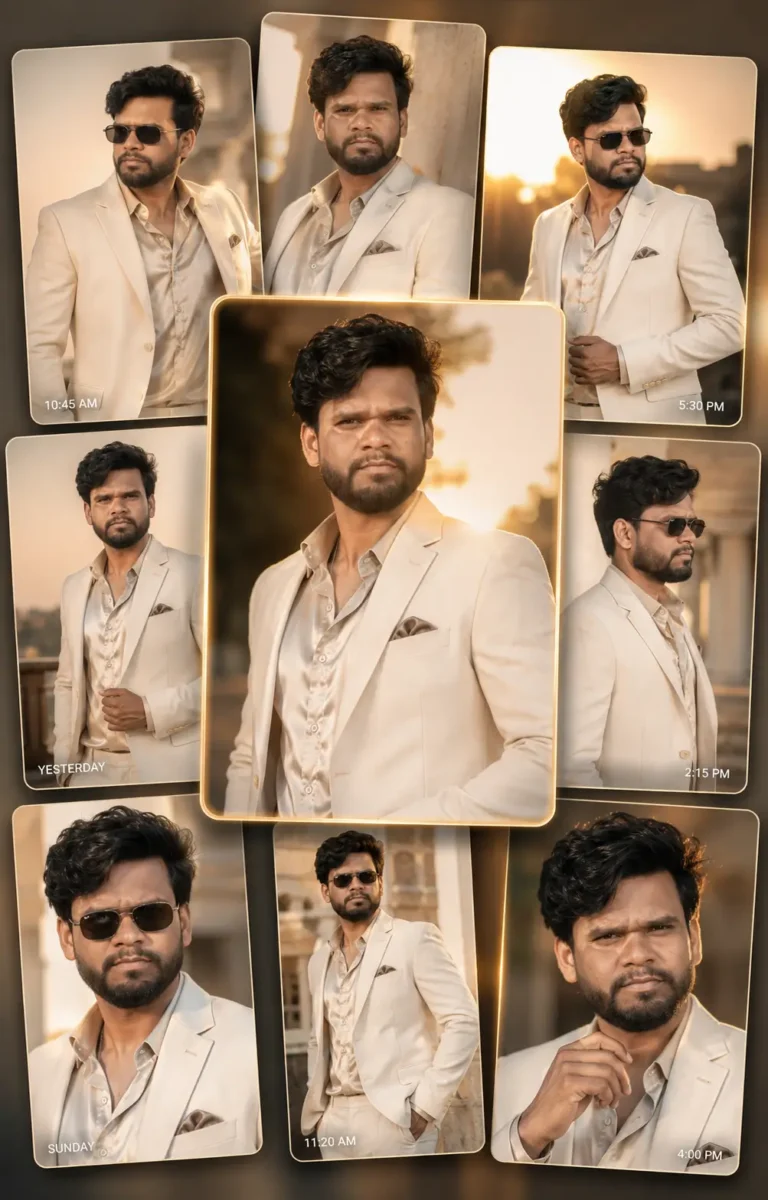
Use the uploaded photo as the primary face reference. Preserve the person’s recognizable facial identity, face shape, eyes, eyebrows, nose, lips, skin tone, hairstyle, and other key facial features as closely as possible. The person must remain clearly recognizable in every portrait. Do not replace the face with a different model or generate different-looking faces across the image cards.
Create an ultra-realistic professional fashion editorial portrait composition in a vertical 4:5 aspect ratio, inspired by a premium luxury photography gallery. Show multiple elegant floating photo cards arranged in a clean layered composition with subtle depth, realistic spacing, soft shadows, and smooth visual transitions.
Every photo card must feature the same young adult male from the uploaded reference image, photographed in different professional editorial poses. Keep his facial identity, hairstyle, skin tone, outfit, and overall appearance consistent across all cards while naturally changing only his pose, expression, framing, and camera angle.
STYLE AND OUTFIT:

Dress him in an elegant cream tailored blazer over a premium neutral-toned silk shirt. Add sophisticated statement sunglasses in selected shots while keeping some portraits without sunglasses so the face remains clearly visible. Keep the styling minimal, modern, masculine, polished, and suitable for a luxury fashion campaign.
CENTRAL HERO PORTRAIT:

Make the central image card larger and more visually prominent than the surrounding cards. Show a confident waist-up editorial portrait during golden hour, with warm sunset light gently illuminating one side of his face. Keep the eyes and facial details sharp, with natural skin texture and realistic shadows.
SURROUNDING EDITORIAL SHOTS:

Use the smaller surrounding cards to show different professional poses, such as a clean side profile, a relaxed three-quarter portrait, a close-up fashion shot, and a confident standing pose. Maintain the same person and styling throughout so the composition looks like photographs from one professional fashion photoshoot.
LIGHTING AND BACKGROUND:

Use sophisticated golden-hour lighting with warm highlights, soft cinematic shadows, subtle rim light around the hair and shoulders, and realistic depth. Keep the backgrounds minimal and softly blurred with elegant beige, cream, warm grey, and sunset-inspired tones. Avoid distracting objects.
GALLERY DESIGN:

Create a refined luxury gallery aesthetic rather than a busy smartphone screenshot. Use subtle interface-inspired details such as tiny timestamps, minimal captions, thin borders, and understated gallery elements only where they improve the composition. Keep all interface details secondary to the portraits and avoid large or distracting text.
PHOTOGRAPHY QUALITY:

Professional full-frame fashion photography, 85mm portrait lens look, shallow depth of field, realistic optical bokeh, sharp facial focus, detailed hair strands, natural skin pores and texture, realistic fabric details, balanced highlights and shadows, premium editorial color grading, high dynamic range, photorealistic, ultra-detailed, luxury magazine campaign quality, high-resolution 8K appearance.
IMPORTANT:

Prioritize facial identity preservation and consistency across every image card. Keep realistic anatomy, natural hands and fingers, accurate body proportions, realistic clothing folds, and believable lighting.
Avoid different faces between cards, distorted facial features, duplicate people, extra fingers, malformed hands, inconsistent outfits, plastic skin, excessive skin smoothing, cartoon appearance, oversaturated colors, random text, spelling errors, logos, brand names, and watermarks.
Final result: a clean, sophisticated luxury fashion editorial gallery featuring the same person across multiple professional portraits, with the central hero image as the main visual focus, vertical 4:5 composition.
Original personal photoGoogle Gemini Editorial Portrait
Use the uploaded photo as the primary face reference. Preserve the person’s recognizable facial identity, face shape, eyes, eyebrows, nose, lips, skin tone, hairstyle, and other important facial features as closely as possible. Keep exactly the same person recognizable across all four panels. Do not replace the face with a random model or create different-looking faces.
Create an ultra-realistic professional editorial portrait collage in a clean 2×2 four-panel grid. The overall visual style should be moody, low-light, cinematic, slightly melancholic, and inspired by modern indie and alternative fashion photography.
Give the person naturally messy black hair with loose strands and stylish minimal glasses. Keep the skin tone natural and realistic with visible skin texture, subtle imperfections, and soft low-light highlights. The expression should feel quiet, thoughtful, slightly tired, and introspective rather than exaggerated or dramatic.
PANEL 1 — PILLOW PORTRAIT:

Show the person lying naturally on a pillow with part of the face softly hidden by the pillow or loose hair. Use dim blue night lighting, gentle shadows, shallow depth of field, and a relaxed expression. Keep one eye or the main facial features clearly visible and recognizable.
PANEL 2 — DARK CONTEMPLATIVE PORTRAIT:

Show the same person sitting in a dim bedroom with one hand resting naturally near or partially covering the mouth. Use a thoughtful expression, deep shadows, subtle side lighting, and fine analog-style film grain. Keep the pose natural and editorial rather than staged.
PANEL 3 — DREAMY EXTREME CLOSE-UP:

Create an artistic extreme close-up of the same face resting sideways. Keep the eye and nearby facial details softly emphasized while other areas gradually fall out of focus. Add subtle motion softness, cinematic grain, dreamy haze, and realistic low-light texture without making the entire face blurry.
PANEL 4 — MIRROR FASHION PORTRAIT:

Create a stylish mirror portrait of the same person wearing an oversized black outfit layered with a tasteful graphic T-shirt. One hand should be naturally placed in the hair while the other remains relaxed. Use a dim bedroom setting, subtle mirror reflections, soft shadows, and an understated alternative-fashion editorial look.
LIGHTING AND ATMOSPHERE:

Use dark, desaturated color tones with subtle cool blue and neutral-grey highlights. Keep the lighting intentionally low but preserve enough facial detail for the person to remain recognizable. Add soft cinematic shadows, slight atmospheric haze, creamy low-light bokeh, restrained film grain, and subtle analog-camera texture.
PHOTOGRAPHY STYLE:

Professional low-light editorial photography, full-frame camera look, 50mm and 85mm portrait lens aesthetic, shallow depth of field, realistic skin texture, individual hair strands, natural facial proportions, subtle film grain, cinematic dynamic range, soft highlight roll-off, indie fashion magazine aesthetic, photorealistic, ultra-detailed, high-resolution 8K appearance.
CONSISTENCY:

All four panels must feature exactly the same person with consistent facial identity, hairstyle, glasses, skin tone, and overall styling. Only the pose, framing, expression, and camera angle should naturally change between panels.
Avoid different faces between panels, distorted eyes, malformed hands, extra fingers, duplicate body parts, unrealistic skin smoothing, excessive makeup, artificial hair, excessive blur, crushed facial details, cartoon or illustration style, oversaturated colors, random text, logos, and watermarks.
Final composition: clean 2×2 four-panel editorial collage, dark indie aesthetic, professional cinematic photography, vertical 4:5 aspect ratio.
Use the uploaded photo as the primary face reference. Preserve the person’s recognizable facial identity as closely as possible, including face shape, eyes, eyebrows, nose, lips, skin tone, hairstyle, and other key facial features. The same person must remain clearly recognizable and visually consistent across every photograph in the collage. Do not replace the face with a random model or create different-looking faces.
Create an ultra-realistic premium scrapbook-style fashion editorial collage featuring six different photographs of the same person. Design the composition like an elegant Pinterest-inspired lifestyle mood board with torn-paper Polaroid frames, layered scrapbook textures, soft feminine details, and a sophisticated pastel aesthetic.
COLOR PALETTE:

Use a harmonious combination of pastel pink, blush, cream, warm beige, soft white, and subtle dusty-rose tones. Keep the colors elegant and slightly muted rather than overly bright or saturated.
MAIN HERO PHOTO — LEFT SIDE:

Create one large full-body lifestyle fashion portrait as the main visual focus. Show the person walking naturally with a relaxed, confident expression.
Style the outfit with a charcoal-grey oversized shirt, flowing white palazzo pants, pastel pink sneakers, and an elegant light-pink crossbody handbag. Use a natural walking pose with relaxed body language and realistic fabric movement.
PHOTO 2 — SOFT PINK PORTRAIT:

Show the same person wearing an elegant soft-pink pleated outfit, seated comfortably with one hand resting naturally under the chin. Use a warm, gentle expression and soft natural daylight.
PHOTO 3 — CLEAN CASUAL LOOK:

Dress the same person in a white embroidered top paired with light-blue jeans. Create a clean waist-up editorial portrait with a relaxed pose, natural expression, and softly blurred background.
PHOTO 4 — ETHNIC FASHION LOOK:

Create a graceful outdoor portrait wearing a dark charcoal-grey ethnic kurti with delicate embroidery. Keep the styling elegant and minimal with natural daylight and subtle background bokeh.
PHOTO 5 — BLUSH CO-ORD LOOK:

Show the person wearing a stylish blush-pink co-ord set while sitting naturally on outdoor steps. Capture a candid, cheerful expression with relaxed body language and lifestyle-fashion photography.
PHOTO 6 — CREAM CASUAL PORTRAIT:

Create a relaxed lifestyle portrait in a sophisticated cream-white casual outfit paired with a pastel handbag. Use soft daylight, a natural pose, and clean editorial styling.
SCRAPBOOK DESIGN:

Arrange all six photographs in an elegant layered scrapbook composition. Use realistic torn-paper edges, slightly overlapping Polaroid-style frames, cream notebook paper, subtle vintage diary textures, small pieces of decorative washi tape, and soft watercolor brush strokes.
Add tasteful hand-drawn doodles such as tiny hearts, flowers, books, stars, coffee-cup sketches, fashion accessories, and simple journaling illustrations. Keep these decorative elements subtle so they enhance the photographs rather than making the collage look crowded.
TEXT ELEMENTS:

If accurate text rendering is supported, add a few small handwritten-style phrases such as “Dream Big,” “Shine Bright,” “Beautiful Soul,” and “You Got This.” Keep the lettering minimal and secondary to the photographs. If clean text cannot be rendered accurately, omit it rather than generating misspelled or unreadable words.
BACKGROUND:

Use premium pastel scrapbook paper with cream layered textures, subtle blush-pink watercolor splashes, notebook-paper details, and a refined vintage journal aesthetic. Maintain enough negative space to keep the overall design clean and balanced.
PHOTOGRAPHY STYLE:

Ultra-realistic professional lifestyle and fashion editorial photography, natural daylight, realistic skin texture, individual hair strands, accurate fabric texture, natural body proportions, soft skin tones, shallow depth of field, realistic optical bokeh, premium magazine color grading, sharp facial details, high dynamic range, photorealistic, ultra-detailed, high-resolution 8K appearance.
FACE AND CHARACTER CONSISTENCY:

All six photographs must clearly feature the same person. Maintain consistent facial identity, skin tone, age appearance, hairstyle, and recognizable facial features throughout the entire collage. Clothing and poses may change according to each frame, but the person’s identity must remain consistent.
Avoid different faces across frames, distorted facial features, unnatural eyes, extra fingers, malformed hands, duplicate limbs, unrealistic body proportions, plastic skin, excessive beauty filters, inconsistent identity, excessive decorations, cluttered layout, cartoon appearance, oversaturated colors, random unreadable text, logos, watermarks, and obvious AI artifacts.
FINAL COMPOSITION:

Create a premium vertical 3:4 scrapbook editorial collage with one large hero portrait on the left and five smaller photographs arranged naturally around and toward the right side. Keep the layout balanced, elegant, realistic, feminine, and suitable for a high-end lifestyle magazine or Pinterest-inspired fashion collage.
3. Girl Photo को Stylish बनाने के लिए Google Gemini AI Prompt
अगर आप अपनी फोटो को एक नया और stylish look देना चाहती हैं, तो इसके लिए Google Gemini AI Prompt का इस्तेमाल कर सकती हैं। सबसे पहले अपनी साफ photo Google Gemini में upload करें और फिर नीचे दिया गया prompt copy-paste करें। इसकी मदद से आप outfit, hairstyle, background, pose और lighting जैसी चीजों को बदलकर अपनी सामान्य photo को stylish AI portrait में बदल सकती हैं।
इस prompt को केवल लड़कियाँ ही नहीं, लड़के भी अपनी जरूरत के अनुसार बदलाव करके इस्तेमाल कर सकते हैं। बेहतर result के लिए ऐसी photo चुनें जिसमें चेहरा साफ दिखाई दे और prompt में अपनी पसंद का outfit, background या style जरूर बताएं। नीचे दी गई AI Image केवल उदाहरण के लिए है, ताकि आप समझ सकें कि इस तरह के prompt से किस तरह का stylish look बनाया जा सकता है।
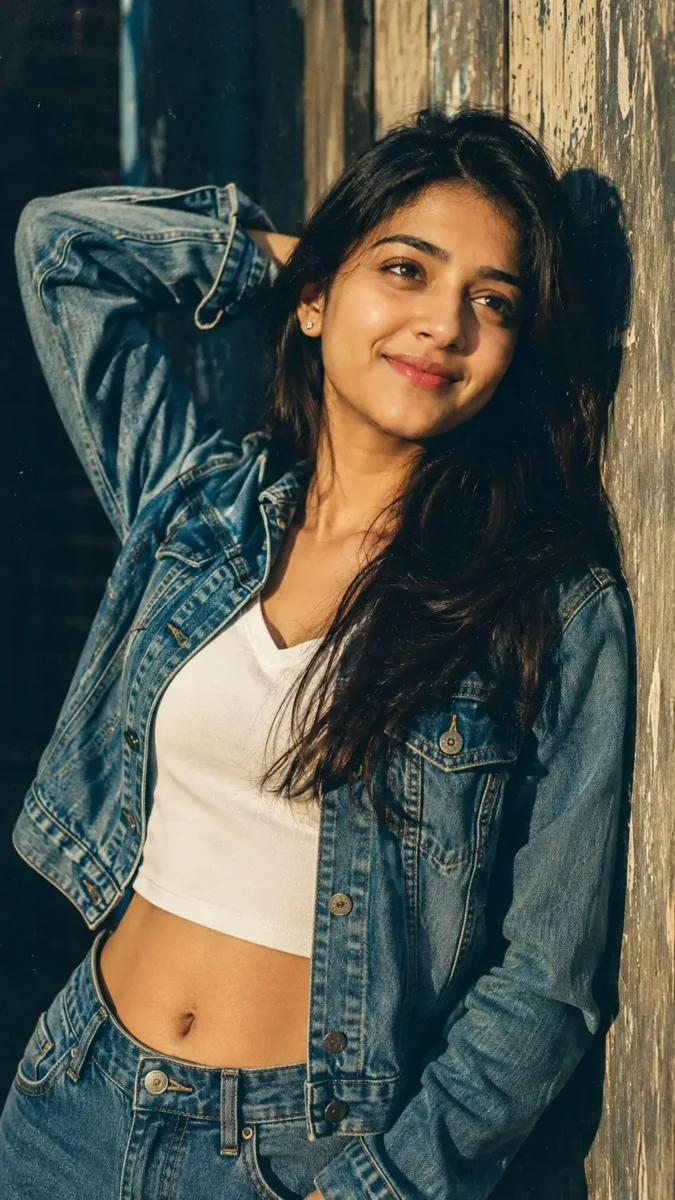
Use the uploaded photo as the primary face reference. Preserve the person’s recognizable facial identity as closely as possible, including the original face shape, eyes, eyebrows, nose, lips, jawline, skin tone, and other distinctive facial features. Keep the person clearly recognizable. Do not replace the face with a different model, unnecessarily reshape the facial structure, or change key identity-defining features.
Transform the uploaded photo into an ultra-realistic 1990s-inspired fashion portrait of a stylish young adult woman. Create a beautiful retro editorial look that feels like an authentic photograph captured on a professional analog film camera rather than a modern AI-generated image.
FACE AND BEAUTY:

Keep her natural facial identity as the main priority. Give her healthy, naturally radiant skin with realistic pores, fine facial texture, subtle imperfections, and soft highlights. Keep her eyes naturally dark and expressive, with minimal eye makeup and softly defined eyelashes. Add subtle glossy rose-pink lips and very light, natural makeup. Avoid excessive skin smoothing, heavy makeup, or artificial beauty filters.
HAIR:

Give her long, naturally flowing hair with a subtle black-to-dark-brown ombré transition. Individual hair strands should remain visible, with gentle natural volume and a few loose strands catching the sunlight. Keep the hairstyle effortless and slightly windswept to match the vintage fashion aesthetic.
POSE AND COMPOSITION:

Create a stylish side-view portrait with her body leaning naturally against a weathered wooden wall. One arm should be raised comfortably behind her head while her face tilts slightly upward toward the open sky. Her expression should feel calm, confident, thoughtful, and naturally candid rather than posed.
OUTFIT:

Dress her in a vintage blue denim cropped jacket layered over a clean white V-neck top. Use realistic denim texture, stitching, natural fabric folds, slightly faded vintage detailing, and believable clothing shadows. Keep the outfit fashionable but authentic to a casual 1990s-inspired editorial look.
LIGHTING:

Use strong directional late-afternoon sunlight coming naturally from one side. Let the sunlight create warm highlights across her cheek, hair, shoulder, and denim jacket while producing deep but detailed cinematic shadows on the opposite side. Preserve facial details inside the shadows and avoid overexposed skin.
BACKGROUND:

Keep the weathered wooden wall visible with realistic grain, aged texture, and warm earthy tones. Let the remaining background fall softly out of focus so the woman remains the clear visual focus. Add subtle natural outdoor depth without distracting objects.
1990s FILM AESTHETIC:

Recreate the character of premium 35mm analog fashion photography with slightly muted colors, gentle warm tones, subtle film grain, soft highlight roll-off, natural contrast, slight vintage color fading, and realistic optical depth. The retro effect should feel photographic and authentic, not like a heavy digital filter.
CAMERA AND QUALITY:

Professional full-frame portrait photography, 85mm portrait lens aesthetic, shallow depth of field, sharp facial focus, realistic optical bokeh, highly detailed eyes, natural skin texture, individual hair strands, detailed denim fabric, cinematic dynamic range, professional editorial composition, photorealistic, ultra-detailed, high-resolution 8K appearance.
IMPORTANT:

Prioritize facial identity preservation throughout the transformation. Keep realistic female anatomy, natural shoulders, arms, hands, fingers, neck, and body proportions. The final result should look like a genuine 1990s fashion editorial photograph featuring the person from the uploaded reference image.
Avoid changing the person’s recognizable identity, random facial reconstruction, plastic skin, excessive makeup, distorted eyes, unnatural lips, malformed hands, extra fingers, duplicate limbs, unrealistic body proportions, artificial hair, excessive HDR, oversaturated colors, cartoon or illustration style, modern futuristic elements, text, logos, and watermarks.
Final composition: vertical 9:16 portrait, authentic 1990s fashion editorial aesthetic, stylish retro mood, realistic analog-film character, professional photography quality.
Reference PhotoStylish Girl AI Portrait
Use the uploaded photo as the primary face reference. Preserve the person’s recognizable facial identity as closely as possible, including the original face shape, eyes, eyebrows, nose, lips, jawline, skin tone, and other distinctive facial features. Keep the same person clearly recognizable and visually consistent across all three frames. Do not replace the face with a random model or create different-looking faces in each panel.
Create an ultra-realistic aesthetic 3-frame portrait collage of a stylish young adult woman photographed during warm golden hour. The final composition should feel like a premium fashion and lifestyle editorial photoshoot, with three different but visually connected portraits of the same woman.
FACE AND BEAUTY:

Keep her natural facial identity as the main priority. Use realistic skin texture with visible pores, subtle natural imperfections, soft golden highlights, and naturally rosy cheeks. Give her minimal soft makeup, gently defined expressive eyes, natural eyelashes, and subtle glossy rose-pink lips. Avoid excessive beauty filters or unnaturally smooth skin.
HAIR AND ACCESSORIES:

Give her long, naturally wavy dark-brown hair with soft volume and individual hair strands visible. Let a few loose strands fall naturally around her face and catch the golden sunlight. Add delicate dangling earrings with subtle realistic reflections. Keep the overall styling elegant, youthful, and minimal.
OUTFIT:

Dress her in an elegant cream or soft beige outfit with subtle fabric texture and natural folds. Keep the styling clean and sophisticated so that the face, hair, and golden-hour lighting remain the main visual focus.
FRAME 1 — WINDOW PORTRAIT:

Create a graceful waist-up portrait beside a large window. She is looking slightly away from the camera with a calm, thoughtful expression. Warm sunlight passes through the window and creates beautiful natural shadow patterns across her face and the beige wall behind her.
FRAME 2 — CINEMATIC CLOSE-UP:

Create a close-up beauty portrait with her face turned gently toward the golden sunlight. Keep her expressive eyes in sharp focus while a few loose hair strands softly cross the side of her face. Use shallow depth of field, warm highlights, natural skin texture, and creamy background bokeh.
FRAME 3 — CANDID SIDE PORTRAIT:

Show the same woman in a relaxed three-quarter or side-profile pose near the window, gently touching or adjusting her hair. Give her a subtle natural smile and relaxed expression. Let warm sunlight create a soft rim light around her hair and shoulders for an elegant cinematic finish.
LIGHTING AND BACKGROUND:

Use realistic golden-hour sunlight streaming naturally through a window. Create soft directional shadows, warm honey and amber highlights, gentle light-and-shadow patterns, and a subtle cinematic glow. Use a minimal beige interior background with creamy bokeh and enough negative space to keep the composition clean.
PHOTOGRAPHY STYLE:

Professional full-frame editorial photography, 85mm portrait lens aesthetic, f/1.4 shallow depth of field, realistic optical bokeh, sharp eye focus, detailed skin texture, individual hair strands, realistic fabric details, natural color grading, soft highlight roll-off, cinematic dynamic range, premium lifestyle magazine aesthetic, photorealistic, ultra-detailed, high-resolution 8K appearance.
CONSISTENCY:

All three frames must feature exactly the same woman. Maintain consistent facial identity, hairstyle, skin tone, outfit, earrings, and overall styling throughout the collage. Only the pose, expression, framing, and camera angle should change naturally between frames.
Avoid different faces between frames, distorted facial features, asymmetrical eyes, extra fingers, malformed hands, duplicate body parts, plastic skin, excessive makeup, artificial hair, unrealistic body proportions, excessive blur, oversaturated colors, cartoon or illustration style, text, logos, and watermarks.
Final composition: elegant vertical 3-frame portrait collage, balanced spacing between photographs, warm golden-hour aesthetic, premium editorial photography, vertical 4:5 aspect ratio.
Use the uploaded photo as the primary face reference. Preserve the person’s recognizable facial identity as closely as possible, including the original face shape, eyes, eyebrows, nose, lips, jawline, skin tone, smile, hairstyle, and other distinctive facial features. Keep exactly the same person recognizable across all three photographs. Do not replace the face with a random model or create different-looking faces.
Create an ultra-realistic premium outdoor 3-photo vertical portrait collage of the same person during beautiful golden hour. The collage should look like three photographs captured during one professional outdoor fashion photoshoot, with consistent facial identity, hairstyle, outfit, accessories, lighting mood, and overall styling.
Instead of using hard borders between the three photographs, blend each frame naturally into the next using soft white mist, subtle atmospheric haze, and smooth fog-like transitions. Keep the transition elegant and realistic without covering important facial or clothing details.
FACE AND APPEARANCE:

Preserve the person’s natural facial identity and expression. Maintain realistic skin texture with visible pores, subtle natural imperfections, accurate skin tone, detailed eyes, natural lips, and individual hair strands. Keep the hairstyle consistent with the uploaded reference photo.
OUTFIT AND ACCESSORIES:

Preserve the overall outfit and accessories from the uploaded reference image as closely as possible. Keep clothing colors, fabric style, sunglasses, jewellery, and other visible accessories consistent throughout all three photographs. Make fabric folds, movement, stitching, and textures look natural and realistic.
TOP PHOTO — GOLDEN HOUR FIELD PORTRAIT:

Show the person standing naturally in a lush green meadow during golden hour. Create a waist-up or three-quarter portrait with the body turned slightly away while the face looks gently toward the side. Give the person a relaxed, natural smile.
Use warm evening sunlight coming from behind and slightly from one side, creating a beautiful golden rim light around the hair and shoulders. Keep the green field and distant trees softly blurred with creamy cinematic bokeh.
MIDDLE PHOTO — RELAXED SITTING PORTRAIT:

Show the same person sitting gracefully on fresh green grass in a comfortable and natural pose. One hand should gently touch or adjust the hair while the person looks toward the camera with a relaxed, confident smile.
Use soft golden sunlight across the face with realistic shadows and shallow depth of field. Add a few softly blurred grass blades in the foreground to create natural photographic depth while keeping the face sharp and clearly recognizable.
BOTTOM PHOTO — FULL-BODY EVENING PORTRAIT:

Create an elegant full-body standing portrait of the same person in the meadow. Show a relaxed posture with the body slightly angled and the face looking naturally toward one side.
Allow the outfit to move gently in a light evening breeze, creating realistic fabric movement. Use the setting sun behind the person to produce warm edge lighting around the hair and clothing while preserving clear facial and body details.
BACKGROUND AND ENVIRONMENT:

Create a realistic peaceful Indian countryside meadow with fresh green grass, scattered natural trees, distant vegetation, and a subtle warm sunset sky. Keep the environment authentic and uncluttered rather than overly decorative.
Use rich natural greens, warm golden sunlight, soft earthy tones, subtle atmospheric depth, and creamy background bokeh. The background should support the portrait without distracting attention from the person.
LIGHTING:

Use realistic golden-hour evening light throughout all three photographs. Combine soft warm sunlight, natural facial highlights, gentle shadows, subtle rim lighting, and balanced exposure. Avoid excessively orange skin tones or artificial glowing effects.
PHOTOGRAPHY STYLE:

Professional full-frame DSLR outdoor portrait photography, 85mm lens aesthetic, f/1.8 shallow depth of field, realistic optical bokeh, sharp facial focus, detailed eyes, natural skin pores and texture, individual hair strands, realistic clothing texture, cinematic dynamic range, premium fashion color grading, natural depth, photorealistic, ultra-detailed, high-resolution 8K appearance.
CONSISTENCY:

All three photographs must clearly feature exactly the same person. Maintain consistent facial identity, hairstyle, skin tone, outfit, accessories, and age appearance throughout the collage. Only the pose, framing, expression, and camera angle should change naturally.
Avoid different faces between photographs, altered identity, distorted facial features, asymmetrical eyes, malformed hands, extra fingers, duplicate limbs, unrealistic body proportions, inconsistent outfits, changing accessories, plastic skin, excessive beauty filters, artificial hair, excessive HDR, oversaturated colors, unnatural fog, cartoon or illustration style, text, logos, and watermarks.
FINAL COMPOSITION:

Create a premium vertical 9:16 three-photo outdoor portrait collage. Use one portrait at the top, one seated portrait in the middle, and one full-body portrait at the bottom. Blend all three photographs using elegant soft-white mist transitions instead of visible hard borders. The final result should feel like a luxury outdoor fashion photoshoot designed for a premium social-media portrait.
Use the uploaded photo as the primary face reference. Preserve the person’s recognizable facial identity as closely as possible, including the original face shape, eyes, eyebrows, nose, lips, jawline, skin tone, smile, and other distinctive facial features. Keep the person clearly recognizable and avoid replacing the face with a different model.
Create an ultra-realistic full-body cinematic fashion portrait of a stylish young adult Indian woman walking naturally through a beautiful heritage lane inspired by the old Blue City of Jodhpur, Rajasthan. The final image should feel like a real high-end travel and fashion photoshoot captured during a quiet golden evening.
FACE AND APPEARANCE:

Keep her natural facial identity as the main priority. Preserve realistic skin texture, visible pores, subtle natural imperfections, expressive eyes, natural lips, and accurate skin tone. Use very light, elegant makeup with softly defined eyes and a natural warm glow. Avoid excessive skin smoothing or artificial beauty filters.
HAIR:

Style her hair in long, naturally flowing dark waves with soft volume. Let a few loose strands move gently in the evening breeze. Individual hair strands should remain visible, especially where the warm sunlight touches the edges of her hair.
OUTFIT:

Dress her in an elegant ivory-white flowing Anarkali-style outfit with subtle traditional embroidery and a lightweight dusty-rose dupatta. Add small oxidized silver jhumkas, a few delicate bangles, and simple traditional footwear. Keep the styling graceful, modern-traditional, and refined rather than heavily bridal.
POSE AND EXPRESSION:

Capture her in a natural mid-walk moment as she moves slowly through the narrow heritage street. Her body should be slightly angled rather than directly facing the camera. Let one hand gently hold the edge of her flowing dupatta while the other remains naturally relaxed.
She should look slightly toward one side with a soft, confident smile, as if casually exploring the old city. Keep her walking posture realistic, elegant, and candid rather than looking like a stiff fashion pose.
HERITAGE STREET:

Create a narrow historic Jodhpur-inspired lane surrounded by richly textured cobalt-blue and indigo houses. Include aged blue plaster walls, carved wooden doors, traditional windows, small stone steps, weathered balconies, old architectural details, and naturally uneven stone paving.
Add vibrant magenta and soft-pink bougainvillea cascading naturally from selected balconies and climbing across portions of the blue walls. A few fallen petals may appear naturally across the stone pathway, but keep the street clean and visually balanced.
LIGHTING:

Use soft late-afternoon golden-hour sunlight entering from the far end of the narrow street. Let the warm golden light contrast beautifully against the cool blue architecture.
Create gentle highlights along her face, hair, outfit, and dupatta, with realistic soft shadows and subtle rim lighting. Add a slight atmospheric glow in the distance without making the image hazy or overexposed.
BACKGROUND AND DEPTH:

Keep the nearest architectural textures detailed while gradually softening the distant street using natural optical depth of field. Use subtle background bokeh while still keeping enough heritage details visible to establish the Jodhpur-inspired setting.
Create strong visual depth using the narrow lane as natural leading lines toward the subject. Keep the woman as the clear focal point while allowing the blue architecture and pink flowers to frame her naturally.
PHOTOGRAPHY STYLE:

Professional full-frame DSLR travel-fashion photography, 85mm portrait lens aesthetic, f/1.8 shallow depth of field, sharp facial focus, realistic optical bokeh, natural skin texture, individual hair strands, detailed embroidery and fabric movement, realistic stone and wall textures, cinematic dynamic range, balanced warm-and-cool color grading, high-end Indian fashion editorial aesthetic, photorealistic, ultra-detailed, high-resolution 8K appearance.
COLOR MOOD:

Create an elegant visual contrast between deep cobalt blue architecture, ivory clothing, dusty-rose fabric, vivid bougainvillea, and warm golden sunlight. Keep all colors rich but realistic. Avoid excessive saturation or artificial HDR effects.
IMPORTANT:

Maintain realistic anatomy, natural hands and fingers, correct walking posture, believable fabric movement, realistic shadows, and accurate body proportions. The final result should look like an authentic professional photograph taken on location rather than an obvious AI-generated image.
Avoid altered facial identity, distorted facial features, extra fingers, malformed hands, duplicate limbs, unrealistic body proportions, plastic skin, excessive makeup, artificial hair, floating fabric, overly saturated blue walls, fake-looking flowers, excessive blur, cartoon appearance, fantasy architecture, modern distracting objects, crowds, vehicles, text, logos, and watermarks.
FINAL COMPOSITION:

Create a vertical 4:5 full-body cinematic portrait with the woman positioned naturally within the heritage lane. Use the blue walls and flowering bougainvillea as natural framing elements, with warm evening sunlight creating depth behind her. The final image should feel like a premium Indian travel-fashion editorial photographed in a timeless Jodhpur-inspired heritage setting.
4. Celebrity के साथ Photo बनाने का Google Gemini AI Prompt (Copy-Paste)
सबसे पहले Google Gemini में अपनी साफ फोटो अपलोड करें और फिर नीचे दिया गया AI Prompt कॉपी करके पेस्ट करें। Prompt में जहाँ [Celebrity Name] लिखा हो, वहाँ उस celebrity, actor या actress का नाम लिखें जिसके साथ आप अपनी AI Photo बनाना चाहते हैं। बेहतर result के लिए ऐसी फोटो चुनें जिसमें आपका चेहरा साफ दिखाई दे।
अगर आप केवल एक celebrity के साथ फोटो बनाना चाहते हैं, तो prompt में एक नाम लिखना काफी है। वहीं, group photo बनाने के लिए आप अपनी पसंद के कई celebrities के नाम जोड़ सकते हैं। इसके बाद Gemini आपके दिए गए prompt और reference photo के आधार पर celebrity-style AI image तैयार करने की कोशिश करेगा।
अगर आप भी अपनी पसंद की AI Image बनाने के लिए खुद एक अच्छा Prompt लिखना चाहते हैं, तो हमारी AI Image Prompt Kaise Likhe गाइड जरूर पढ़ें। इसमें Subject, Pose, Lighting, Camera और Background जैसी जरूरी details को 12 आसान Steps में समझाया गया है, जिससे आप बिना किसी का Prompt copy किए अपना Prompt खुद तैयार कर सकते हैं।
Use the uploaded photo as the primary face reference. Preserve the person’s recognizable facial identity as closely as possible, including the original face shape, eyes, eyebrows, nose, lips, jawline, hairstyle, skin tone, and other distinctive facial features. Keep the person clearly recognizable and do not replace the face with a random person or unnecessarily alter the facial structure.
Create an ultra-realistic cinematic group selfie featuring the person from the uploaded reference photo standing together with [Celebrity Names]. The celebrities should appear naturally recognizable and be styled in looks inspired by their characters from [Movie Name], while the uploaded person’s facial identity should remain consistent with the reference image.
MAIN PERSON:

Place the uploaded person naturally in the foreground as the person taking the group selfie. Dress them in a stylish but simple black-and-white striped casual shirt with well-fitted blue jeans. Keep the hairstyle natural and give them a relaxed, happy expression suitable for an exciting celebrity selfie moment.
CELEBRITY GROUP:

Arrange [Celebrity Names] naturally around and slightly behind the main person so everyone is clearly visible within the frame. Give each celebrity a natural pose and expression rather than making everyone stand stiffly in a straight line.
Keep realistic spacing between people, correct body proportions, natural heights, believable eye direction, and proper interaction between everyone. The scene should feel like a genuine group photograph taken after a special movie event rather than separate portraits digitally combined together.
MOVIE THEATRE SETTING:

Place the entire group outside a premium Indian movie theatre during a movie premiere or special screening of [Movie Name]. Show the theatre entrance naturally in the background with cinematic architecture, subtle premiere lighting, and a large promotional movie-poster display visible on one side.
Keep the background detailed enough to establish the movie-premiere setting without making it busier than the people in the foreground.
SELFIE COMPOSITION:

Create the photograph from the perspective of a modern smartphone or professional wide-angle selfie camera. Position the main person slightly closer to the camera while the celebrities naturally gather behind and beside them.
Use a moderately wide field of view so every person fits comfortably inside the vertical frame without stretched faces, distorted heads, or unnatural body proportions. Keep all important faces clearly visible and avoid placing one person’s face behind another.
LIGHTING:

Use realistic evening premiere lighting with a balanced combination of soft theatre lights, subtle warm highlights, natural facial illumination, and gentle cinematic shadows. Every face should remain properly exposed with believable skin tones.
FACE AND SKIN DETAIL:

Maintain natural human skin texture with visible pores, fine facial details, realistic highlights, subtle imperfections, detailed eyes, individual hair strands, and accurate skin tones. Avoid excessive beauty filters, artificial face smoothing, waxy skin, or an obvious AI-generated appearance.
PHOTOGRAPHY QUALITY:

Ultra-realistic professional event photography, high-quality wide-angle camera aesthetic, sharp facial focus across the group, realistic depth of field, natural optical perspective, detailed clothing textures, individual hair strands, balanced dynamic range, cinematic color grading, realistic shadows, photographic depth, ultra-detailed, high-resolution 8K appearance.
IMPORTANT:

Prioritize the uploaded person’s facial identity throughout the image. Keep every person naturally positioned with realistic anatomy, correct hands and fingers, believable body proportions, consistent lighting, and accurate perspective.
Avoid altered identity of the uploaded person, random faces, duplicate people, repeated celebrities, distorted facial features, stretched wide-angle faces, oversized heads, extra fingers, malformed hands, merged bodies, unnatural poses, inconsistent lighting, plastic skin, excessive HDR, cartoon appearance, blurry faces, random background people, unreadable text, logos, and watermarks.
FINAL COMPOSITION:

Create a vertical 9:16 ultra-realistic celebrity group selfie outside a premium movie theatre. Keep the uploaded person as the main foreground subject, with [Celebrity Names] naturally arranged around them and the [Movie Name] premiere atmosphere visible in the background. The final result should look like a genuine high-quality celebrity selfie captured during a real movie event.
Man standing under an orange tree in farmCelebrity Group AI Photo
Use the uploaded photo as the primary face reference. Preserve the uploaded person’s recognizable facial identity as closely as possible, including the original face shape, eyes, eyebrows, nose, lips, jawline, hairstyle, skin tone, beard or facial hair, and other distinctive facial features. Do not replace the uploaded person’s face with another person or unnecessarily change the facial structure.
Create an ultra-realistic premium celebrity group photograph featuring the uploaded person together with Akshay Kumar, Shah Rukh Khan, Tiger Shroff, Jr. NTR, and Ravi Teja.
The final photograph should look like a genuine candid photograph captured during an exclusive Indian cinema celebration rather than an artificially assembled celebrity collage.
MAIN PERSON:

Place the uploaded person naturally near the center-front of the group so their face remains clearly visible. Dress him in a sophisticated dark navy tailored blazer over a clean black crew-neck T-shirt, paired with premium dark trousers and a minimal wristwatch.
Keep his original hairstyle and facial appearance consistent with the uploaded reference image. Give him a relaxed, confident smile and natural body posture as if he has just met the celebrities at the event.
CELEBRITY ARRANGEMENT:

Arrange Akshay Kumar, Shah Rukh Khan, Tiger Shroff, Jr. NTR, and Ravi Teja naturally around the uploaded person.
Do not arrange everyone in a perfectly straight line. Create realistic spacing and slightly different standing positions so the photograph feels spontaneous and authentic.
Give each celebrity an elegant evening-event outfit with subtle individual styling. Use sophisticated black, charcoal, navy, and deep neutral tones while keeping each person’s appearance visually distinct.
Keep every face unobstructed and clearly visible. Avoid placing one person’s head or face directly behind another.
LOCATION:

Set the photograph on a luxurious rooftop event venue overlooking the Mumbai skyline at blue hour, shortly after sunset.
Include a sophisticated open-air terrace with elegant glass railings, subtle architectural lighting, distant city buildings, warm decorative lights, and softly blurred urban lights in the background.
Do not include a movie theatre or large film poster. This scene should look completely different from a cinema-premiere selfie.
POSE AND MOMENT:

Create a natural group-photo moment where everyone has gathered together after a private entertainment-industry event.
The uploaded person should stand comfortably among the celebrities rather than looking digitally inserted. Some celebrities may look directly toward the camera while others have slightly relaxed expressions to make the photograph feel more candid.
LIGHTING:

Use premium blue-hour event photography with soft professional fill lighting on every face. Mix the cool evening sky with subtle warm ambient lights from the rooftop venue.
Maintain accurate skin tones, realistic facial highlights, gentle shadows, subtle hair rim lighting, and balanced exposure across the entire group.
BACKGROUND:

Use a softly blurred Mumbai skyline with elegant city bokeh, distant high-rise buildings, warm rooftop lights, and subtle evening atmosphere.
Keep the background luxurious but secondary to the people. Avoid crowds, distracting signs, random objects, and excessive decorative elements.
PHOTOGRAPHY STYLE:

Professional full-frame DSLR event photography, 50mm lens aesthetic, realistic group-photo perspective, moderate depth of field so every face remains sharp, natural skin pores and texture, detailed eyes, individual hair strands, realistic clothing fabric, balanced dynamic range, premium editorial color grading, authentic photographic shadows, photorealistic, ultra-detailed, high-resolution 8K appearance.
FACE AND BODY QUALITY:

Maintain realistic human anatomy, correct hands and fingers, natural shoulder positions, believable heights, accurate body proportions, and realistic interaction between everyone.
Keep the uploaded person’s facial identity as the highest priority and ensure the person looks naturally present in the same environment as the celebrities.
Avoid altered identity of the uploaded person, duplicate celebrities, random additional people, merged faces, blocked faces, malformed hands, extra fingers, duplicate limbs, stretched heads, unrealistic height differences, waxy skin, excessive beauty filters, artificial hair, oversaturated colors, cartoon appearance, excessive HDR, text, logos, and watermarks.
FINAL COMPOSITION:

Create a vertical 4:5 premium celebrity group photograph featuring the uploaded person with Akshay Kumar, Shah Rukh Khan, Tiger Shroff, Jr. NTR, and Ravi Teja at an exclusive Mumbai rooftop event during blue hour.
The final result should look like an authentic high-end entertainment-industry photograph captured by a professional event photographer.
Use the uploaded photo as the primary face reference. Preserve the uploaded person’s recognizable facial identity as closely as possible, including the original face shape, eyes, eyebrows, nose, lips, jawline, hairstyle, skin tone, beard or facial hair, and other distinctive facial features. Keep the uploaded person clearly recognizable and do not replace the face with a random person.
Create an ultra-realistic cinematic sports group photograph featuring the uploaded person together with Rohit Sharma, Virat Kohli, Abhishek Sharma, MS Dhoni, Sachin Tendulkar, Suresh Raina, and Yuvraj Singh.
The photograph should feel like a once-in-a-lifetime candid moment captured after a major cricket celebration, with current stars and legendary Indian cricketers naturally gathered together.
MAIN PERSON:

Position the uploaded person naturally near the center of the group rather than placing him far in the background.
Dress him in a premium royal-blue casual sports jacket over a clean white T-shirt, dark jeans, and white sneakers. Keep his original hairstyle, facial features, skin tone, and overall recognizable appearance consistent with the uploaded reference image.
Give him a genuine happy expression as if he has just joined his favorite cricket stars for a memorable photograph.
CRICKET STARS:

Arrange Rohit Sharma, Virat Kohli, Abhishek Sharma, MS Dhoni, Sachin Tendulkar, Suresh Raina, and Yuvraj Singh naturally around the uploaded person.
Keep each person individually recognizable and avoid creating duplicate or blended faces.
Style the cricketers in elegant blue-toned Indian cricket-inspired training jackets and premium casual sportswear rather than identical uniforms. Keep the clothing realistic and suitable for a post-match stadium celebration.
GROUP POSE:

Create a relaxed celebratory group pose rather than a formal team lineup.
Place some players slightly forward and others slightly behind while ensuring every face remains clearly visible. A few players may naturally place an arm around another person’s shoulder while maintaining realistic hand placement and personal spacing.
The uploaded person should look naturally included in the group rather than digitally added afterward.
LOCATION:

Set the photograph inside a large international cricket stadium in India at night, shortly after an important match.
Position the group near the boundary area with the illuminated cricket field visible behind them. Show stadium seating, distant spectators, subtle scoreboard glow, floodlights, and the green playing surface in the background.
Do not use a movie theatre, red carpet, rooftop, or cinema-related background.
ATMOSPHERE:

Create the feeling of a special post-match celebration. Add subtle stadium atmosphere with distant spectators and soft celebratory lights, but keep the foreground clean and realistic.
A few subtle pieces of celebratory confetti may appear in the distant background, but do not cover any faces or make the scene look artificial.
LIGHTING:

Use realistic professional stadium floodlighting combined with soft photographer fill light.
Keep every face properly exposed with accurate skin tones, natural highlights, realistic shadows, detailed eyes, and subtle reflections from the stadium lights.
Use gentle separation between the subjects and background while avoiding harsh artificial glow.
PHOTOGRAPHY STYLE:

Professional sports-event photography, full-frame DSLR camera aesthetic, 35mm to 50mm group-photo lens look, realistic perspective, moderate depth of field, sharp facial focus across the entire group, natural skin texture, detailed facial hair, individual hair strands, realistic sportswear fabric, cinematic dynamic range, natural stadium color grading, photographic depth, photorealistic, ultra-detailed, high-resolution 8K appearance.
REALISM AND CONSISTENCY:

Maintain realistic heights, body proportions, hand positions, facial proportions, and natural interaction among all people.
Keep the uploaded person’s facial identity consistent with the original reference photo. Make lighting direction, shadows, perspective, and image sharpness consistent across every person so nobody appears pasted into the photograph.
Avoid duplicate cricketers, missing people, random players, merged faces, altered identity of the uploaded person, distorted eyes, malformed hands, extra fingers, duplicate arms, incorrect body proportions, floating objects, inconsistent lighting, plastic skin, excessive beauty filters, oversaturated colors, cartoon appearance, fake-looking stadium elements, random text, logos, and watermarks.
FINAL COMPOSITION:

Create a vertical 4:5 ultra-realistic post-match cricket celebration photograph featuring the uploaded person naturally standing with Rohit Sharma, Virat Kohli, Abhishek Sharma, MS Dhoni, Sachin Tendulkar, Suresh Raina, and Yuvraj Singh inside a brightly illuminated Indian cricket stadium at night.
The final image should look like a genuine photograph captured by a professional sports photographer after a memorable cricket event, not an obvious AI-generated composite.
5.Cinematic Dark Hero Poster बनाने का Chatgpt AI Prompt
“Use the uploaded photo as the primary face reference. Preserve the person’s recognizable facial identity as closely as possible, including the original face shape, eyes, eyebrows, nose, lips, jawline, hairstyle, skin tone, beard or facial hair, and other distinctive facial features. Do not replace the face with a random model or unnecessarily alter the facial structure.
Create an ultra-realistic cinematic dark hero poster featuring the person from the uploaded reference photo standing alone at the center of the frame. The final image should feel like a premium supernatural action-thriller movie poster, with a powerful transformation happening around the character.
HERO POSE:

Show the man standing upright in a strong, commanding full-body pose. His head is tilted slightly upward, his eyes gently closed, and his expression is calm but intense, as if he is experiencing a powerful supernatural transformation.
Keep his shoulders relaxed but strong, arms naturally lowered slightly away from the body, and hands realistically positioned. His posture should create a sense of power without looking stiff or unnatural.
OUTFIT:

Dress him in a fitted matte-black shirt, dark charcoal trousers, and minimal black boots. Keep the clothing simple, rugged, and cinematic.
Add realistic fabric folds, subtle dust, slightly weathered textures, and natural shadows. Avoid superhero costumes, armor, logos, or overly futuristic clothing.
SMOKE TRANSFORMATION:

Make parts of his lower torso, shoulders, arms, and legs gradually dissolve into dense swirling black and charcoal smoke.
The transformation should look physically connected to his body rather than like smoke simply placed around him. Create thousands of tiny ash particles breaking away naturally from the edges of his clothing and body before disappearing into the surrounding darkness.
Let thick smoke spiral around his torso and legs with realistic depth, turbulence, and motion.
EMBER AND FIRE DETAILS:

Add small glowing orange-red embers and sparks floating naturally through the air. Inside selected areas of the darkest smoke, create subtle molten-red cracks and faint lava-like energy glowing through the ash.
Keep these glowing details controlled and realistic. Do not turn the entire character into fire.
LIGHTING:

Use one powerful cinematic spotlight from directly above and slightly behind the character. Let it create a dramatic rim light around his hair, shoulders, face, and upper body while the lower scene gradually disappears into darkness.
Add a very subtle warm glow from the embers below to illuminate selected parts of his clothing and smoke.
Use deep shadows, strong contrast, realistic light scattering through the smoke, and volumetric light rays visible in the atmosphere.
BACKGROUND:

Create a deep black and dark-charcoal studio environment with subtle atmospheric haze. Keep the background almost empty so the hero and transformation remain the main focus.
Add faint smoke layers in the distance to create depth without making the background busy.
COLOR MOOD:

Use a cinematic palette dominated by deep black, charcoal grey, muted dark blue, and subtle steel tones, contrasted with controlled orange-red embers and molten highlights.
Keep the colors dark, rich, realistic, and dramatic rather than excessively saturated.
CAMERA AND COMPOSITION:

Create a slightly low-angle full-body portrait to make the character appear powerful and dominant. Position him exactly as the central visual focus with enough negative space above and around him for a professional movie-poster composition.
Professional full-frame cinema-camera aesthetic, 50mm lens look, sharp facial details, realistic skin texture, individual hair strands, detailed fabric texture, high dynamic range, volumetric smoke, physically realistic particles, cinematic depth, dramatic contrast, photorealistic, ultra-detailed, high-resolution 8K appearance.
REALISM:

Maintain realistic skin pores, facial texture, anatomy, hands, fingers, body proportions, clothing physics, smoke interaction, shadows, and perspective.
The final result should look like a professionally photographed actor combined with high-end cinematic VFX, not an obvious AI-generated image.
Avoid altered facial identity, random face reconstruction, distorted facial features, extra fingers, malformed hands, duplicate limbs, unrealistic anatomy, floating body parts, excessive flames, fake-looking smoke, plastic skin, excessive HDR, oversaturated red colors, cartoon appearance, fantasy armor, text, random letters, logos, and watermarks.
FINAL COMPOSITION:

Create a vertical 2:3 cinematic dark hero movie poster featuring the uploaded person standing powerfully at the center while parts of his body gradually dissolve into swirling smoke, ash, glowing embers, and subtle molten energy.
The final image should feel dark, mysterious, powerful, photorealistic, and suitable for a premium supernatural action-thriller movie poster.”
Man standing under an orange treeCinematic Dark Hero AI Poster
Use the uploaded photo as the primary face reference. Preserve the person’s recognizable facial identity as closely as possible, including the original face shape, eyes, eyebrows, nose, lips, jawline, hairstyle, skin tone, beard or facial hair, and other distinctive facial features. Keep the person clearly recognizable and do not replace the face with a random model.
Create an ultra-realistic cinematic dark hero poster featuring the uploaded person standing alone in a mysterious rain-soaked urban environment at night. The final image should feel like a premium neo-noir action-thriller movie poster captured during a tense moment before a major confrontation.
HERO LOOK:

Dress the man in a long black trench coat over a fitted dark-grey T-shirt, black cargo trousers, and rugged black boots. The trench coat should be slightly wet from the rain, with realistic water droplets, fabric texture, folds, and subtle reflections.
Keep the styling rugged, masculine, minimal, and realistic. Do not use superhero armor, futuristic costumes, or excessive accessories.
POSE:

Show the hero in a strong three-quarter standing pose rather than facing the camera directly. Keep one shoulder slightly closer to the camera, with his head turned naturally toward the lens.
One hand should remain relaxed beside his body while the other hand gently adjusts the cuff or edge of his coat. Give him an intense, controlled expression with his eyes open and focused directly toward the camera.
RAIN AND ATMOSPHERE:

Create realistic heavy night rain falling through the scene, with individual droplets visible where they catch the light. Add subtle water running across his hair, face, coat, and shoulders.
The wet ground should create soft reflections beneath him. Add a thin layer of atmospheric mist near the street surface and subtle drifting haze behind the character.
LIGHTING:

Use dramatic cinematic backlighting from a distant cold-white streetlight behind the hero, creating a sharp rim light around his wet hair and coat.
Add a subtle deep-red light coming from one side and a muted steel-blue light from the opposite side. Keep the face properly exposed while maintaining deep cinematic shadows.
Let selected raindrops become visible inside the beams of light for realistic atmospheric depth.
BACKGROUND:

Create a dark abandoned city alley with wet concrete, distant industrial structures, faint streetlights, subtle steam, and deep shadows.
Keep the background heavily subdued and slightly out of focus. Avoid readable signs, crowds, cars, or distracting objects.
COLOR MOOD:

Use deep black, graphite grey, steel blue, and muted crimson tones. Keep saturation controlled and preserve realistic skin tones.
CAMERA AND PHOTOGRAPHY:

Create a slightly low-angle medium-full portrait using a professional cinema-camera aesthetic, 50mm lens look, realistic depth of field, sharp facial focus, detailed wet skin, visible water droplets, individual hair strands, realistic fabric texture, natural reflections, cinematic dynamic range, volumetric atmosphere, photorealistic, ultra-detailed, high-resolution 8K appearance.
REALISM:

Maintain realistic facial texture, hands, fingers, body proportions, wet-clothing physics, rain direction, reflections, shadows, and perspective. The image should look like a real actor photographed on a practical movie set rather than a digitally assembled AI image.
Avoid altered facial identity, malformed hands, extra fingers, duplicate limbs, unrealistic rain, floating water, plastic skin, excessive red lighting, excessive fog, glowing eyes, weapons, superhero costumes, cartoon appearance, random text, logos, and watermarks.
FINAL COMPOSITION:

Create a vertical 2:3 dark cinematic action-thriller poster with the uploaded person standing confidently in a rain-soaked urban alley. Keep the hero as the dominant visual focus, surrounded by dramatic rain, subtle mist, wet reflections, steel-blue shadows, and restrained crimson lighting.
Use the uploaded photo as the primary face reference. Preserve the person’s recognizable facial identity as closely as possible, including the original face shape, eyes, eyebrows, nose, lips, jawline, hairstyle, skin tone, beard or facial hair, and other distinctive facial features. Do not replace the face with another person or unnecessarily reshape identity-defining facial features.
Create an ultra-realistic cinematic dark hero poster featuring the uploaded person seated confidently on a large weathered black chair inside a mysterious abandoned hall. The final image should feel like a premium psychological crime-thriller poster with a powerful, calm, and intimidating atmosphere.
HERO OUTFIT:

Dress him in a sophisticated charcoal-black three-piece suit with a slightly open-collar deep-black shirt underneath. Do not add a tie.
Use premium matte fabric with realistic stitching, subtle folds, natural shadows, and restrained texture. Add a minimal dark metal wristwatch and polished black leather shoes.
Keep the styling elegant and powerful rather than flashy.
SEATED POSE:

Show the hero sitting slightly forward on the chair rather than leaning completely backward.
Keep one forearm resting naturally on one thigh while the other arm rests loosely against the side of the chair. Position his legs naturally with one foot slightly forward.
Tilt his upper body slightly toward the camera and keep his face lowered just a little while his eyes look directly into the lens.
Give him a calm, fearless, serious expression. Avoid exaggerated anger or an artificial villain expression.
CHAIR AND ENVIRONMENT:

Use a large vintage black wooden chair with subtle carved details and a slightly weathered finish. It should feel powerful and cinematic without resembling a fantasy king’s throne.
Place the chair inside a vast abandoned heritage hall with dark textured walls, tall shadowy pillars, worn stone flooring, and barely visible architectural details disappearing into darkness.
LIGHTING:

Use one narrow warm spotlight entering diagonally from a high window on the side. Let the light illuminate part of his face, shoulder, hands, and suit while the opposite side remains inside rich cinematic shadow.
Add faint cool-blue ambient light deep in the background to separate the character from the darkness.
Allow subtle floating dust particles to become visible inside the beam of light. Use gentle atmospheric haze to reveal the light ray without filling the entire scene with smoke.
SHADOW DESIGN:

Create dramatic architectural shadows across the floor and background. Keep approximately one side of the hero brighter while the other side gradually disappears into darkness.
Preserve enough facial detail inside the shadows so the uploaded person remains clearly recognizable.
BACKGROUND:

Keep the abandoned hall minimal, dark, and mysterious. Use black, charcoal, aged stone grey, and subtle brown tones with faint architectural texture.
Do not include fire, lava, swirling smoke transformations, rain, futuristic objects, crowds, or decorative fantasy elements.
CAMERA AND COMPOSITION:

Use a slightly low camera position to create a commanding seated portrait. Frame the hero from approximately knee level upward while keeping enough of the chair and environment visible to establish the scene.
Professional cinema-camera aesthetic, 65mm portrait lens look, shallow-to-moderate depth of field, razor-sharp facial focus, natural skin pores, detailed eyes, individual beard and hair strands, realistic suit fabric, cinematic shadow detail, high dynamic range, subtle filmic contrast, photorealistic, ultra-detailed, high-resolution 8K appearance.
COLOR GRADING:

Use deep blacks, charcoal grey, muted brown, subtle bronze highlights, and restrained cold-blue shadows. Keep skin tones natural and avoid excessive orange or teal grading.
REALISM:

Maintain accurate facial identity, realistic anatomy, natural hands and fingers, believable seated posture, correct clothing folds, realistic chair contact, consistent shadows, and natural perspective.
The final image should look like a real promotional photograph from a high-budget crime-thriller film.
Avoid altered facial identity, distorted eyes, malformed hands, extra fingers, duplicate limbs, unnatural seated posture, fantasy throne styling, crown, weapons, fire effects, lava cracks, excessive smoke, plastic skin, artificial HDR, cartoon appearance, text, logos, and watermarks.
FINAL COMPOSITION:

Create a vertical 2:3 premium dark cinematic hero poster featuring the uploaded person seated confidently on a weathered black chair inside a shadowy abandoned heritage hall. Use dramatic side lighting, deep architectural shadows, subtle floating dust, and strong negative space to create a mysterious and commanding crime-thriller atmosphere.
6. Girl Selfie Style Photo के लिए Google Gemini AI Prompt (Copy-Paste)
इस Google Gemini Image Prompt की मदद से आप अपनी साधारण फोटो को आसानी से एक stylish selfie look में बदल सकते हैं। इसके लिए पहले Google Gemini में अपनी फोटो अपलोड करें और फिर नीचे दिया गया prompt कॉपी करके पेस्ट कर दें।
यह prompt खास तौर पर Girl Selfie Style Photo बनाने के लिए तैयार किया गया है। आप चाहें तो इसमें outfit, background, lighting या selfie style को अपनी पसंद के अनुसार बदलकर अलग-अलग तरह की AI images भी बना सकते हैं।
Use the uploaded photo as the primary face reference. Preserve the person’s recognizable facial identity as closely as possible, including the original face shape, eyes, eyebrows, nose, lips, jawline, skin tone, and other distinctive facial features. Keep the same person clearly recognizable. Do not replace the face with a random model or unnecessarily alter the facial structure.
Create an ultra-realistic, stylish selfie-style portrait of a young adult woman relaxing comfortably indoors. The final image should feel like a naturally captured premium smartphone selfie with beautiful lifestyle photography quality rather than an obvious AI-generated portrait.
FACE AND EXPRESSION:

Keep her original facial identity as the highest priority. Give her a playful but natural expression, gently winking with one eye while making a subtle soft pout. Her expression should feel spontaneous, confident, and cheerful rather than exaggerated.
Keep realistic skin texture with visible pores, subtle natural imperfections, accurate skin tone, softly defined eyelashes, natural eyebrows, and lightly glossy rose-pink lips. Use minimal natural makeup and avoid excessive beauty filters or artificial skin smoothing.
SELFIE POSE:

Create a close-up to chest-up selfie composition as if the photograph was naturally captured with a premium smartphone front camera.
She is comfortably lounging against a soft cushion, with her upper body slightly angled toward the camera. One hand is raised naturally near her cheek, making a small Korean-style finger-heart gesture using the thumb and index finger.
Keep the hand position realistic and make sure all fingers have correct anatomy.
HAIR:

Give her long, straight, naturally flowing dark hair falling across one shoulder and over the front of her shirt. Let a few loose strands fall softly across the side of her face for a relaxed selfie aesthetic.
Show individual hair strands, natural volume, realistic shine, and subtle movement rather than perfectly arranged artificial-looking hair.
OUTFIT AND GLASSES:

Dress her in a stylish fitted black long-sleeve top with realistic fabric texture, natural folds, and a clean minimal design.
Add oversized transparent square-frame glasses with a subtle warm-brown tint. Keep the lenses realistic with very light natural reflections so her eyes remain clearly visible.
BACKGROUND:

Create a cozy modern bedroom or lounge setting with warm beige and cream tones, soft cushions, subtle interior details, and a clean uncluttered background.
Keep the background softly blurred so attention stays on her face. Add subtle warm bokeh from small ambient lights in the distance without making the scene overly decorative.
LIGHTING:

Use soft natural window light coming gently from one side of the face, combined with subtle warm indoor ambient lighting.
Create flattering but realistic facial highlights, soft shadows around the jawline and hair, natural catchlights in the eyes, and gentle depth across the face.
Avoid harsh studio lighting, overexposure, or artificial glowing skin.
CAMERA STYLE:

Premium smartphone front-camera selfie aesthetic, natural arm-length perspective, realistic selfie framing, sharp facial focus, shallow depth of field, detailed eyes, realistic skin pores, individual hair strands, natural color tones, balanced exposure, subtle cinematic warmth, premium lifestyle photography, photorealistic, ultra-detailed, high-resolution appearance.
IMPORTANT:

Prioritize facial identity preservation. Maintain realistic facial proportions, natural shoulders, correct hands and fingers, believable glasses reflections, realistic hair placement, and natural body posture.
Avoid altered facial identity, random face reconstruction, distorted eyes, malformed hands, extra fingers, duplicate fingers, unrealistic finger-heart gesture, plastic skin, excessive makeup, artificial hair, distorted glasses, excessive blur, oversaturated colors, cartoon appearance, text, logos, and watermarks.
FINAL COMPOSITION:

Create a vertical 4:5 ultra-realistic selfie portrait featuring the same person relaxing comfortably, giving a playful wink and subtle pout while making a small finger-heart gesture near her face. Keep the black long-sleeve outfit, oversized transparent brown-tinted glasses, flowing dark hair, cozy indoor background, and soft natural lighting.
The final result should look like a beautiful spontaneous selfie captured on a premium smartphone, with realistic facial identity, natural skin texture, clean styling, and a modern lifestyle aesthetic.
Reference PhotoGoogle Gemini Prompt से बनी Stylish Girl Selfie
Use the uploaded photo as the primary face reference. Preserve the person’s recognizable facial identity as closely as possible, including the original face shape, eyes, eyebrows, nose, lips, jawline, skin tone, and other distinctive facial features. Keep the same person clearly recognizable. Do not replace the face with a random model or unnecessarily alter her facial structure.
Create an ultra-realistic outdoor selfie-style portrait of a young adult South Asian woman standing beneath a vibrant hot-pink umbrella. The final photograph should feel like a beautiful spontaneous selfie captured on a premium smartphone during a relaxed outdoor moment, while maintaining an elegant Indian saree look.
FACE AND EXPRESSION:

Keep her facial identity as the highest priority. Preserve realistic skin texture, natural pores, subtle imperfections, expressive brown eyes, natural eyebrows, and accurate skin tone.
Add a tiny elegant black bindi, very light natural makeup, softly defined eyelashes, subtle rosy cheeks, and natural rose-pink lips.
Give her a gentle, cheerful smile while looking naturally into the front camera. Her expression should feel relaxed and spontaneous rather than like a formal fashion pose.
SELFIE POSE:

Create a close-up to chest-up selfie composition using a realistic arm-length smartphone front-camera perspective.
Her upper body should be turned slightly to one side while her face naturally turns toward the camera. One arm should extend naturally toward the camera as if she is holding the smartphone and taking the selfie herself.
With her other hand, let her gently hold the curved handle of the umbrella near shoulder level.
Keep the shoulders, arms, hands, and fingers naturally positioned with realistic anatomy. The selfie should feel genuinely handheld rather than photographed by another person.
HAIR:

Style her long black hair in a thick, elegant side braid falling naturally over one shoulder. Add a few soft face-framing strands around her forehead and cheek.
Show individual hair strands, natural volume, subtle shine, and a few loose strands gently moving in the outdoor breeze.
SAREE AND ACCESSORIES:

Dress her in an elegant deep royal-blue saree with a subtle shimmer and a matching blouse. Keep the saree graceful and wearable rather than overly bridal or heavily decorated.
Show realistic fabric weave, natural folds, subtle reflections, and believable draping.
Add oxidized silver jhumka earrings and a delicate silver bracelet. Keep the jewellery minimal so the selfie remains natural and youthful.
UMBRELLA:

Place a large vibrant hot-pink umbrella above and slightly behind her head. Add a tasteful thin black lace trim around its edge.
Keep enough of the umbrella visible within the selfie frame to create a strong pink-and-blue color contrast without allowing it to dominate or hide her face.
Use realistic fabric tension, umbrella ribs, handle placement, shadows, and natural interaction with her hand.
LOCATION:

Place her in a beautiful heritage-inspired Indian courtyard with cream-colored pillars, pastel walls, subtle arches, and elegant traditional architectural details.
Because this is a selfie, keep the architecture softly visible behind her rather than making it the main subject.
Use natural outdoor depth and creamy background blur to separate her face from the environment.
LIGHTING:

Use soft diffused natural daylight with gentle illumination across her face. Allow the pink umbrella to create a very subtle warm reflected tone without turning her skin unnaturally pink.
Create realistic catchlights in the eyes, soft facial shadows, detailed hair highlights, and balanced exposure.
Avoid harsh sunlight, artificial studio glow, or overexposed skin.
CAMERA STYLE:

Premium smartphone front-camera selfie photography, natural arm-length perspective, close-up portrait framing, sharp facial focus, realistic skin texture, detailed eyes, individual hair strands, realistic saree fabric, subtle optical background blur, natural HDR, balanced colors, premium lifestyle photography, photorealistic, ultra-detailed, high-resolution appearance.
COLOR MOOD:

Create an elegant contrast between the deep royal-blue saree, vibrant hot-pink umbrella, natural skin tones, oxidized silver jewellery, and soft cream architecture.
Keep the colors rich but realistic. Avoid excessive saturation or artificial HDR effects.
IMPORTANT:

Prioritize facial identity preservation and natural selfie realism. Maintain correct hands and fingers, believable arm-length perspective, realistic umbrella placement, natural saree draping, accurate body proportions, and consistent lighting.
Avoid altered facial identity, random face reconstruction, distorted selfie perspective, oversized head, unnaturally long selfie arm, malformed hands, extra fingers, duplicate limbs, plastic skin, excessive makeup, artificial hair, incorrect umbrella structure, oversaturated pink tones, excessive blur, cartoon appearance, text, logos, and watermarks.
FINAL COMPOSITION:

Create a vertical 4:5 ultra-realistic outdoor selfie portrait of the same woman wearing a deep royal-blue saree beneath a vibrant hot-pink umbrella. Show her naturally holding the umbrella with one hand while taking the selfie with the other, looking into the camera with a gentle smile.
The final image should look like a genuinely captured premium smartphone selfie with an elegant Indian traditional look, natural facial identity, realistic skin texture, beautiful daylight, and a softly blurred heritage courtyard in the background.
Use the uploaded photo as the primary face reference. Preserve the person’s recognizable facial identity as closely as possible, including the original face shape, eyes, eyebrows, nose, lips, jawline, skin tone, hairstyle, and other distinctive facial features. Keep exactly the same young adult woman recognizable and visually consistent across all four panels. Do not replace her face with a random model or create different-looking faces between panels.
Create an ultra-realistic 4-panel selfie-style photo collage of the same young South Asian woman enjoying a beautiful lakeside rose garden during golden-hour sunset. The final collage should feel like four spontaneous premium smartphone selfies captured during the same evening outing.
Keep the same facial identity, hairstyle, outfit, accessories, makeup, and overall appearance consistent throughout all four panels. Only change the selfie angle, expression, pose, and surrounding composition.
FACE AND BEAUTY:

Preserve her natural facial identity as the highest priority. Maintain realistic skin texture, visible pores, subtle natural imperfections, expressive eyes, natural eyebrows, and accurate skin tone.
Use very light natural makeup with softly defined eyelashes, subtle rosy cheeks, and natural rose-pink lips. Keep her appearance fresh and realistic without excessive beauty filters or artificial skin smoothing.
HAIR:

Give her long, naturally flowing dark hair styled in soft loose waves. Add an elegant cream-white satin bow tied at the back of her hair.
Keep individual hair strands visible and allow a few loose strands around her face to move naturally in the lakeside breeze.
OUTFIT AND ACCESSORIES:

Dress her in an elegant pastel blush-pink flowy midi dress with subtle fabric texture and graceful natural folds. Add delicate minimal earrings and a small white pearl-beaded handbag.
Keep the styling youthful, elegant, and suitable for a relaxed sunset garden outing rather than a formal fashion shoot.
PANEL 1 — SMILING GARDEN SELFIE:

Create a close-up to chest-up arm-length selfie among blooming roses.
She holds the smartphone naturally with one arm extended toward the camera while the pearl-beaded handbag is visible near her opposite shoulder or arm.
Show her looking slightly away from the lens with a warm spontaneous smile. Surround her softly with pink, white, and blush-colored roses while keeping her face in sharp focus.
PANEL 2 — LAKESIDE WIDE SELFIE:

Create a slightly wider selfie showing more of her outfit and the beautiful lake behind her.
She holds the camera slightly above eye level and looks directly into the lens with a cheerful natural smile. Let the skirt move gently in the evening breeze rather than using a formal twirling pose.
Show the calm lake, distant hills, warm sunset sky, and softly illuminated garden naturally behind her.
PANEL 3 — SEATED ROSE GARDEN SELFIE:

Show her sitting comfortably on a low stone wall beside blooming roses.
Create a relaxed slightly high-angle selfie with her face turned naturally toward the camera. Give her a soft closed-mouth smile while one hand gently adjusts a loose strand of hair.
Keep nearby flowers softly blurred in the foreground to create realistic photographic depth.
PANEL 4 — OVER-THE-SHOULDER BOW SELFIE:

Create a creative over-the-shoulder selfie angle that clearly shows the cream-white satin bow at the back of her hairstyle while still keeping part of her face naturally visible.
She turns her head gently back toward the smartphone camera with a subtle smile. Keep the bow, flowing hair, golden rim light, and softly blurred lake as the main visual details.
Do not create a complete back-facing portrait where her face disappears. Her recognizable facial identity should still be visible.
LOCATION:

Create a peaceful premium lakeside rose garden filled with naturally arranged pink, blush, cream, and white roses. Show a calm lake beyond the garden with distant green hills and a warm sunset horizon.
Keep the environment realistic, elegant, and uncluttered rather than looking like a fantasy garden.
GOLDEN-HOUR LIGHTING:

Use soft late-evening golden sunlight consistently across all four selfies. Create warm highlights along her face and hair, gentle rim lighting, natural facial shadows, subtle sunset reflections on the lake, and beautiful warm background bokeh.
Keep skin tones natural and avoid excessive orange or artificial golden glow.
SELFIE CAMERA STYLE:

Premium smartphone front-camera photography, believable arm-length perspective, natural selfie lens characteristics, sharp facial focus, realistic skin pores, detailed eyes, individual hair strands, realistic dress texture, natural HDR, soft optical background blur, balanced exposure, premium lifestyle photography, photorealistic, ultra-detailed, high-resolution appearance.
COLLAGE DESIGN:

Arrange the four photographs in a clean balanced 2×2 grid. Keep spacing minimal and elegant without decorative text, stickers, or unnecessary graphic elements.
Each panel should feel different while clearly belonging to the same lakeside sunset outing.
CONSISTENCY:

All four panels must feature exactly the same woman with consistent facial identity, hairstyle, hair bow, dress, handbag, accessories, skin tone, and age appearance.
Only change her selfie angle, pose, expression, framing, and surrounding view naturally between panels.
Avoid different faces between panels, altered facial identity, distorted selfie perspective, unnaturally long arms, oversized head, malformed hands, extra fingers, duplicate limbs, inconsistent clothing, disappearing accessories, artificial skin, excessive makeup, unrealistic flowers, fake lake reflections, oversaturated sunset colors, cartoon appearance, text, logos, and watermarks.
FINAL COMPOSITION:

Create a vertical 4:5 ultra-realistic 4-panel selfie collage showing the same young woman enjoying a lakeside rose garden during golden hour.
The four panels should include a smiling rose-garden selfie, a wider lakeside selfie, a relaxed seated selfie, and an over-the-shoulder selfie highlighting her satin hair bow. The final result should look like four beautiful real smartphone selfies captured during one memorable sunset outing.
7. Holi Color Splash Photo Banane ka Google Gemini AI Prompt
Use the uploaded photo as the primary face reference. Preserve the person’s recognizable facial identity as closely as possible, including the original face shape, eyes, eyebrows, nose, lips, jawline, skin tone, hairstyle, facial hair, and other distinctive facial features. Keep the same person clearly recognizable. Do not replace the face with a random model or unnecessarily alter identity-defining facial features.
Create an ultra-realistic cinematic Holi color-splash portrait of a young adult Indian man celebrating Holi outdoors during bright natural daylight. Capture an energetic split-second moment filled with flying gulal particles, colorful powder clouds, and natural movement.
FACE AND EXPRESSION:

Keep his original facial identity as the highest priority. Maintain realistic skin texture, natural pores, facial hair details, and accurate skin tone beneath the Holi colors.
Give him a confident, joyful expression with a subtle natural smile. Add small, realistic traces of pink and blue gulal across his cheeks, forehead, neck, and clothing without covering his recognizable facial features.
HAIR AND SUNGLASSES:

Style his hair in a naturally messy, slightly windswept look with individual hair strands visible.
Add stylish reflective sunglasses with realistic reflections of the bright outdoor surroundings. Keep the glasses properly fitted to his face and avoid hiding too much of his facial structure.
OUTFIT:

Dress him in a light-blue denim shirt with the sleeves casually rolled up to the forearms. Keep the top buttons slightly relaxed for a natural festive look.
Show realistic denim texture, stitching, fabric folds, and scattered splashes of bright pink, cyan-blue, yellow, and subtle purple gulal across the shirt.
ACTION AND POSE:

Capture him in a dynamic three-quarter pose with his upper body turning slightly to one side.
One hand is throwing a handful of vivid cyan-blue gulal forward and slightly upward toward the camera. Freeze the powder at the exact moment it explodes through the air, creating thousands of individually visible particles.
Keep his other arm naturally positioned to balance the movement. The pose should feel spontaneous and energetic rather than staged.
COLOR SPLASH:

Create a spectacular burst of blue gulal coming from his hand, with individual powder particles sharply frozen close to the subject and gradually becoming softer farther away.
Add a thick but natural pink gulal cloud swirling around waist and lower-chest level, mixed with smaller hints of yellow and purple powder in the surrounding air.
Keep the face clearly visible. Do not allow smoke or powder to completely cover his eyes, nose, or facial details.
BACKGROUND:

Place him in a bright outdoor Holi celebration setting with a softly blurred open courtyard or festive street in the distance.
Include subtle hints of colorful decorations and distant celebration activity, but keep background people heavily blurred and secondary so the main subject remains the clear focus.
LIGHTING:

Use bright natural daylight with soft directional sunlight illuminating his face, hair, denim shirt, and airborne powder.
Let sunlight pass naturally through the flying gulal particles, creating subtle translucent color effects and realistic particle highlights.
Maintain balanced exposure, natural shadows, and realistic skin tones without artificial neon colors.
CAMERA AND PHOTOGRAPHY:

Professional high-speed DSLR photography, 50mm prime lens aesthetic, fast shutter speed freezing airborne powder particles, shallow depth of field, sharp facial focus, realistic optical bokeh, natural skin texture, detailed denim fabric, individual hair strands, physically realistic gulal particles, cinematic dynamic range, vibrant but natural color grading, photorealistic, ultra-detailed, high-resolution 8K appearance.
REALISM:

Maintain realistic anatomy, correct hands and fingers, believable throwing motion, physically natural powder movement, accurate perspective, and consistent lighting.
The final photograph should look like a real professional photographer captured the exact split-second moment during a colorful Holi celebration.
Avoid altered facial identity, random face reconstruction, distorted sunglasses, malformed hands, extra fingers, duplicate arms, unrealistic powder physics, gulal covering the entire face, fake smoke, plastic skin, excessive beauty filters, oversaturated neon colors, excessive HDR, cartoon appearance, text, logos, and watermarks.
FINAL COMPOSITION:

Create a vertical 4:5 ultra-realistic cinematic Holi portrait featuring the same man in a light-blue denim shirt and reflective sunglasses, dynamically throwing bright blue gulal toward the camera while a rich pink powder cloud surrounds him.
The final image should feel energetic, colorful, festive, realistic, and professionally photographed, with frozen flying particles and the person’s recognizable face remaining the main visual focus.
Man standing under an orange treeGoogle Gemini Prompt से बनी Holi Color Splash Photo
8. Two Photos Ko Ek Frame Mein Banane Ka Google Gemini AI Prompt (4K Desi Style)
नीचे दिए गए Google Gemini AI Prompt की मदद से आप अपनी दो अलग-अलग फोटो को एक ही फ्रेम में जोड़कर एक नई AI इमेज बना सकते हैं। इसके लिए Gemini में दोनों फोटो अपलोड करें और फिर नीचे दिया गया prompt कॉपी करके पेस्ट कर दें। इस prompt में उदाहरण के लिए देसी गांव का माहौल रखा गया है, जिसमें झोपड़ी, पेड़ और खूबसूरत ग्रामीण बैकग्राउंड देखने को मिलेगा।
अगर आप चाहें तो prompt में अपनी पसंद के अनुसार बदलाव भी कर सकते हैं। जैसे गांव की जगह city background, luxury car, cinematic hero style या कोई दूसरी location लिख सकते हैं। इस तरह एक ही prompt में छोटे-छोटे बदलाव करके आप अपनी दो फोटो को एक फ्रेम में अलग-अलग स्टाइल और लुक में बना सकते हैं।
Use the two uploaded photos as separate face references. Create one ultra-realistic photograph featuring both people together naturally in the same frame.
Preserve the recognizable facial identity of BOTH uploaded people as closely as possible. Keep their original face shape, eyes, eyebrows, nose, lips, jawline, skin tone, hairstyle, facial hair, and other distinctive facial features consistent with their respective reference photos.
Do not mix, swap, merge, or blend their faces. Person 1 must match the first uploaded photo, and Person 2 must match the second uploaded photo.
CONCEPT:

Create a stylish but natural lifestyle portrait of the two people as close friends spending time together in a beautiful modern outdoor location.
The photograph should look like a genuine picture taken during a casual day out rather than two separately generated people placed together.
POSE AND INTERACTION:

Position both friends standing comfortably side by side with a small natural distance between them.
Let one person stand slightly angled toward the other while both look naturally toward the camera with relaxed, friendly smiles.
One friend may casually place an arm around the other person’s shoulder to create a believable friendship moment.
Keep their body language relaxed and natural rather than using formal or stiff poses.
OUTFITS:

Give both people different but coordinated smart-casual outfits.
Person 1 wears a clean solid-color casual shirt or premium polo T-shirt with dark jeans and clean sneakers.
Person 2 wears a stylish lightweight overshirt or casual jacket over a plain T-shirt, paired with well-fitted jeans or chinos and casual sneakers.
Keep the clothing modern, simple, youthful, and realistic. Do not make their outfits identical.
LOCATION:

Place both friends in a beautiful modern city garden during late afternoon.
Show a clean landscaped walking path, fresh green trees, trimmed plants, subtle flower beds, modern outdoor seating, and hints of elegant cafés or contemporary city architecture softly visible in the distance.
The location should feel premium, peaceful, clean, and realistic without looking overly luxurious or artificial.
LIGHTING:

Use soft late-afternoon natural sunlight with gentle golden highlights falling across both faces.
Create realistic facial shadows, subtle rim light around the hair and shoulders, natural skin tones, and balanced exposure.
Keep the lighting direction identical on both people so they genuinely appear to have been photographed together at the same location.
BACKGROUND AND DEPTH:

Keep nearby greenery naturally detailed while gradually blurring the distant garden and city elements.
Use realistic optical depth of field and soft creamy bokeh without making the background excessively blurred.
FACE AND SKIN DETAIL:

Maintain realistic skin pores, natural facial texture, subtle imperfections, detailed eyes, individual hair strands, and accurate skin tones for both people.
Do not apply excessive beauty filters or artificial skin smoothing.
PHOTOGRAPHY STYLE:

Professional lifestyle photography, full-frame DSLR aesthetic, 50mm prime lens look, natural perspective, sharp facial focus on both people, realistic optical bokeh, detailed clothing textures, individual hair strands, balanced dynamic range, natural cinematic color grading, photorealistic, ultra-detailed, high-resolution 4K appearance.
IMPORTANT:

Both uploaded people must remain individually recognizable.
Maintain realistic height differences, body proportions, hands, fingers, shoulders, clothing folds, shadows, perspective, and natural interaction between both friends.
Make sure both people share the same lighting, camera perspective, image sharpness, and environmental reflections so neither person looks digitally pasted into the photograph.
Avoid face swapping, mixed facial features, different identities, duplicate people, distorted faces, malformed hands, extra fingers, merged arms, unnatural body proportions, identical outfits, stiff poses, inconsistent lighting, plastic skin, excessive HDR, oversaturated colors, cartoon appearance, text, logos, and watermarks.
FINAL COMPOSITION:

Create a vertical 4:5 ultra-realistic lifestyle photograph featuring the two people from the uploaded reference photos standing together as close friends in a beautiful modern city garden.
Both should wear different smart-casual outfits, look relaxed and happy, and appear naturally photographed together during a casual day out.
The final image should look like a genuine high-quality photograph of two friends captured by a professional photographer, not an obvious AI-generated composite.
Man standing near a tree in farmMan standing under an orange treeदो अलग फोटो को एक फ्रेम में जोड़कर बनाई गई AI इमेज।
Use the two uploaded photos as two separate face references. Create one ultra-realistic photograph featuring both people naturally together in the same frame.
FACE IDENTITY:

Preserve the recognizable facial identity of BOTH uploaded people as closely as possible. Maintain their respective face shape, eyes, eyebrows, nose, lips, jawline, skin tone, hairstyle, facial hair, and other distinctive features.
Person 1 must match the first uploaded photo and Person 2 must match the second uploaded photo.
Never swap, merge, blend, or mix their facial features. Both people must remain individually recognizable.
CONCEPT:

Create a premium casual friendship portrait of the two people spending a relaxed evening together on a beautiful modern rooftop during sunset.
The image should look like a genuine photograph of two close friends taken during an evening outing, not like two separate portraits digitally combined.
POSE:

Show both friends casually leaning near a modern rooftop railing.
Person 1 stands slightly closer to the railing with one hand naturally resting on it and the other hand relaxed.
Person 2 stands beside him, slightly turned toward his friend, with one hand casually inside a trouser pocket.
Both look toward the camera with relaxed, natural smiles.
Keep their interaction friendly and spontaneous rather than formal.
OUTFITS:

Dress Person 1 in a premium olive-green overshirt over a clean white T-shirt, black jeans, and white casual sneakers.
Dress Person 2 in a stylish beige lightweight jacket over a black T-shirt, dark chinos, and clean casual shoes.
Keep both outfits different, youthful, modern, and realistic.
LOCATION:

Place them on a stylish open rooftop overlooking a modern Indian city.
Show a tasteful rooftop railing, a few minimal plants, distant buildings, softly glowing city lights, and a beautiful evening skyline.
Keep the rooftop clean and premium without making it unrealistically luxurious.
LIGHTING:

Use warm sunset backlighting with the sun low near the horizon.
Create soft golden rim light around their hair and shoulders while using natural fill light to keep both faces clearly visible.
Allow distant city lights to begin glowing softly as evening approaches.
Use warm golden highlights combined with subtle cool-blue evening shadows.
BACKGROUND:

Keep the distant skyline softly blurred with natural atmospheric depth and creamy bokeh.
The sunset sky should show subtle warm gold, peach, and soft-blue tones without excessive saturation.
PHOTOGRAPHY:

Professional full-frame lifestyle photography, 50mm prime lens aesthetic, realistic perspective, sharp facial focus on both friends, moderate shallow depth of field, natural skin pores, individual hair strands, realistic clothing textures, balanced dynamic range, cinematic sunset color grading, photorealistic, ultra-detailed, high-resolution 4K appearance.
REALISM:

Maintain realistic height differences, hands, fingers, body proportions, clothing folds, shadows, and physical interaction with the rooftop environment.
Both people must have exactly the same lighting direction, camera perspective, depth, and image sharpness so neither person appears pasted into the scene.
Avoid face swapping, mixed identities, duplicate people, distorted facial features, malformed hands, extra fingers, merged bodies, stiff poses, identical outfits, plastic skin, fake sunset lighting, excessive HDR, oversaturated colors, text, logos, and watermarks.
FINAL COMPOSITION:

Create a vertical 4:5 ultra-realistic lifestyle portrait of the two uploaded people standing together as close friends on a modern city rooftop during a beautiful golden-hour sunset.
The final result should look like an authentic premium photograph captured during a relaxed evening with friends.
Use the two uploaded photos as separate face references and create one ultra-realistic photograph where both people appear naturally together in the same frame.
IDENTITY PRESERVATION:

Preserve the recognizable identity of BOTH people as closely as possible.
Maintain each person’s original facial structure, eyes, eyebrows, nose, lips, jawline, skin tone, hairstyle, facial hair, and other distinctive facial characteristics.
Person 1 must remain consistent with uploaded photo 1 and Person 2 must remain consistent with uploaded photo 2.
Never combine, exchange, or blend facial characteristics between them.
CONCEPT:

Create a natural candid photograph of two close friends walking together through a stylish café street during a pleasant early evening.
Instead of making them stand still for the camera, capture them naturally in motion as if a photographer photographed them while they were casually talking and walking together.
POSE AND INTERACTION:

Show both friends walking side by side toward the camera at a relaxed pace.
Person 1 looks slightly toward Person 2 with a natural smile, as if reacting to something his friend just said.
Person 2 looks toward the camera with a relaxed cheerful expression.
Keep their arms and hands naturally positioned while walking.
Their friendship should be visible through natural body language rather than exaggerated poses.
OUTFITS:

Dress Person 1 in a premium navy-blue polo shirt, light beige chinos, a simple wristwatch, and clean white sneakers.
Dress Person 2 in a stylish rust-brown casual shirt with sleeves folded to the forearms, charcoal trousers, a minimal watch, and casual sneakers.
Do not use matching clothes.
Keep the outfits clean, fashionable, comfortable, and believable for a casual city outing.
LOCATION:

Place them on an attractive pedestrian café street with tasteful contemporary architecture.
Show warm café windows, outdoor seating, decorative plants, clean stone pavement, subtle storefront details, and a few softly blurred people far in the background.
Keep the location sophisticated but realistic, like a beautiful modern urban hangout area.
LIGHTING:

Use soft early-evening blue-hour lighting combined with warm ambient light coming from cafés and street lamps.
Let the warm lights gently illuminate portions of their faces and clothing while the surrounding environment has subtle cool evening tones.
Both faces must remain naturally exposed and clearly recognizable.
BACKGROUND AND BOKEH:

Use warm circular bokeh from distant café lights and street lamps.
Keep background pedestrians softly blurred and unobtrusive.
Create realistic depth without excessively blurring the environment.
CAMERA STYLE:

Professional candid street photography, full-frame DSLR aesthetic, 50mm lens look, natural eye-level perspective, realistic motion-freeze, sharp focus on both faces, shallow-to-moderate depth of field, detailed skin texture, realistic hair strands, accurate clothing textures, cinematic dynamic range, natural evening color grading, photorealistic, ultra-detailed, high-resolution 4K appearance.
REALISM:

Maintain natural walking anatomy, correct feet placement, realistic hands and fingers, believable clothing movement, accurate height differences, and consistent shadows.
Both people should share identical environmental lighting, camera perspective, depth of field, and photographic grain so they genuinely appear to have been photographed together.
Avoid face swapping, merged identities, different-looking faces, duplicate people, unnatural walking poses, extra fingers, malformed hands, duplicate limbs, floating feet, identical outfits, plastic skin, artificial beauty filters, excessive blur, unrealistic bokeh, excessive HDR, cartoon style, text, logos, and watermarks.
FINAL COMPOSITION:

Create a vertical 4:5 ultra-realistic candid lifestyle photograph featuring the two uploaded people walking together as close friends through an elegant café street during early evening.
The final image should feel spontaneous, youthful, stylish, and completely photographic, like a genuine candid friendship moment captured by a professional photographer.
9.Lord Shiva Blessing Scene Banane ka Google Gemini AI Prompt
इस Google Gemini AI Image Prompt की मदद से आप अपनी फोटो को भगवान शिव के आशीर्वाद वाले एक खूबसूरत और सिनेमैटिक दृश्य में बदल सकते हैं। इसके लिए पहले Google Gemini में अपनी फोटो अपलोड करें और फिर नीचे दिया गया prompt कॉपी करके पेस्ट कर दें।
Prompt इस्तेमाल करने के बाद Gemini आपकी फोटो को ध्यान में रखते हुए Lord Shiva Blessing Scene तैयार करेगा। आप चाहें तो इसमें कपड़े, बैकग्राउंड, मंदिर या लाइटिंग जैसी चीजों को अपनी पसंद के अनुसार बदल भी सकते हैं।
Create a HD, dark, cinematic fantasy scene of a young woman in white saree pouring milk on Shivling looking at it. In the background a shadowy, smoke-like lord shiva holding his golden glowing trident and Make a-half moon a bit small and place it on the side of lord shivas head. Lord Shiva’s one hand raise and giving blessing to the woman’s head. Shiva figure masculine. Make shiva broad and strong with strong. Keep the face same as the uploaded photo.
Stylish portrait of a woman in denim jacket near wooden wallWoman performing Shivling abhishek with Lord Shiva blessing scene
Use the uploaded photo as the primary face reference. Preserve the person’s recognizable facial identity as closely as possible, including the original face shape, eyes, eyebrows, nose, lips, jawline, skin tone, hairstyle, and other distinctive facial features. Keep the same person clearly recognizable and do not replace her face with a different model.
Create an ultra-realistic cinematic devotional scene featuring a young adult Indian woman receiving the divine blessing of Lord Shiva beside a peaceful sacred river ghat at night.
WOMAN AND POSE:

Show the woman sitting gracefully on ancient stone steps beside the river in a peaceful devotional pose.
Her body is slightly turned toward the river while her face remains clearly visible from a natural three-quarter camera angle.
Keep both hands gently joined in a respectful namaste gesture near her chest.
Give her a peaceful, emotional, devotional expression with her eyes softly looking upward toward Lord Shiva.
OUTFIT:

Dress her in an elegant deep maroon saree with a subtle antique-gold border and a matching traditional blouse.
Keep the saree graceful and naturally draped with realistic folds and fabric texture.
Add small traditional gold jhumkas, delicate bangles, a tiny red bindi, and minimal natural makeup.
Keep the styling devotional and elegant rather than bridal.
LORD SHIVA:

Create a majestic spiritual manifestation of Lord Shiva appearing behind her above the river through subtle moonlit mist.
Depict Lord Shiva with a powerful masculine build, calm compassionate expression, traditional matted hair, sacred forehead markings, rudraksha beads, and a small crescent moon positioned naturally in his hair.
Use restrained blue-grey natural tones for Shiva’s divine appearance rather than an artificial bright-blue color.
BLESSING GESTURE:

Lord Shiva should raise one hand naturally in the traditional blessing gesture, directed toward the woman.
Keep the blessing hand anatomically correct and clearly visible.
Place a traditional trident beside Lord Shiva, partially emerging through the mist with subtle metallic highlights.
Do not make Shiva aggressive or superhero-like. His presence should feel peaceful, powerful, protective, and divine.
RIVER GHAT:

Create a beautiful ancient Indian river ghat at night with broad weathered stone steps descending toward calm water.
Place rows of small glowing diyas naturally along selected steps and near the riverbank.
Show a few flower offerings floating gently on the water.
Include distant old temple silhouettes, traditional stone architecture, bells, and subtle warm lights across the opposite riverbank.
Keep the environment peaceful and uncluttered.
MOON AND SKY:

Create a deep midnight-blue sky with a bright full moon positioned naturally above the distant river.
Allow soft moonlight to reflect across the water, producing a beautiful silver pathway of light.
Add very subtle clouds and atmospheric mist without creating a fantasy-looking sky.
LIGHTING:

Use a completely different lighting style from a daytime temple scene.
Combine cool silver-blue moonlight with warm golden illumination from hundreds of small diyas.
Let the moonlight softly define the woman’s hair, shoulders, and saree while nearby lamps provide warm natural highlights across her face.
Create realistic reflections of the lamps and moonlight across the river.
DIVINE ATMOSPHERE:

Add subtle blue-grey spiritual mist around Lord Shiva, delicate floating incense smoke near the steps, tiny glowing diya reflections, and gentle atmospheric depth.
Keep supernatural effects restrained and believable.
Do not surround Shiva with excessive lightning, fire, glowing energy, or unrealistic magical particles.
PHOTOGRAPHY AND CINEMATIC QUALITY:

Professional cinematic night photography, full-frame camera aesthetic, 50mm lens perspective, sharp facial focus, natural skin pores and texture, individual hair strands, detailed saree fabric, realistic stone textures, physically believable water reflections, cinematic dynamic range, controlled highlights, natural shadows, photorealistic, ultra-detailed, high-resolution 8K appearance.
COLOR MOOD:

Use an elegant combination of midnight blue, charcoal stone, silver moonlight, deep maroon fabric, and warm golden diya light.
Keep skin tones natural and all colors rich but realistic.
REALISM:

Maintain realistic anatomy, correct hands and fingers, natural seated posture, believable saree draping, realistic water, accurate reflections, consistent shadows, and correct perspective.
Keep the uploaded person’s facial identity clearly recognizable.
Represent Lord Shiva and all devotional elements respectfully and with visual dignity.
AVOID:

Avoid altered facial identity, random face reconstruction, malformed hands, extra fingers, duplicate limbs, distorted Shiva anatomy, multiple tridents, incorrect blessing gesture, excessive blue skin saturation, excessive divine glow, fake water reflections, floating objects, plastic skin, cartoon or illustration appearance, excessive HDR, random text, logos, and watermarks.
FINAL COMPOSITION:

Create a vertical 4:5 ultra-realistic cinematic devotional portrait showing the woman sitting peacefully on an ancient sacred river ghat at night with her hands joined in prayer.
Behind her, Lord Shiva appears majestically through subtle moonlit mist and raises one hand in blessing.
Surround the scene with glowing diyas, calm river reflections, distant temple silhouettes, and beautiful full-moon light.
The final image should feel deeply peaceful, devotional, cinematic, respectful, and like a premium spiritual movie scene captured through professional photography.
Use the uploaded photo as the primary face reference. Preserve the person’s recognizable facial identity as closely as possible, including the original face shape, eyes, eyebrows, nose, lips, jawline, skin tone, hairstyle, and other distinctive facial features. Do not replace her face with a random person or unnecessarily alter her facial structure.
Create an ultra-realistic, spiritual cinematic scene featuring a young adult Indian woman worshipping Lord Shiva beside an ancient stone temple during the peaceful early-morning hours.
WOMAN AND POSE:

Show the woman kneeling gracefully beside a traditional black stone Shivling decorated with fresh white flowers and green bel leaves.
She is gently pouring water from a small copper kalash over the Shivling while looking toward it with a peaceful, devotional expression.
Keep her posture natural and respectful. Her face should remain clearly visible from a soft three-quarter camera angle.
OUTFIT:

Dress her in an elegant ivory-white saree with a subtle light-blue border and a simple matching blouse. Keep the styling traditional, graceful, and realistic rather than heavily bridal.
Add small silver jhumka earrings, a few delicate bangles, and a tiny bindi. Keep jewellery minimal.
LORD SHIVA:

Behind and slightly above the woman, create a majestic spiritual manifestation of Lord Shiva emerging subtly through soft blue-grey mist and divine light.
Depict Lord Shiva with a strong, broad, masculine appearance, traditional matted hair, a small crescent moon positioned naturally beside the hair, sacred markings, and a calm, compassionate expression.
Keep the representation dignified and inspired by traditional Hindu iconography rather than making Shiva look like a modern superhero.
BLESSING:

Lord Shiva’s right hand should be raised naturally in a blessing gesture toward the woman.
Position the blessing hand above and slightly behind her head without physically merging with her hair or body.
Place a traditional trident beside Lord Shiva, illuminated by a subtle warm golden highlight. Keep the trident elegant and secondary to Shiva himself.
TEMPLE ENVIRONMENT:

Set the scene in an ancient stone Shiva temple courtyard surrounded by weathered stone pillars, traditional lamps, subtle temple carvings, and distant Himalayan mountains barely visible through the morning mist.
Add a few softly glowing diyas near the Shivling and scattered flower petals around the worship area.
LIGHTING:

Use soft blue early-morning light combined with warm golden illumination from temple lamps.
Create gentle rays of sunlight entering through the temple pillars, subtle volumetric mist, realistic shadows, and a restrained divine glow around Lord Shiva.
Keep the woman’s face naturally illuminated and clearly recognizable.
ATMOSPHERE:

Create a peaceful, sacred, and emotionally powerful devotional mood. Use subtle incense smoke, floating dust illuminated by morning rays, gentle mist, and realistic atmospheric depth.
Avoid excessive magical effects or overwhelming glowing light.
PHOTOGRAPHY:

Professional cinematic photography, realistic 50mm lens perspective, sharp facial details, natural skin texture, realistic saree fabric, detailed stone textures, physically believable lighting, atmospheric depth, cinematic dynamic range, photorealistic, ultra-detailed, high-resolution 8K appearance.
IMPORTANT:

Maintain realistic anatomy, correct hands and fingers, believable saree draping, accurate perspective, and consistent lighting.
Keep the uploaded woman’s facial identity clearly recognizable.
Represent Lord Shiva and the worship scene respectfully and avoid exaggerated, comedic, frightening, or distorted features.
Avoid altered facial identity, malformed hands, extra fingers, duplicate limbs, distorted Shivling, incorrect blessing hand, duplicate tridents, excessive smoke, plastic skin, cartoon appearance, excessive HDR, random text, logos, and watermarks.
FINAL COMPOSITION:

Create a vertical 4:5 ultra-realistic cinematic devotional portrait showing the woman performing Shivling abhishek while a majestic manifestation of Lord Shiva appears behind her through subtle divine mist and raises one hand in blessing.
The final image should feel peaceful, powerful, devotional, respectful, and like a professionally created cinematic spiritual photograph.
10. Mahadev Blessing Scene Banane ka Gemini AI Prompt (8K Cinematic)
Create a hyper-realistic 8K cinematic portrait using my uploaded face as reference. Keep the original face exactly the same without changing facial identity.
Scene: A handsome young Indian man wearing a red velvet shirt and black jeans gently embracing a massive black stone bust statue of Lord Shiva (Mahadev).
The man has a vibrant red bindi and tikka on his forehead and looks calm and deeply spiritual while touching the idol. The statue of Lord Shiva is powerful, detailed and majestic with divine presence.
Environment: An outdoor temple courtyard with white marble pillars in the background during a heavy monsoon rain. Rain droplets falling, water flowing on the stone statue creating a dramatic sacred atmosphere.
Lighting: Soft cinematic lighting with rain mist and reflections on wet stone surfaces. Spiritual mood, peaceful and divine feeling.
Ultra realistic, hyper detailed textures, 8K resolution, cinematic color grading, shallow depth of field, professional photography, dramatic monsoon atmosphere.
Man standing under an orange treeDevotional moment with Lord Shiva statue in rain
Use the uploaded photo as the primary face reference. Preserve the person’s recognizable facial identity as closely as possible, including the original face shape, eyes, eyebrows, nose, lips, jawline, skin tone, hairstyle, facial hair, and other distinctive facial features. Keep the same person clearly recognizable and do not replace his face with another model.
Create an ultra-realistic 8K cinematic devotional portrait of a young adult Indian man experiencing a powerful and peaceful blessing from Lord Shiva inside an ancient Himalayan cave temple.
MAIN PERSON:

Show the man standing barefoot on an old natural stone floor with his body slightly turned toward Lord Shiva.
His hands are respectfully joined in a namaste gesture near his chest while his face looks slightly upward with a peaceful, emotional, devotional expression.
Keep his pose natural and masculine rather than dramatic or theatrical.
OUTFIT:

Dress him in a simple off-white traditional kurta with subtle handwoven texture and a deep saffron shawl resting naturally over one shoulder.
Add a small sandalwood tilak on his forehead and a simple rudraksha bracelet around one wrist.
Keep the styling traditional, minimal, and devotional.
LORD SHIVA:

Create a majestic life-sized manifestation of Lord Shiva standing several feet behind and slightly beside the man.
Depict Mahadev with a strong masculine physique, calm compassionate expression, traditional matted hair, subtle crescent moon, sacred forehead markings, rudraksha beads, and dignified traditional iconography.
Lord Shiva’s right hand should be raised in a clear blessing gesture directed toward the man.
Place a traditional trident naturally beside Shiva, partially illuminated by the cave light.
Do not depict Shiva as frightening, aggressive, or superhero-like.
LOCATION:

Set the scene inside an ancient Himalayan stone cave shrine.
Show naturally carved rock walls, a small sacred water stream flowing along one side, old brass diyas, scattered bel leaves, subtle flowers, and traditional devotional elements.
Through the distant cave entrance, reveal faint snow-covered Himalayan peaks and cool early-morning mist.
LIGHTING:

Use cool blue dawn light entering through the cave opening combined with warm golden illumination from numerous small oil lamps.
A narrow beam of natural light should gently illuminate the man’s face while subtle divine backlight separates Lord Shiva from the dark cave.
Use realistic volumetric rays, restrained incense haze, natural shadows, and soft reflections on damp stone.
ATMOSPHERE:

Create a silent, sacred, meditative atmosphere with subtle incense smoke, floating dust visible inside the light beam, and gentle moisture on the ancient cave walls.
Keep all divine effects subtle and believable.
PHOTOGRAPHY QUALITY:

Premium cinematic full-frame photography, 50mm lens aesthetic, sharp facial focus, realistic skin pores, detailed eyes, individual hair and beard strands, realistic kurta and shawl textures, highly detailed stone surfaces, cinematic dynamic range, physically believable lighting, natural depth of field, photorealistic, ultra-detailed, high-resolution 8K appearance.
IMPORTANT:

Keep the uploaded person’s facial identity clearly recognizable. Maintain realistic anatomy, natural hands and fingers, correct body proportions, believable fabric folds, consistent shadows, and accurate perspective.
Represent Lord Shiva respectfully and maintain traditional visual dignity.
Avoid altered facial identity, malformed hands, extra fingers, duplicate limbs, multiple Shiva figures, duplicate tridents, excessive glowing effects, artificial blue neon skin, plastic skin, fantasy armor, cartoon appearance, random text, logos, and watermarks.
FINAL COMPOSITION:

Create a vertical 4:5 cinematic devotional portrait showing the uploaded person standing with folded hands inside an ancient Himalayan cave temple while Lord Shiva appears majestically behind him and raises one hand in blessing.
The final image should feel sacred, peaceful, powerful, photorealistic, and worthy of a premium spiritual cinematic poster.
Use the uploaded photo as the primary facial reference. Preserve the person’s recognizable facial identity as closely as possible, including his original facial structure, eyes, eyebrows, nose, lips, jawline, skin tone, hairstyle, facial hair, and other distinctive facial features.
Do not swap, reconstruct, beautify, or unnecessarily change his recognizable face.
Create an ultra-realistic 8K cinematic spiritual portrait of a young adult Indian man receiving the blessing of Mahadev at a peaceful ancient mountain shrine during sunrise.
MAIN PERSON:

Show the man seated naturally on one knee on a broad weathered stone platform.
His upper body is upright while one hand rests gently over his heart and the other touches the ancient stone floor in a respectful devotional gesture.
His face is turned slightly upward toward Lord Shiva with a calm, grateful expression.
Keep his face clearly visible from a cinematic three-quarter angle.
OUTFIT:

Dress him in a deep navy-blue traditional kurta with subtle woven detailing and loose ivory trousers.
Place a muted rust-orange stole loosely around his shoulders, moving slightly in the mountain breeze.
Add a small white tripundra with a subtle red central tilak on his forehead and a simple rudraksha mala around his neck.
Keep the appearance refined and spiritual rather than heavily decorated.
LORD SHIVA:

Show a grand yet peaceful manifestation of Lord Shiva emerging naturally from the soft sunrise mist on an elevated rocky area behind the man.
Depict Mahadev with broad masculine proportions, composed facial features, traditional jata, crescent moon, rudraksha beads, sacred forehead markings, and a calm protective presence.
Lord Shiva should extend one hand forward in a traditional blessing gesture toward the devotee.
His trident should stand naturally beside him with subtle sunrise highlights along its edges.
Keep the divine appearance realistic, dignified, and inspired by traditional Hindu iconography.
LOCATION:

Create an isolated ancient stone shrine high in the mountains.
Surround the platform with weathered stone steps, small brass temple bells, a few saffron prayer flags moving gently in the breeze, traditional oil lamps, and sparse mountain vegetation.
Show a vast valley and distant mountain ranges disappearing gradually into atmospheric morning mist.
Do not include modern buildings, crowds, roads, or urban elements.
SUNRISE LIGHTING:

Place the rising sun behind distant mountain peaks.
Use beautiful warm golden sunlight spreading naturally across the valley while cool morning shadows remain around the ancient shrine.
Create soft rim lighting around the man’s hair and shoulders and gentle golden highlights across Lord Shiva’s silhouette.
Allow subtle sun rays to pass through the mountain mist while keeping facial exposure natural and detailed.
ATMOSPHERE:

Add gentle mountain fog moving through the valley, subtle incense smoke near the shrine, softly flickering diyas, and natural atmospheric depth.
Use a peaceful combination of cool mountain blues, weathered stone greys, warm sunrise gold, deep navy fabric, and restrained saffron accents.
Avoid excessive supernatural glow or fantasy effects.
CAMERA AND QUALITY:

Professional cinematic photography, slightly low camera angle, 65mm portrait-lens aesthetic, realistic optical depth, sharp facial details, natural skin texture, individual hair and beard strands, detailed traditional fabrics, realistic stone surfaces, physically believable sunlight and shadows, high dynamic range, premium cinematic color grading, photorealistic, ultra-detailed, high-resolution 8K appearance.
REALISM:

Maintain realistic hands, fingers, anatomy, seated posture, fabric movement, environmental shadows, atmospheric perspective, and natural interaction between every element.
The uploaded person’s face must remain recognizable and visually consistent with the reference photograph.
Avoid altered facial identity, distorted Lord Shiva anatomy, malformed hands, extra fingers, duplicate arms, multiple tridents, unrealistic giant proportions, excessive divine glow, fake mountain scenery, oversaturated colors, plastic skin, cartoon or illustration style, text, logos, and watermarks.
FINAL COMPOSITION:

Create a vertical 4:5 ultra-realistic 8K cinematic devotional portrait showing the uploaded person respectfully kneeling at an ancient mountain shrine during sunrise while a majestic manifestation of Lord Shiva appears through the morning mist and blesses him.
The final scene should feel peaceful, emotionally powerful, devotional, respectful, and like a professionally photographed high-budget spiritual film scene.
11. Ocean Scene Shiva Trishul Tattoo Banane ke liye Gemini Prompt
Create a hyperrealistic photograph of a young, athletic man( refrence image given)standing looking side wise waist-deep in dark, turbulent ocean water.He is shirtless and facing away from the camera, revealing his toned front Centered on his spine is a large, intricate, symmetrical Trishula (Lord Shiva’s trident)tattoo. He wears a simple, orange-beaded necklace. In the vast, misty background, a colossal, dark stone statue of
Man standing near a tree in farmMan in ocean with Shiva trishul tattoo and Lord Shiva statue background
12. Elegant Girl Cinematic Portrait Banane ka Gemini Prompt
Sin cambiar mi rostro para nada Cree esta imagen de una joven elegante, use mi cara en esta imagen, está tomada en un ambiente. ajuste de luz débil. Ella mira a la derecha, con una expresión pensativa y ligeramente introspectiva, sus labios ligeramente abiertos. Lleva un vestido negro brillante y ceñido que enfatiza sus curvas con tirantes finos y bordó con muchas flores pequeñas. La escena está iluminada por una luz dramática, cálida, dorada o anaranjada de la izquierda, que resalta fuertemente su rostro, mandíbula y textura su cabello y corsé, mientras que el resto del fondo proyecta una sombra profunda. Un hombro o figura borrosa es visible en primer plano a la izquierda. El ambiente general es artístico, cálido e íntimo. Ella tiene un cabello negro muy largo,y liso muy despeinado. El maquillaje es expresivo: pestañas largas, negras naturales, delineador gráfico, resaltador, contornos fuertes y rubor, sombras de ojos marrones ahumados. Cejas oscuras bien arregladas con Brauenlifting-Effekt. Labios llenos e
Stylish portrait of a woman in denim jacket near wooden wallElegant cinematic portrait with warm dramatic lighting
13. Cinematic Boy Selfie Portrait ke liye Google Gemini Prompt
इस prompt का इस्तेमाल करके आप अपनी फोटो को high-quality DSLR selfie style AI image में बदल सकते हैं। बस अपनी फोटो अपलोड करें और नीचे दिया गया prompt Google Gemini में पेस्ट करें।
Use the uploaded face reference as the exact facial identity.

Preserve the face with 95-100% identity accuracy, including face shape, skin tone, hairstyle, beard, eyebrows, eyes, nose, lips, and jawline. A young man with a calm, thoughtful expression sits at a rustic wooden table in a warm, minimalist room during golden hour.

He wears a dark olive-brown linen shirt with rolled-up sleeves and off-white trousers. Thin silver metal-frame eyeglasses.

He is looking softly out of a sunlit window to his right, not at the camera. An open book, a ceramic coffee mug, and a clear glass vase with dried flowers rest on the wooden table. A wooden bookshelf with books and a small plant is visible in the background. Soft cinematic natural window light, warm earthy tones, shallow depth of field, ultra-realistic skin texture, premium editorial photography, cozy aesthetic, 85mm lens, f/1.8, 8K HDR, highly detailed, photorealistic.
Original photo before AI transformationA quiet golden hour moment by the window. ☀️📖
14.Stay Fruity Pop Style AI Poster Banane ka Google Gemini Prompt
इस Gemini AI Prompt की मदद से आप अपनी फोटो को एक colorful Stay Fruity pop-style poster में बदल सकते हैं। इसमें एक स्टाइलिश लड़की छोटे स्टूल पर बैठी हुई कैमरे की तरफ देखकर स्माइल करती है और हाथ से पीस साइन बनाती है, जिससे फोटो को fun और energetic look मिलता है।
पोस्टर में संतरा, नींबू, स्ट्रॉबेरी, अनानास और ड्रैगन फ्रूट जैसे रंग-बिरंगे फल, juice splash और creative pop effects दिखाई देते हैं। ऊपर बड़े “STAY FRUITY” 3D text के साथ पूरी इमेज को fresh, vibrant और professional poster जैसा look मिलता है।
अगर आप अलग-अलग कैटेगरी के और भी बेहतरीन AI Image Prompts ढूंढ रहे हैं, तो हमारा 50+ AI Image Prompts Copy & Paste संग्रह भी ज़रूर देखें। इसमें Trending Boy, Girl, Couple, Luxury, Travel, Rain Effect, DSLR और Bike Rider जैसे कई प्रीमियम AI Prompts दिए गए हैं, जिन्हें आप सीधे कॉपी करके इस्तेमाल कर सकते हैं। 50+ AI Image Prompts Copy & Paste (2026)
Use the uploaded photo as the primary face reference. Preserve the person’s recognizable facial identity as closely as possible, including the original face shape, eyes, eyebrows, nose, lips, jawline, skin tone, hairstyle, and other distinctive facial features. Keep the same person clearly recognizable. Do not replace the face with a random model or unnecessarily alter identity-defining facial features.
Create an ultra-realistic, vibrant “STAY FRUITY” pop-style advertising poster featuring a stylish young adult woman sitting confidently on a small glossy blue stool. The final image should combine premium fashion photography, playful fruit advertising, dynamic splash effects, and bold modern 3D typography.
SUBJECT AND EXPRESSION:

Show the woman sitting naturally on the stool with a cheerful, confident personality. She looks directly toward the camera with a bright, friendly smile.
Raise one hand beside her face making a natural peace sign, while the other hand rests comfortably on her lap.
Keep the pose youthful, playful, energetic, and suitable for a modern lifestyle advertising campaign.
FACE:

Preserve the uploaded person’s recognizable facial identity as the highest priority.
Maintain realistic skin pores, natural facial texture, detailed eyes, accurate skin tone, natural lips, and subtle imperfections. Use fresh minimal makeup with a healthy natural glow rather than excessive beauty filtering.
HAIR:

Give her long, voluminous, naturally wavy brown hair with soft movement and realistic individual strands.
Allow selected strands to move gently as if affected by the energetic motion surrounding her, while keeping the hairstyle believable and polished.
OUTFIT:

Dress her in a vibrant yellow bomber jacket worn over a clean white crop top.
Pair it with stylish olive-green cargo pants and chunky yellow-and-white sneakers.
Show realistic fabric textures, stitching, folds, zippers, pockets, sneaker materials, and natural clothing shadows.
FRUIT EXPLOSION:

Surround the woman with a spectacular three-dimensional swirling arrangement of fresh fruits.
Include whole and sliced oranges, lemons, limes, strawberries, pineapple pieces, bananas, and halved dragon fruit.
Position fruits at different distances from the camera to create strong depth and motion. Some fruits should appear closer to the lens while others spiral naturally behind and around the subject.
Keep every fruit fresh, detailed, juicy, realistically textured, and physically believable.
JUICE SPLASH EFFECTS:

Create energetic orange, lemon-yellow, and lime-colored juice splashes weaving naturally between the floating fruits.
Add realistic suspended droplets and tiny juice particles frozen in mid-air as if photographed using high-speed flash photography.
The effects should frame the woman rather than cover her face or body.
TYPOGRAPHY:

At the upper portion of the poster, display the exact words:
“STAY FRUITY”
Use large, bold, premium 3D block lettering.
Make “STAY” glossy golden-yellow and “FRUITY” vibrant lime-green.
Give the typography realistic depth, subtle reflections, clean edges, dimensional shadows, and polished advertising-poster quality.
Make sure the words are correctly spelled, clearly readable, centered, and not hidden behind the subject or floating fruits.
BACKGROUND:

Use a sophisticated dark charcoal concrete-textured studio wall as the background.
Add subtle surface texture, soft gradients, restrained shadows, and enough negative space around the typography.
The dark background should create strong contrast with the yellow outfit, green pants, colorful fruits, and bright juice splashes.
LIGHTING:

Use premium commercial studio lighting with a large soft key light illuminating the woman’s face and outfit.
Add subtle rim lighting around her hair and shoulders, crisp highlights across the fruits and juice droplets, and realistic contact shadows beneath the stool and shoes.
Keep skin tones natural while making the colorful elements vibrant and fresh.
CAMERA AND QUALITY:

Professional commercial advertising photography, full-frame camera aesthetic, 50mm lens look, sharp facial focus, realistic skin texture, detailed hair strands, premium clothing textures, high-speed frozen liquid photography, realistic fruit surfaces, cinematic dynamic range, controlled contrast, vibrant but balanced color grading, photorealistic, ultra-detailed, high-resolution 8K appearance.
COMPOSITION:

Keep the woman as the central hero subject, with the stool and full outfit clearly visible.
Build the fruits and liquid splashes into a dynamic circular flow around her while keeping the overall poster visually balanced.
Leave clean space at the top for the “STAY FRUITY” title.
IMPORTANT:

Maintain realistic female anatomy, natural hands and fingers, correct peace-sign gesture, realistic seated posture, believable fruit sizes, physically realistic liquid splashes, accurate shadows, and consistent perspective.
Avoid altered facial identity, distorted face, malformed hands, extra fingers, duplicate limbs, floating body parts, unrealistic fruit shapes, duplicate excessive fruits, fake liquid physics, plastic skin, excessive beauty filters, oversaturated neon colors, cartoon appearance, unreadable typography, misspelled text, random letters, additional logos, and watermarks.
FINAL COMPOSITION:

Create a vertical 4:5 premium “STAY FRUITY” pop-style advertising poster featuring the same woman sitting confidently on a small blue stool, smiling at the camera and making a peace sign, surrounded by dynamically flying colorful fruits and frozen juice splashes.
The final image should feel fresh, playful, fashionable, energetic, colorful, photorealistic, and professionally designed like a high-budget fruit beverage advertising campaign.
Reference PhotoStay Fruity Pop Style AI Poster colorful image.
Use the uploaded photo as the primary face reference. Preserve the person’s recognizable facial identity as closely as possible, including the original face shape, eyes, eyebrows, nose, lips, jawline, skin tone, hairstyle, and other distinctive facial features. Keep the same person clearly recognizable and do not replace the face with another model.
Create an ultra-realistic premium “STAY FRUITY” tropical pop-style advertising poster featuring a stylish young adult woman in a fresh, energetic summer setting.
SUBJECT AND POSE:

Show the woman standing in a relaxed three-quarter pose, slightly leaning against a glossy coral-orange pedestal. She should look directly toward the camera with a cheerful, confident smile.
One hand should rest naturally on the pedestal while the other hand holds a freshly sliced orange near shoulder level. Keep the pose playful, fashionable, and natural.
FACE AND HAIR:

Preserve the uploaded person’s facial identity as the highest priority. Maintain realistic skin texture, natural pores, accurate skin tone, detailed eyes, and natural lips.
Style her hair in a high ponytail with soft loose strands framing the face. Add realistic individual hair strands and gentle movement.
OUTFIT:

Dress her in an oversized mint-green cropped jacket over a simple white fitted top, paired with high-waisted cream cargo trousers and clean coral-and-white sneakers.
Keep all clothing textures, stitching, folds, and shadows realistic.
FRUIT ELEMENTS:

Surround her with dynamically floating tropical fruits including oranges, kiwi slices, mango pieces, watermelon wedges, strawberries, and passion fruit.
Arrange the fruits at different distances from the camera to create realistic three-dimensional depth.
Add small fresh water droplets and controlled orange, watermelon-red, and lime-green juice splashes frozen naturally in mid-air.
BACKGROUND:

Instead of a dark concrete wall, create a bright premium studio background with a smooth peach-to-soft-yellow gradient.
Add subtle abstract curved shapes and translucent acrylic elements behind the subject to create a modern commercial pop-art look.
TYPOGRAPHY:

Display the exact words “STAY FRUITY” prominently at the top.
Use bold premium 3D lettering with glossy coral-orange “STAY” and fresh emerald-green “FRUITY”. Keep the text perfectly readable, correctly spelled, and professionally integrated into the poster.
LIGHTING:

Use bright commercial beauty lighting with soft frontal illumination, gentle side highlights, realistic shadows, and crisp reflections on fruits and juice droplets.
Keep the woman’s skin natural without excessive smoothing or artificial glow.
PHOTOGRAPHY:

Premium commercial advertising photography, full-frame camera aesthetic, 50mm lens look, high-speed frozen splash photography, sharp facial focus, realistic skin texture, detailed clothing, realistic fruit surfaces, balanced vibrant colors, photorealistic, ultra-detailed, high-resolution 8K appearance.
Avoid altered facial identity, malformed hands, extra fingers, duplicate limbs, distorted fruits, excessive floating objects, fake liquid physics, plastic skin, oversaturated colors, cartoon appearance, misspelled typography, random text, logos, and watermarks.
FINAL COMPOSITION:

Create a vertical 4:5 premium tropical “STAY FRUITY” advertising poster featuring the same woman standing beside a coral-orange pedestal, surrounded by fresh floating tropical fruits and dynamic juice droplets.
The final result should feel bright, youthful, fashionable, fresh, photorealistic, and professionally designed for a premium summer fruit campaign.
Use the uploaded photo as the primary face reference. Preserve the person’s recognizable facial identity as closely as possible. Maintain the original face shape, eyes, eyebrows, nose, lips, jawline, skin tone, and other identity-defining facial features. Do not replace her face with a random model.
Create an ultra-realistic “STAY FRUITY” urban pop-style advertising poster featuring a stylish young adult woman in a completely different fashion look and environment.
SUBJECT AND POSE:

Show the woman sitting casually on the edge of a glossy transparent acrylic cube.
Position one leg slightly forward while the other remains naturally bent. Let one hand rest casually on the cube while the other holds a strawberry close to her face.
She should look directly into the camera with a fun, slightly playful smile.
FACE AND HAIR:

Keep her uploaded facial identity clearly recognizable with natural skin pores, realistic facial texture, detailed eyes, accurate skin tone, and minimal fresh makeup.
Style her hair in a loose shoulder-length wavy look with natural volume and a few strands moving gently around her face.
OUTFIT:

Dress her in a stylish electric-purple oversized varsity jacket over a simple black fitted top.
Pair it with light-wash wide-leg denim jeans and clean white-and-lime chunky sneakers.
Add small silver hoop earrings as the only visible accessory.
BACKGROUND:

Create a modern nighttime urban studio environment inspired by colorful city pop advertising.
Use a deep navy-to-purple background with softly glowing pink and lime geometric light panels, subtle reflective flooring, and controlled atmospheric depth.
Do not use the concrete wall, tropical background, or daylight setting from the other prompts.
FRUIT EFFECT:

Create a dramatic spiral of strawberries, cherries, sliced dragon fruit, blueberries, grapes, lime slices, and watermelon pieces flowing naturally around the subject.
Add suspended berry-red and lime-green juice droplets with a few realistic splash arcs.
Keep the fruits and splashes away from her face.
TYPOGRAPHY:

Display the exact words “STAY FRUITY” above and slightly behind the subject.
Use bold 3D pop lettering with glossy hot-pink “STAY” and luminous lime-green “FRUITY”.
Keep the typography sharp, correctly spelled, clearly readable, and naturally integrated into the scene.
LIGHTING:

Use premium commercial lighting combining soft beauty light on the face with controlled pink and purple edge lighting from the environment.
Add realistic reflections on the acrylic cube, fruits, sneakers, and floor.
Keep skin tones natural despite the colorful environment.
CAMERA AND QUALITY:

Professional high-end advertising photography, 50mm lens aesthetic, sharp facial focus, realistic skin texture, individual hair strands, detailed denim and jacket fabric, realistic fruits, high-speed frozen liquid effects, cinematic dynamic range, premium pop color grading, photorealistic, ultra-detailed, high-resolution 8K appearance.
Maintain realistic anatomy, correct hands and fingers, believable seated posture, realistic fruit sizes, accurate shadows, consistent perspective, and physically believable liquid effects.
Avoid altered facial identity, distorted hands, extra fingers, duplicate limbs, unrealistic fruit shapes, excessive neon glow on skin, plastic skin, cartoon styling, excessive HDR, unreadable text, misspelled typography, random letters, logos, and watermarks.
FINAL COMPOSITION:

Create a vertical 4:5 premium urban “STAY FRUITY” pop poster featuring the same woman sitting casually on a transparent acrylic cube, surrounded by colorful fruits and frozen juice splashes against a stylish nighttime city-pop inspired background.
The final result should look bold, youthful, fashionable, energetic, photorealistic, and completely different from a traditional fruit advertisement.
15. Bollywood Celebrities ke Saath Red Carpet Photo Banane ka Gemini AI Prompt
अगर आप अपनी फोटो को Bollywood celebrities के साथ किसी शानदार red carpet event जैसा बनाना चाहते हैं, तो नीचे दिया गया Gemini AI Prompt इस्तेमाल कर सकते हैं। इसके लिए अपनी फोटो अपलोड करें और prompt में जिन celebrities के साथ फोटो बनानी है, उनके नाम लिख दें।
इस prompt की मदद से आप ऐसा AI photo बना सकते हैं, जिसमें आप किसी Bollywood award show, film premiere या luxury red carpet event में celebrities के साथ खड़े होकर फोटो खिंचवाते हुए दिखाई देंगे।
Use the uploaded photo as the main face reference and keep the face exactly the same without altering facial identity.
Create a hyper-realistic 4K cinematic red carpet scene where the person from the uploaded image is standing together with famous Bollywood actresses like Kareena Kapoor, Katrina Kaif, Aishwarya Rai, Shilpa Shetty, Madhuri Dixit and Deepika Padukone.
The scene looks like a glamorous Bollywood award show red carpet event. All actresses are dressed in elegant designer gowns and glamorous outfits, posing naturally for a group photo.
The person from the uploaded image is standing confidently among them like a celebrity guest. Background shows photographers, flashing cameras, red carpet, luxury event lighting and golden decorations.
Professional DSLR photography style, 50mm lens look, soft cinematic lighting, natural skin texture, realistic expressions, ultra detailed faces, depth of field, cinematic color grading.
Ultra realistic, hyper realistic, professional celebrity photography, 8K quality, sharp focus, dramatic lighting.
Man standing near a tree in farmAI generated Bollywood red carpet photo with top actresses in a glamorous award show setting.
16. Google Gemini Se Passport Size Photo Banane ka AI Prompts
इस Google Gemini AI Prompt की मदद से आप अपनी साधारण फोटो को साफ और professional passport size photo में बदल सकते हैं। इसके लिए अपनी फोटो Gemini में अपलोड करें और नीचे दिया गया prompt कॉपी करके पेस्ट कर दें।
Prompt फोटो को साफ background, सही framing, natural lighting और sharp face details के साथ studio-style look देने में मदद करेगा। हालांकि, किसी सरकारी document के लिए इस्तेमाल करने से पहले संबंधित passport या ID photo के आधिकारिक नियम जरूर check करें।
Use the uploaded photo as the primary and only face reference. Preserve the person’s recognizable facial identity as closely as possible. Maintain the original face shape, forehead, eyes, eyebrows, nose, lips, ears, jawline, skin tone, hairstyle, facial hair, and all other identity-defining facial features.
Do not replace, beautify, reconstruct, reshape, or noticeably modify the person’s face. The final portrait must clearly look like the same person shown in the uploaded reference photo.
Create an ultra-realistic professional passport-style studio portrait of the person.
FACE AND EXPRESSION:

Position the person directly facing the camera with the head completely upright and centered.
Keep both eyes naturally open and clearly visible. Use a neutral, relaxed facial expression with the mouth naturally closed.
Do not add an artificial smile, dramatic expression, head tilt, beauty filter, or fashion-model pose.
Preserve realistic skin pores, fine facial texture, natural imperfections, accurate skin tone, detailed eyes, natural lips, and realistic facial hair where present.
HAIR:

Keep the hairstyle as close as possible to the uploaded reference image.
Hair should look neat and natural without covering important facial features or eyes. Preserve individual hair strands and realistic texture.
OUTFIT:

Dress the person in clean, simple, professional formal clothing.
Use a crisp white or light neutral formal shirt with a minimal dark blazer if appropriate. Keep the outfit plain and free from distracting patterns, graphics, branding, or large accessories.
FRAMING:

Create a symmetrical head-and-shoulders portrait with the person positioned exactly in the center of the frame.
Keep the entire head and hair clearly visible with comfortable space above the head.
Show the face straight toward the lens with both shoulders naturally visible and approximately level.
Do not use dramatic cropping, tilted composition, side angles, or selfie perspective.
BACKGROUND:

Use a perfectly clean, plain, evenly illuminated white or very light neutral background.
The background should contain no texture, gradient, objects, patterns, scenery, harsh shadows, text, or decorations.
LIGHTING:

Use professional passport-photo studio lighting with soft, even illumination across the entire face.
Keep both sides of the face properly exposed with natural skin tones, clear eye details, controlled highlights, and extremely soft shadows.
Avoid cinematic lighting, colored lights, dramatic shadows, strong rim lighting, or excessive contrast.
CAMERA STYLE:

Professional studio portrait photography, natural 50mm to 85mm portrait-lens perspective, eye-level camera position, realistic facial proportions, sharp focus across the entire face, accurate skin texture, detailed hair strands, balanced white balance, natural color reproduction, clean exposure, photorealistic, high-resolution 4K appearance.
REALISM:

Maintain realistic facial proportions, neck, shoulders, ears, hairline, clothing, and natural skin texture.
The final result should resemble a genuine photograph captured in a professional passport-photo studio rather than an AI-generated beauty portrait.
IMPORTANT:

Prioritize facial identity preservation above styling.
Do not change apparent age, skin tone, face width, jawline, nose shape, eye shape, eyebrow shape, lip shape, hairstyle, facial hair, or other recognizable identity features unless absolutely necessary for basic photo cleanup.
Avoid face reconstruction, facial beautification, skin whitening, excessive retouching, plastic skin, makeup enhancement, artificial eyes, exaggerated sharpness, asymmetrical features, distorted ears, altered hairstyle, fashion poses, sunglasses, hats, dramatic jewelry, cinematic background, bokeh, text, logos, and watermarks.
FINAL RESULT:

Create a clean, front-facing, centered, ultra-realistic passport-style portrait of the same person from the uploaded reference photo, with a neutral expression, professional formal clothing, plain light background, even studio lighting, natural skin texture, and sharp facial details.
The finished image should look simple, realistic, professional, and suitable as a high-quality passport or ID-style photo reference.
Reference PhotoGemini AI से बनाएं professional passport size photo.
Use the uploaded photo as the primary and only face reference. Preserve the person’s recognizable facial identity as closely as possible. Keep the original face shape, eyes, eyebrows, nose, lips, ears, jawline, skin tone, hairstyle, and all other identity-defining facial features.
Do not replace, beautify, reconstruct, reshape, or noticeably modify the face. The final photo must clearly show the same person from the uploaded reference image.
Create an ultra-realistic professional passport-size photograph suitable for a school student, college student, admission form, student ID card, examination form, or other educational documents.
FACE AND EXPRESSION:

Position the student directly facing the camera with the head straight, upright, and perfectly centered.
Keep both eyes naturally open and clearly visible. Use a simple neutral and relaxed expression with the mouth naturally closed.
Do not add a dramatic smile, head tilt, fashion pose, beauty filter, or artificial facial expression.
Preserve natural skin texture, realistic pores, accurate skin tone, original facial proportions, and natural facial details.
HAIR:

Keep the hairstyle close to the uploaded reference photo, but make it look neat and properly arranged for a school or college photograph.
Hair should not unnecessarily cover the eyes or important facial features.
STUDENT OUTFIT:

Dress the person in a simple, neat student-style outfit.
Use a clean white collared shirt with a simple navy-blue or dark neutral sweater, vest, or blazer if suitable.
Keep the clothing modest, clean, realistic, and appropriate for a school or college ID photograph.
Do not add fashion accessories, large jewellery, graphics, logos, ties with branding, or decorative clothing.
FRAMING:

Create a traditional head-and-shoulders passport-size composition.
Position the student exactly in the center with the face looking straight into the camera.
Keep the complete head and hair visible with comfortable space above the head. Both shoulders should appear naturally level.
BACKGROUND:

Use a completely plain white or very light neutral background with even illumination.
Do not include classroom objects, school buildings, books, furniture, scenery, patterns, gradients, text, or decorations.
LIGHTING:

Use clean professional photo-studio lighting with soft and even illumination across the entire face.
Keep natural skin tones, clearly visible eyes, balanced exposure, and extremely soft shadows.
Avoid cinematic lighting, dramatic shadows, colored lights, strong contrast, or artificial glow.
CAMERA QUALITY:

Professional passport and ID photography, eye-level camera angle, natural 50mm to 85mm portrait-lens perspective, sharp facial focus, realistic skin texture, detailed hair, accurate colors, clean white balance, professional studio exposure, photorealistic, high-resolution 4K appearance.
IMPORTANT:

Facial identity preservation is the highest priority.
Do not change the person’s apparent age, face shape, skin tone, eyes, eyebrows, nose, lips, jawline, or other recognizable facial features.
Avoid face reconstruction, excessive retouching, skin whitening, plastic skin, heavy makeup, sunglasses, hats, fashion poses, distorted facial features, artificial eyes, dramatic jewellery, background objects, bokeh, text, logos, and watermarks.
FINAL RESULT:

Create a clean, simple, front-facing and centered passport-size student photograph of the same person from the uploaded reference image.
The final photo should have a plain light background, neat student-style clothing, natural facial details, neutral expression, even studio lighting, and professional ID-photo framing.
The result should look like a genuine photograph taken at a professional photo studio for school admission, college admission, student ID card, examination form, or educational documents.
17. Professional LinkedIn Profile Photo Banane ka Gemini Prompt
यह prompt आपकी साधारण फोटो को professional LinkedIn profile photo में बदल देता है। AI फोटो को ऐसे बनाएगा जैसे किसी corporate studio में DSLR कैमरे से खींची गई हो।
Use the uploaded photo as the face reference and keep the original face exactly the same.
Create a professional LinkedIn profile portrait of the person from the uploaded image.
The person is wearing a formal suit and tie with a confident expression. Clean modern office background with soft blur.
Professional studio lighting, DSLR photography style, 50mm lens, natural skin texture, shallow depth of field.
Ultra realistic, hyper realistic, sharp focus, 4K professional corporate portrait.
18. Police Officer Look Photo Banane ka AI Prompt
अगर आप अपनी फोटो को Indian Police Officer Look में देखना चाहते हैं, तो नीचे दिया गया Google Gemini AI Prompt इस्तेमाल कर सकते हैं। बस अपनी फोटो अपलोड करें और prompt को कॉपी करके पेस्ट कर दें।
इस prompt की मदद से आपकी फोटो में police uniform, professional pose और realistic background के साथ एक दमदार police officer style look तैयार किया जा सकता है।
Use the uploaded photo as the primary and only face reference. Preserve the person’s recognizable facial identity as closely as possible.
Maintain the original face shape, forehead, eyes, eyebrows, nose, lips, ears, jawline, skin tone, hairstyle, hairline, facial hair, age appearance, and all other identity-defining facial features.
The person in the final image must remain clearly recognizable as the same person from the uploaded reference photo.
Do not replace the face with another model. Do not beautify, reconstruct, reshape, slim, widen, age, de-age, or unnecessarily modify the face.
Create an ultra-realistic cinematic portrait of the person styled as an Indian police officer for a fictional editorial photoshoot.
FACE AND EXPRESSION:

Keep facial identity preservation as the highest priority.
Show the person looking directly toward the camera with a calm, confident, disciplined expression.
Keep both eyes naturally open and clearly visible. Preserve realistic skin pores, fine facial texture, subtle imperfections, accurate skin tone, natural lips, detailed eyes, and realistic facial hair where present.
Do not add excessive skin smoothing, fairness effects, heavy makeup, artificial sharpening, or beauty filters.
POLICE-INSPIRED UNIFORM:

Dress the person in a clean, well-fitted khaki Indian police-inspired uniform with realistic fabric texture, stitching, shoulder details, belt, pockets, buttons, and polished brown shoes.
Keep the uniform visually believable and professional, but avoid copying a real officer’s personal name, service number, ID card, exact badge number, or other identifying credentials.
Use generic fictional insignia and neutral uniform details suitable for an AI editorial portrait.
POSE:

Show the officer standing upright in a strong but natural three-quarter pose.
Keep the shoulders straight and relaxed. One hand may rest naturally near the belt while the other remains comfortably beside the body.
The pose should communicate confidence and discipline without looking aggressive or exaggerated.
LOCATION:

Place the person in a realistic police-station-inspired administrative environment.
Show a clean corridor or office entrance with muted walls, subtle wooden doors, desks, and softly blurred institutional details in the background.
Do not include readable personal records, case files, real police IDs, sensitive information, or distracting text.
LIGHTING:

Use professional cinematic portrait lighting with soft directional light illuminating the face.
Add subtle natural rim light around the shoulders and hair for separation from the background.
Keep both eyes and important facial features clearly visible even in the shadows.
Maintain realistic skin tones and avoid excessive orange, blue, or dramatic action-movie lighting.
CAMERA AND PHOTOGRAPHY:

Professional full-frame DSLR portrait photography, 85mm lens aesthetic, eye-level perspective, sharp facial focus, realistic optical depth of field, natural skin texture, individual hair strands, detailed khaki fabric, balanced dynamic range, subtle cinematic color grading, photorealistic, ultra-detailed, high-resolution 4K appearance.
REALISM:

Maintain realistic anatomy, natural hands and fingers, correct body proportions, believable uniform folds, accurate shadows, realistic perspective, and consistent lighting.
The final image should look like a professionally photographed fictional police-officer editorial portrait rather than an obvious AI-generated image.
IMPORTANT:

Prioritize the uploaded person’s facial identity over every styling instruction.
Avoid altered facial identity, different face shape, changed eyes, changed nose, modified jawline, artificial skin, skin whitening, excessive retouching, malformed hands, extra fingers, duplicate limbs, unrealistic uniform details, weapons, aggressive action poses, fake readable credentials, real badge numbers, random text, logos, and watermarks.
FINAL COMPOSITION:

Create a vertical 4:5 ultra-realistic cinematic portrait featuring the same person from the uploaded reference photo styled as a confident Indian police officer in a professional police-station-inspired environment.
Keep the face clearly recognizable, naturally detailed, and sharply focused. The final result should feel powerful, disciplined, realistic, and professionally photographed.
AI Reference Photo Indian Police Officer Look
Use the uploaded photo as the primary and only face reference. Preserve the person’s recognizable facial identity as closely as possible, including the original face shape, eyes, eyebrows, nose, lips, jawline, skin tone, hairstyle, facial hair, age appearance, and all other identity-defining facial features. Do not replace, beautify, reshape, or reconstruct the face.
Create an ultra-realistic cinematic editorial photograph of the same person styled as a confident Indian police officer during an outdoor public-duty scene.
OUTFIT:

Dress him in a clean, well-fitted khaki Indian police-inspired uniform with realistic stitching, shoulder details, pockets, brown leather belt, polished brown shoes, and generic fictional insignia. Add a proper khaki police-style peaked cap and stylish dark aviator sunglasses.
Do not use any real officer’s name, badge number, service number, ID card, or personally identifying police credentials.
POSE AND ACTION:

Show the officer standing confidently beside a white police patrol SUV parked on the side of a busy Indian city road.
He is not posing for the camera. Instead, show him actively interacting with a small group of civilians gathered near him.
One hand is raised naturally in a calm explanatory gesture as if he is giving directions, explaining traffic rules, or helping people understand something. His other hand rests naturally near his belt.
The civilians should be listening naturally and respectfully. Keep the crowd moderate, approximately 6–10 people, so the officer remains the main subject.
FACE:

Keep the uploaded person’s facial identity recognizable even with the sunglasses and cap. Maintain the original jawline, nose, lips, facial structure, skin tone, and facial hair.
Give him a calm, authoritative, helpful expression rather than an angry or aggressive look.
POLICE VEHICLE:

Place a realistic white Indian police-inspired patrol SUV beside him with a roof light bar and subtle generic police-style markings. Avoid real registration numbers, official agency logos, or readable identifying information.
LOCATION:

Set the scene on a clean urban Indian roadside during late afternoon. Include trees, road barriers, distant buildings, light traffic, and softly blurred city activity.
LIGHTING:

Use warm late-afternoon natural sunlight mixed with realistic environmental light. Add subtle highlights around the uniform, cap, sunglasses, and vehicle while maintaining natural skin tones and realistic shadows.
CAMERA:

Professional documentary-style photography, full-frame DSLR aesthetic, 35mm lens perspective, slightly low eye-level camera angle, realistic environmental depth, sharp focus on the officer, natural background separation, detailed khaki fabric, realistic vehicle reflections, cinematic dynamic range, photorealistic, ultra-detailed, high-resolution 8K appearance.
IMPORTANT:

Keep hands, fingers, body proportions, crowd interaction, vehicle scale, shadows, and perspective realistic.
Avoid weapons, aggressive behavior, arrests, violence, malformed hands, extra fingers, duplicate people, altered facial identity, fake-looking vehicle geometry, plastic skin, excessive HDR, cartoon appearance, random text, logos, and watermarks.
FINAL COMPOSITION:

Create a vertical 4:5 ultra-realistic cinematic public-duty photograph showing the uploaded person as a confident Indian police officer wearing a khaki cap and dark aviator sunglasses, standing beside a white police patrol SUV while calmly explaining something to a small group of civilians.
The final image should look like a genuine professional documentary photograph captured during public-duty interaction.
Use the uploaded photo as the primary and only face reference. Preserve the person’s recognizable facial identity as closely as possible, including the original face shape, eyes, eyebrows, nose, lips, jawline, skin tone, hairstyle, facial hair, age appearance, and all other distinctive facial features.
Do not replace, reconstruct, beautify, or noticeably modify the person’s face.
Create an ultra-realistic cinematic editorial photograph of the same person styled as an Indian police officer traveling inside a moving police patrol SUV during official field duty.
SCENE:

Show a realistic white police-inspired SUV driving along a wide Indian city road.
The uploaded person is seated naturally in the front passenger seat while another fictional police officer drives the vehicle.
Keep the main person’s face clearly visible through the open or lowered passenger-side window.
OUTFIT:

Dress him in a neat, realistic khaki police-inspired uniform with generic fictional shoulder insignia, pockets, belt details, and natural fabric folds.
Do not use a real officer’s name, badge number, service number, official ID, or personally identifying credentials.
POSE:

The officer sits upright but comfortably in the front passenger seat, with one forearm resting naturally near the open window.
His body faces mostly forward while his face turns slightly toward the outside road.
Give him a focused, calm, professional expression as if he is observing the surroundings while traveling on patrol.
VEHICLE:

Use a modern white Indian police-inspired SUV with a roof-mounted light bar and restrained generic markings.
Show enough of the dashboard, passenger window, side mirror, front seat, and exterior vehicle body to make it obvious that he is genuinely sitting inside the moving vehicle.
LOCATION:

Place the SUV on a broad urban road with trees, streetlights, distant buildings, road dividers, and normal traffic visible farther behind.
Create natural motion in the environment. The vehicle and officer should remain sharply focused while distant road elements have subtle realistic motion blur.
LIGHTING:

Set the scene during early evening golden hour. Warm sunlight enters through the side window and naturally illuminates part of the officer’s face and uniform.
Use realistic reflections across the window, side mirror, dashboard, and vehicle body.
CAMERA ANGLE:

Capture the photograph from another vehicle traveling slightly ahead and beside the police SUV, creating a dynamic three-quarter exterior view through the passenger-side window.
Professional automotive documentary photography, full-frame camera aesthetic, 50mm lens perspective, realistic shutter motion, sharp facial details, natural skin texture, detailed uniform fabric, realistic glass reflections, cinematic depth, balanced dynamic range, photorealistic, ultra-detailed, high-resolution 8K appearance.
REALISM:

Maintain correct vehicle proportions, realistic seating position, natural hands and arms, believable road motion, accurate reflections, consistent sunlight, and proper perspective.
The uploaded person’s facial identity must remain clearly recognizable.
Avoid altered face, malformed hands, extra fingers, duplicate officers, duplicate vehicles, impossible seating positions, distorted car interiors, fake wheels, excessive motion blur, weapons, aggressive action, readable license plates, real police credentials, random text, logos, cartoon appearance, and watermarks.
FINAL COMPOSITION:

Create a vertical 4:5 cinematic photograph showing the uploaded person as a police officer sitting in the front passenger seat of a moving white police patrol SUV while another officer drives through a modern Indian city road.
The final result should look like a genuine professional photograph captured during a real-world-style patrol scene, not an obvious AI-generated composite.
19. Royal King Portrait Photo Banane ka Gemini AI Prompt (8K Cinematic)
इस Gemini AI Prompt की मदद से आप अपनी साधारण फोटो को शानदार Royal King Portrait में बदल सकते हैं। इमेज में शाही पोशाक, आकर्षक ताज, भव्य महल और cinematic lighting देखने को मिलेगी, जिससे फोटो किसी ऐतिहासिक फिल्म के Royal King Poster जैसी दिखाई देगी।
Use the uploaded photo as the primary and only face reference. Preserve the person’s recognizable facial identity as closely as possible.
Maintain the original face shape, forehead, eyes, eyebrows, nose, lips, ears, jawline, skin tone, hairstyle, hairline, facial hair, age appearance, and all other identity-defining facial features.
Do not replace the face with another person. Do not beautify, reshape, reconstruct, slim, widen, age, de-age, or unnecessarily modify the face. The final character must remain clearly recognizable as the same person from the uploaded reference photo.
Create an ultra-realistic 8K cinematic Royal King portrait of the person sitting confidently on a magnificent throne inside a grand historical Indian royal palace.
ROYAL CHARACTER:

Transform the person into a powerful and elegant Indian king while keeping the original facial identity unchanged.
Give him a calm, fearless, commanding expression. His eyes should look directly toward the camera with quiet confidence and royal authority.
Keep the expression natural and sophisticated rather than angry or exaggerated.
ROYAL OUTFIT:

Dress him in a luxurious deep-maroon and antique-gold royal sherwani inspired by historical Indian royal fashion.
Add detailed hand embroidery, subtle golden threadwork, premium velvet textures, ornamental borders, realistic fabric folds, and refined traditional craftsmanship.
Place an elegant royal sash naturally across one shoulder.
Add tasteful traditional royal jewellery, including a layered pearl necklace, subtle gemstone details, and a few refined accessories. Keep everything luxurious but believable rather than overloaded.
CROWN:

Place a majestic traditional Indian royal crown on his head.
Use antique gold craftsmanship with restrained ruby and emerald gemstone details, intricate engraved patterns, and realistic metallic reflections.
The crown must fit naturally around the head and hairline without changing the person’s face or hairstyle unnecessarily.
THRONE:

Seat the king on a large handcrafted royal throne made from dark carved wood with antique-gold detailing and deep burgundy velvet upholstery.
The throne should look historically luxurious and powerful without becoming an unrealistic fantasy throne.
POSE:

Show him sitting upright in a commanding but relaxed royal pose.
Keep his back naturally supported by the throne. One hand rests calmly on the throne’s armrest while the other rests naturally near his thigh.
Keep both hands and fingers anatomically correct and clearly separated.
His shoulders should remain relaxed while his posture communicates authority, confidence, and royal dignity.
PALACE:

Place the throne inside a magnificent historical Indian palace hall.
Show towering carved stone pillars, elegant arches, polished marble flooring, antique chandeliers, subtle royal curtains, detailed wall carvings, and distant palace architecture.
Keep the environment grand and cinematic while ensuring the king remains the strongest visual focus.
LIGHTING:

Use dramatic cinematic palace lighting.
A soft warm golden beam enters from tall palace windows and illuminates one side of the king’s face, crown, shoulders, and embroidered outfit.
Use subtle ambient light to preserve facial details in the shadows.
Add restrained volumetric light rays, gentle atmospheric depth, realistic reflections on gold jewellery, and natural shadows around the throne.
Do not make the face excessively dark.
CAMERA AND COMPOSITION:

Use a slightly low camera angle to enhance the king’s powerful presence.
Create a symmetrical premium movie-poster composition with the throne positioned centrally.
Professional full-frame cinema-camera aesthetic, 85mm portrait-lens look, realistic perspective, sharp facial focus, shallow-to-moderate depth of field, detailed eyes, realistic skin pores, individual hair strands, intricate embroidery, realistic metallic textures, cinematic dynamic range, natural optical depth, photorealistic, ultra-detailed, high-resolution 8K appearance.
COLOR GRADING:

Use a rich royal palette of deep maroon, antique gold, burgundy, dark brown, warm amber, and subtle charcoal shadows.
Keep skin tones natural and realistic. Avoid excessive orange, yellow, or artificial HDR effects.
REALISM:

The final image should look like a real actor photographed on the set of a high-budget historical Indian epic film.
Maintain realistic anatomy, body proportions, hands, fingers, clothing physics, crown placement, jewellery, throne contact, shadows, reflections, and perspective.
IMPORTANT:

Facial identity preservation is the highest priority.
Avoid altered face, random face reconstruction, different eyes, changed nose, modified jawline, skin whitening, excessive facial retouching, plastic skin, malformed hands, extra fingers, duplicate limbs, floating jewellery, oversized crown, fantasy armor, unrealistic throne, excessive glowing effects, cartoon appearance, random text, logos, and watermarks.
FINAL COMPOSITION:

Create a vertical 4:5 ultra-realistic 8K cinematic Royal King portrait featuring the same person from the uploaded reference photo seated confidently on a majestic antique throne inside a grand historical Indian palace.
The final result should feel powerful, regal, luxurious, historically inspired, photorealistic, and worthy of a premium historical movie poster while keeping the uploaded person’s recognizable facial identity intact.
20. Superhero Style Movie Poster Create Karne ke liye Gemini ke liye Prompt
इस prompt से आपकी फोटो Hollywood superhero movie poster जैसी बन जाएगी। AI आपको एक futuristic superhero suit में cinematic style में दिखाएगा।
Use the uploaded photo as the face reference and keep the original face unchanged.
Create a cinematic superhero portrait of the person wearing a futuristic superhero suit.
The person is standing powerfully in a dramatic city background with glowing lights and smoke.
Movie poster style lighting, epic atmosphere, ultra detailed suit design.
Hyper realistic, cinematic color grading, ultra sharp focus, 8K resolution.
Google Gemini AI Prompt Kaise Likhen (Step-by-Step Guide)
Google Gemini में सही prompt लिखना बहुत जरूरी होता है, तभी AI आपकी मनचाही image बना पाता है। अगर prompt सही और clear होगा तो AI image ज्यादा realistic और professional बनेगी।
Perfect AI Prompt Kaise Likhen – 7 Secret Tips
अगर आप चाहते हैं कि AI बिल्कुल वैसी ही image बनाए जैसी आप सोच रहे हैं, तो prompt सही तरीके से लिखना बहुत जरूरी होता है। नीचे दिए गए कुछ आसान टिप्स फॉलो करके आप Google Gemini या किसी भी AI tool में बेहतर और ज्यादा realistic image बना सकते हैं।
1. Prompt हमेशा साफ और स्पष्ट लिखें
AI को वही समझ आता है जो आप लिखते हैं। इसलिए prompt में साफ-साफ बताएं कि आपको कैसी image चाहिए, जैसे location, style और pose।
2. Subject को साफ बताएं
सबसे पहले यह लिखें कि image में कौन है या क्या है। जैसे – “a young man”, “a beautiful girl”, “a police officer” आदि।
3. Background जरूर बताएं
अगर आप background नहीं बताएंगे तो AI खुद बना देगा, जो कई बार सही नहीं लगता। इसलिए लिखें जैसे – city background, temple background, village scene आदि।
4. Lighting और mood बताएं
Lighting image को बहुत realistic बनाती है। जैसे – cinematic lighting, golden light, sunset light, studio lighting।
5. Camera style जोड़ें
अगर आप prompt में DSLR, 50mm lens, cinematic shot, depth of field जैसे शब्द जोड़ते हैं तो image ज्यादा professional लगती है।
6. Quality जरूर लिखें
Prompt के अंत में 4K, 8K, ultra realistic, hyper realistic जैसे शब्द लिखें ताकि image की quality बेहतर बने।
7. Face change न हो यह भी लिखें
अगर आप अपनी फोटो इस्तेमाल कर रहे हैं तो यह जरूर लिखें – “keep the face exactly the same, do not change the face.” इससे AI आपका चेहरा नहीं बदलेगा।
Google Gemini Prompts Use Karne Se Pehle In Baaton Ka Dhyan Rakhen
AI image बनाते समय prompt साफ और detailed होना चाहिए। अगर आप subject, background, lighting और style सही लिखेंगे तो AI ज्यादा realistic image बनाएगा। इसलिए हमेशा prompt को clear और simple language में लिखने की कोशिश करें।
Conclusion
इस article में हमने Google Gemini के लिए कई powerful AI image prompts शेयर किए हैं जिनकी मदद से आप अपनी फोटो को अलग-अलग styles में बदल सकते हैं। अगर आप सही prompt लिखते हैं तो AI बेहद realistic और cinematic images बना सकता है।
Google Gemini Image Prompt एक तरह का टेक्स्ट निर्देश होता है जिसे लिखकर आप AI से अपनी पसंद की इमेज बनवा सकते हैं। जितना साफ और सही prompt होगा, उतनी ही अच्छी और realistic image AI बना पाता है।
क्या Google Gemini में अपनी फोटो से AI Image बनाई जा सकती है?
हाँ, आप अपनी फोटो अपलोड करके AI image बना सकते हैं। बस prompt में यह लिखना जरूरी है कि face same रहे और change न हो, इससे AI आपकी पहचान को वही रखता है।
Google Gemini से AI Image कैसे बनाते हैं?
सबसे पहले Google Gemini खोलें और अगर जरूरी हो तो अपनी फोटो अपलोड करें। उसके बाद सही image prompt लिखें या copy करके paste करें। कुछ ही सेकंड में AI उस prompt के आधार पर नई image बना देगा।
अच्छा AI Image Prompt कैसे लिखें?
एक अच्छा prompt लिखने के लिए आपको subject, background, lighting, style और image quality जैसी चीजें साफ-साफ बतानी चाहिए। जैसे cinematic lighting, 4K quality, DSLR style आदि लिखने से image ज्यादा professional बनती है।
क्या Google Gemini AI Images फ्री में बना सकता है?
हाँ, कई मामलों में Google Gemini से AI images बनाना फ्री में संभव है। लेकिन कुछ advanced features या ज्यादा usage के लिए future में अलग plan भी हो सकते हैं।
AI Image Prompt में 4K या 8K लिखने से क्या फर्क पड़ता है?
जब आप prompt में 4K या 8K quality लिखते हैं तो AI image को ज्यादा high-detail और sharp बनाने की कोशिश करता है। इससे image ज्यादा professional और realistic दिखाई देती है।
How to Create Image Prompt in Google Gemini on Android?
अगर आप Android मोबाइल में Google Gemini का इस्तेमाल कर रहे हैं, तो AI image बनाने के लिए आपको सही prompt लिखना होता है। सबसे पहले अपने मोबाइल में Google Gemini खोलें और अगर जरूरत हो तो अपनी फोटो अपलोड करें। इसके बाद जिस तरह की image बनानी है, उसी के हिसाब से prompt लिखें या कॉपी करके पेस्ट करें। जैसे ही आप prompt भेजेंगे, Gemini कुछ ही सेकंड में उसी के आधार पर AI image बना देगा।
Google Gemini se Prompt Kaise Banaye?
Google Gemini में prompt बनाना काफी आसान है। सबसे पहले Gemini खोलें और साफ शब्दों में लिखें कि आपको कैसी इमेज या रिज़ल्ट चाहिए। आप अपने prompt में subject, background, lighting और style जैसी चीजें भी जोड़ सकते हैं। जितना clear और detail में prompt लिखा होगा, उतना ही अच्छा और सही result Gemini देगा। इसलिए कोशिश करें कि prompt सरल और स्पष्ट हो, ताकि AI वही आउटपुट बना सके जो आप चाहते हैं।